-
-
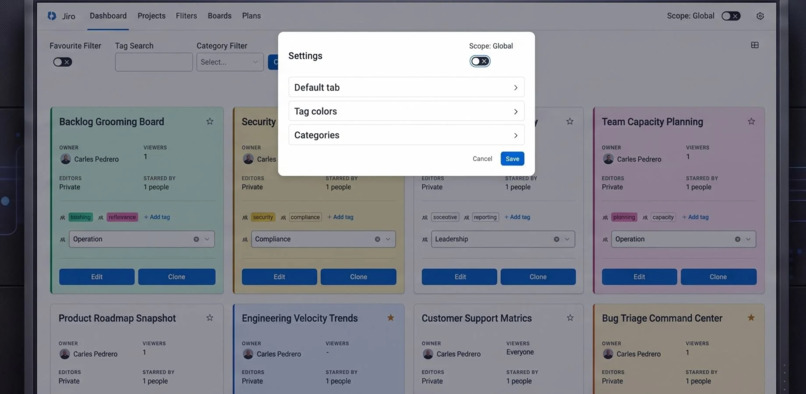
Smart Categories & Global Scopes
-
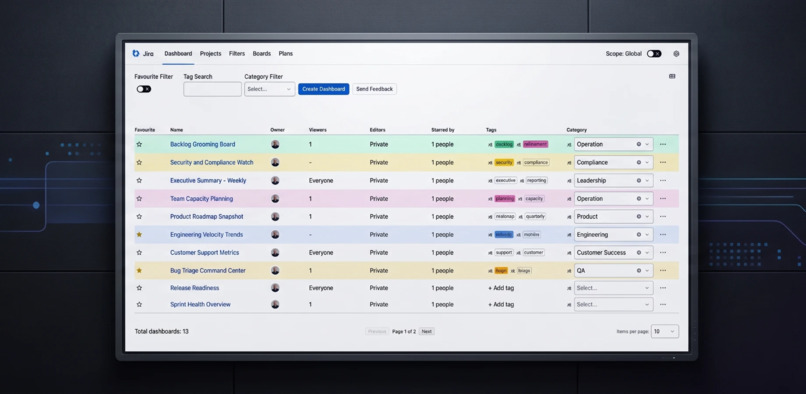
Favorite Jira Boards, Projects & Dashboards
-
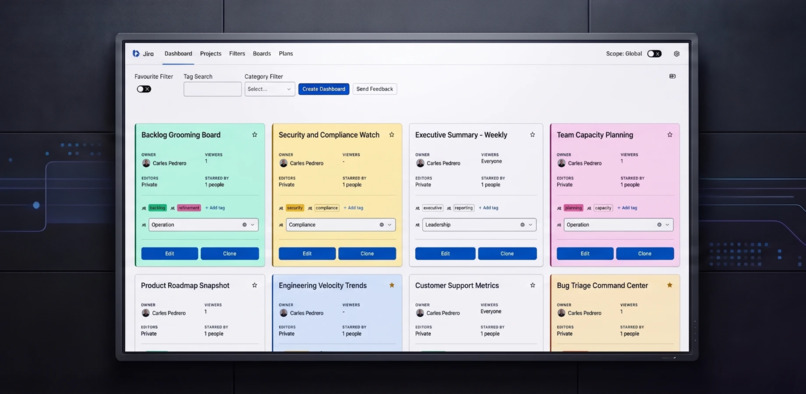
Color-Coded Custom Tags & Search
Inspiration
The Atlassian ecosystem is constantly evolving, and the move to Jira Cloud opens up amazing possibilities for teams. As organizations make this jump, we saw a great opportunity to make the transition even smoother. We wanted to bring the best visual elements from Data Center into Cloud. Our goal was simple: build a bridge that helps teams feel right at home in their new workspace from day one, combining Cloud's power with the visual familiarity they already love.
What it does
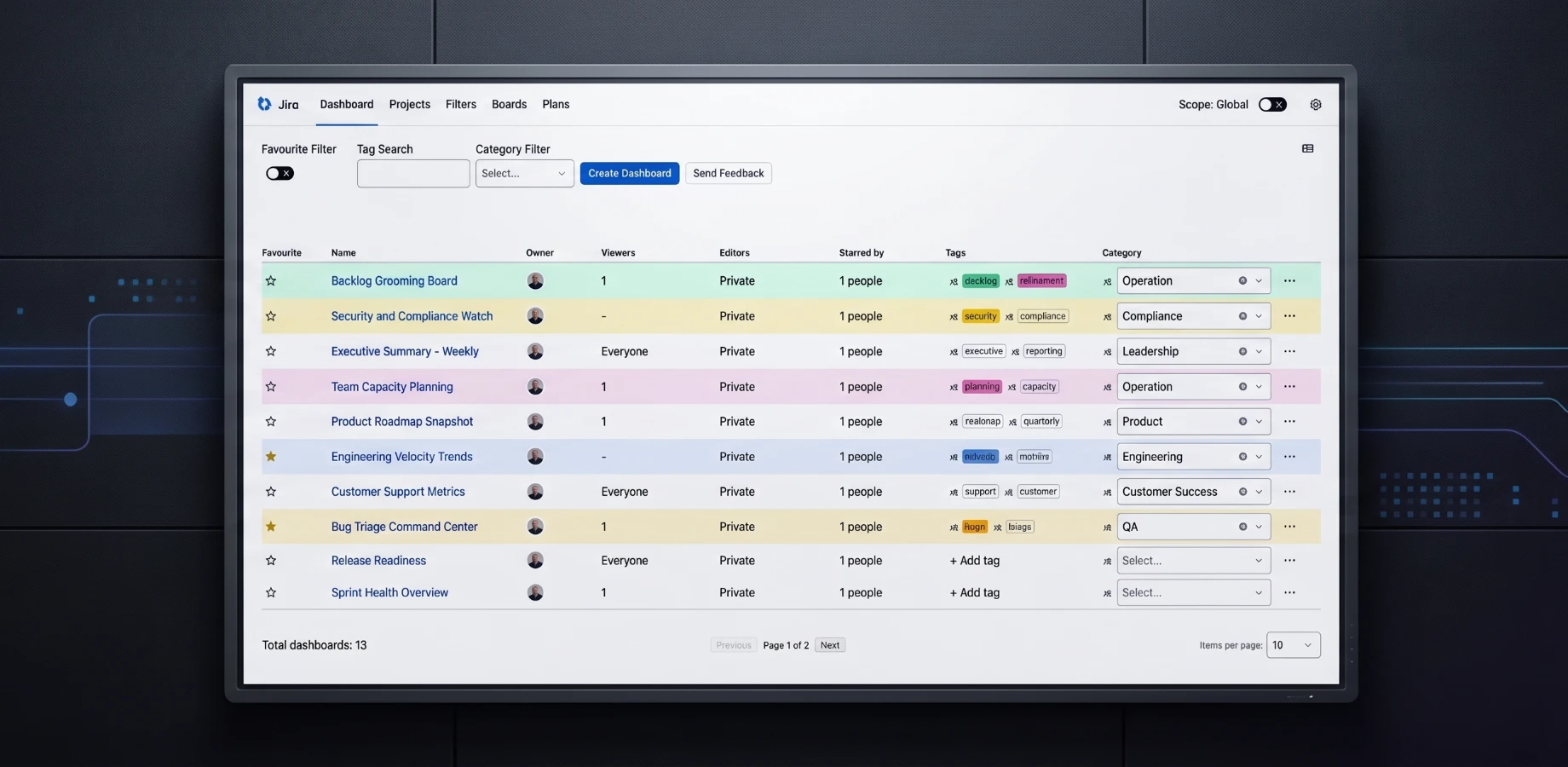
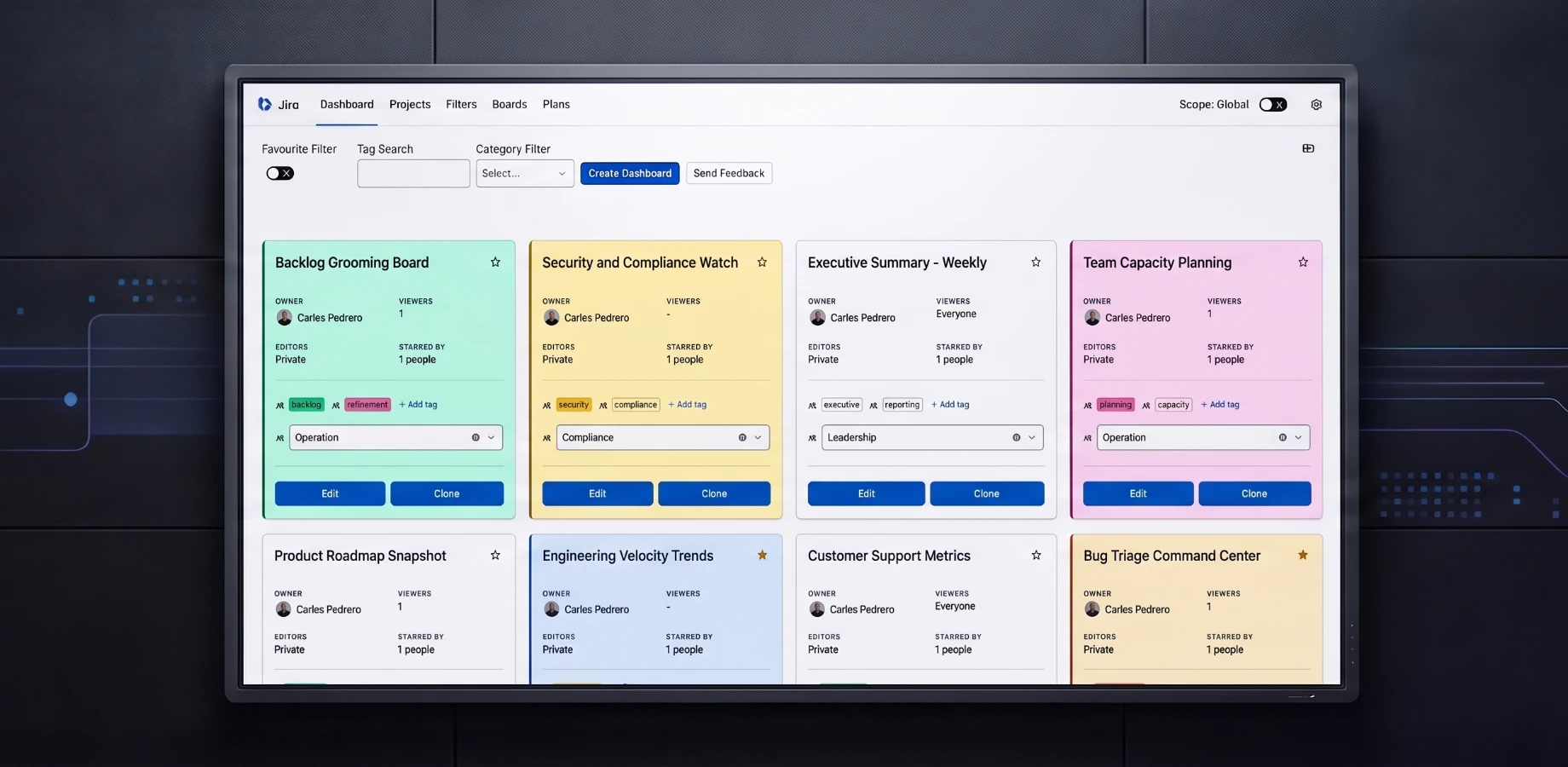
Visual Organizer for Jira Cloud gives you a single, consistent and highly visual way to interact with your Dashboards, Projects, Filters, Boards and Plans.
Designed to reduce screen noise and boost productivity, it lets both administrators and users classify and structure their Jira environment with custom tags and categories, instead of a flat, cluttered list. The experience is reminiscent of Jira Data Center, which makes it the perfect companion for teams migrating to Jira Cloud who want to keep visual consistency and find the right work at a glance.
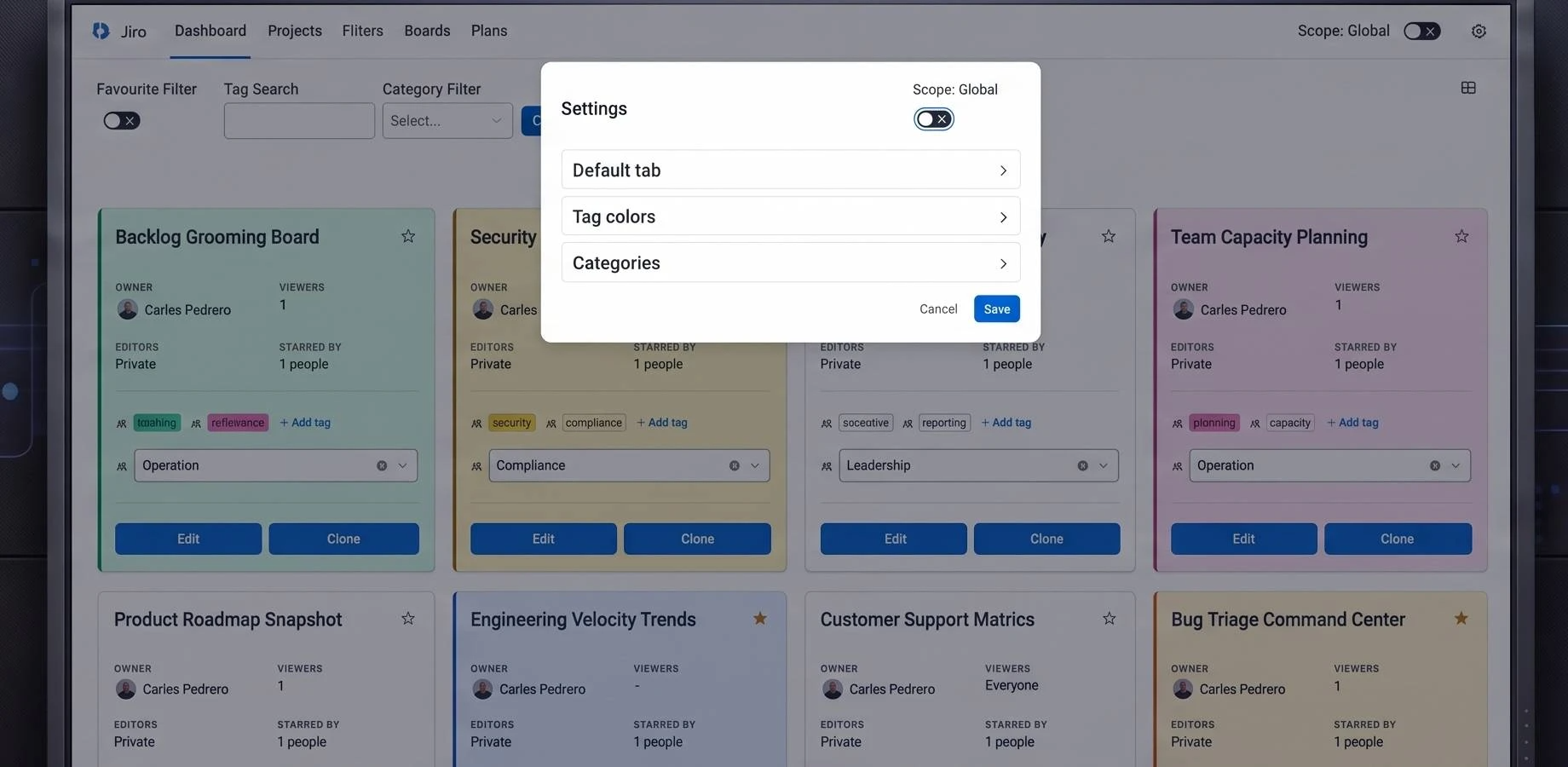
- Personal and company-wide views: users and Jira admins can toggle between personal and company-wide tags/categories on each screen. Admins set a baseline "System View" that standardizes navigation for the whole company, while users keep their own "User View".
- Plug and Play: no configuration needed after installation. Just tag and classify your boards, dashboards, filters and projects.
- Simple tagging: add several tags to an item by separating them with commas.
How we built it
We built this on Atlassian Forge, specifically leveraging Custom UI to give us the complete freedom needed to create our highly tailored, colorful interface.
The frontend is powered by React, allowing us to build a rich and interactive experience where users can customize their views effortlessly. While we used standard Atlassian components for basic elements like tables, the core visual elements were built from the ground up to guarantee total flexibility. On the backend, we used Node.js to connect smoothly with the Jira REST API, pulling in project configurations so the custom views update seamlessly.
Challenges we ran into
One of our biggest puzzles was performance. Rendering bespoke colors, tags and UI elements for hundreds of items on a single screen requires a lot of processing, so we had to get creative with our React state management to keep everything lightning-fast.
We also learned a lot about working within the secure architecture of Jira Cloud. Building a deeply customized experience inside the Custom UI iframe while ensuring smooth communication with the Forge backend required some outside-the-box thinking. Lastly, we spent time balancing total color freedom with good accessibility, ensuring text remains easy to read no matter what color a user chooses.
Supporting both personal and company-wide categories on every screen (Boards, Dashboards, Filters, Projects and Plans) while keeping a consistent experience was another design challenge.
Accomplishments that we're proud of
Seamless Custom Interface: Even though we designed it from scratch using Custom UI, Visual Organizer blends perfectly into the Jira Cloud environment, feeling like a natural extension of the workspace.
One consistent experience: the same tagging and categorization model works across Dashboards, Projects, Filters, Boards and Plans.
Speed and Reliability: We kept the customized views snappy and responsive, even for enterprise teams handling thousands of active issues.
Plug and Play for admins and users: zero configuration after install, plus System View / User View so admins can standardize navigation without taking away personal organization.
Empowering Users: We're proud to have built a tool that genuinely helps teams work better together by making their daily workspace more comfortable, intuitive and visually engaging.
What we learned
We discovered just how important visual memory is to a team's daily workflow. Giving people the ability to tag, categorize and color-code their work makes a huge difference in how quickly and confidently they adopt a new platform. On the technical side, we leveled up our understanding of Atlassian Forge's Custom UI bridge and greatly improved our skills in optimizing React components for large-scale data rendering inside secure iframes.
What's next for Visual Organizer - Custom Labels & Views for Jira
We want to build cross-project visual templates, so Jira administrators can easily share and standardize color schemes and categories across entire organizations, making collaboration even more visually cohesive. We will also keep deepening the experience on Plans, based on user feedback.


