-
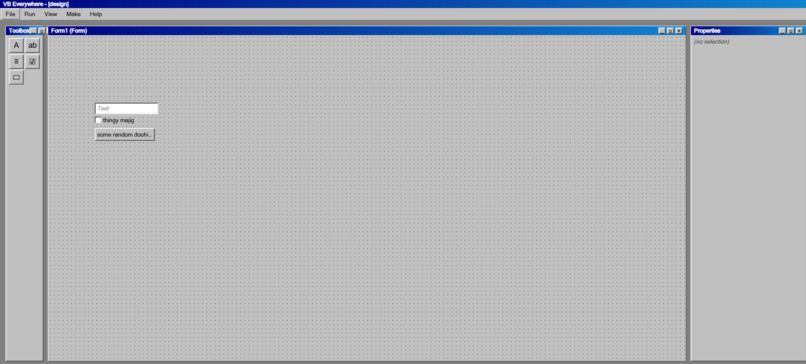
IDE for building software
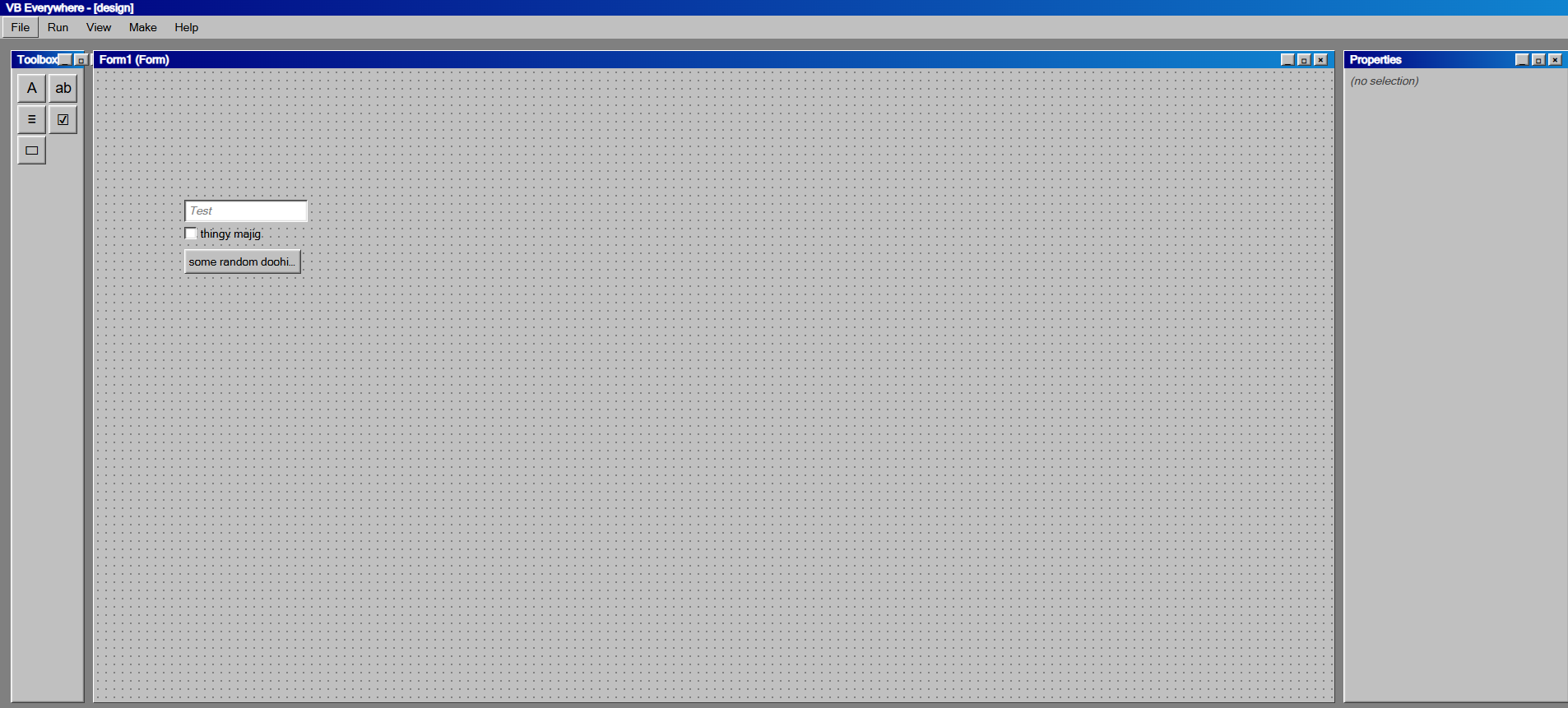
Inspiration
Visual Basic 6 let millions of non-programmers build real apps: drag a button, double-click it, write three lines, done. Microsoft ended support for the VB6 IDE in 2008, and nothing since has been that approachable. For this hackathon's Afterlife theme, we asked: what if VB6 came back, and this time its apps could reach everyone?
"Everyone" matters. In March 2025, Canadian food banks recorded close to 2.2 million visits in a single month, double 2019 (Food Banks Canada, HungerCount 2025). In 2022, about 1 in 6 Canadian seniors still didn't use the internet (Statistics Canada). The people who most need a sign-up form are often the ones a web form can't reach.
What it does
VB Everywhere is a VB6-style IDE in the browser. You drag controls onto a form, write a little VB, and click Make. That one form becomes:
- 🌐 A web app: one clean, accessible page for any browser
- 📞 A phone line: call a real number, answer by voice or keypad, hear your answers read back
- 🖥️ A kiosk: big-text, step-by-step mode that runs on old donated tablets through a QR code, and resets for the next person
Every submission lands on one live dashboard, tagged by channel, with filters and CSV export.
Our demo use case is a food bank intake form: a student signs up on the web, an elderly person calls in, and staff use a 10-year-old tablet at the door.
How we built it
- Language & engine: a hand-written VB interpreter (lexer → parser → syntax tree → evaluator), built by Nathaniel without AI. The same engine runs in the browser, on the kiosk and on the server for phone calls, so the rules are identical everywhere.
- IDE: React + Vite, styled as Windows 98, with a live-compiling code window (F7), templates, and a Make button that is blocked until the code compiles.
- Server: Node 22, TypeScript, Express and SQLite in an npm-workspaces monorepo. Twilio webhooks turn each control into a spoken question.
- Security: forms are signed with Ed25519, and kiosks refuse any form that doesn't verify. The server re-runs every form's validation before saving, so no channel can skip the rules. Personal data is encrypted at rest with AES-256-GCM. Twilio request signatures are verified, owner keys are stored hashed and compared in constant time, and there are rate limits and security headers.
- Live updates: Server-Sent Events push each submission to the dashboard instantly.
- Deploy: one Docker container on Railway with a persistent volume. GitHub Actions runs our test suite on every pull request.
Challenges we ran into
- The 403 phone line. Twilio calls were rejected by our own security check, because an old auth token in the environment was silently overriding the new one. We fixed the config loading, proved it with a fake call, then a real one.
- Speech recognition vs. names. Phone speech-to-text cut names off. We tuned the speech settings for phone audio and Canadian English, and added a read-back step: "press 1 if that's right, 2 to try again."
- Monorepo in Docker. Our first cloud builds failed because the workspace packages weren't installed before compiling. We rewrote the Dockerfile to copy every workspace manifest first.
- One app, many builds. Early on, every Make created a brand-new app. We added updates in place, so a form keeps the same links and phone number as you edit it.
- 24 hours, five people, one interpreter. We wrote the contracts between parts first, and every change went through a branch, a pull request and CI, so five of us could work in parallel without breaking each other.
Accomplishments that we're proud of
| Metric | Result |
| Lighthouse Accessibility (web form) | 100 (Performance 97) |
| Load test, one instance | approx 730 req/s, p = 116,text{ms}, 0 errors |
| Automated tests | 220+, run in CI on every PR |
| Production vulnerabilities (npm audit) | 0 |
It's live right now. You can call the number and watch your answers appear on the dashboard.
What we learned
- Accessibility isn't only screen readers: a phone line is the most accessible interface there is.
- Running the same interpreter on the client and the server removes a whole class of "the web says yes, the server says no" bugs.
- Security is cheaper to design in than to bolt on. Signing, re-validation and encryption each took under an hour because we planned for them from the start.
- AI tools sped up plumbing, but the core engine, the architecture and every review were ours.
What's next for VB Everywhere
- 🥫 Pilot with a local food bank: real intake, measured by channel
- 📴 Offline kiosk mode: save answers and send them when back online
- 🇫🇷 French first, then more phone languages
- 💬 SMS reminders and confirmations
- 🤖 AI form drafting: describe a form and get a draft that our compiler verifies
- 📈 Scale out with Postgres and Redis across many servers
Built by team I use arch btw: Zhangir (lead, server, phone), Nathaniel (interpreter), Max (kiosk, dashboard, QA), Michael (server, phone), Lucio (pitch).

