-
-
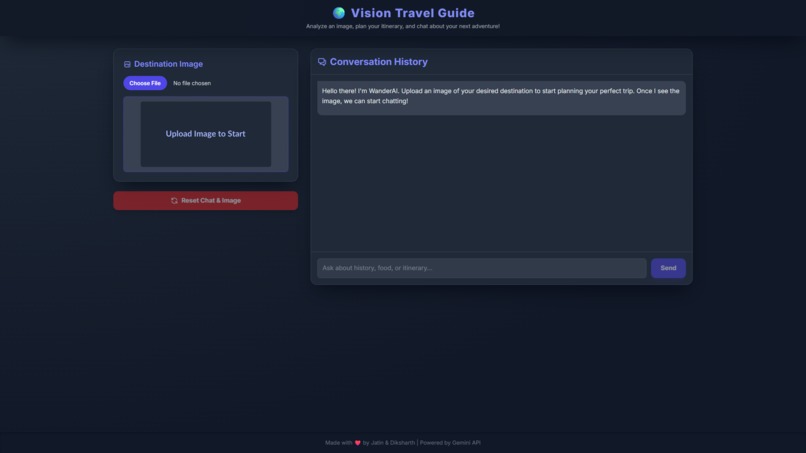
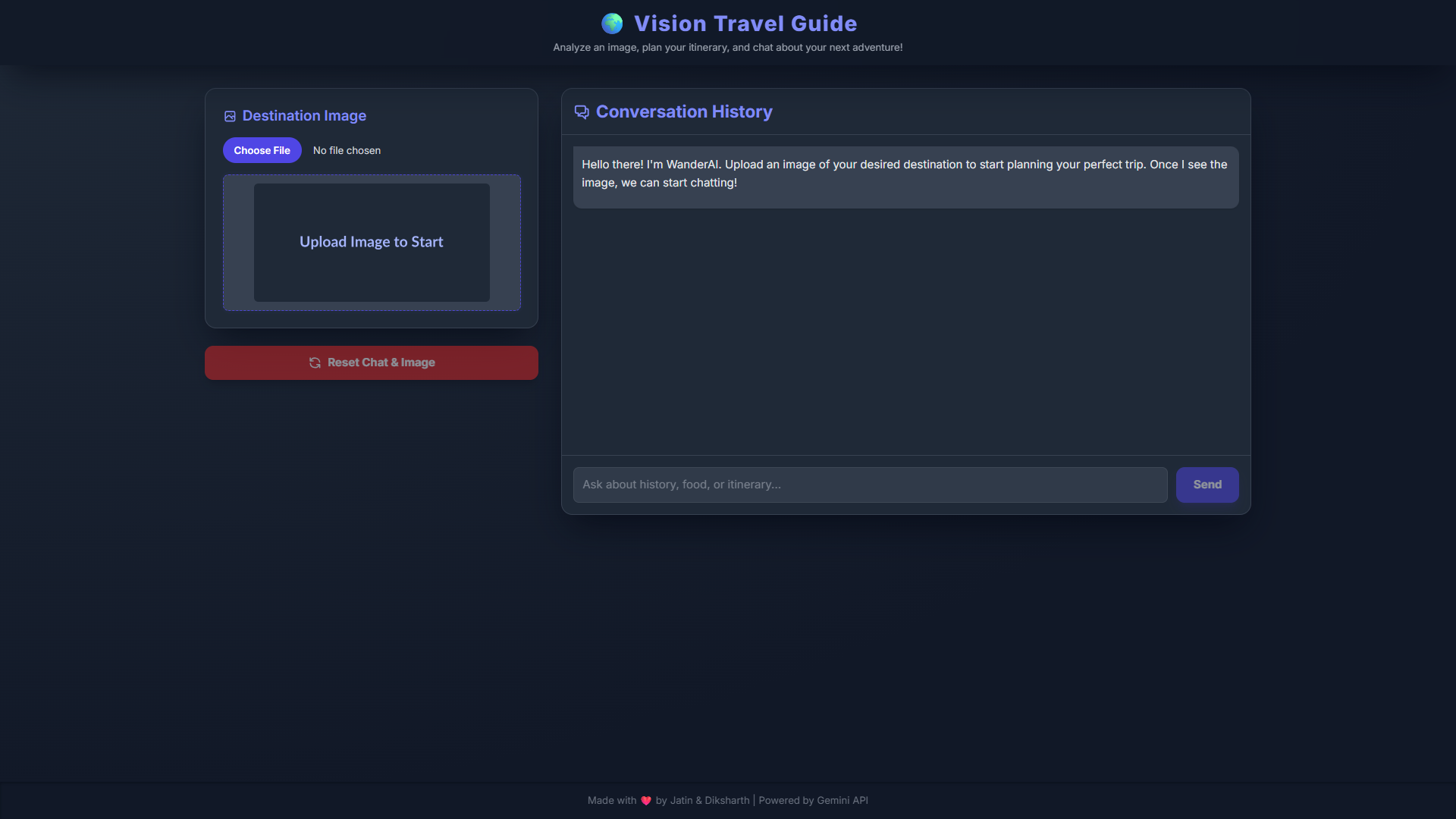
Landing Page
-
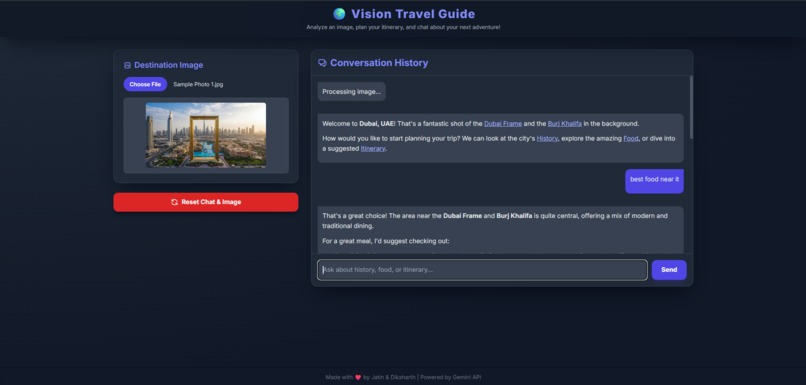
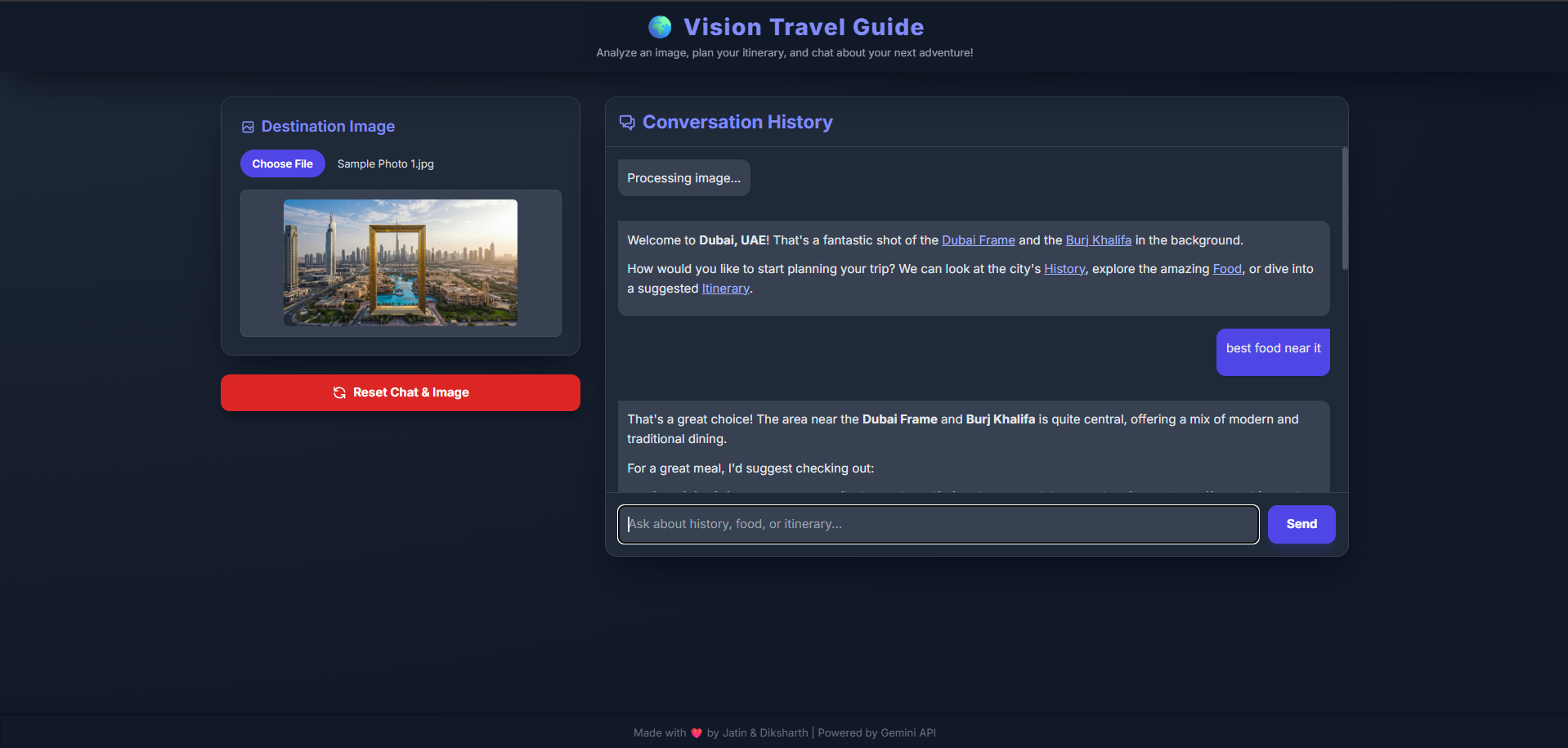
An example
💡 Inspiration: From Dream to Destination
The initial inspiration for the Vision Travel Guide was born from a simple idea: often, the desire to travel starts with a single captivating image—a photo seen online, a postcard, or a picture on a friend's social media. We wanted to bridge the gap between that visual inspiration and the actual planning process. Instead of asking the user to manually type the name of the place, why not just show the AI the picture and let it take the lead?
The goal was to create a truly intuitive, multimodal experience where the image itself acts as the primary context for a rich, informed conversation about travel.
🛠️ How We Built It
The Vision Travel Guide was built as a modern, client-side single-page application to ensure speed and simplicity.
- Frontend Structure and Style
We used standard web development tools: HTML5 and JavaScript for the core logic, and Tailwind CSS for styling. This allowed us to quickly create a dark, modern, and fully responsive interface. The focus was on making the chat interface highly intuitive, incorporating visual cues like the pulsing border on the image upload area and smooth CSS animations for messages.
- Core Intelligence with Gemini
The heart of the application is the Google Gemini API (gemini-2.5-flash-preview-09-2025). The unique challenge was integrating two key functions into a single conversation flow:
Vision Analysis: When an image is uploaded, it is converted to a Base64 string and sent to Gemini along with the user's initial prompt, enabling the model to accurately identify the location (e.g., "This appears to be the ").
Conversational Memory: The entire chat history is included in subsequent API calls, allowing the AI to maintain context and build upon previous suggestions.
- Real-Time Data Grounding
To ensure all travel advice—from history to cuisine—is current and factual, we utilized the Google Search tool within the Gemini API. This grounding feature allows the AI to reference up-to-date information, which is critical for a travel guide where opening hours, local regulations, or recent events matter. Finally, Marked.js was implemented to render the AI's Markdown output into clean, styled HTML, complete with clickable links for further research.
🚧 Challenges Faced
- Handling Multimodal Data
The main technical hurdle was reliably encoding the image file to Base64 and correctly formatting the multi-part API request. Ensuring the image payload was only included with the first contextual message, and then correctly omitted in subsequent text-only messages while maintaining the overall conversation history, required careful state management in JavaScript.
- Managing API Latency
Since the application relies on external API calls for every message, we faced the potential challenge of perceived slowness. We mitigated this by:
Implementing exponential backoff for robust API retries.
Displaying immediate visual feedback: disabling the input field, showing a persistent loading spinner, and quickly displaying a placeholder message bubble.
- User Experience (UX) Flow
We spent time refining the flow so the transition from 'image upload' to 'AI guidance' felt seamless rather than jarring. The pulsating border and the initial AI prompt that immediately identifies the location are small UX choices designed to make the user feel recognized and guided instantly.
🧠 What We Learned
Building the Vision Travel Guide was an incredibly rewarding learning experience:
Power of Multimodal AI: We gained deep insight into how a single model can fluidly handle both visual and textual inputs, demonstrating the future of truly contextual computing.
Effective API Structuring: We mastered structuring complex payloads, including system instructions, conversation history, image data, and search tools, all within a single API request model.
Frontend Optimization: We reinforced best practices in handling asynchronous operations and learned how subtle CSS and JavaScript animations can dramatically improve the perceived responsiveness and quality of a user interface.
Built With
- html
- html5
- javascript
- tailwind
