-
-

Model Selection
-
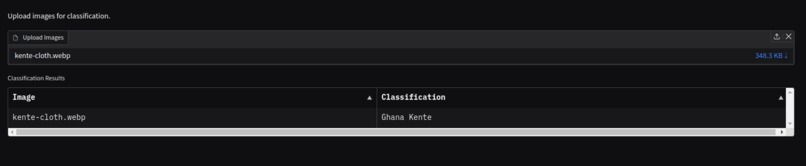
Upload Bulk Images
-
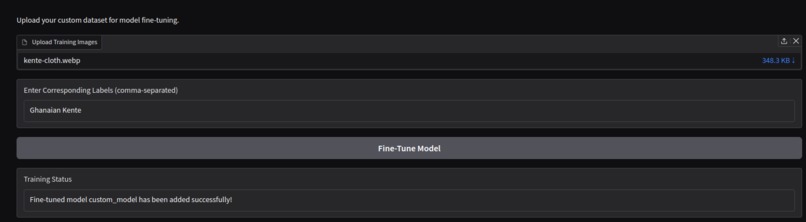
Fine-Tunning
-
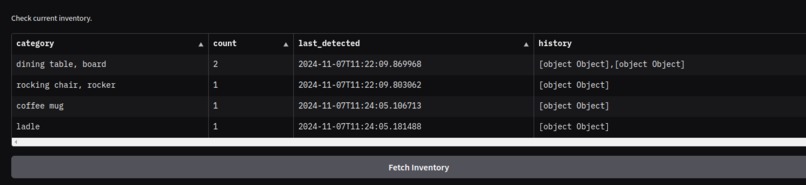
Show Inventory
-
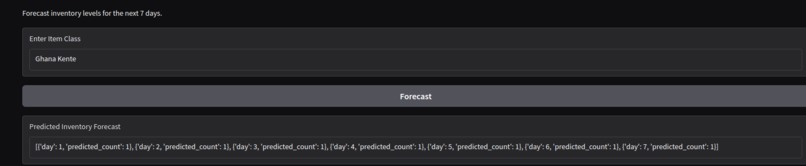
Forecast Inventory
-
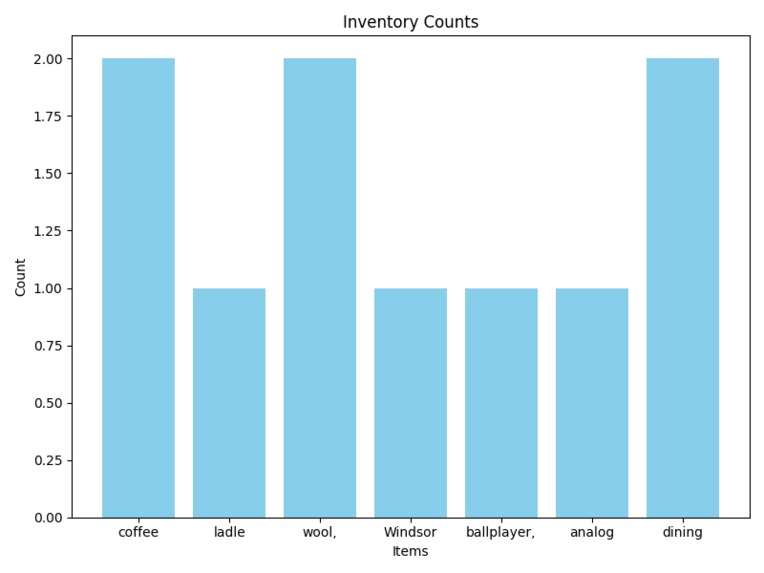
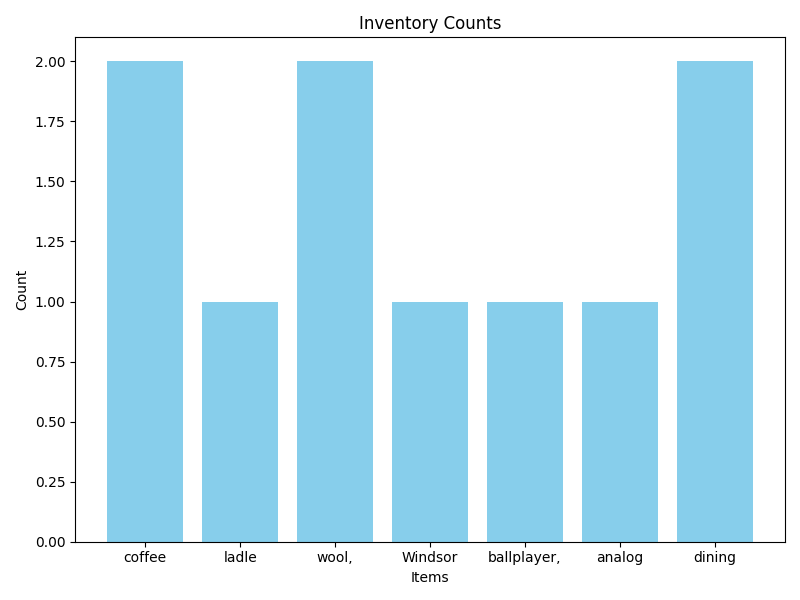
Bar Chart
-
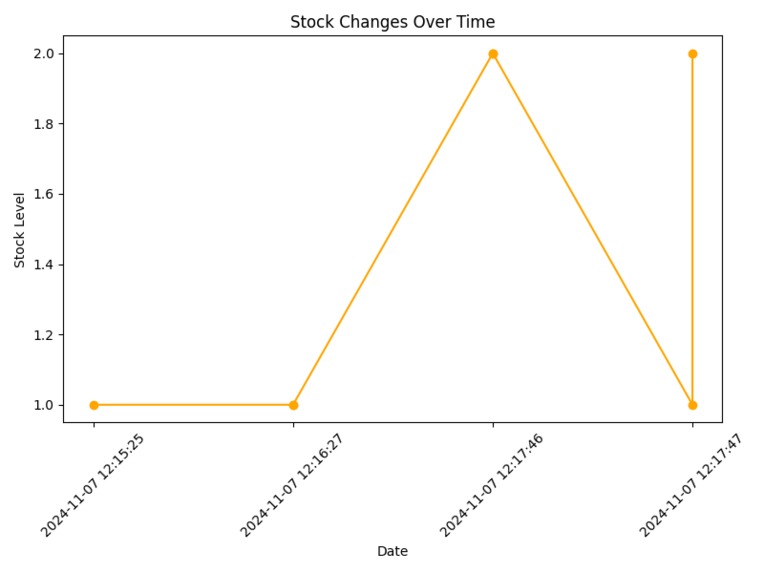
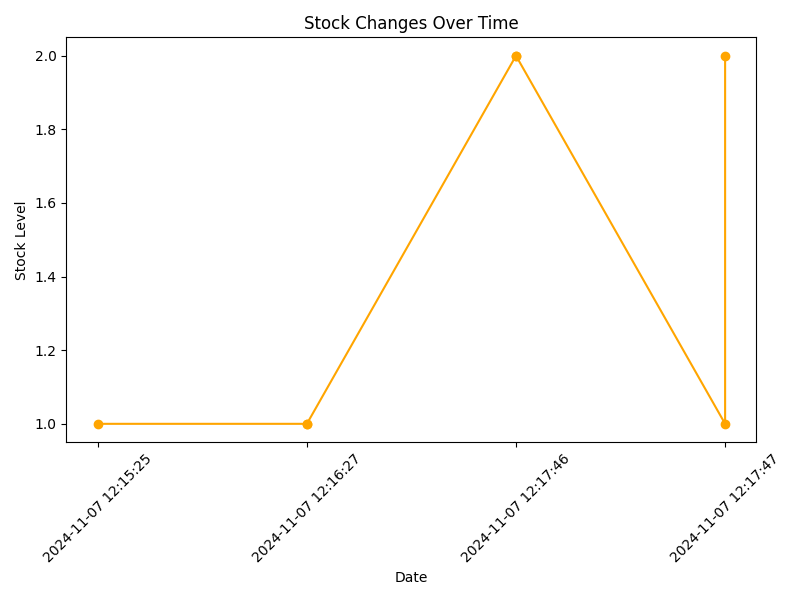
Line Chart
-
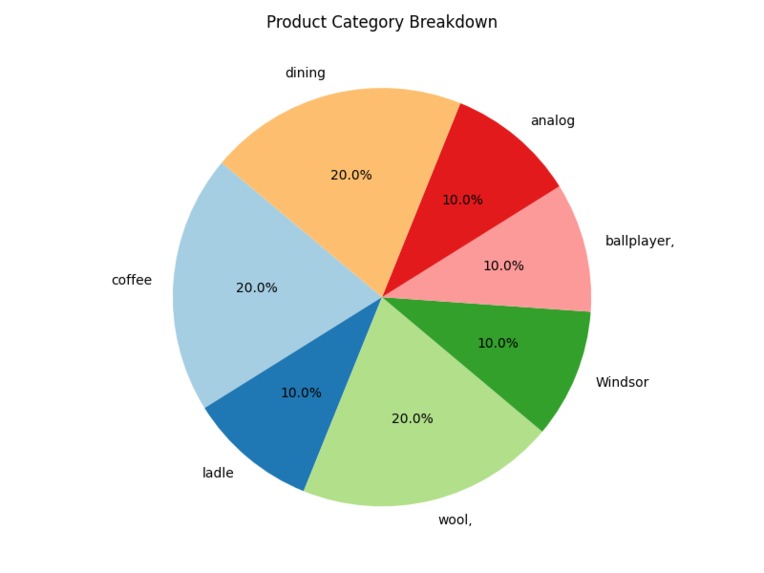
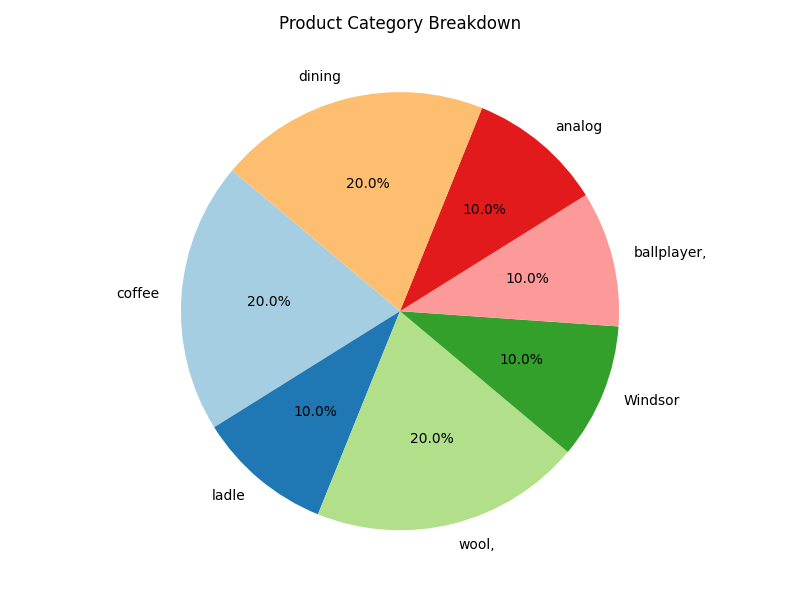
Pie Chart
-
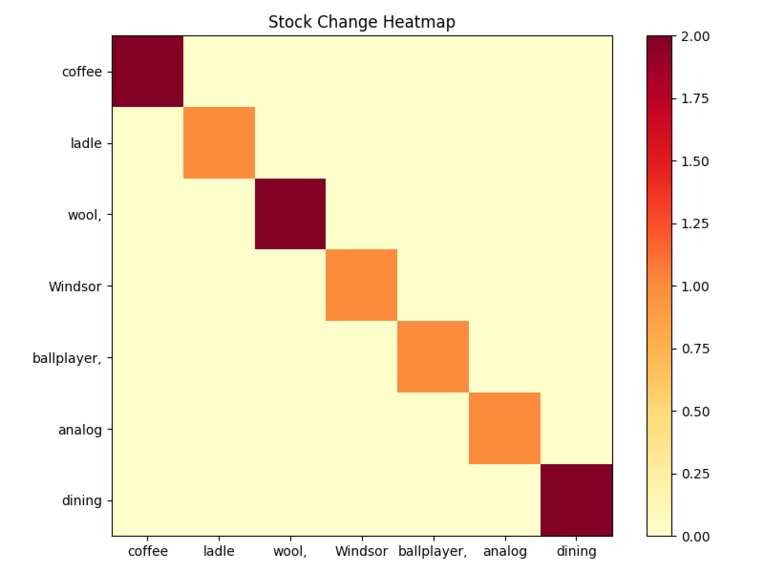
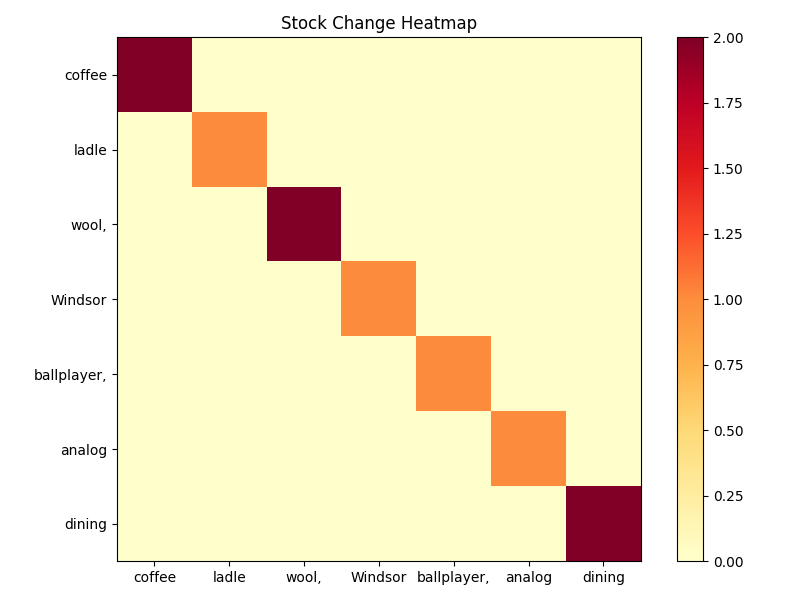
Heat Map

VisionTrack - Smart Inventory Management System
Inspiration
The inspiration for VisionTrack - Smart Inventory Management System came from the need to streamline and automate inventory management processes. Traditional inventory systems often face inefficiencies and inaccuracies, especially in large-scale operations. With this in mind, we aimed to build a solution that leverages advanced image classification and machine learning to enhance the efficiency, accuracy, and scalability of inventory management.
What it Does
VisionTrack is a state-of-the-art inventory management system designed to:
- Automatically classify and categorize inventory items using cutting-edge image recognition technology.
- Provide real-time insights and updates on inventory status to facilitate better decision-making.
App Features
Based on the judges' feedback, we have transformed VisionTrack into a more user-friendly and robust Inventory Management system.
1. Multi Image Recognition Model Selection
Choose from a range of advanced models for image recognition:

- Google ViT (Base): A powerful vision transformer model for efficient image classification.
- Google ViT (Large): A larger version of ViT, offering improved performance on complex tasks.
- Microsoft ResNet50: A deep convolutional network designed for image recognition tasks, known for its efficiency.
- Facebook ConvNeXt Tiny: A compact model optimized for fast inference without sacrificing accuracy.
- Microsoft Swin: A hierarchical vision transformer model that scales well across image sizes and tasks.
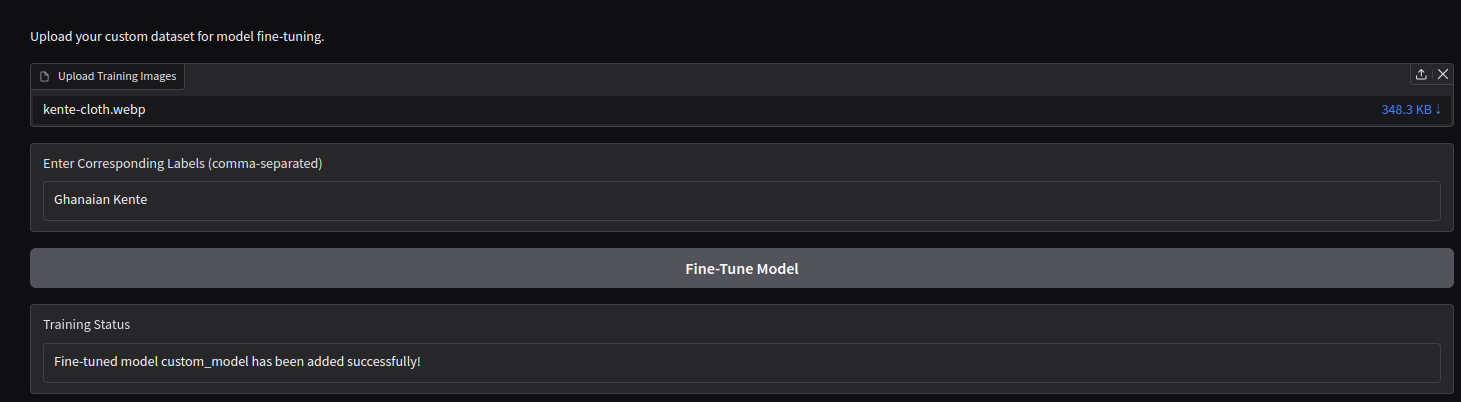
2. Fine-Tuning with Custom Data
Fine-tune the selected model to enhance its accuracy for your specific use case:

- Adjust hyperparameters to optimize model performance.
- Upload your own labeled dataset for fine-tuning, allowing the model to better understand your domain-specific images.
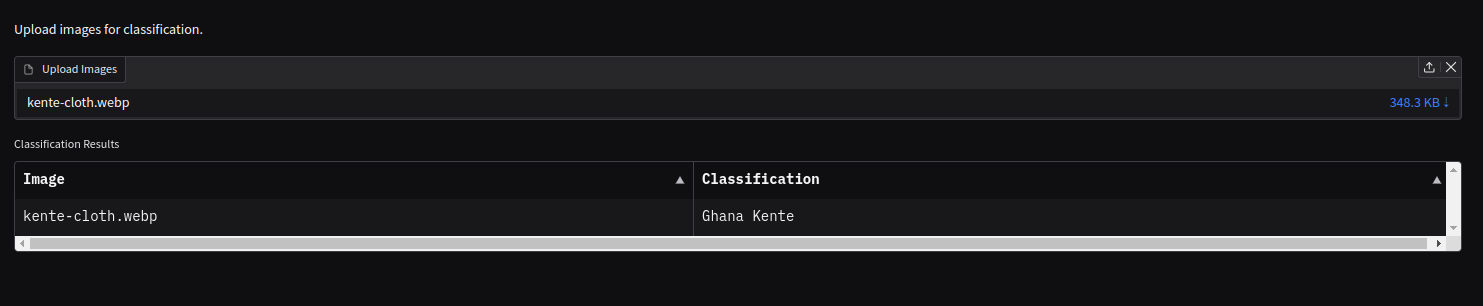
3. Bulk Image Classification

- Upload multiple images at once for batch processing.
- Classify a large set of images in one go and retrieve results efficiently.
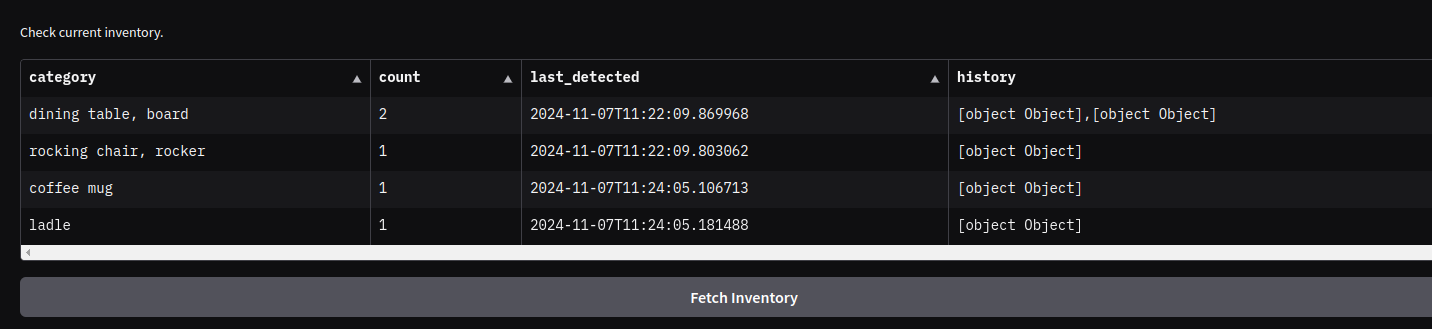
4. Inventory Management
Keep track of the images you've uploaded and their corresponding classification results:

- View the classification labels and associated data for each image.
- Monitor the inventory status of your image dataset for easy access and management.
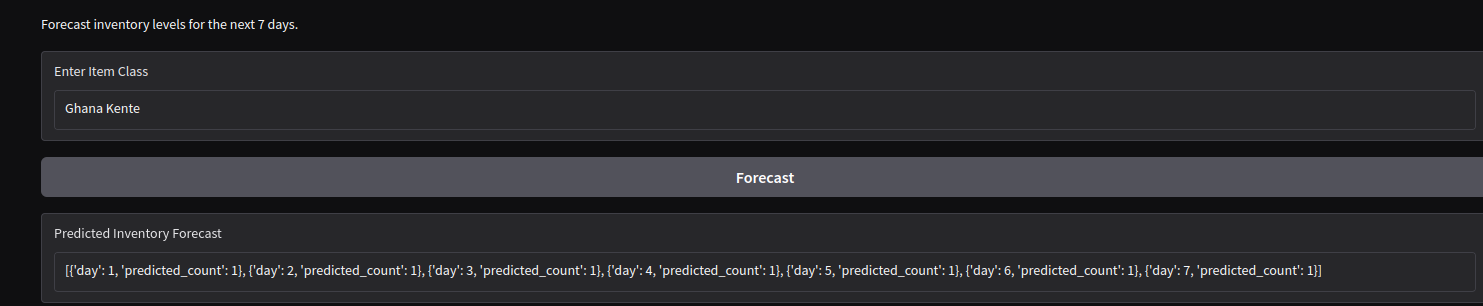
5. Forecasting using Machine Learning

- Use the classification results to predict future trends or behaviors.
- Forecast future inventory needs or category distributions based on historical classification data.
6. Inventory Analytics Dashboard
Visualize and analyze your inventory and classification results through various charts:
Bar Chart: Display the distribution of classified items across categories.

Pie Chart: Visualize the proportion of categories within your dataset.

Line Chart: Track trends and patterns in your inventory over time.

Heatmap: Explore the relationships between various attributes in your dataset and visualize patterns.

How We Built It
We built VisionTrack using a combination of modern technologies and frameworks:
- Frontend: The user interface was developed using Gradio, which allows for seamless image classification tasks through an intuitive, easy-to-use platform.
- Image Classification Models: Integrated a range of advanced image classification models, including:
- Google ViT (Base)
- Google ViT (Large)
- Microsoft ResNet50
- Facebook ConvNeXt Tiny
- Google MobileNetV3
- Inventory Database: Created a robust database to store categorized images. This database also supports forecasting, predictive analytics, and overall analytics for inventory management.
- Custom Fine-Tuning: To allow for product-specific customization, we implemented a custom fine-tuning feature where users can upload their own labeled product images. They can then fine-tune the model to better classify their specific products and use the fine-tuned model for further classification tasks.
Challenges We Ran Into
- Model Accuracy: Achieving high accuracy in classifying a wide variety of inventory items required fine-tuning and extensive testing of the Vision Transformer model.
- System Integration: Integrating the image classification model with the Gradio interface and ensuring smooth communication between components posed significant challenges.
- Scalability: Handling a large volume of images and ensuring system efficiency as the dataset grows was a concern.
- Proxy Handling: Configuring the application to work properly behind a reverse proxy required setting up the right middleware and environment variables.
Accomplishments We're Proud Of
- Automated Classification: Successfully implemented an automated image classification system using the Vision Transformer model, enabling the accurate categorization of inventory items.
- Enhanced User Experience: Developed an intuitive and responsive user interface with Gradio, simplifying inventory management tasks for users.
- Seamless Deployment: Achieved consistent and reliable deployment using Docker, ensuring the application works seamlessly across different environments.
What We Learned
- Machine Learning Integration: Gained valuable insights into integrating machine learning models with web applications, especially in handling image data for classification tasks.
- Effective Use of Gradio: Learned how to leverage Gradio for building user-friendly interfaces and handle middleware configurations to ensure accurate request processing.
- Scalability and Performance: Identified key scalability challenges and implemented solutions to ensure efficient handling of large data volumes.
What's Next for VisionTrack
- Mobile Support: Develop mobile-friendly versions of the application to expand accessibility and usability across a wider range of devices.
- System Integrations: Explore potential integrations with other business systems such as ERP and CRM to provide a more comprehensive inventory management solution.
- User Feedback: Collect and analyze user feedback to drive iterative improvements, ensuring that the system continues to meet the evolving needs of its users.


Log in or sign up for Devpost to join the conversation.