Inspiration
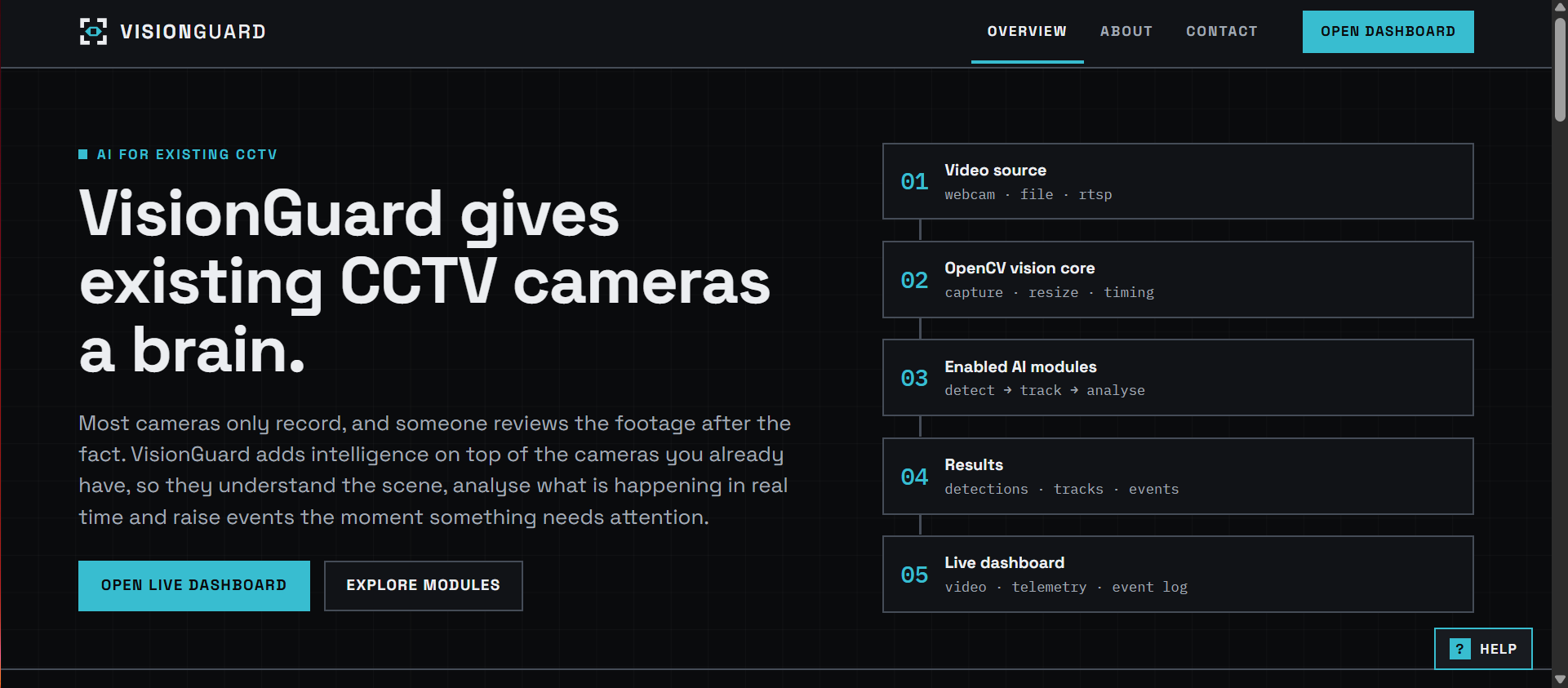
Most organizations already have cameras installed. What they lack is someone to watch them.
A facility may have 50–100 cameras with just 2–3 operators in front of the screens. Humans can't monitor that many feeds at once. An unauthorized entry at a gate, someone wandering into a restricted area, or a person falling in an empty corridor may all be recorded, but nobody notices.
AI surveillance products exist, but they often require specific camera brands, force customers to buy an entire bundle of features, and are expensive. A college that only needs restricted-zone alerts may still have to purchase a full enterprise package.
That is the gap VisionGuard addresses.
No new cameras. Just better use of the ones already installed.
What It Does
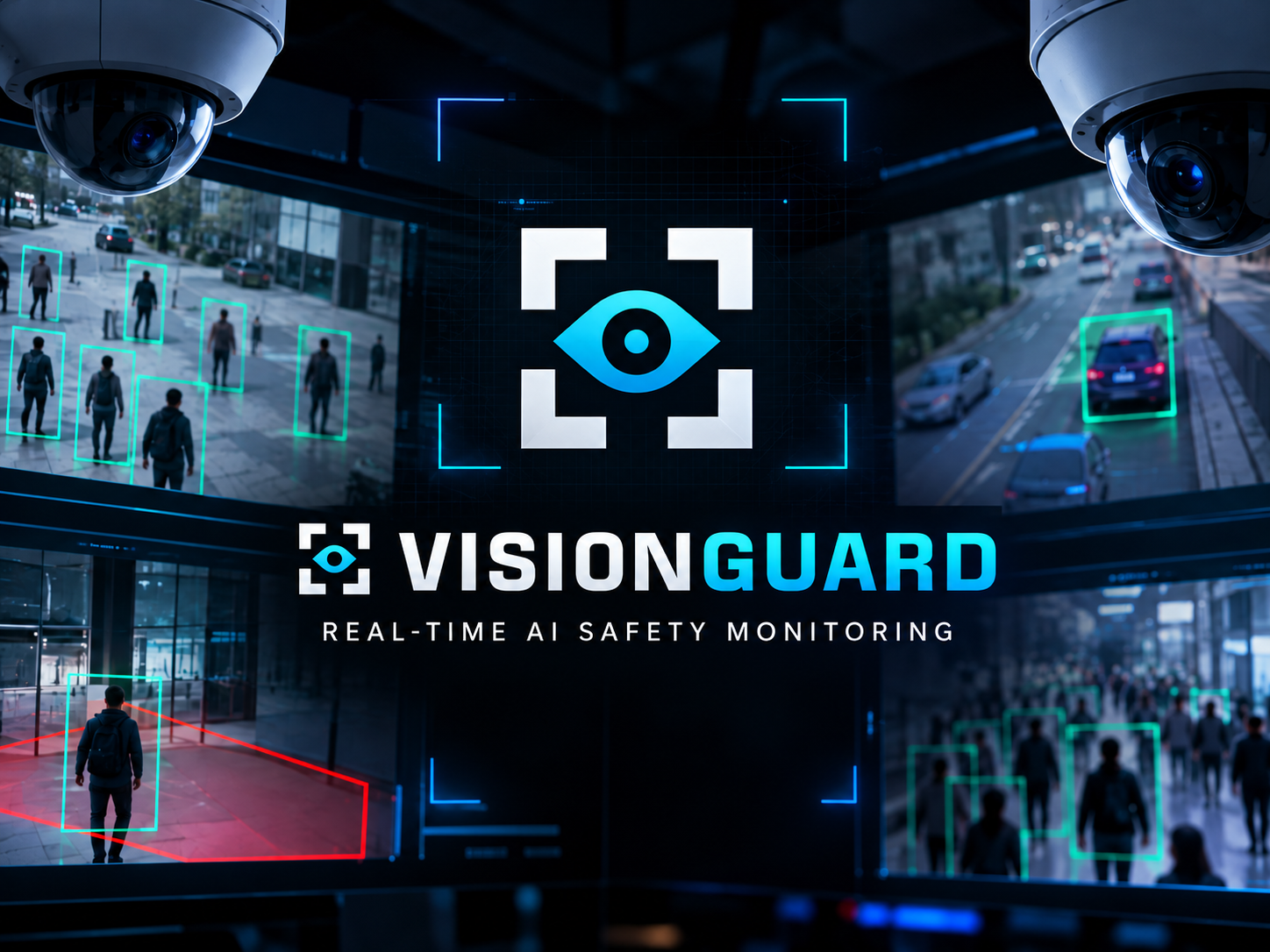
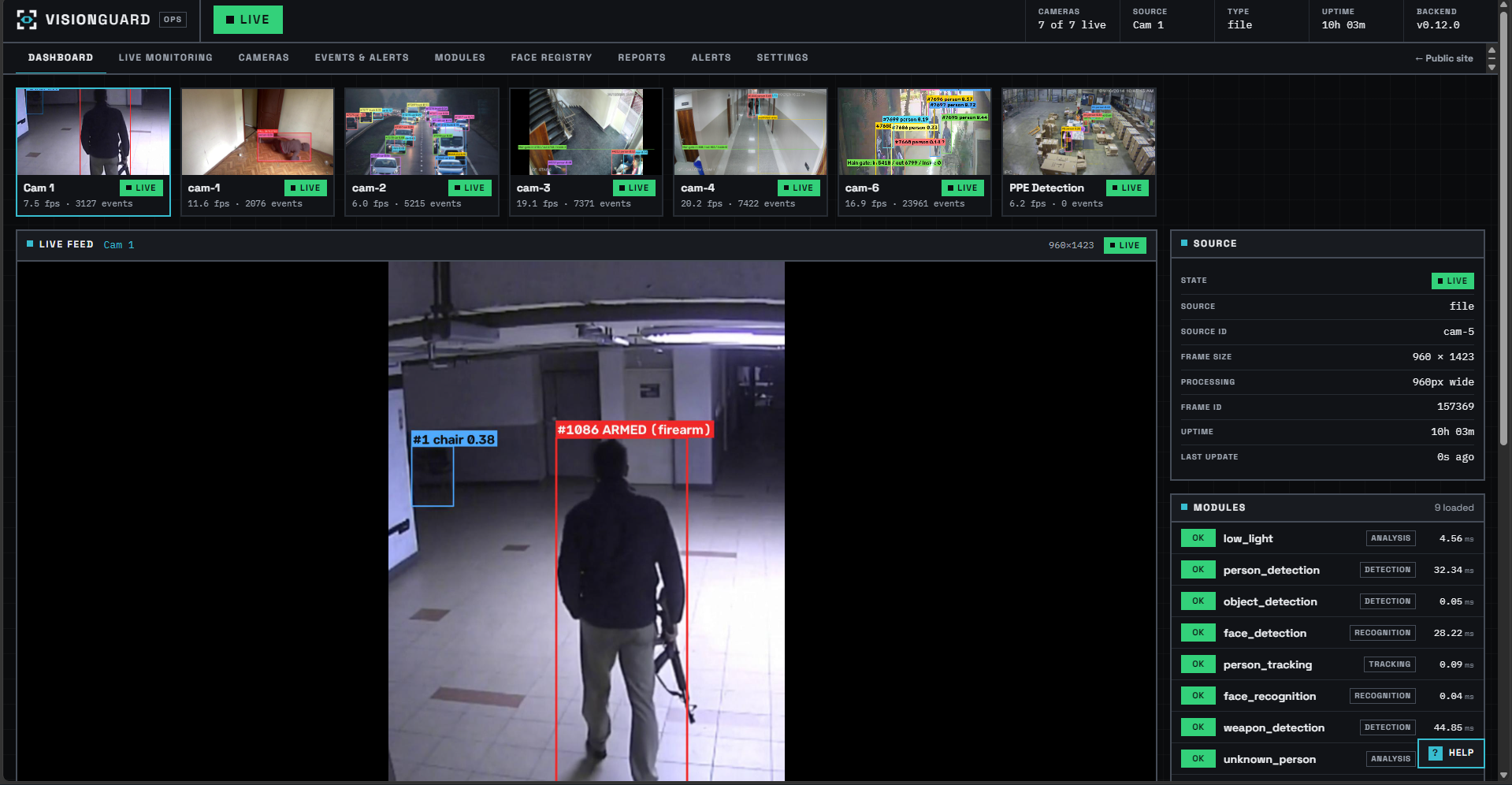
VisionGuard is a modular platform that runs on top of existing CCTV infrastructure and converts video feeds into structured events.
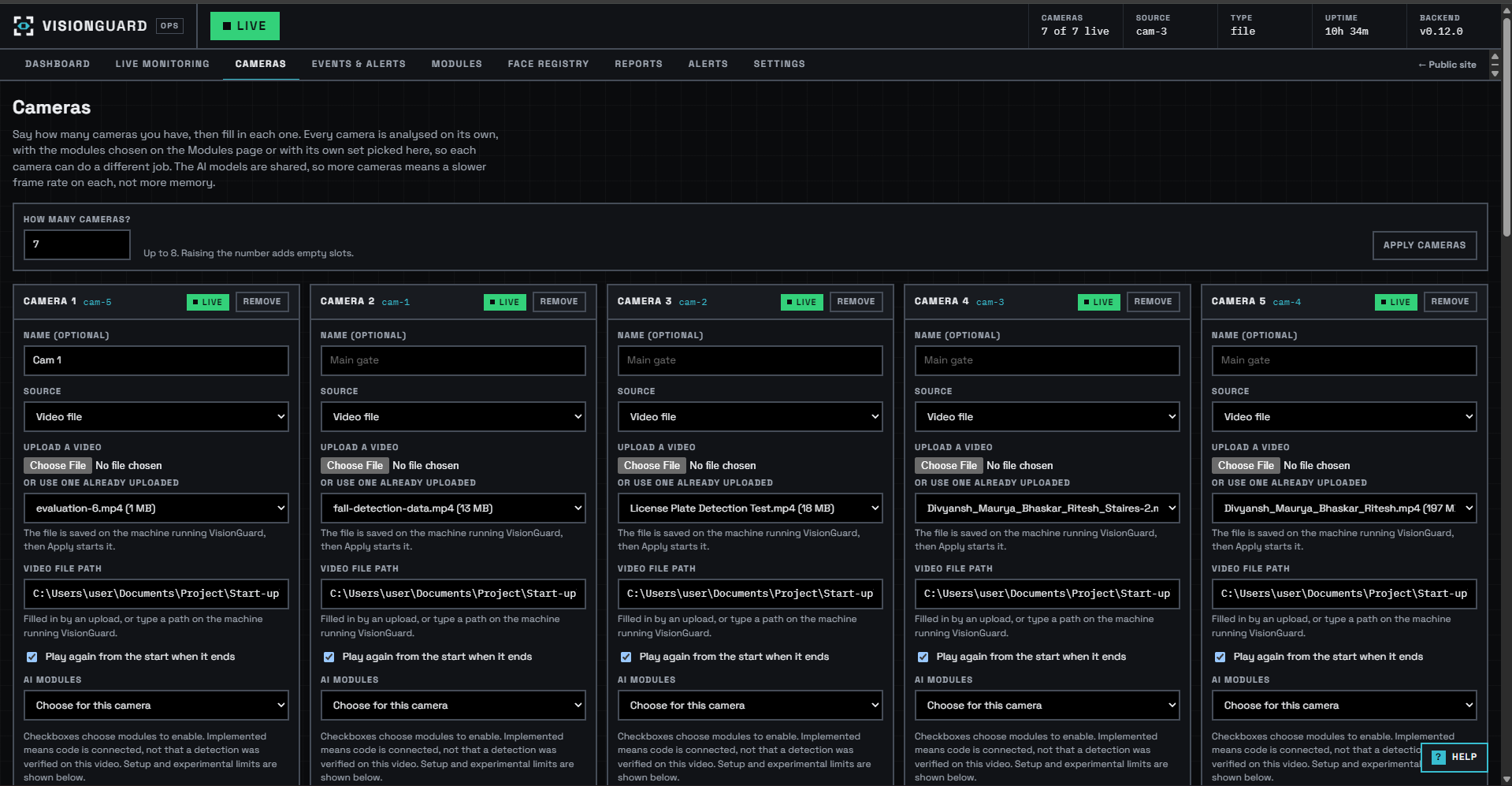
Video can come from CCTV/RTSP streams, webcams, recorded video files, or YouTube streams. The platform runs the selected AI modules on each feed, tracks people and objects, checks predefined rules, and generates alerts.
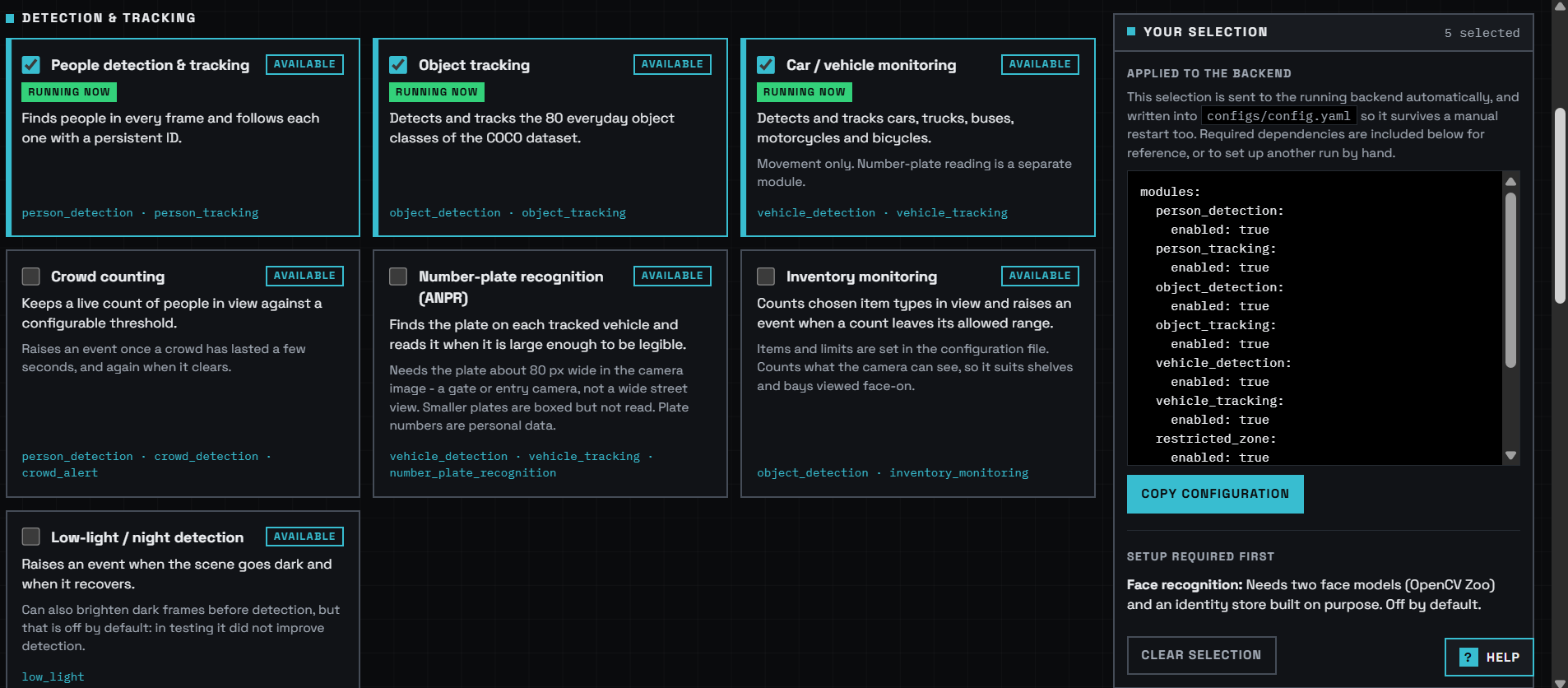
The core idea is simple: enable only the modules you need.
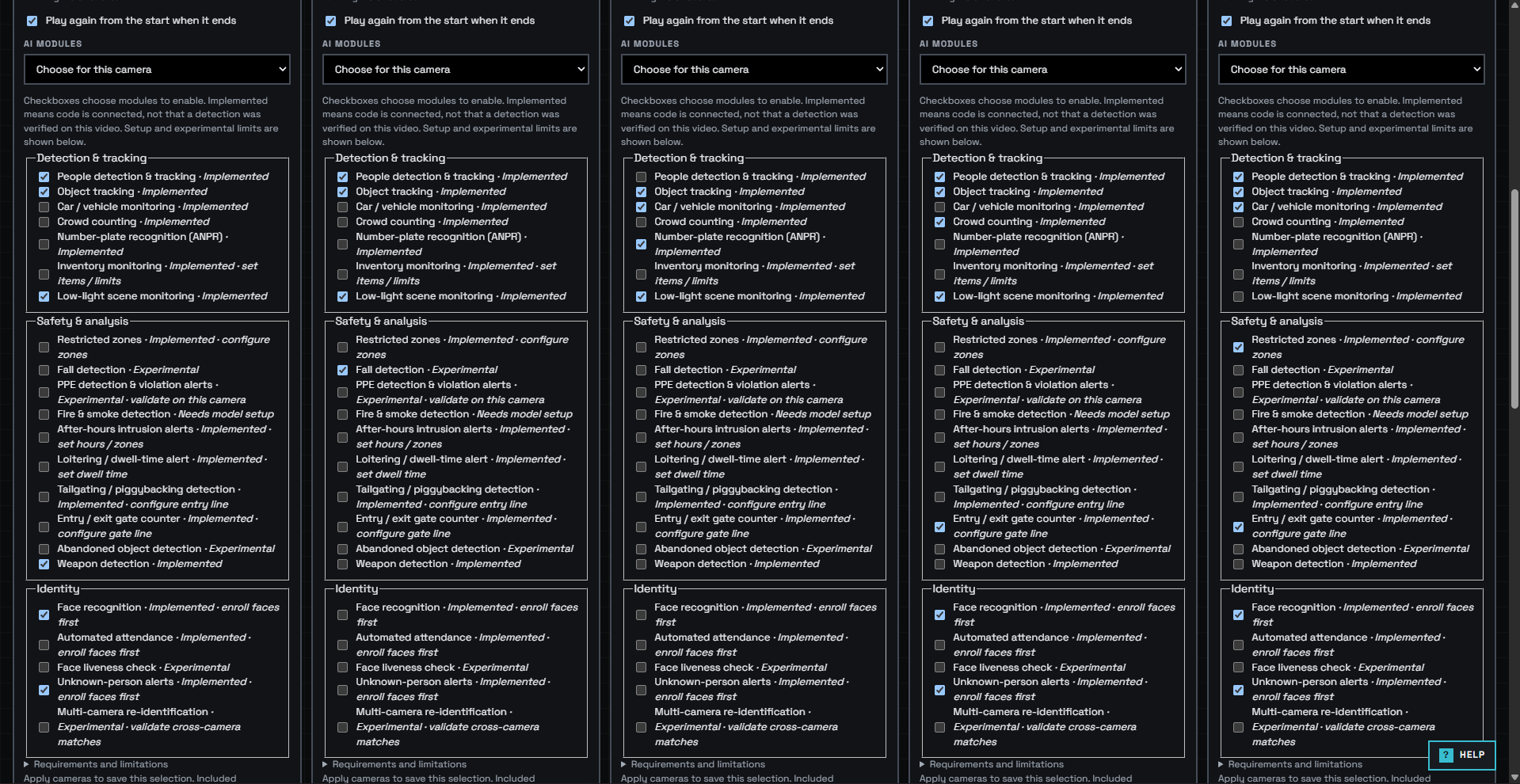
| Module | What It Detects |
|---|---|
| Restricted Zone | Entry into and exit from defined areas |
| Loitering | People remaining in one place for too long |
| After-Hours Intrusion | Unauthorized entry during off-hours |
| Gate Counter | Line crossing and movement direction |
| Tailgating | Two people entering when only one entry is expected |
| Abandoned Object | Unattended belongings or objects |
| Crowd Alert | Crowd size exceeding a defined threshold |
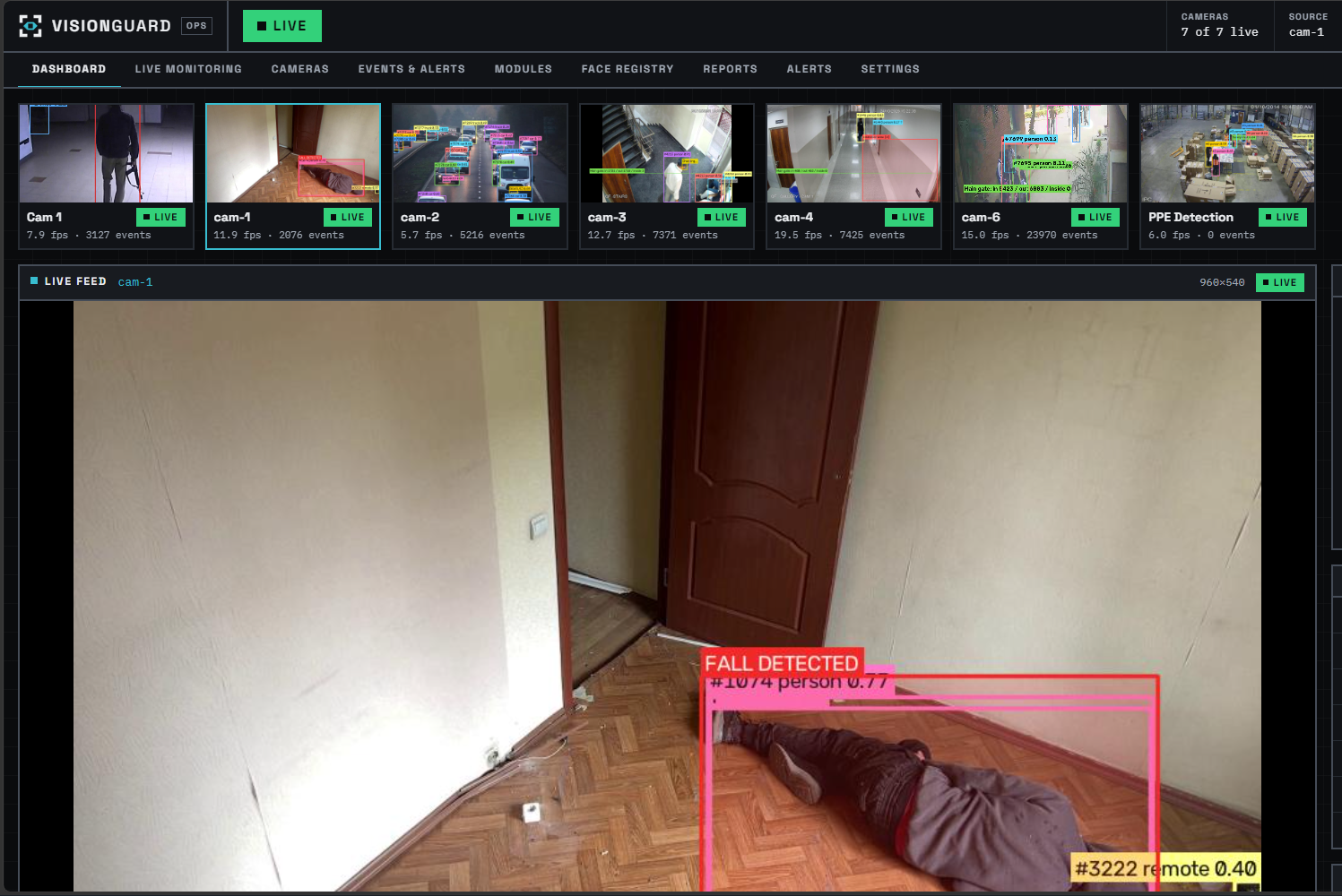
| Fall Detection | People falling |
| Inventory Monitoring | Changes in object counts |
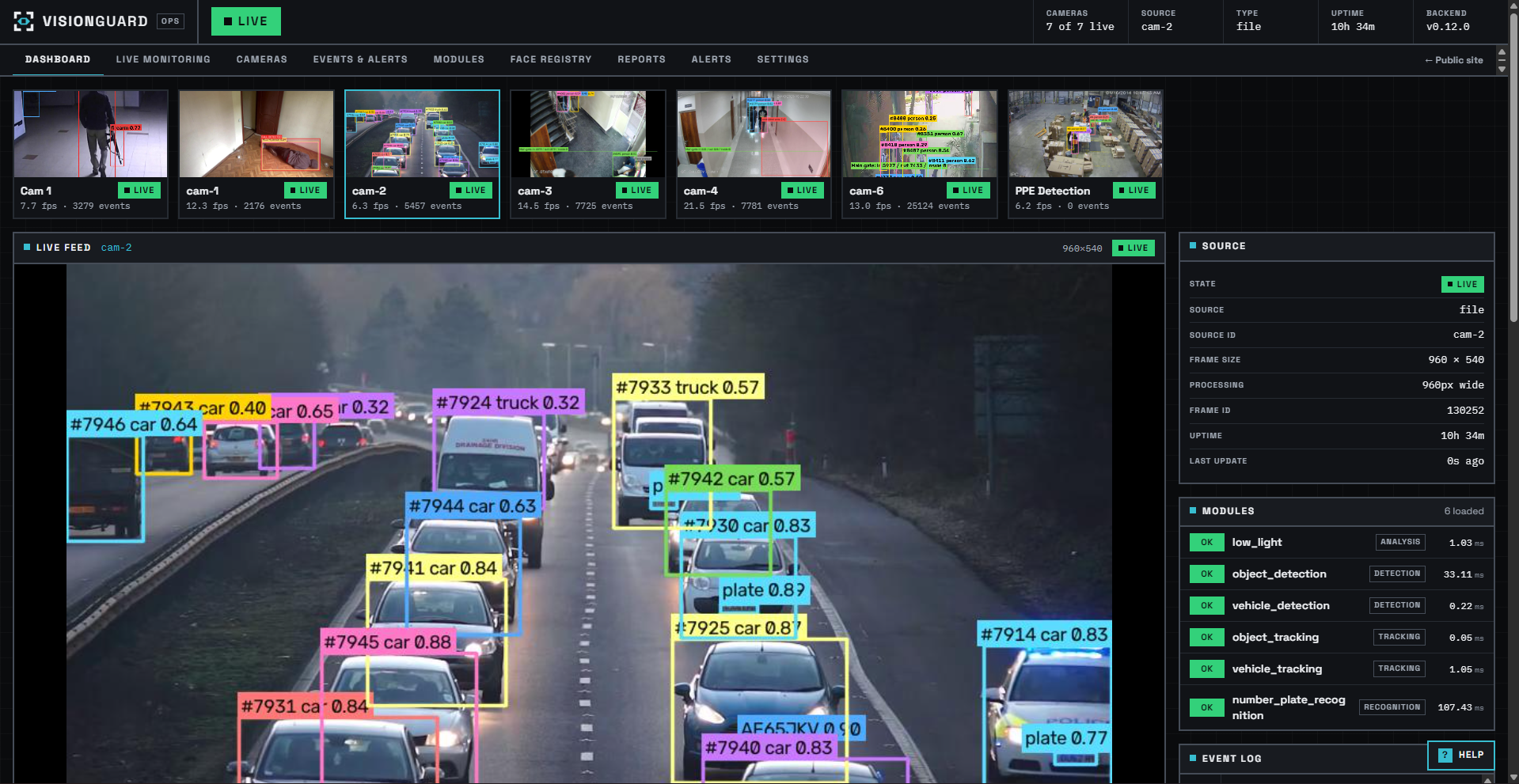
| ANPR | Automatic number plate recognition |
| PPE / Weapon Detection | Helmets, safety vests, and weapons |
| Face Recognition | Identifying enrolled individuals |
A college that needs only three modules deploys those three. If its needs change, it can enable more from the dashboard.
How We Built It
VisionGuard has three layers: computer vision, backend, and frontend, with the backend deployed on AWS.
Computer Vision (OpenCV 5)
OpenCV 5 handles all video ingestion and frame processing. Whether the input is an RTSP stream, a webcam, or a video file, every module receives frames in the same format without knowing where the video came from.
Every frame carries a FrameContext containing the image, camera ID, detections, tracks, poses, events, and other metadata. Modules never talk to each other directly. They share data through this common context, which makes them interchangeable and easy to maintain.
Object detection uses YOLO models with CUDA support for NVIDIA GPUs and automatic CPU fallback. Compatible modules share a single model, so inference runs once per frame instead of once per module.
For tracking, we built a custom tracker that uses Intersection over Union (IoU) overlap and motion prediction to assign IDs to people and objects and keep those IDs stable across frames.
For face recognition, OpenCV 5's YuNet detects faces and SFace generates embeddings (both from the OpenCV Model Zoo). Before assigning a name, the system runs three checks: a similarity threshold, a margin between the closest and second-closest matches, and confirmation across multiple frames. It also scores face quality on size, sharpness, and viewing angle.
Fall detection uses pose keypoints to analyze body angle and orientation. An event fires only after the fall is confirmed across multiple frames.
Backend
The backend is built with FastAPI and Uvicorn. Each camera keeps its own independent state, including its latest frame, statistics, and events.
We use a process-per-camera architecture, where each camera runs in its own worker process.
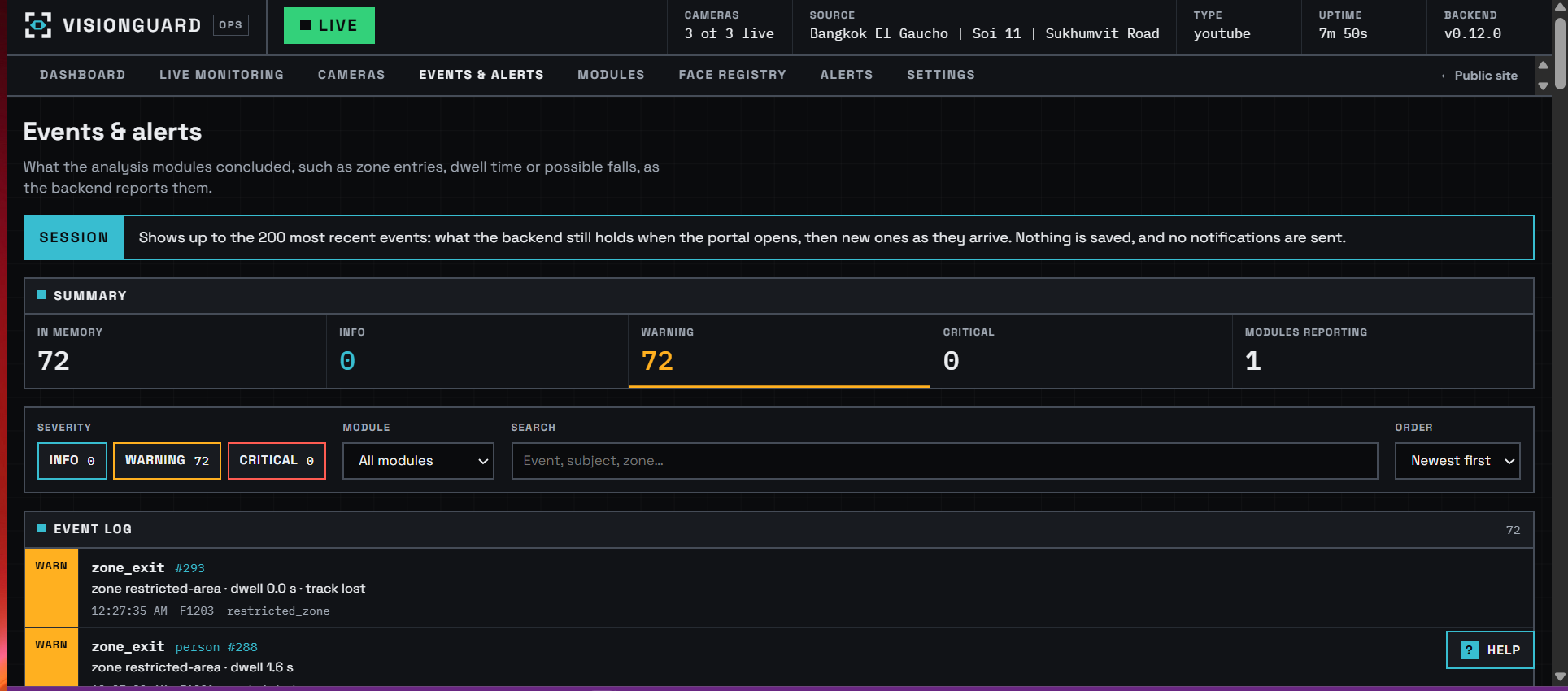
Configuration is managed through YAML files and environment variables. SQLite stores enrolled users, face templates, and event history. The AlertCenter turns events into alerts and merges repeated alerts to reduce noise.
Frontend
The frontend is built with React, TypeScript, and Vite.
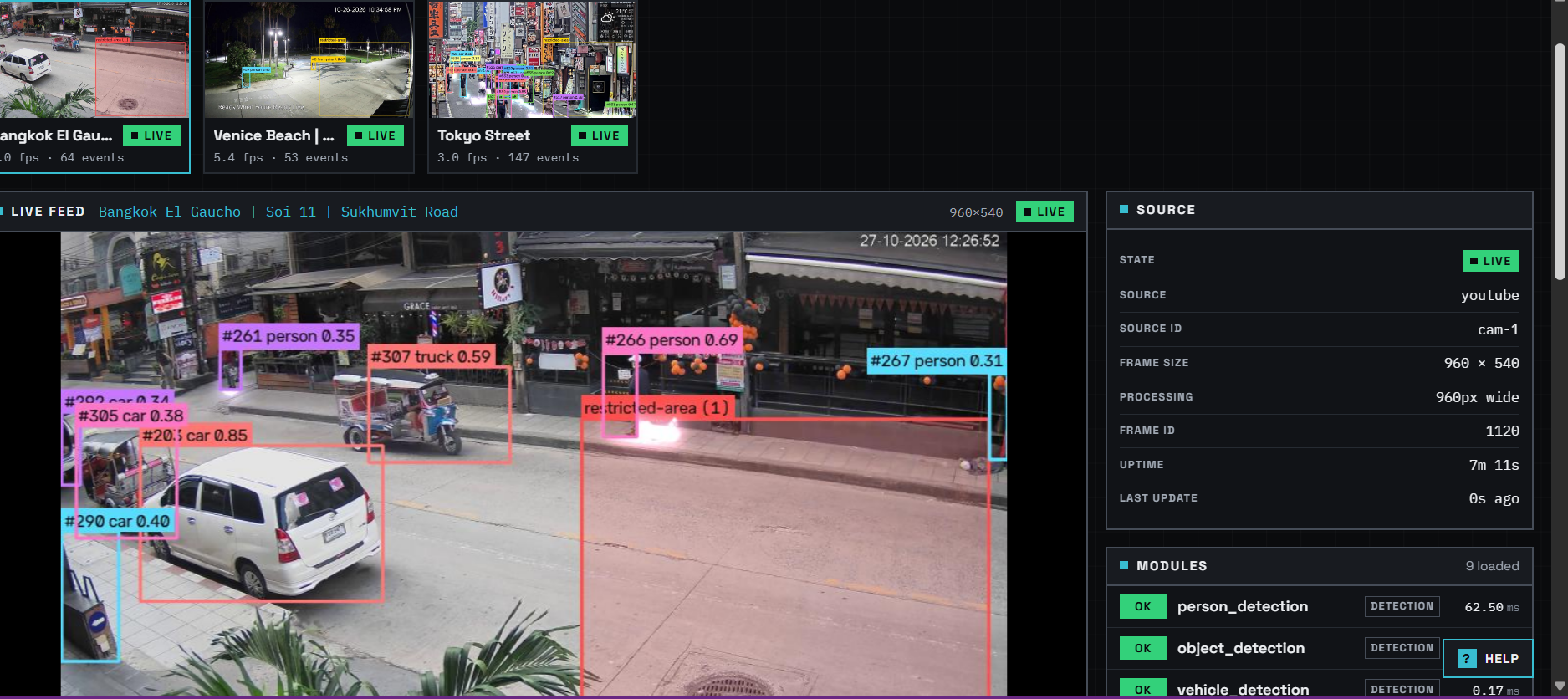
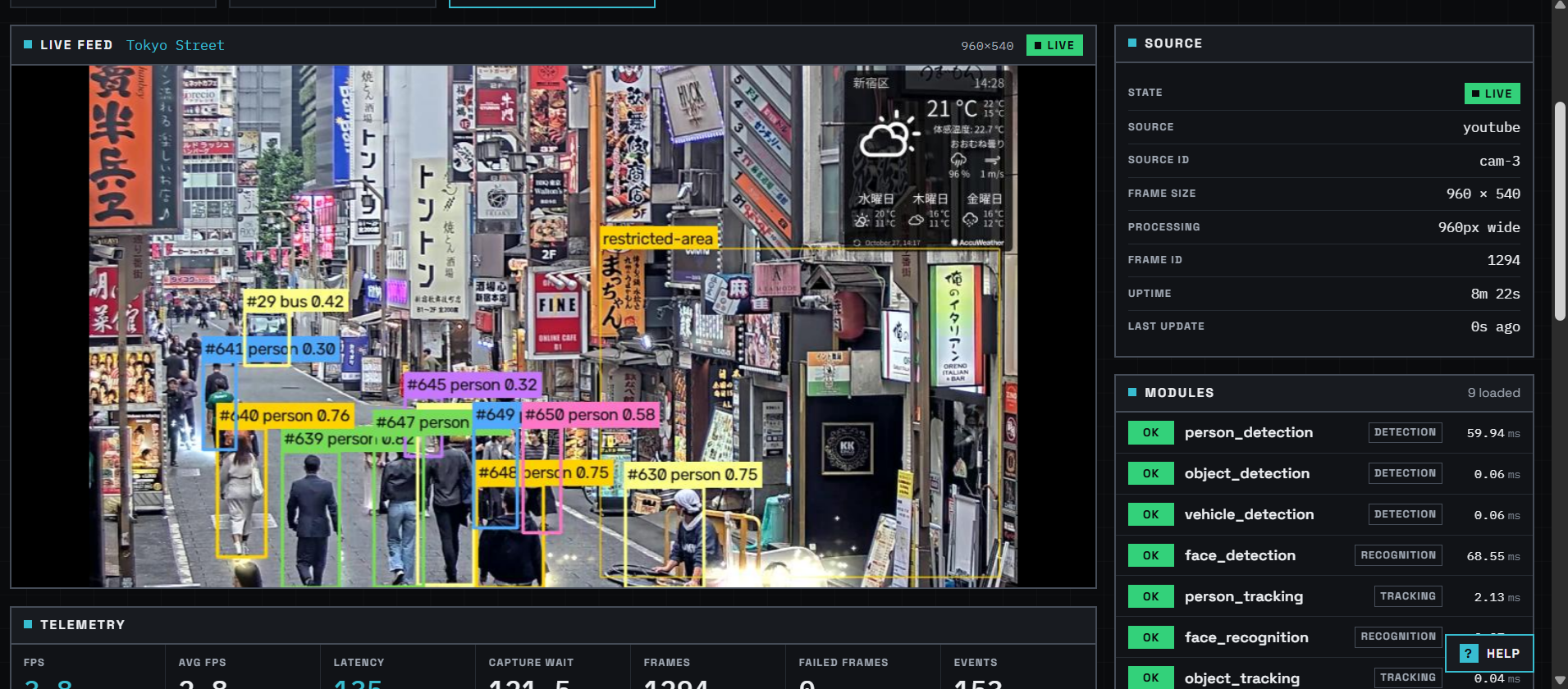
The backend renders annotated video (bounding boxes, track IDs, recognized names) and streams it to the dashboard over MJPEG. The dashboard also shows FPS, latency, and live detections.
It includes camera configuration, face enrollment, event filtering, reports, and CSV export. The module list clearly marks which modules are tested and which are still experimental.
AWS Deployment
The computer vision backend runs on AWS, supported by our OpenCV AI Competition AWS Compute Grant.
- Compute: The OpenCV 5 camera workers (video decoding, YOLO inference, tracking, rule evaluation) and the FastAPI backend run on an Amazon EC2 CPU instance.
- GPU path: The pipeline already supports CUDA, and GPU acceleration is used in local development. Moving the AWS deployment to a GPU instance is pending grant credit approval and requires only a configuration change, no code changes.
- Frontend: The React dashboard is hosted separately at vision-guard.tech and connects to the AWS backend API.
- Observability: Per-camera FPS, latency, and error counts are shown live in the dashboard.
Challenges We Ran Into
Repeated inference on the same frame. At first, every module ran its own object detection. With six modules enabled, each frame was processed six times. We fixed this with a shared model and a caching layer, which matters even more on CPU.
Track IDs and identities are not the same thing. When a person reappears after an occlusion, their track ID may change. Linking facial identity to a body track helps, but the system has to re-verify identity whenever there is a tracking gap.
False alarms in fall detection. The system initially flagged bending down or sitting as falls. Requiring confirmation across multiple frames cut these false positives.
Incorrect identity assignments. The recognizer sometimes gave small or blurry faces the wrong name with high confidence. We added face-quality checks and a matching-margin rule.
Multi-camera scaling. Threads performed poorly because of Python's Global Interpreter Lock (GIL). Switching to processes improved speed and isolation at the cost of higher memory use, since each process can load its own model. We chose processes.
Accomplishments
- 26 AI modules on one shared pipeline, each clearly marked as working or as needing custom weights.
- Shared inference: 2.15× faster on CPU (9.0 → 19.3 FPS with three detectors), with byte-identical results.
- Process-per-camera: 4 cameras went from 9.6 → 23.6 FPS total on a local GPU.
- Latest test: 5 cameras in parallel across 400 frames of real crowd footage with zero errors, plus 100/100 successful requests from 5 concurrent dashboard clients.
- 584 automated tests, none of which need a camera, model, or real face data.
- Person Re-ID ranked the correct identity first for 68% of 62 people on single-camera footage.
- The same module runs on RTSP, webcam, and video files with no code changes.
- Selected as one of 50 teams to receive an AWS Compute Grant in the OpenCV AI Competition 2026.
What We Learned
The hardest part wasn't building the models. It was designing the architecture that connects them.
Before FrameContext, adding a feature often meant editing five different files. Once the architecture was in place, adding a module became simple.
We also learned that working code and verified accuracy are two different things. Modules such as PPE detection and Re-ID work in code, but real-world testing is still pending, and the fire and smoke detection model still needs configuration. We chose to mark these modules as experimental in the UI rather than hide their limitations.
Finally, optimizations like shared inference delivered more practical value than simply adding more models.
Responsible Use
- Face recognition only identifies people who were explicitly enrolled through the dashboard. Unknown faces are never stored as identities.
- Face data is stored as embeddings only, never images, in a database controlled by the operator.
- VisionGuard does not infer age, gender, ethnicity, or emotion.
- Alerts prompt human review. They do not trigger automated enforcement.
- Modules that have not been validated in the real world are labeled experimental in the UI.
- Deployers are responsible for signage and for complying with local surveillance and privacy laws.
Limitations
- PPE, fire/smoke, and gun detection need custom-trained weights; Re-ID cross-camera accuracy has not been measured yet.
- Accuracy drops for small, distant, or blurry faces. The quality checks reduce this but do not eliminate it.
- The current AWS deployment runs on CPU, which limits frame rate. GPU deployment is pending AWS credits.
- Process-per-camera increases memory use as the number of cameras grows.
- Testing so far has used a limited set of lighting conditions and camera angles.
What's Next
- Draw restricted zones directly on the camera view with the mouse.
- Production-grade persistence for events and alerts.
- Evidence storage, notifications, authentication, and role-based access control.
- Natural-language video search, such as "Who was at the gate yesterday at 3 PM?"
- Fixing pending issues with live-viewer handling, face API scheduling, and report counts.
- Real-world testing across more lighting conditions and camera angles.
Built With
- ai
- amazon-web-services
- computer-vision
- cuda
- face-recognition
- fastapi
- machine-learning
- multi-camera-processing
- nvidia-gpu
- object-detection
- object-tracking
- opencv
- python
- pytorch
- react
- rest-api
- rtsp
- sqlite
- tailscale
- typescript
- ultralytics-yolo
- vite
- youtube-live


Log in or sign up for Devpost to join the conversation.