About Inspiration Grocery checkout has barely changed in 40 years. You still drag every item across a laser scanner one at a time — it's slow, it's tedious, and it breaks the moment a barcode is crumpled or a produce item has no tag. I kept wondering: what if checkout was as fast as taking a photo?
The rise of multimodal AI made that question answerable. When Google released Gemini Vision, I saw a real opportunity to build something that could look at a pile of groceries and just know what's there — no barcodes, no manual input, no waiting.
What I Learned The most surprising lesson was how much prompt engineering matters for structured data extraction. Getting Gemini to return a consistent, parseable JSON array of items with quantities — instead of a conversational response — required careful iteration on the system prompt.
I also learned that fuzzy matching is underrated. A vision model might call your bag of Lays "potato chips" one scan and "Lays Classic" the next. Building a robust alias + fuzzy match pipeline turned out to be just as important as the AI call itself.
On the UI side, I pushed Tailwind v4 further than I expected — the new @theme directive for custom CSS variables made design tokens feel native rather than bolted on.
How I Built It VisionCart is a Next.js 16 full-stack app. The core loop is:
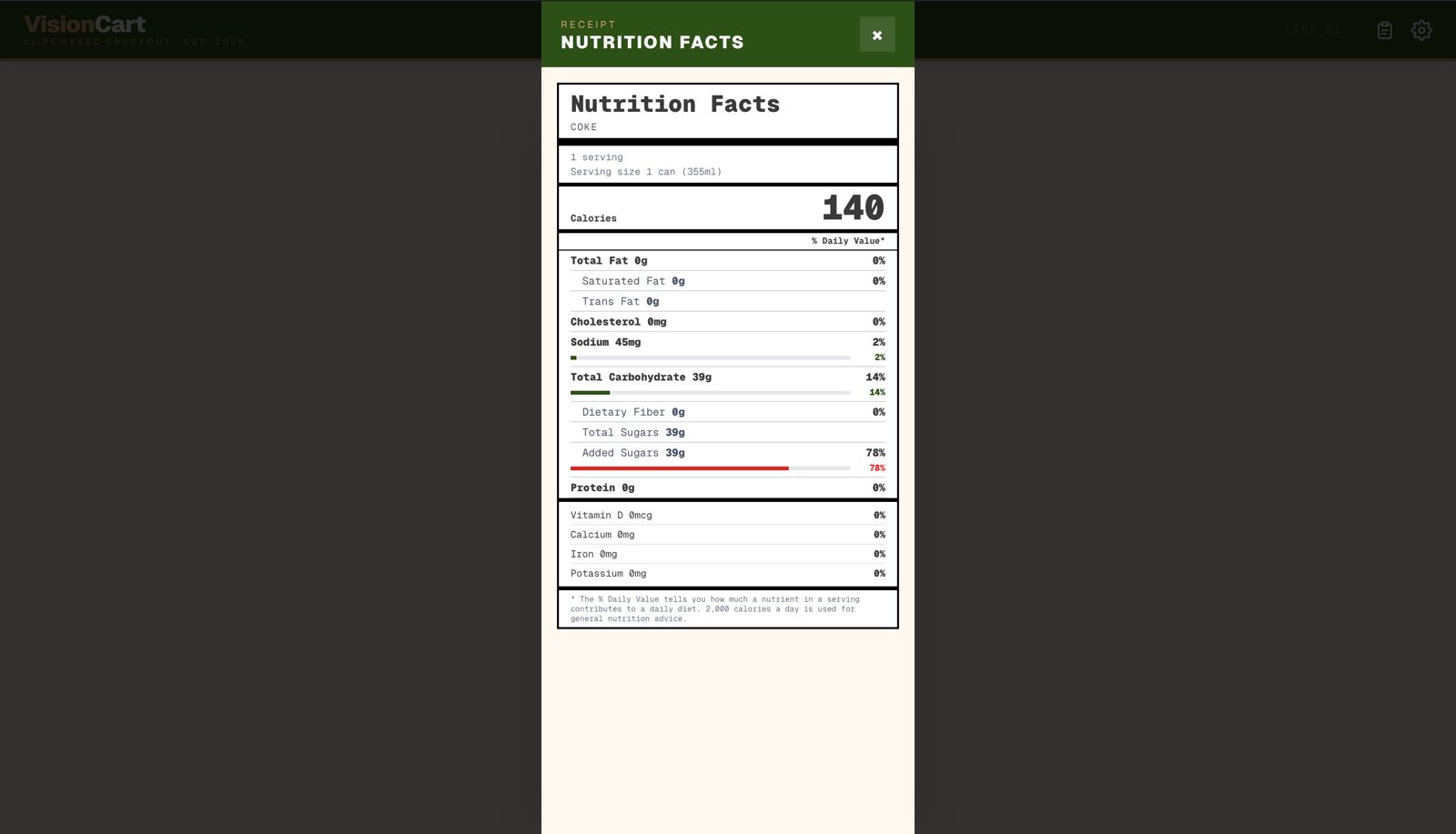
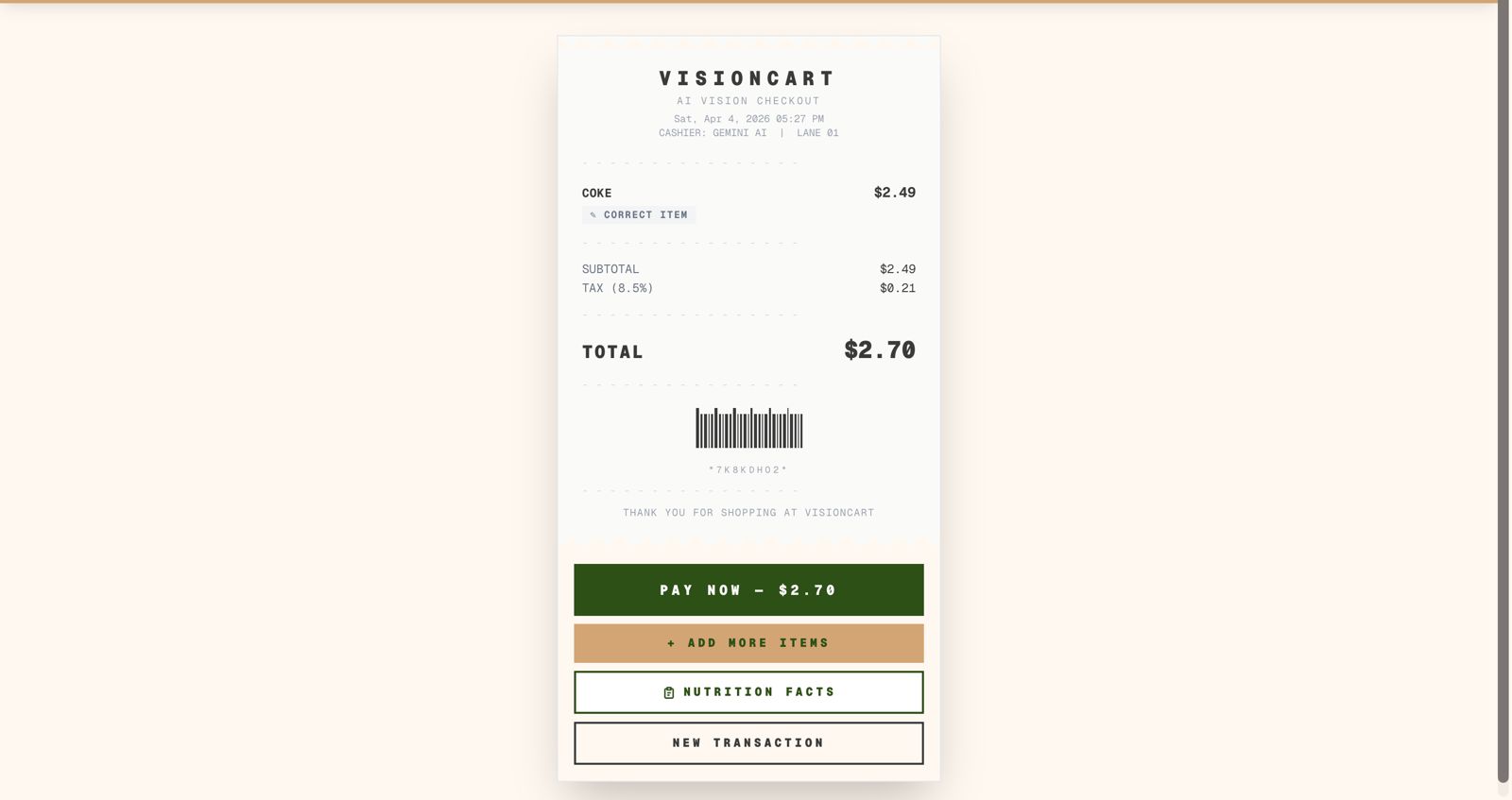
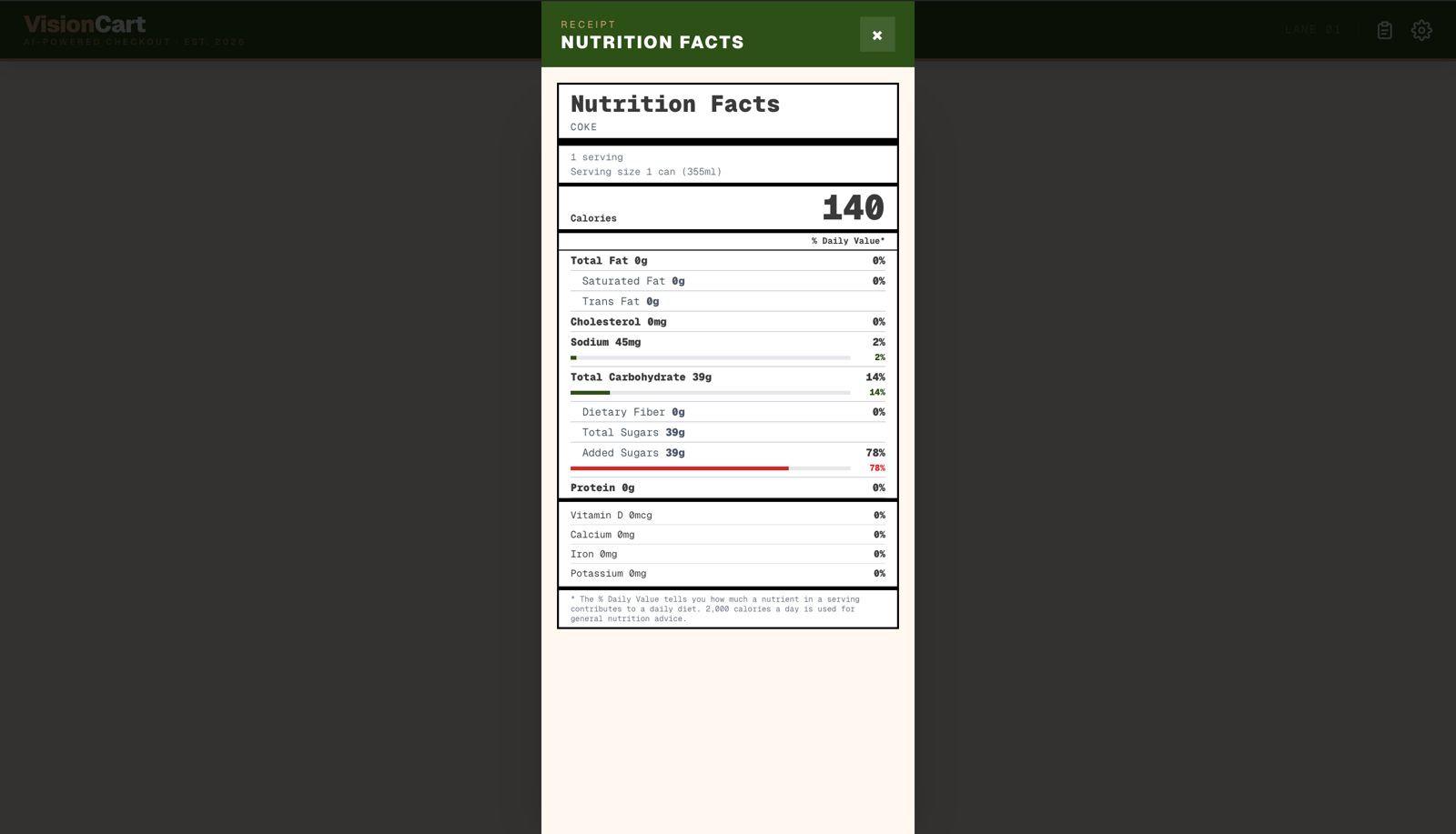
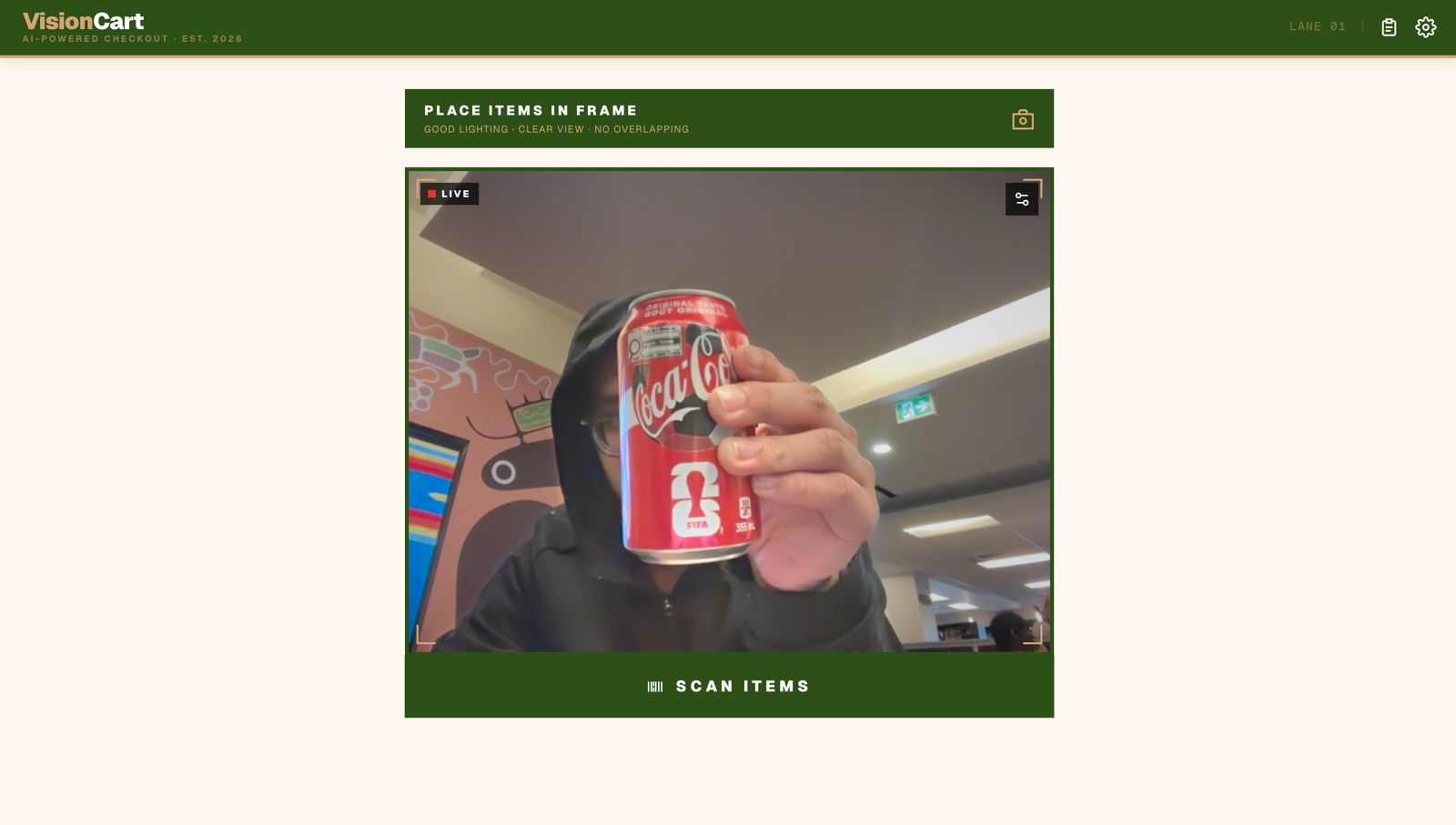
The browser captures a webcam frame via react-webcam The image (base64) is posted to /api/vision The API sends it to Gemini 1.5 Flash with a structured prompt requesting a JSON item list The response is matched against a local inventory of $100+$ branded products using exact → alias → fuzzy matching A receipt is computed: $\text{total} = \text{subtotal} + \lfloor \text{subtotal} \times 0.085 \times 100 \rfloor / 100$ Nutrition facts are rendered per-item from a hand-curated database of real-world values The matching pipeline uses a simple Levenshtein-inspired fuzzy check:
$$\text{match}(a, b) = \begin{cases} \text{true} & \text{if } a \subseteq b \text{ or } b \subseteq a \ \text{true} & \text{if edit_distance}(a, b) \leq 2 \ \text{false} & \text{otherwise} \end{cases}$$
Multiple scans can be merged into one receipt, letting shoppers scan items in batches and add more mid-session.
Challenges Hallucinations were the hardest problem. Gemini occasionally invents items that aren't in the frame. I mitigated this with a 422 "no items detected" flow and a confidence threshold in the prompt, but it's still an area for improvement.
Lighting variance was brutal during testing. The same can of Red Bull would be missed under dim lighting and detected instantly under overhead light. Framing the UX around "good lighting" guidance reduced failed scans significantly.
Structured output reliability — even with explicit JSON instructions, Gemini sometimes wraps its response in markdown code fences. The API route strips these defensively before parsing.
Tech Stack Layer Technology Framework Next.js 16 (App Router, Turbopack) Language TypeScript 5 AI Google Gemini 1.5 Flash (@google/generative-ai) Camera react-webcam Styling Tailwind CSS v4 Runtime Node.js (Edge-compatible API routes) Architecture
Browser (React) └─ WebcamFeed → base64 image └─ POST /api/vision └─ Gemini 1.5 Flash (vision prompt) └─ JSON: [{ item, quantity }] └─ matchItems() — exact / alias / fuzzy └─ calculateReceipt() — subtotal + tax └─ Receipt UI + NutritionModal The inventory system stores $N = 100+$ branded products with category metadata. Tax is applied at a flat $8.5%$:
$$\text{tax} = \frac{\lfloor \text{subtotal} \times 8.5 \rfloor}{100}$$
Price overrides are persisted in localStorage so store managers can adjust prices without a redeploy. The correction flow lets cashiers reassign misidentified items from the full inventory list.
Built With
- css
- gemini
- next.js-16-(app-router
- node.js
- tailwind
- turbopack
- typescript


Log in or sign up for Devpost to join the conversation.