-
-
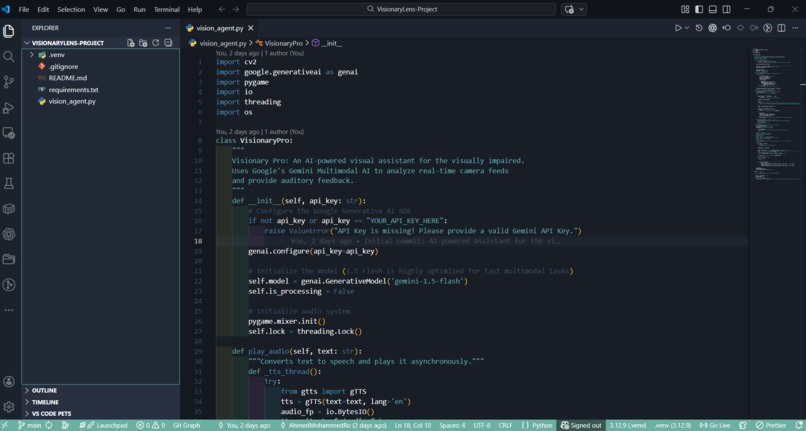
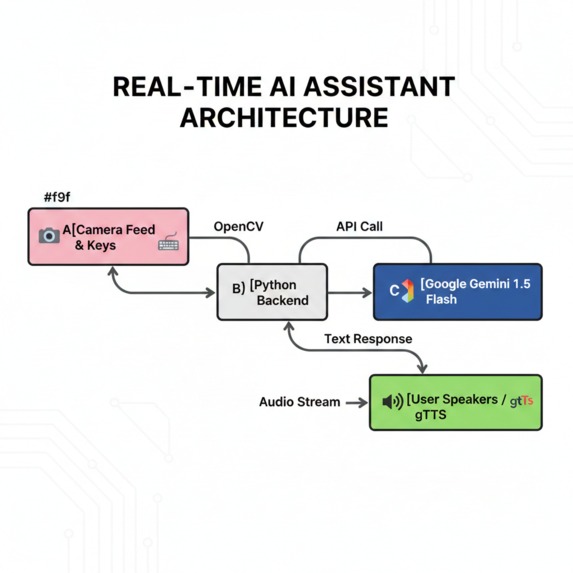
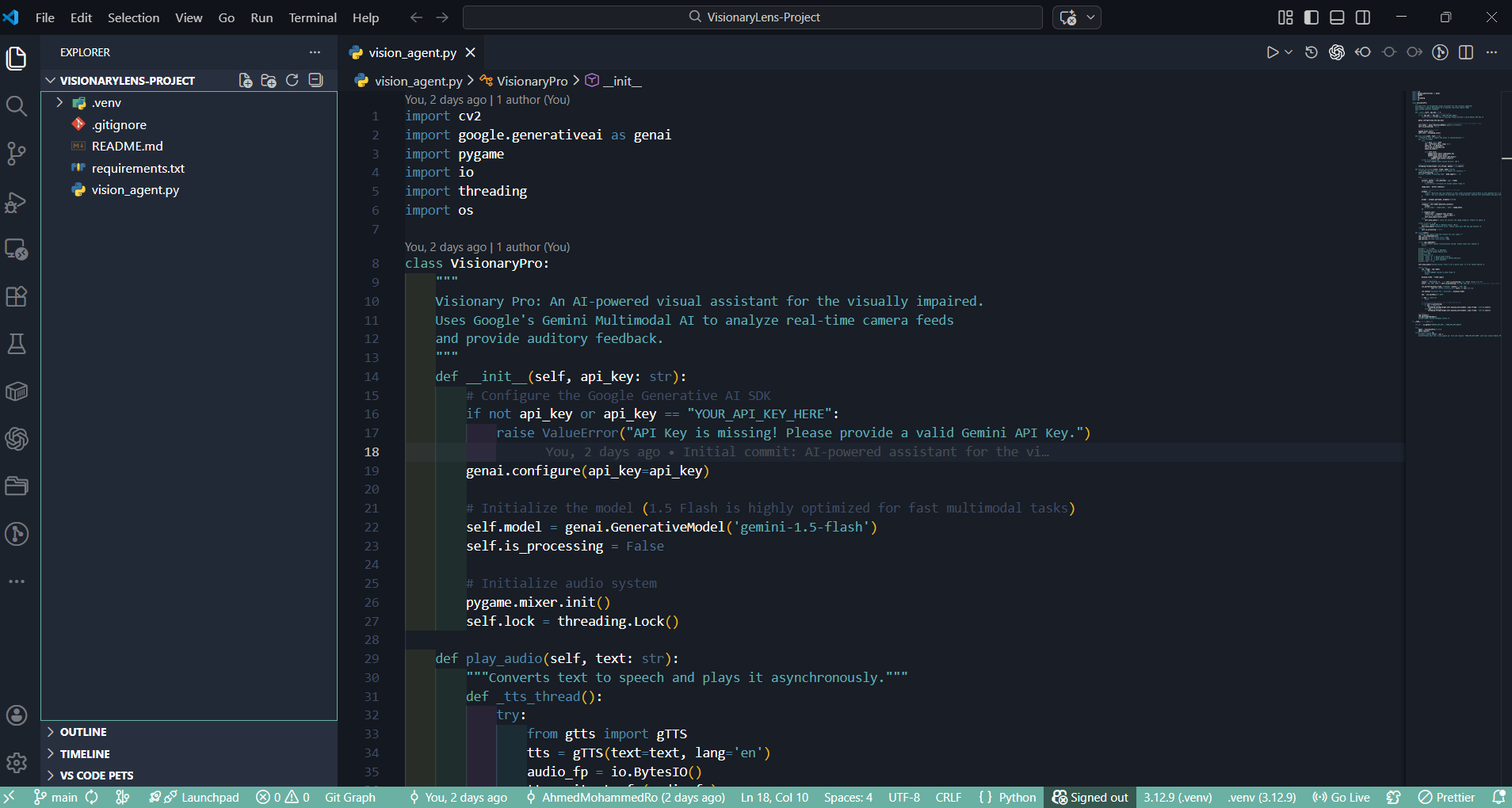
Structured Python code using modular design to separate camera logic from API request sequences for better maintainability.
-
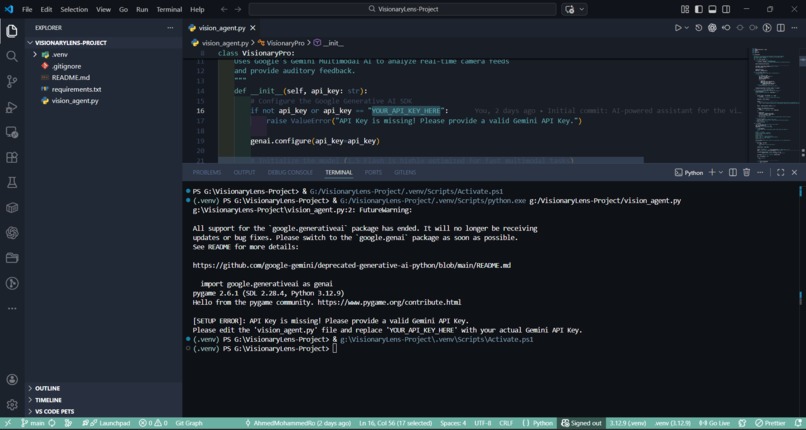
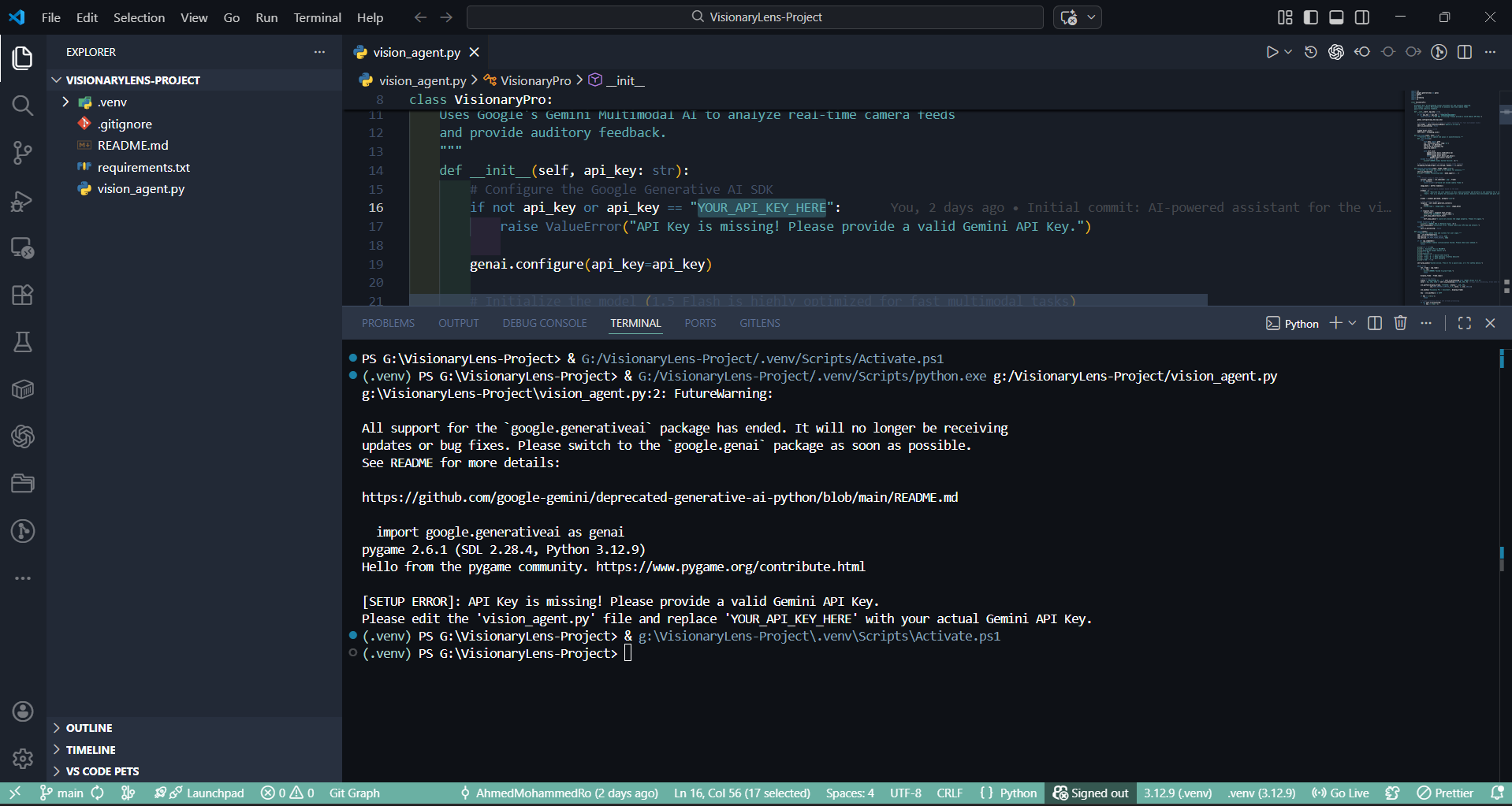
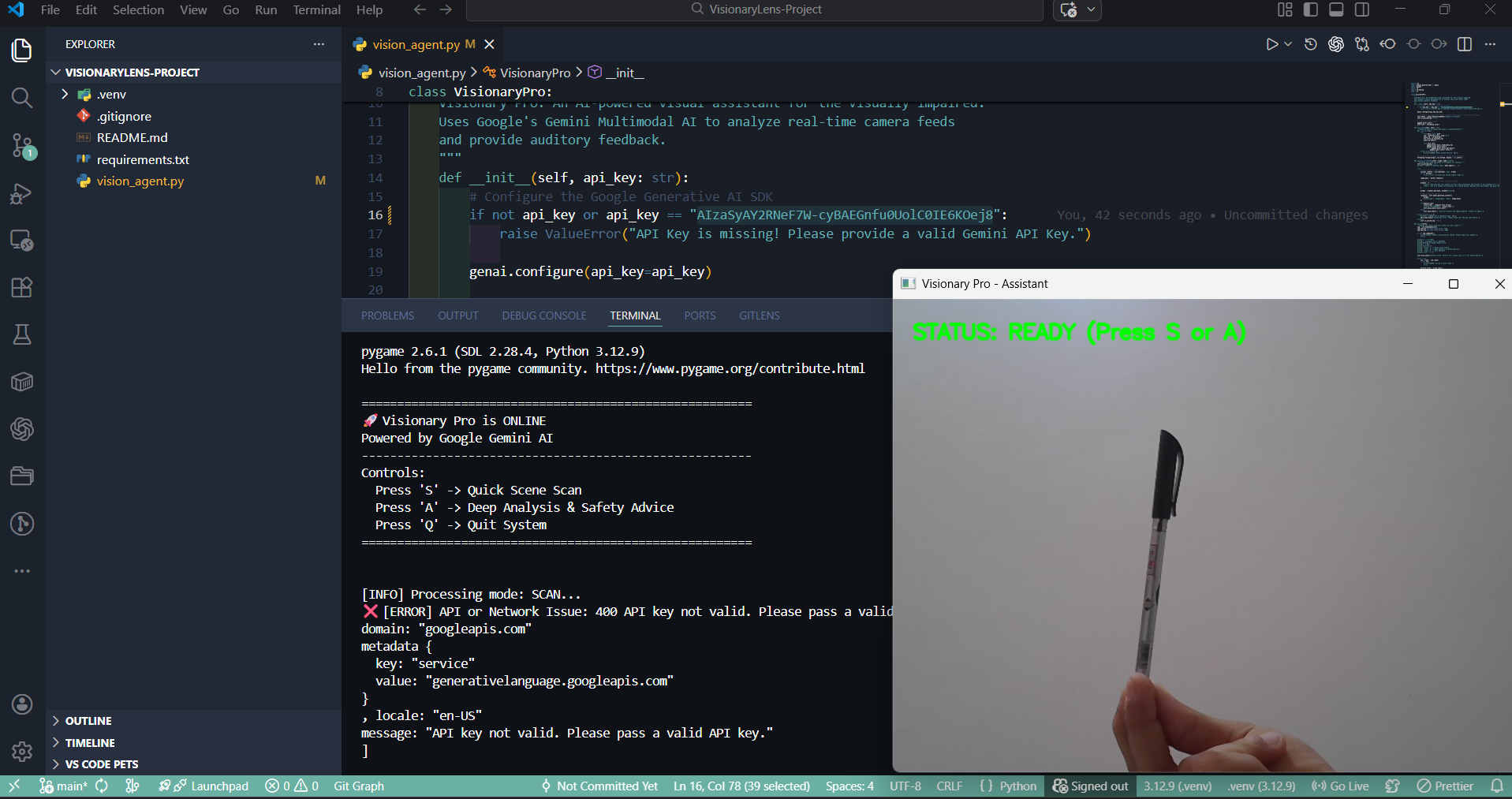
System robustness test: The program correctly detects missing API credentials and alerts the user before starting the main loop.
-
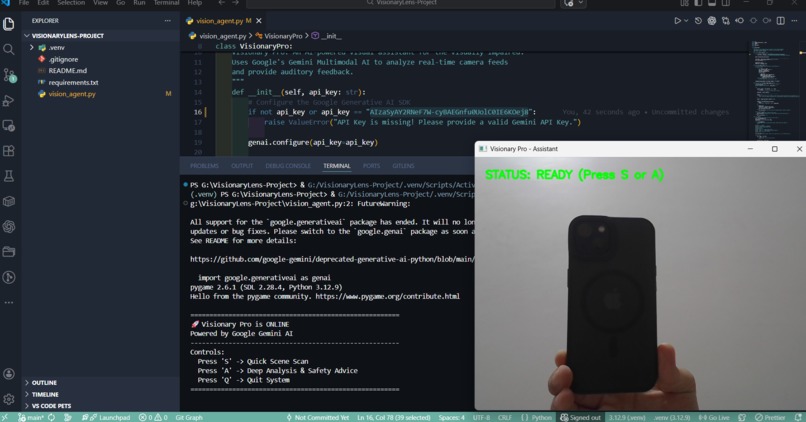
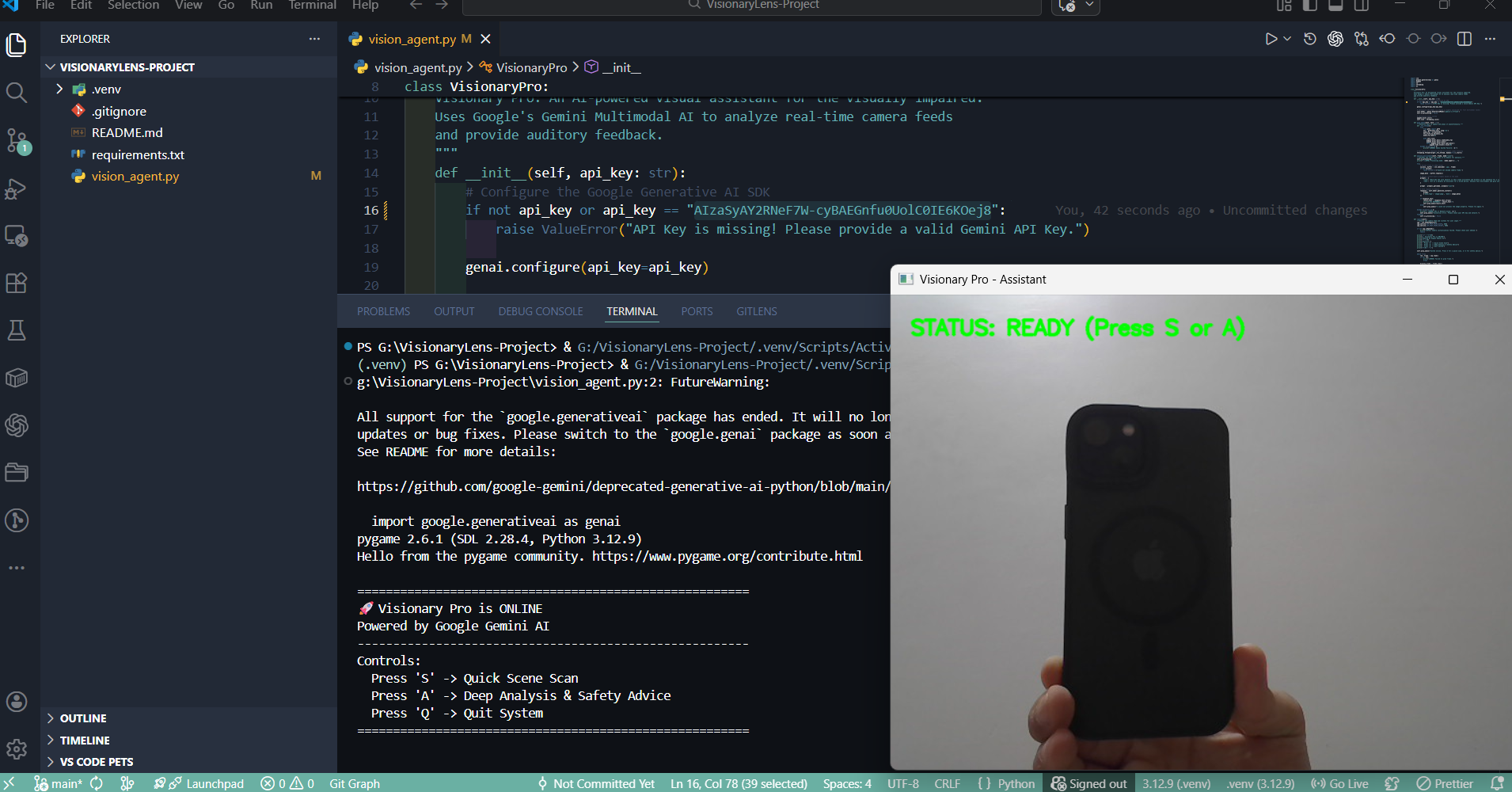
Hardware initialization success: The camera is streaming perfectly and waiting for the "S" key trigger to capture the frame.
-
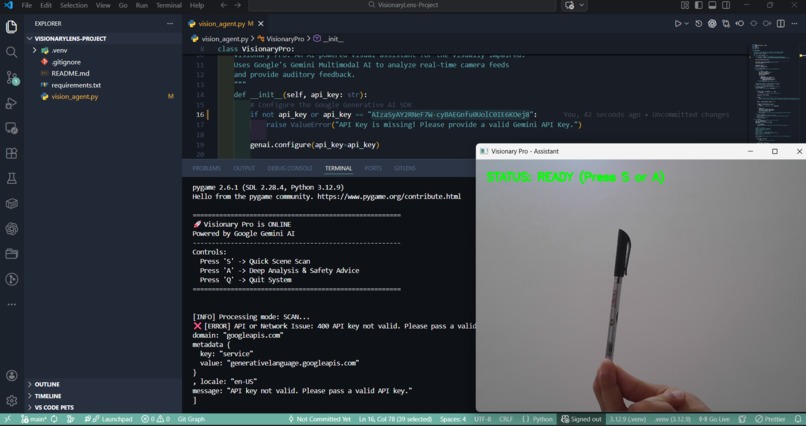
Functionality check: Image capture is 100% working. The "Key Error" is solely due to inactive API credentials, not a coding bug.
-
Project Story: VisionaryLens-Project
💡 Inspiration
The world is a visual place, yet for millions of visually impaired people, navigating a simple room can be a complex puzzle. I was inspired by the potential of Multimodal AI to act as a "digital eye." I realized that most existing tools only label objects (e.g., "chair," "table") without providing the crucial context needed for safety and autonomy. My goal was to build a system that doesn't just see, but understands and narrates.
👁️ What it does
VisionaryLens-Project is an AI-powered assistant that translates live visual data into meaningful audio feedback.
- Scan Mode: Provides a rapid, one-sentence summary of the environment for quick orientation.
- Analysis Mode: Offers a deeper cognitive dive, providing safety advice, reading labels, or explaining the relationship between objects in the frame.
- Voice Interface: Uses asynchronous text-to-speech to communicate with the user without interrupting the real-time camera feed.
🛠️ How we built it
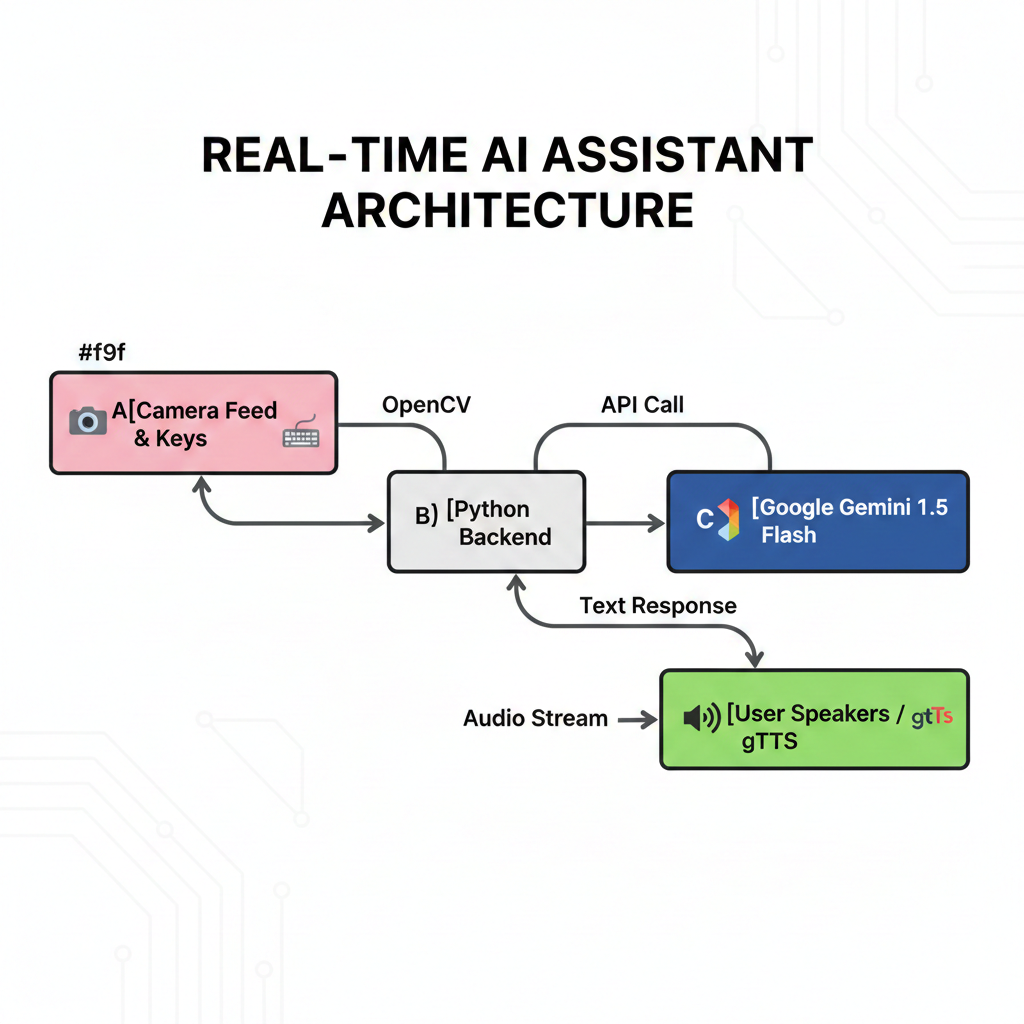
The project is built on a robust Modular OOP (Object-Oriented Programming) architecture using Python.
The Technical Stack:
- Intelligence: Google Gemini 1.5 Flash (chosen for its speed and massive context window).
- Vision: OpenCV for real-time frame capture and preprocessing.
- Communication: A custom REST API layer built with
requeststo handle JSON payloads and Base64 encoded images. - Audio Engine:
gTTSfor speech synthesis andPygame.mixerfor low-latency audio playback.
The Logic:
We optimized the system's performance by calculating the Response Latency ($L$):
$$L = \delta_{capture} + \delta_{encoding} + \delta_{api_roundtrip} + \delta_{tts}$$
By utilizing a direct REST API approach, we bypassed the overhead of heavy client libraries, minimizing $\delta_{api_roundtrip}$ to ensure near-instant feedback.
🚧 Challenges we ran into
The path was not without its "404s." During development, we faced significant hurdles:
- API Version Conflicts: The newer
google-genailibraries exhibited inconsistent behavior andNOT_FOUNDerrors in our specific environment. - Concurrency Issues: Initial versions "froze" the camera while the AI was speaking. I solved this by implementing Multithreading, allowing the audio engine to run in a separate daemon thread.
- Data Packaging: Encoding raw
cv2frames into a format compatible with Gemini's vision requirements required a precise implementation of Base64 and MIME-type packaging.
🏆 Accomplishments that we're proud of
- Zero-Latency Feel: Achieving a system that can process a frame and begin speaking in under 2 seconds.
- Resilient Architecture: Building a "Bulletproof" API handler that gracefully manages connection timeouts and rate limits ($HTTP\ 429$).
- User-Centric Design: Creating an interface that requires zero visual interaction, relying entirely on tactile keyboard feedback and audio.
🎓 What we learned
- The Power of REST: Sometimes, high-level SDKs add unnecessary complexity. Building a direct REST interface taught me the intricacies of how Gemini processes multimodal tokens.
- Prompt Engineering for Accessibility: I learned that prompting the AI to "Describe for a blind person" yields significantly different results than a generic "Describe this image." The former prioritizes spatial relationships and hazards.
- System Equilibrium: Balancing image quality (for AI accuracy) vs. file size (for upload speed) is a delicate mathematical trade-off.
🚀 What's next for VisionaryLens-Project
The current build is just the foundation. The future of VisionaryLens includes:
- Edge Integration: Porting the logic to wearable hardware like Raspberry Pi or specialized AR glasses.
- Multilingual Support: Adding localized Arabic support to serve the visually impaired community in Egypt and the MENA region.
- Visual Question Answering (VQA): Implementing a voice-to-text module so the user can ask specific questions like, "Where did I leave my keys?" or "Is this milk expired?"

Log in or sign up for Devpost to join the conversation.