-
-

landing age
-
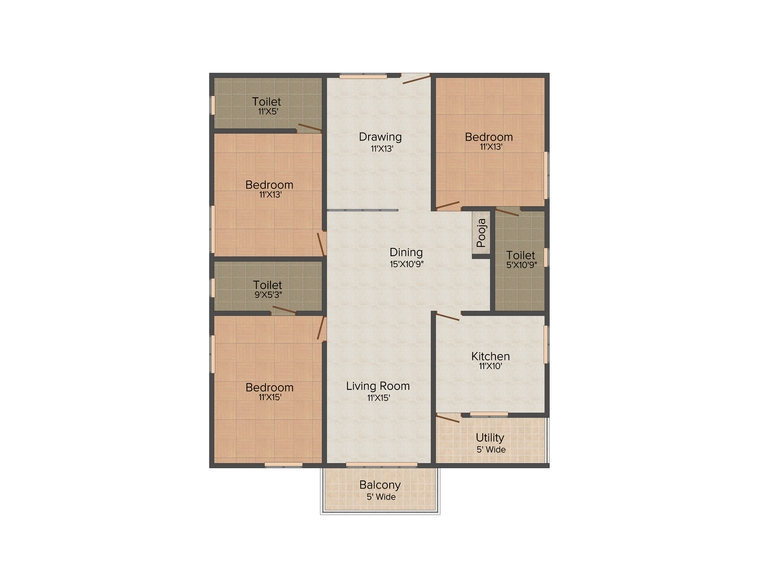
2d layout
-
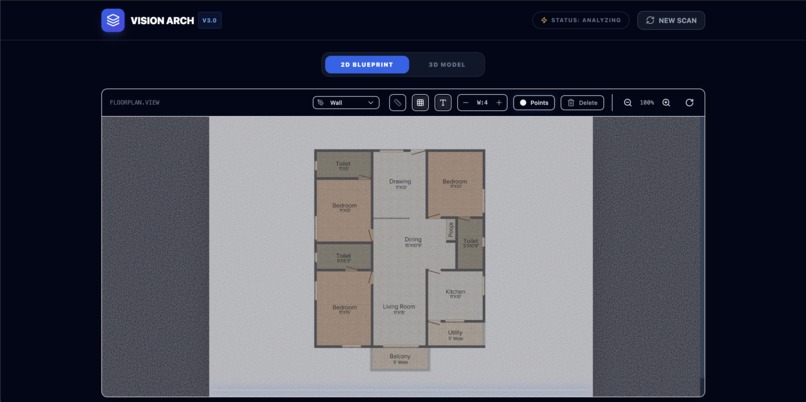
2d layout
-
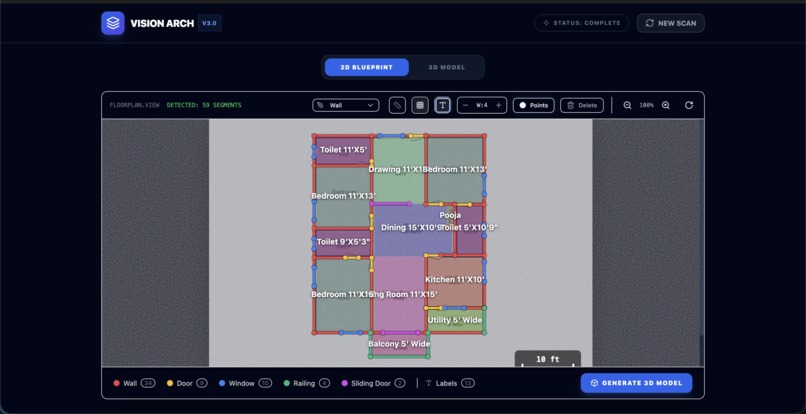
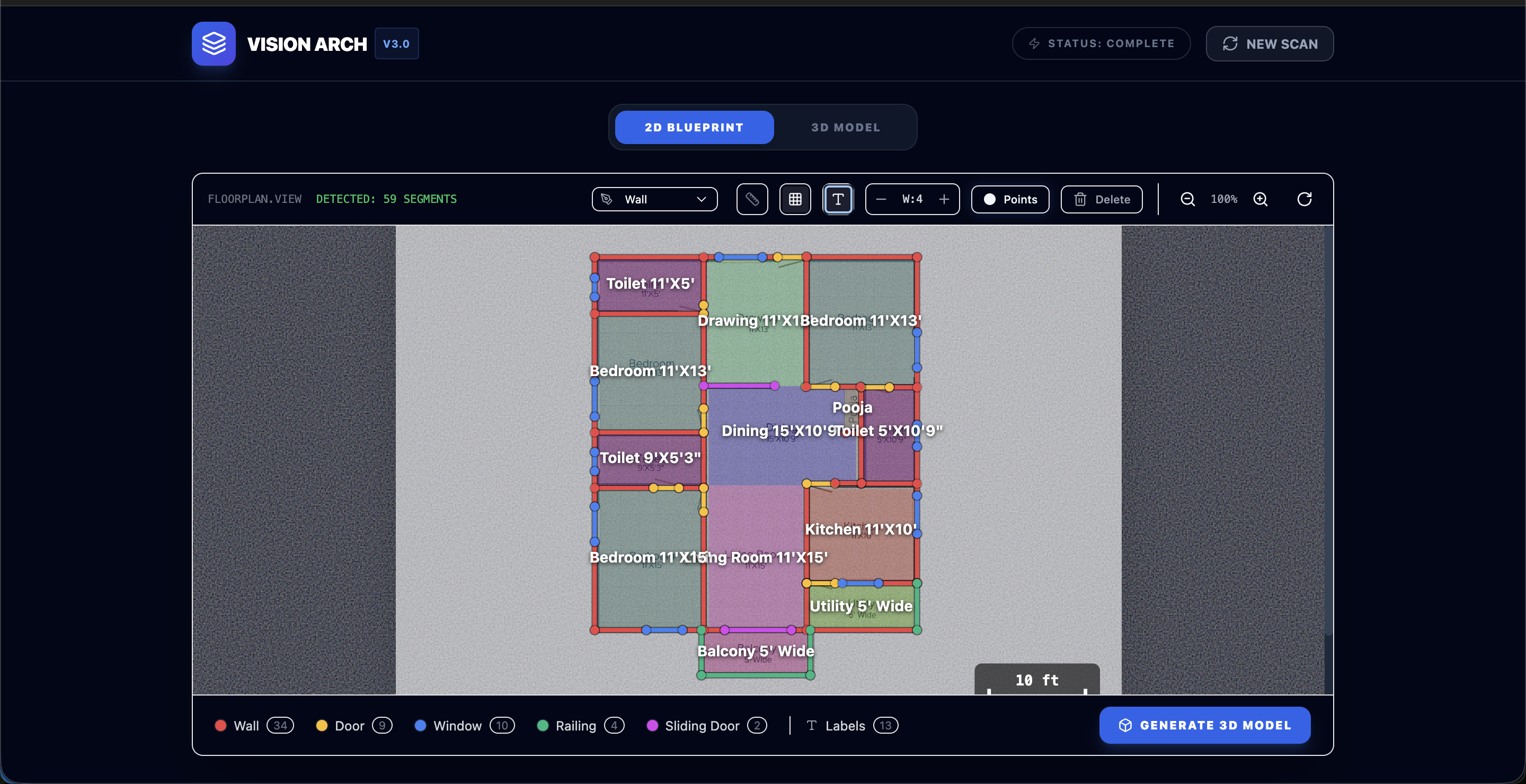
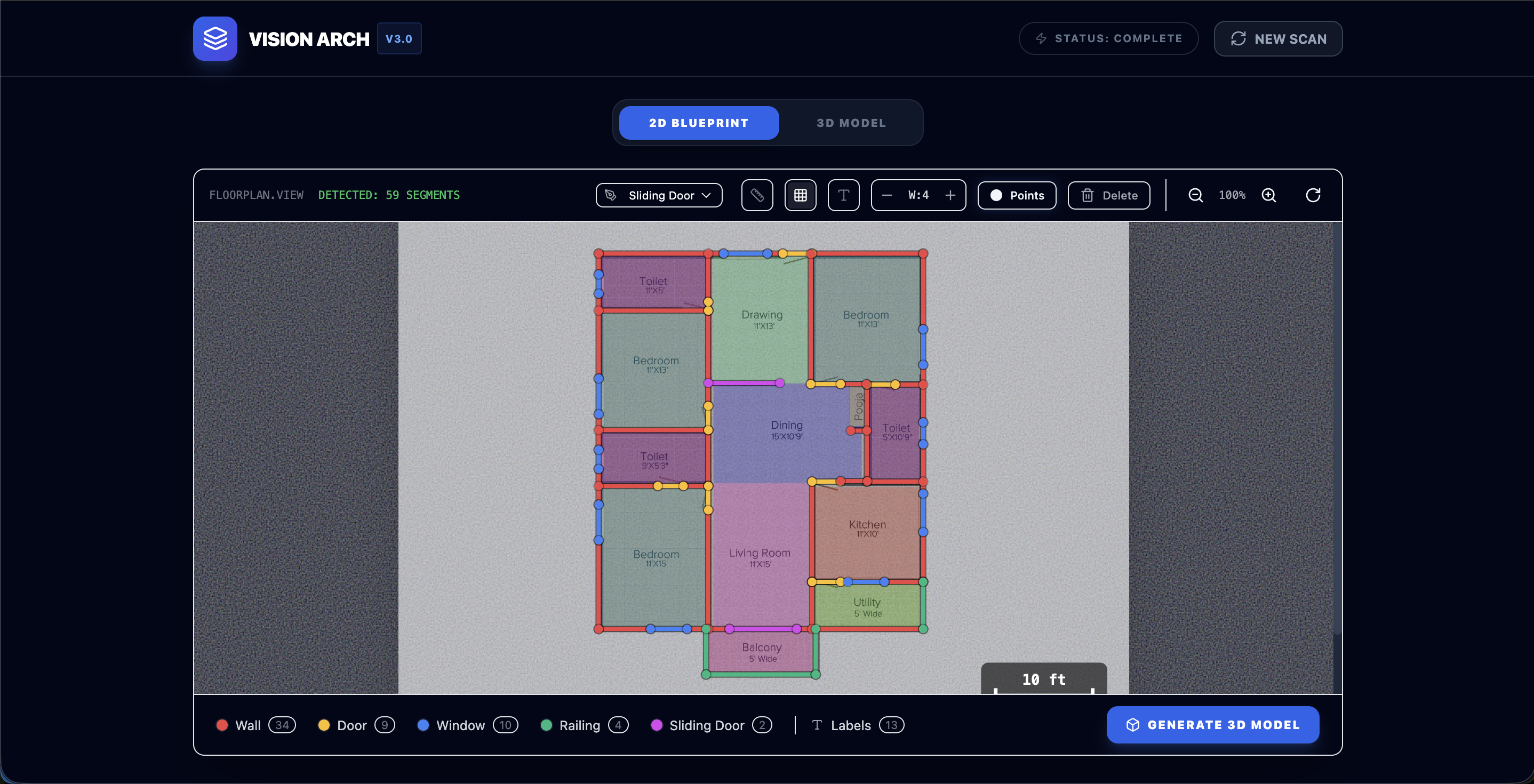
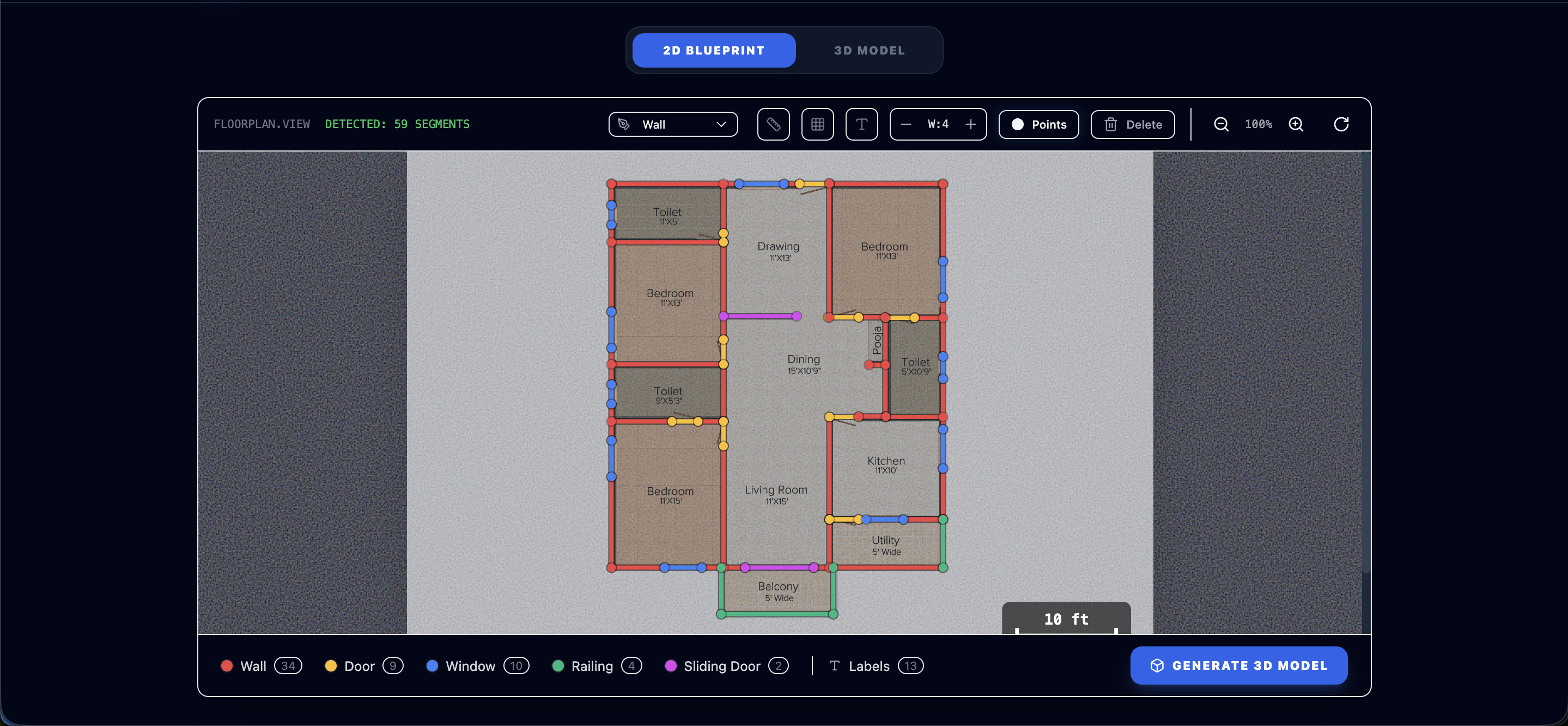
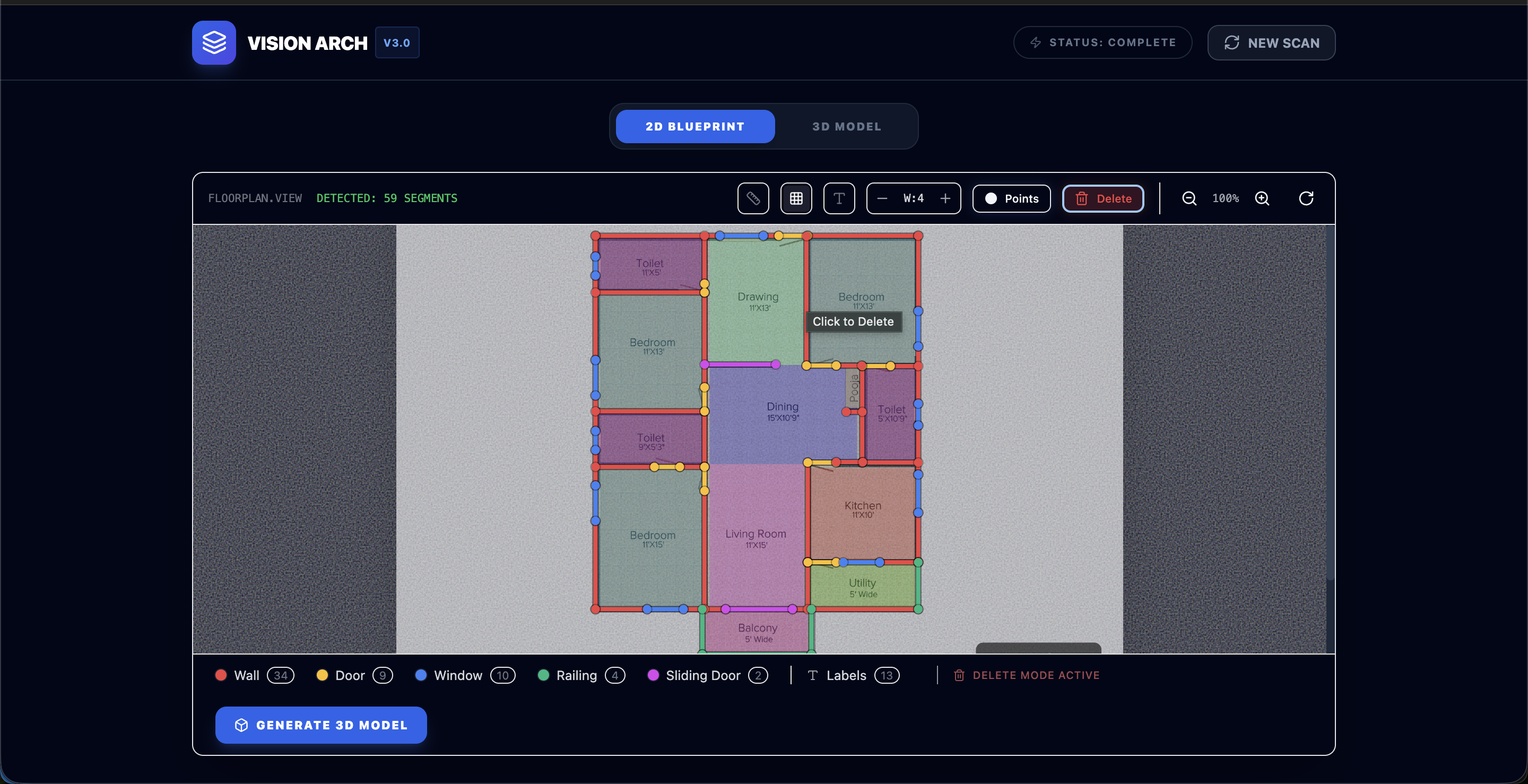
Layout with Ai detected features
-
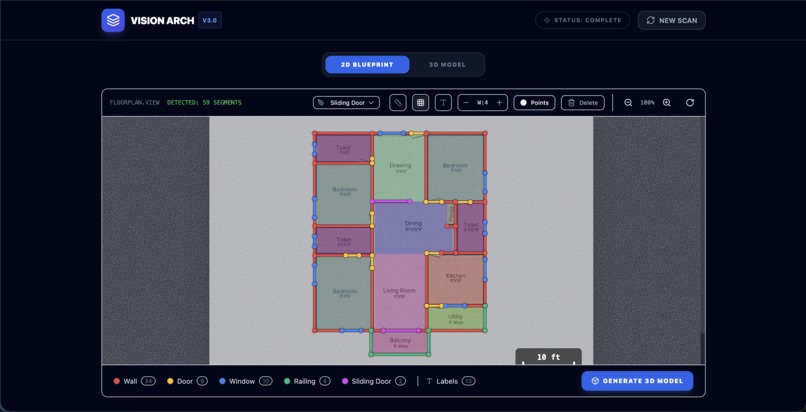
Text disabled
-
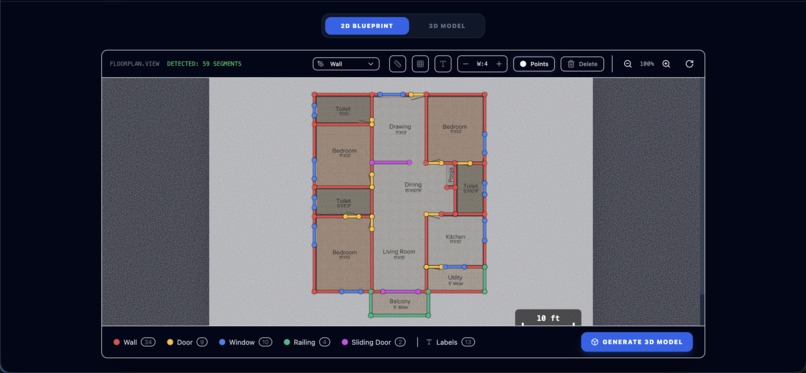
room area disabled
-
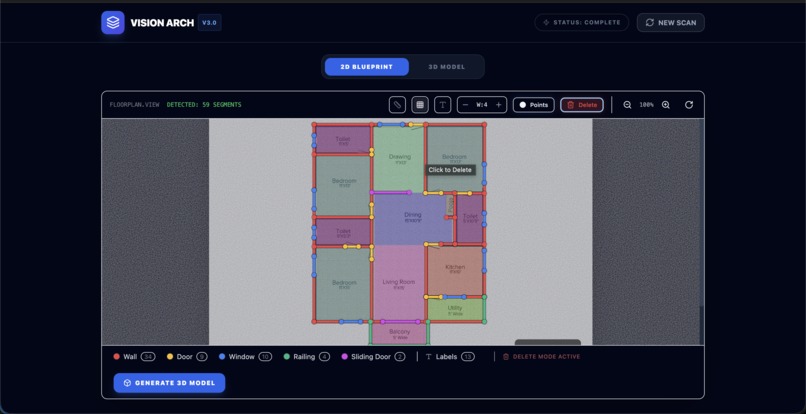
delete mode enabled
-
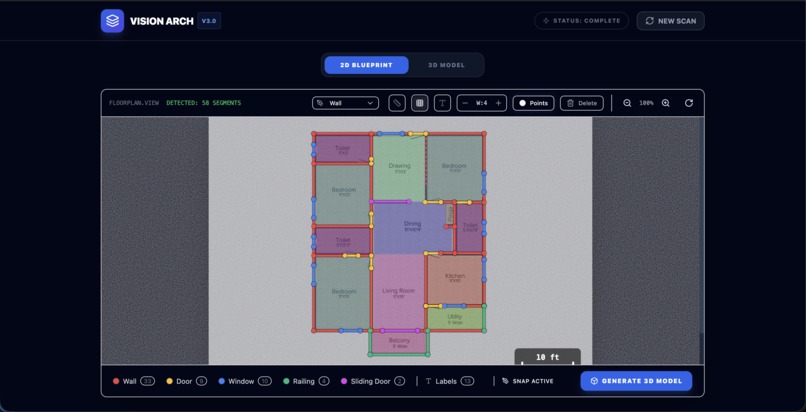
Drawing new wall
-
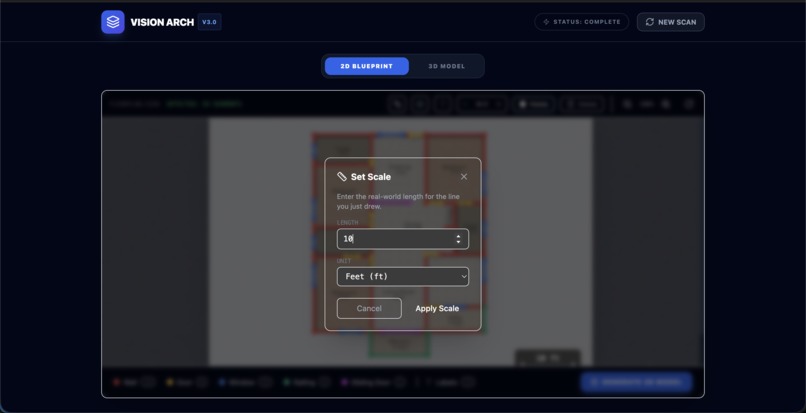
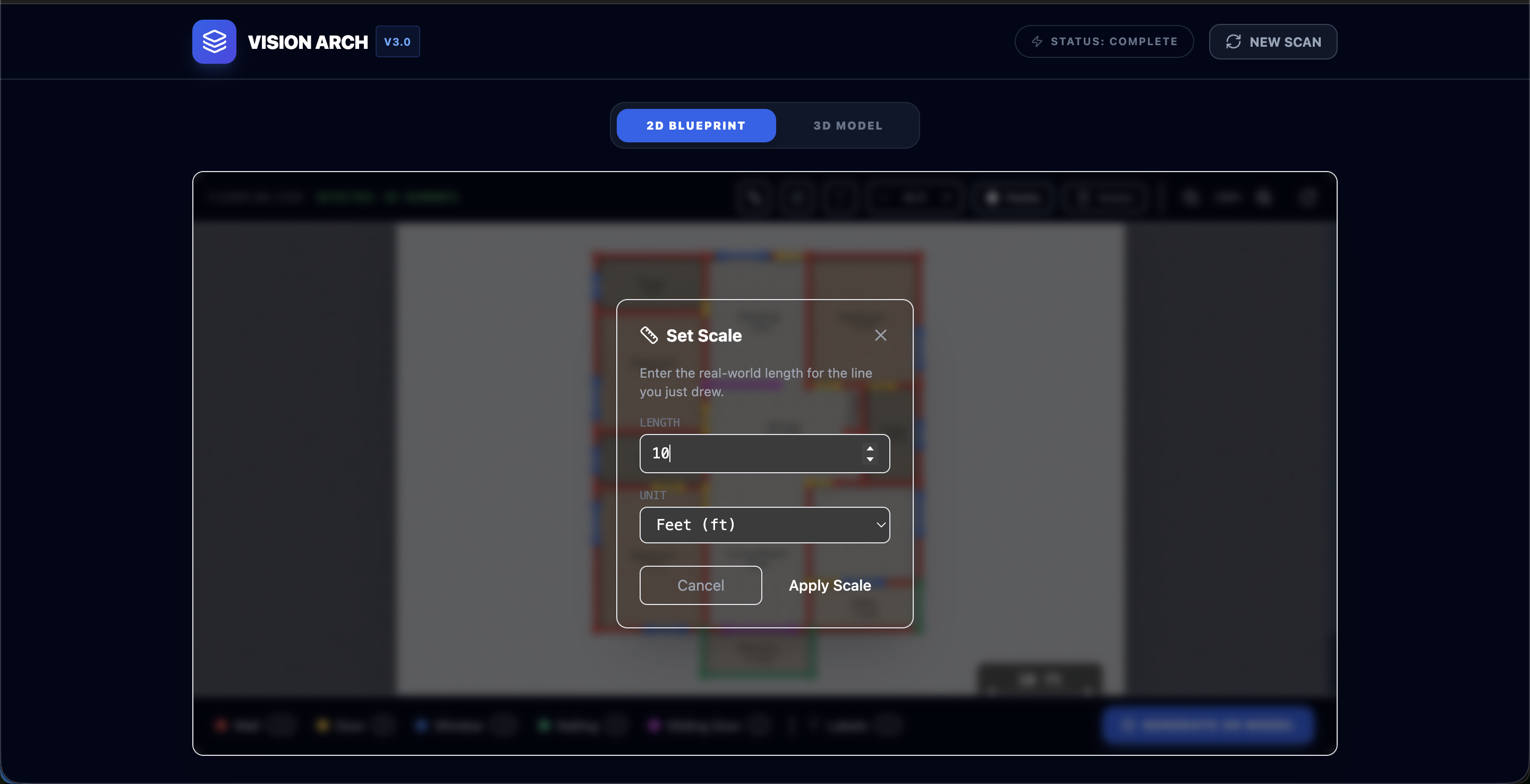
setting scale if not given
-
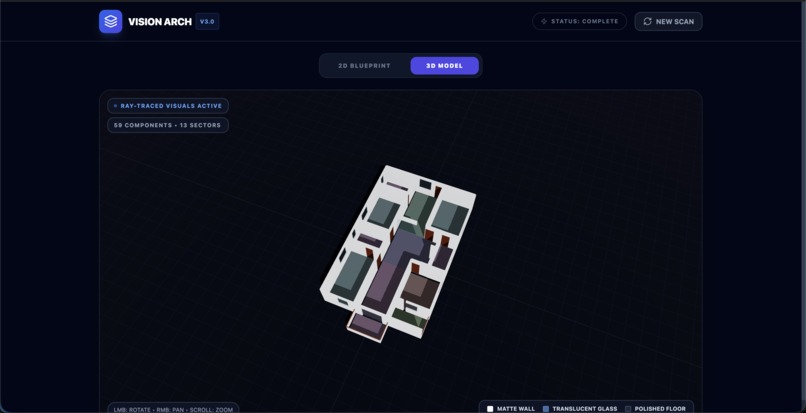
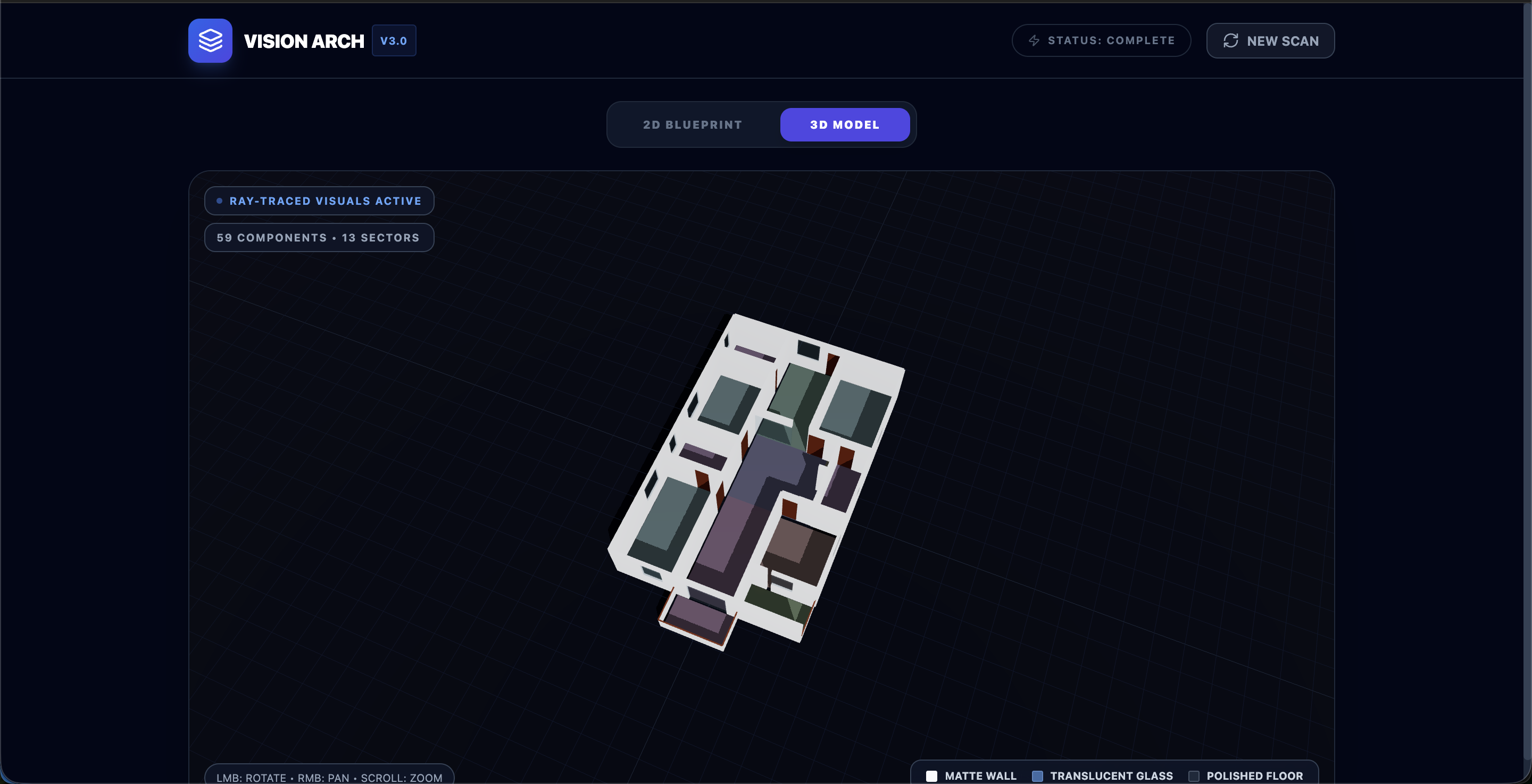
final 3d layout
-
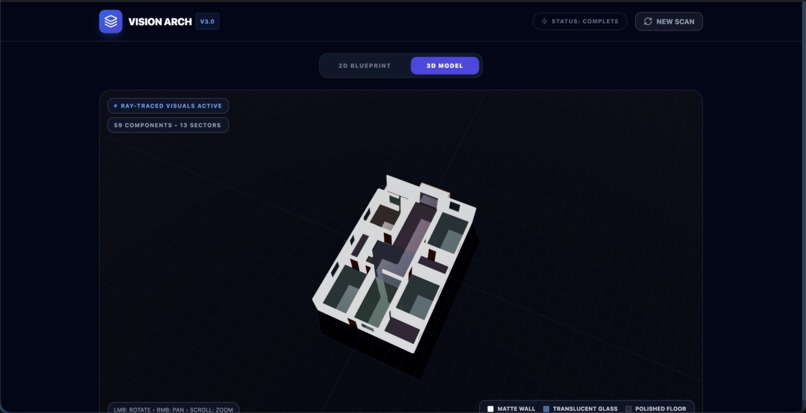
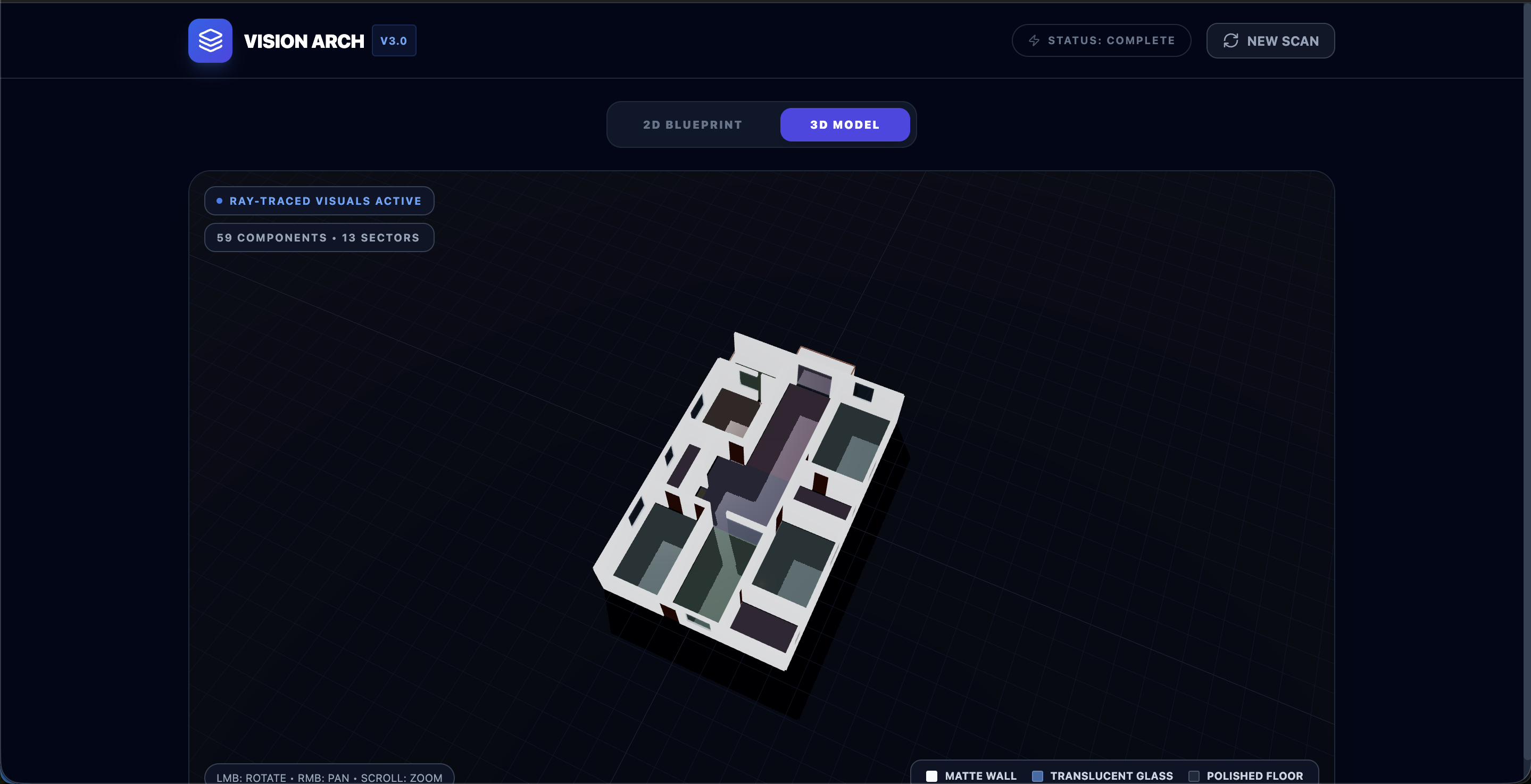
final 3d layout 2

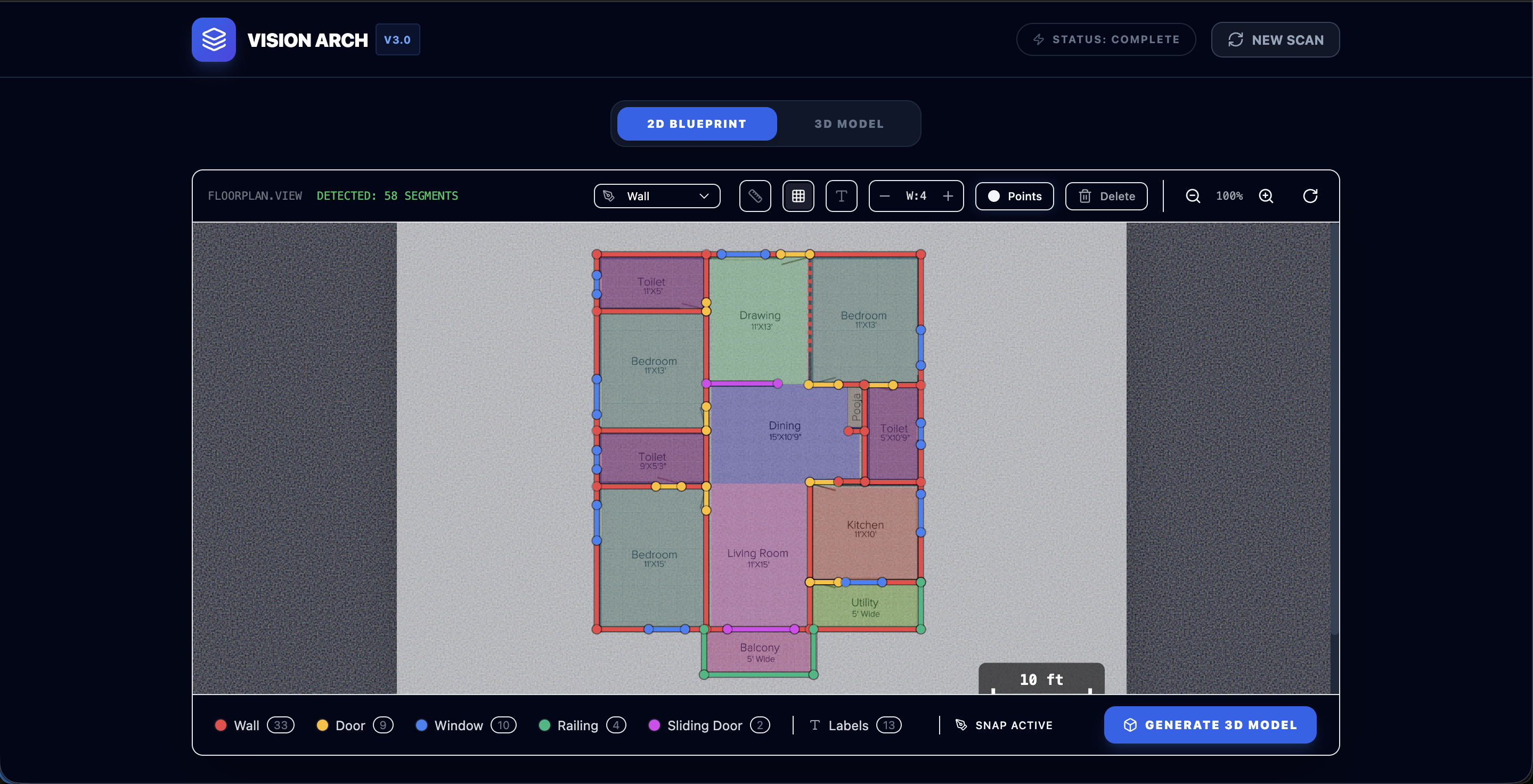
Inspiration
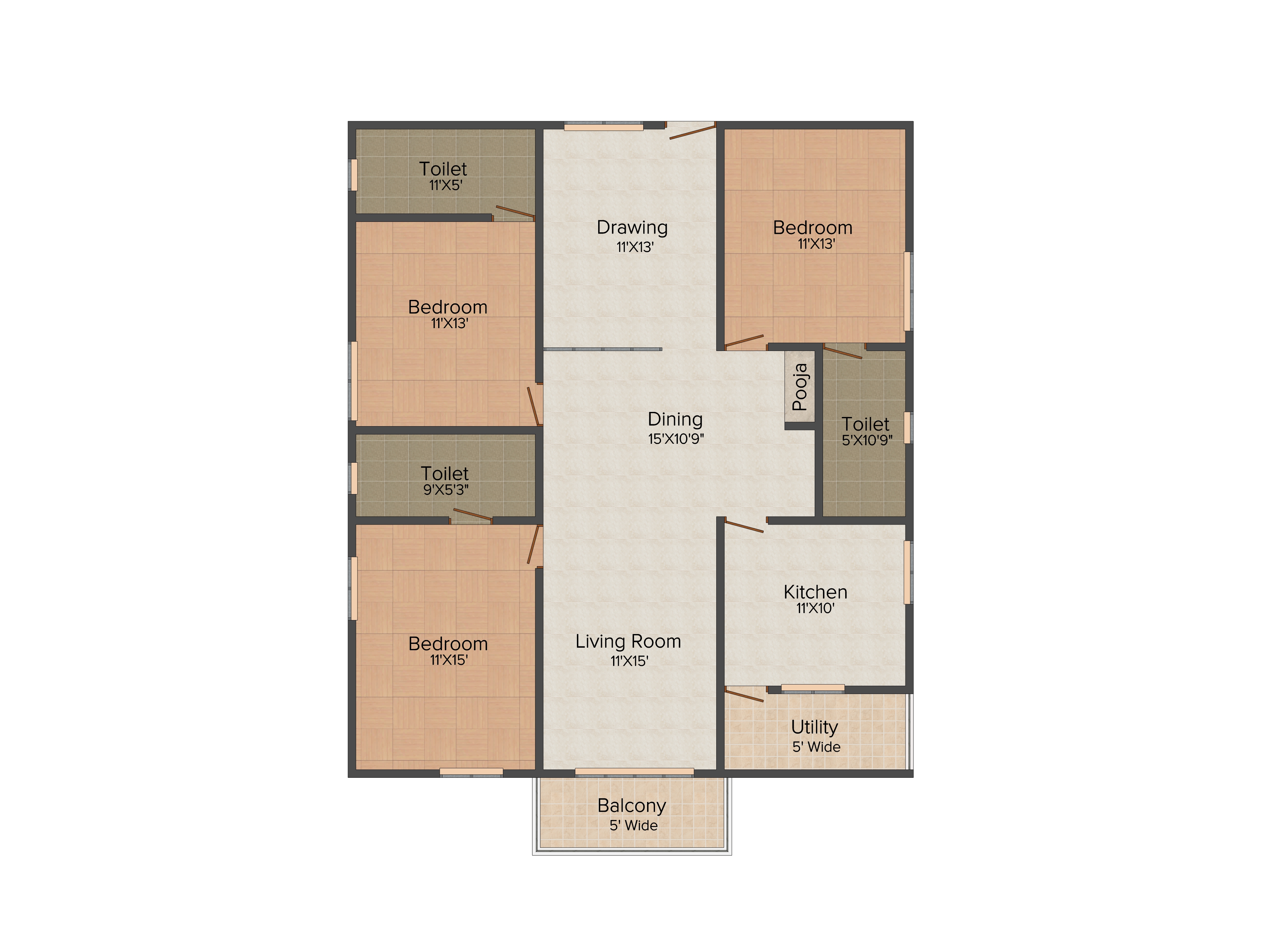
Architectural floorplans are rich with information, but most of that intelligence is locked inside static 2D drawings. Converting these into usable 3D models usually requires manual effort, technical expertise, and hours of work. I was inspired by the idea that AI should be able to “read” a floorplan the way a human architect does — understanding walls, rooms, labels, and spatial relationships — and then automatically transform that understanding into a structured 3D environment.
The goal became clear: "Build a system that can interpret architectural drawings and turn them into interactive 3D spaces with minimal human input."
What it does
Vision3D converts a static 2D floorplan image into a structured, 3D model using the reasoning capabilities of Gemini combined with real-time rendering in Three.js.
The system understands both structural elements and semantic information, enabling automatic 3D reconstruction from architectural drawings.
How we built it
Once a user uploads a 2D floorplan image, the system makes two separate Gemini calls, each focused on a different type of understanding.
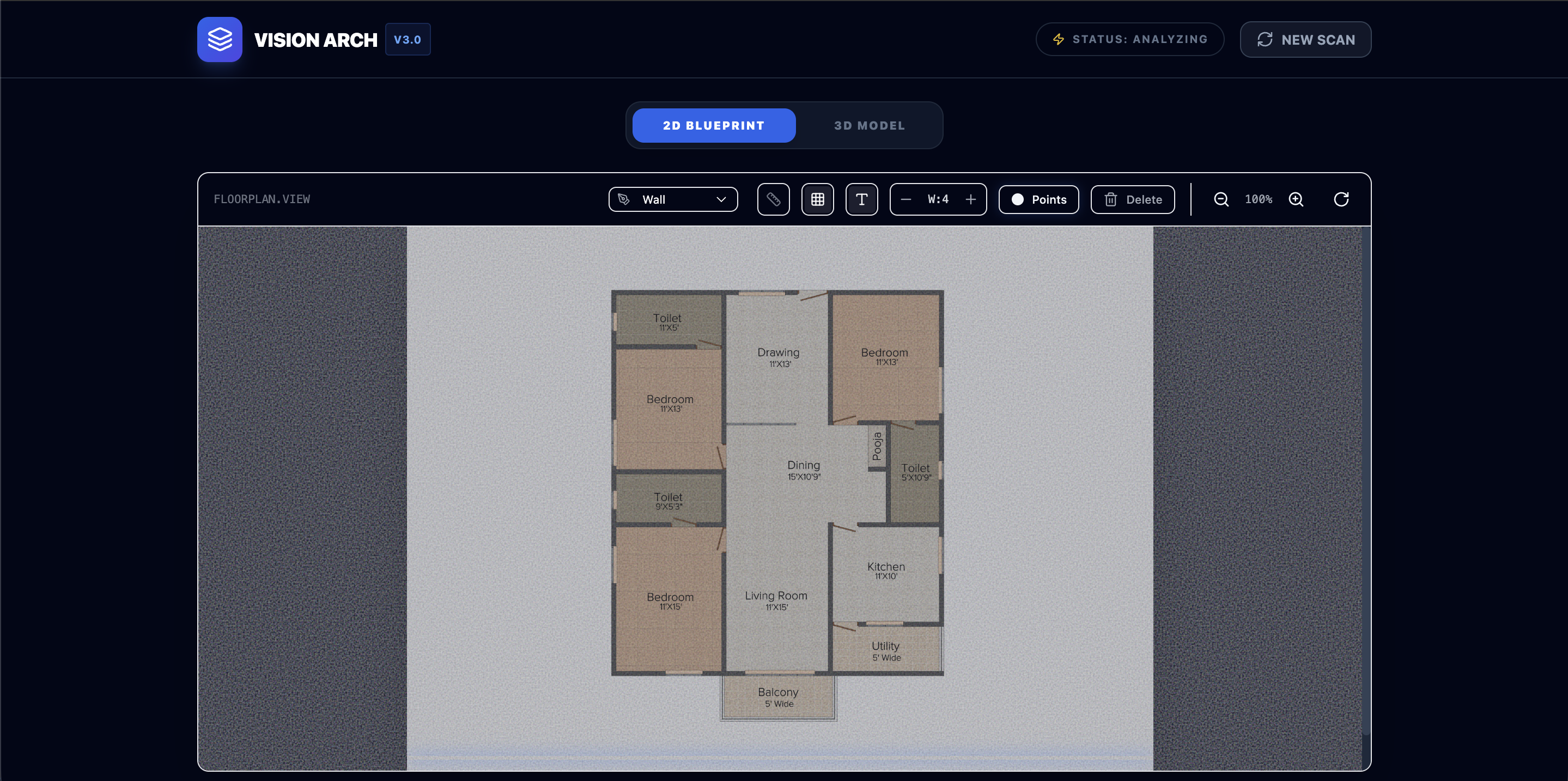
Step 1: Structural Line Detection The first Gemini call extracts linear architectural elements from the floorplan:
The model identifies lines representing: Walls – solid structural boundaries Doors – only the straight line segment representing the door panel or opening (not the curved swing arc) Windows – lines representing window frames within walls Railings – balcony edges or stair guardrails Glass Sliding Doors – straight sliding door panels *This converts raw image data into structured architectural geometry.
Step 2: Semantic & Spatial Understanding The second Gemini call extracts higher-level information:
a. OCR (Text Recognition) a. Detects all visible text such as room names, dimensions, and notes b. Returns both text content and its center position in the image b. Scale Estimation a. Identifies a room (like a bedroom) with clear dimensions b. Computes real-world scale (e.g., feet per pixel) c. Room Polygons a. Identifies enclosed spaces corresponding to functional rooms b. Defines room boundaries for semantic mapping
Step 3: Use data from Step 1 and 2 to use in next Gemini call to correction if there is any.
Step 4: Human-in-the-Loop Correction Because architectural drawings vary widely in style and clarity, we added a manual correction interface where users can: a. Add missing walls, doors, or windows b. Remove incorrect detections c. Adjust layout lines before 3D generation This ensures higher final accuracy and combines AI automation with human validation.
Step 5: 3D Generation
After confirmation, the system generates a 3D model using Three.js: a. Walls are extruded to realistic heights b. Doors and windows are placed at correct positions c. Floors are created based on room polygons d. Real-world scale ensures accurate proportions The result is a navigable 3D layout generated directly from the 2D plan.
Challenges we ran into
- No Standard Floorplan Format: Floorplans vary widely in style, symbols, and clarity, making perfect detection extremely difficult.
- Image Quality Variations: Low-resolution or blurry images reduce detection accuracy.
- Visual Noise in Drawings: Builders often include extra annotations, furniture sketches, or decorative lines that confuse AI detection.
- AI Imperfection: Since AI predictions are not always correct, we had to design a manual correction system to refine outputs before 3D generation.
Accomplishments that we're proud of
- Successfully detecting structural elements like walls, doors, windows, railings, and sliding doors
- Extracting room labels and dimensions using OCR
- Estimating real-world scale from drawing measurements
- Generating a structured 3D layout from combined geometric and semantic information
What we learned
- Breaking AI tasks into smaller, focused prompts works better than asking for everything at once.
- AI outputs should always be validated and refined, especially when used for structured systems like 3D generation.
- Combining vision, text understanding, and geometry creates far more powerful results than using a single AI capability.
What's next for Vision3D - A Floorplan visualiser
We plan to expand Vision3D into a more immersive architectural visualization tool:
- More Realistic 3D
- Detailed 3D models for doors, windows, railings, and sliding doors
- Improved materials, floor textures, and shaders
- Enhanced lighting and reflection probes
- AI-Based Furniture Placement: Use Gemini to understand room type and automatically suggest furniture layouts.
- Vastu Analysis : Provide Vastu-based layout insights and recommendations using spatial reasoning.
- Customization Tools: Allow users to change: a. Wall colors b. Furniture placement c. Interior styles
- Virtual Tour Mode: Enable a first-person walkthrough experience inside the generated 3D home.
Then it will be converted into business, where user would be able to create home in very low cost.

Log in or sign up for Devpost to join the conversation.