What is our inspiration?
The inspiration comes from integrating computer vision with education. As people who have tutored people from many backgrounds, we've learned that not everyone learns the same way. By providing a modern, engaging way to study algebraic functions, we created a graphing tool designed specifically for students with dyscalculia and ADHD. Mathematics is everywhere, from direct mechanics to discrete functions, and it supports efficient algorithmic thinking.
What does it do?
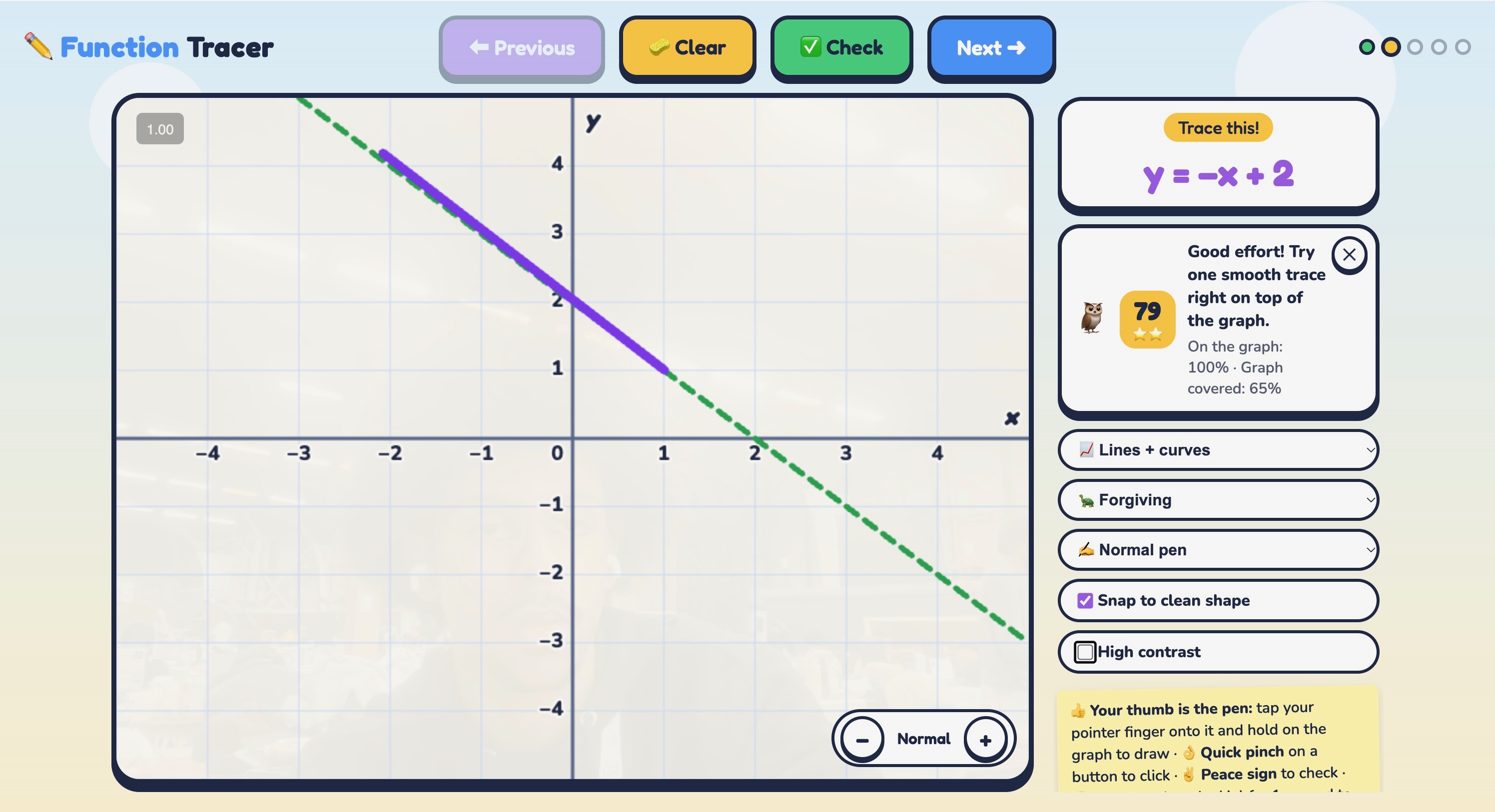
Vision Trace is a web application that turns the user's hand into a pen, so you can learn graphing by drawing math in the air. Your webcam tracks your hand as you trace what you think the graph of an equation looks like.
How did we build it?
We built Vision Trace as a website that runs in any browser with a webcam, with nothing to install. Google’s free MediaPipe tool tracks points on your hand right on your computer, so video is never sent anywhere.
Your thumb tip is the pen: pinch to draw, quick-pinch to click, and make a fist to clear.
To help with shaky hands, the pen moves less than your hand, and each stroke is tidied into the line or curve you meant, never toward the right answer. The app grades how closely your drawing matches the real graph, so scribbling everywhere won’t score well. Then Claude turns your results into a short, encouraging tip, while all the math stays in our own code so Claude never gets it wrong. A colorful, kid-friendly design, high-contrast mode, and adjustable difficulty make it welcoming for every student.
Tools: HTML, CSS, JavaScript, Node.js, MediaPipe, and Claude (Anthropic API).
What challenges did we run into?
We ran into a good amount of problems while building this. The first was organizational, with merging branches. Since our generated code depended on the previous code staying in the same state it was analyzed at, we couldn’t push certain functional and even aesthetic changes onto main until we split up specific tasks in a set order and all agreed on them before anything got committed. Hand tracking gave us the most trouble. Our pre-trained Google computer vision model (MediaPipe) would track different parts of the hand, so at first it was really hard to get even a simple trace. It was also very sensitive, which made the traces super jittery. Our first fix was raising the threshold for how far the hand had to move before it counted as tracing, plus adding stickiness to points in increments of 0.5. Funny enough, the stickiness caused more problems than it solved, so we removed it. The program also had a hard time telling the main hand apart from everything else on camera: other people’s hands, the student’s second hand, and just bodies in the background. Before we handled that, it would glitch, and the main user couldn’t get a clean interaction with the program.
What accomplishments are we proud of?
We got the merge problem under control pretty quickly once everyone agreed on the order of tasks before committing. For tracking, we added more logic and gave the model more specific instructions and hand data points to work with, which finally got us clean traces. For the jitter, we dropped stickiness and focused on the threshold and a noise filter. The filter basically scales down shakes and movement a lot when the hand is moving slowly, and less when the hand moves fast, since there’s less shaking then. Drawing ended up feeling a lot like moving a mouse. We also got the program to lock onto the primary hand. Whoever is closest to the camera gets the pen, and hands or people in the background can’t grab it. We’re also proud that messy strokes get cleaned up into the line or parabola the student meant, without the game ever looking at the answer. Claude gives the feedback, but the game’s code does all the math, and the video never leaves the browser.
What did we learn?
When a lot of your code is generated against the current state of the repo, agreeing on who changes what, and in what order, matters as much as the code itself. We also learned that raw hand tracking data is way messier than we expected, and most of the work in making it feel good to draw was filtering it. The stickiness feature felt clever, but the simpler threshold and filter did the job better.
What’s next for Vision Trace?
We want to train our own open computer vision model built for a classroom setting. It would get more accurate and cheaper to run over time, and it would be light enough to run on school devices.

Log in or sign up for Devpost to join the conversation.