-
-
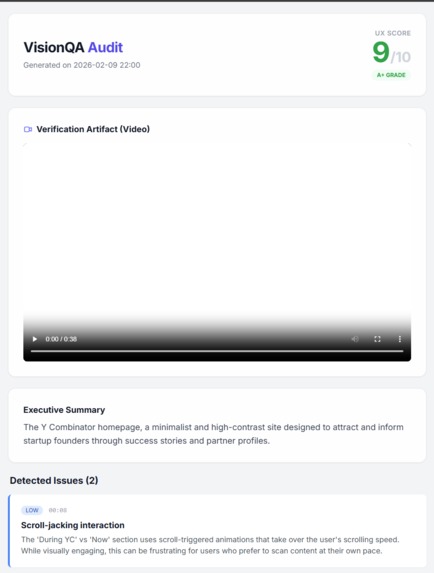
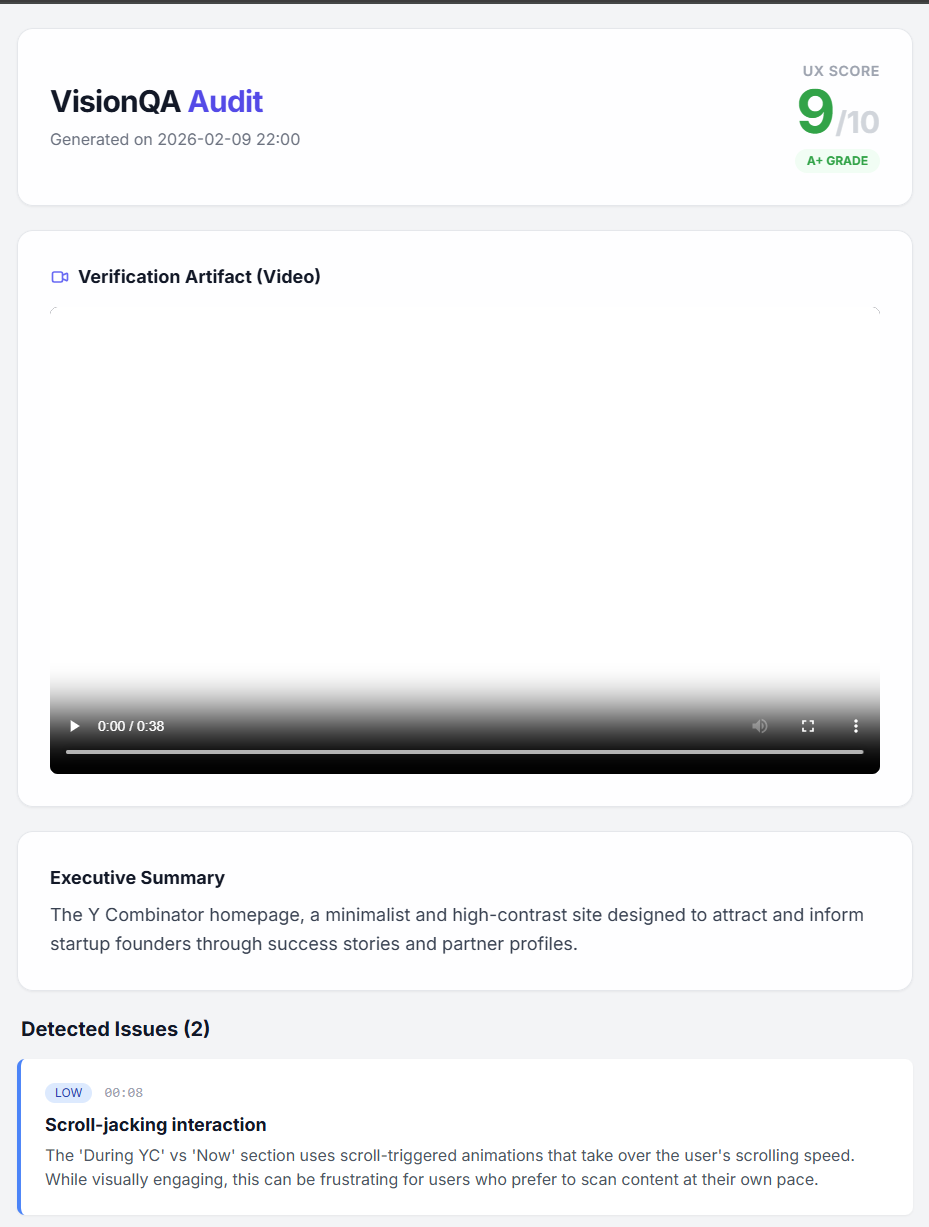
Analysis of Y Combinator UI.
Inspiration
Traditional software testing is "blind." Tools like Selenium or Cypress can tell you if a button works (functionally), but they can't tell you if the button is invisible, covered by a popup, or just plain ugly.
We realized that in the age of AI, we shouldn't just be testing for Functionality; we should be testing for Usability (or "Vibes"). We built VisionQA to bridge the gap between code-based testing and human perception. We wanted an agent that could "watch" a user session and critique it like a Senior UX Designer, automating the subjective part of QA.
What it does
VisionQA is an Autonomous Vibe Engineering Agent.
Autonomous Browsing: You give it a URL, and it spins up a "Stealth Mode" browser agent (using Playwright). This agent mimics human behavior—moving the mouse in curves, handling cookie banners, and smooth-scrolling—to navigate the site without triggering anti-bot defenses.
Artifact Generation: Instead of just scraping text, it records a high-fidelity video artifact of the entire session. This captures animations, layout shifts, and visual clutter that static screenshots miss.
Multimodal Analysis: It feeds this video directly into Gemini 1.5 Flash/Pro, leveraging its native video understanding capabilities.
The "Roast": We engineered a strict system prompt that forces Gemini to act as a "Brutal UX Auditor." It evaluates the video against Nielsen's Usability Heuristics (Consistency, Minimalist Design, Visibility).
Reporting: It automatically generates a beautiful HTML Verification Artifact—a dashboard containing the video proof, a "Vibe Score" (1-10), and a list of visual severity issues.
How we built it
The Body (Playwright + Stealth): We used Python and Playwright for the browser automation. The biggest technical hurdle was making the bot look human. We implemented custom "Stealth" logic that masks webdriver flags, spoofs user agents, and creates randomized, non-linear mouse movements to bypass bot detection on complex sites.
The Brain (Gemini API): We utilized Gemini's Multimodal Video reasoning. Instead of extracting frames manually, we upload the raw .mp4 buffer to Google AI Studio, allowing the model to understand temporal context (e.g., "This popup appeared after I scrolled").
The Output (JSON & HTML): We used Gemini's response_mime_type="application/json" to enforce strict schema output, ensuring our Python backend could parse the critique and render the final HTML report reliably every time.
Challenges we ran into
The "Anti-Bot" Boss Fight: Sites like Amazon and Tesla aggressively block headless browsers. We had to engineer a "Stealth" layer that injects JavaScript to hide automation signals and randomize scroll speeds to mimic human jitter. But, we were not able to resolve that issue.
AI "Niceness": Early versions of the model were too polite—they would say a broken site "looked fine." We had to engineer a "Brutal Mode" prompt that explicitly instructed the model to flag dated designs, clutter, and low contrast as "High Severity" issues.
Video Token Management: Handling video buffers and waiting for file propagation on the Gemini API side required implementing robust retry logic and state management.
Accomplishments that we're proud of
True Vibe Engineering: We didn't just build a chatbot. We built a system that generates browser-based verification artifacts (the video and the report), which is the core goal of the Vibe Engineering track.
Autonomous Loop: The system requires zero human intervention between the CLI command and the final report.
What we learned
Video -> Screenshots: Analyzing a video stream provides significantly better context than static screenshots. The AI can see if an element "flickers" or if a sticky header covers content while scrolling.
Agentic Workflows: Building an agent that has a "Body" (browser) and a "Brain" (Gemini) requires careful synchronization, but the result is far more powerful than a simple prompt wrapper.
What's next for Vision QA
CI/CD Integration: We plan to turn this into a GitHub Action that runs automatically on every Pull Request, blocking deployments if the "Vibe Score" drops below 7/10.
"Fix It" Mode: Using Gemini to not just find the CSS error, but to output the corrected code snippet to fix the visual bug.
Competitor Analysis: Running the agent on two URLs side-by-side (yours vs. competitor) and having Gemini compare the UX.

Log in or sign up for Devpost to join the conversation.