-
-
Notability Planning
-
Notability Planning
-
Notability Planning
-
Notability Planning
-
Notability Planning
Inspiration
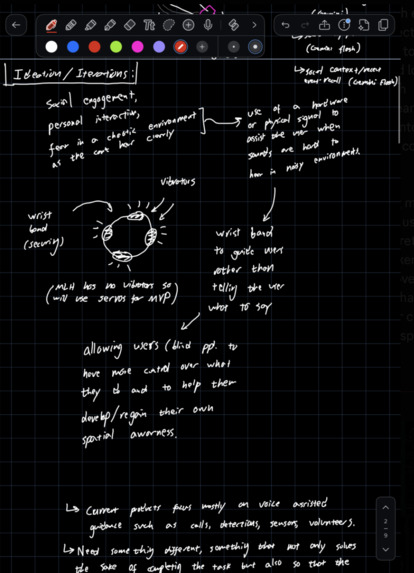
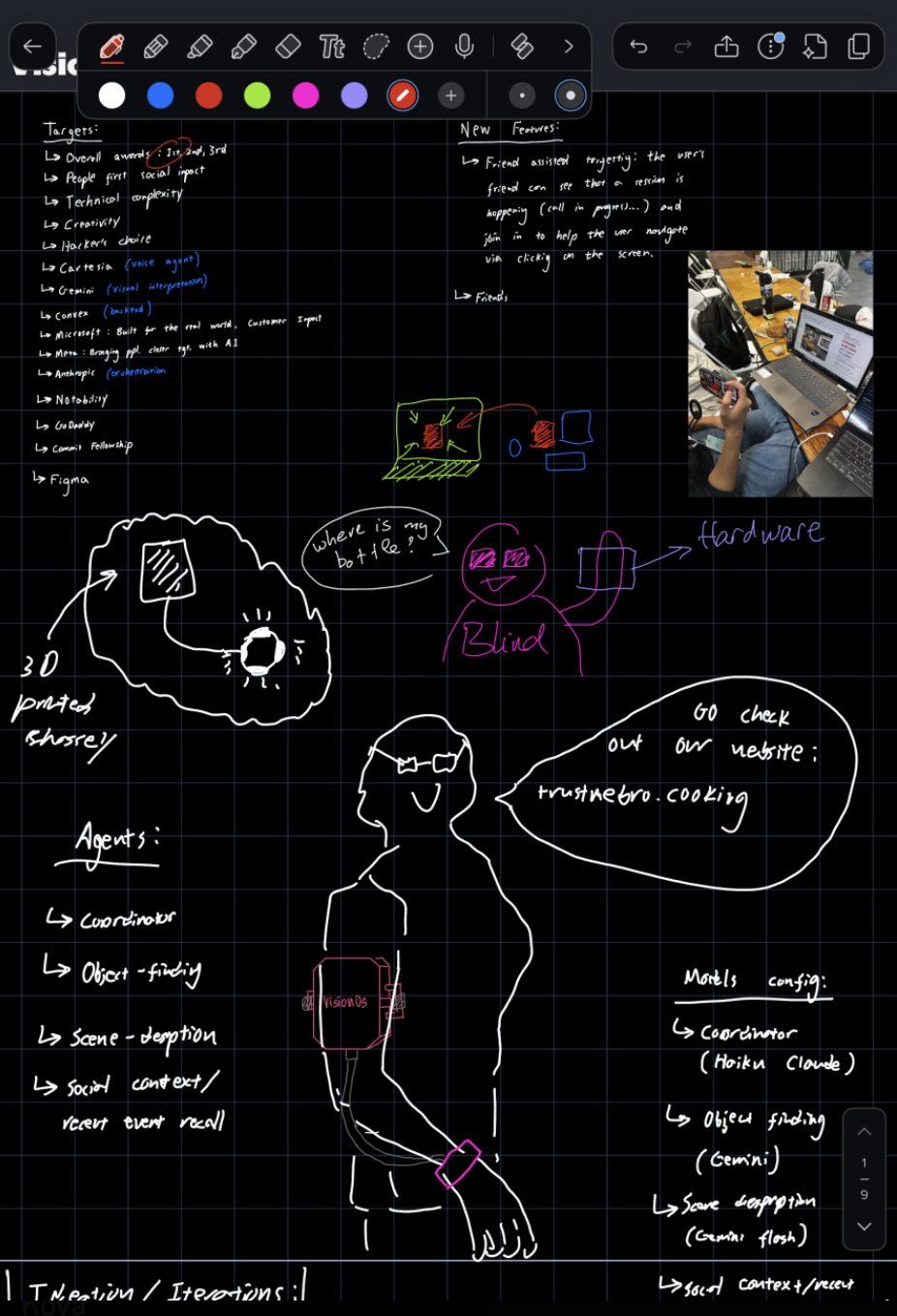
One of my friends is blind. Watching her navigate daily life, I realized the hardest moments were often the little things: finding a bottle on a crowded desk, locating an elevator button, or selecting an item on a kiosk screen. Her phone could read messages aloud, but it couldn’t guide her hand.
When she needed help, she sometimes relied on strangers through video-assistance apps. But the person she trusted most was her mom, who knew exactly where everything belonged. Her mom just wasn’t always there.
That inspired Vision OS: using AI not only to help people navigate independently, but also to bring them closer to the family members they trust.
What it does
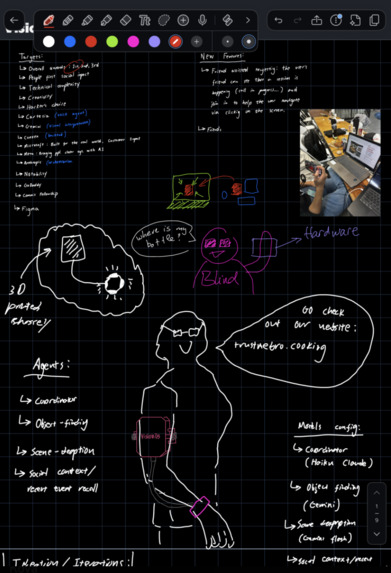
Vision OS is an AI-powered accessibility assistant designed to help blind and visually impaired people interact with their surroundings.
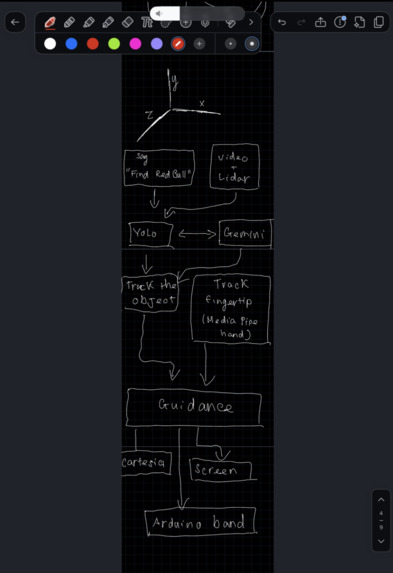
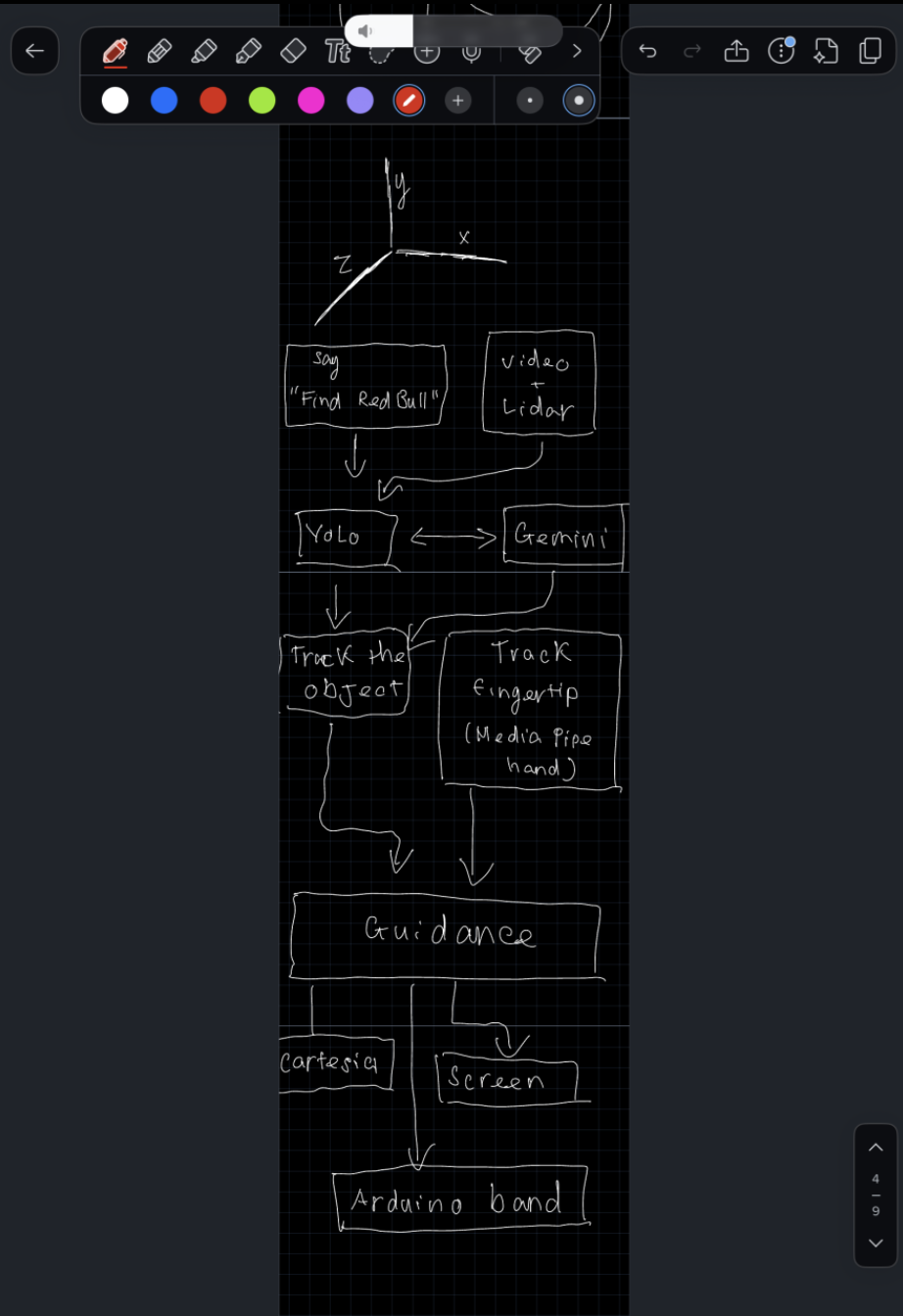
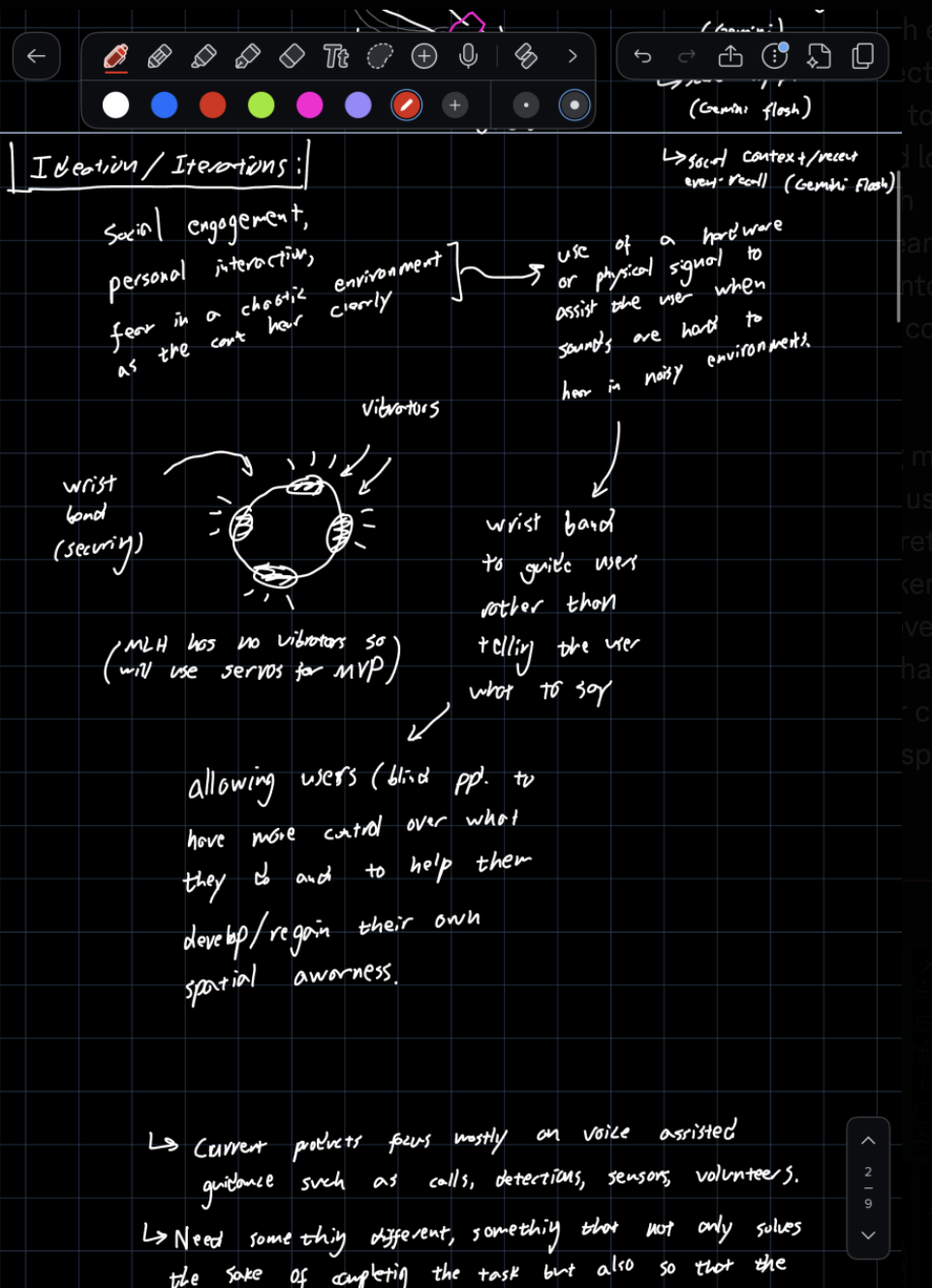
- Find and guide: Users can ask Vision OS to find an object. The system identifies and tracks the target, then provides spoken guidance and is designed to support directional tactile feedback.
- Interact naturally: Users can ask questions about their surroundings, clarify targets, and interrupt guidance with “Stop.”
- Connect with family: Users can approve family members’ access to a live camera feed through a browser and revoke access at any time.
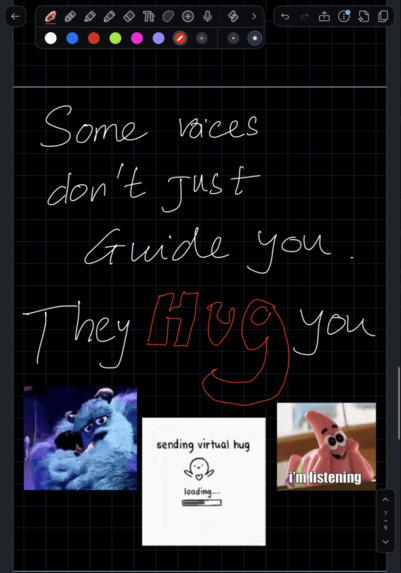
- Remember important details: Family Notes and Family Voice are designed to let family members leave contextual reminders that Vision OS can deliver between tasks, potentially in a familiar voice.
How we built it
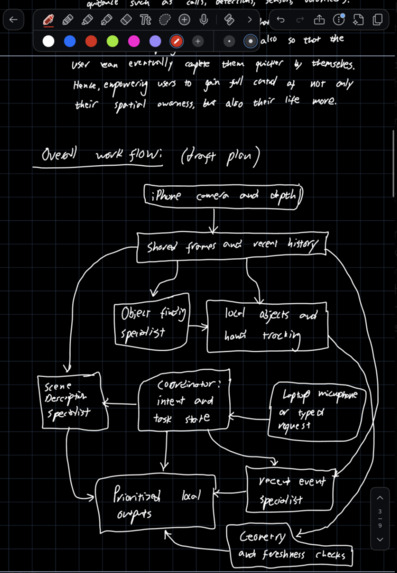
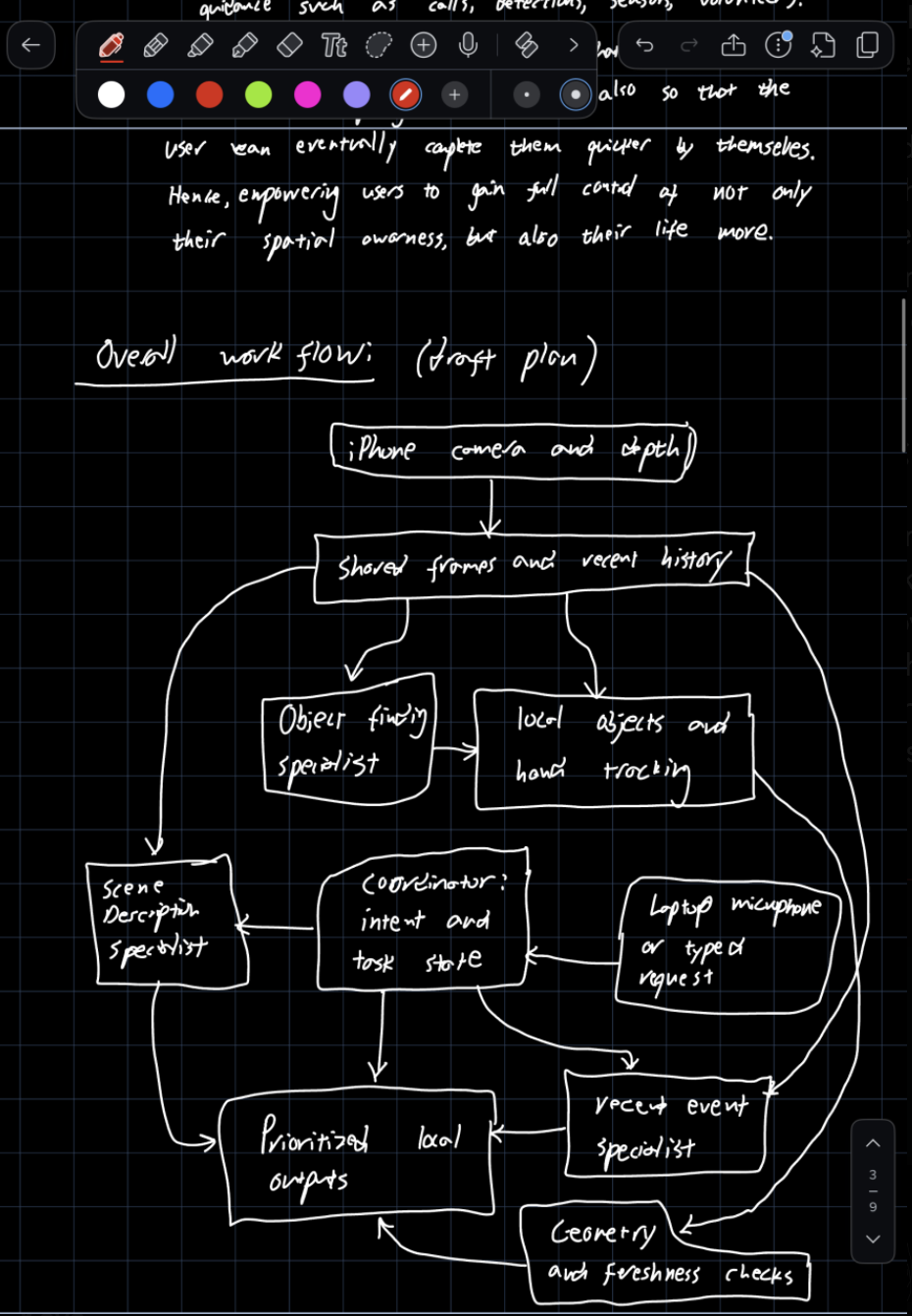
- iPhone app: SwiftUI provides the native interface, camera access, accessible call screens, and authentication through Auth0.
- Computer vision: Gemini identifies requested objects, while OpenCV and MediaPipe support object and hand tracking. LiDAR provides depth estimates on supported devices. A local YOLO11s model converted to Core ML supports detection of selected object categories.
- Voice interaction: Apple’s Speech framework handles voice input, and on-device speech synthesis provides immediate spoken feedback. Cartesia supports optional natural-sounding cloud speech.
- Live video: LiveKit streams camera video to approved family members through a browser.
- Backend: Convex and TypeScript manage accounts, family invitations, access permissions, live-help sessions, AI requests, and speech caching.
- Wearable prototype: An Arduino 101 connects through Bluetooth Low Energy to control four servos, with safety timeouts and disconnect handling.
Challenges we ran into
- Reducing latency: Initial Gemini responses took 22–30 seconds. Pipeline tuning and a local detection path reduced typical object-finding times to approximately 5–9 seconds.
- Maintaining tracking: Brief video interruptions and changing object appearances caused targets to flicker or disappear. We improved recovery from short pauses and tracking across different views.
- Preventing audio feedback: The microphone sometimes picked up the app’s own voice, so voice interaction prioritizes essential commands such as “Stop.”
Accomplishments that we're proud of
- Built an object-finding pipeline connecting spoken requests to computer vision, target tracking, and guided feedback.
- Created a family-sharing workflow with explicit approval, live camera access, and revocation.
- Designed safety rules that reject stale guidance evidence, allow “Stop” to cancel active guidance, and prevent AI suggestions from independently confirming consequential actions such as payments.
- Implemented and tested Family Notes and Family Voice using simulated providers, with the features deployed to our Convex development backend.
- Integrated a native iPhone app, Python vision pipeline, TypeScript backend, and Arduino-based hardware prototype in one weekend.
What we learned
- Timing matters as much as accuracy. Guidance is only useful when it arrives while the user can still act on it.
- AI should assist, not make consequential decisions. When the system is uncertain, it should ask instead of guessing.
- Safety must be built in from the start. Guidance should take priority over distractions, and unreliable information should never trigger confident instructions.


Log in or sign up for Devpost to join the conversation.