Inspiration
As a Computer Science student, I often find myself stuck on a complex coding error or a math problem late at night when no professors are available. I realized that while ChatGPT is great, copy-pasting code or typing out math formulas breaks my flow. I wanted a tutor that could just "look" at my screen or my notebook and explain it to me—exactly how a human friend sitting next to me would.
What it does
Vision-Learn is a real-time multimodal assistant. It has two main modes:
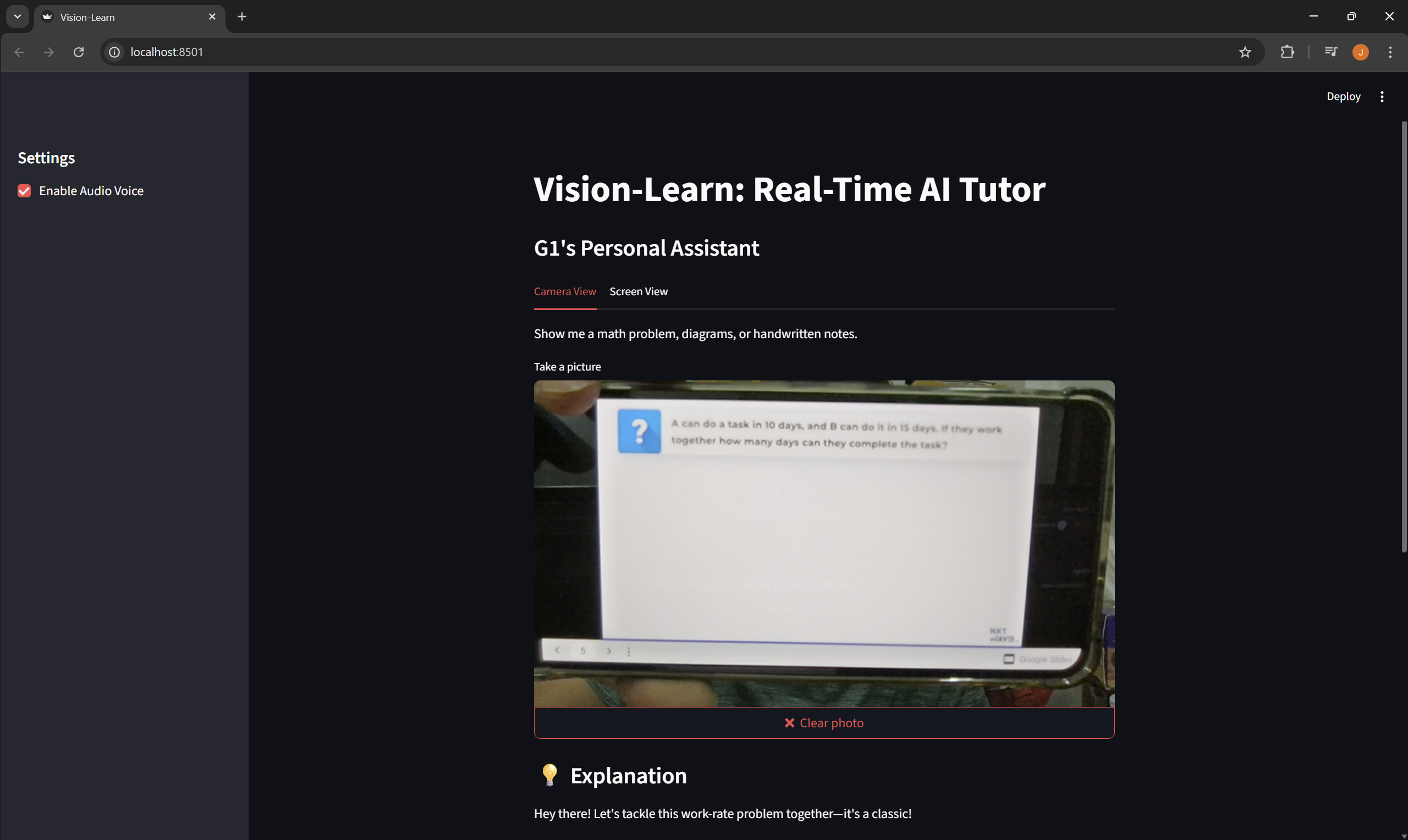
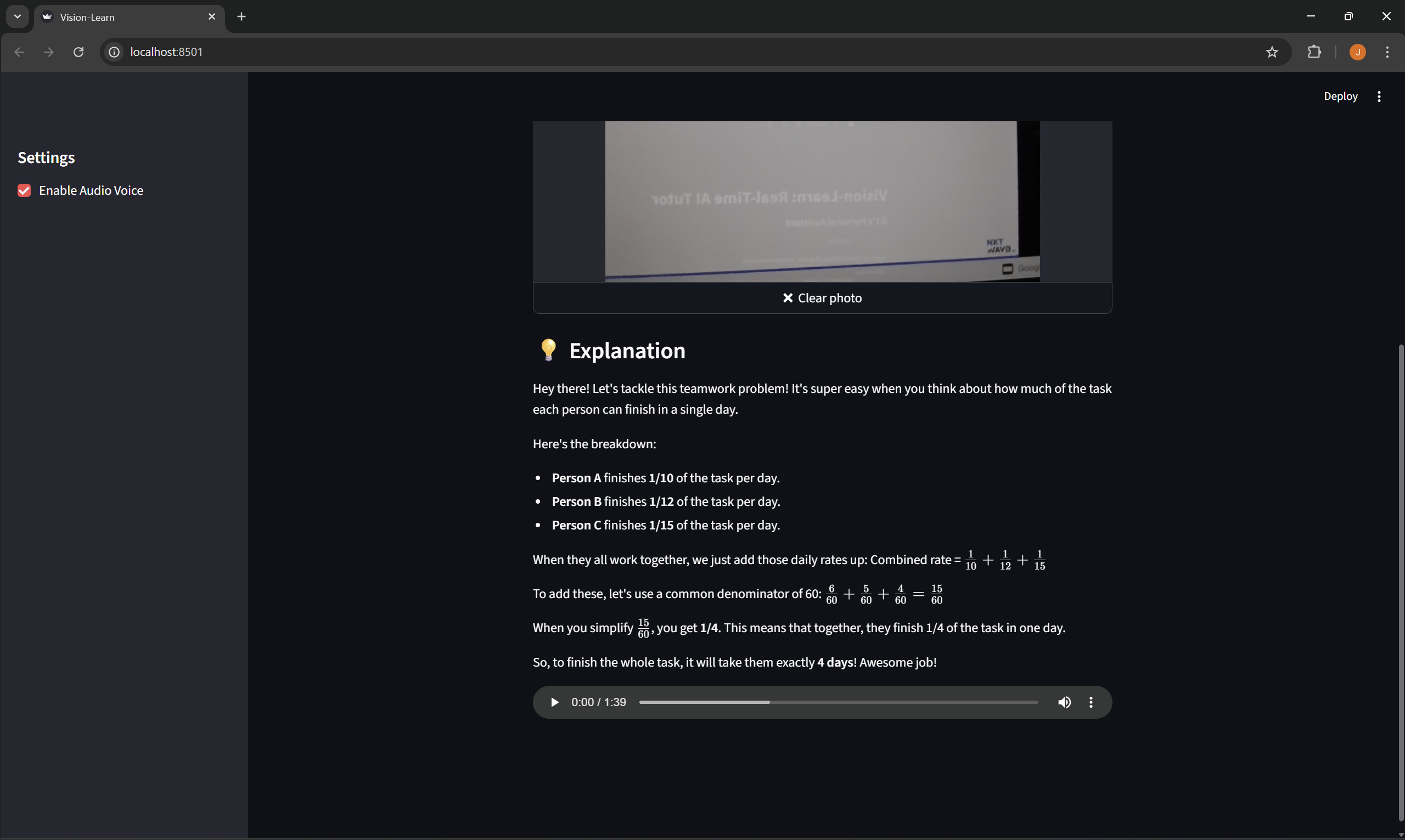
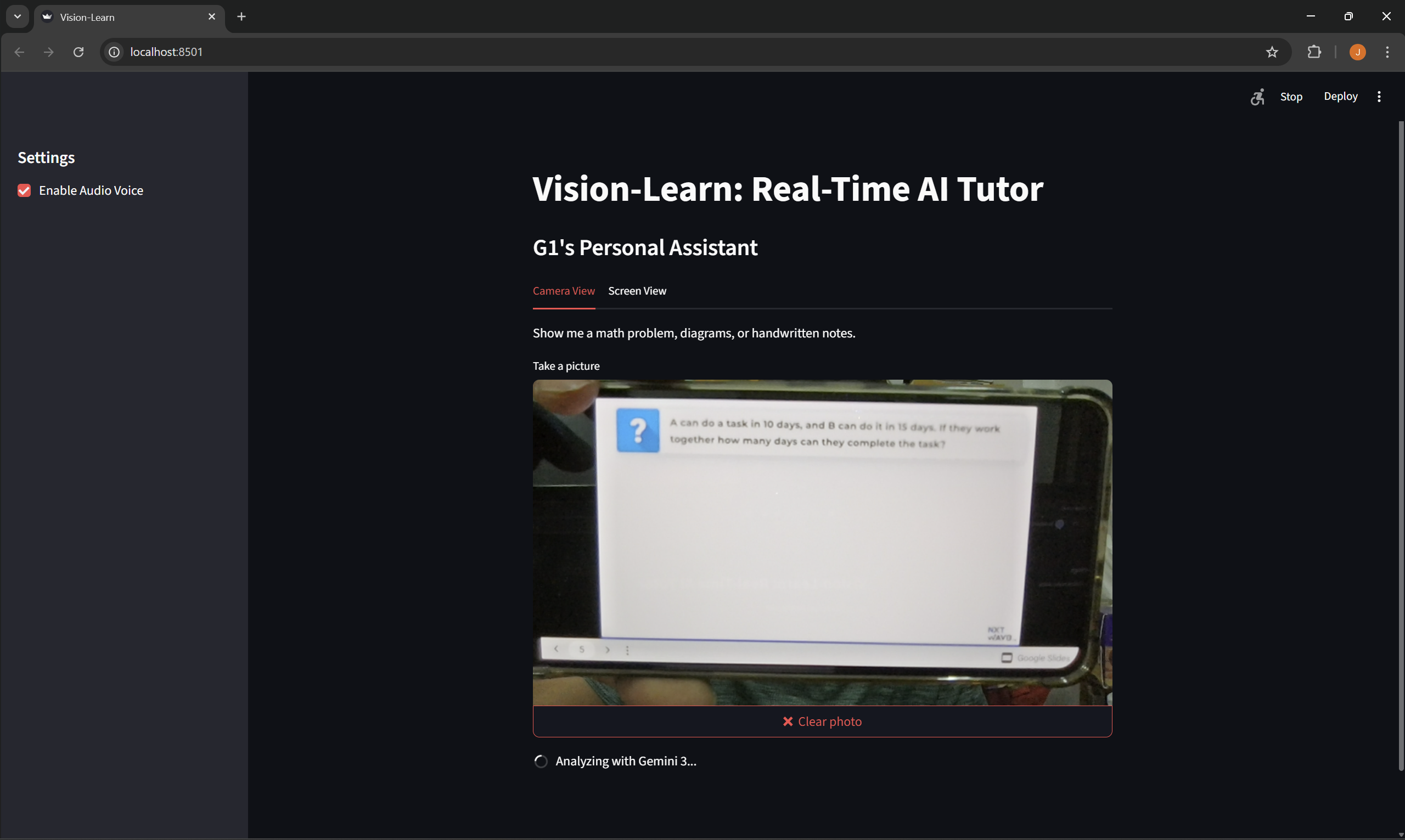
Camera View: It watches my physical environment. I can hold up a handwritten math problem or a textbook diagram, and it speaks the explanation out loud.
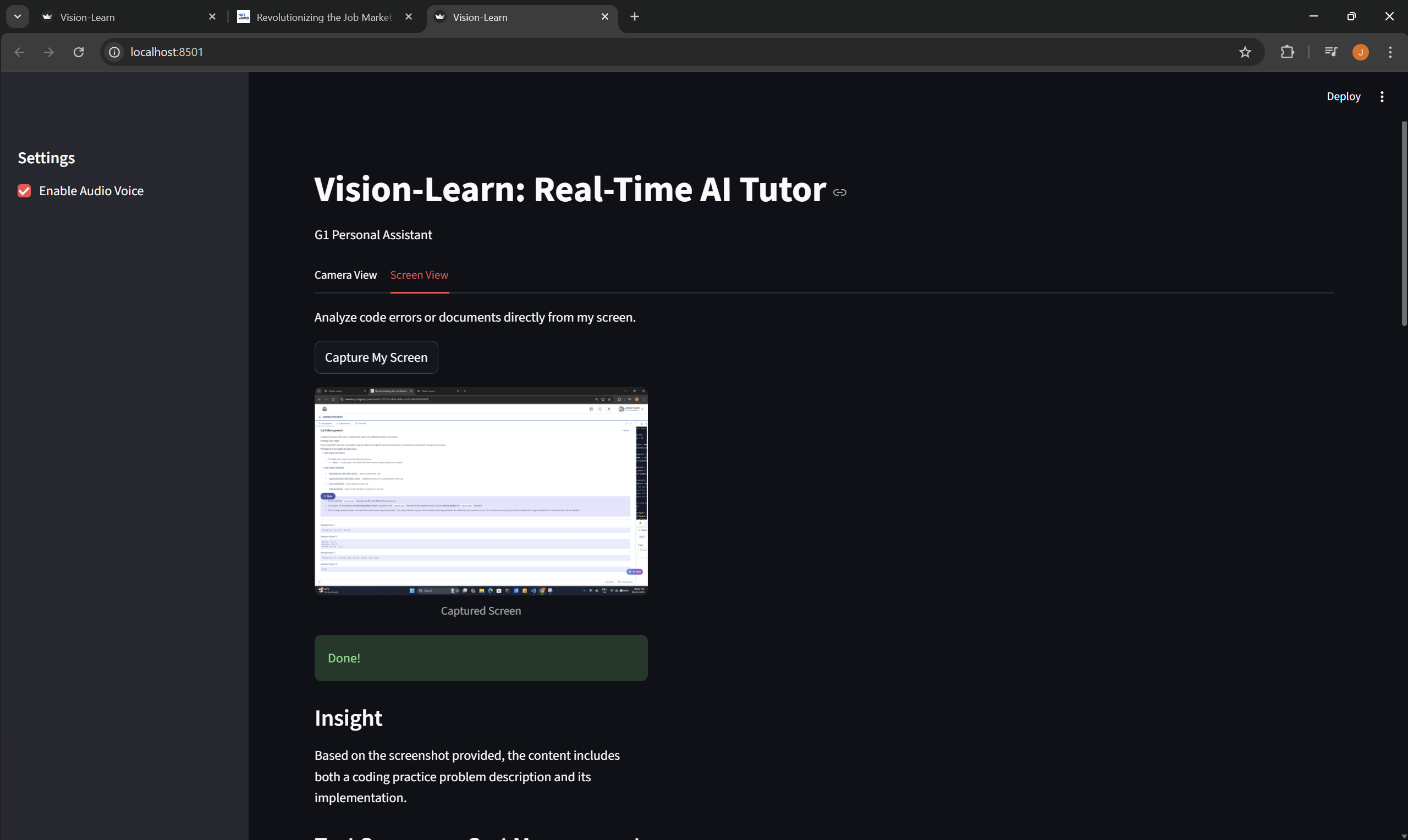
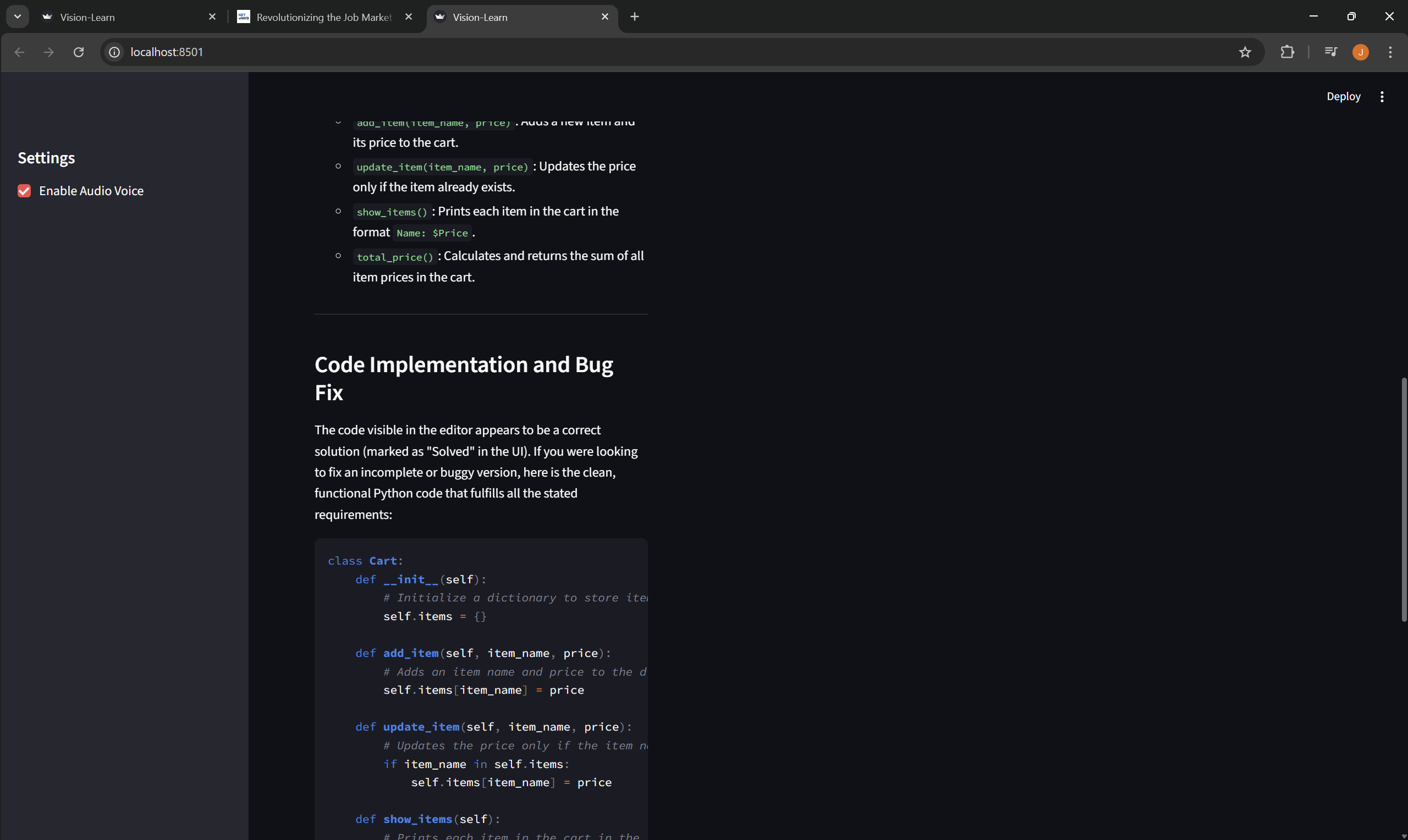
Screen View: It captures my active screen (like a VS Code window). I can ask it to "find the bug," and it analyzes the code visually, identifies the error, and provides a fix without me typing a single line.
How I built it
I built this using Python and Streamlit for the frontend interface. The core intelligence is powered by the Gemini 3 Flash model via the Google AI Studio API.
I used OpenCV and streamlit-camera-input to handle video feeds.
I utilized ImageGrab for real-time screen capturing.
For the voice interaction, I integrated gTTS (Google Text-to-Speech) so the AI can "speak" its answers.
I implemented a "Smart Memory" system using Session State to handle API quotas efficiently, ensuring the app doesn't crash during heavy use.
Challenges I ran into
The biggest challenge was the Robotic Voice. Initially, Gemini would generate valid code, but the Text-to-Speech engine would read every single character aloud (like "Backtick backtick def underscore init"). It was unbearable to listen to. I had to build a custom regex filter that separates the visual code block (for the screen) from the audio script (for the voice), ensuring the AI speaks naturally while still displaying technical accuracy.
Accomplishments that I'm proud of
I am most proud of the "Screen Share" feature. Getting the AI to reliably capture a specific window, analyze the code context, and return a fix in under 3 seconds felt like magic. I'm also proud of deploying it live on Streamlit Cloud so anyone can try it instantly.
What I learned
I learned that Multimodality is not just about image recognition; it's about context. Gemini 3 didn't just "read text" from my screen; it understood the intent behind the code. I also learned the importance of handling API rate limits gracefully in a production environment.
What's next for Vision-Learn: Real-Time AI Tutor
I plan to add Live Video Stream analysis (instead of static frames) so the AI can interrupt me if it sees me making a mistake in real-time. I also want to integrate a "Whiteboard Mode" where the AI can draw diagrams back to me.

Log in or sign up for Devpost to join the conversation.