-
-
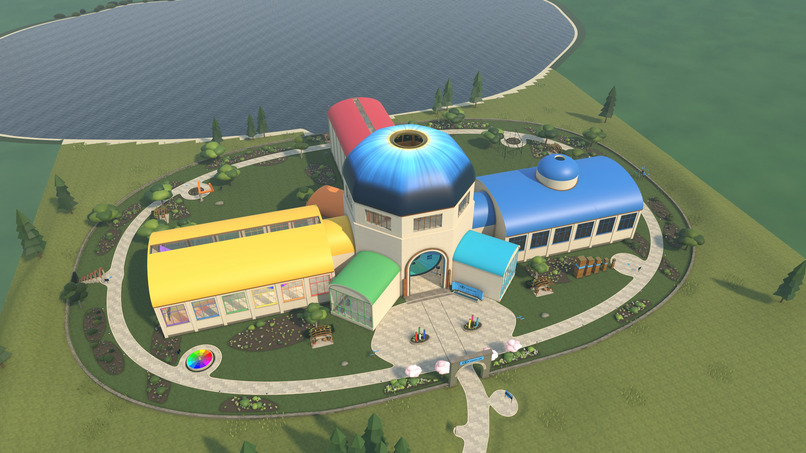
Explore a science centre built around how we see, with colourful wings and gardens to wander beside a lake.
-
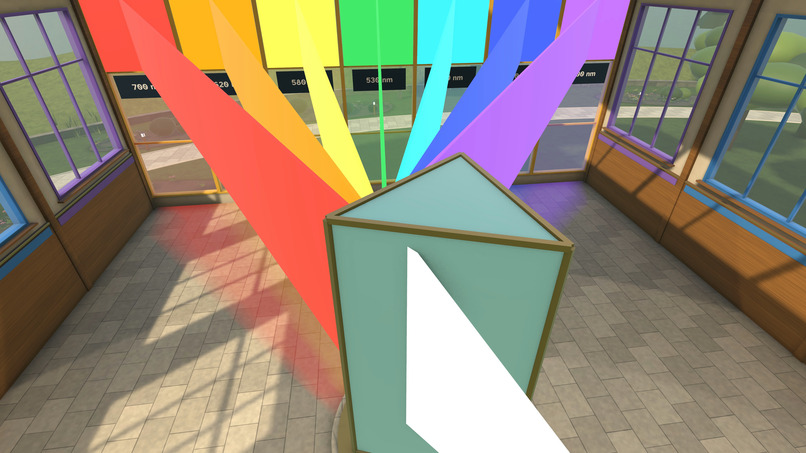
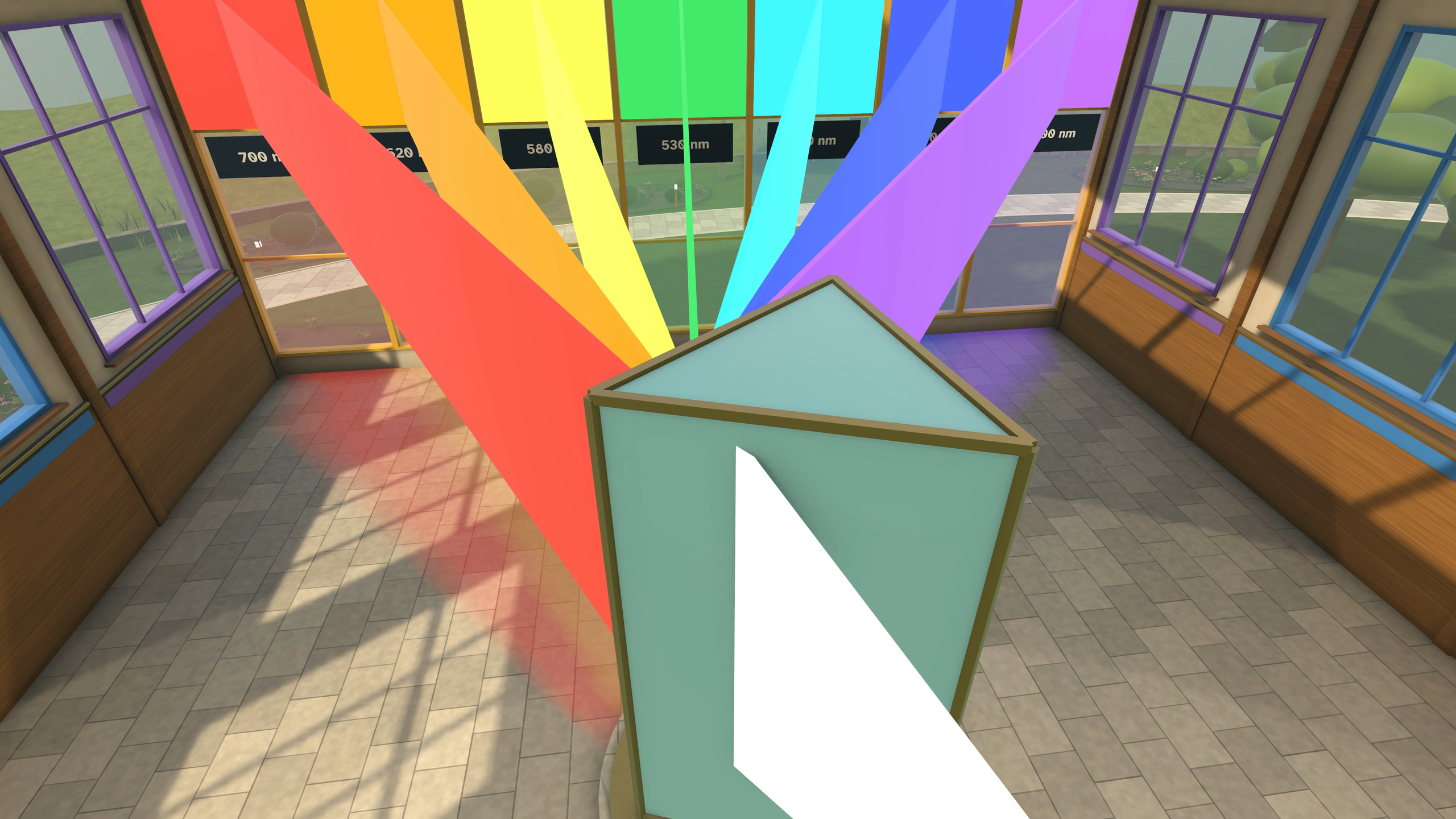
end white light through a giant prism and watch it fan out into a rainbow, each colour labelled with its wavelength.
-
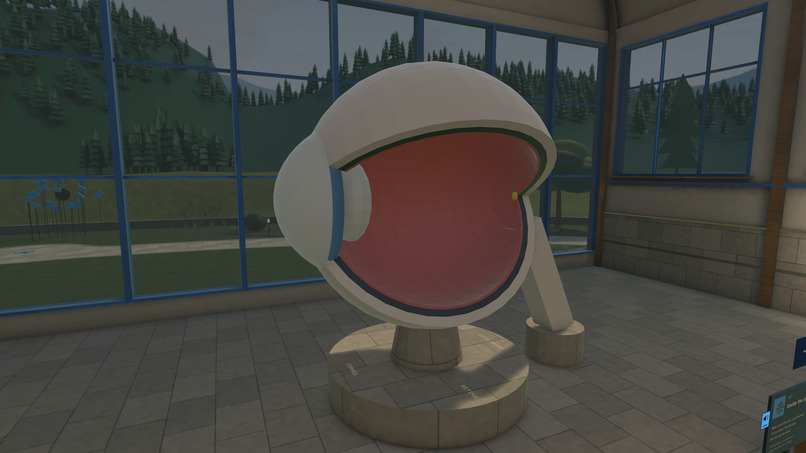
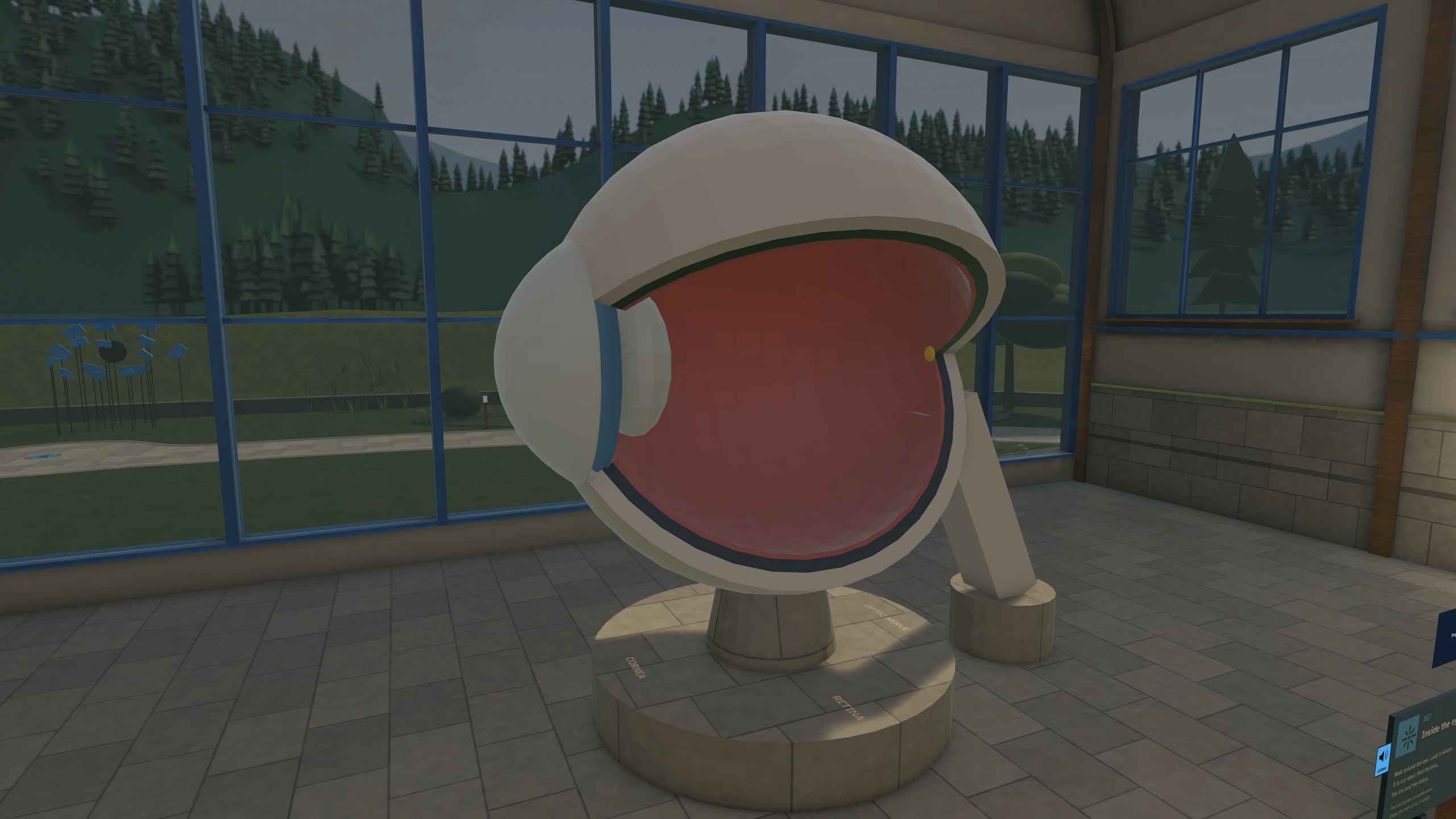
Walk around a giant cutaway eye and find the cornea, lens, retina and optic nerve.
-
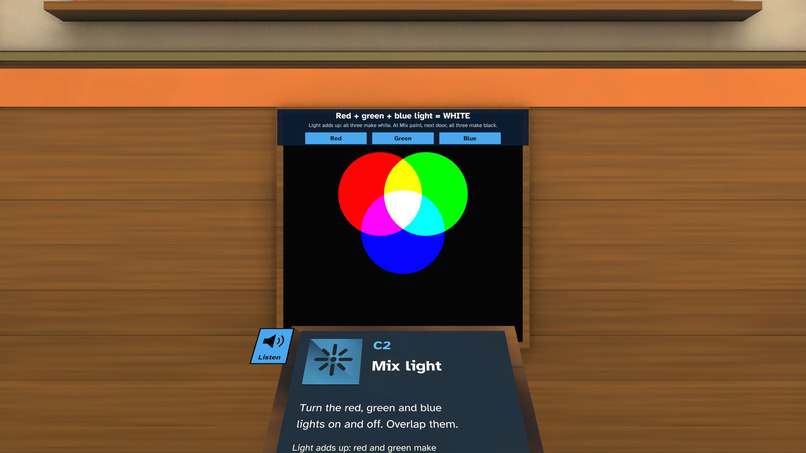
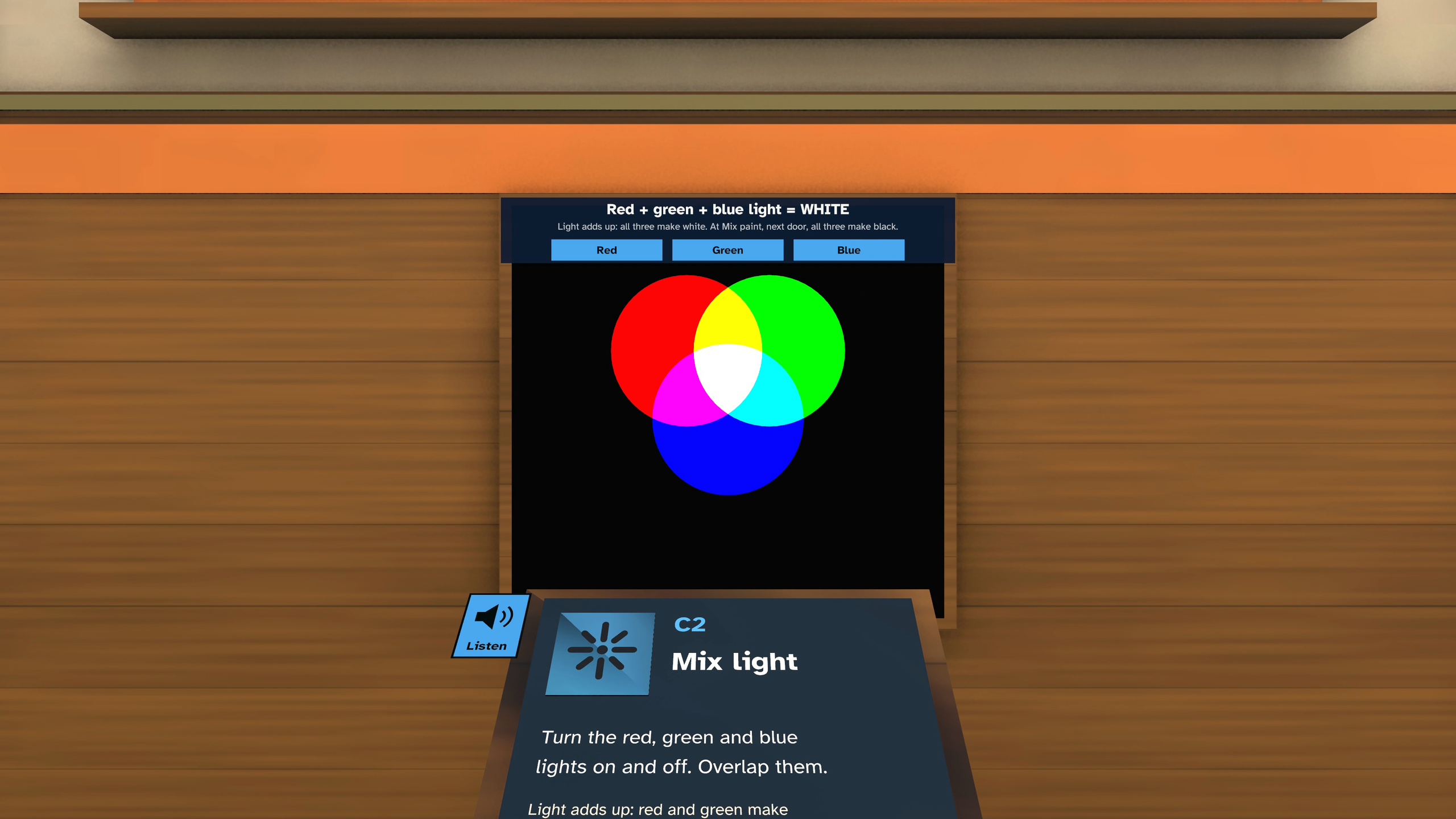
witch red, green and blue lights on and off, overlap them, and see how all three together make white.
-
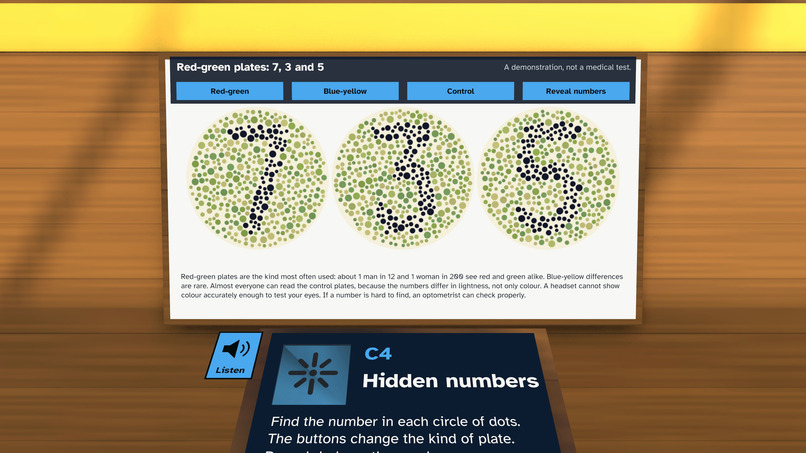
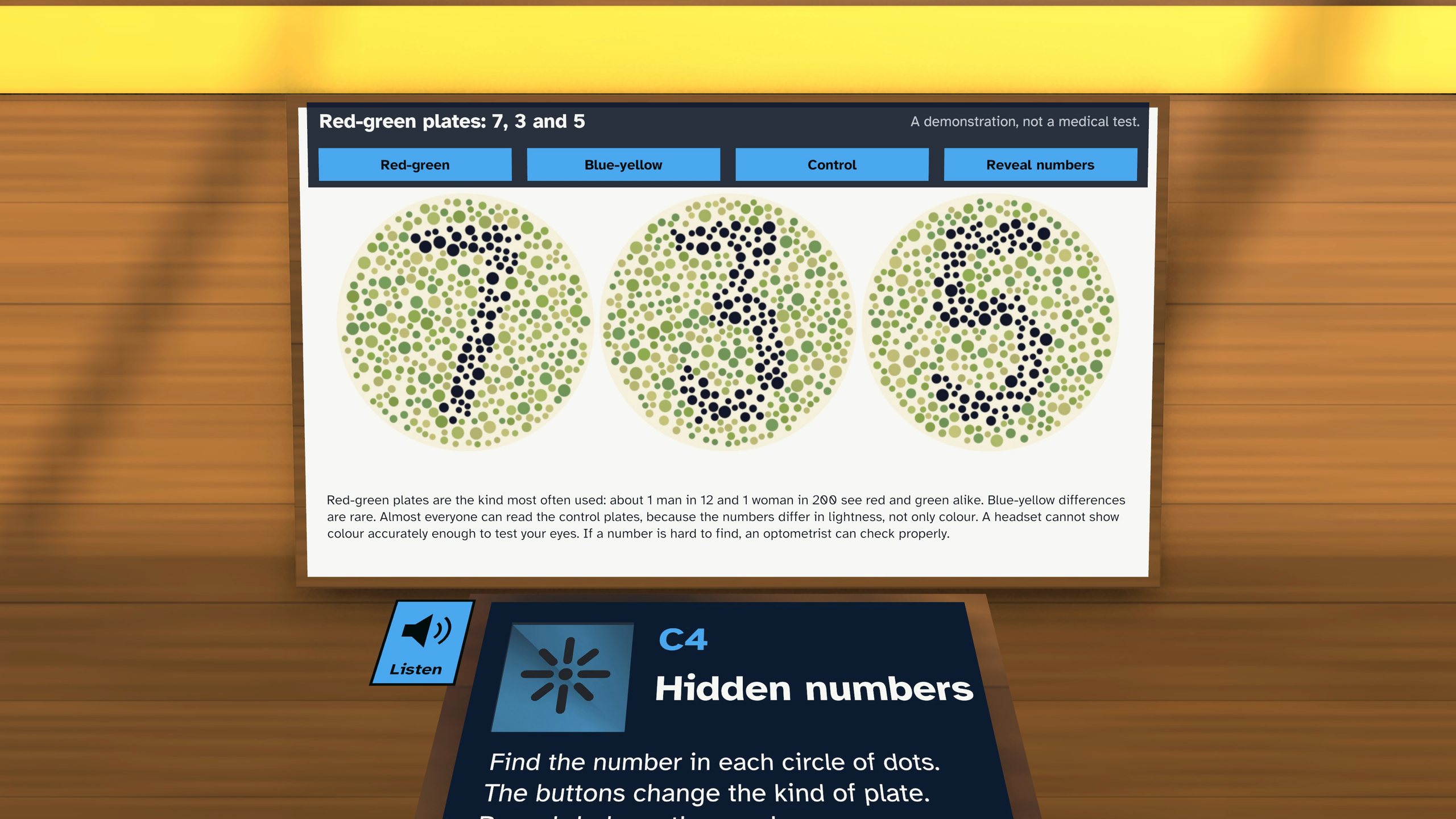
Find the numbers hidden in circles of dots and learn how colour vision differs. A demonstration, not a medical test.
Inspiration
Have you ever thought about the way you see the world, and how differently someone else might see it?
Vision Lab grew from the experience of one of our teammates, who has low vision. It tackles frustrations met in the real world and in most VR applications, such as hard-to-read text and distant menus you can’t approach. So accessibility came first: every sign and station can be read aloud, text can be made larger, the menu follows your gaze, and controls respond with sight, sound and haptic feedback. We wanted a place that makes vision itself the subject, and that treats adjusting the view as a normal thing to do.
What it does
Vision Lab is a science centre you walk around and explore. The application educates, entertains and provides the ability to augment several aspects of vision (tint, contrast, brightness, saturation, edges and outlines) by applying different filters for VR to potentially improve and assist vision; alternately the user can also use VR to create some visual challenges in an entertaining environment.
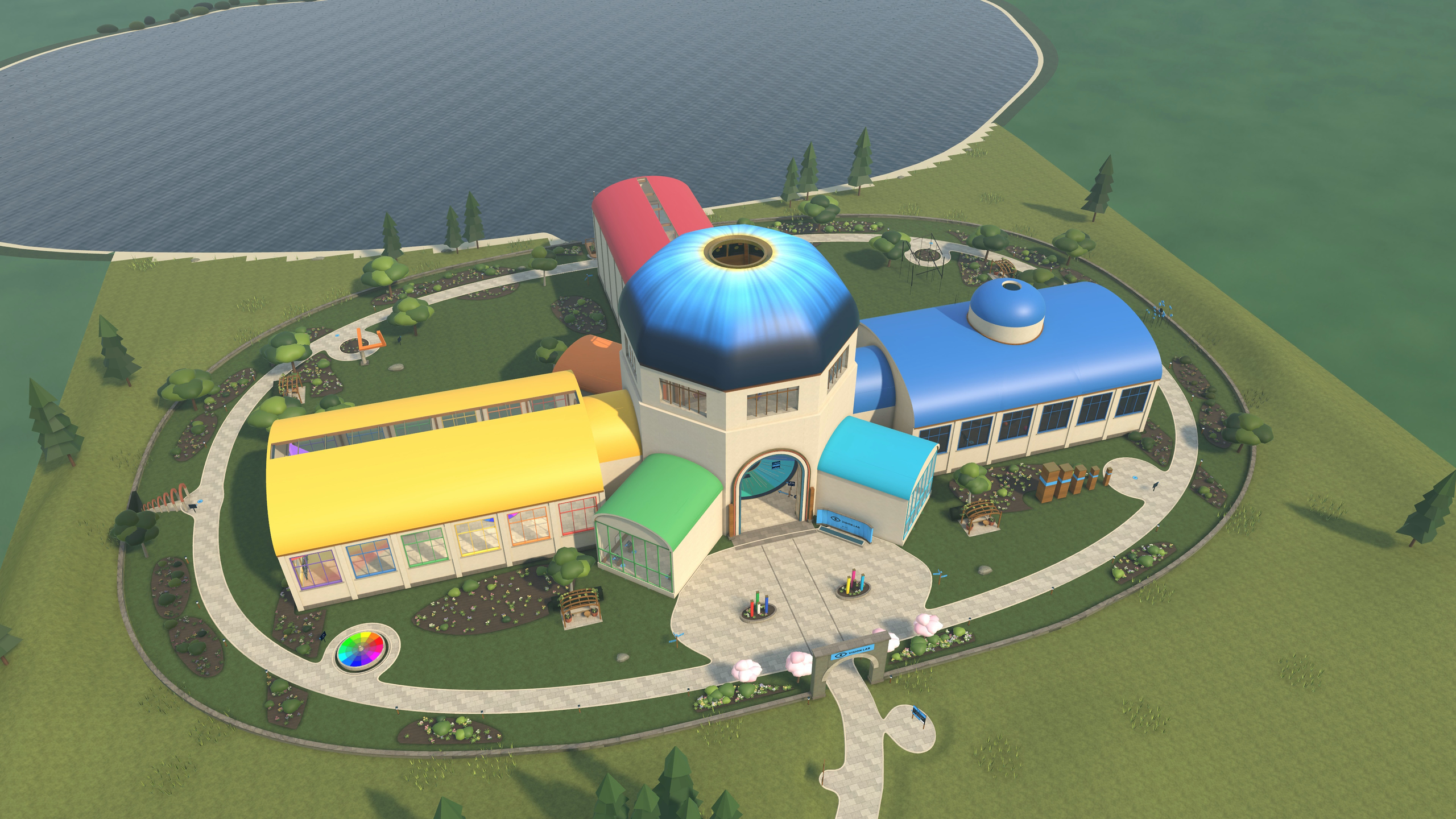
- Outside: activities and illusions to try in a peaceful garden beside a lake.
- Commons: illusions, hands-on vision activities, an art gallery and Iris, the audio guide who is there for you in every room.
- Workshop: experiment with lenses/filters that assist or disadvantage your vision in VR. Once you have built your glasses, wear them around the centre and try them on every exhibit.
- Colour wing: mix red, green and blue light, split white light with a prism, and switch between colour-vision charts.
- Charts wing: look inside a giant eye and see what each part does. Activities allow you to observe and consider your vision: do any VR lenses assist?
- Reading Library: find out how contrast, crowding and context change what you can read. Fun and engaging activities show how reading can trick your brain, not just your eyes.
- Your Room: passthrough applies the same kinds of adjustment to a view of your own room. Walk in, watch the environment turn from VR to passthrough. Experiment with VR glasses to see how they can augment vision in the real environment.
- Art Gallery: Observe and learn about a few famous artworks, look at them through the eyes of someone without full color vision.
Accessibility is built in from the start, and checked against Meta's accessibility checklist, which draws on the Web Content Accessibility Guidelines (WCAG 2.1) and the Android accessibility guidelines:
- Read aloud: every sign and station can be read aloud by Iris, and everything she says is captioned, so sound is never required.
- Easier to read: three text sizes, a contrast setting, and Atkinson Hyperlegible, a typeface designed for low vision, on all exhibit text. Your choices are saved for next time.
- A menu that comes to you: the settings menu follows your gaze, so it never has to be approached.
- Feedback you can see, hear and feel: buttons show hover and press states, play a press sound and give a haptic tick on controllers.
- More than colour: exhibit states are shown in words, icons or shapes as well as colour.
- Hands-first and seated-friendly: the whole visit works with hand tracking, with no controller, and from a seat. Controllers work throughout as well, for anyone who prefers them.
- Nothing out of reach: every station has its own teleport spot, panels work from a distance, and a seated view raises your eye level.
- Comfortable movement: teleport or smooth movement, snap or smooth turning so you never have to turn your head or neck, and an adjustable vignette. Nothing needs precise timing.
On headsets with eye tracking, the lens follows the eyes.
The charts and filters are educational demonstrations, not a medical test or treatment.
How we built it
- Unity 6 (6000.3), Meta XR Core SDK and Interaction SDK on OpenXR.
- The campus is modelled in Blender through a scripted, repeatable pipeline, then composed in Unity as a shared core scene plus five wing scenes.
- Hands and controllers through the Interaction SDK; passthrough and the headset camera for the Studio; eye tracking where the headset supports it.
- Atkinson Hyperlegible for all exhibit text.
- Iris's more than 110 read-aloud lines are generated speech (ElevenLabs), tracked against the script so changed text is re-recorded.
Built with: Unity, C#, Meta XR Core SDK, Meta XR Interaction SDK, OpenXR, Blender, Python, ElevenLabs
Challenges we ran into
- Differing tech abilities in the headsets impacted application performance.
- On the Quest Pro, combining eye tracking with a different filter for each eye caused performance issues. We were able to tackle most of them with the help of Meta's developer tools and new AI tools.
- We are slower as a small team. One of us with vision challenges and being new to VR and software development.
- Making text and menus work for low vision in a headset: size limits, distance, and menus that follow your gaze.
- Showing a different effect to each eye through a worn lens.
- Keeping one shared visitor, glasses and settings across six additively loaded scenes.
- Getting the launch to feel calm: starting in passthrough and fading into the lab.
Accomplishments that we're proud of and what we learned
- Knowing early that we were onto something. When we first experimented with eye tracking and lenses in passthrough, our low-vision teammate could see things that weren't visible before, like the branches of a tree, and read a clock from across the room.
- Building our own science centre. It turned out to be a ton of fun to explore and a great place to learn, and we look forward to extending it.
- Creating an application with the potential to augment people’s vision on a Meta VR headset, and on future generations of wearable VR platforms.
- Putting accessibility at the centre and then going further. Once the core low-vision ideas were working and we were happy with them, we carried on to hearing, with captions for everything spoken, and to hands-first and seated use, and dove headfirst into Meta's accessibility checklist and the Android accessibility guidelines.
- A glasses workshop where each change is visible through the lens straight away, with the same adjustments carried into a view of your own room.
- How much our UI, UX and interaction design skills grew. Building quickly, our menus became complicated and unruly, which pulled against our own accessibility goals. Using Meta's Interaction SDK samples as a guide, we turned complex configuration into simple virtual buttons and sliders you press and move by hand. We learned that designing for accessibility makes an experience easier for everyone to use.
What's next for Vision Lab
- Bring Vision Lab to Meta's next generation of VR glasses. On the Quest Pro we ran into limits applying a different shader to each eye in passthrough, and we look forward to seeing whether new hardware removes them. The Quest Pro's eye tracking was amazing to work with, and we are keen to build on faster eye tracking as it arrives.
- Collaboration with VR/medical experts to trade ideas and develop real-world uses for augmented VR vision.
- Work on the potential for accessibility functions to transport and stay consistent from different applications within the headset and when powering on/off.
- Complete scene understanding.
- Testing the application with people who have low vision and recording what helps; more languages; the remaining headset acceptance checks.
- Provide for lens design that could let others see how you see (i.e. Macular Degeneration, other retina disease).
- Expand education and activities within the application.
Target launch date on the Meta store: December 11, 2026


