-
-
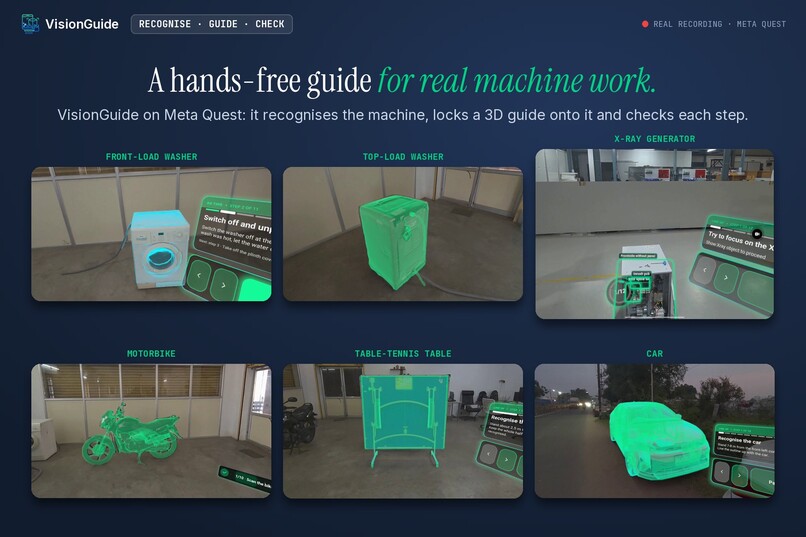
VisionGuide on Meta Quest: markerless mixed reality guidance for complex machines, from medical X-ray equipment to home appliances.
-
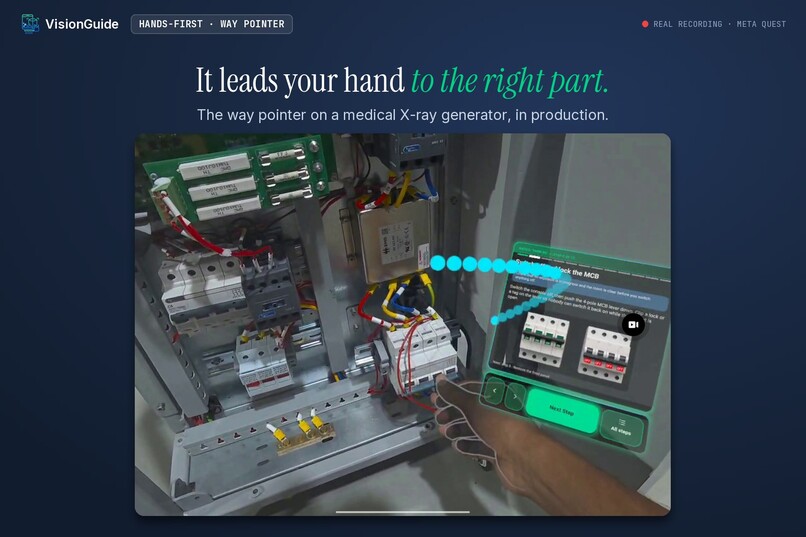
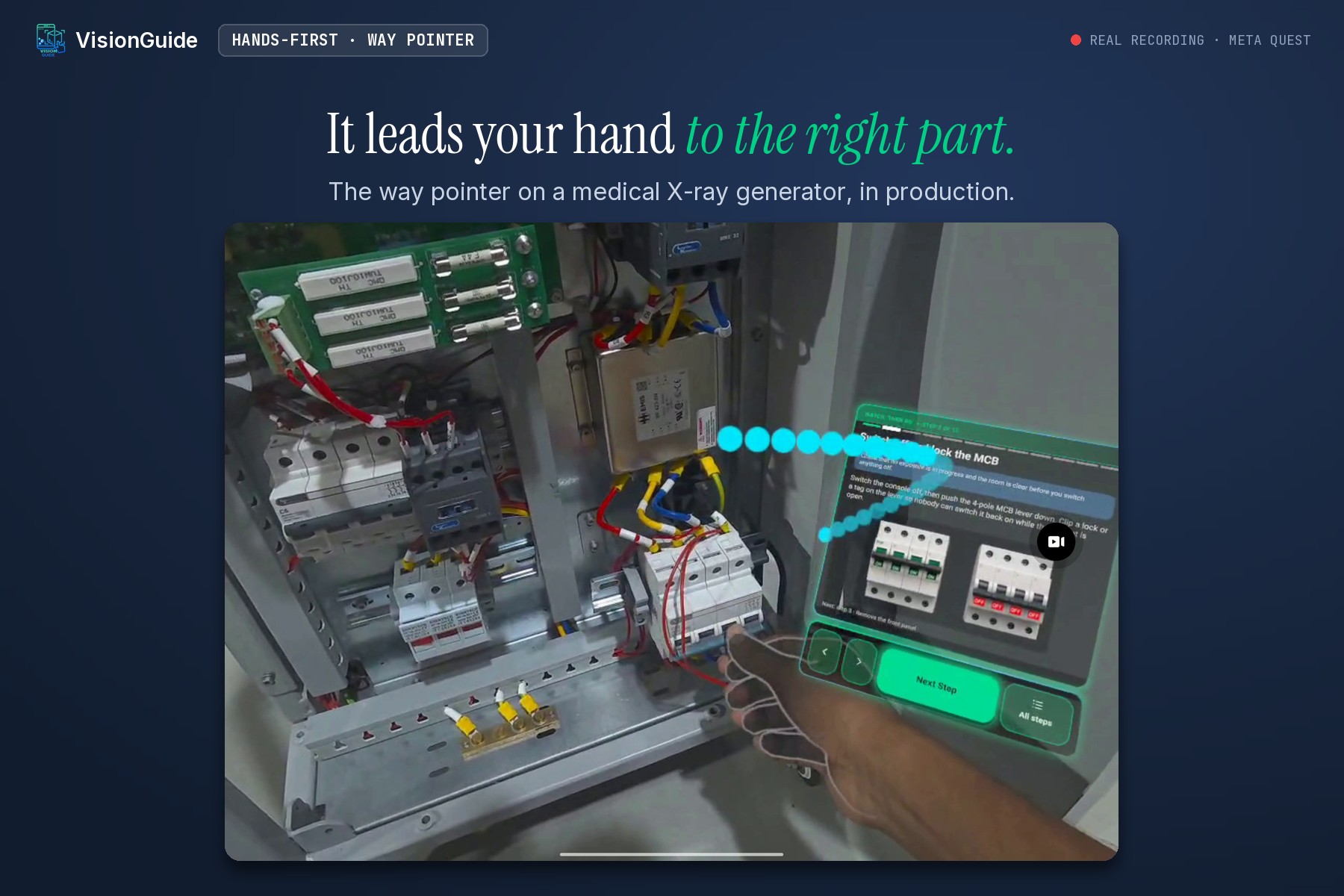
On a medical X-ray generator in production, the way pointer leads the technician’s hand to the right panel.
-
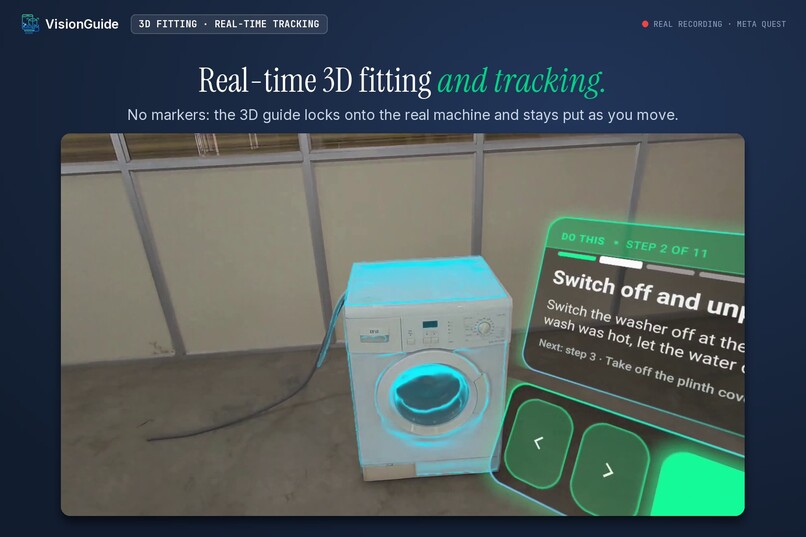
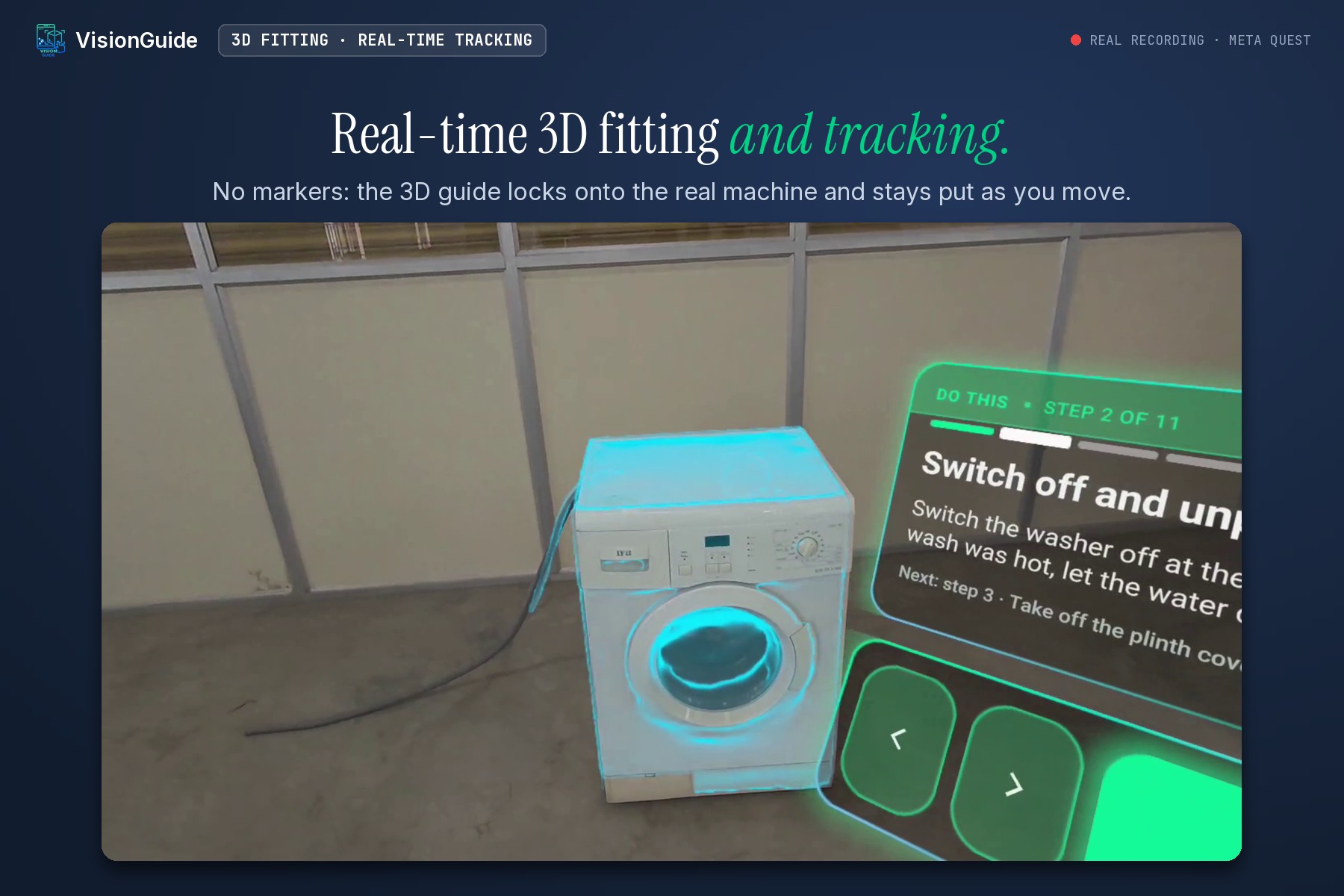
No markers or QR codes: it recognises the washer and locks a 3D guide onto it in real time, running on the headset.
-
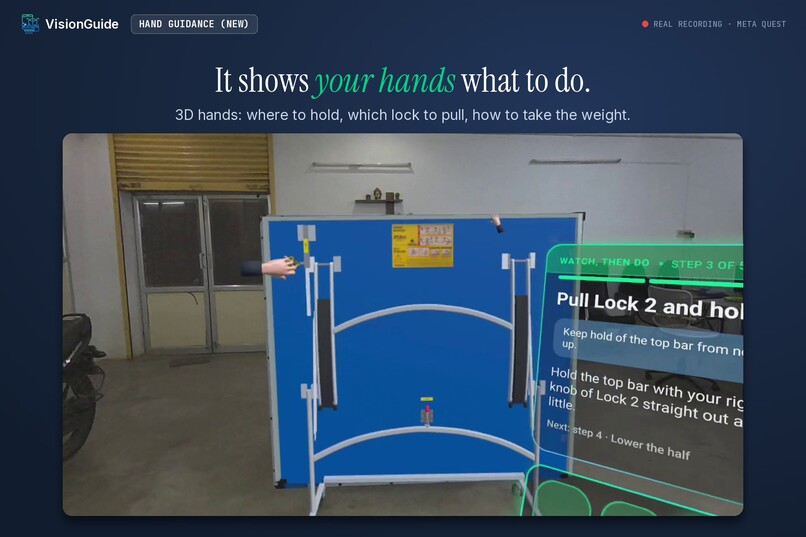
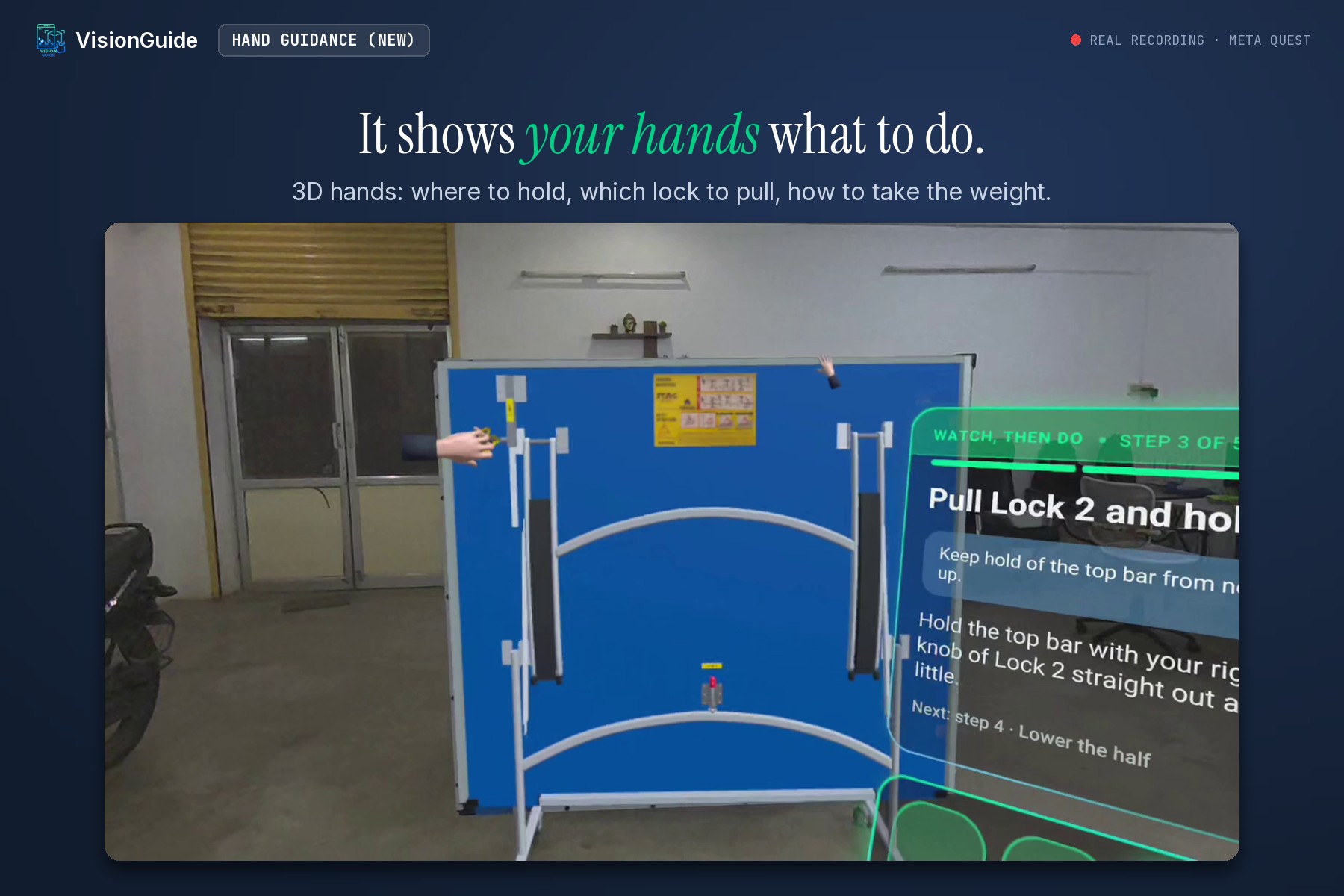
New: 3D hands show where to hold, which lock to pull and how to take the weight.
-
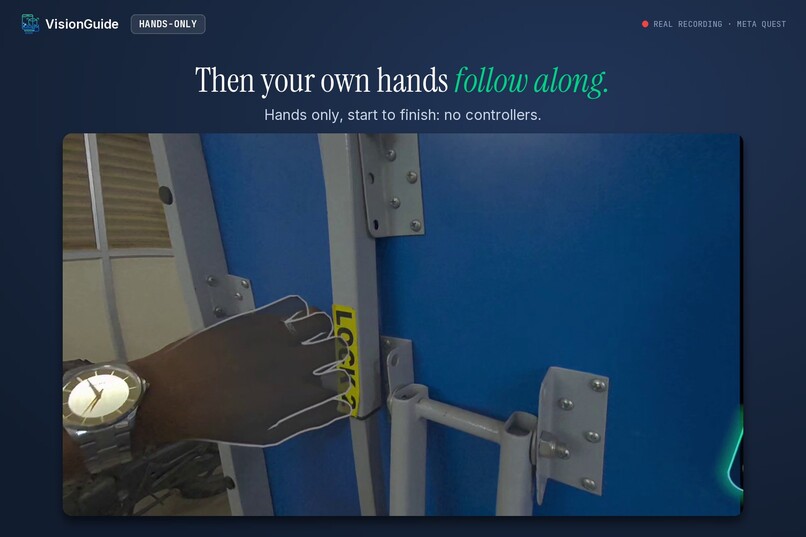
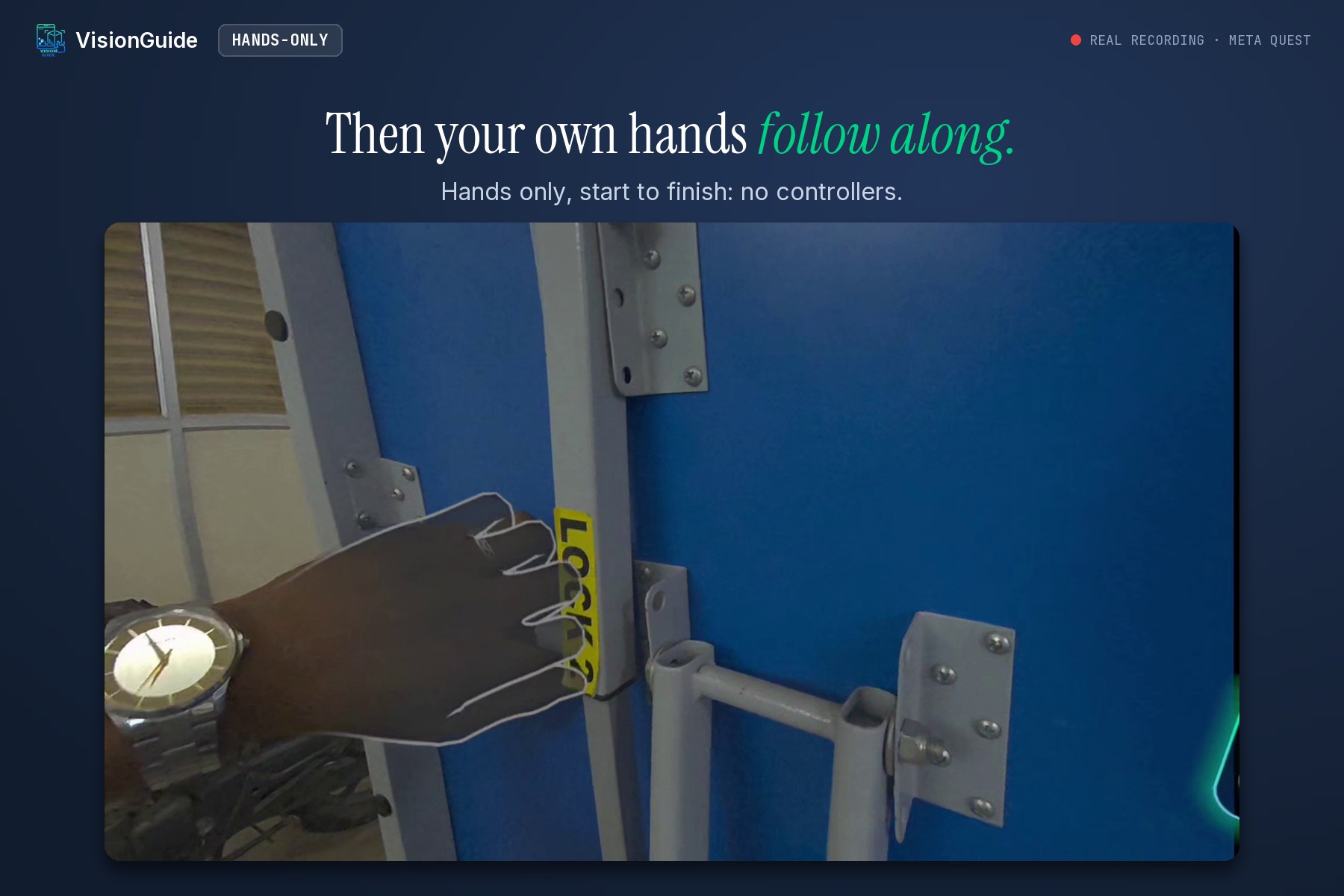
The real hand follows the 3D hands. Hands only, start to finish: no controllers.
-
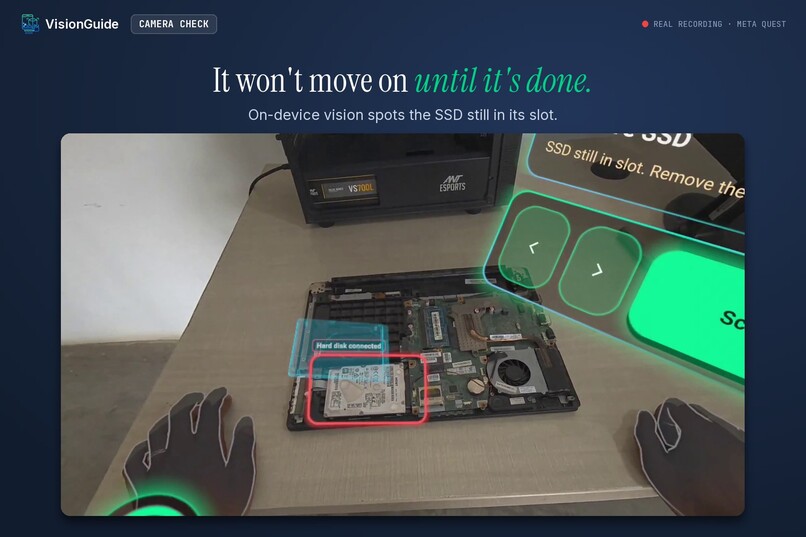
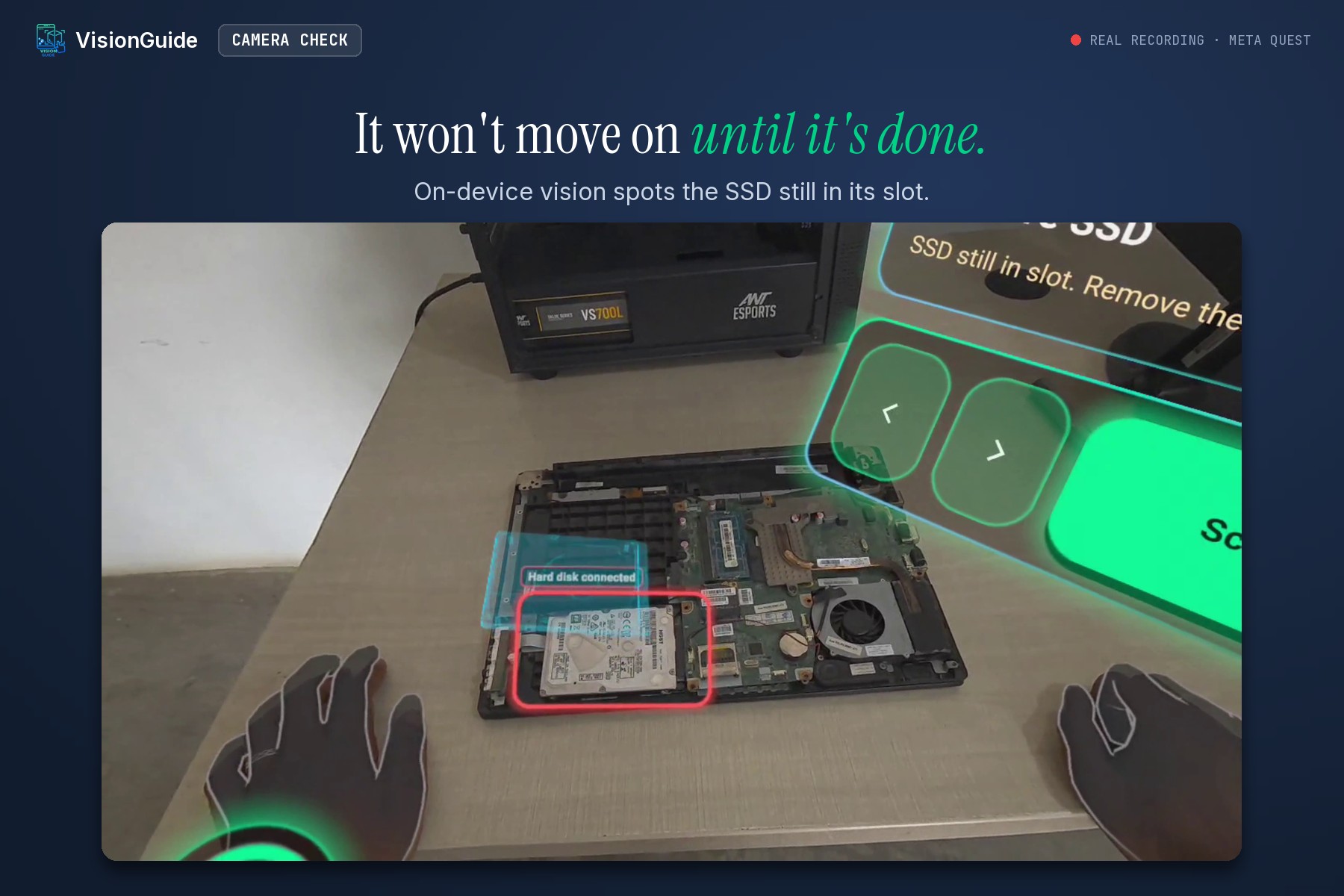
Tap “Check it”: on-device vision spots the SSD still in its slot, so the guide won’t move on until the step is done.
-
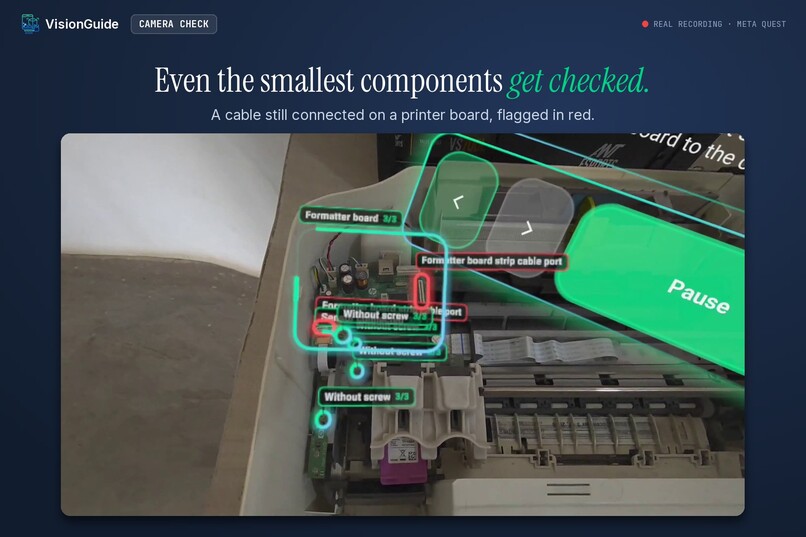
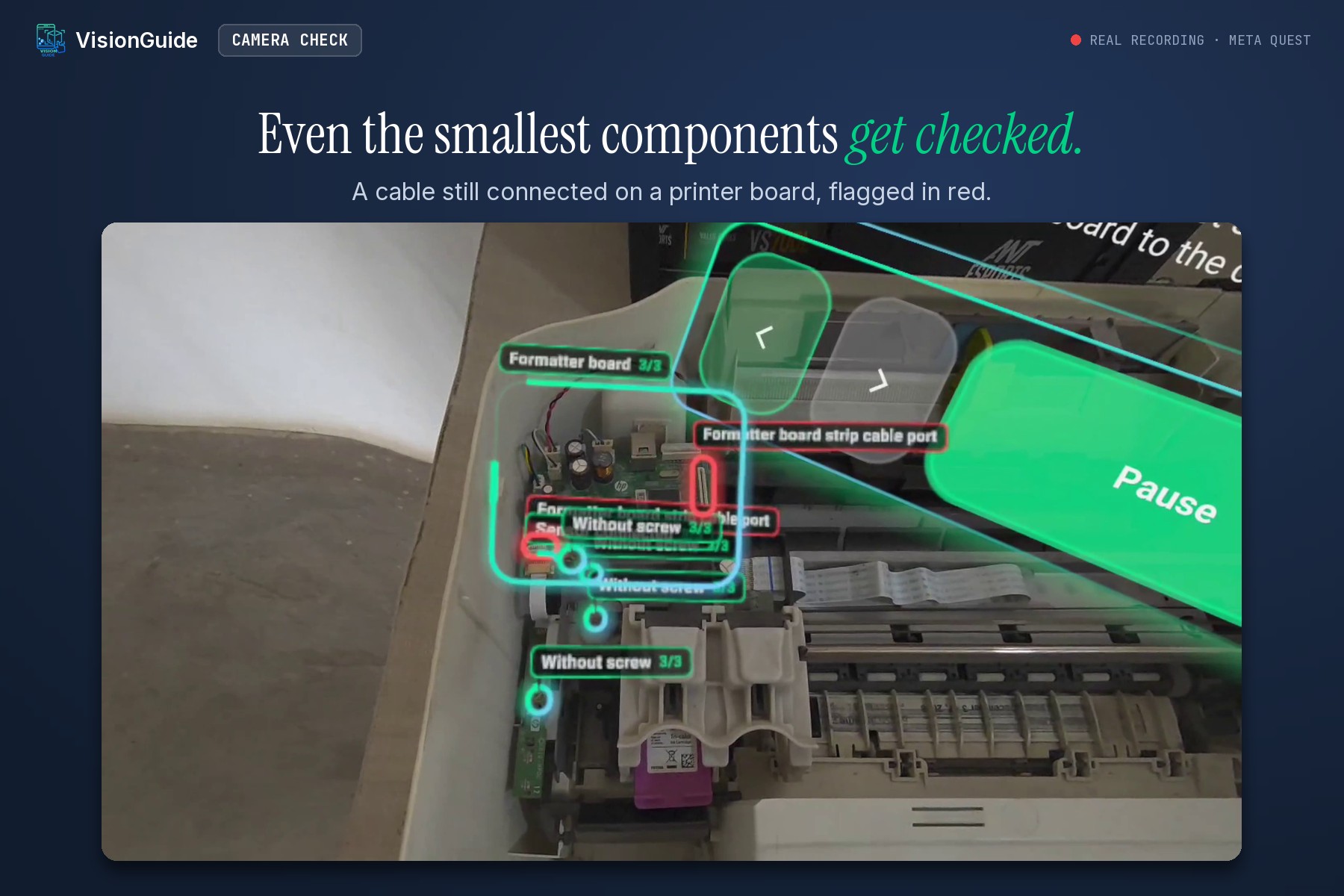
On a printer board, a cable still connected is flagged in red. Even the smallest components get checked.
-
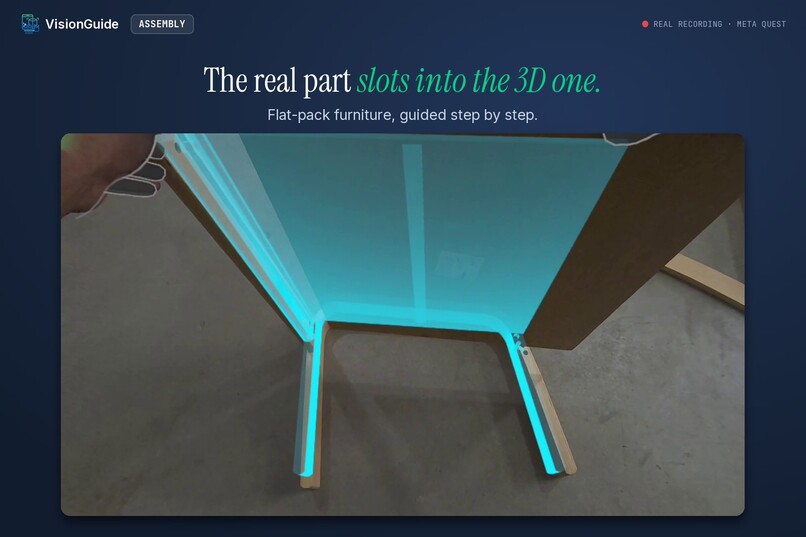
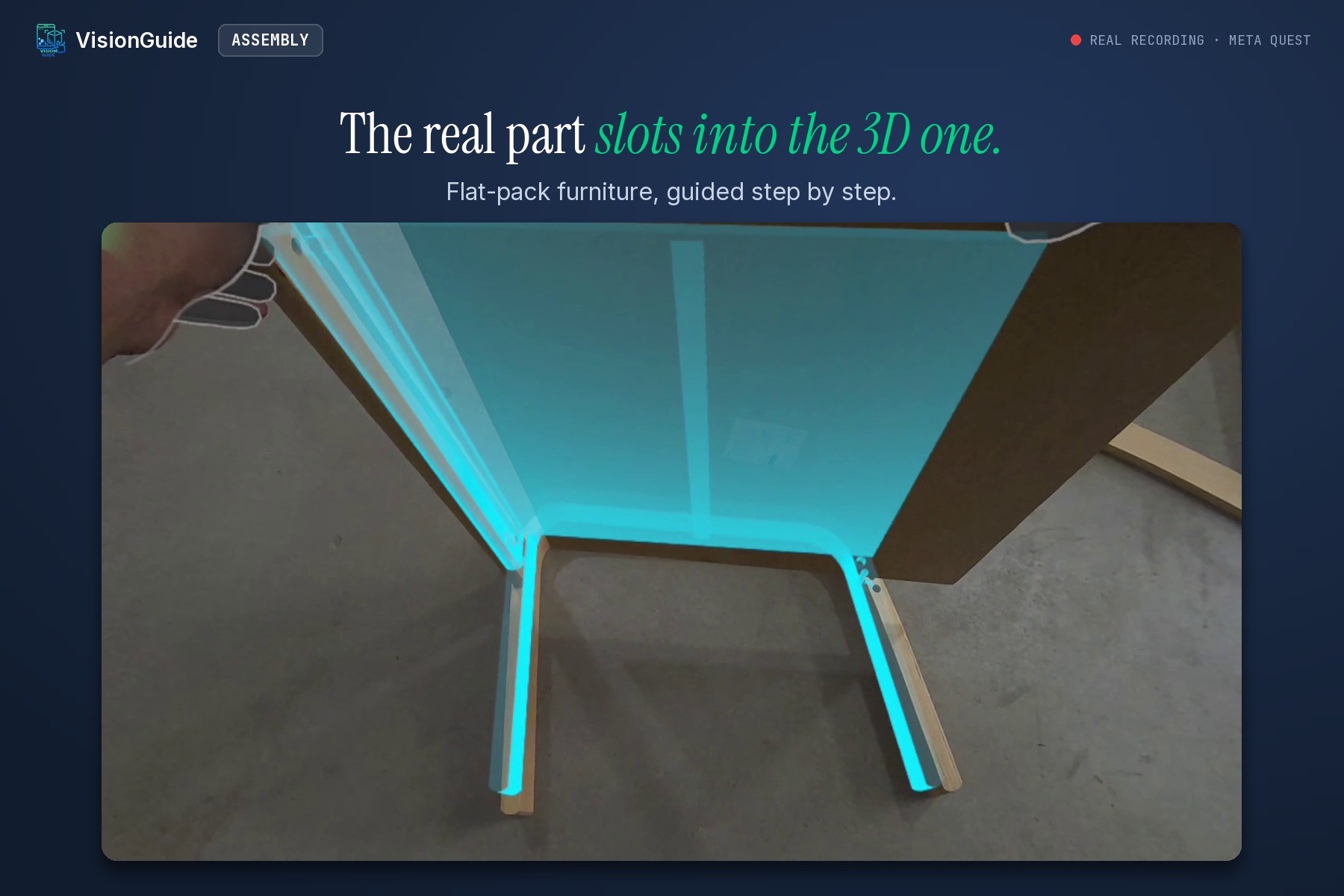
Flat-pack furniture: the next part is shown in 3D, and the real one slots in like a jigsaw.
-
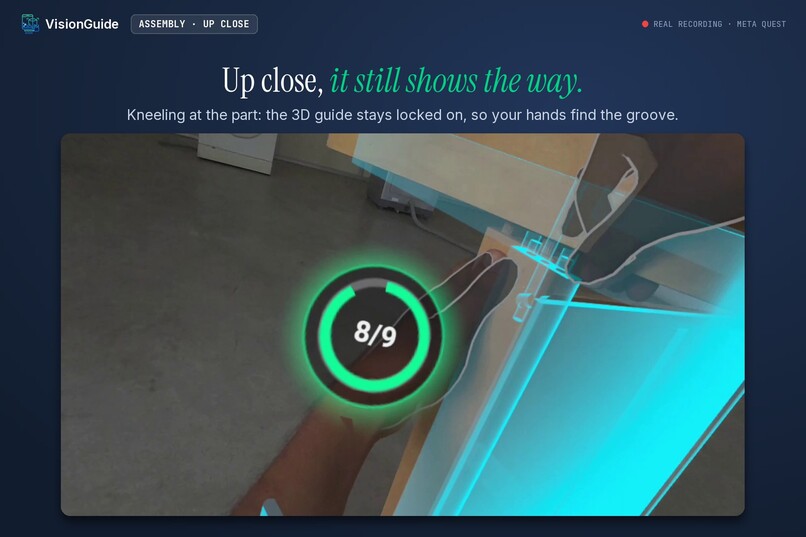
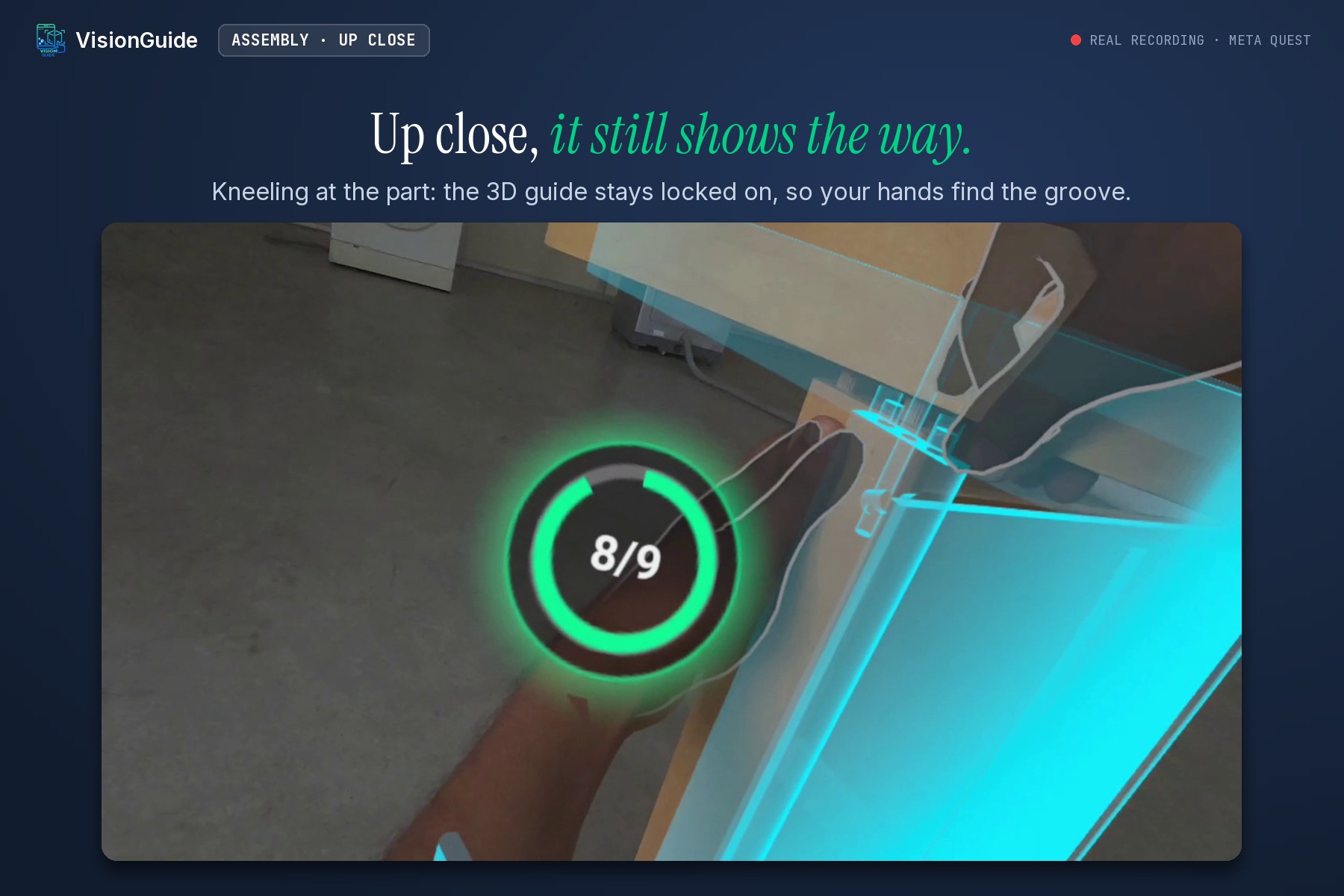
Kneeling right at the part, the 3D guide stays locked on, so your hands find the groove.
-
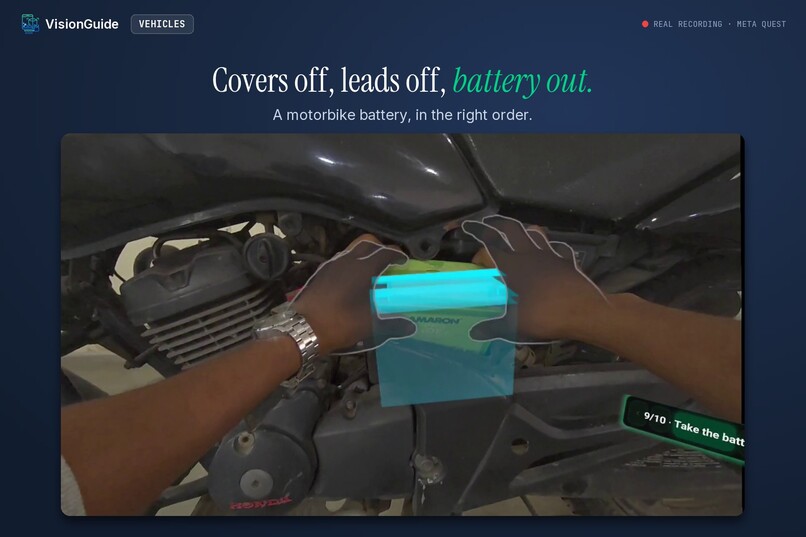
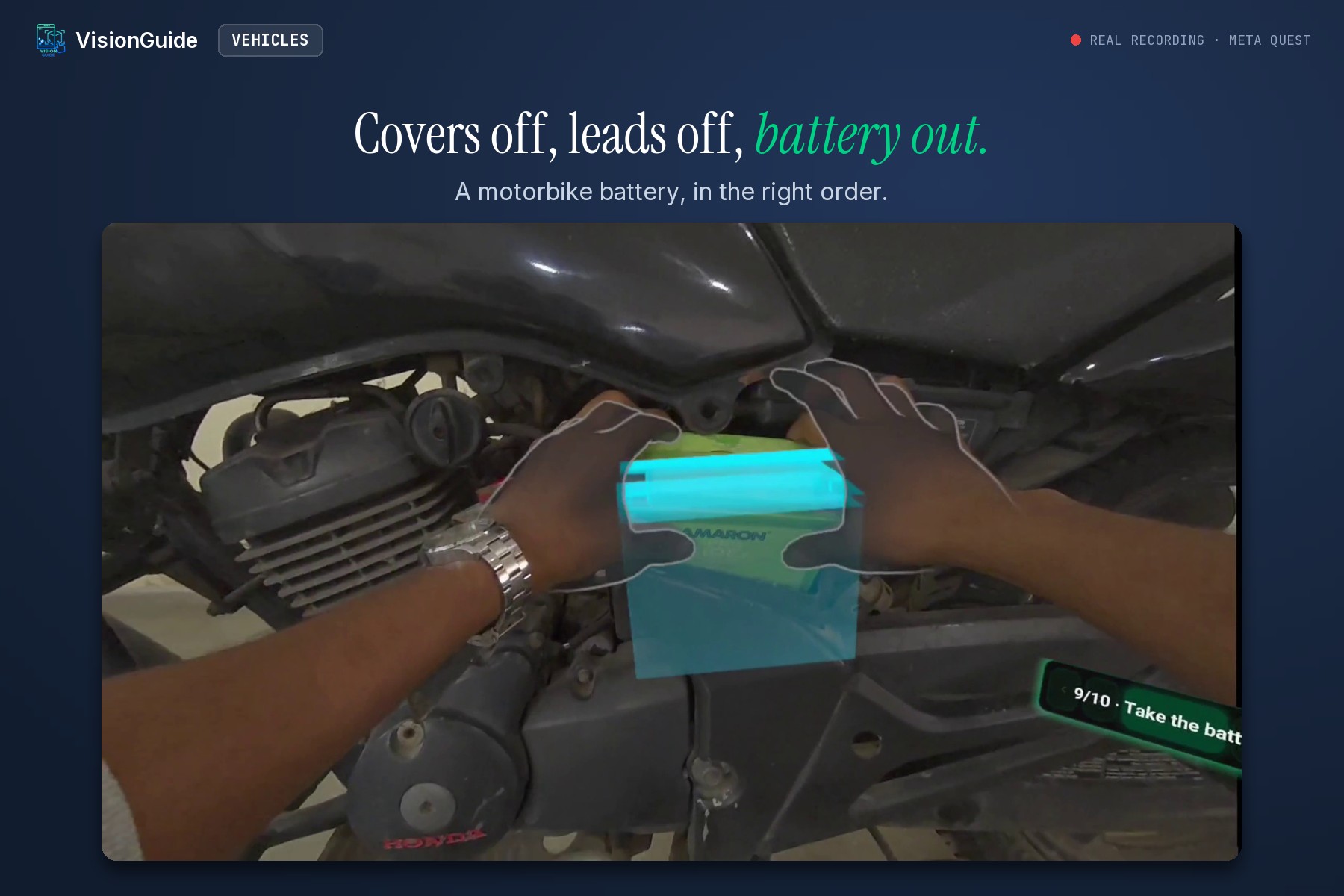
Motorbike battery: covers off, leads off, battery out, each step shown in 3D on the real bike.
-
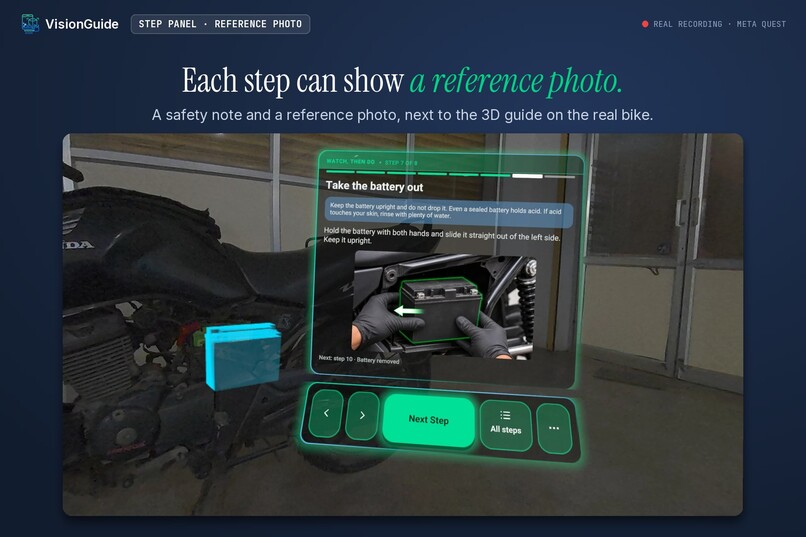
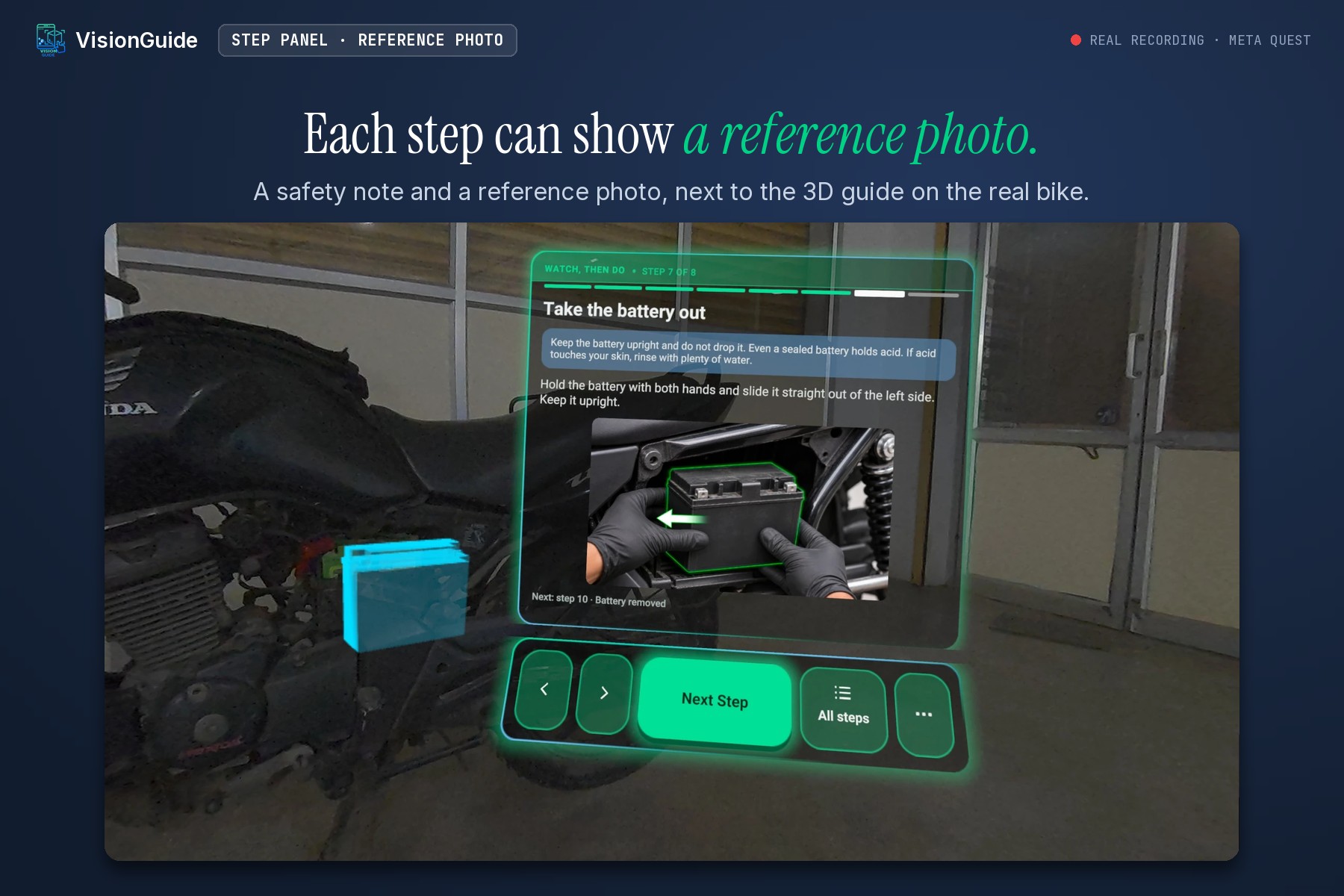
The step panel carries the instruction, a safety note and a reference photo, while the 3D battery sits on the real motorbike.
-
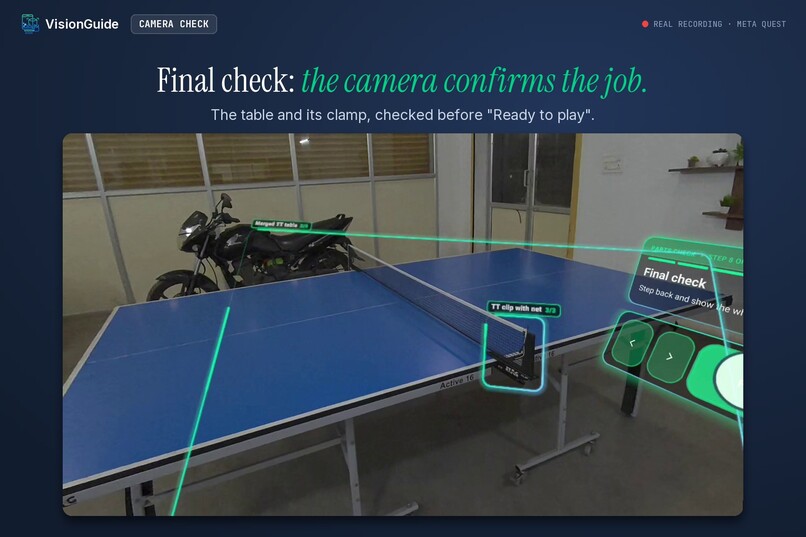
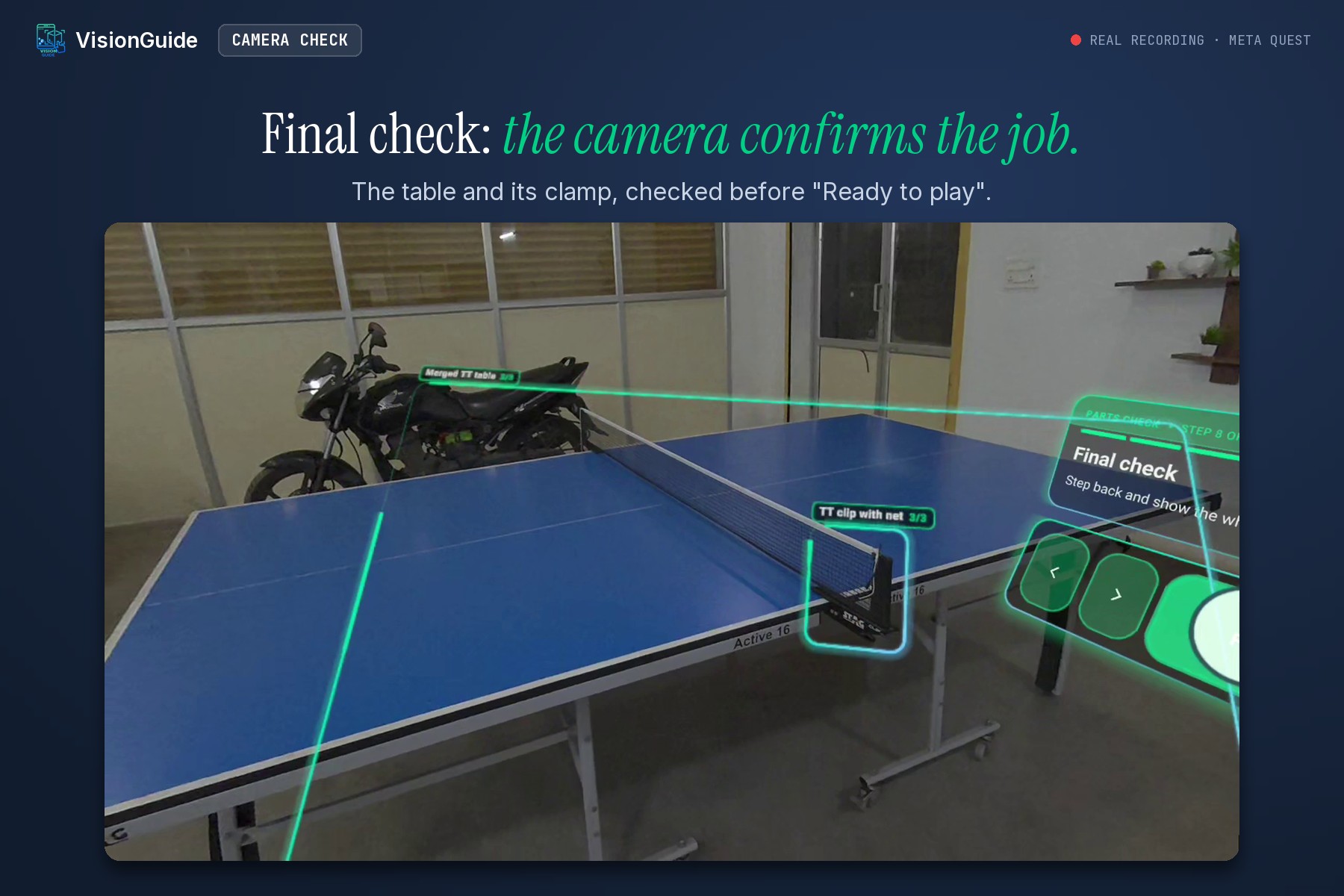
The camera checks the finished table-tennis table, clamp and all, before “Ready to play”.
-
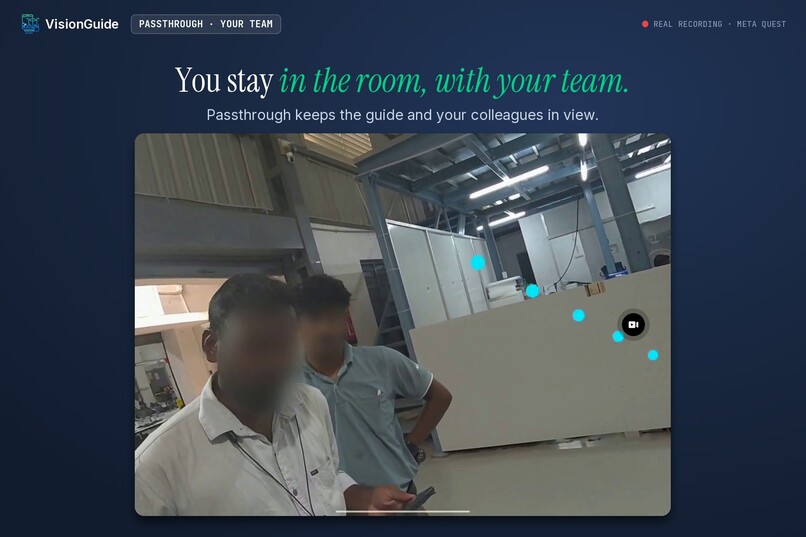
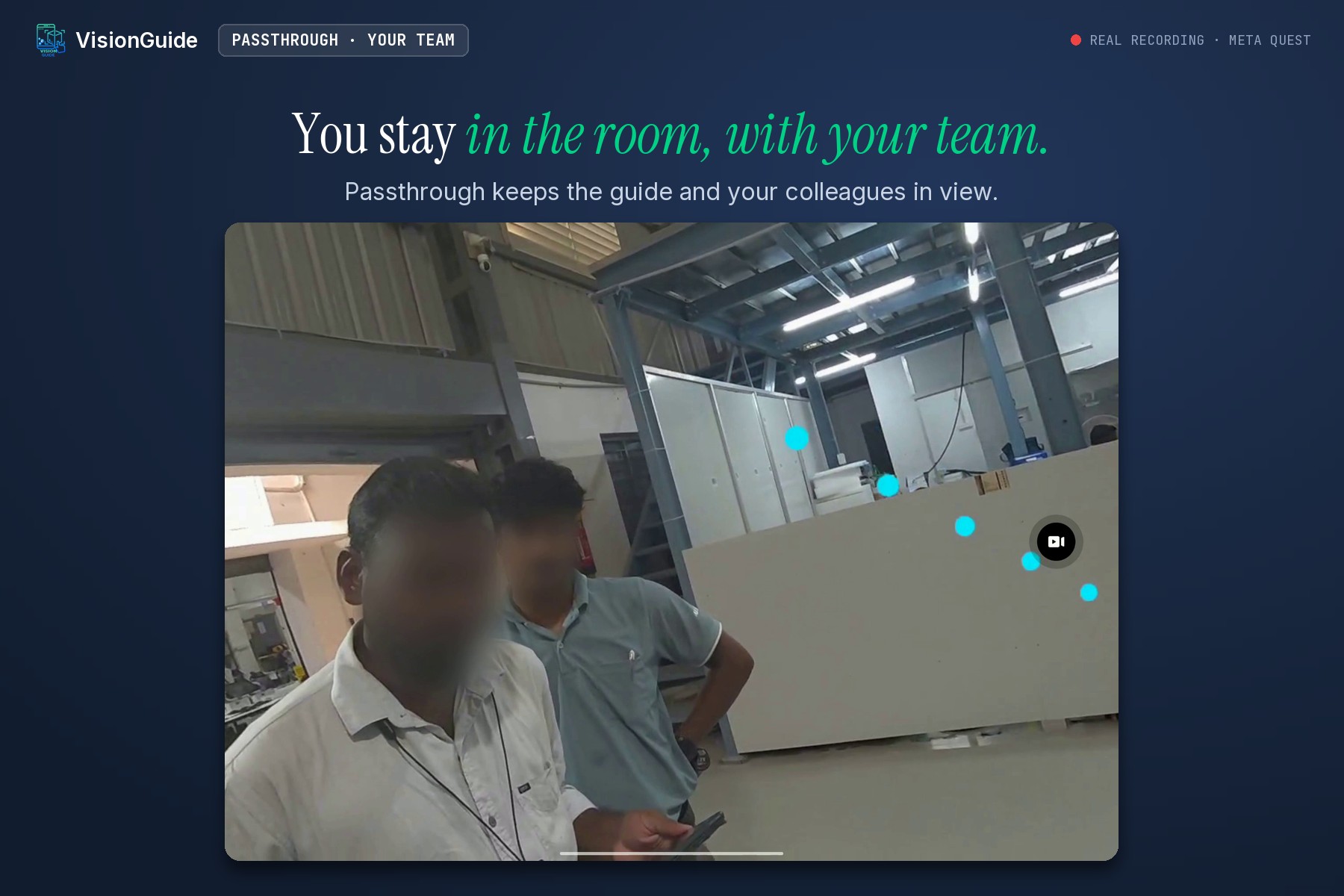
Passthrough: the technician sees the guide, the machine and the team in the room at the same time.
-
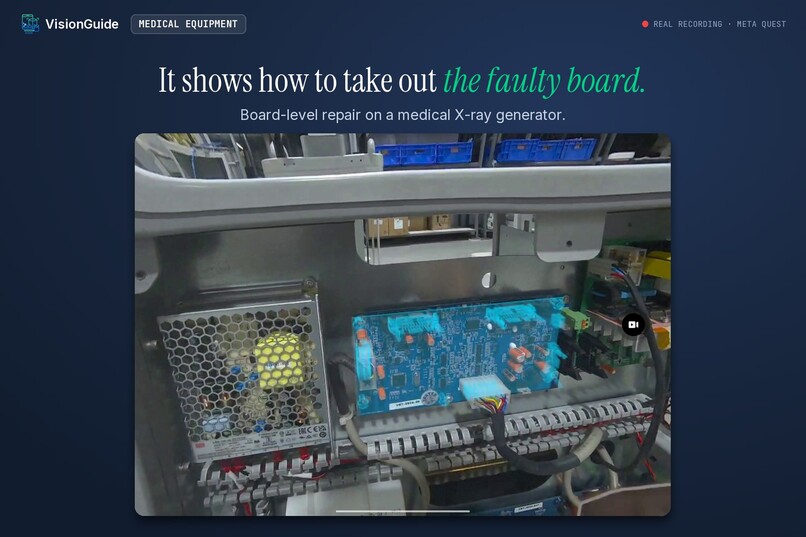
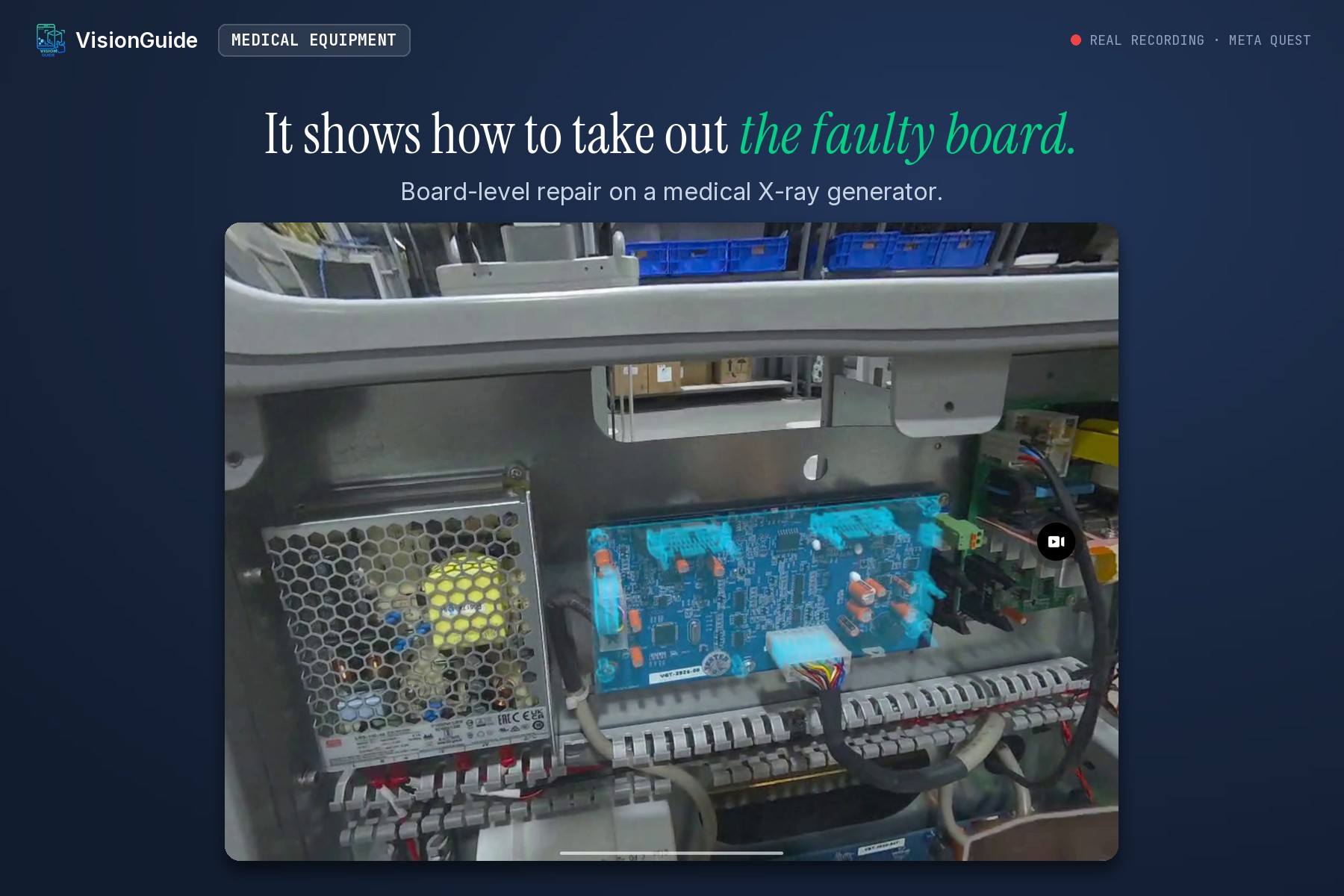
Board-level repair on a medical X-ray generator: it shows how to take out the faulty board.
-
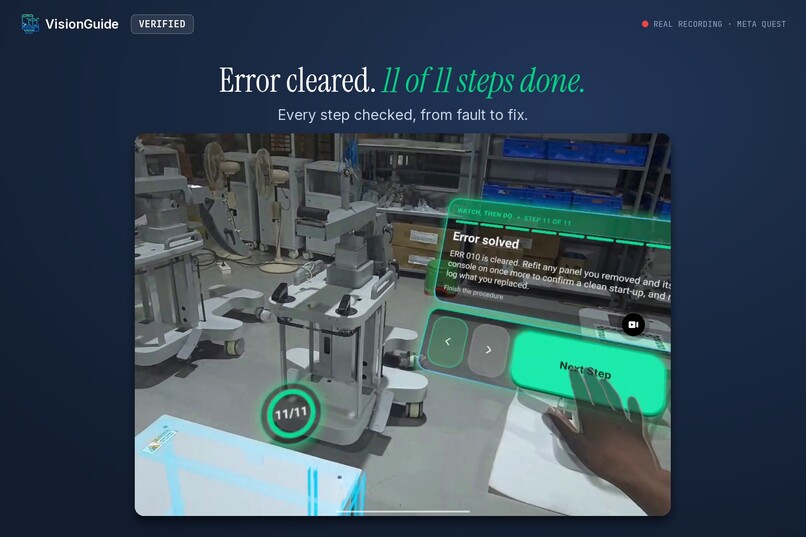
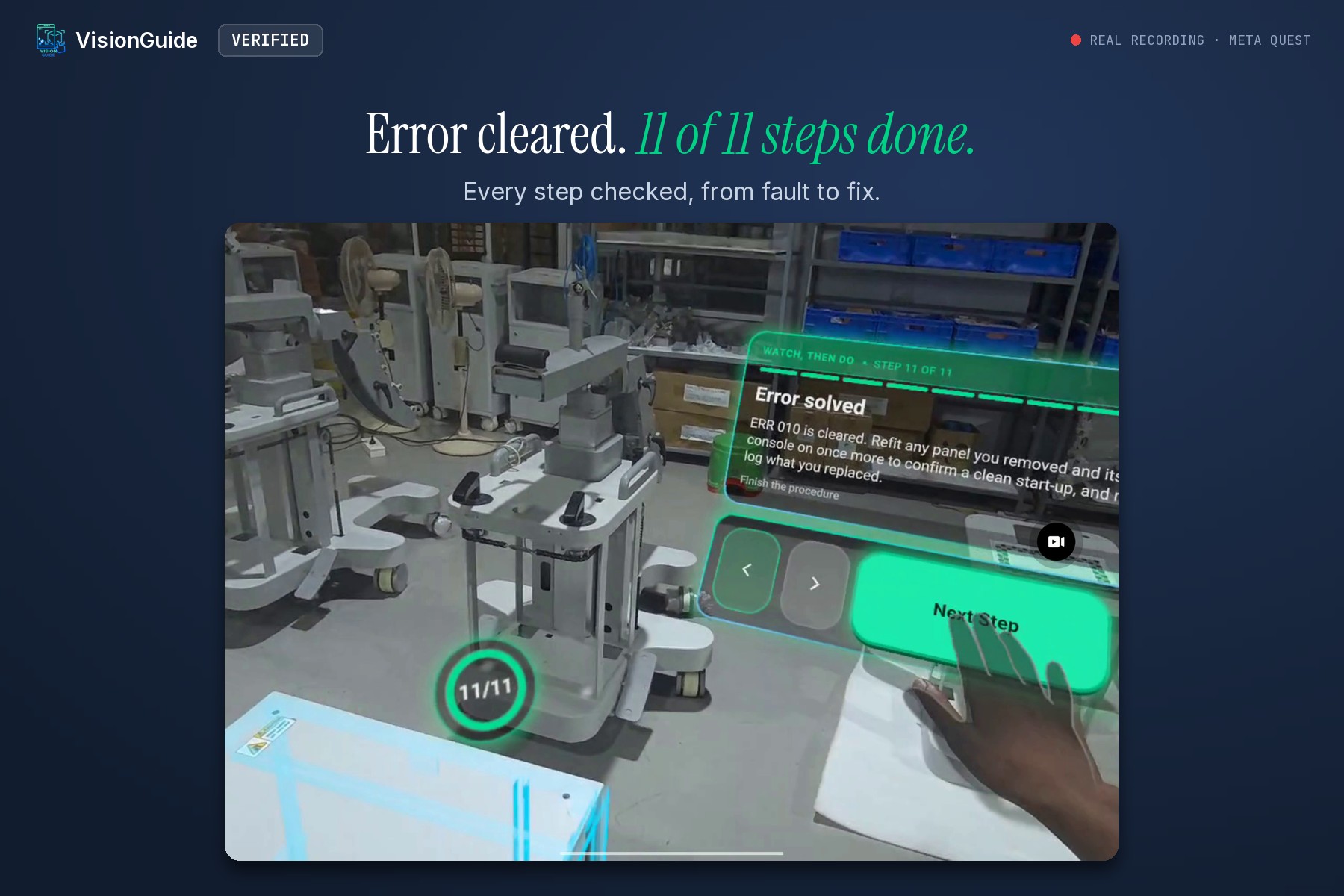
Fault to fix on a medical X-ray generator: error cleared, 11 of 11 steps done.
Inspiration
Every machine repair starts the same way: a paper manual, a how-to video, or a call to someone who has done it before. The manual shows a drawing, not the part in front of you. Nobody checks the work until something goes wrong.
When Meta opened camera access on Quest, we saw a way to put the instructions on the real machine itself, while both hands stay on the work.
What it does
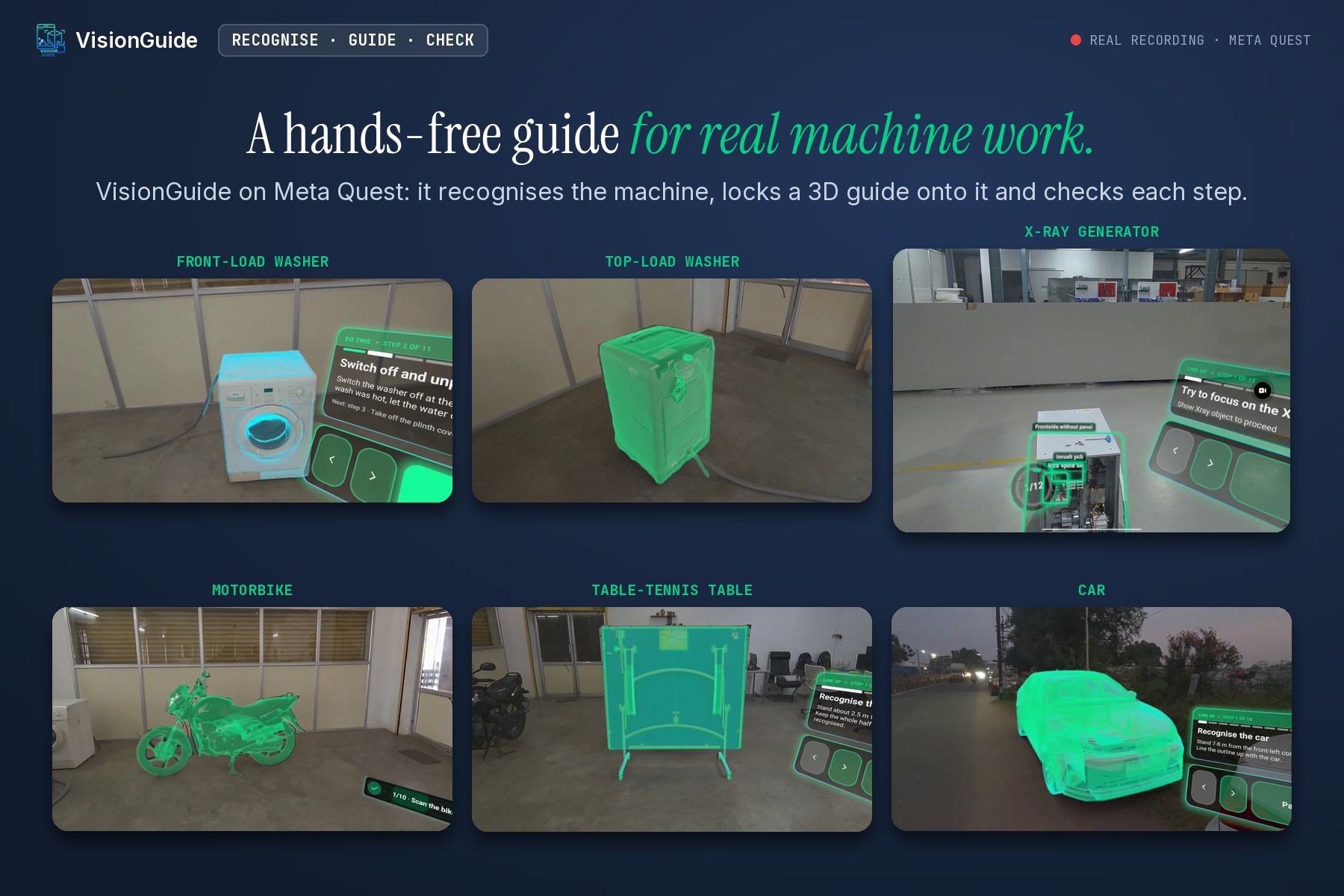
VisionGuide is a hands-free guide for real machine work.
Look at the machine, and VisionGuide recognises it and places its 3D model exactly on top of it. It needs no markers or stickers. Each step highlights the part to work on, shows the action as a short animation, and explains it on a card beside you. When you finish a step, VisionGuide checks it with the camera and moves on only when the step is done right.
All recognition and checking run on the headset itself.
How we built it
We built VisionGuide in Unity for Meta Quest, using Meta's Passthrough Camera API to see what the user sees.
Our own computer-vision engine runs on the headset. It finds the machine, works out its exact position from the machine's 3D design file, and keeps the model locked on as you move. Meta's Depth API and MR Utility Kit place content on real surfaces, and the Interaction SDK handles touch, pinch and grab.
Procedures are written in our web editor and downloaded by the app, so new procedures reach the headset without an app update.
Challenges we ran into
- Seeing what you see. The headset camera sees a narrower view than your eyes, and each camera frame has to be matched to where your head was at that moment. Without this, the model slid off the machine whenever you turned your head.
- Keeping it smooth on the headset. Recognition, tracking and step checks all share the headset with the display, and in a headset a dropped frame feels like the world shaking. We moved procedure loading and unlocking off the main thread, so the view keeps moving while a procedure opens. The camera now feeds the tracker in step with the display, and the tracker takes only the frames it needs. 3D models load ahead of time, out of sight, and everything is cleared when you finish, so the next procedure starts clean.
- Readable text. Instructions must stay sharp at arm's length, so every panel is drawn on its own high-quality layer.
- Asking for the camera at the right moment. The headset asks for camera access when you open your first procedure, and the app explains why.
Accomplishments that we're proud of
-The whole loop runs on the headset. VisionGuide recognises the machine, locks its 3D model onto it, guides each step and checks the work, all on Quest. No markers, and no server doing the vision work.
-The guide stays on the real machine. The 3D model keeps its place on the machine while you move around it and work with both hands.
What we learned
- In a headset, the guide should come to you when you move, not every time you glance away.
- Hands need forgiving buttons and instant feedback. A missed press breaks trust quickly.
- A good 3D design file makes the lock faster and more accurate.
- Computer vision runs well on a headset if every frame's work is planned.
What's next for Vision Guide
- Lock onto machines even faster, in more lighting conditions.
- Let service teams add their own machines with a guided scan.
- Voice guidance, so steps are read aloud and you can say "next".
- Bring the same guide to Meta's lighter headsets and glasses.
