Gesture Draw: Project Story
Inspiration
Gesture Draw began with a memory of the Xbox 360 Kinect. It made games feel futuristic because a camera could understand physical movement without requiring a controller. That idea felt ahead of its time: technology disappeared into the background and the body became the interface.
We wanted to bring a small version of that feeling to the browser. Instead of reaching for a mouse, touchscreen, or stylus, a user can lift a hand, pinch two fingers together, and write in the air. The goal was not to replace every note-taking tool. It was to explore whether gesture control can feel expressive, playful, and useful for quick sketches, ideas, and interaction.
What it does
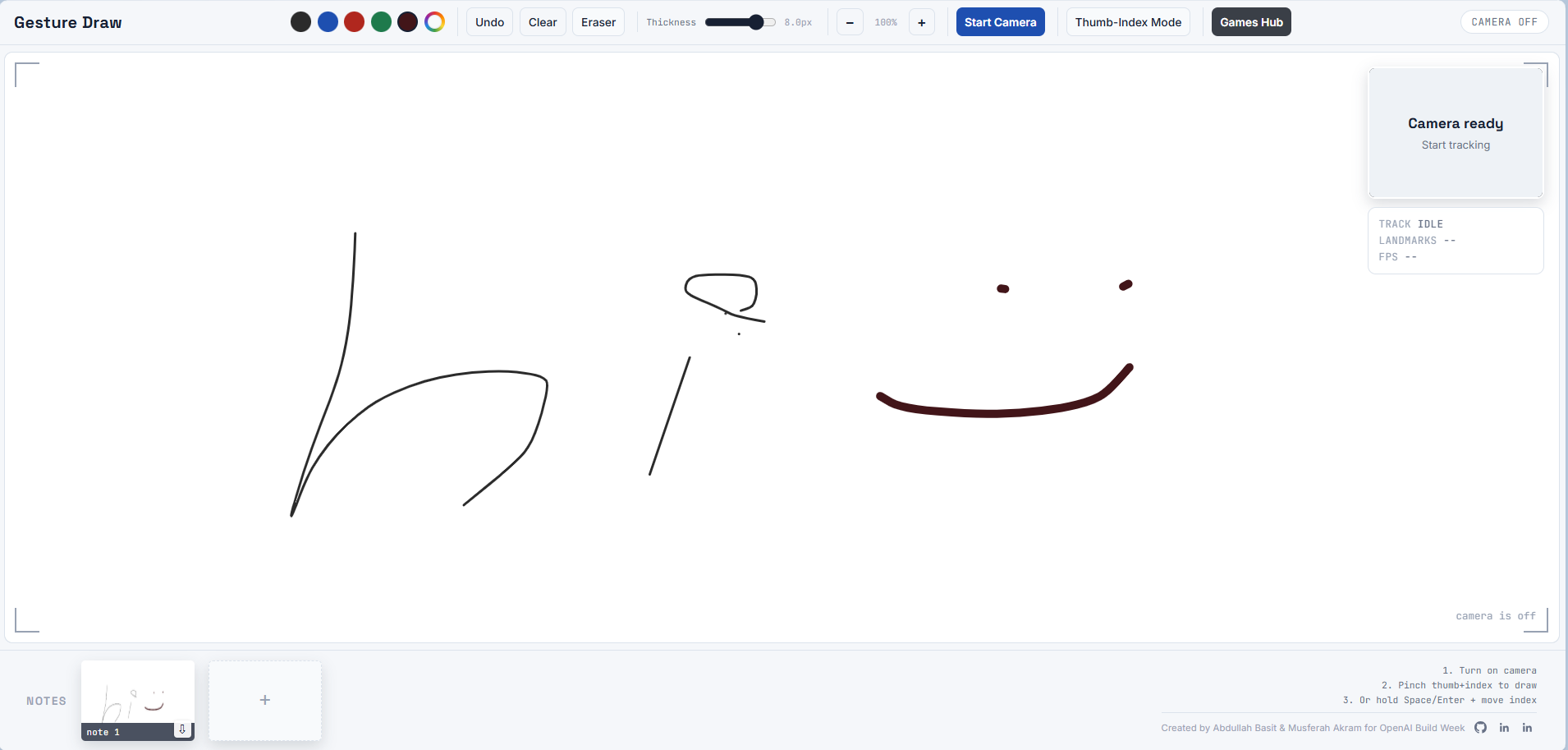
Gesture Draw is a client-side webcam whiteboard and gesture arcade. It tracks one hand in real time and turns an index-finger position into a cursor. Pinching the thumb and index finger starts a stroke, while separating them ends it.
The drawing experience includes:
- Thumb-index pinch drawing and keyboard-index drawing modes
- Ink colors, a custom color wheel, thickness controls, eraser, undo, clear, and zoom
- Live webcam preview, hand landmark overlay, camera status, and framing guidance
- Saved note thumbnails with downloadable PNG snapshots
- Gesture hover and pinch-to-click interactions for supported controls
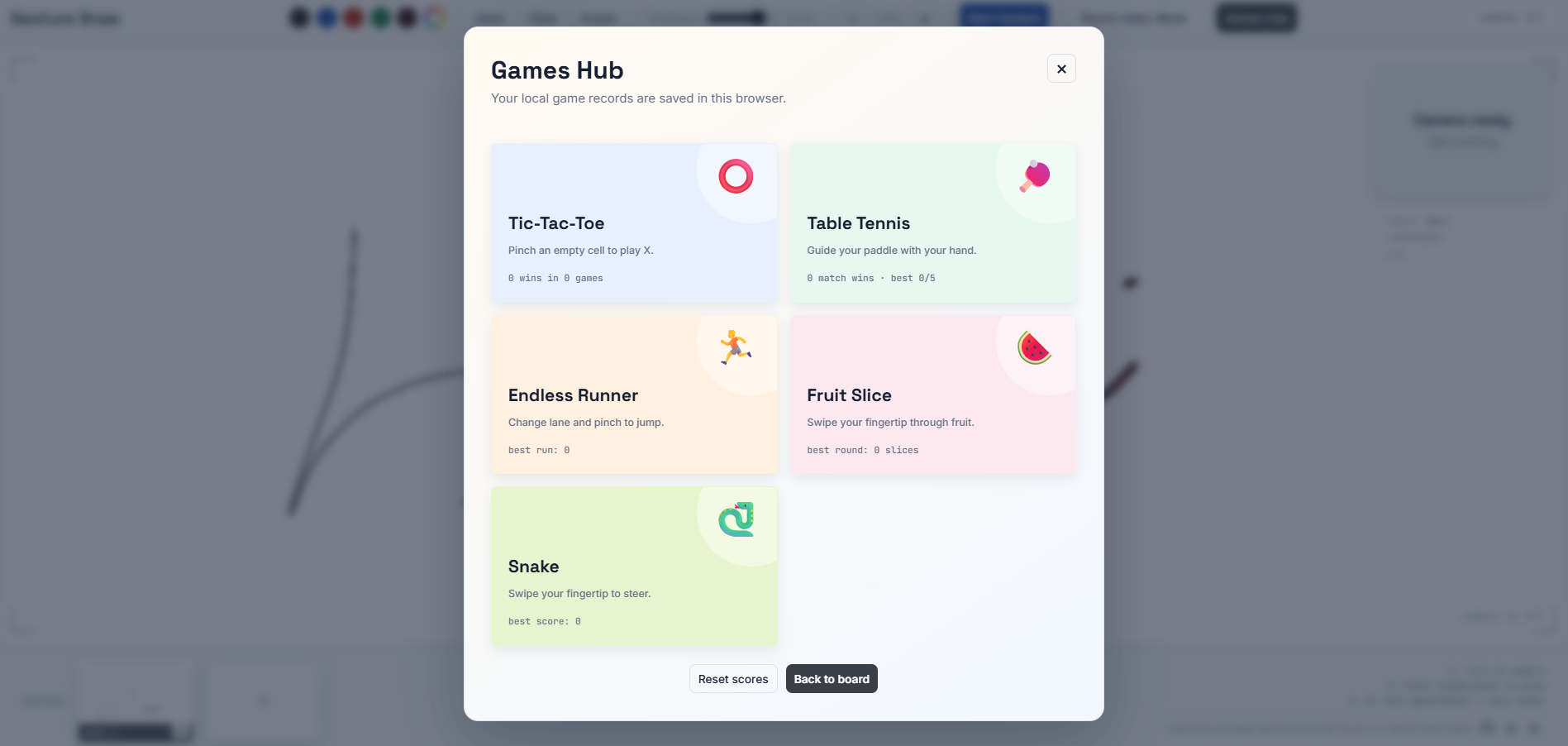
The project also includes a Games Hub. The same tracking system powers Tic-Tac-Toe, Table Tennis, Endless Runner, Fruit Slice, and Snake. The games turn gesture practice into a more approachable experience: users learn how to point, pinch, sweep, and steer before returning to the whiteboard. High scores are saved locally on the device.
How we built it
The app is built as a single static web application with HTML, CSS, and JavaScript. It runs entirely in the browser, so it does not need a backend or API key.
MediaPipe Hands provides the 21 hand landmarks from the webcam feed. We use the index fingertip as the drawing cursor and calculate a hand-size-normalized distance between the thumb and index finger to detect a pinch. Normalizing by hand size makes the interaction more consistent when the hand moves closer to or farther from the camera.
The whiteboard and games render with the HTML canvas API. Saved notes are captured from the canvas and exported as PNG files. Game scores use localStorage, keeping the experience lightweight and local.
The most important part was converting noisy camera data into usable writing. The cursor combines landmark smoothing, rolling averages, a One Euro filter, a movement dead zone, and minimum point spacing. In simplified form, smoothing blends the previous and latest positions:
$$p_t = (1 - \alpha)p_{t-1} + \alpha x_t$$
where $x_t$ is the latest landmark position, $p_t$ is the displayed position, and $\alpha$ controls responsiveness. The filter is designed to be steadier for slow handwriting while remaining responsive for faster movements.
Challenges we ran into
The hardest challenge was that air writing is much less stable than drawing on glass or paper. A tiny camera jitter can become a visible wobble, and a hand moving toward a corner can cause the tracker to lose part of the palm or wrist. We had to balance three competing goals:
- Keep the pointer smooth enough for readable letters.
- Keep it responsive enough that writing does not feel delayed.
- Let users reach the full board without pushing their hand outside the camera frame.
We iterated on camera-safe margins, cursor-to-preview coordinate mapping, linear board mapping, filtering, and gesture thresholds. We also found that the pinch itself can shift the fingertip slightly. To address that, the app waits for a stable pinch before committing ink, freezes the stroke as the pinch opens, and trims release drift so letters do not gain unwanted hooks.
Another challenge was making the webcam preview honest. The preview is mirrored for a natural selfie view and may be cropped to fit its frame. The landmark overlay and the drawing cursor therefore need to use the same crop and mirror transformation. Without this, the skeleton can appear on the wrong part of the hand and the cursor can feel disconnected from the visible fingertip.
Finally, we needed to keep the interaction fun. The mini-games were not an afterthought. They gave us a practical way to test gesture controls under different movement patterns, including precise pointing, rapid swipes, side-to-side motion, and pinch actions.
Accomplishments that we're proud of
We are proud that Gesture Draw became more than a webcam drawing demo. It combines a practical air-writing board, downloadable note snapshots, and five distinct hand-controlled games in one self-contained browser experience.
We are also proud of the work behind the interaction quality. The project handles mirrored webcam previews, aspect-ratio cropping, hand-to-cursor mapping, pinch stabilization, release hooks, and tracking loss near the camera boundary. These details are easy to overlook, but they are what make the difference between a novelty and an interface that feels usable.
What we learned
This project taught us that gesture interfaces are mostly a design and calibration problem, not only a detection problem. Accurate landmarks are not enough. The experience depends on mapping, smoothing, feedback, thresholds, latency, and clear recovery when tracking is lost.
We also learned that different interactions need different tradeoffs. Writing benefits from stability and gradual motion. Games can tolerate more speed and energy. Building both into one project made those tradeoffs visible and helped us design a more flexible gesture pipeline.
Most importantly, we learned that browser-based computer vision can create genuinely playful interactions with very little setup. Gesture Draw is a small step toward interfaces that feel less like operating a machine and more like directly shaping what is on the screen.
What's next for Gesture Draw - Webcam-based Drawing, Note-Taking and Games
Future iterations could add calibration for different camera positions, user-adjustable precision profiles, improved support for left and right handed use, more export formats, collaborative boards, and more gesture-driven games. The core idea will remain the same: make digital creation feel physical, immediate, and fun.
Built With
- css3
- html5
- javascript
- mediapipe

Log in or sign up for Devpost to join the conversation.