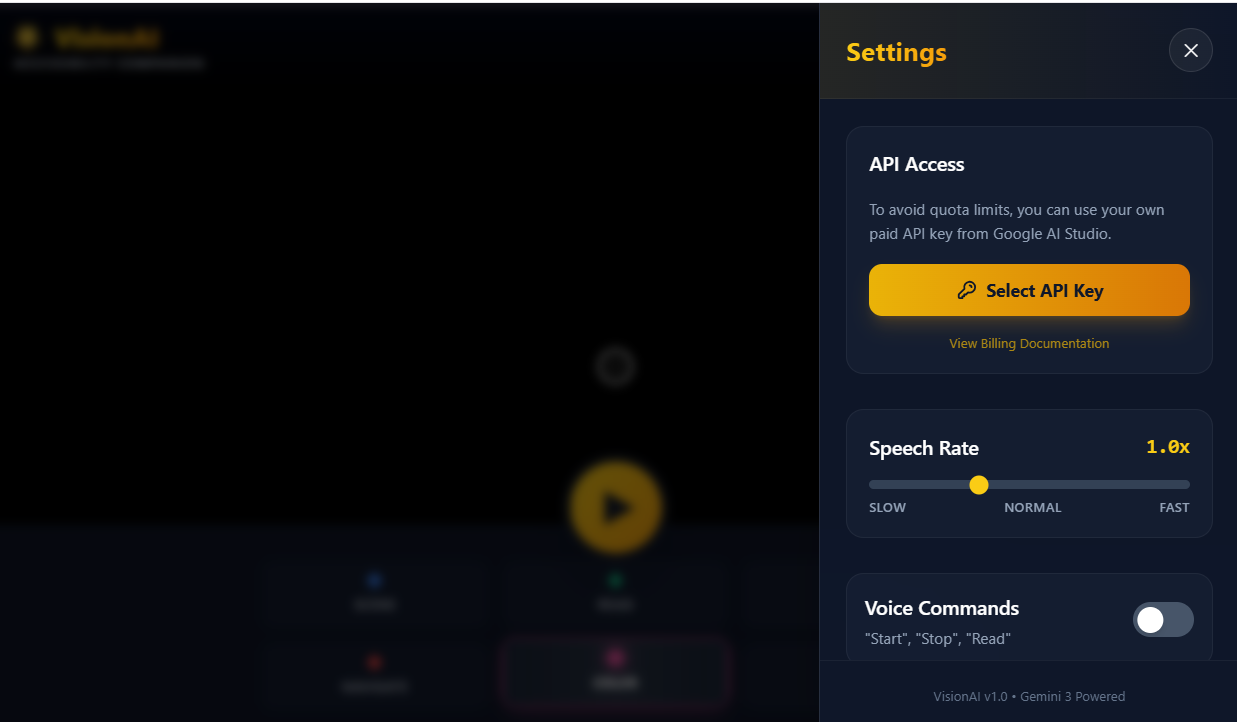
Just a heads up that I ran out of gemni api credits so go in the settings and add your own custom gemni api to use this website thanks.
Inspiration
253 million people worldwide are visually impaired, yet existing assistive technologies cost thousands of dollars or require specialized hardware. We were inspired to build something that anyone could use for free - just a smartphone camera and the power of AI. When we discovered Gemini 3's multimodal reasoning capabilities, we realized we could create an accessibility companion that doesn't just identify objects, but truly understands context, spatial relationships, and safety - something that's never been possible before at this scale and accessibility.
What it does
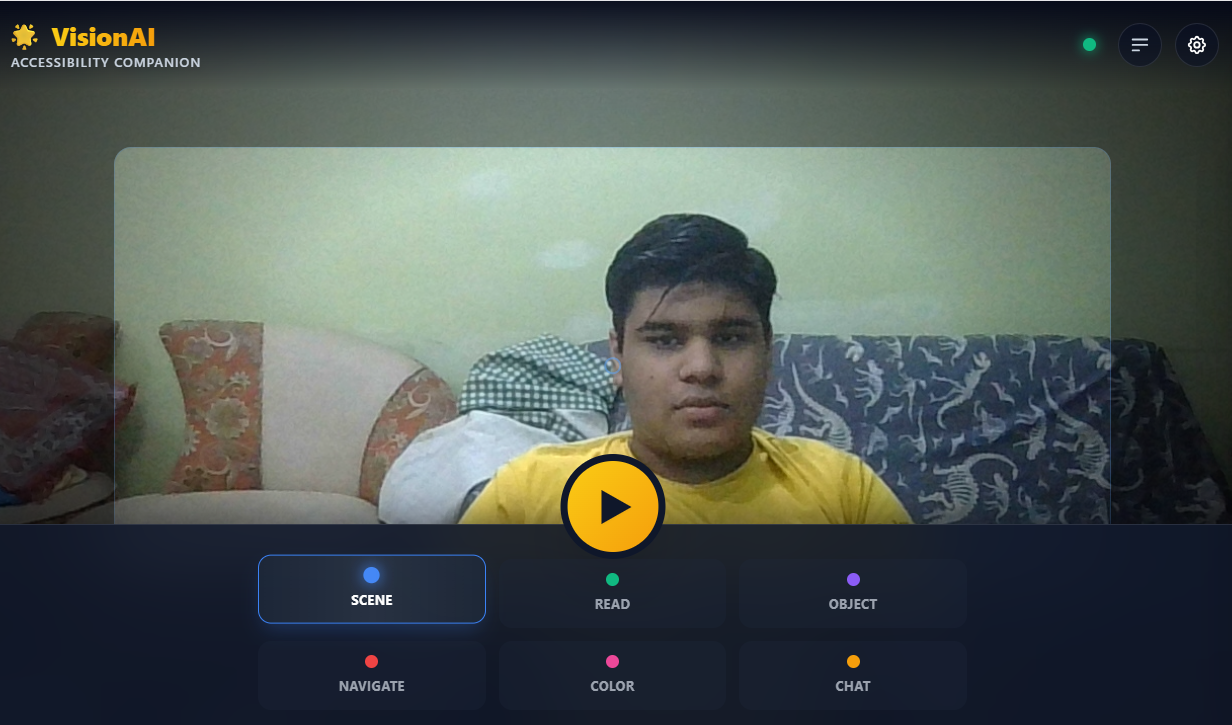
VisionAI is a free, AI-powered accessibility companion that gives visually impaired users "AI eyes" through their smartphone camera. It offers 6 intelligent modes:
- Scene Description - Real-time environment understanding with spatial awareness ("desk to your left, chair 3 feet ahead")
- Read Text - Advanced OCR for signs, menus, documents, labels
- Object Identification - Detailed object analysis with color, material, and purpose
- Navigation - Safe path guidance with obstacle detection and distance estimates
- Color Identification - Helps with clothing selection and daily choices
- Ask Anything - Interactive Q&A about the environment
Users can control it hands-free with voice commands, get haptic feedback for hazards, and receive audio descriptions via text-to-speech. Everything works in real-time with <2 second response times thanks to Gemini 3 Flash.
How we built it
Frontend: React 19 + TypeScript + Vite for a fast, type-safe, modern web app AI Engine: Gemini 3 Flash API for multimodal vision analysis and reasoning Camera: MediaDevices API for high-quality frame capture (1024x768 @ 90% quality) Voice: Web Speech API for text-to-speech output and voice command recognition Haptics: Vibration API for urgent safety alerts Storage: LocalStorage for persistent user settings
Architecture Flow:
- Camera captures frames every 2-3 seconds in continuous modes
- Frames sent to Gemini 3 Flash with mode-specific prompts
- AI analyzes image with advanced reasoning (spatial, safety, context)
- Response delivered via 3 channels: audio (TTS), visual (UI), haptic (vibration)
- Process loops for continuous awareness
We carefully engineered prompts for each mode to leverage Gemini 3's unique capabilities - not just vision, but true contextual understanding and reasoning about safety, spatial relationships, and user needs.
Challenges we ran into
1. Prompt Engineering for Safety Creating prompts that consistently prioritized safety information was critical. We iterated dozens of times to get Gemini 3 to always mention obstacles first, provide distance estimates, and give clear "safe/stop" commands.
2. Real-time Performance Balancing image quality (needed for OCR) with API speed was tricky. We optimized to 1024px width and 90% JPEG quality - high enough for accurate text reading but fast enough for <2s responses.
3. Voice Command Reliability Web Speech API only works in Chrome/Edge and can have false positives. We refined our command parsing to avoid common words that trigger accidentally (removed "go" as a start command).
4. Continuous Loop Logic Managing the processing loop for continuous modes (Scene, Navigation) while preventing API spam and giving users time to process information required careful state management and timing.
5. Text-to-Speech Formatting Gemini's responses sometimes included markdown formatting (bold, italics) which sounds terrible when read aloud. We had to explicitly instruct it to avoid formatting in our system prompt.
6. Accessibility Paradox Building an accessibility app requires the app itself to be accessible! We implemented keyboard shortcuts, ARIA labels, focus management, and high contrast - testing with actual screen readers to ensure it works for all users.
Accomplishments that we're proud of
✅ Real-world utility from day one - This isn't a demo; it actually helps people navigate, read, and understand their environment right now
✅ Deep Gemini 3 integration - We leveraged Gemini 3's unique multimodal reasoning, not just basic vision API calls. Features like spatial awareness and safety assessment are only possible with Gemini's advanced capabilities
✅ Production-quality code - TypeScript for type safety, proper error handling with retry logic, accessibility compliance (WCAG 2.1), responsive design, and clean architecture
✅ 6 specialized modes - Not just another chatbot - each mode is carefully designed with specific prompts and UX for different real-world needs
✅ Hands-free operation - Voice commands make it truly accessible for users who can't see the screen to tap buttons
✅ Multi-sensory output - Audio (TTS), visual (for partial vision users), and haptic feedback (safety alerts) create a complete experience
✅ $4,000+ savings - Users save thousands per year vs. existing assistive tech while getting MORE features
✅ Performance - Sub-2-second responses, 60fps animations, optimized for mobile
What we learned
About Gemini 3:
- Gemini 3's multimodal reasoning is genuinely different from traditional computer vision - it understands context, not just objects
- Prompt engineering is an art - small changes in wording dramatically affect response quality
- Gemini 3 Flash's low latency makes real-time applications actually viable
- The "thinking budget" parameter significantly improves spatial reasoning
About Accessibility:
- Accessibility isn't a feature - it's a design philosophy that must be baked in from the start
- Visual impairment affects daily life in ways sighted developers don't intuitively understand
- Free and accessible technology can democratize independence for millions
- Users need multiple feedback channels (audio, visual, haptic) for different situations
Technical:
- State management in async loops requires careful ref usage to avoid stale closures
- Browser APIs (Speech, Vibration) have spotty support - graceful fallbacks are essential
- Image quality vs. speed is a critical balance for vision AI applications
- Error handling and retry logic are crucial for production reliability
Product:
- Simple, focused modes beat feature-creep every time
- Real users need hands-free operation more than we initially realized
- Speed matters enormously for safety-critical features like navigation
- The best tech is invisible - users should feel empowered, not confused
What's next for Vision AI
Short-term (Next 3 months):
- 📱 Native mobile apps (iOS/Android) for better camera access and offline capabilities
- 🌍 Multi-language support (Spanish, Mandarin, Hindi, Arabic, French - 50+ languages)
- 🎓 Interactive tutorial/onboarding for first-time users
- 📊 Usage analytics to understand which modes help most
- 🔊 Multiple TTS voice options and accent support
Medium-term (6-12 months):
- 🥽 Smart glasses integration (Ray-Ban Meta, etc.) for truly hands-free experience
- 🗺️ Indoor navigation with spatial mapping and GPS integration
- 🎯 Object tracking - follow a specific person or object through space
- 💾 Offline mode with local models for basic features
- 🤝 Open-source community contributions and plugins
Long-term Vision:
- 🏥 Medical integration - read prescriptions, identify medications
- 🚗 Transportation assistance - bus numbers, street signs, navigation
- 🏛️ Museum/tourism mode - contextual information about landmarks
- 👔 Professional tools - presentation reading, document analysis
- 🌐 Global accessibility platform with crowdsourced improvements
Our Ultimate Goal: Make VisionAI so ubiquitous that visual impairment is no longer a barrier to independence, employment, or daily life. We want to reach all 253 million visually impaired people worldwide and empower them with AI that truly understands their world.
With Gemini's continued advancement and community support, we believe accessibility can become truly universal - not in years, but right now.
Built With
- gemni
- react
- typescript
- vite
- webspeech

Log in or sign up for Devpost to join the conversation.