-
-
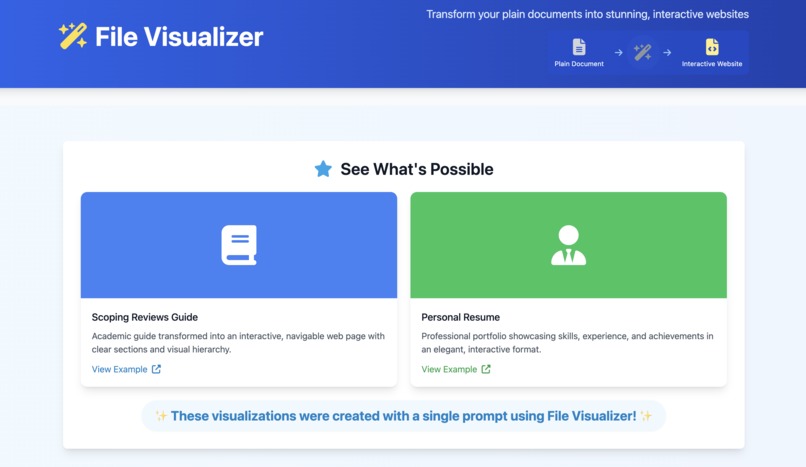
Former File Visualizer
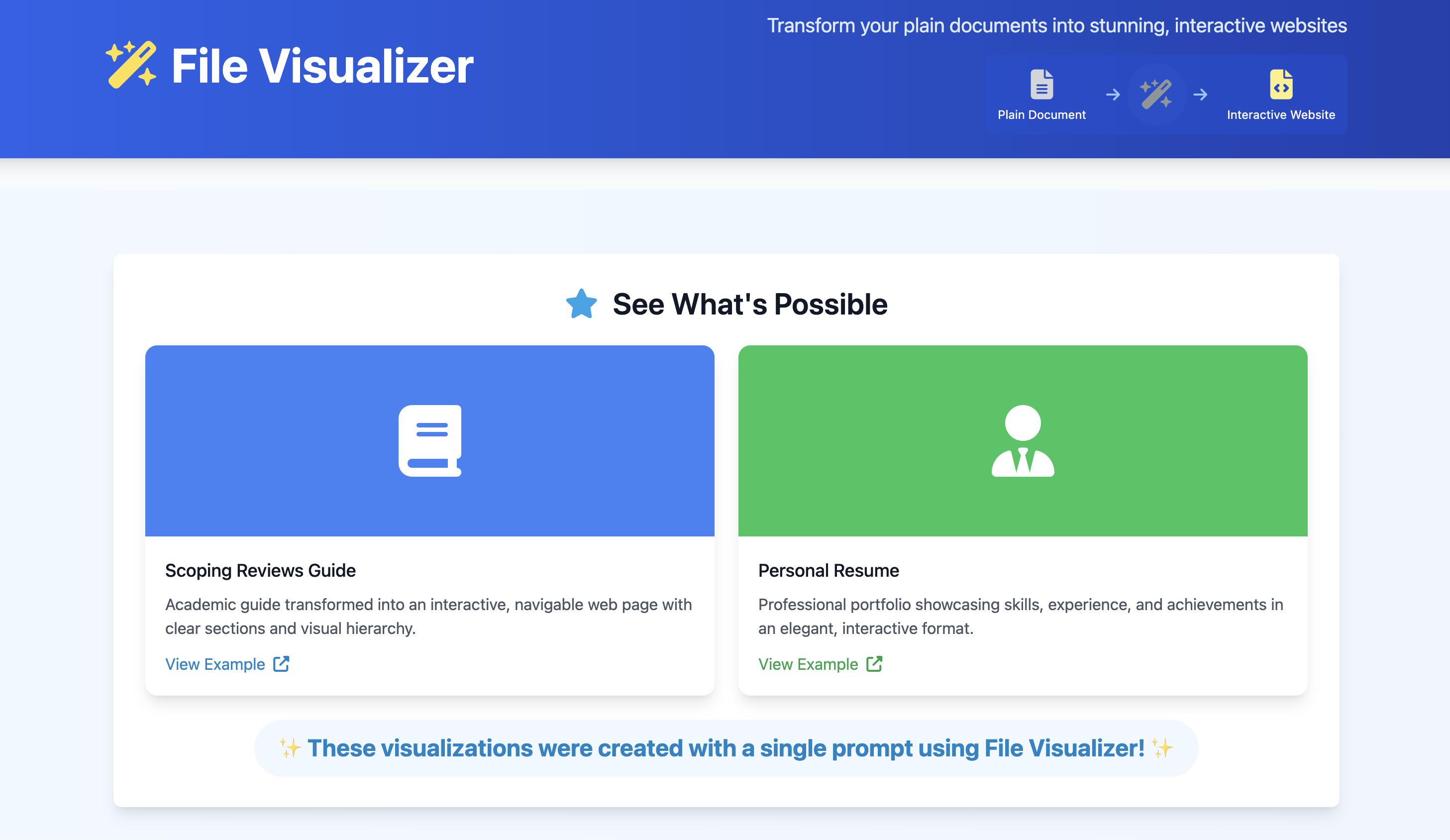
VisioLink grew out of a previous project called File Visualizer. The original tool aimed to help users create nicely formatted visual documents, but it had limitations. Users had to manually provide the core content as plain text, and crucially, they also needed to hunt down and input the URLs for any images they wanted to include, along with metadata like the title or author. While functional, this manual process was tedious and time-consuming, acting as a barrier to easily capturing web content.
We knew there had to be a smoother way. The web is full of rich content, and the process of preserving it shouldn't require detective work for images and metadata. We were inspired to build upon the foundation of File Visualizer, asking: "What if users could just provide a web link (URL), and the tool did all the heavy lifting?"
This led to the concept of VisioLink: an intelligent evolution that automates the extraction, structuring, and beautification process. By leveraging modern web scraping techniques and the power of Large Language Models (LLMs), we aimed to transform the user experience from manual assembly to a simple, one-step conversion from URL to a beautiful, portable visual document.
What it does
VisioLink takes the core idea of File Visualizer to the next level. Instead of requiring manual input of text, image URLs, and metadata, VisioLink transforms a plain web link (URL) into a stunning, single-file visual document automatically. You simply provide the URL of a public webpage.
From there, VisioLink:
- Intelligently extracts the main article or content, along with relevant images and metadata (title, author, date), filtering out distracting elements like sidebars, ads, and footers.
- Uses a powerful AI (starting with Claude 3.7 Sonnet) to analyze, restructure, and redesign that content into a clean, modern, responsive, and accessible format.
- Generates a single, self-contained
.htmlfile that accurately represents the core content, styled beautifully, and includes features like dark/light mode and potential data visualizations.
Essentially, it automates the entire process that was manual in File Visualizer, delivering a significantly more polished and effortless result.
How we built it
Building on the principles of the original File Visualizer, VisioLink introduces several key new components and leverages more advanced technology:
- Frontend Interface (Next.js): We kept a simple web interface using Next.js (React), but now the primary input is just the
TARGET_URL. - Backend Logic (Serverless Functions): The core processing remains on the backend, likely as serverless functions (e.g., on Vercel).
- Automated Content Extraction: This is a major addition. When a URL is submitted, a specialized tool (Python with
requests/BeautifulSoupor a headless browser) fetches the webpage, isolates the main content, and automatically extracts relevant text, images (including their URLs), and available metadata (title, author, date). This replaces the manual input step of the previous version. - Content Cleaning: The automatically extracted HTML is sanitized and cleaned, similar to before but now operating on scraped content.
- Sophisticated LLM Integration (Two Tasks): This is the core intelligence upgrade.
- LLM Task 1 (Analysis & Structuring): The extracted content/metadata goes to Claude 3.7 Sonnet, which acts as a Content Analyst to restructure the text logically and propose visualizations – automating content refinement.
- LLM Task 2 (HTML Generation): The results from Task 1 are fed back to the LLM, now acting as an expert Frontend Developer, to generate the complete, styled, responsive, single-file HTML output using Tailwind CSS – automating the design and coding.
- Validation & Delivery: We added automated W3C validation and deliver the final
.htmlfile back to the user for preview and download, ensuring a higher quality standard.
The key shift was moving from manual data gathering and basic visualization to automated extraction and AI-driven restructuring and generation.
Challenges we ran into
Evolving from File Visualizer introduced new challenges alongside the old ones:
- Reliable Content Extraction: This was the biggest new hurdle. Automating the extraction of just the main content and correct metadata from wildly different website structures is significantly harder than processing user-provided text. Handling JavaScript-rendered sites added complexity.
- (Previous challenges still relevant): LLM prompt precision, consistent visualization generation, and handling validation failures remained significant engineering tasks, perhaps even more complex now due to the variability of the input scraped content compared to user-provided text.
Accomplishments that we're proud of
We're particularly proud of:
- Simplifying the User Experience: Transforming the workflow from manually gathering text, images, and metadata to just pasting a single URL is a massive improvement and fulfills the core goal of the evolution.
- Automating the Difficult Parts: Successfully building the extraction layer that handles fetching, parsing, and identifying relevant content automatically.
- (Previous accomplishments still relevant): The AI-powered design, self-contained output, and commitment to quality through validation remain key achievements.
What we learned
The journey from File Visualizer to VisioLink taught us valuable lessons:
- The Complexity of Automation: Automating tasks previously done manually by users (like finding images and metadata) is often much harder than it initially appears, especially when dealing with inconsistent web data.
- Web Scraping Realities: We gained deep insights into the challenges and techniques of robust web scraping and content extraction.
- (Previous learnings still relevant): The importance of precise LLM prompting, validation, minimalist JavaScript, and understanding LLM capabilities remain critical.
Built With
- claude
- cursor
- next.js
- vercel


Log in or sign up for Devpost to join the conversation.