VisiCore AI — Intelligent Diabetic Retinopathy Screening Platform
The Problem
Diabetic Retinopathy is the leading cause of preventable blindness worldwide, affecting over 103 million people globally. Despite being highly treatable when detected early, the majority of cases go undiagnosed due to:
- Shortage of ophthalmologists, especially in rural and underserved regions.
- High cost of clinical screenings and specialist consultations.
- Lack of awareness among diabetic patients about the need for regular eye checkups.
- Data privacy concerns in clinical environments that prevent adoption of cloud-based AI tools.
The result? Patients lose their vision — not because a cure doesn't exist, but because access to early detection does not.
Our Solution
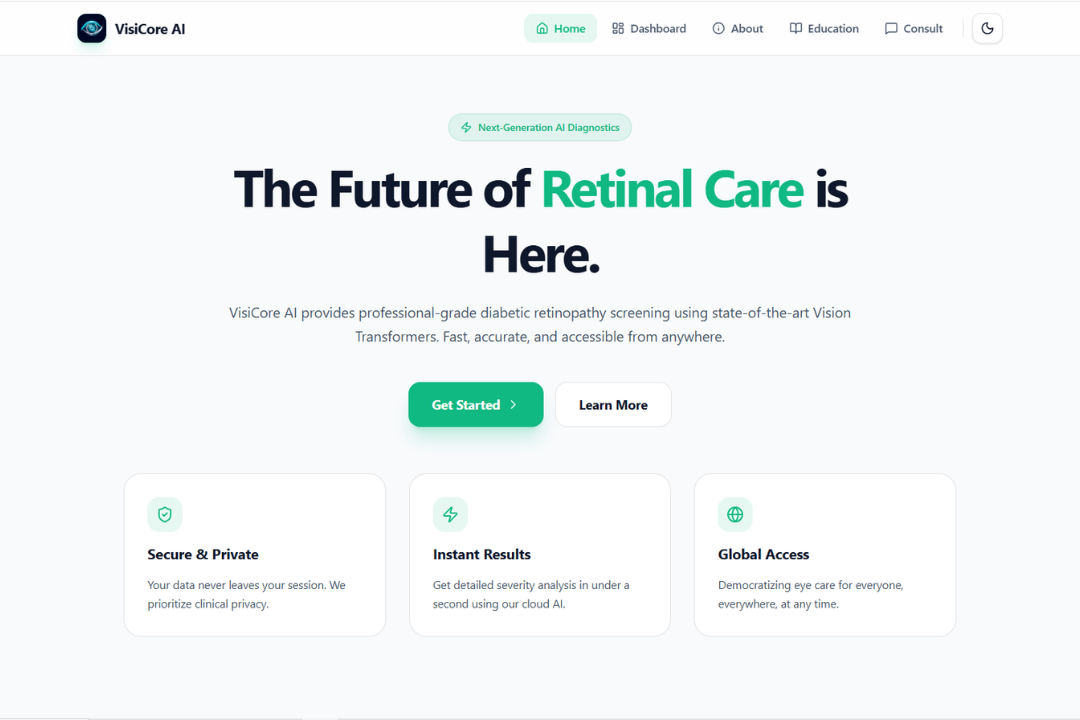
VisiCore AI bridges the gap between advanced AI research and real-world clinical accessibility. It is a fully local, end-to-end diagnostic assistant that:
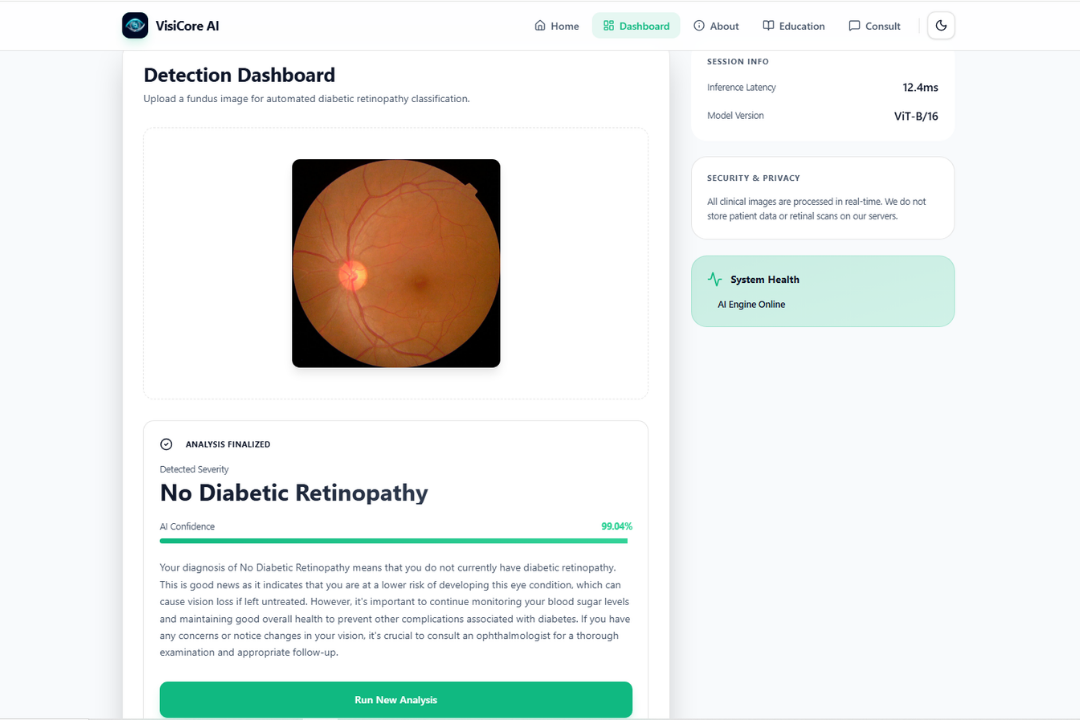
- Analyzes retinal fundus images using a fine-tuned Vision Transformer (ViT-B/16) model to classify Diabetic Retinopathy across 5 severity stages (No DR → Proliferative DR).
- Generates an AI-powered clinical explanation of the diagnosis using a locally running Qwen 2.5 language model — in plain, empathetic language a patient can understand.
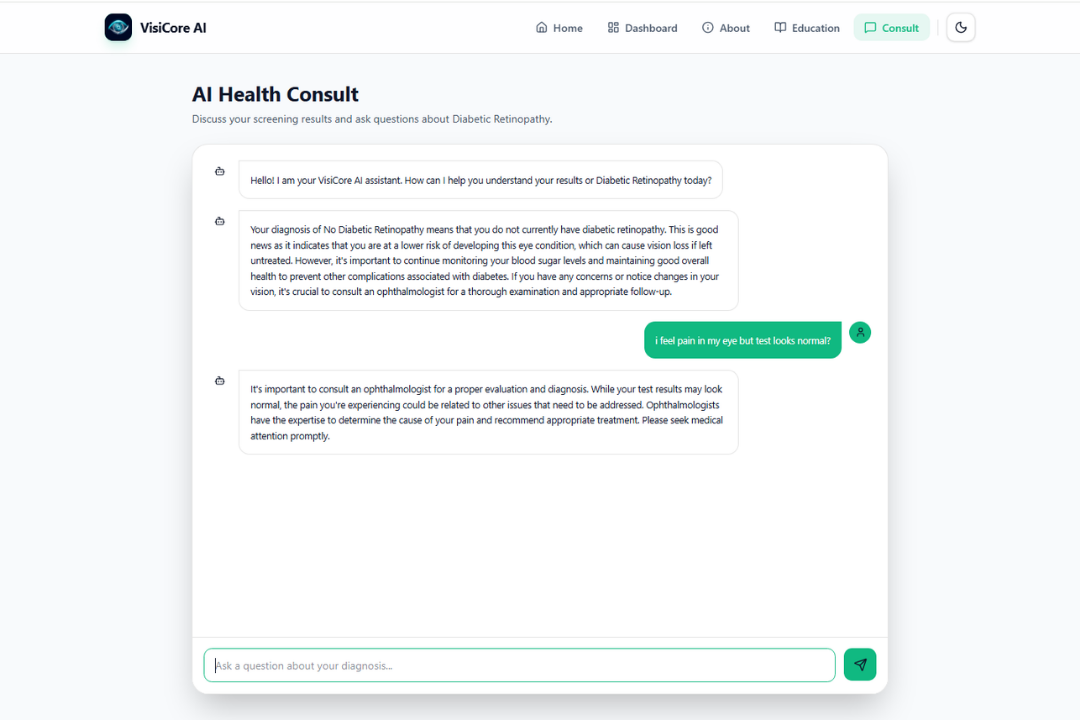
- Enables an interactive health consultation chat where users can ask follow-up questions about their diagnosis, treatment options, and next steps — all powered by the local LLM with full conversation memory.
- Operates completely offline and privately — no patient image or medical data is ever sent to an external server or third-party API.
How It Works
Step 1: Image Upload & Pre-processing
The user uploads a retinal fundus photograph through the web interface. The backend applies:
- Circular Cropping: Automatically isolates the retinal disc from black backgrounds using contour detection.
- CLAHE Enhancement (Contrast Limited Adaptive Histogram Equalization): Enhances subtle lesions and microaneurysms that are invisible to the naked eye.
- Standard Normalization: Resizes and normalizes the image to match the model's training distribution (ImageNet stats).
Step 2: ViT-Based Classification
The pre-processed image is passed through our fine-tuned Vision Transformer (ViT-B/16) model. Unlike traditional CNNs, the ViT applies self-attention mechanisms across image patches, allowing it to capture global structural patterns in the retina — making it highly effective for detecting subtle lesion distributions.
The model outputs a severity classification across 5 classes:
- Stage 0: No Diabetic Retinopathy
- Stage 1: Mild Non-Proliferative DR
- Stage 2: Moderate Non-Proliferative DR
- Stage 3: Severe Non-Proliferative DR
- Stage 4: Proliferative DR (most severe)
Step 3: Local LLM Explanation
The diagnosis is passed to the Qwen 2.5 1.5B Instruct model (running locally via llama-cpp-python) which generates a concise, empathetic clinical explanation in natural language. The LLM is prompted with medical context and instructed to always recommend professional ophthalmologist consultation.
Step 4: Interactive AI Consultation
Users can continue the conversation with the AI assistant, asking targeted questions about their condition, lifestyle adjustments, progression risks, or next clinical steps — with full conversation history maintained throughout the session.
Technology Stack
| Layer | Technology |
|---|---|
| Frontend | React 18, TypeScript, Vite, Tailwind CSS, Framer Motion, Lucide Icons |
| Backend | Python, Flask, Flask-CORS |
| Vision Model | PyTorch, Vision Transformer ViT-B/16 (fine-tuned) |
| Language Model | Qwen 2.5 1.5B Instruct (GGUF, via llama-cpp-python) |
| Image Processing | OpenCV, CLAHE, PIL |
| Deployment | Fully local / self-hosted (no cloud dependencies) |
Key Features
- 🔬 5-Stage DR Classification with real-time confidence scoring
- 🤖 Local LLM Integration — no API keys, no data leaks
- 💬 Contextual AI Chat with full conversation memory
- 🌑 Dark / Light Mode premium UI with smooth animations
- 🔒 Zero Data Retention — images are processed in-memory and immediately discarded
- ⚡ Sub-second Inference — optimized for clinical workflow speed
- 🌍 Offline Capable — works in environments without internet access
Innovation & Impact
What makes VisiCore AI different:
Privacy by Design: Most AI health tools rely on cloud APIs, creating massive HIPAA/GDPR compliance challenges. VisiCore runs entirely on the user's machine. This is the future of medical AI.
Dual-AI Architecture: The combination of a vision-specialized deep learning model (ViT) for diagnosis AND a conversational language model for patient communication is a novel and practical approach — mimicking how a real specialist would both diagnose AND explain.
Democratized Access: VisiCore can run on a standard laptop without a GPU. This means it can be deployed in rural clinics, community health centers, or even on a field worker's device — anywhere internet access is unreliable.
Real Clinical Value: This is not a toy project. The preprocessing pipeline (CLAHE + circular crop) is based on validated techniques from published DR research, and the model was fine-tuned on real DR fundus datasets.
Project Structure
VisiCore-AI/
├── Frontend/           # React + TypeScript Source Code
│   └── src/
│       └── App.tsx     # Full SPA application
├── static/             # Pre-built frontend assets (served by Flask)
├── models/             # AI Model files (.pth & .gguf)
├── app.py              # Flask backend: prediction & chat API
├── requirements.txt    # Python dependencies
└── README.md           # Setup instructions
Setup & Installation
# 1. Clone the repository
git clone https://github.com/codedbyasim/VisiCore-AI.git
cd VisiCore-AI

# 2. Install Python dependencies
pip install -r requirements.txt

# 3. Download models into the /models directory
# Vision Model: https://huggingface.co/asimhanif123/dr_model_complete.pth
# Language Model: https://huggingface.co/enacimie/Qwen2.5-1.5B-Instruct-Q4_K_M-GGUF/

# 4. Start the application
python app.py

# 5. Open in browser
# http://127.0.0.1:5000
Source Code
GitHub Repository: https://github.com/codedbyasim/VisiCore-AI
Team Members
- Asim Hanif — AI/ML Engineer & Full-Stack Developer

Log in or sign up for Devpost to join the conversation.