Inspiration
There's a specific kind of frustration that comes from studying physics from a textbook and still not feeling why a 45° launch angle maximises range. Or sitting through a chemistry lecture with no intuition for what actually happens when you change concentration. Practical subjects are meant to be practised but for most students, the lab is a field trip, not a daily workspace.
That gap bothered me. Online simulations exist, but they're mostly isolated demos you tweak a slider, something animates, and that's it. There's no structure underneath. No way for anything outside the page to understand what's happening in the workspace.
That second part is what crystallised when I read about WebMCP.
Traditional AI assistants sit beside an educational tool. They answer questions about it, but they can't see it, interact with it, or work inside it. They're stuck outside the glass. The student describes the experiment; the assistant guesses a response. There's no ground truth shared between them.
WebMCP is the first real path to changing that. A standard where the application explicitly exposes what it knows and what it can do so an AI agent doesn't have to guess at the UI, doesn't have to scrape the screen, doesn't have to simulate mouse clicks. The workspace speaks to it directly, in structured terms it can reason about.
That's what I built VirtuLab around. Not "add AI to a simulator." Build a practical learning platform where the workspace itself is the interface between the student and the agent and where both participants are working with the exact same state.
What It Does
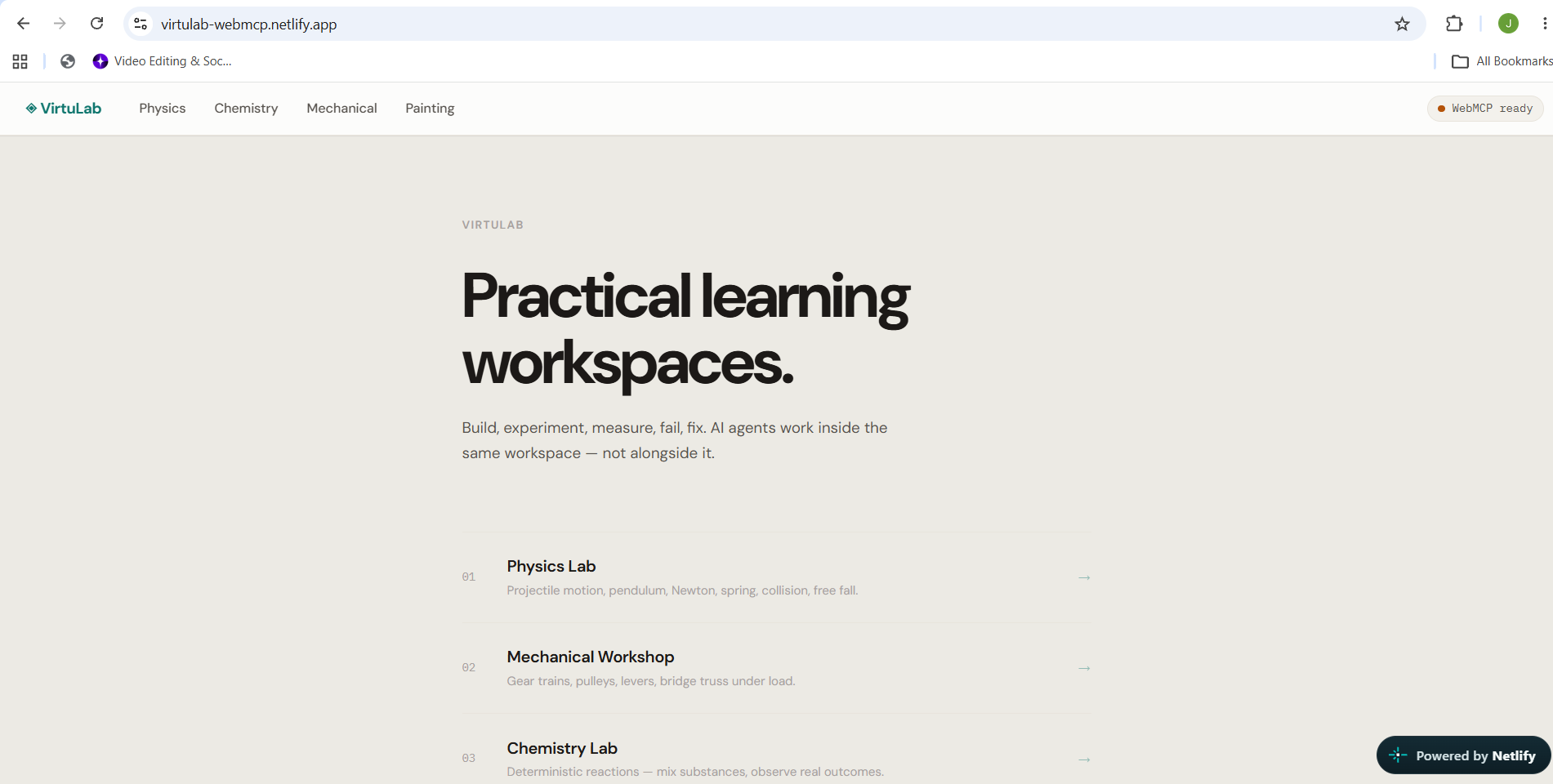
VirtuLab is an agent-native practical learning platform with four workspaces. Every workspace is a real simulation environment. Every workspace exposes structured WebMCP tools. The human and the AI agent work inside the same state not parallel versions of it.
The Four Workspaces
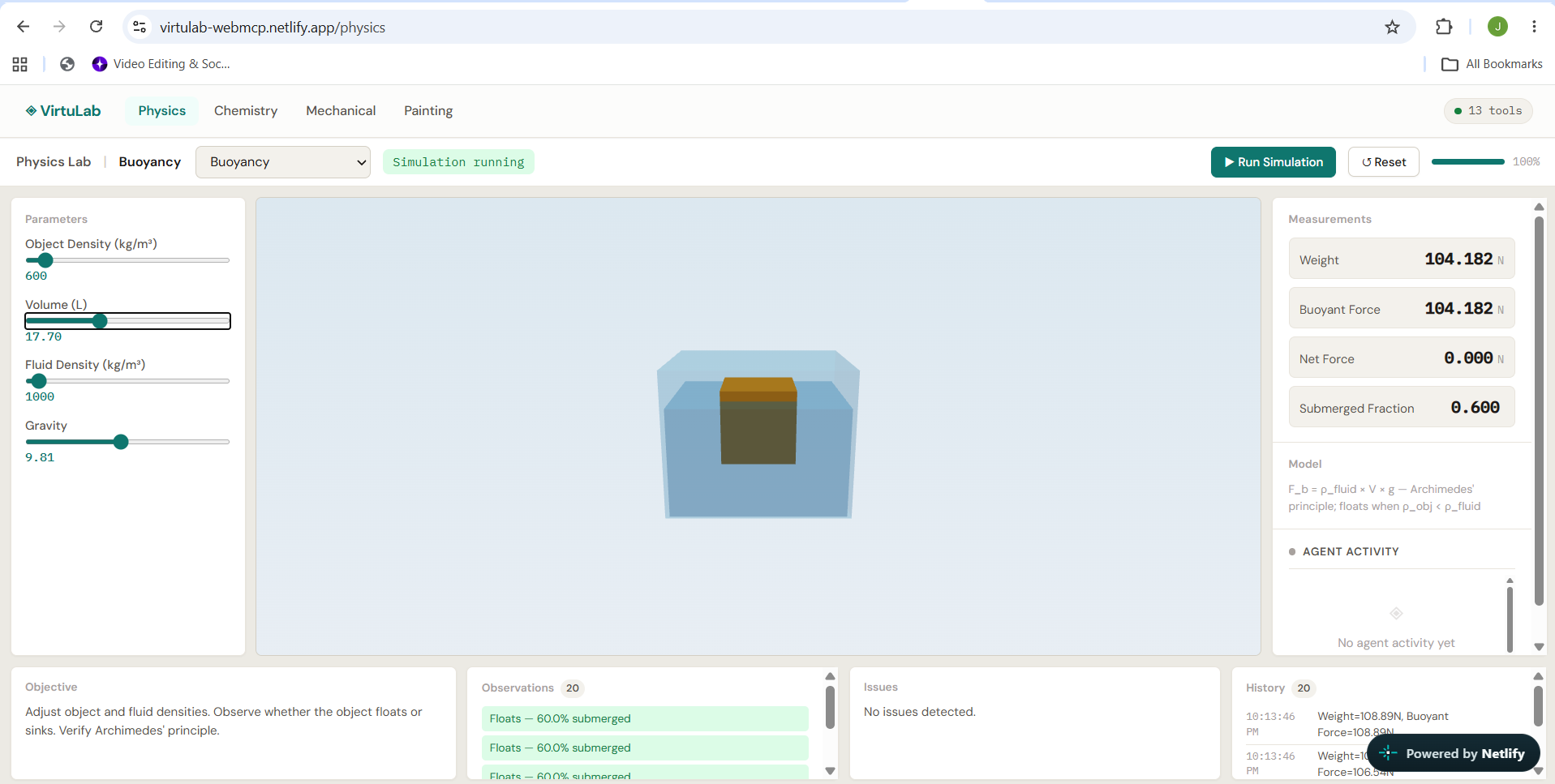
Physics Lab — Explore 14 interactive experiments across mechanics, motion, waves, energy, gravity, and orbital dynamics.
Students can experiment with projectile motion, pendulums, spring systems, collisions, energy conservation, wave interference, free fall, the Doppler effect, buoyancy, thermal expansion, gravitational orbits, circular motion, Newton's laws, and friction.
The simulations are built from real physics calculations and generate measurable results such as distance, velocity, time, height, force, and energy. These results are also available as structured data, allowing AI agents to understand and reason about what happens inside the experiment.
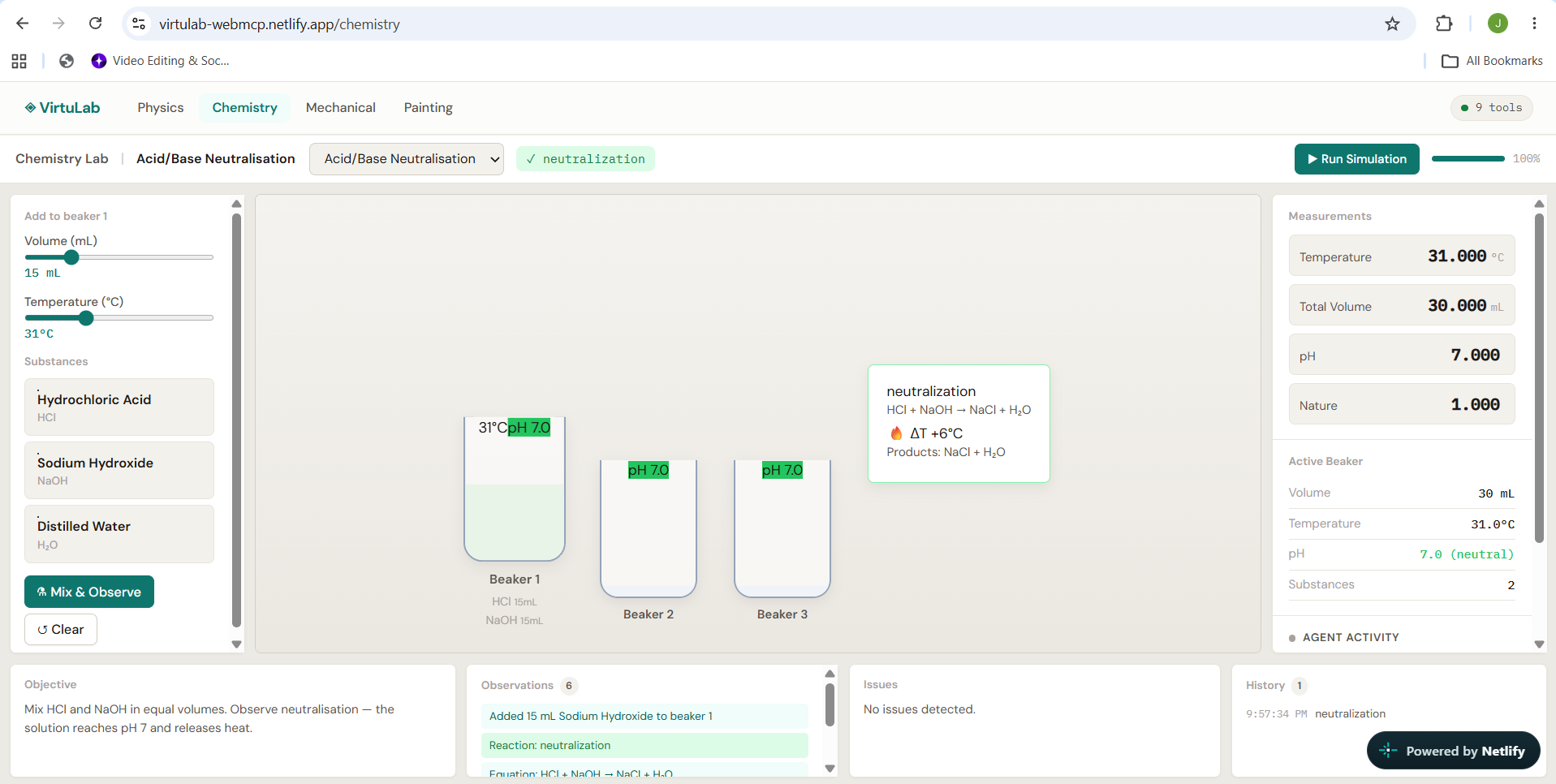
Chemistry Lab — 14 deterministic reactions with a rules engine. Mixing HCl and NaOH produces pH 7 with +6°C temperature rise. Zinc in copper sulfate displaces copper with a colour change. Phenolphthalein turns pink in NaOH, colourless when HCl is added. Nothing is random, nothing is pre-scripted the outcomes emerge from rules that the agent can predict and reason about.
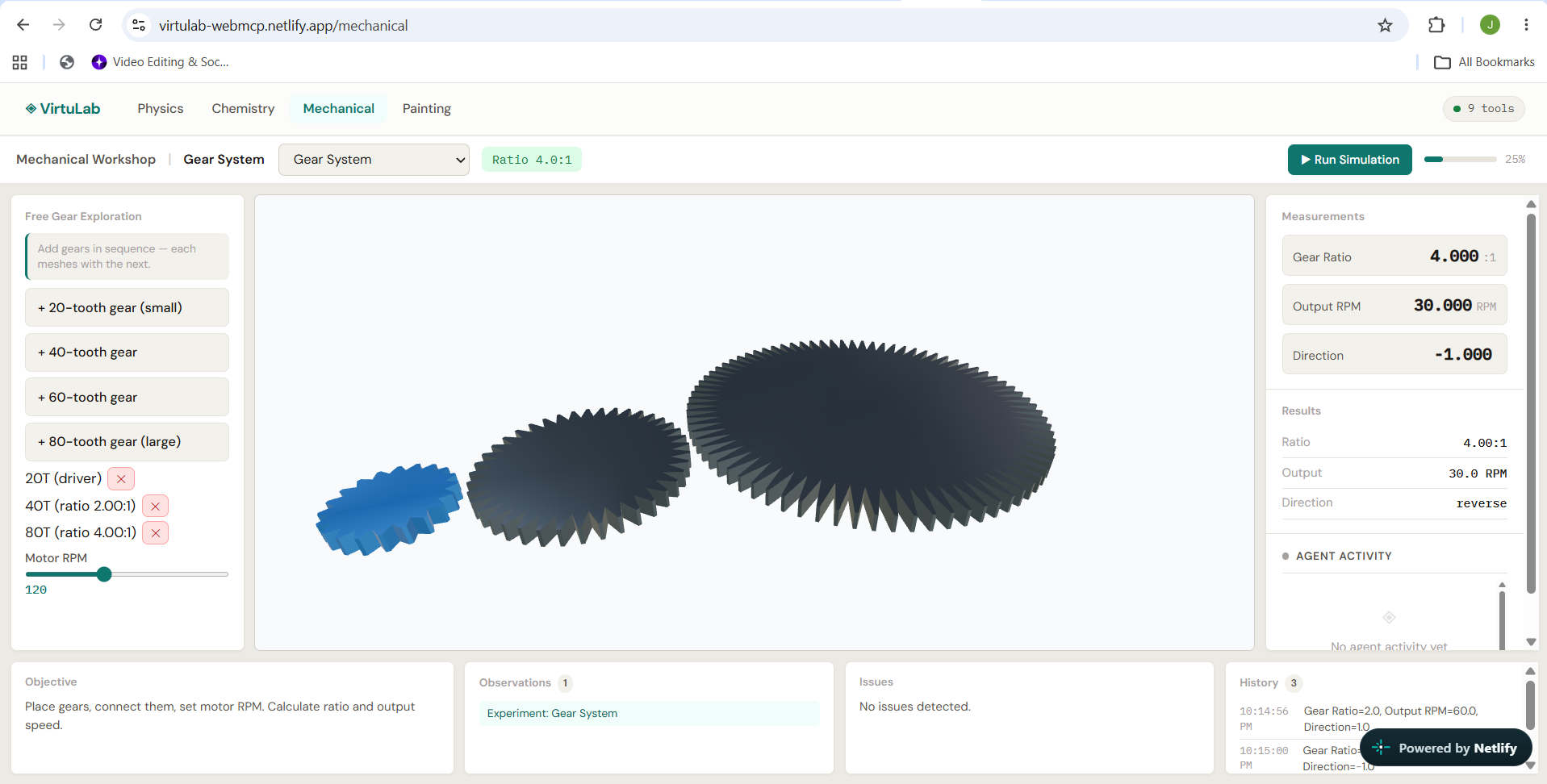
Mechanical Workshop — Gear trains, bridge trusses under load, levers, pulleys, inclined planes, hydraulic presses, torsional stress analysis, vibration damping, four-bar linkages, cam mechanisms, and flywheels. Structural tests run real stress calculations per beam element. Gear ratios are algebraic.
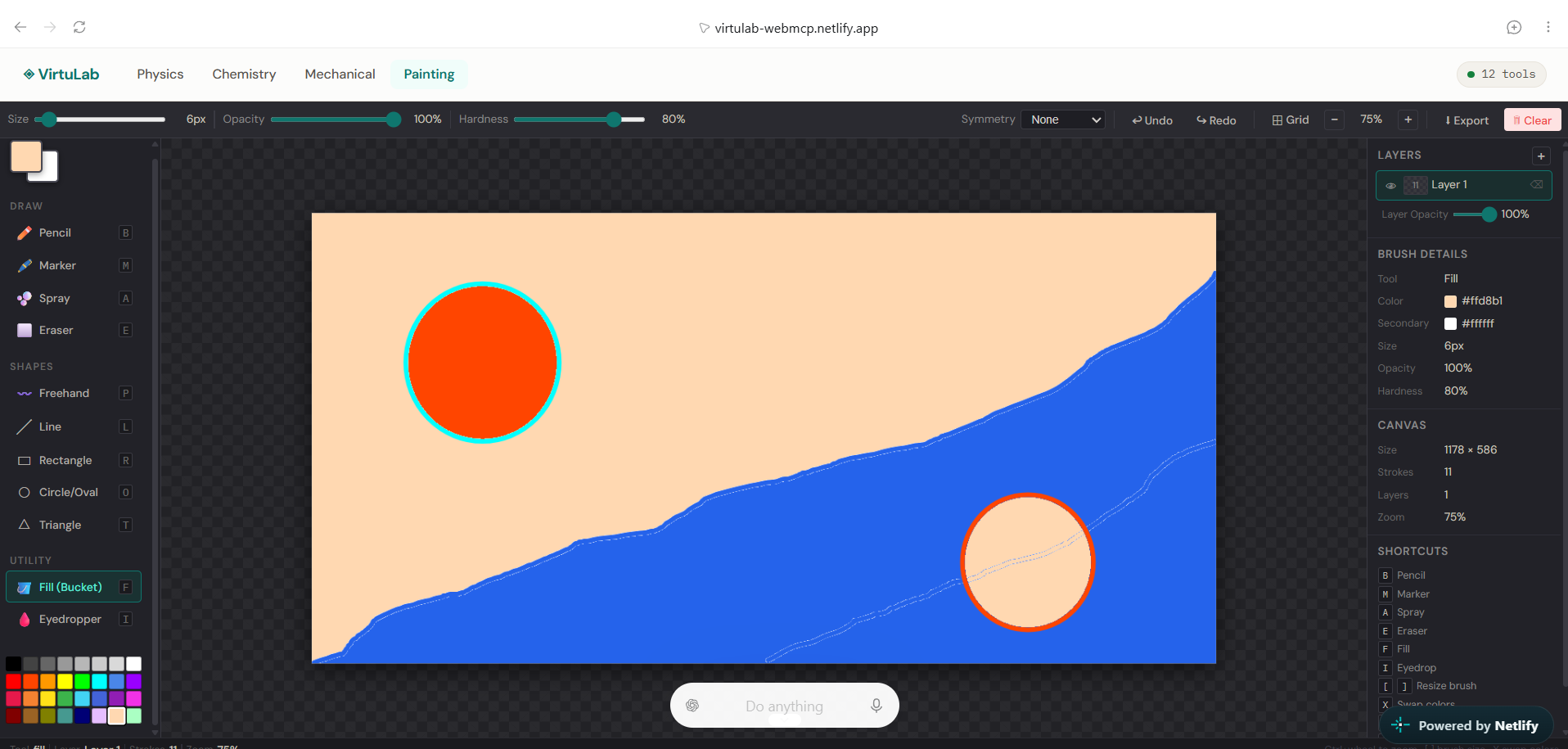
Painting Studio — A full canvas editor: pencil, marker, spray, eraser, freehand spline, line, rectangle, circle, triangle, flood fill, eyedropper. Multi-layer system with visibility, opacity control, and rename. Symmetry mode, zoom, grid overlay, full undo/redo history, PNG export. The WebMCP tools here are designed for creative collaboration the agent can inspect the canvas, understand what layers and colors exist, configure the brush, and place spatial composition guides without touching the student's artwork without explicit approval.
The WebMCP Architecture
Every workspace registers its tools automatically when a student navigates to it. When they leave, the AbortController signal fires and tools deregister cleanly. The pattern is consistent across all four workspaces: inspect → understand → act → retrieve → validate.
6 universal tools (all workspaces):
| Tool | Type | Purpose |
|---|---|---|
get_workspace_state |
Read | Full structured state — experiment, parameters, status, challenge |
get_current_challenge |
Read | Objective, constraints, success conditions, progress % |
get_available_items |
Read | Substances / tools / parameters / components depending on workspace |
run_simulation |
Action | Trigger the simulation engine |
validate_workspace |
Read | Check build/results against challenge criteria |
perform_workspace_action |
Action | Controlled action with validated inputs |
6 Physics-specific tools:
| Tool | Type | Purpose |
|---|---|---|
list_physics_experiments |
Read | Discover all 14 experiments with formulas and parameter names |
get_experiment_info |
Read | Full parameter spec: names, units, valid ranges |
load_experiment |
Action | Switch experiment, returns new defaults immediately |
get_experiment_state |
Read | Current params, all measurements with units, observations |
set_experiment_parameters |
Action | Validated parameter update with instant recalculation |
run_physics_simulation |
Action | Launch animation, return updated measurements |
validate_physics_challenge |
Read | Per-condition breakdown: met / not met / completion % |
6 Painting-specific tools:
| Tool | Type | Purpose |
|---|---|---|
get_canvas_state |
Read | Layers, stroke count, color usage analysis, challenge, brush state |
get_available_tools_and_colors |
Read | All 11 tools with descriptions + 32-color hex palette |
configure_brush |
Action | Set tool, color, size, opacity, hardness, smoothing |
manage_layers |
Action | Add, remove, rename, show/hide, set opacity |
highlight_canvas_region |
Action | Draw a dashed composition guide on canvas; clearable |
validate_painting_challenge |
Read | Progress %, color variety check, layer usage analysis |
Plus 3 Chemistry tools (get_lab_state, mix_supported_substances, get_experiment_observations) and 3 Mechanical tools (get_mechanism_state, calculate_gear_system, test_structure).
Human Control Is Architecture, Not Policy
Every tool that changes state — set_experiment_parameters, load_experiment, run_physics_simulation, configure_brush, manage_layers, mix_supported_substances — is gated by a real-time approval system. Before the tool executor runs, the call is intercepted, a pending approval entry is created in the Zustand store, and execution suspends. A toast appears in the UI with the proposed action and the full argument payload. The student clicks Apply or Reject. Only then does the tool execute or return { success: false, error: { code: 'REJECTED' } } to the agent.
This isn't a checkbox. It's a Promise-based suspension of an in-flight tool call. The agent waits. The human decides. That's the correct relationship.
Simultaneously, the Agent Activity Panel embedded directly in the workspace layout shows every tool call in real time: name, arguments summary, result, timestamp. The student always knows exactly what the agent did and what it returned.
How I Built It — and Why It Had to Be This Way
Without WebMCP, an AI assistant helping a student with this workspace would have two choices: describe what it thinks the workspace looks like (based on whatever the student pastes into the chat), or try to automate the browser through fragile UI scraping. Neither option gives the agent access to the actual simulation state — the real parameters, the real measurements, the real challenge progress.
With WebMCP, the workspace exposes exactly what it knows. The agent calls get_experiment_state and receives the current launch angle, the last measured range in metres, the challenge completion percentage, and the observations from the simulation engine. It calls set_experiment_parameters and the physics store updates immediately — the same store that drives the 3D viewport, the measurements panel, and the challenge progress bar. There is one source of truth. The agent and the student are looking at exactly the same thing. That's not incremental improvement. That's a fundamentally different kind of interaction — and it only exists because WebMCP was treated as a core architectural concern from day one, not an add-on at the end.
Stack: React + TypeScript + Vite, Zustand for state management, Three.js + React Three Fiber for 3D, WebMCP Imperative API (document.modelContext.registerTool()), Supabase for optional persistence, Netlify for deployment.
I designed the WebMCP layer before building the UI. Every Zustand store function that matters has a corresponding tool. Every tool description answers three questions: what does it do, when should the agent call it, does it modify anything. The difference in agent behaviour between vague and precise descriptions is immediately visible "Gets data" is useless; a description that names the returned fields and explains when to call the tool changes how reliably an agent selects it. Tool design for AI agents is a UX problem with a different user.
The simulation engines were built from scratch no physics library, no third-party chemistry engine. This matters because the agent reads real output: the projectile range is the value of the closed-form range equation, not a pre-authored string. The chemistry reaction is the output of a rule-matching engine, not a scripted animation. When the agent calls get_experiment_state, it gets ground truth.
Tool registration is tied to React Router navigation via a useEffect on location.pathname. On mount: registerWebMCPTools(workspace). On unmount: controller.abort() the AbortController signal fires and Chrome deregisters the tools cleanly. Correct tools are always active for the current workspace; stale tools never persist.
The approval system uses a Promise-based queue in Zustand. When an action tool fires, registerTools.ts intercepts it before the executor runs, pushes a PendingApproval entry (including the resolve function) into the store, and awaits the promise. The UI renders the approval toast from that entry. When the student clicks Apply, resolveApproval(id, true) is called, the promise resolves, and the actual executor runs. On reject, the tool returns a structured { success: false, error: { code: 'REJECTED' } } to the agent. No polling. No setTimeout. Just a suspended promise and the agent waits.
The hardest problems were all architectural. Building 14 independent physics solvers with a uniform agent interface required a self-describing parameter specification shipped with every experiment because without get_experiment_info, an agent calling set_experiment_parameters has no way to know which parameter names are valid or what ranges are safe. Getting Promise-based suspension stable across React re-renders, avoiding stale closures from component lifecycles, took several iterations. Writing TypeScript declarations for an experimental browser API with no built-in types meant being precise about which annotations Chrome's WebMCP implementation actually supports (readOnlyHint, untrustedContentHint) versus which exist only in the MCP server specification. Each of these problems only existed because the system was real and solving them is what made it work.
Built With
- netlify
- react
- supabase
- tailwind
- webmcp

Log in or sign up for Devpost to join the conversation.