-
-
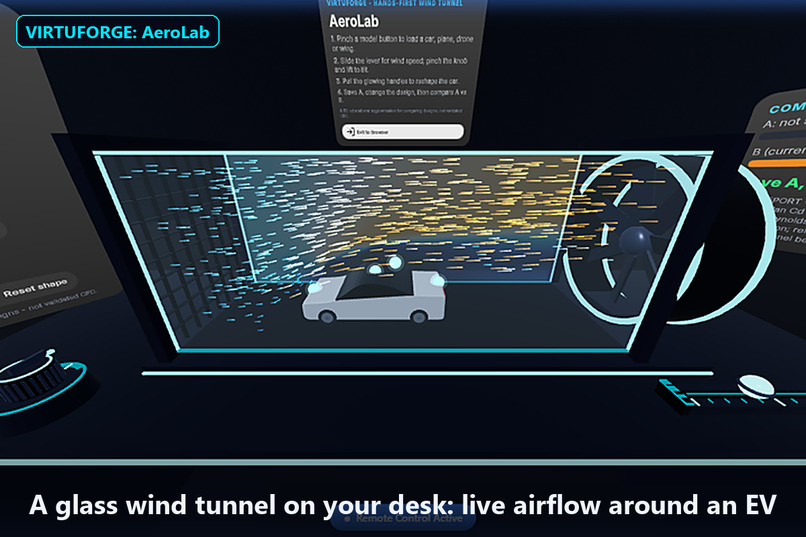
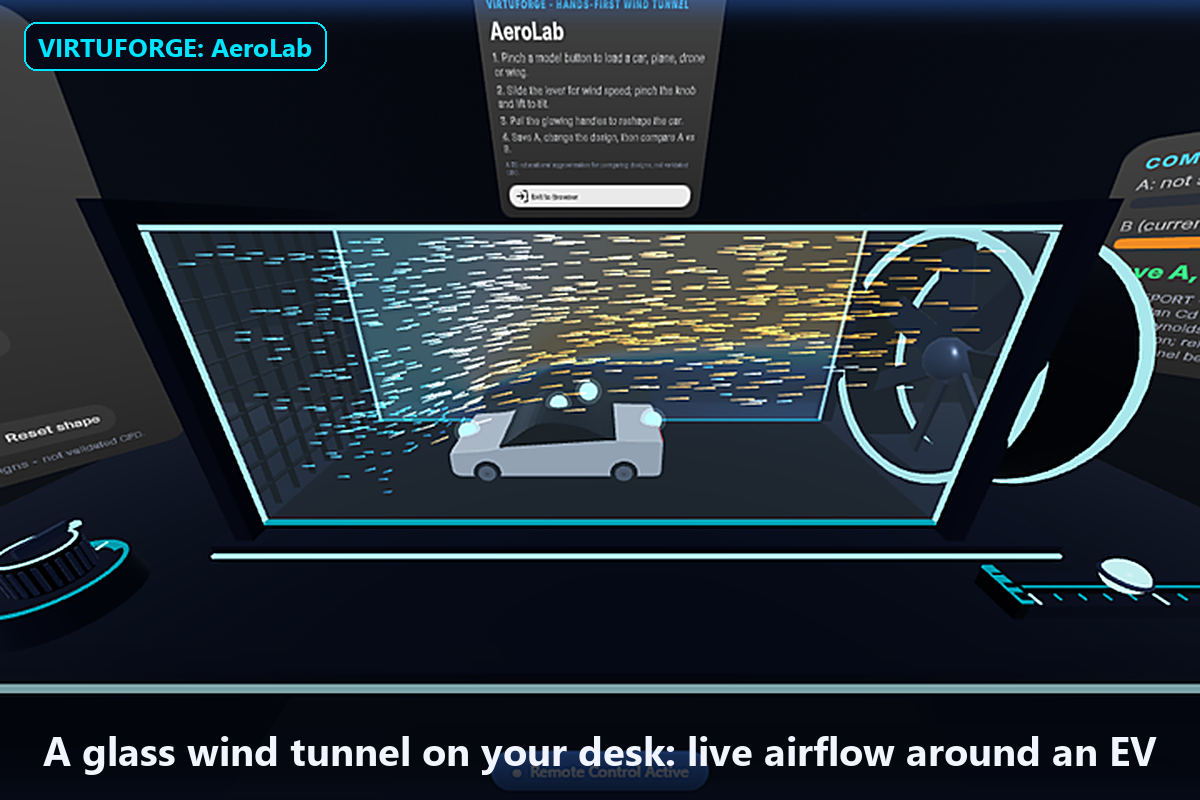
01-overview-smoke
-
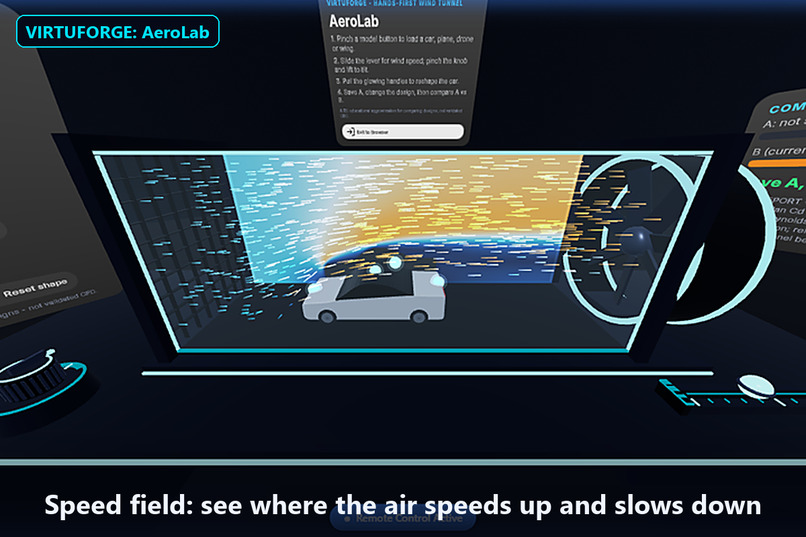
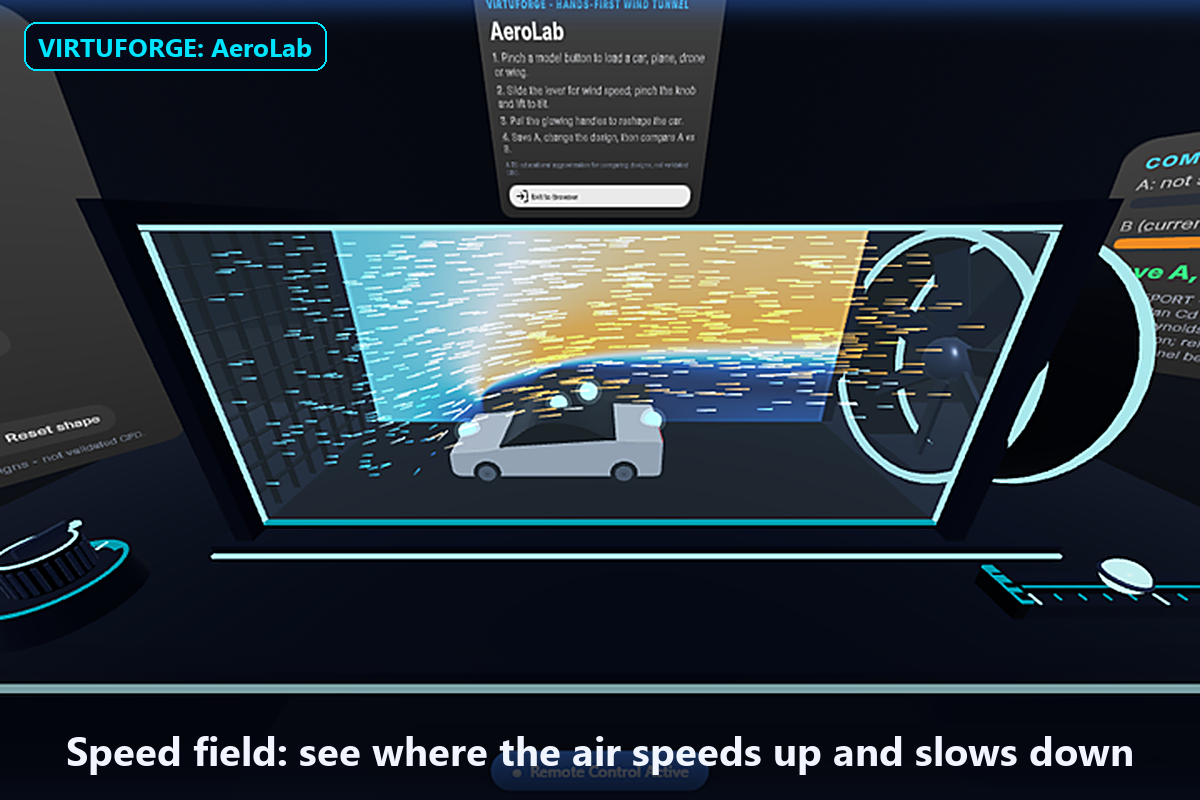
02-speed-field
-
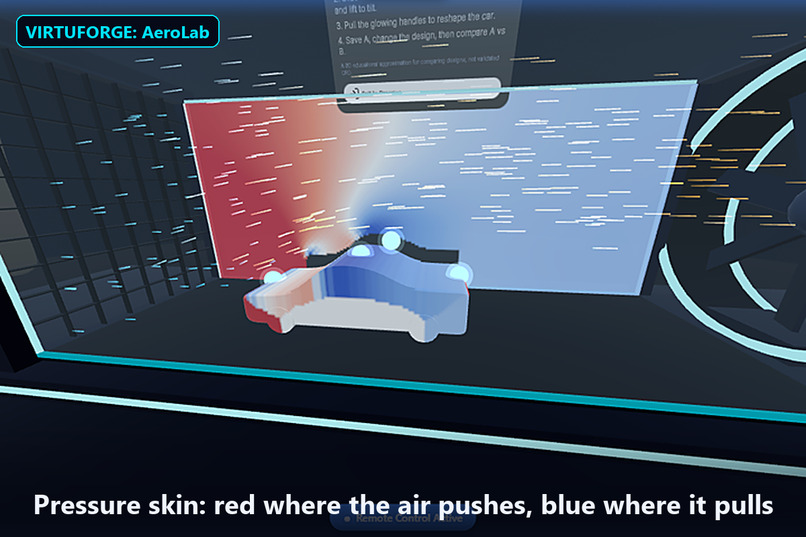
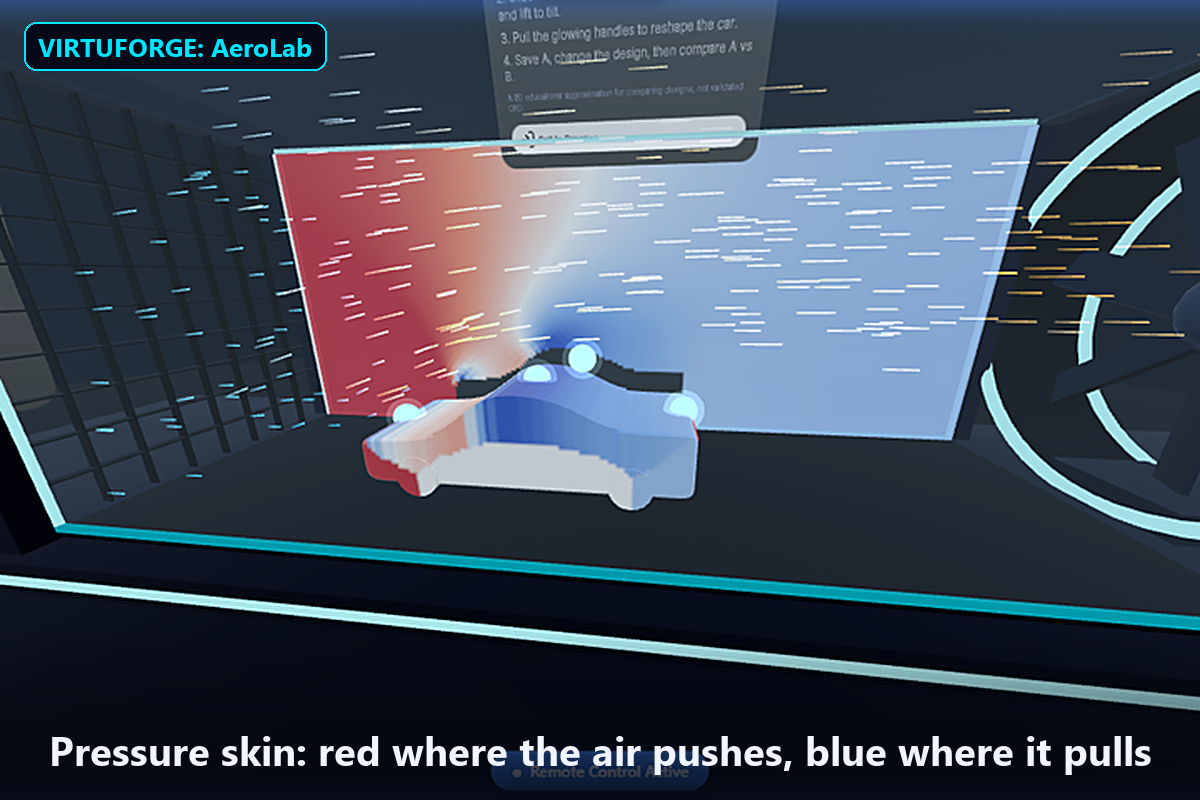
03-pressure-skin
-
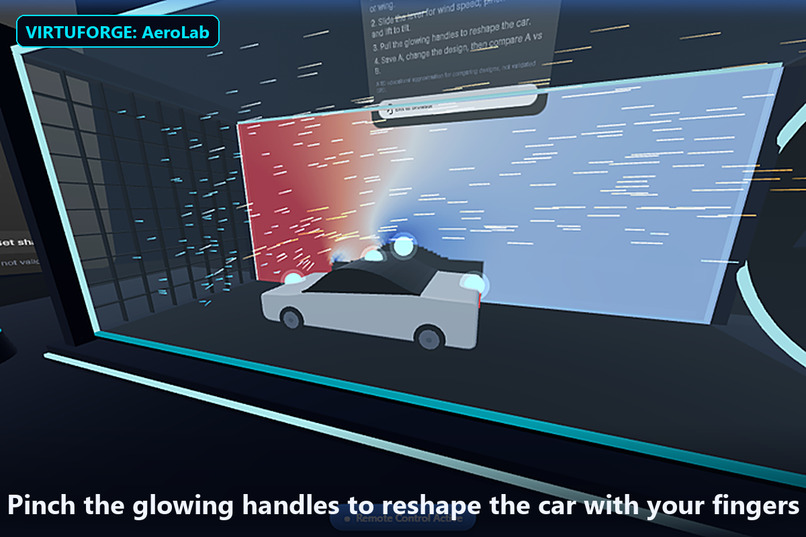
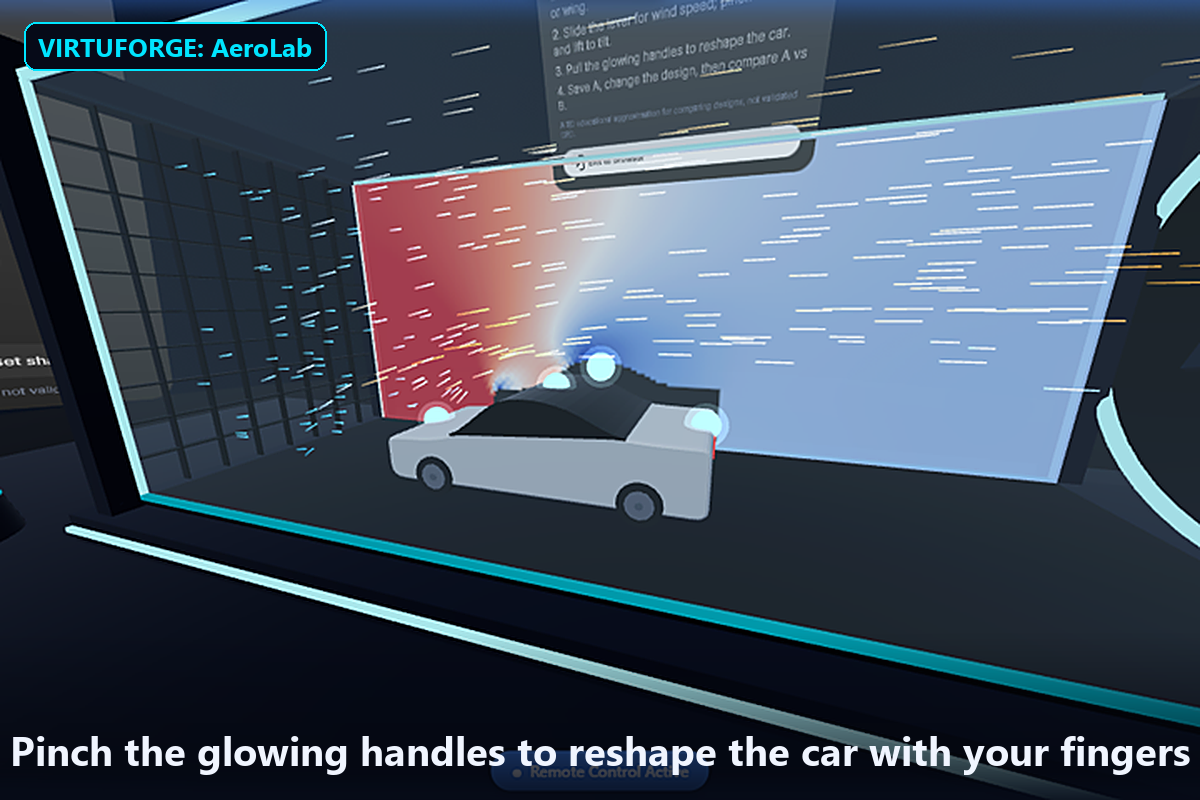
04-shape-handles
Inspiration
Physical prototypes are expensive. A wind-tunnel session for one clay car model can cost more than a small team's monthly budget, so most early design decisions get made from gut feeling. Professional simulation tools exist, but they take expert setup, powerful workstations and weeks of training. We asked: what if a designer could put a wind tunnel on their desk, shape the model with their own hands, and see the air respond? VR is the right medium. Airflow is invisible, three-dimensional and spatial, and hands are how designers think.
What it does
VIRTUFORGE: AeroLab puts a glass wind tunnel on a virtual desk in front of you while you sit. You pick a model: an EV sedan, sports car, delivery van, airplane, drone, NACA 2412 wing, or an imported glTF model. Then you work with your hands only:
- Slide a lever to set wind speed (20–200 km/h).
- Pinch and lift a knob to tilt the model's angle of attack.
- Grab glowing handles on the car to reshape its nose, roof and tail.
The airflow re-forms around the new shape within seconds. Smoke streaks, a pressure map and a pressure-coloured "skin" show where the air pushes and pulls. Press Save A, change the design, and AeroLab tells you "B has 12% less drag than A". It then produces a test report that clearly states its limitations. A full design-and-compare loop takes under 10 minutes, with no controllers. On Meta VR Glasses you look at a target and pinch.
How we built it
AeroLab is a WebXR app built with Meta's Immersive Web SDK (Three.js + ECS) in TypeScript.
The core is a D2Q9 lattice-Boltzmann fluid solver, a standard method for simulating airflow, running in a Web Worker so rendering never stutters. Any model is turned into the solver's grid by projecting its triangles onto the tunnel's 2D slice. Drag and lift come from the momentum the air transfers to the model. The parametric car body is extruded from the same 2D profile the solver sees, so what you shape is exactly what gets simulated.
We used AI coding assistants to split the work into ten parallel modules built against shared interfaces. We then integrated and tested every interaction with simulated hands in the Quest emulator.
Challenges we ran into
- A low-end development laptop: a 2012 dual-core PC with Intel HD 4000 graphics and slow internet. That ruled out Unity and Unreal and pushed us to the web SDK and code-generated models.
- No headset. Everything was built and tested in the emulator.
- Physics correctness. Lift first came out as nonsense (−37), because ambient pressure pushed down on a car resting on the floor. We fixed it by measuring forces against still air.
- Hand ergonomics. A twist dial behaved unpredictably with ray-based grabbing, so we replaced it with a simple "pinch and lift to tilt" knob. Overlapping shape handles were spread apart.
Accomplishments that we're proud of
- Real fluid physics running live inside a browser-based XR app.
- Reshaping a car with your fingers and watching drag drop 12%.
- Any glTF model can go in the tunnel.
- An honest results report that says what the numbers mean and what they don't.
What we learned
Hands-first design means choosing gestures that can't be misread. Simple, physical motions beat clever ones. Simulation results also need context: showing relative comparisons, with honest limits, is more useful than precise-looking absolute numbers.
What's next for VIRTUFORGE: AeroLab
- Validated 3D CFD via OpenFOAM, with the results shown in the same tunnel.
- Shared sessions, so an engineer and a designer can reshape one model together.
- Bring-your-own CAD models.
- More VIRTUFORGE labs: StressLab (forces and deformation), ThermalLab (heat and cooling) and AssemblyLab (factory layouts and robot reach).
Built With
- claude
- computational-fluid-dynamics
- gaze-tracking
- github
- github-actions
- glsl
- gltf
- hand-tracking
- immersive-web-sdk
- javascript
- lattice-boltzmann
- meta-quest
- meta-vr-glasses
- node.js
- three.js
- typescript
- uikit
- vite
- web-workers
- webxr

Log in or sign up for Devpost to join the conversation.