-
-
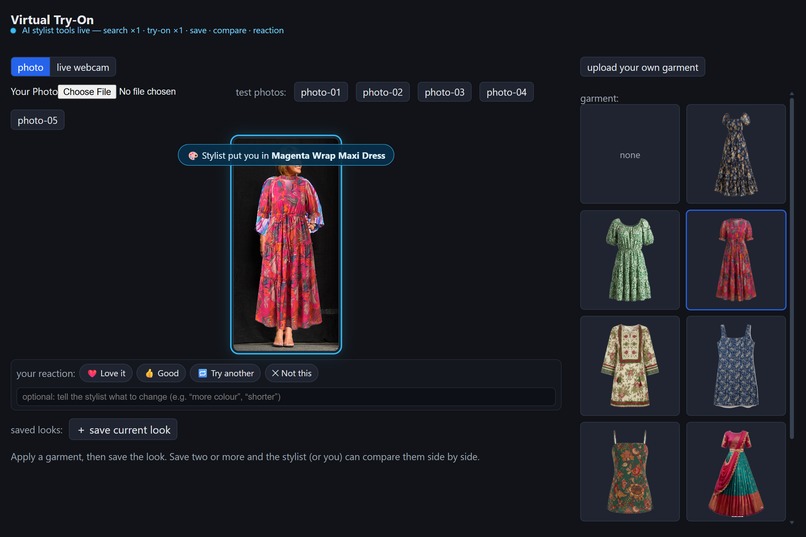
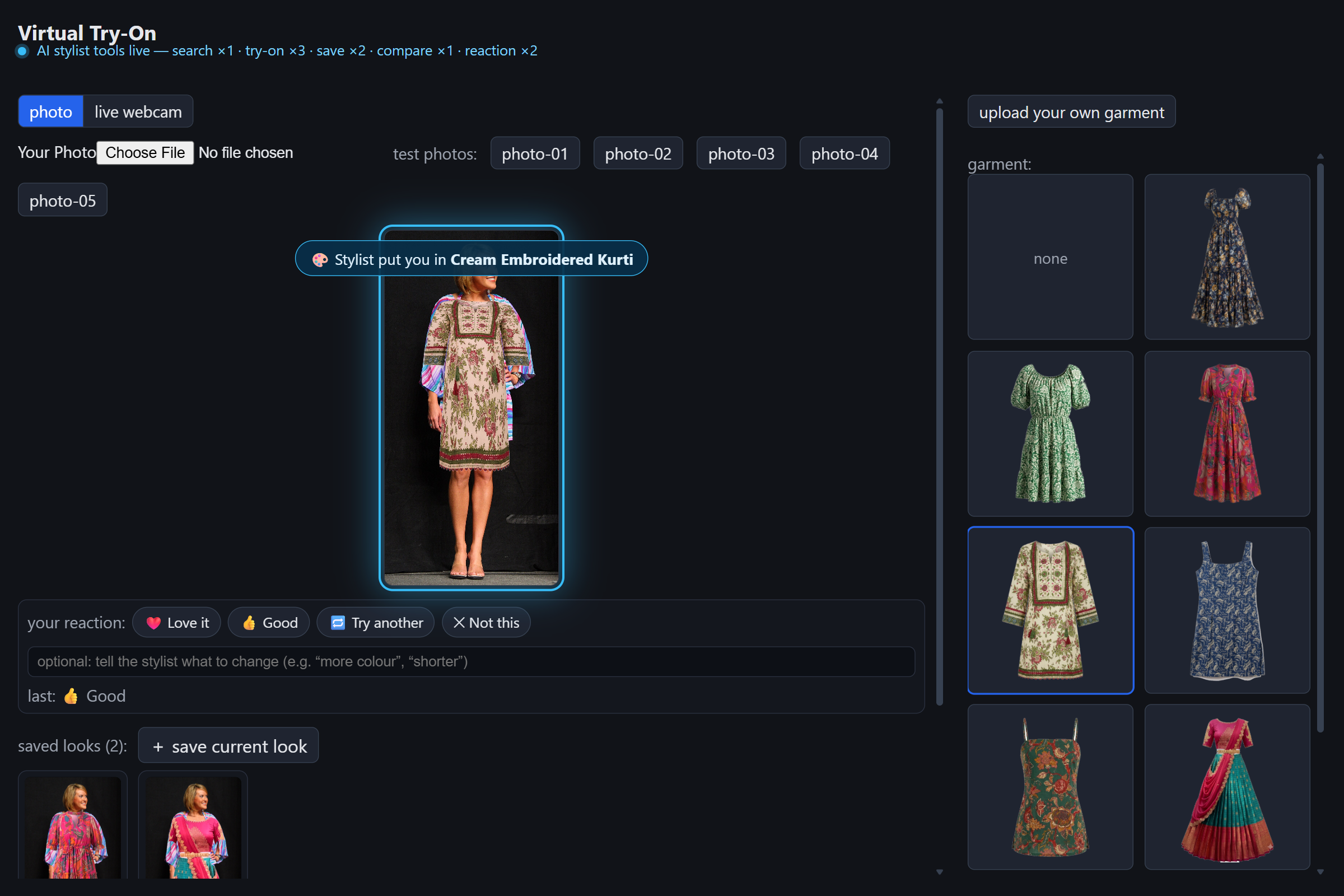
Agent applies the sangeet dress banner, composite, reaction chips
-
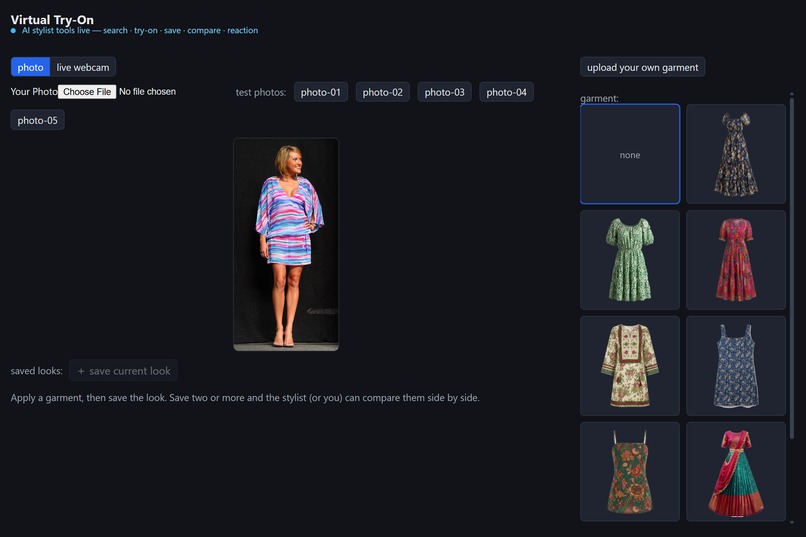
The model, the 8-garment catalog, the "AI stylist tools live" indicator
-
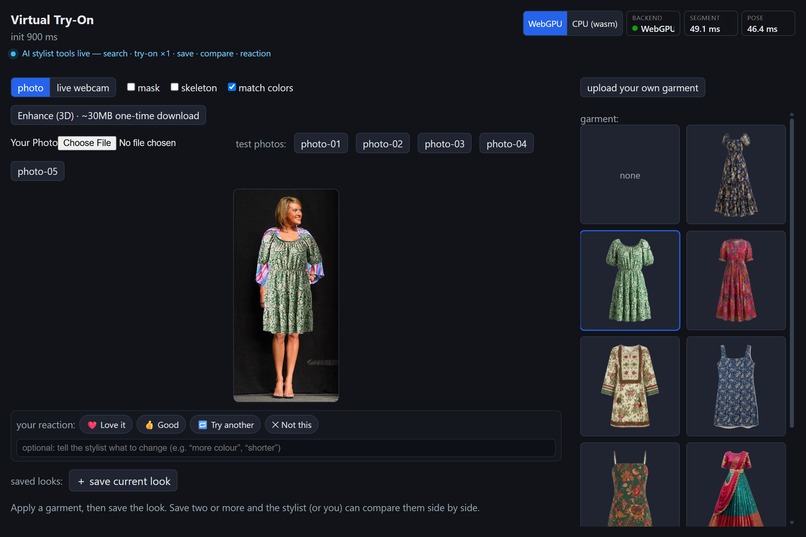
WebGPU backend, warm on-device timings (SEGMENT 34 ms / POSE 46 ms)
-
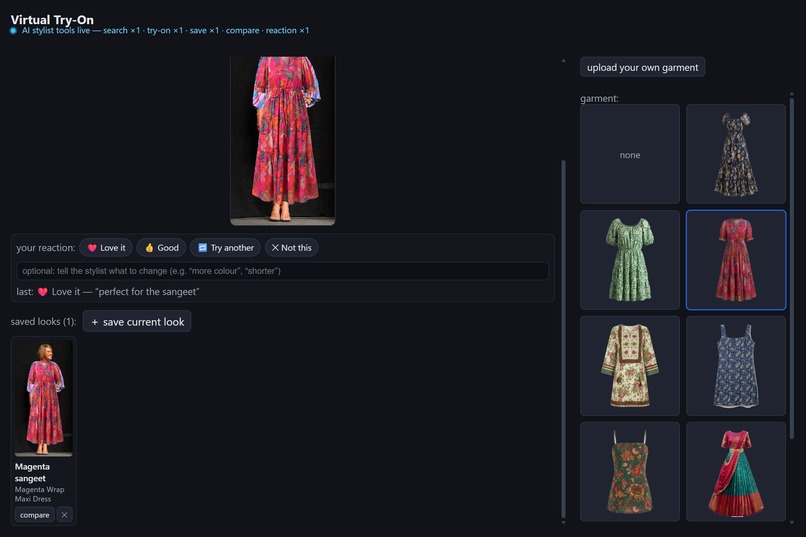
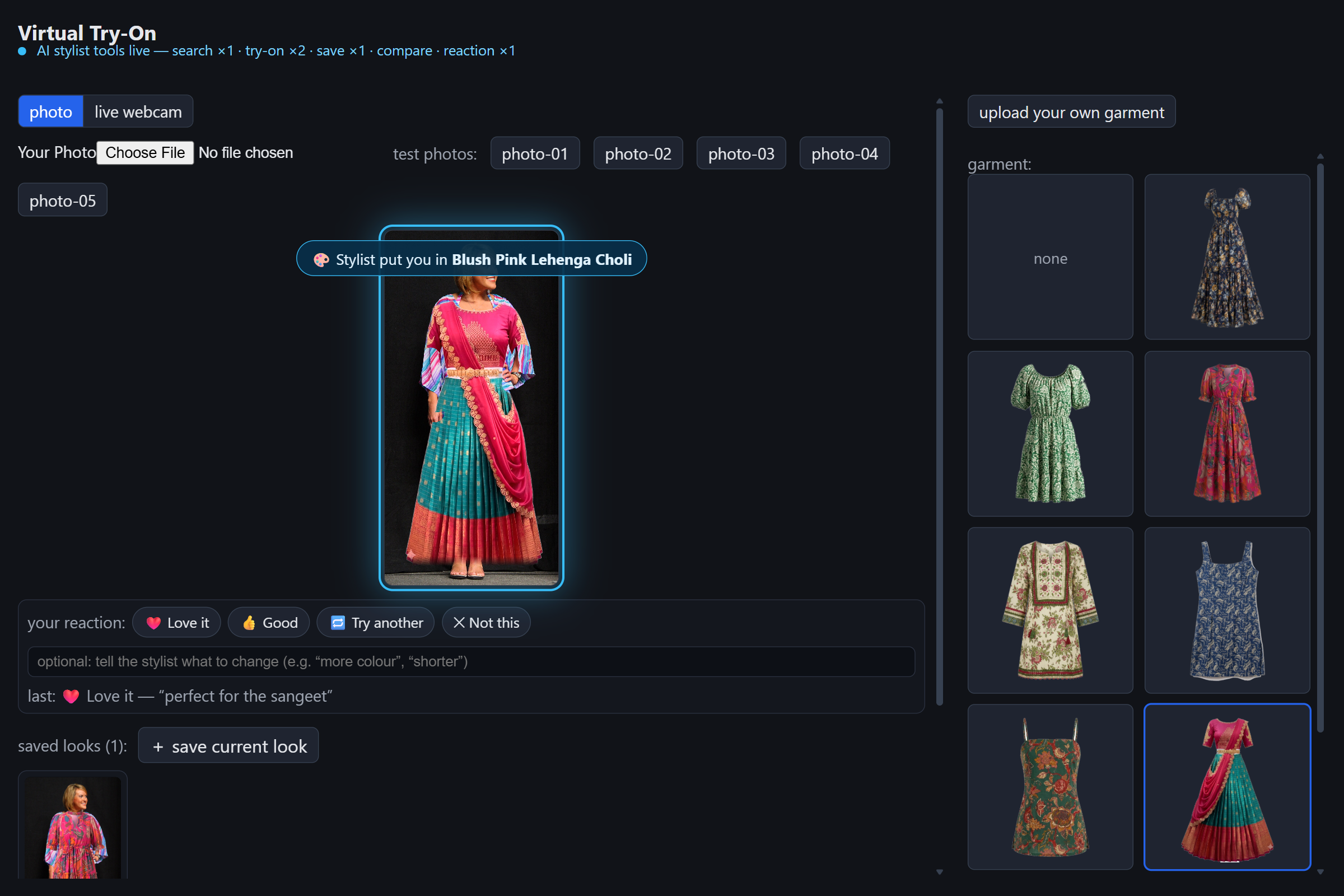
The structured reaction ("❤️ Love it perfect for the sangeet"), first saved look
-
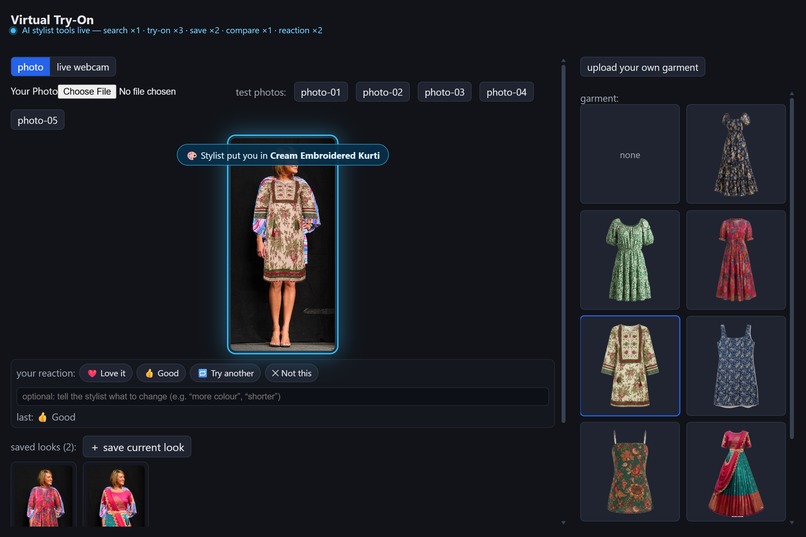
A kurti on the model catalog range beyond dresses
-
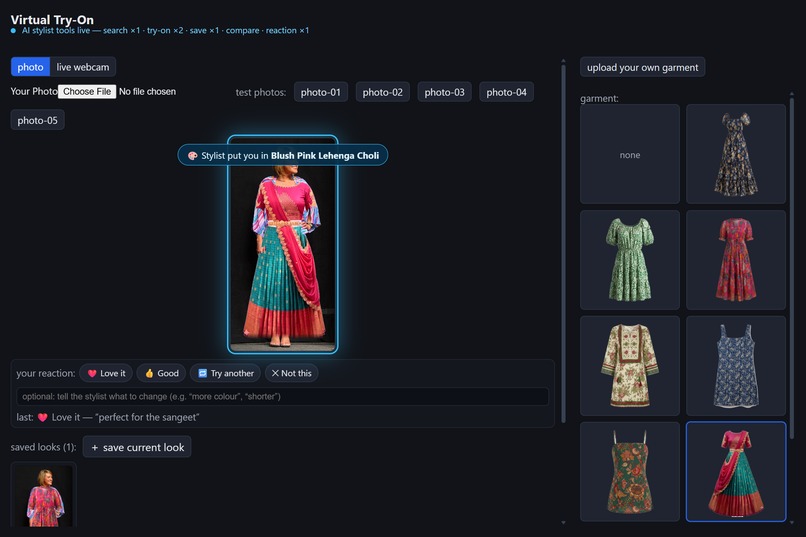
Agent applies the Blush Pink Lehenga Choli
-
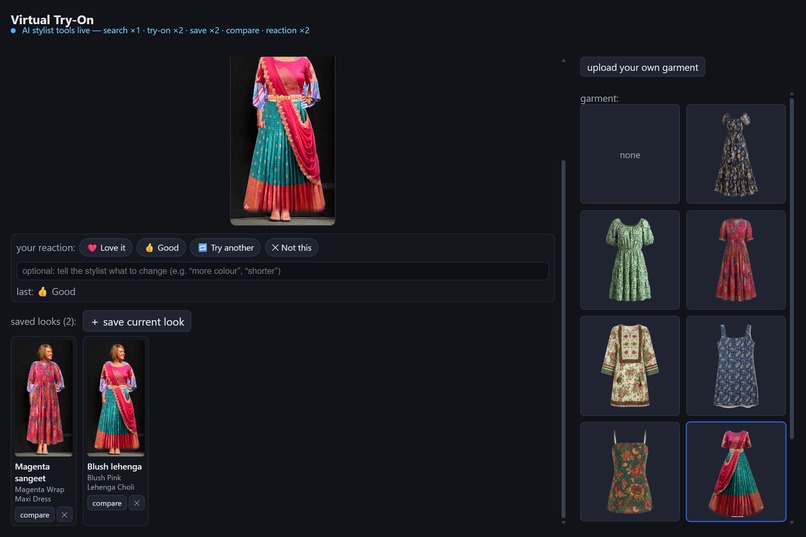
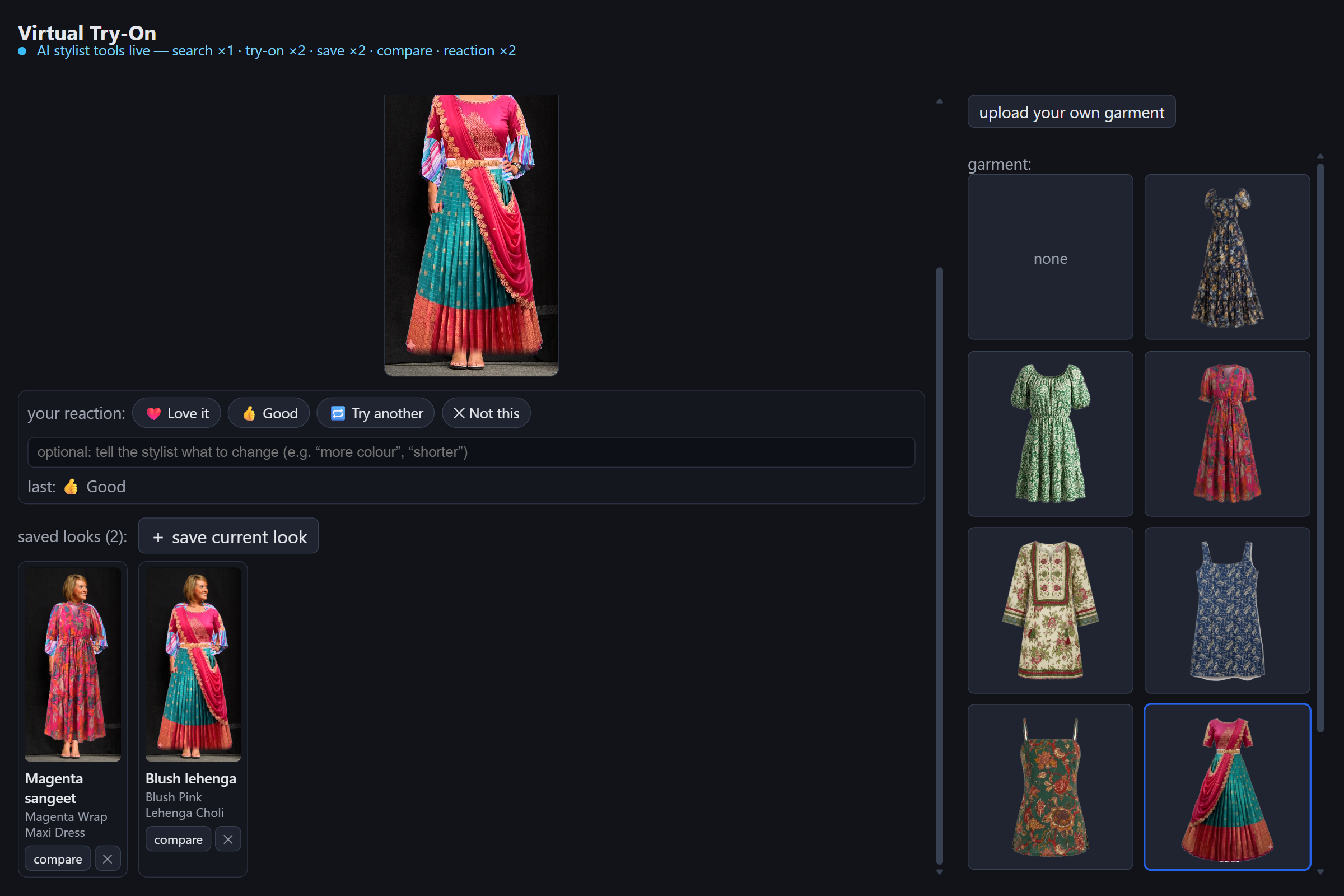
Two saved looks in the tray
-
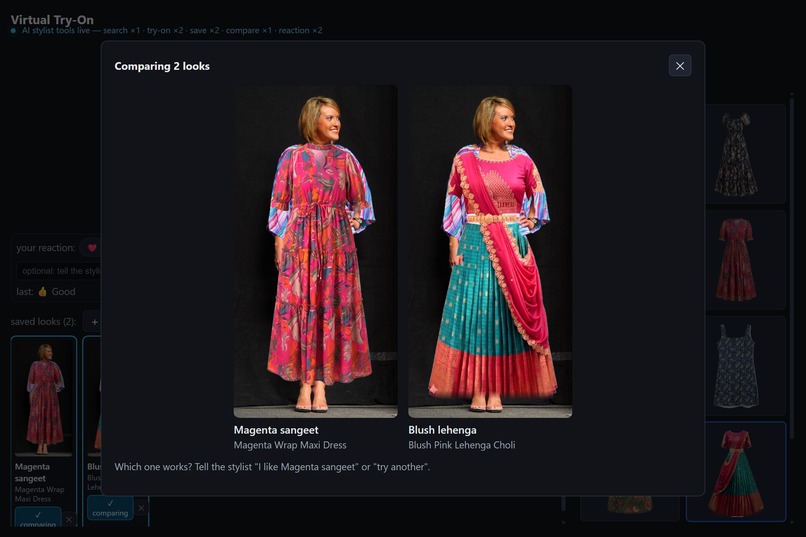
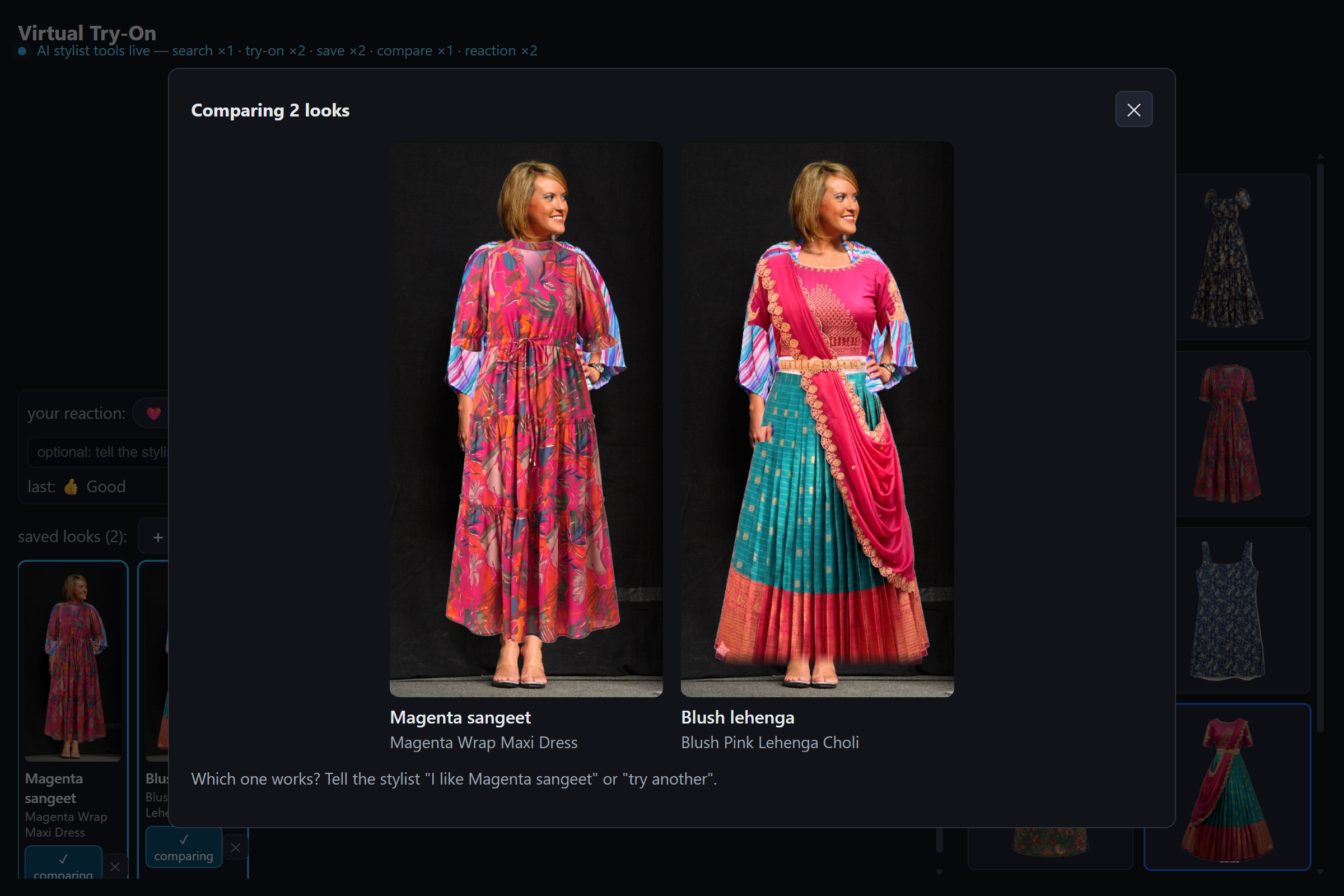
The side-by-side compare modal "Which one works?"
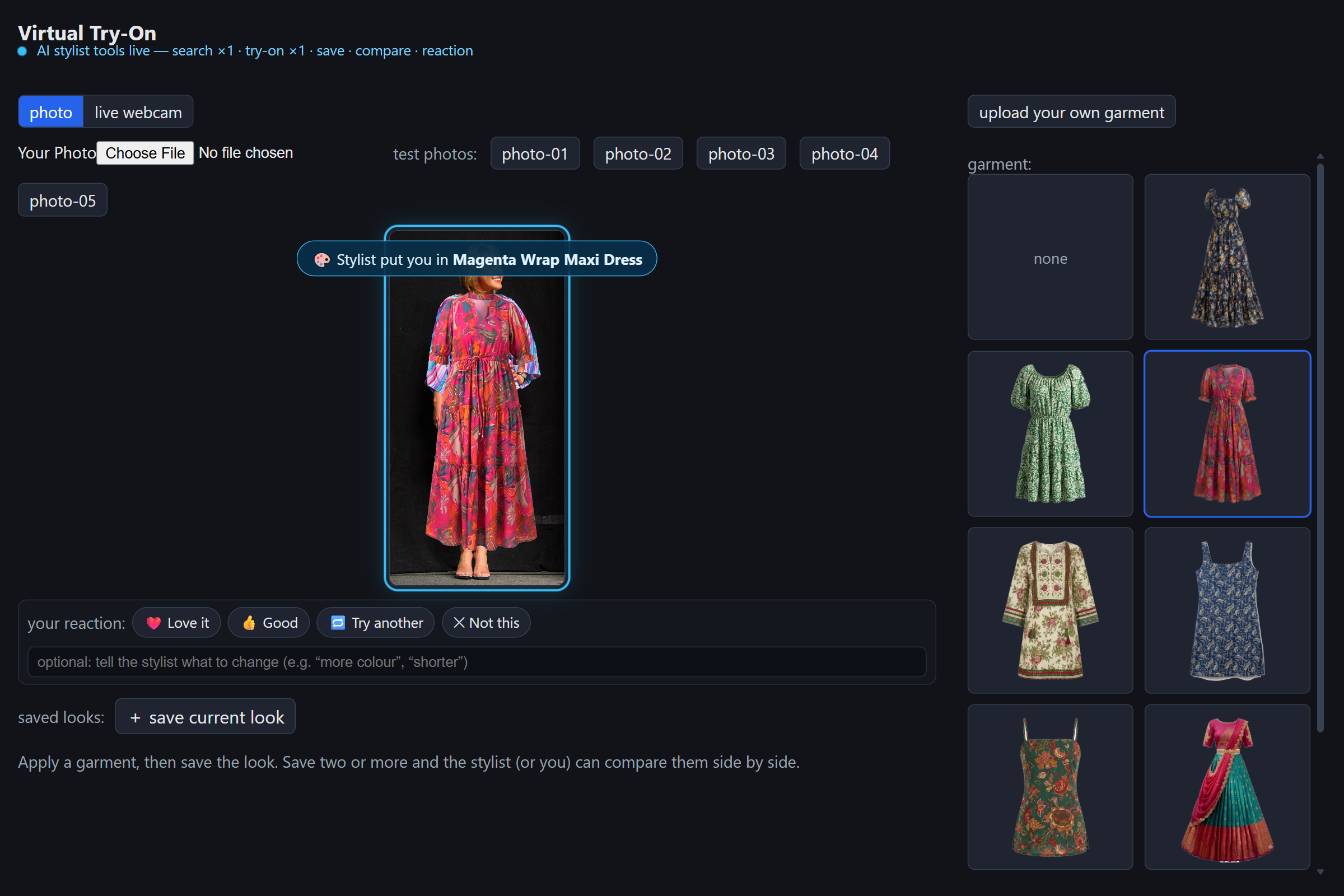
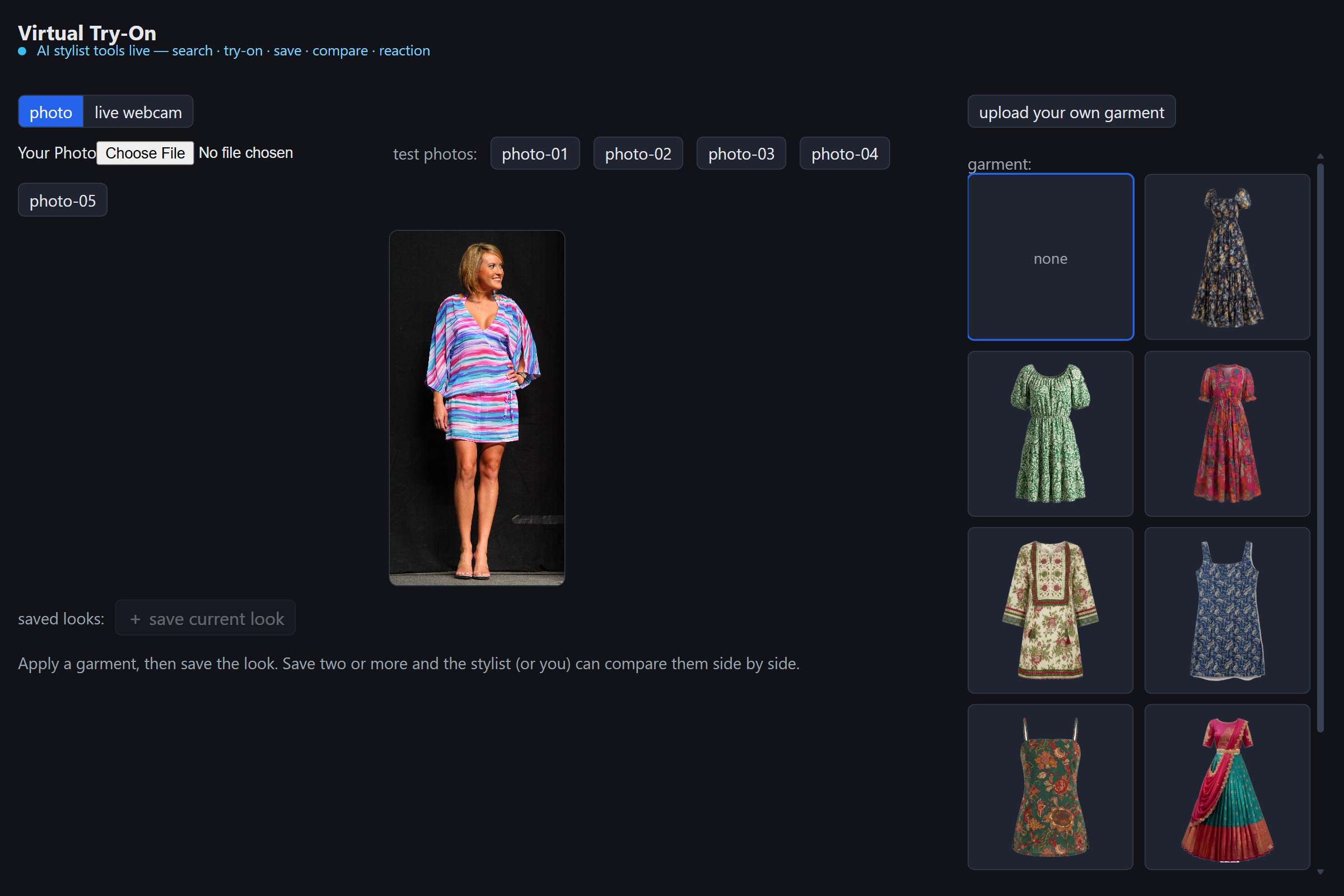
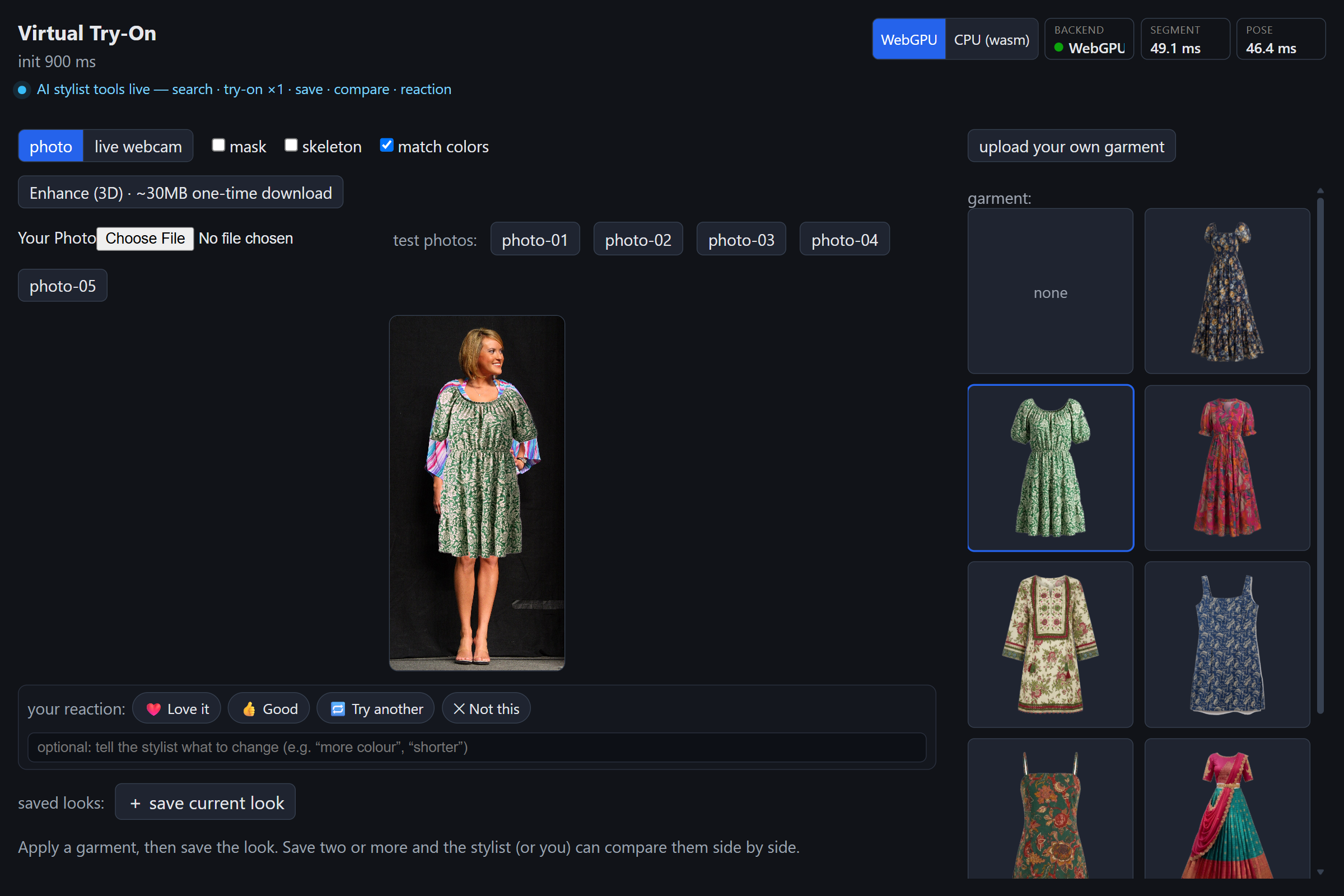
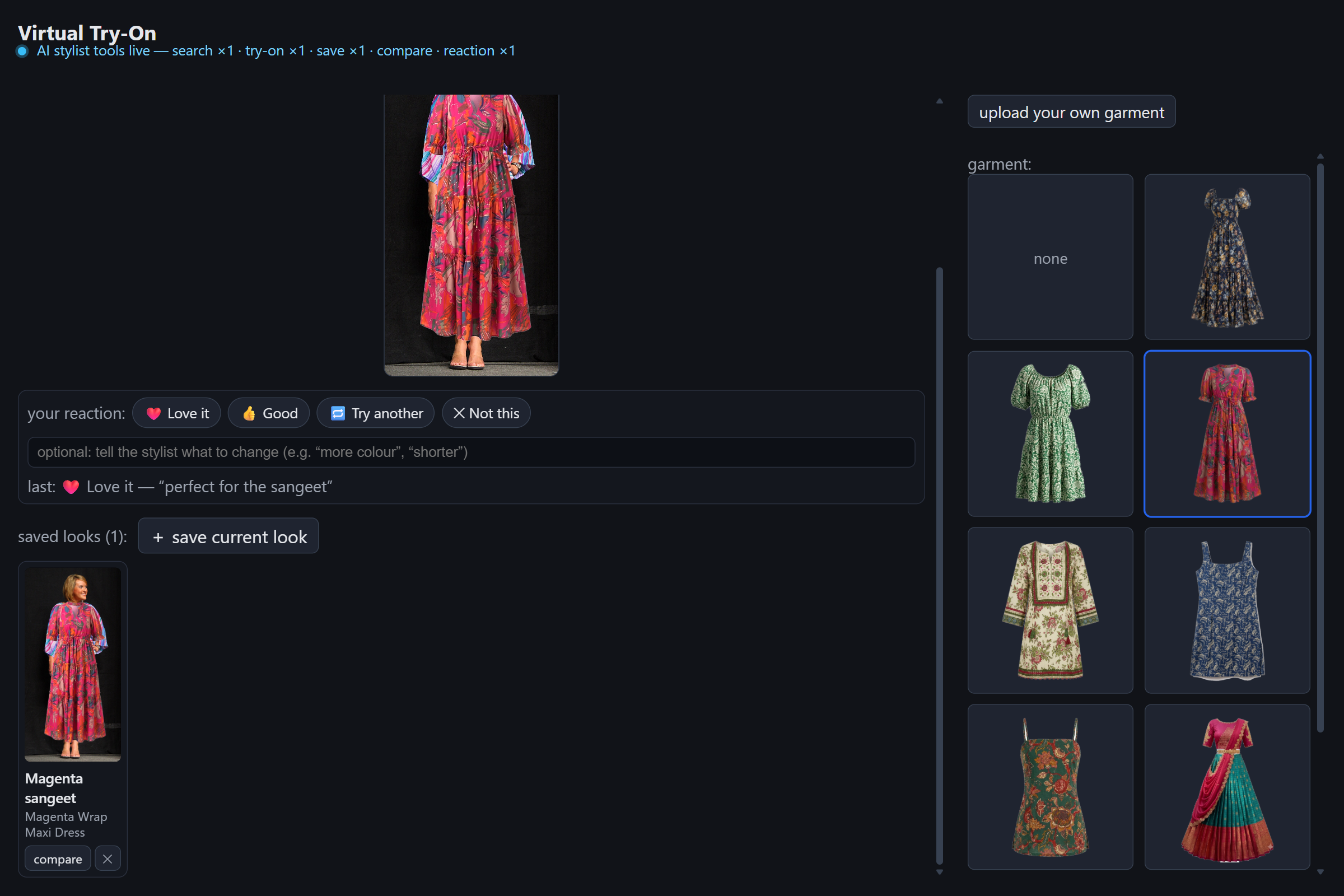
Virtual Try-On + AI Stylist
This is an existing project. The on-device try-on app existed before the hackathon; the last commit before it is dated July 29. Everything to do with WebMCP was built between Aug 29 and Sep 2: the five tools, the reaction bar, the saved-looks tray and compare view, the merchandised catalog, and the test suite for the tools. The git history dates all of it.
Inspiration
Virtual try-on is normally a server job. You upload your photo, a model runs somewhere, you pay per render, and you have to be fine with a picture of yourself sitting on someone's GPUs. We'd already built the opposite: a try-on that runs in the browser on WebGPU, so it's instant, free to serve, and the photo never leaves your machine.
Then agents started shopping for people, and the thing they're worst at is the thing that matters: knowing whether an outfit actually looks good on you. WebMCP let us split it. The agent does the legwork; the person makes the call. And WebMCP is the right fit because the tools already exist. They're the buttons on the page. There's no API to build, no server, and the agent can only do what the page lets a person do.
What it does
You open the app with a photo or your webcam and it composites garments onto you on-device: segmentation, pose, and a garment warp, all in a Web Worker.
The page registers five WebMCP tools on document.modelContext:
| Tool | |
|---|---|
search_catalog |
filter by occasion, colour, category, budget (₹) |
apply_tryon |
run the pipeline and put a garment on the photo |
save_look |
snapshot the result into a tray |
compare_looks |
show saved looks side by side |
await_reaction |
get the verdict: love it, good, try another, not this |
Any WebMCP client picks them up: ChatGPT's browser, a Chrome agent, Claude
through a bridge extension. So instead of setting filters, opening six product
pages, and picturing each one on yourself, you say "a sangeet outfit under ₹8k".
The agent runs search_catalog({ occasion: "sangeet", maxPrice: 8000 }), gets
the one match, and applies it. One turn. You say "love it" and it saves. You say
"show me a lehenga too" and it applies a second one and puts the two side by
side. You just react.
Nothing behind the tools is new business logic, nothing scrapes the DOM, and no tool can spend money.
How we built it
The five tools are one file, src/webmcp/useStylistTools.ts. Each is a hook
that registers on document.modelContext with a JSON-schema input and a handler
that calls something the page already had: the garment-select function, the
looks tray, the reaction bar. search_catalog is a keyword-scored filter with
its own unit tests. apply_tryon loads a default photo if you haven't picked
one, so the loop works cold. await_reaction is dual-mode: the agent passes the
reaction it heard in chat and gets guidance back, or it leaves the argument out
and the call blocks until you tap a chip. Either way the app shows what you said.
@mcp-b/global installs document.modelContext where the browser doesn't have
it and defers to the native one where it does, so the same code works in Chrome's
native WebMCP and in ChatGPT's browser. The tool annotations pull weight too:
search_catalog is read-only, the writes are idempotent, and apply_tryon's
response tells the agent to call await_reaction next. There's a Playwright test
that runs every tool through getTools() / executeTool() and checks 19 things.
Under it is the try-on pipeline: LiteRT.js on WebGPU with a Wasm fallback,
MediaPipe segmentation, MoveNet pose, and a thin-plate-spline garment warp
written from scratch and rendered as a triangle mesh. It's published as
@practics/tryon-core; the app is a thin React shell over it.
Challenges we ran into
WebMCP is days old. The spec renamed navigator.modelContext to
document.modelContext mid-build, and no stable browser ships it yet. The main
thing to check was that the polyfill actually steps aside for the native API when
there is one. It does.
The agent kept web-searching instead of using the tools. Half of that was our fault (we hadn't redeployed). The rest is that ChatGPT is careful about site tools: it needs "use sitetools:" in the prompt and a model that supports WebMCP. A console check confirmed the tools had reached ChatGPT's runtime, so the fix was on their side, not ours.
await_reaction never fired in chat. You type "love it" and the agent just
reads it off the transcript. That's why it's dual-mode now.
Accomplishments that we're proud of
The whole loop runs in a real agent against the live site, not a mock. Five tools, a reaction channel that works from a sentence or a tap, an end-to-end test, and no server or new business logic anywhere. And the human stays in charge: you see every move the agent makes, and you make the final call.
What we learned
WebMCP changes the design question from "what can the agent do" to "what should stay with the person". For a stylist that's fit and taste, and the tools are shaped to leave it alone.
Tool wording matters more than we expected. The hint that apply_tryon drops
about await_reaction changed the flow, and the agent started borrowing our chip
labels ("Love it, Good, or try another?") into its own replies. And a blocking
tool is wrong for a chat agent that already has the answer; meeting the person
where they are, chip or sentence, worked better.
What's next for Virtual Try-On + AI Stylist
A paid HD tier as a render_hd tool: a server-side diffusion render, offered
only after you've settled on a look. A checkout tool that runs only on an
explicit confirmation from you, never the agent alone. A bigger catalog; the
pipeline already handles pants and multi-piece outfits. And folding the tool
layer into @practics/tryon-core, so any store widget built on the pipeline gets
the agent surface for free.
Built With
- canvas
- computer-vision
- github
- github-actions
- hugging-face
- image-segmentation
- litert.js
- mediapipe
- model-context-protocol
- movenet
- npm
- on-device-ml
- onnx
- playwright
- pose-estimation
- react
- tensorflow.js
- thin-plate-spline
- typescript
- vite
- web-workers
- webassembly
- webgpu
- webmcp


Log in or sign up for Devpost to join the conversation.