-
-
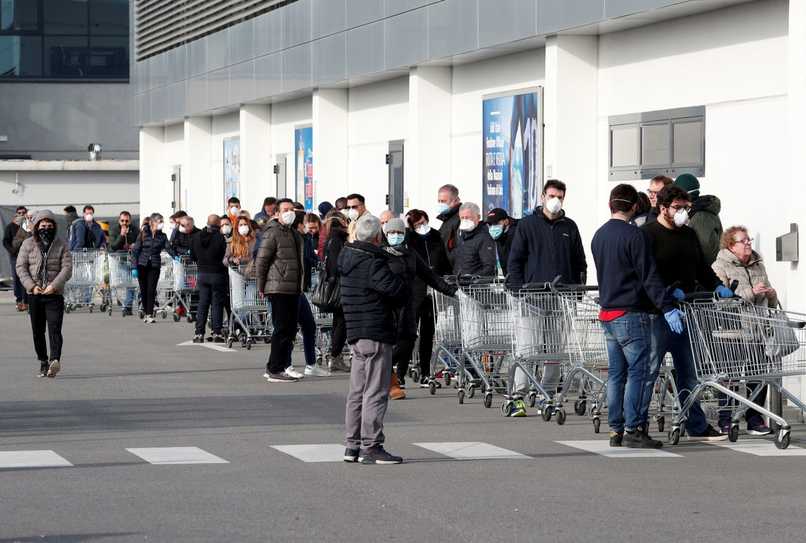
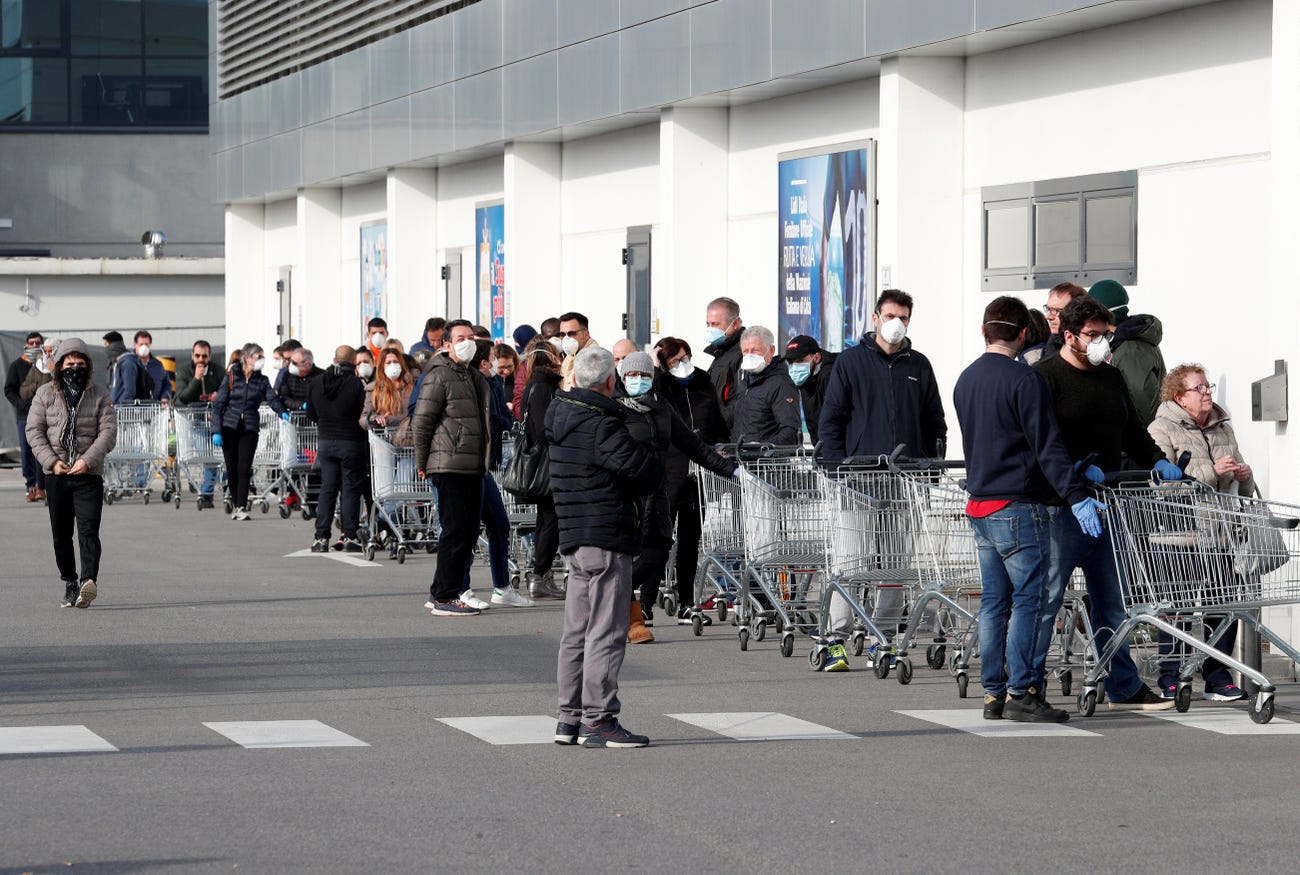
Physical Queues in front of stores
-
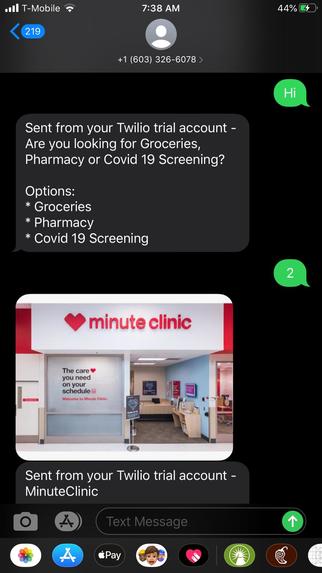
User Search for Service Providers
-
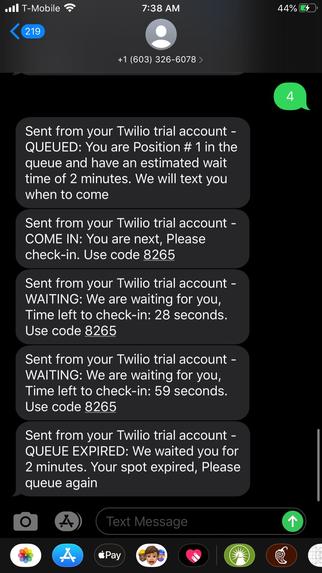
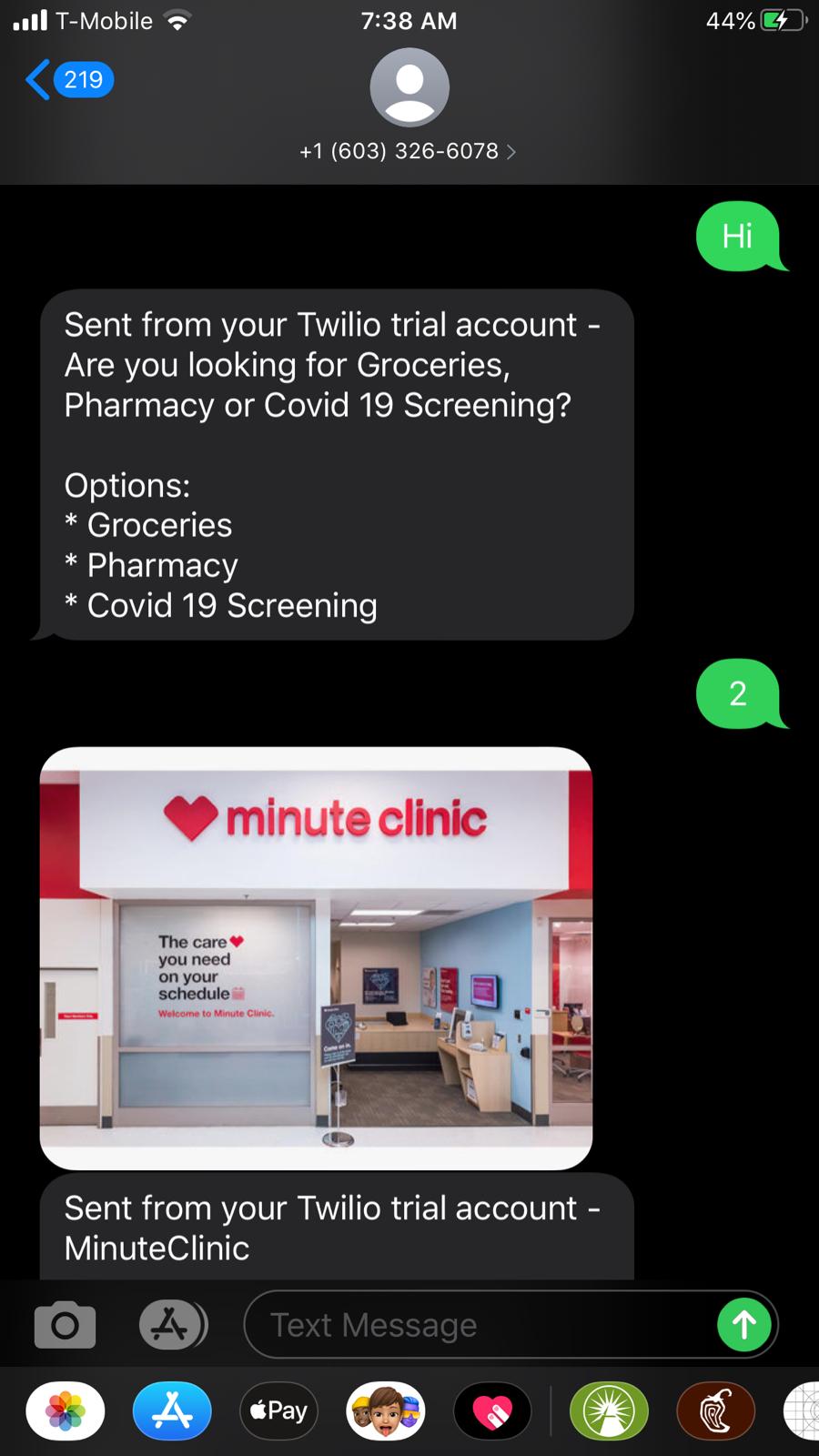
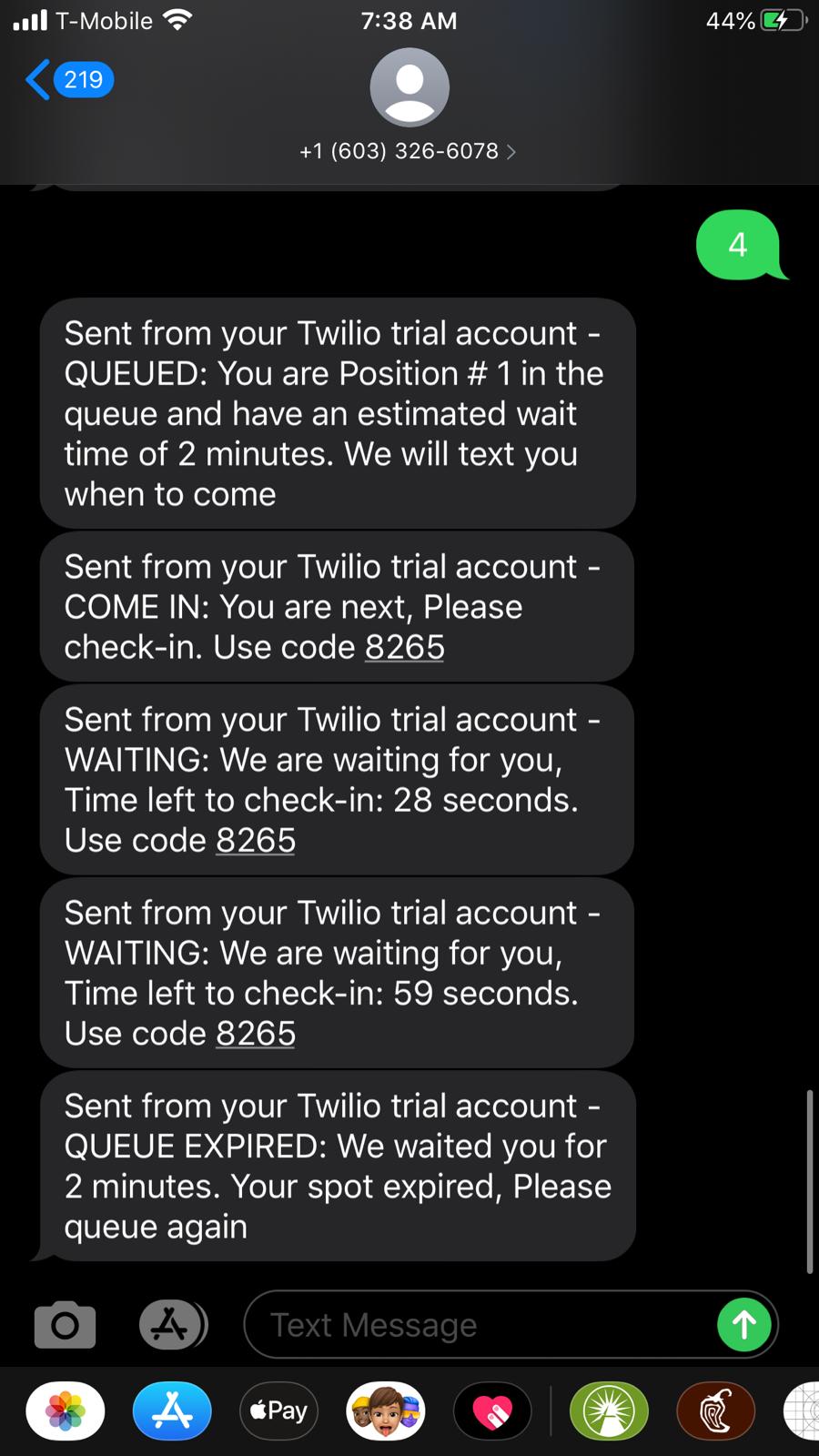
User Queues up and gets a spot in the queue. As the queue moves, they get notifications periodically and a code when it's time to check in
-
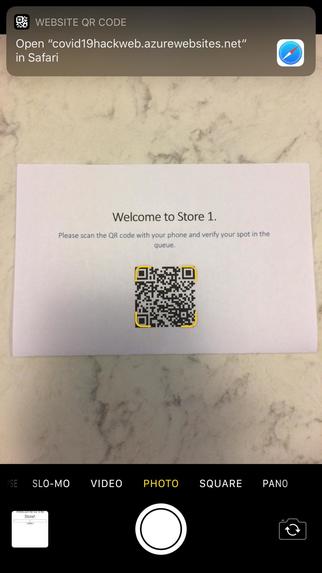
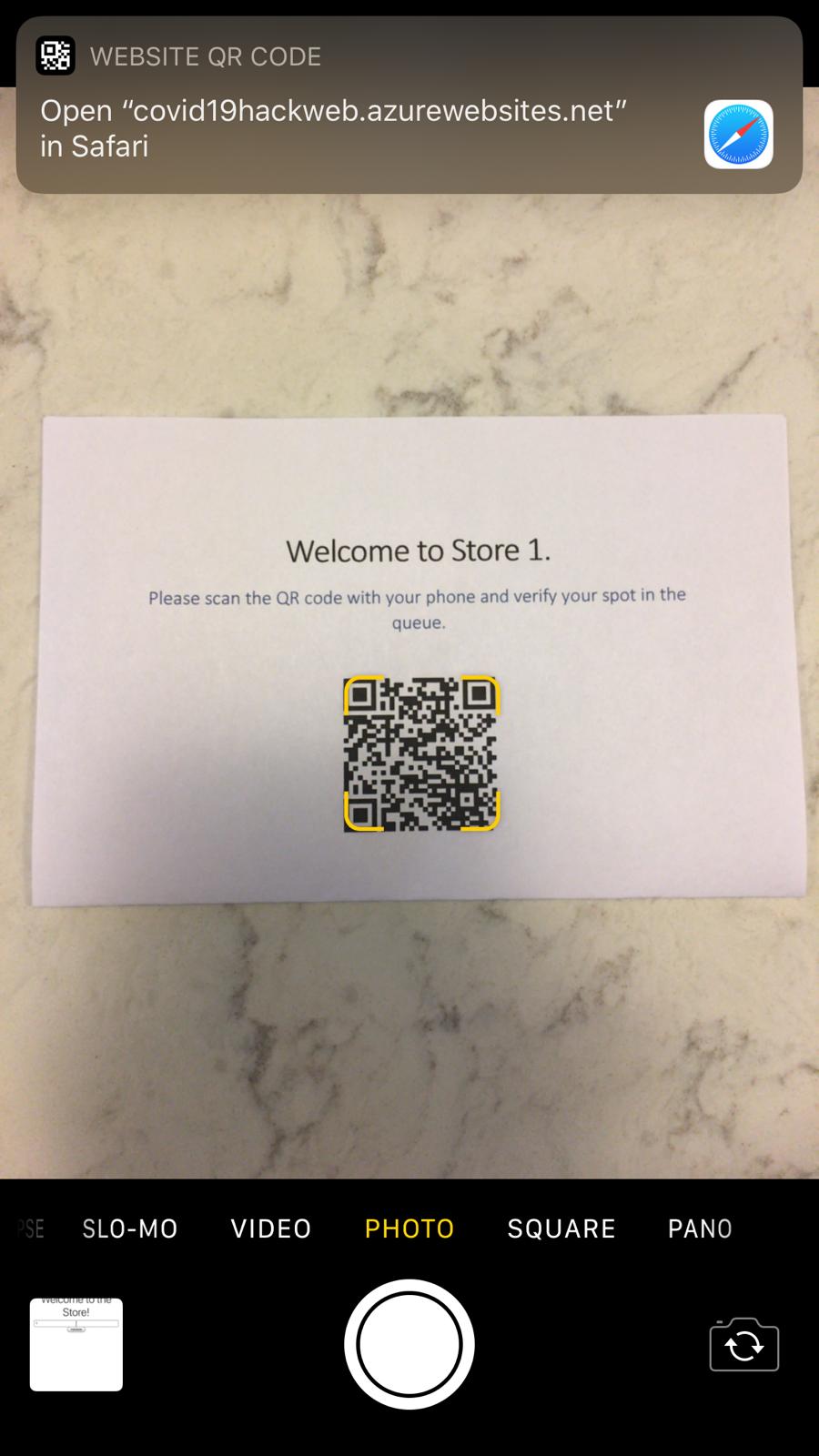
User scans the QR Code posted in front of the store
-
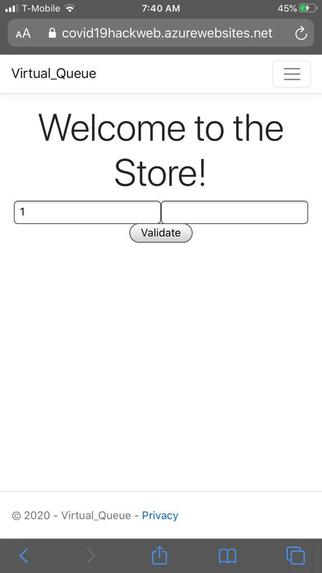
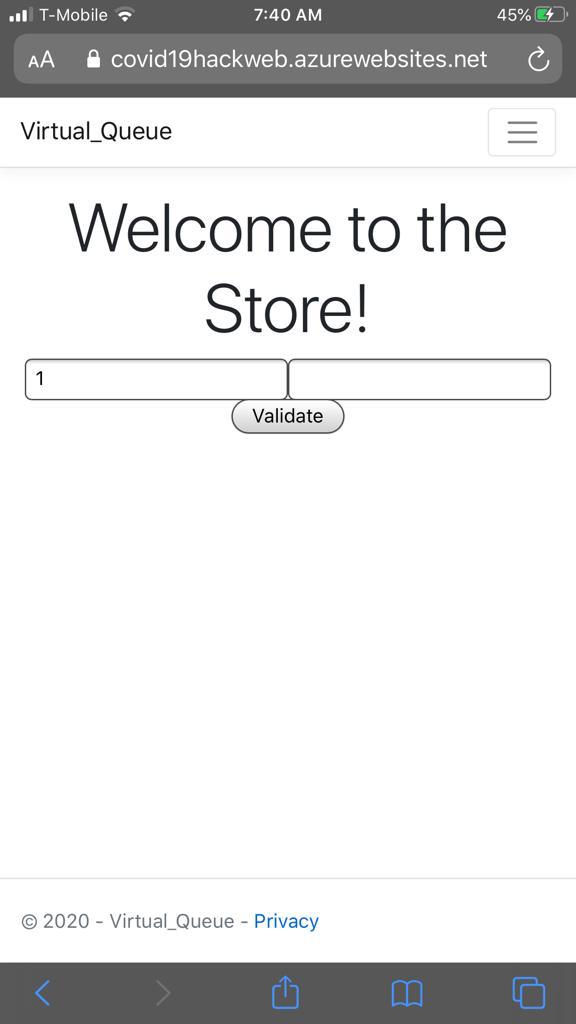
Validates with the code
-
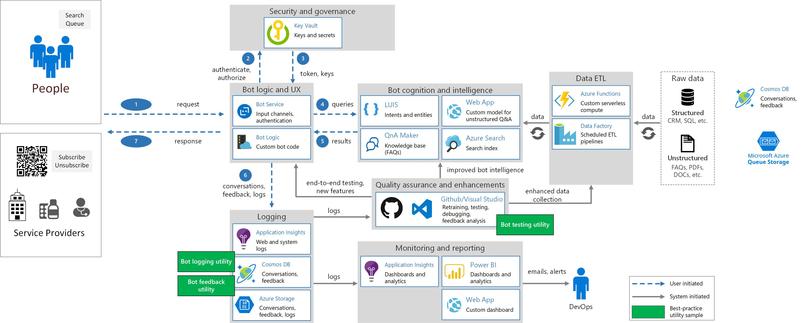
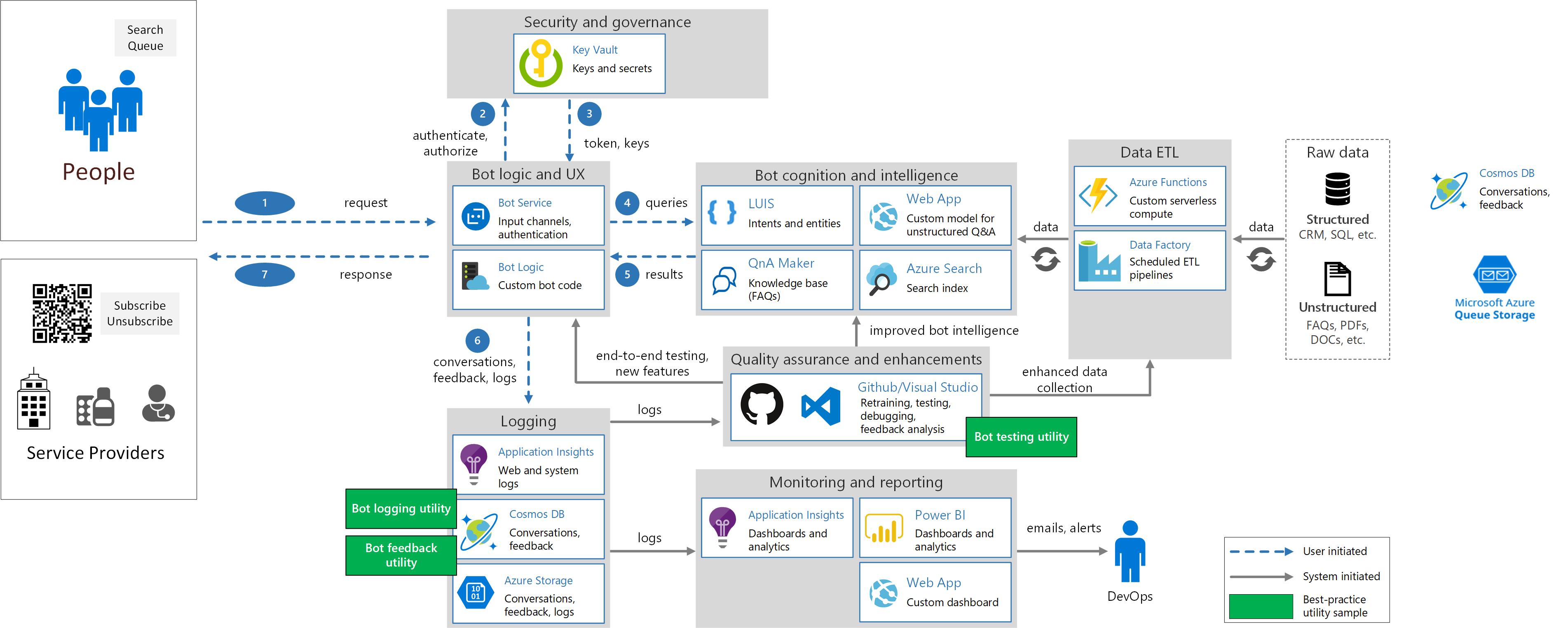
Architecture
-
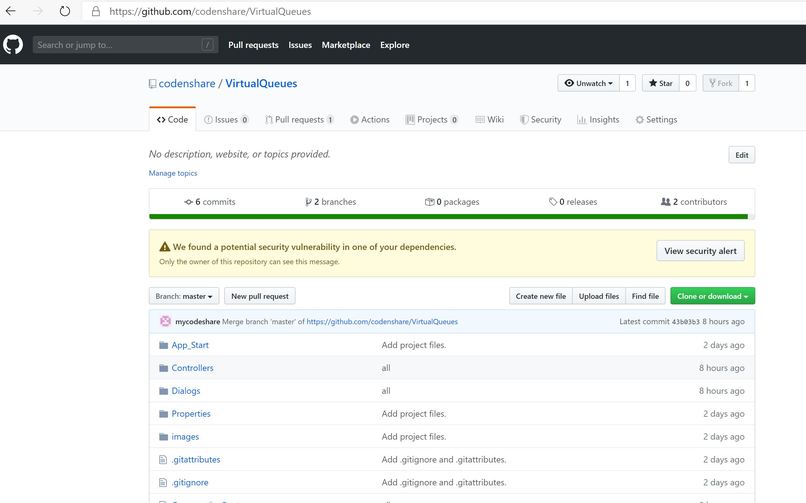
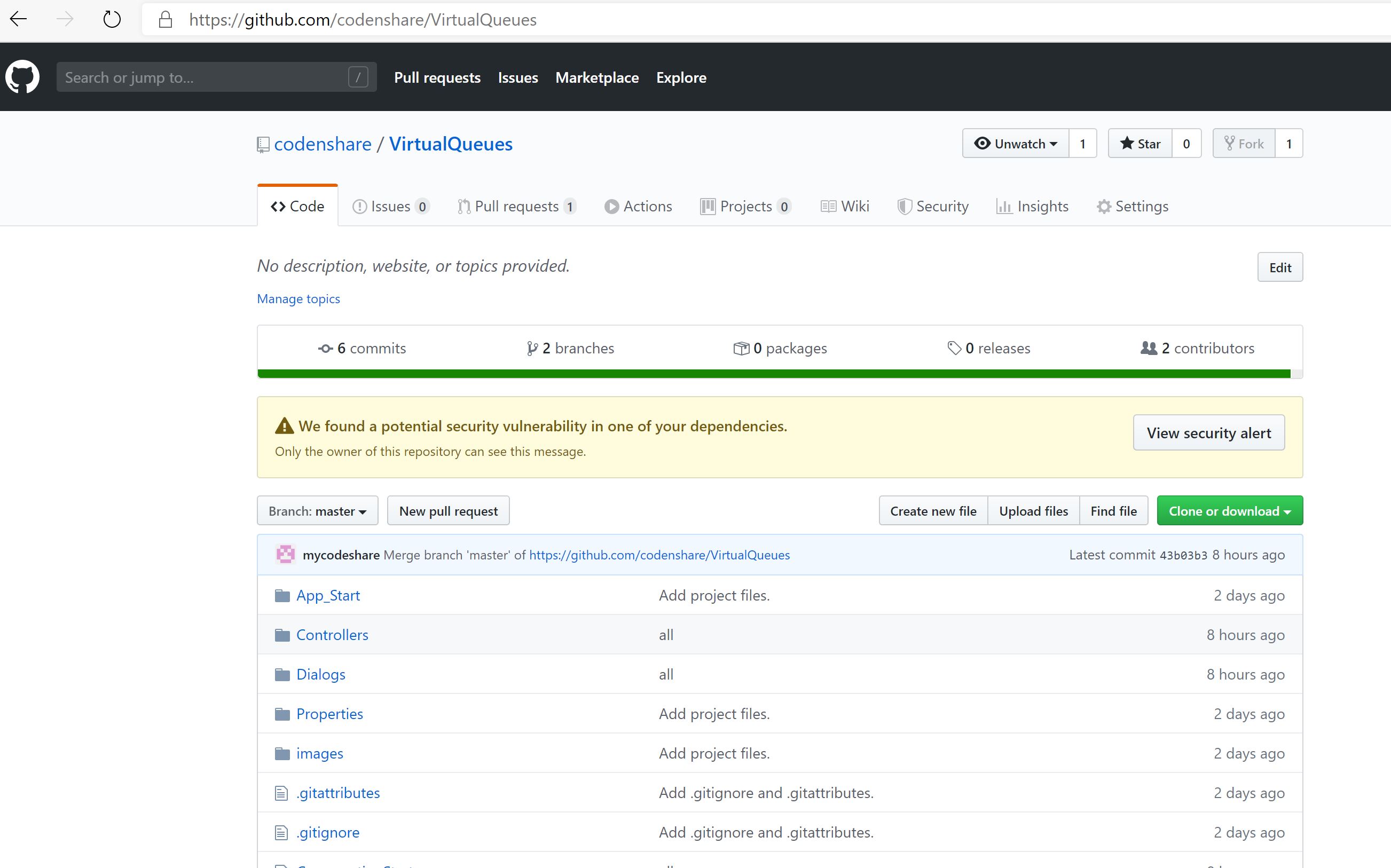
Code in GitHub
Inspiration
- Social Distancing and Flattening the Curve.
- Develop a simple solution using Microsoft Bot Framework to showcase how Microsoft's Cloud Platform (Azure) can enable every person on the planet during Crisis Situation.
What it does
This solution helps people get essential services like grocery shopping, pharmacy pickups, healthcare screenings at wellness centers etc. not standing and waiting for their turn in a line.
Uniqueness
- It integrates with all messaging and social platforms – SMS, Facebook, Teams, Slack etc.
- Easy to implement with no setups or apps required both for customers or service providers. There are other wait list apps in the market which requires a setup and mobile application, this is a self-managed queuing application.
How it works
Using Virtual Queues and Messaging people get a spot in a queue which advances automatically as the queue progress.
Here is the workflow -
Customer
Customer sends text to this common number and says "Queue" and the bot takes over
- Bot - Please tell where would you like to shop?
- Customer - Target at Hillsborough (an example)
- Bot - Confirms the location and address with a map.
- Customer - Can narrow down the search if the location is not correct.
- Bot - Sends a secret key (4 digit code) and tells the # in queue, and tells a tentative time to arrive.
Customer goes to the location and waits in the car for their turn to arrive and once they get the text they get out. At the entrance they scan a QR code posted on the entrance with their phone which lets them ask their secret code. Customer enters the 4 digit code which they received and the queue automatically advances.
No Shows
If the customer doesn't show in 5 minutes then the queue advances automatically placing the missed customer active for next 15 minutes and send them pings periodically after every queue movement. After 15 minutes they lose their location.
Service Provider Enrollment
Service Provider sends a text to the service says "Subscribe" and the bot asks for the following information, it's a web form with the following information required:
- Name
- Address (Geo Location verified with Bing/Google Maps)
- Business Timings
- Average time it takes to service 1 customer.
- Phone
Once the provider fills the form they get a text message to confirm
- Once the provider sends "Confirm" they are subscribed to this service and they get a QR Code to print and put it in front.
- When the provider sends "Unsubscribe" they are unsubscribed from this service.
- The provider can edit their information from a secured link. by texting "Edit"
- The provider can manually advance the queue by sending "Next"
Working Prototype
Click here for the Virtual Queue Bot
Type "Hi" and the bot starts! Once you Queue yourself for any service provider wait for few minutes and the bot starts sending you status updates on your position in the queue as the queue moves.
After you get the notification to check-in, go to this link and authorize. You will have to enter the store# and code. Check for both these in the text trail sent to you. Store# is sent after you select "Queue" in the text trail. In real world scenario store # will be auto populated from the QR code posted on the storefront.
A Queue Monitoring job keeps on running in the background every 30 seconds and expires people in the queue who have exceeded 2 minutes after they get the check-in confirmation.
Built Using
- Microsoft Azure
- Bot Framework, Storage Queues
- C#, Visual Studio and GitHub
- ASP Net Core
- Twillio
What's next for Virtual Queues
This concept queue demo self regulates based on service providers capacity and a person's dwell time (time it takes to serve one customer) in the store. For example if a grocery store can hold 6 people and on an average it takes 15 minutes to shop in.
The next phase to this is putting in a self learning machine learning algorithm and Artificial Intelligence which will calculate the dwell time and keep the queue efficient. This can be done by analyzing footfalls in the store and using cameras to detect people through vision based AI Cognitive Services.
Also the idea scales when this this is integrated with search engines (Bing/Google) so people can search for locations and queue from there on. It makes it more intuitive and seamless.
Built With
- aspnetcore
- azure
- bots
- c#
- github
- microsoft
- mobile
- qr-code
- sms
- storage-queues
- visual-studio


Log in or sign up for Devpost to join the conversation.