-
-
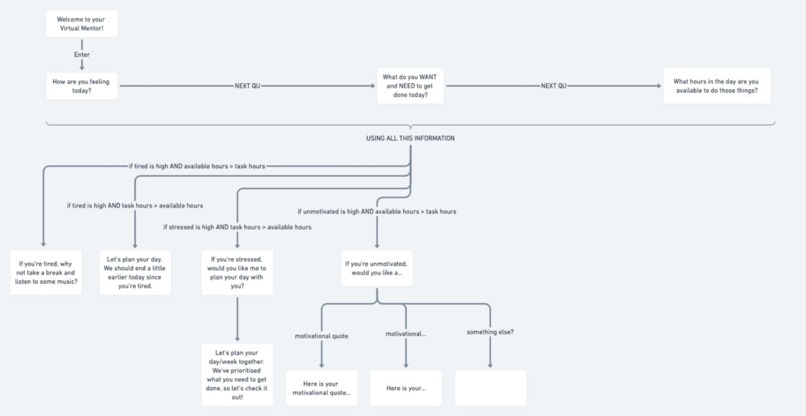
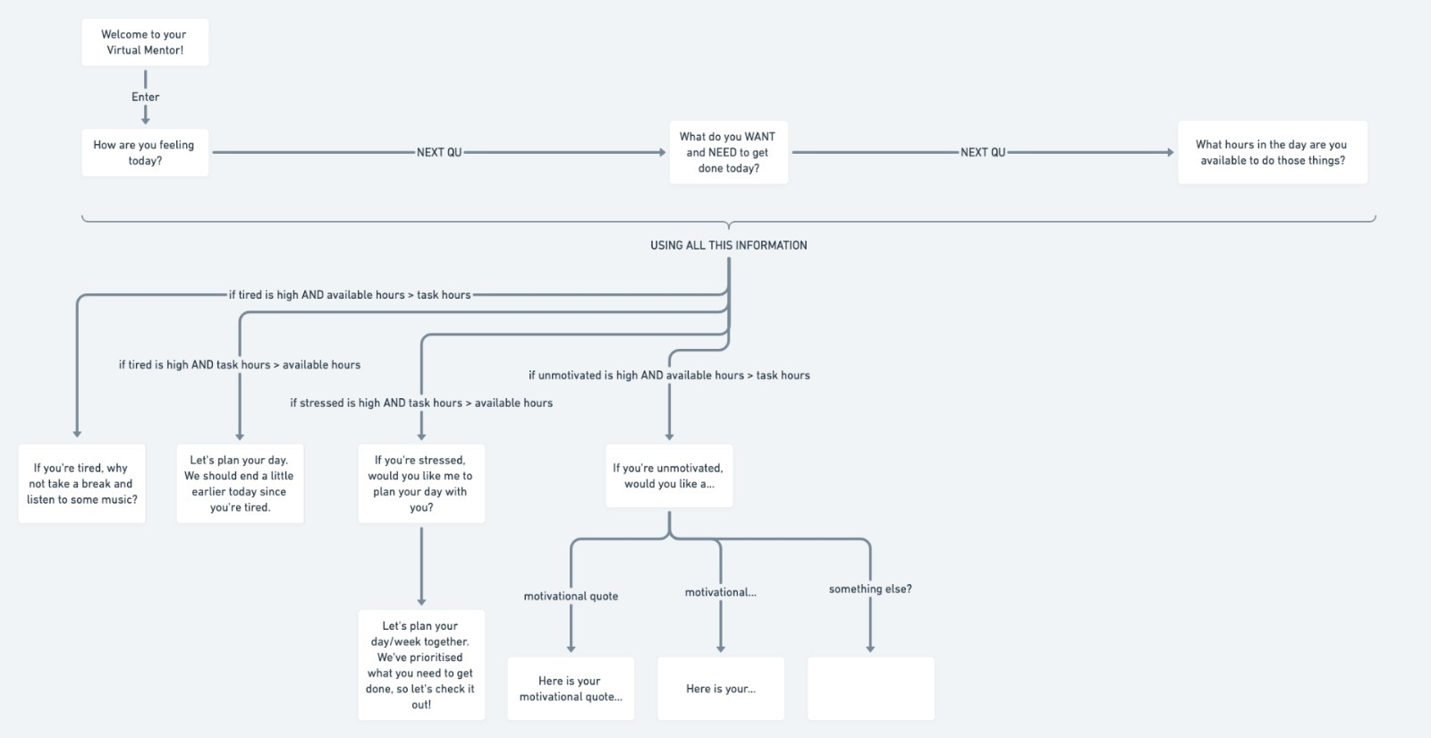
Segment of our flowchart demonstrating the back-end thinking of our app
-
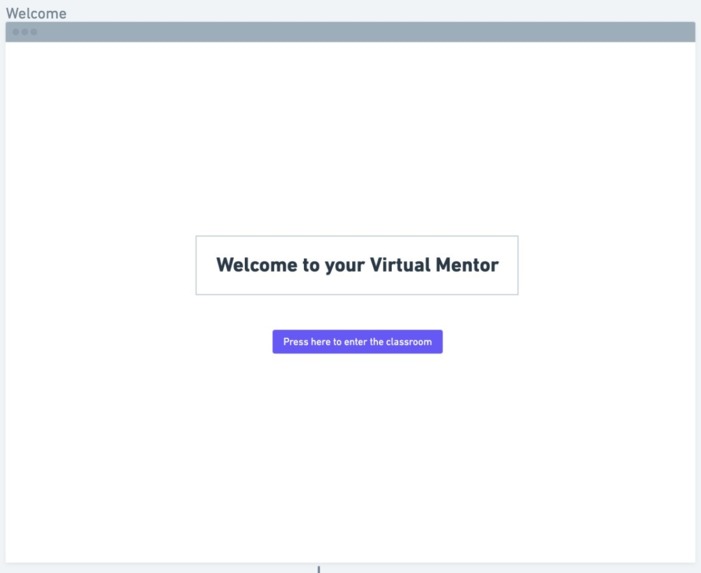
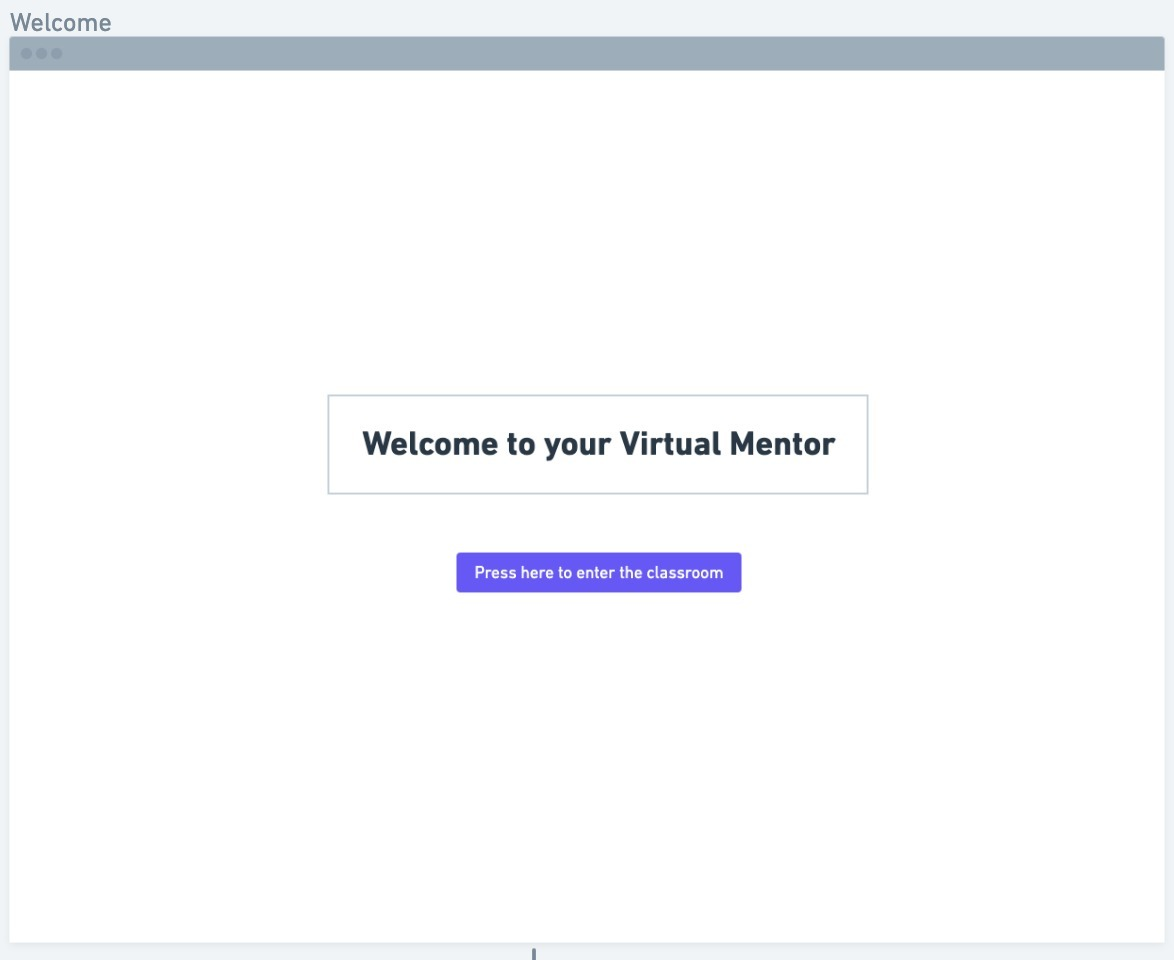
Welcome Page for Virtual Mentor
-
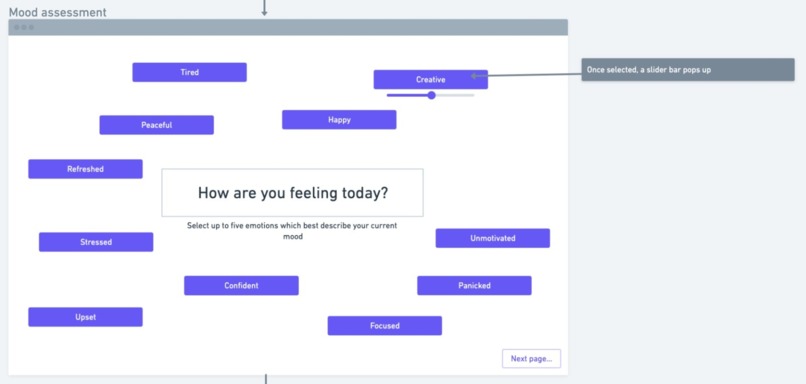
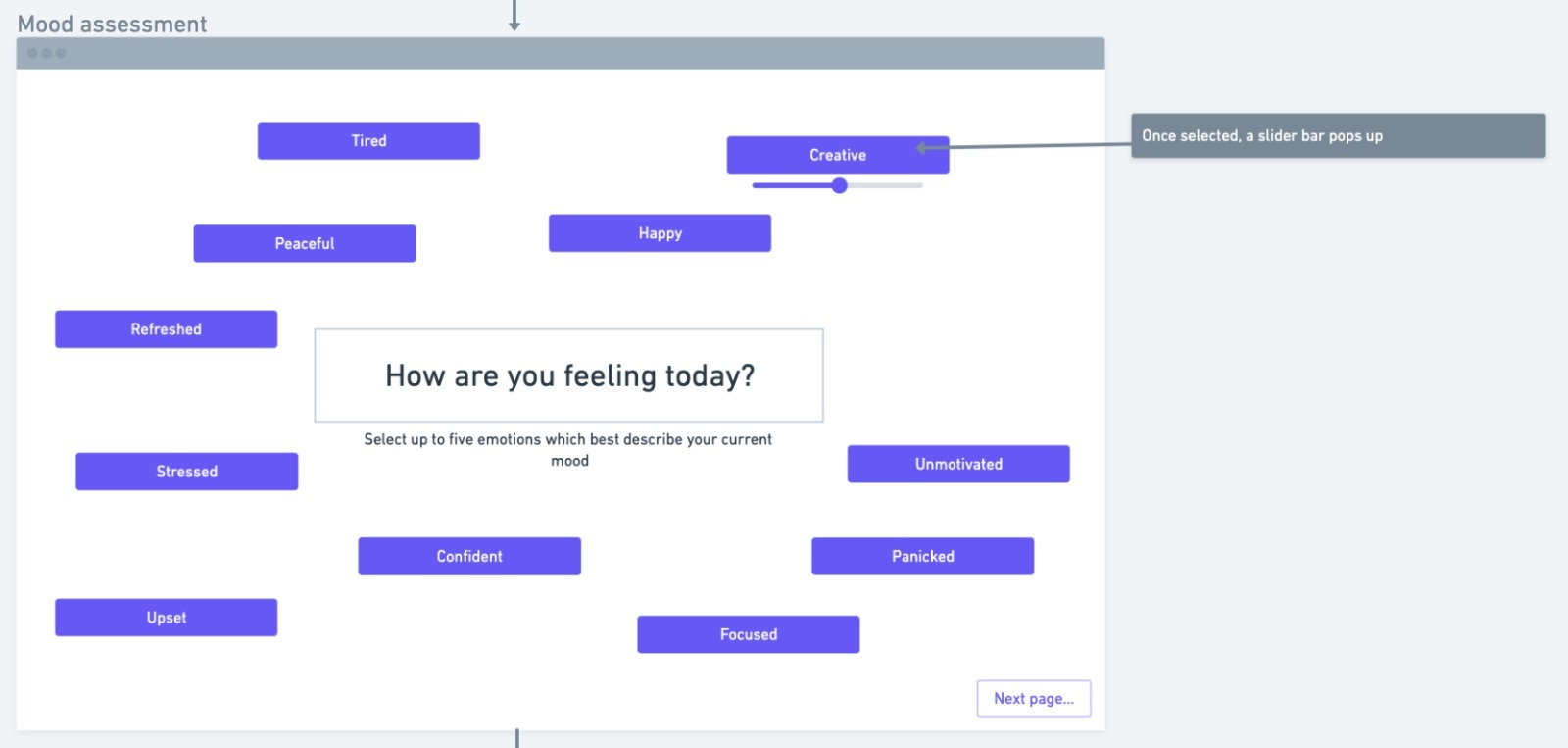
Mood Assessment page
-
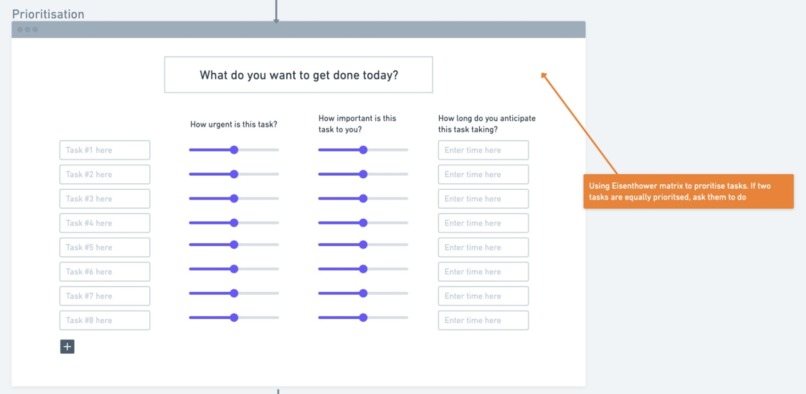
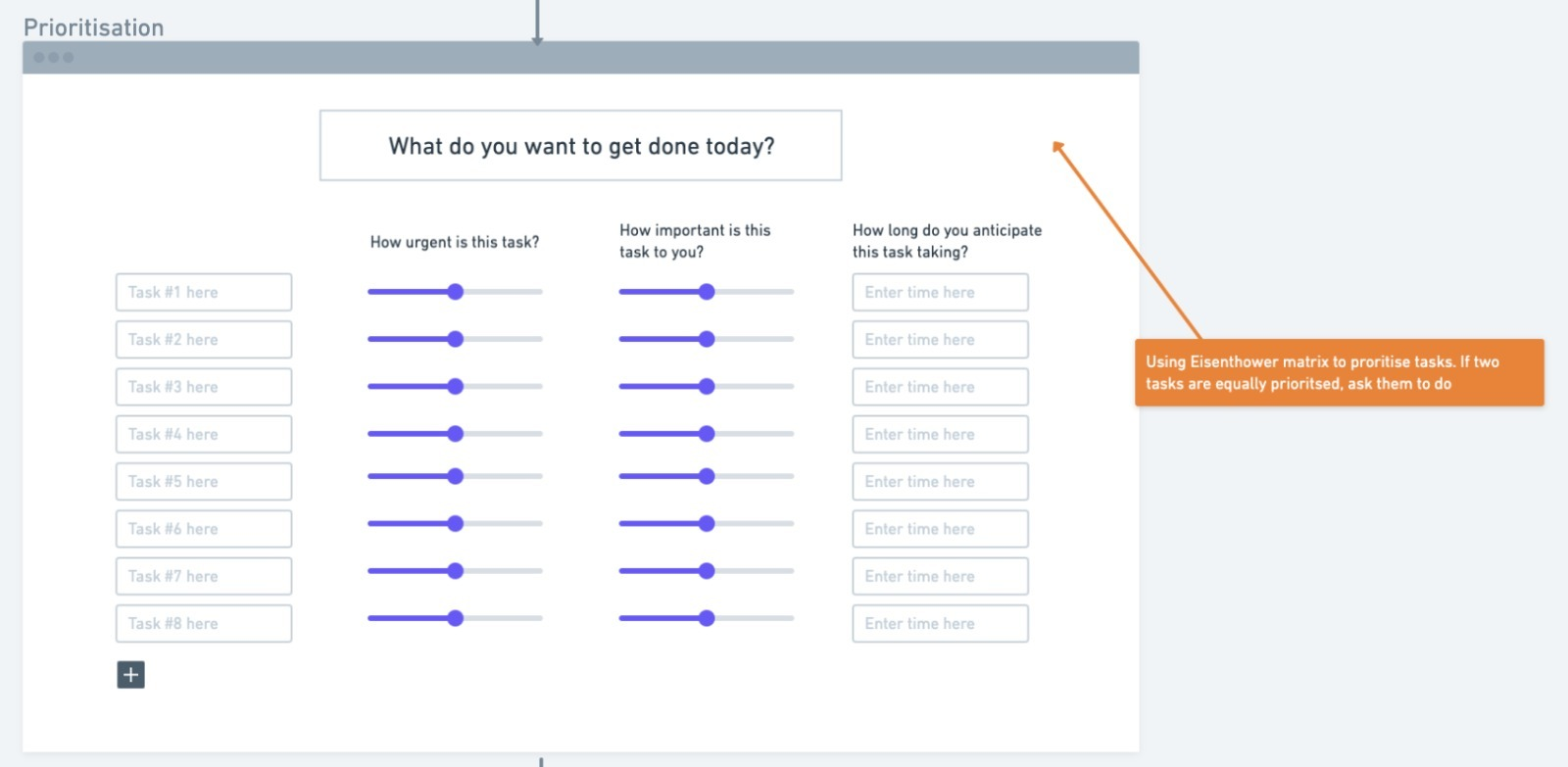
Task Prioritisation page
What inspired us?
Our main inspiration was hearing many friends and peers expressing their exasperation and worries about the challenges they faced whilst working from home during the pandemic. One of the key pressure points for students is managing our own mental health and wellbeing whilst studying. During Covid, we have found planning our time very effective, whilst recognising when we needed to take a break. We wanted to share this with other people in a simple and user-friendly way. Ultimately, this led us to create Virtual Mentor.
What it is:
Virtual Mentor is your computer-sized, amicable study buddy. Just like a good friend would, Virtual Mentor invites you to recognise your feelings and suggests ways to enable you to work with, rather than against, your emotions to achieve your goals. Virtual Mentor begins by prompting you to select emotions which resonate with how you're feeling today out of a comprehensive list; from there, the app leads you to list the tasks you want to get done today and evaluate their urgency, importance and the time scale you have to complete these goals. With this information and an optimisation process based on the Eisenhower matrix, Virtual Mentor will suggest a plan for your day. If Virtual Mentor assesses that self-care time would benefit your wellbeing, they will suggest some activities catering to your individual needs.
How we built it
We began by planning on Whimsical, an online collaborative workspace that allowed us to plan the front-end design as well as the back-end coding infrastructure.
Back-End
The plan was to use conditional statements (if-then-else expressions) in order to determine the appropriate response to a set of user inputs. For example, IF "stressed" was a high-scoring emotion AND the number of available hours (the hours the user is available for work that day) was more than the number of task hours (the total number of hours the user needs to complete the urgent tasks), THEN Virtual Mentor will suggest a relaxing activity, such as listening to music or taking a brisk walk. Below is an illustrative decision-making flowchart of such a response.

Front-End
We used PyQt5, a Python plug-in, which provides GUI (Graphic User Interface) widgets such as sliders, textboxes and dials. These can be used to build apps through Python and C++, of which we used the former. Shown below are the front-end designs from Whimsical:


Challenges we ran into and what we learned
After brainstorming and deciding on the problem we needed to tackle and the solution we proposed, we needed to identify a method to implement our solution on a user-friendly platform. Neither of us had created an app using Python before, and so extensive research was carried out to find a suitable platform. We tested several plug-ins, but a key hinderance for many of the platforms was their red tape associated with the download processes. We decided on PyQt5 since it provided the widgets we required.
Having said this, since we had never used widgets before and had limited knowledge of object-oriented programming in Python, manipulating PyQt5 proved a steep learning curve. We began by learning how to initialise a widget, modify its parameters and use that widget to dynamically manoeuvre the user between windows. With this basis, we feel more confident with the application of GUI widgets to future projects.
We ran into some syntax errors associated with object-oriented programming; we decided to reach out to a mentor for some help with this issue since we thought that discussion would be the most effective means to further our understanding and learning.
Accomplishments that we're proud of
Seeing our initial ideas come to fruition as an interactive tool as a result of us surmounting the steep learning curve associated with GUIs was an exciting experience and has definitely made us eager to continue this project in the future, given more time.
On top of this, we're very happy with the idea we came up with in the short amount of time; we can truly see an app such as this benefitting our peers, particularly given the trying lockdown situation we find ourselves in. Moreover, the colour contrasts adhere to WCAG grading which make the app more accessible to others.
Most of all, we're proud of the way we worked as a team by tackling this learning experience head-on and helping one another along the way. By making use of the collaborative tools at our disposal, we were able to efficiently and effectively plan our project.
What's next for Virtual Mentor
Following this hack-HER-thon, we would really like to further the project by implementing aspects of our plan that weren't feasible given the steep learning curve we faced at the beginning of the project.
Below are the remaining aspects of the initial plan:
- We have planned out the logic for the Eisenhower optimisation, and need to convert this into the Python programming language in order to output an optimised suggestion
- We need to build the window that enables users to mark their available hours during the day
- We also need to write the code for the conditional decision-making process which we have planned out and need to convert to Python
On top of these ideas which formed part of our initial plan, we can see the following developments increasing the desirability of the product to the public and allowing for intuitive use, thus making the product more financially viable:
- A clean and beautiful design would promote ease of use and high user satisfaction
- We will consult mental health professionals and educational psychologists in order to ensure the advice we are providing is backed up by scientific data so that we can guarantee we are providing the best and most reliable services to the user
- We would like to develop this as a real app. We believe it will stand out on the market as it has been designed by students for students, and so targets the specific issues which impact our peers on a day-to-day basis
- We also believe it would be advantageous to the user if they could sync the day plan proposed by Virtual Mentor with their own calendars (iCalendar, Outlook Calendar etc.)
To increase the accessibility of the app, we will ensure the following criteria:
- Good text-to-speech interface
- Increase in text size option
Built With
- pyqt
- python

Log in or sign up for Devpost to join the conversation.