-
-
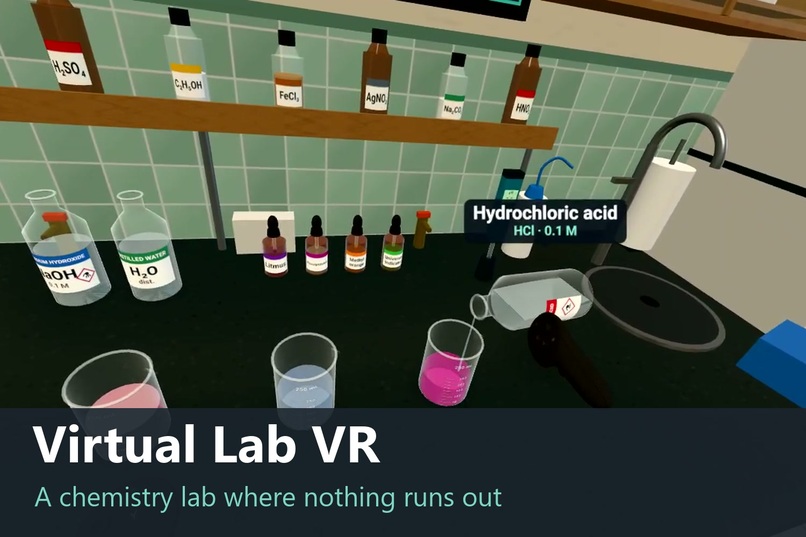
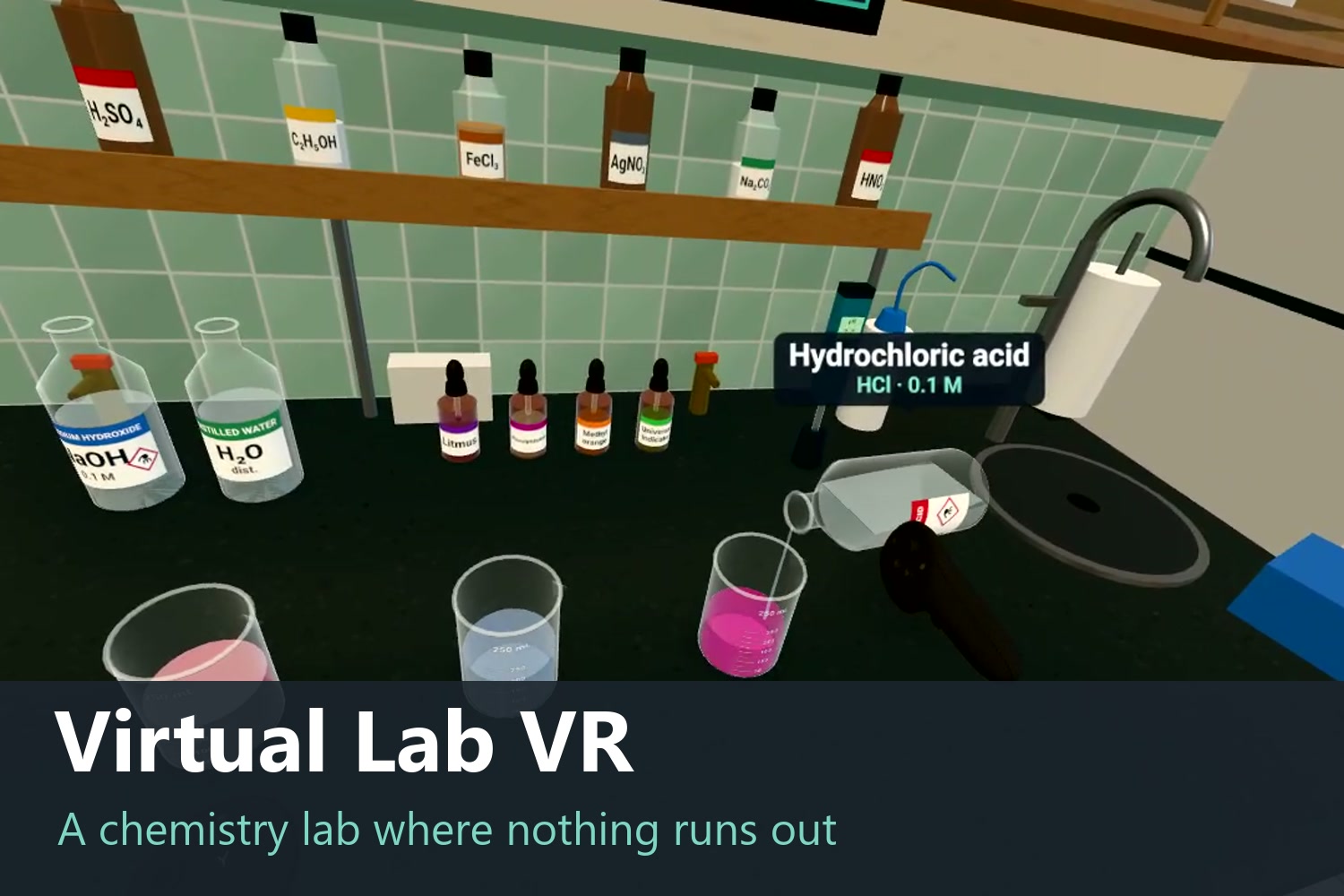
Pour by tilting your hand: the further you tilt, the faster it flows. Here, acid turns pink phenolphthalein colourless.
-
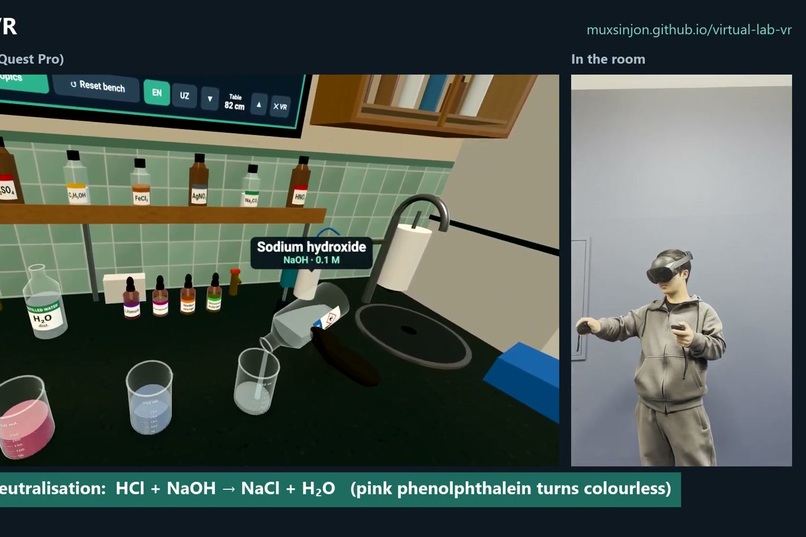
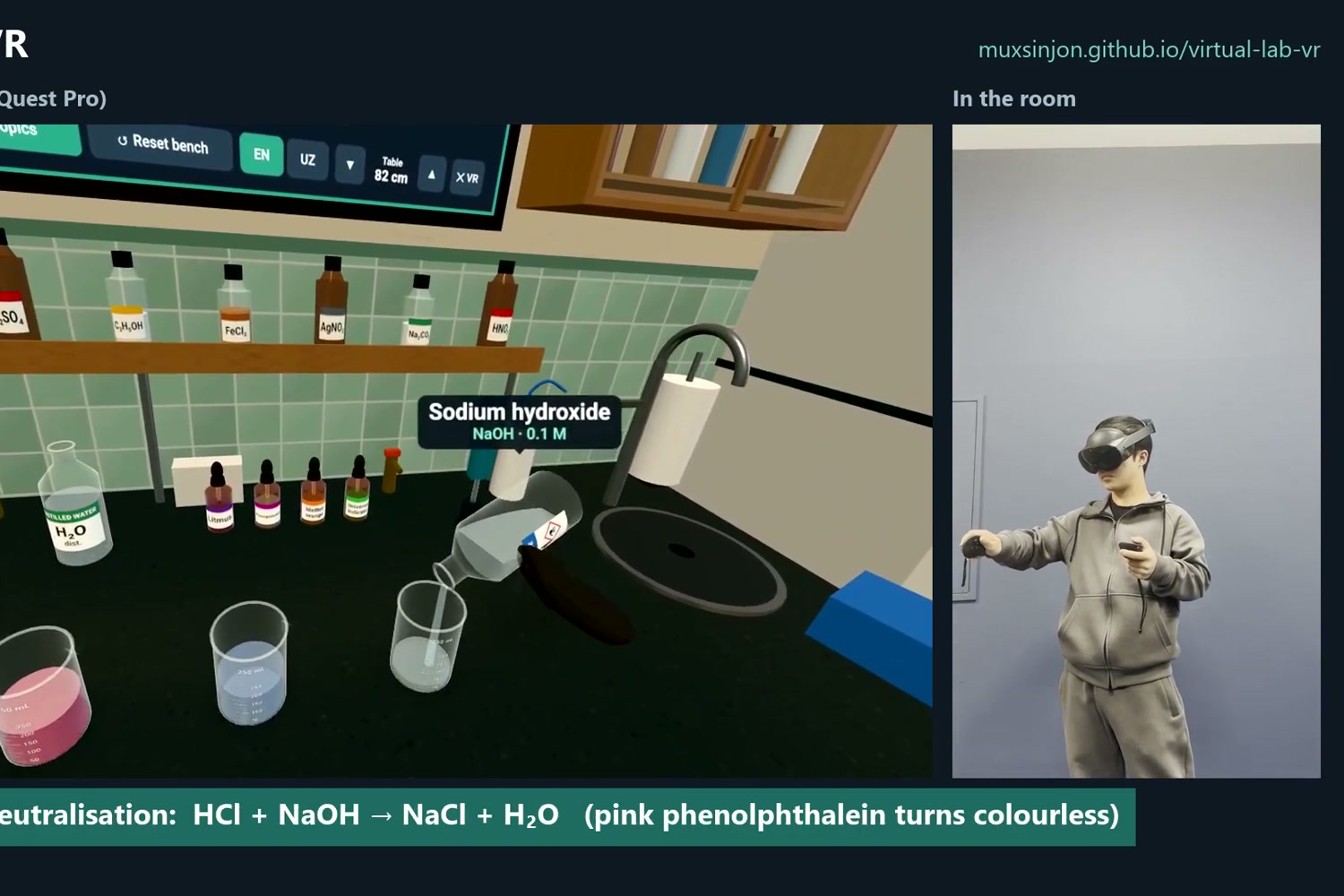
What the student sees in the headset, next to the student in the room. In VR you reach out and grab things with your hands.
-
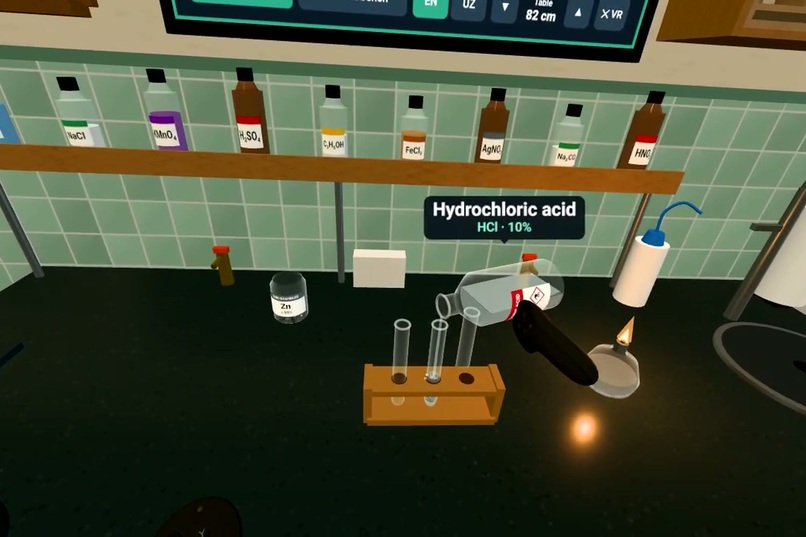
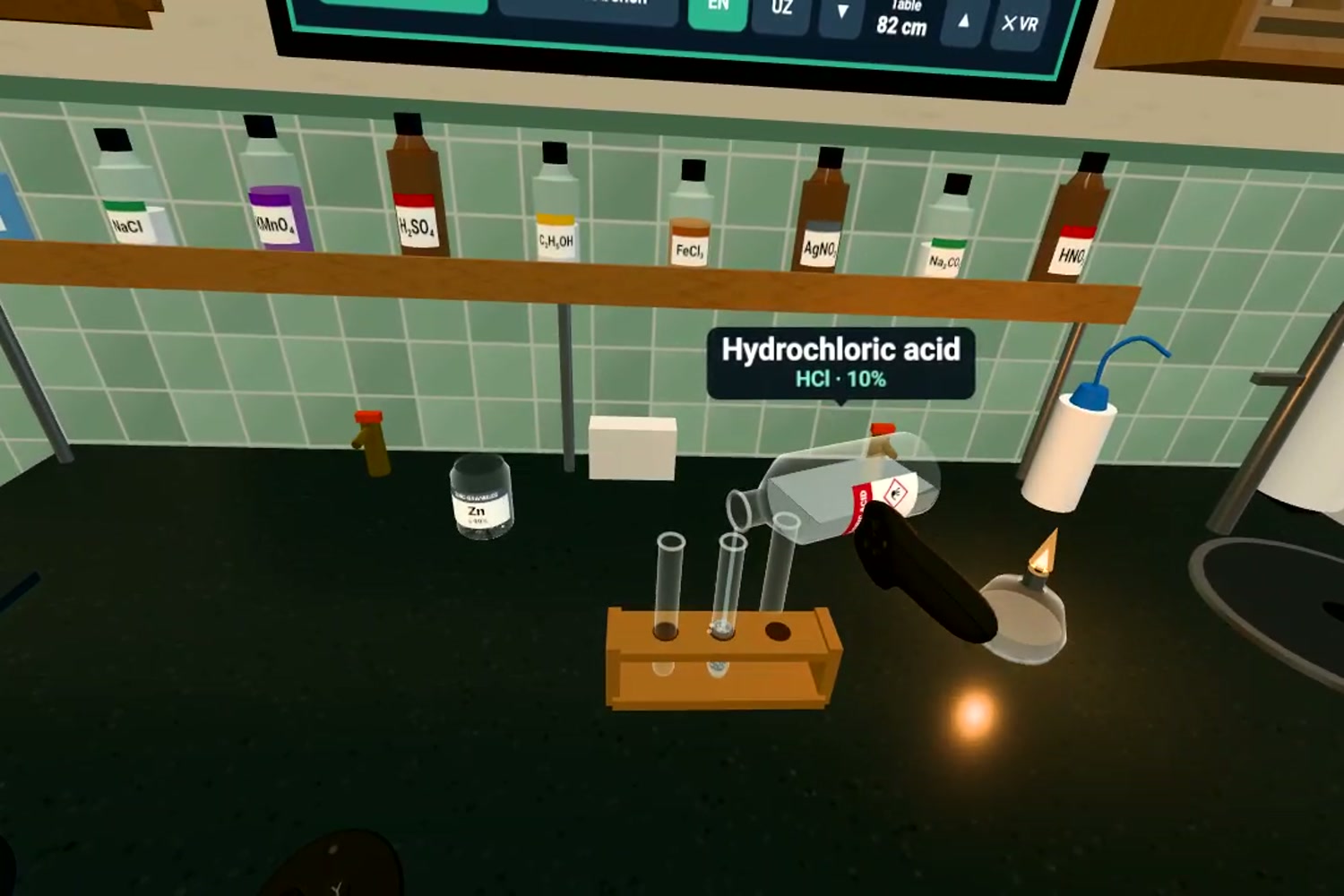
Making hydrogen: zinc and acid in a test tube, the gas collected upside down, then the squeaky pop test at the flame.
-
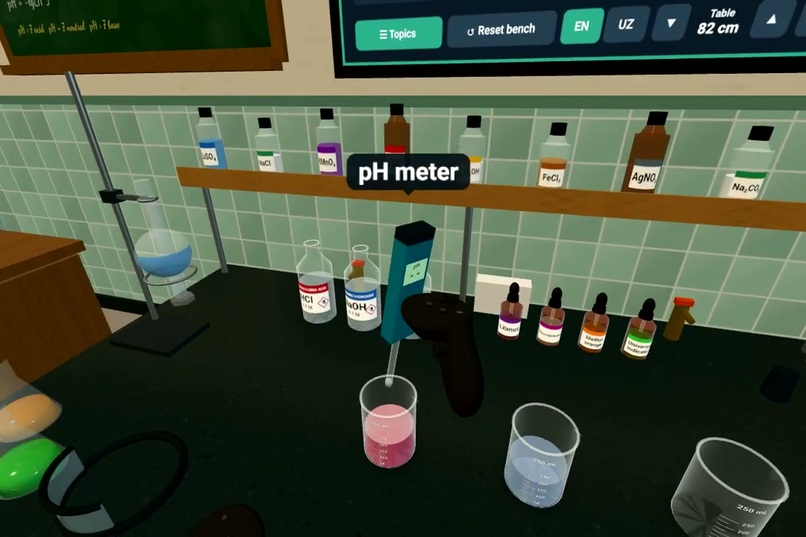
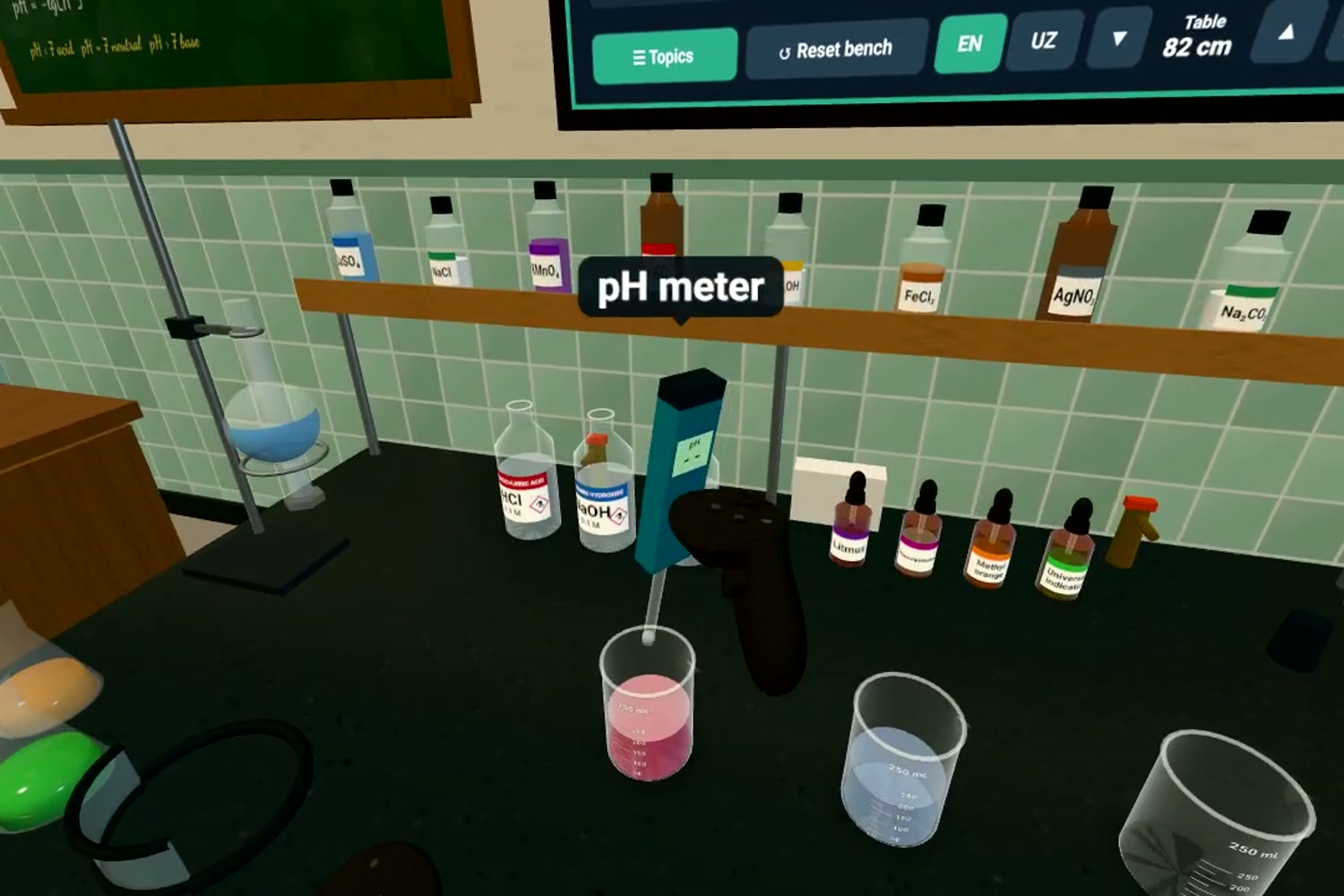
Measuring pH with a real pH meter. Every result is calculated from what the student actually mixed.
-
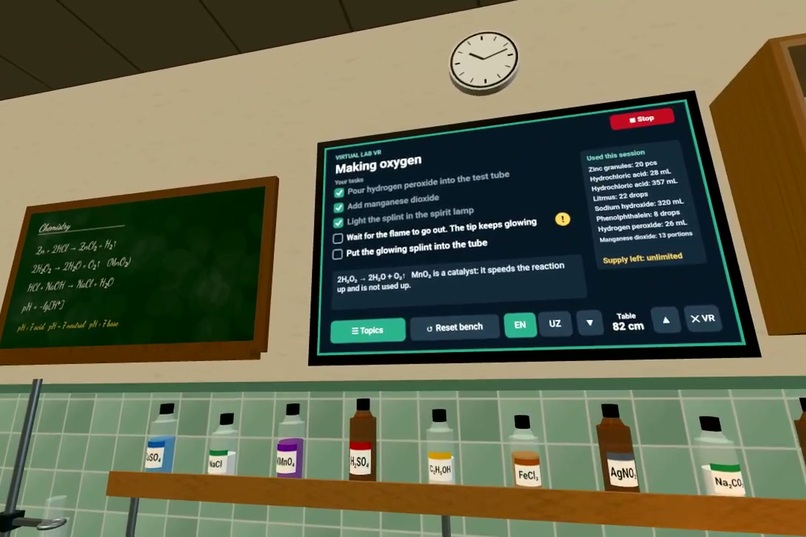
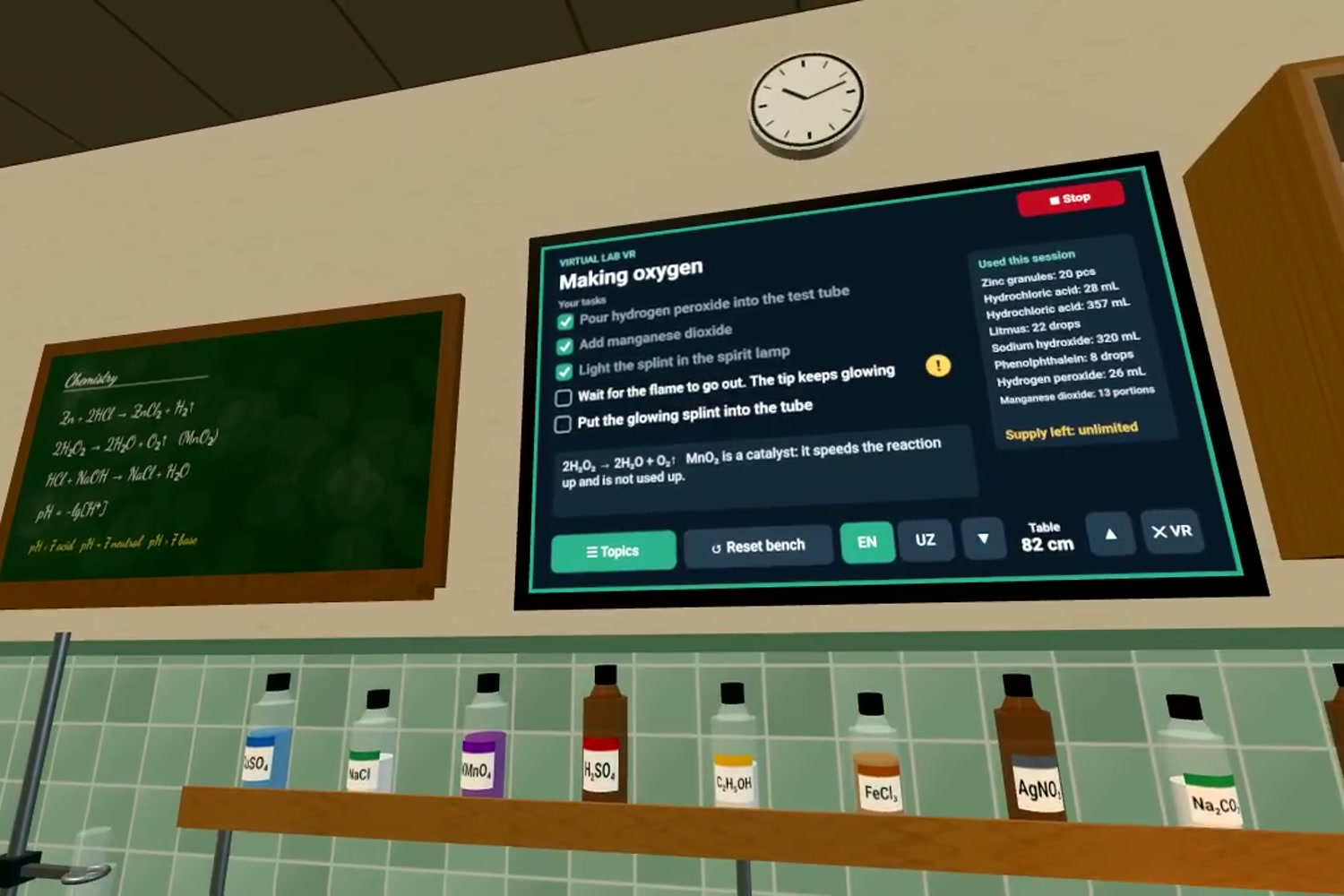
The wall board lists each task, ticks it off when done, and gives step-by-step help. Available in English and Uzbek.
Inspiration
In Uzbekistan, only 10% of science lessons are practical, and most school labs have missing or outdated equipment. Where a lab does exist, its chemicals are used up within months, and the school waits years for new supplies. We saw this ourselves. We studied in public schools that didn't have proper lab equipment, and we couldn't do even the simplest experiments. Then we moved to a specialised school, where for the first time we did science with our own hands: pouring, mixing, watching reactions happen. That's when science really made sense to us, and we wanted every student to have the same chance. While at the specialised school, we visited local schools to run science shows for their students. The students loved it, but we couldn't go everywhere, especially to schools in other regions and villages. So we built a lab that can go everywhere: one that any student, even in the most remote village, can step into from a browser or a VR headset.
What it does
Virtual Lab VR is a school lab that students can step into and use with their own hands. They can put on a VR headset and walk around a full classroom lab, or simply open it in a web browser on any computer, phone or tablet. A school doesn't need a headset to use it, and a school with just two shared headsets can let every student take a turn.
A lab that never runs out. In a real school lab, every experiment uses up materials, and once they're gone, students wait. Here, nothing is ever used up. Students can repeat an experiment as many times as they need, try it a different way, or start over, and the lab is always ready for the next class.
It works and feels like the real thing. Students don't watch an animation; they do the experiment themselves. They pick up equipment, pour, mix, measure and observe, and the results follow real science: substances react the way they really would, measurements give real values, and liquids pour, splash and spill the way real liquids do. If a student makes a mistake, they see the real consequence and learn from it, without any danger.
Safe for everyone. There are no burns, no broken glass and no harmful fumes. Students can explore freely, and one button resets the whole bench for the next person.
Students are never left on their own. Each experiment comes with a short list of tasks that tick themselves off as the student completes them. If a student gets stuck, a help button next to the task explains it step by step.
The classroom adapts to each student. Everyone is a different height, and some students may need to sit, so the lab bench automatically sets itself to a comfortable working height for each person, and they can adjust it any time. The lab is available in Uzbek and English, students can walk freely around the room, and they can record a video of their experiment to show their teacher.
Starting with chemistry, built for every lab. The first experiments are from the school chemistry curriculum, including acids and indicators and making gases. The lab is designed so that new experiments and subjects, such as physics and biology, can be added one by one.
How we built it
We started in a real lab. Before writing any code, we did the experiments in real life with our chemistry teacher. We watched how each reaction looks, how quickly it happens, what colours appear, and what can go wrong. Then we built every simulation to match what we saw and measured, so the virtual lab never contradicts real science: if something would happen in a real lab, it happens here too, and if it wouldn't, it doesn't.
It's a website, so anyone can open it. We built the lab with three.js and WebXR, the standard for 3D and virtual reality on the web, using TypeScript. Because it runs in the browser, there is nothing to install and no app store: the same link works on a VR headset, a computer, a phone or a tablet. It's hosted for free on GitHub Pages.
The science is calculated, not scripted. The lab works out what happens from the actual amounts a student mixes, rather than playing a fixed animation. That's why every attempt can turn out differently, just like in a real lab. Liquids follow real physics too: the further you tilt a bottle, the faster it pours, the surface stays level as you tilt a glass, and a careless pour splashes and spills.
Controls that feel natural. In VR, students reach out and grab equipment with their hands and tilt their wrist to pour, as they would in real life. On a computer they use the mouse, and on a phone or tablet they use touch.
Light and fast. All sounds and images in the lab are created in code, so it loads quickly even on a slow school internet connection. We tested it on a real Meta Quest Pro headset and in ordinary browsers.
Challenges we ran into
Making it comfortable in VR. Our first versions looked blurry and shaky in the headset, which was tiring for the eyes. We learned that this happens when the headset can't draw the scene fast enough, so we rebuilt the graphics to stay smooth and steady while still looking like a real classroom.
Making liquids behave like real liquids. Pouring sounds simple, but it took a lot of work to get right: how fast liquid flows as you tilt, how it splashes, what happens when you pour onto the edge of a glass, and how the surface stays level. It had to feel natural both with VR controllers and with a mouse.
Staying true to real science. It was tempting to make experiments easier or prettier than they really are. We chose to keep them honest: some reactions change suddenly after just a few drops, exactly as they do in a real lab, because that's what students need to learn.
Designing for students who have never used VR. Many students will be trying a headset for the first time. So instead of pointing a laser at objects, they simply reach out and grab them. A small guide on their wrist explains the controls, the classroom stops them from walking through walls, and step-by-step help is always one button away.
Accomplishments that we're proud of
A complete, working lab in one week. In a single hackathon week we built a full virtual classroom lab: a room you can walk around, a bench full of equipment, and three complete experiments that students can do from start to finish.
It works with or without a headset. The same lab runs in a VR headset and in any web browser. We're especially proud of this, because it means a school with no VR equipment at all can still use it on the computers it already has.
Science that matches the real lab. We did the experiments with our chemistry teacher first, and the virtual versions behave the same way. Colours, reactions and measurements follow real science, not animations.
Teachers and professors want it. We shared the lab with local school teachers and with university professors at Central Asian University. Their feedback was very encouraging, and they motivated us to keep going and launch it on our website, so that schools can start using it.
It feels real. Liquids pour faster the further you tilt, surfaces stay level, careless pours splash and spill, and you can't walk through the walls. When we tested it on a real Meta Quest Pro, it felt like standing in a real school lab.
Made for first-time users. You reach out and grab things naturally, the lab bench adjusts to your height, step-by-step help is always there, and everything is available in Uzbek and English.
Free and live today. Anyone can open it right now at one link, on any device, with nothing to install.
What we learned
We learned how to build a 3D world that runs both in a VR headset and in an ordinary browser, and how much care it takes to make VR comfortable for someone using it for the first time. Doing the experiments with our teacher before building them also taught us more science than we expected: we had to understand not just what happens in each experiment, but why.
What's next for Virtual Lab VR
- More experiments and more subjects. We'll keep adding experiments one by one, following the school curriculum, and extend the lab beyond chemistry to physics and biology.
- A teacher mode. Teachers will be able to choose an experiment for the class and see which steps each student has completed.
- Real classrooms. We want to test the lab with students in schools without a lab, including schools in villages and other regions, using the school's computers and a couple of shared headsets, and improve it based on what they tell us.
Built With
- claude
- github
- javascript
- meta-quest
- three.js
- typescript
- vite
- web-audio-api
- webxr


Log in or sign up for Devpost to join the conversation.