Inspiration
Virtual Closet started because I wanted to try on clothes while shopping online or in-store. The product was already live before the hackathon, with web, mobile, and browser-extension experiences.
I added WebMCP support during the hackathon because styling and outfit planning were already on my roadmap. It offered a simple way for an agent to help without major builds done on the app.
What it does
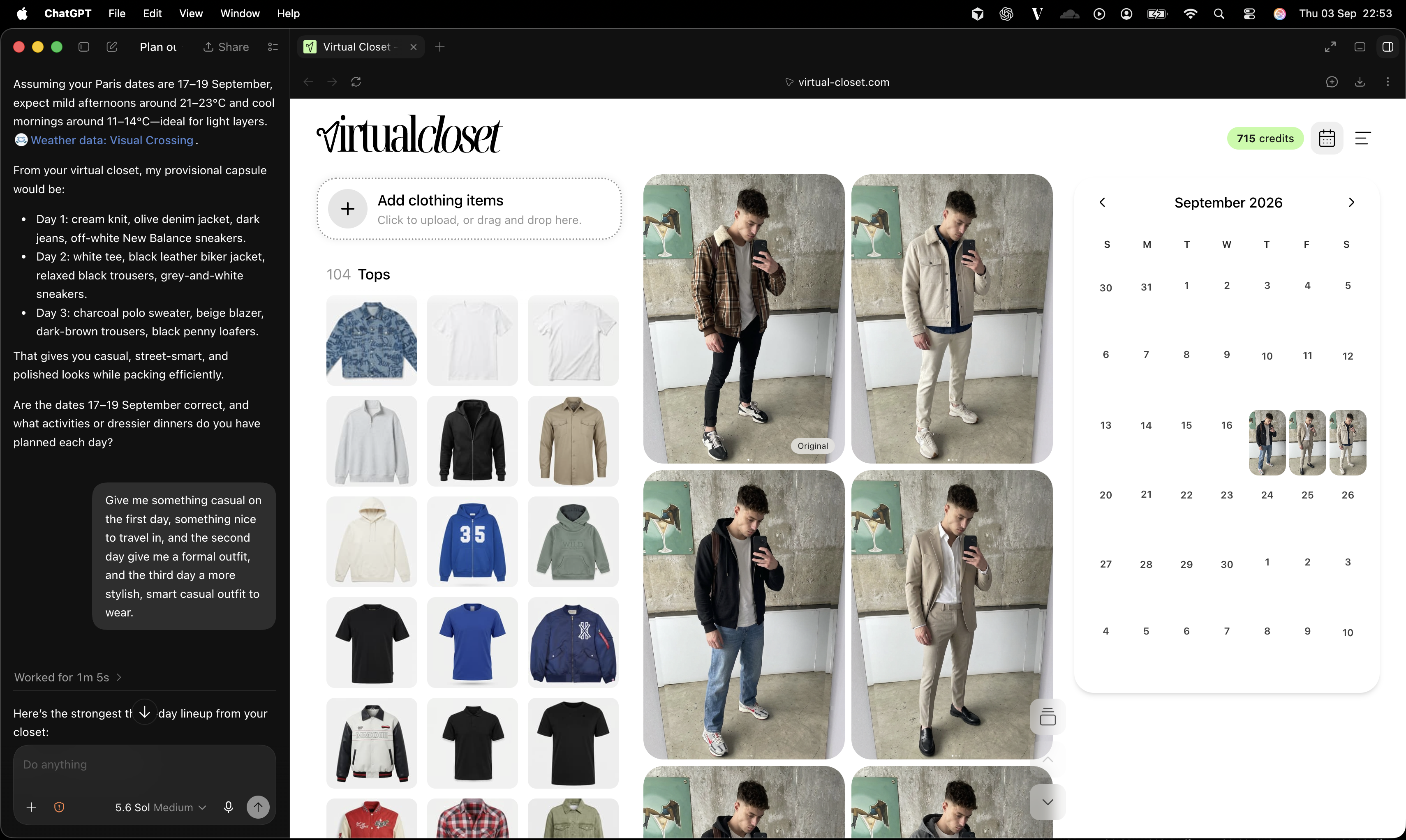
Virtual Closet lets users try on clothes they own or want to buy using their own photo.
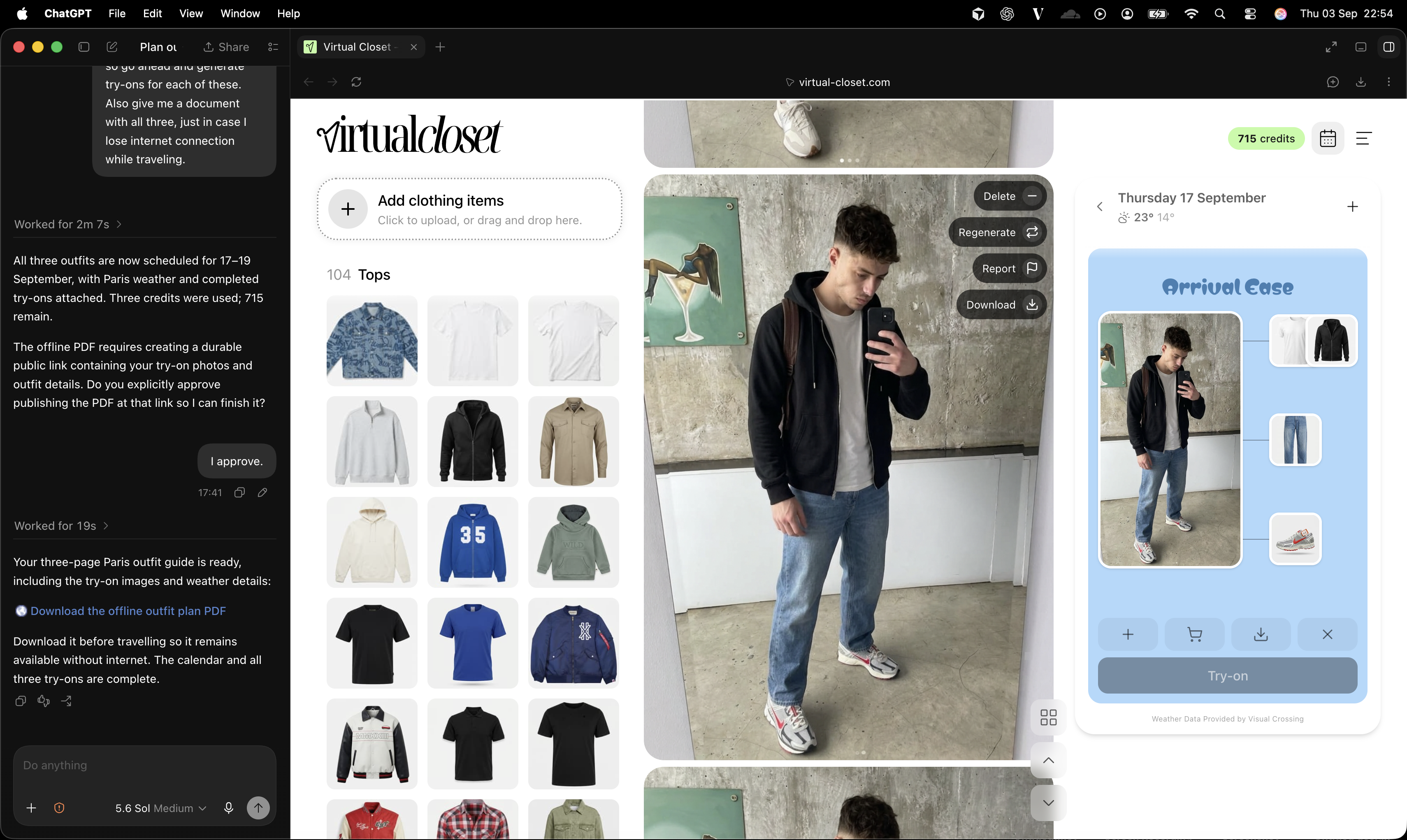
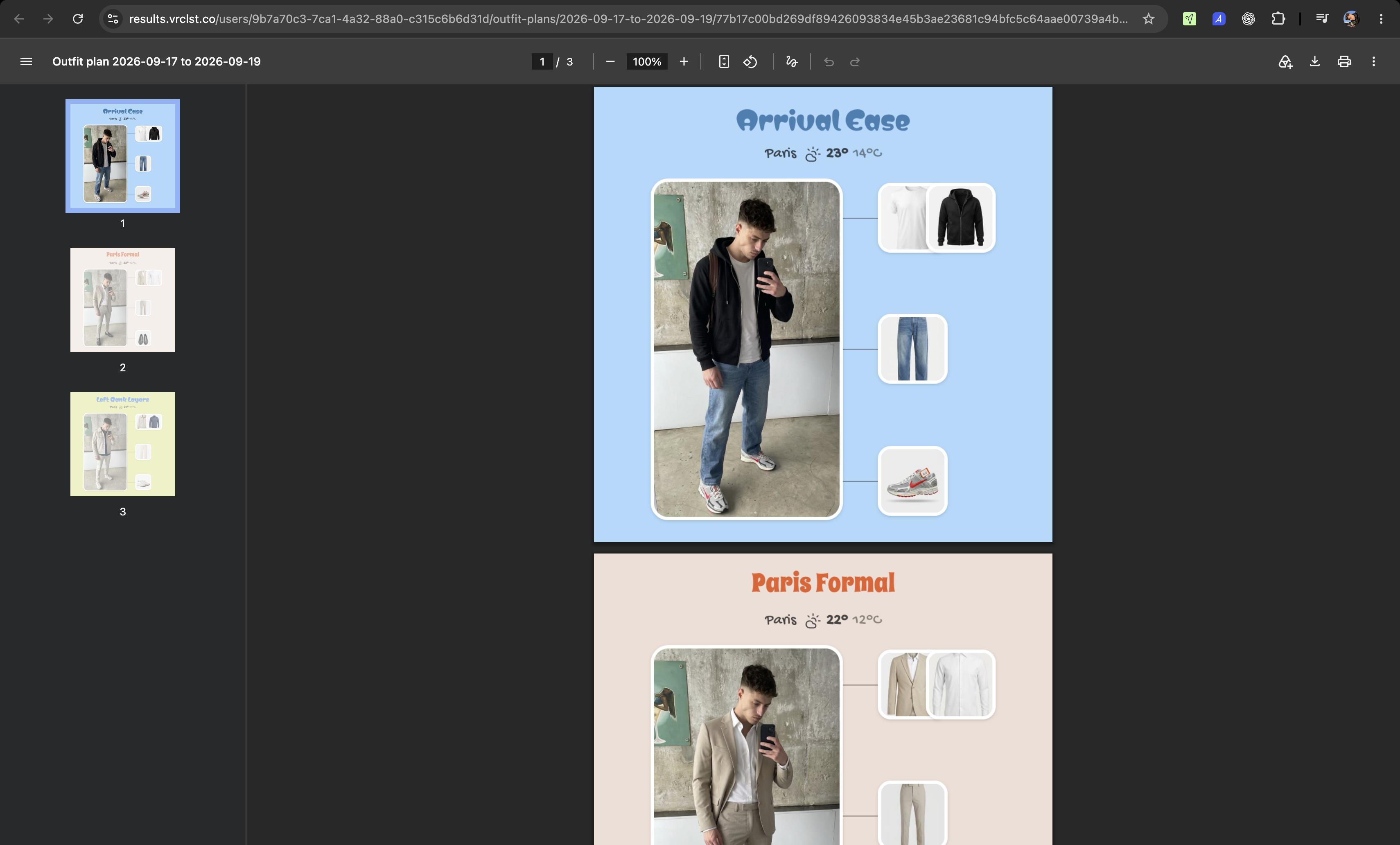
The new WebMCP support lets an agent suggest outfits based on the user's wardrobe and weather, schedule them on a calendar, create try-ons, find missing items, and export outfit plans.
How we built it
Only the WebMCP support was built during the hackathon. The main Virtual Closet product already existed.
I planned the work in Codex, starting with the calendar, then outfit creation, try-ons, weather, shopping, and exports. Codex helped with implementation, while I refined the design and user flow by hand.
Challenges we ran into
The main challenge was understanding where WebMCP added real value. I had to turn app features into useful actions like "plan an outfit," rather than simply exposing individual buttons.
Accomplishments that we're proud of
Virtual Closet launched about a month ago and is already being used.
I am proud that WebMCP adds useful styling and planning features while still letting the user see, edit, and control everything inside the app.
What we learned
I learned that WebMCP works best when its tools represent things people actually want to accomplish. It allows the user and agent to work on the same visible plan together.
What's next for Virtual Closet
Next, I want to learn how people use the new planning features and refine the suggestions, calendar, shopping, and export flows. The goal is to keep Virtual Closet useful, reliable, and easy to use.
Built With
- cloudflare
- react
- vite

Log in or sign up for Devpost to join the conversation.