-
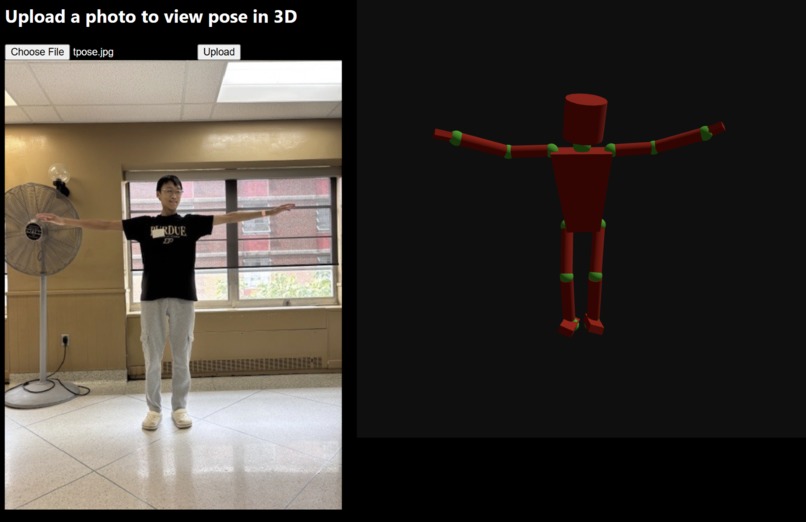
Screenshot of web app with pose
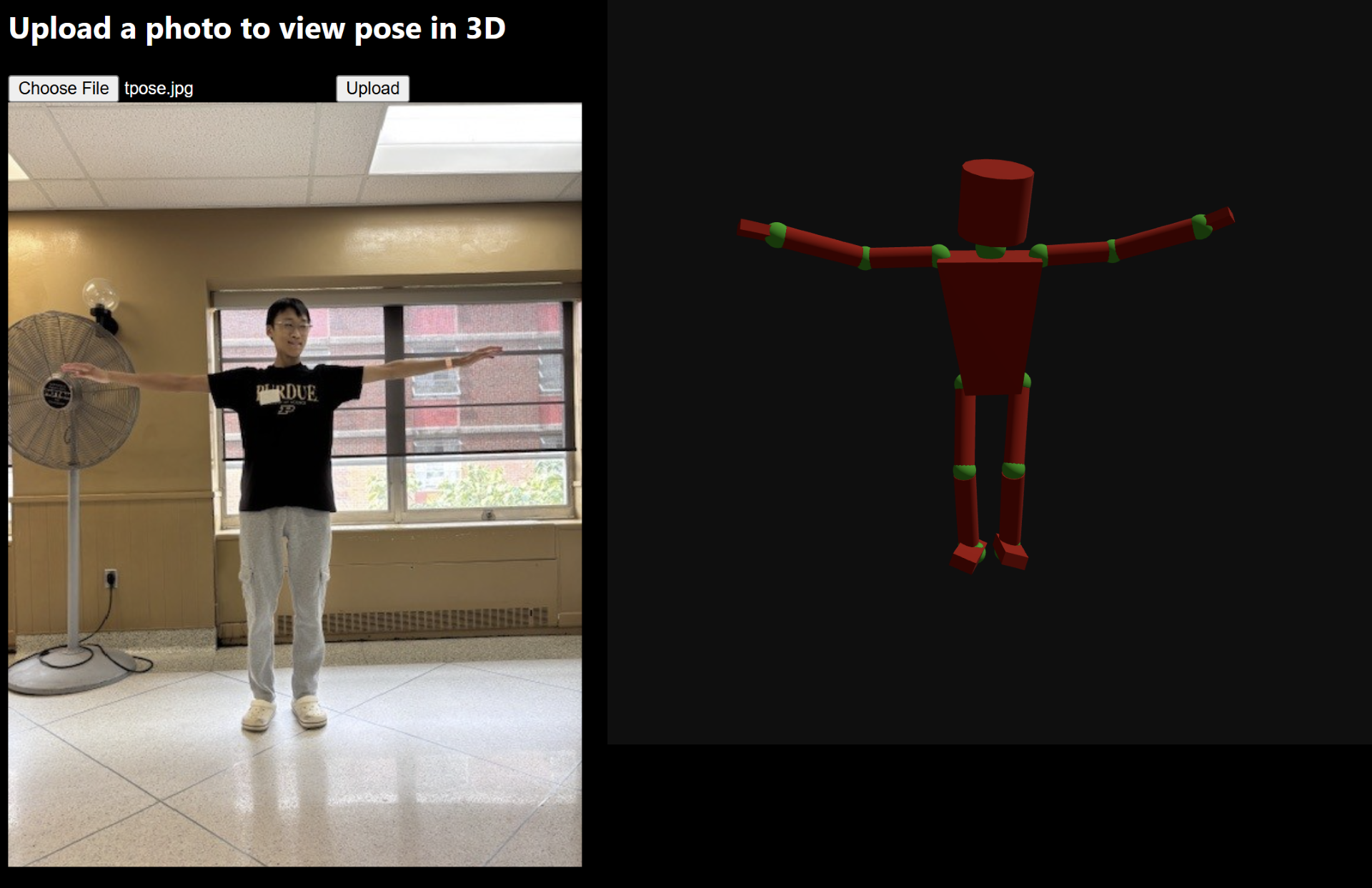
Inspiration
As an artist, sometimes finding the exact pose that I want for a drawing can be hard. Even after I find that pose, it's often from an angle that I don't quite like. So, I wanted to create a program that would allow me to take any pose and generate a 3d model that I can use as a reference.
What it does
This program uses MediaPipe to generate a 3d model of a pose given by a 2d image. It does this by first gathering key points from the image, making those points in a 3d space, and creating volumes between certain points.
How we built it
Pose Extraction: We began by experimenting with MediaPipe, validating that its 3D keypoints were accurate and consistent. Our initial prototype (3d_representation.py) plotted points in 3D to confirm correct scaling and orientation.
Virtualized Joints: Since MediaPipe outputs dozens of detailed landmarks (including face and finger points), we simplified them into a smaller set of virtual joints. We generated new points such as NECK, HEAD_BOTTOM, and HEAD_TOP and abstracted complex structures like the hands and feet into simplified geometries. This step was key to making the mannequin clean, readable, and artist-friendly.
Web Application Development: Once the pose extraction worked, we built a Flask web server to handle image uploads and process them with MediaPipe.
3D Rendering: On the frontend, we used HTML, JavaScript, and Three.js to render the mannequin. We added OrbitControls for an interactive experience, enabling users to rotate, zoom, and pan around the skeleton.
Challenges we ran into
Learning MediaPipe: None of us had prior experience with MediaPipe, so understanding its coordinate system, scaling, and z-axis depth required careful testing.
JavaScript & Three.js: Debugging JavaScript syntax, ES6 imports, and integrating external libraries (e.g., Three.js and OrbitControls) was a learning curve.
Geometry Fine-Tuning: Getting the mannequin to look natural for different poses was non-trivial. We iterated on limb thickness, joint sizes, and head proportions until the figure looked both readable and human-like.
Blender Integration: We attempted to add rigging with blender, but issues with vector creation and nodes caused incorrect positioning for the arms.
Accomplishments that we're proud of
Built a working end-to-end web app that transforms an uploaded photo into a 3D pose mannequin.
Successfully abstracted noisy landmark data into a clean, minimal skeleton with torso, limbs, hands, feet, and head.
Learned how to combine computer vision, web development, and 3D graphics into a cohesive project in a short timeframe.
What we learned
Practical skills in MediaPipe for real-time pose estimation.
How to build a Flask + Three.js pipeline that bridges backend machine learning with frontend visualization.
Team collaboration under time constraints — prioritizing features and iterating quickly.
What's next for Virtual Artist Mannequin from Photo
Deployment: Host the app on a platform like Render, Vercel, or Heroku so that anyone can use it.
Customization: Add options for pose smoothing, mannequin styling (cartoon, wireframe, realistic), or scaling.
Blender Support: Rewrite the web app to manipulate a premodeled and prerigged 3d model through the Python API for Blender.
Broader Applications: Beyond art, this could be applied to fitness coaching, motion analysis, or AR/VR avatars.

Log in or sign up for Devpost to join the conversation.