-
-
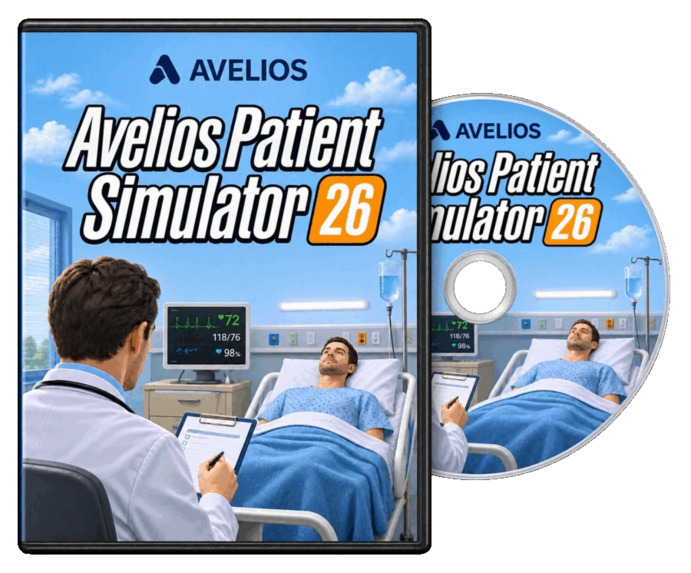
Avelios Patient Simulator 2026 Edition - inspired by Farming Simulator ;)
-
 GIF
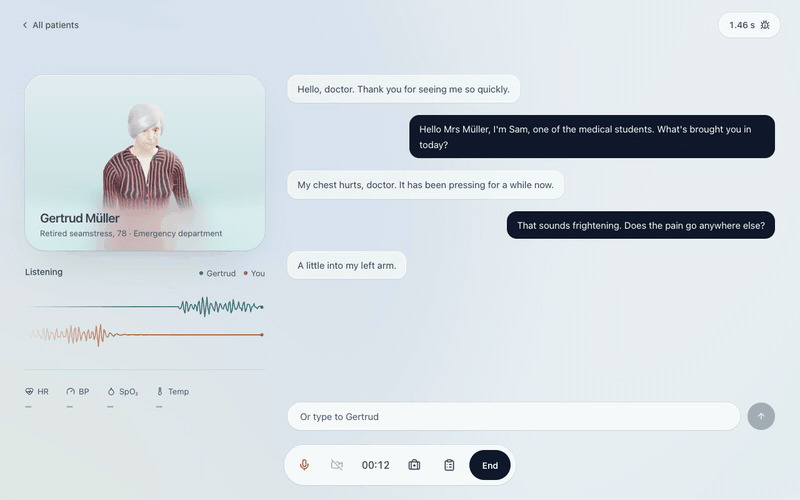
Avelios Patient Simulator 2026: The most intelligent platform for training future doctors
-
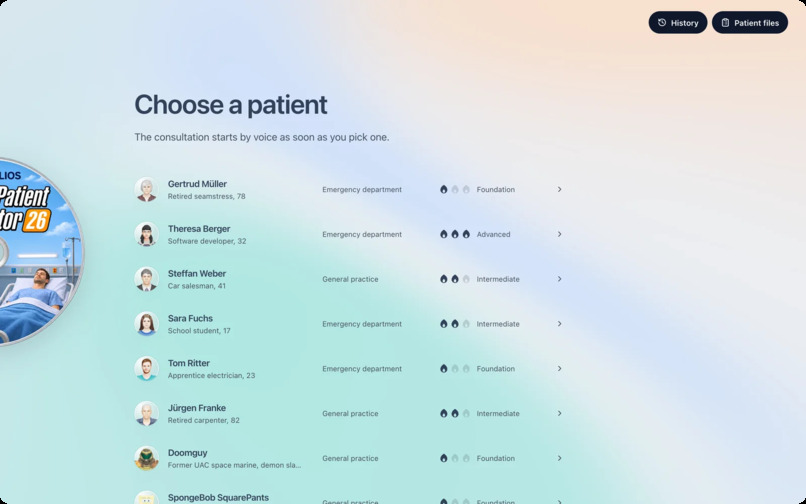
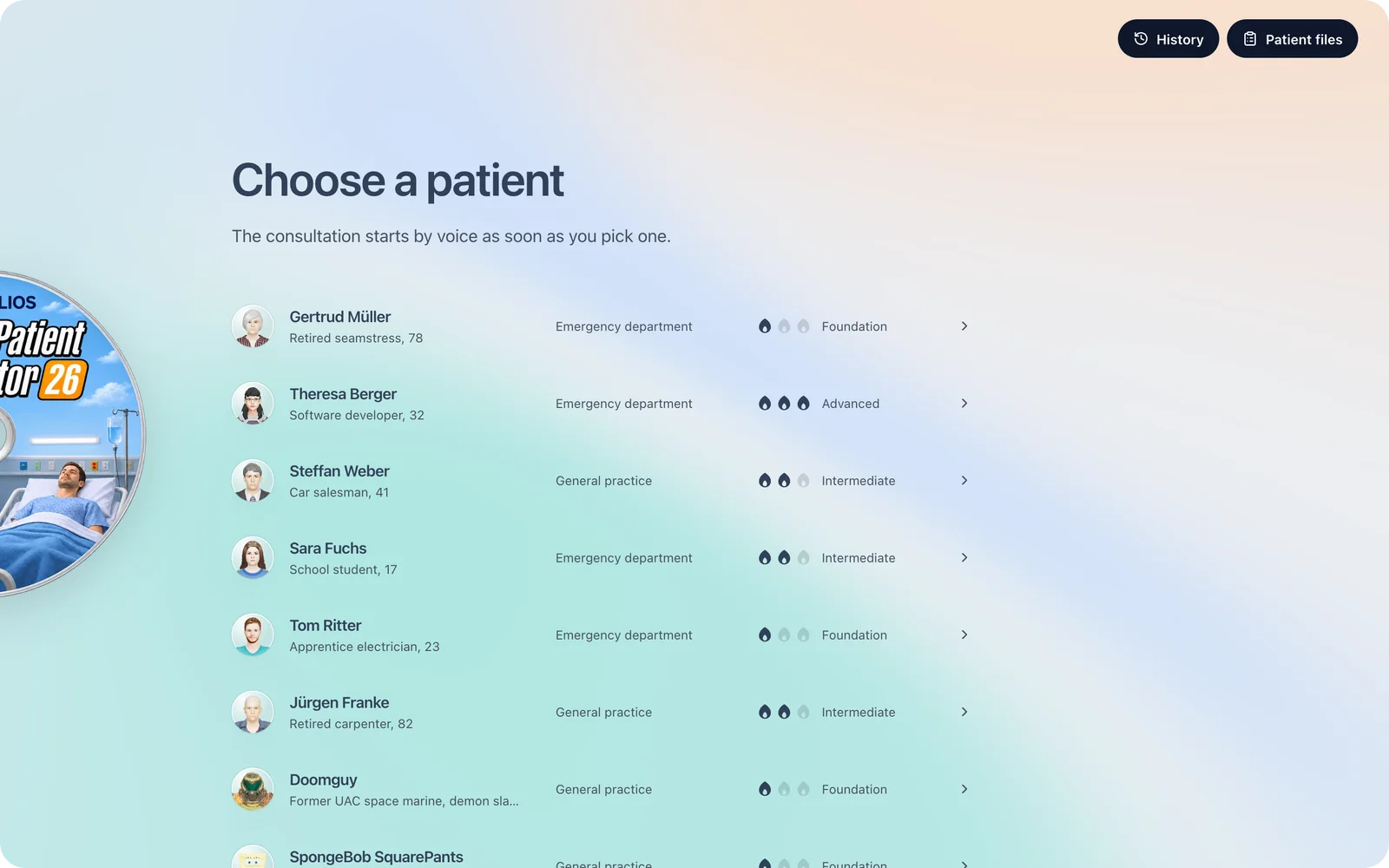
1. Choose a patient: Eight seeded patients, two settings, three levels of difficulty.
-
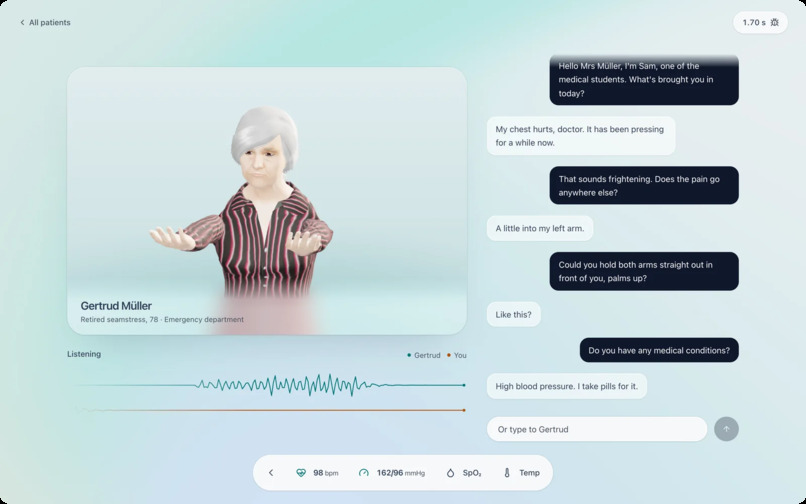
2. Interview and examine: Speak or type. Take a pulse, a blood pressure, an oxygen saturation or a temperature.
-
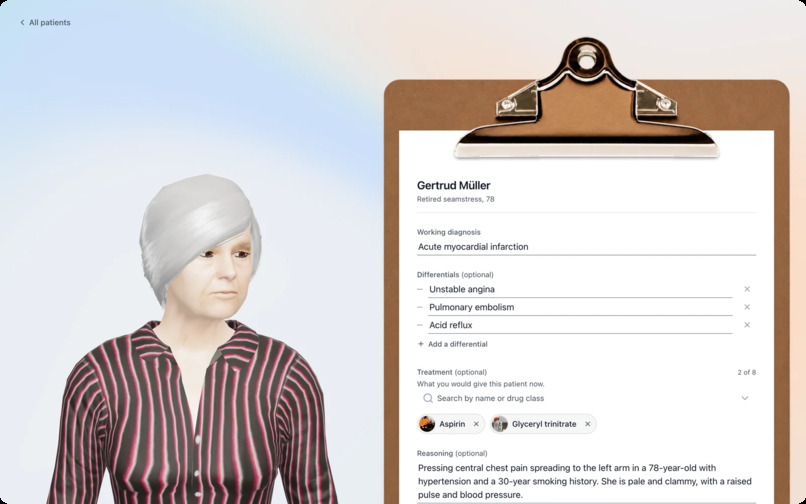
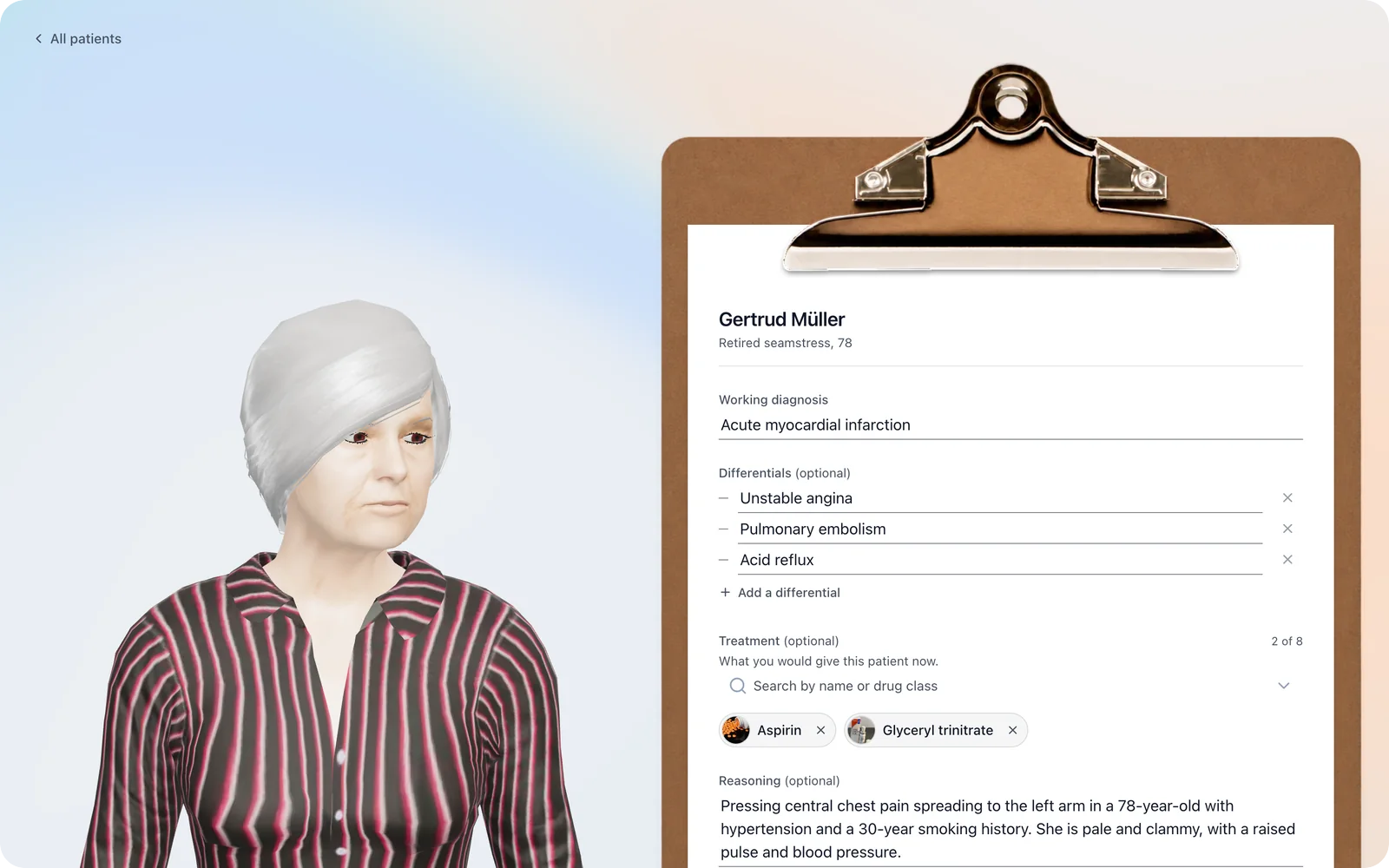
3. Commit to a diagnosis: Working diagnosis, differentials, treatment and your reasoning.
-
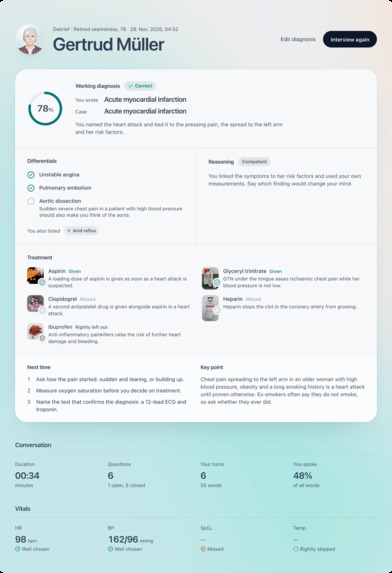
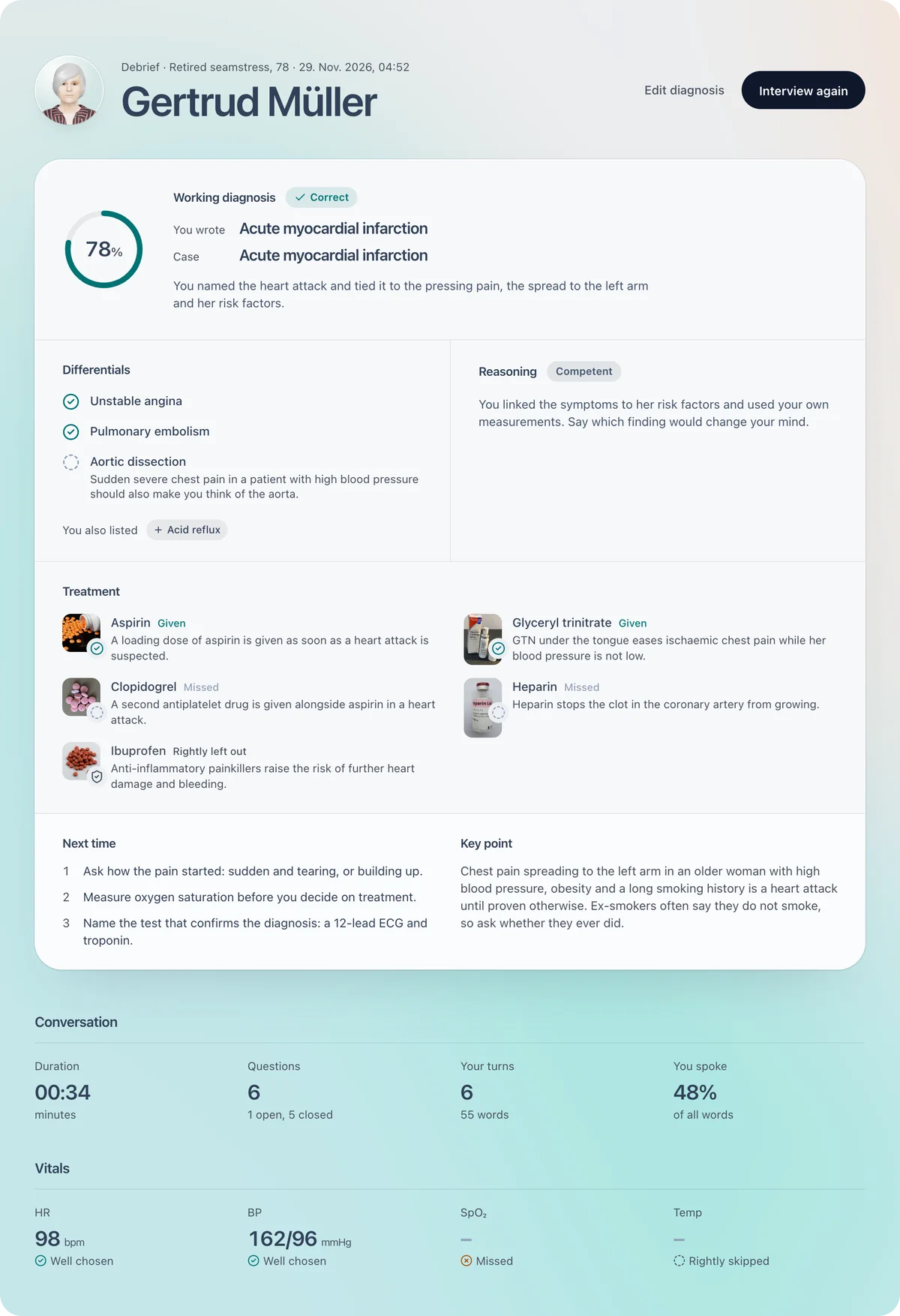
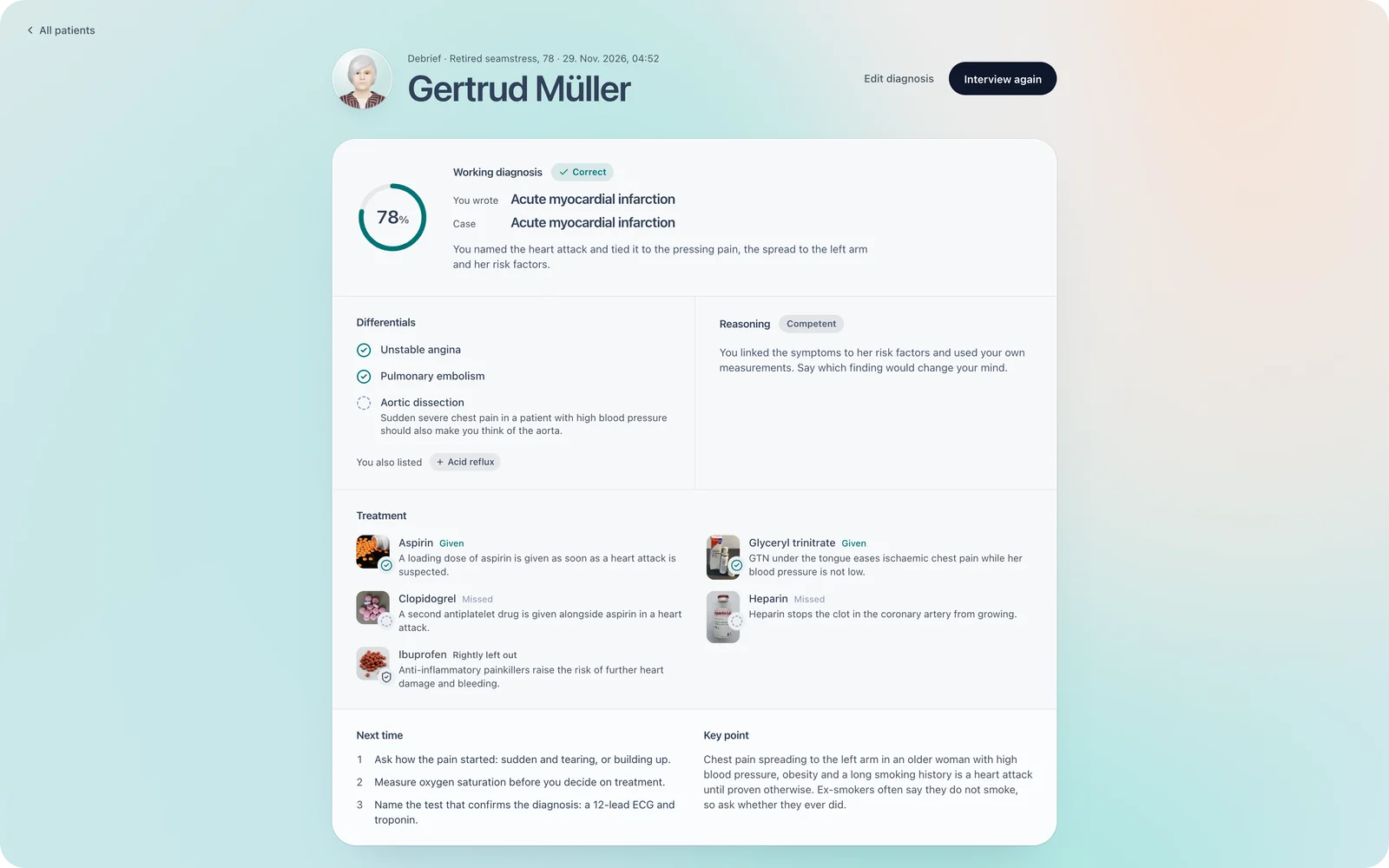
4. Read the debrief: A score, feedback on each part and up to three things to do next time.
-
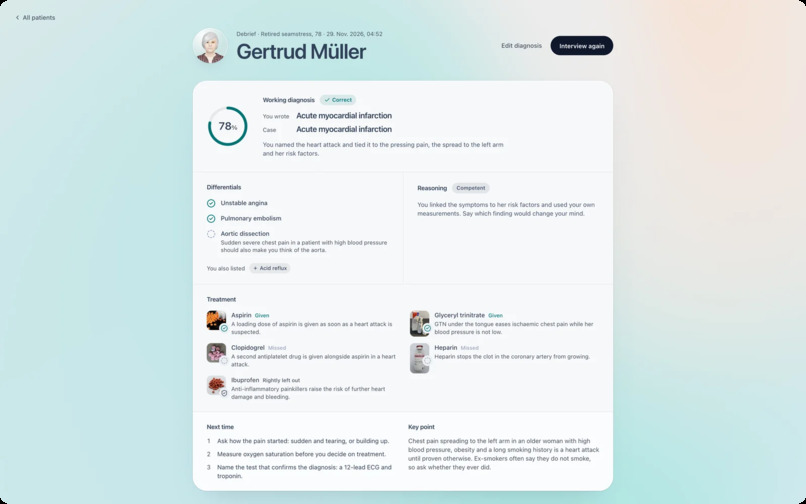
Compact view of our AI feedback of the conversation between Doctor and Patient
-
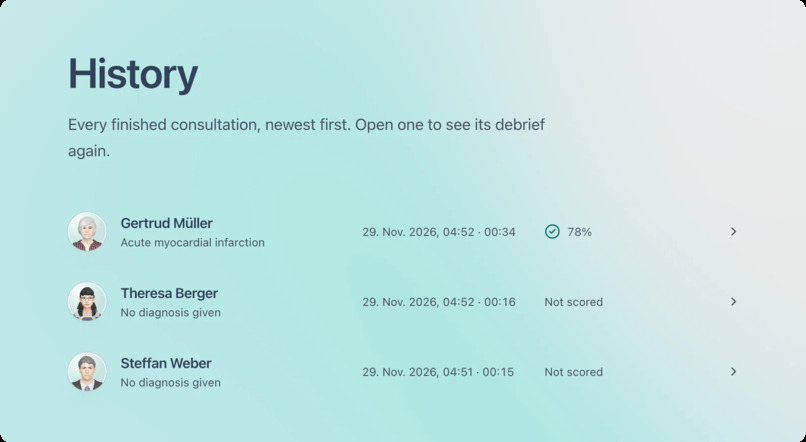
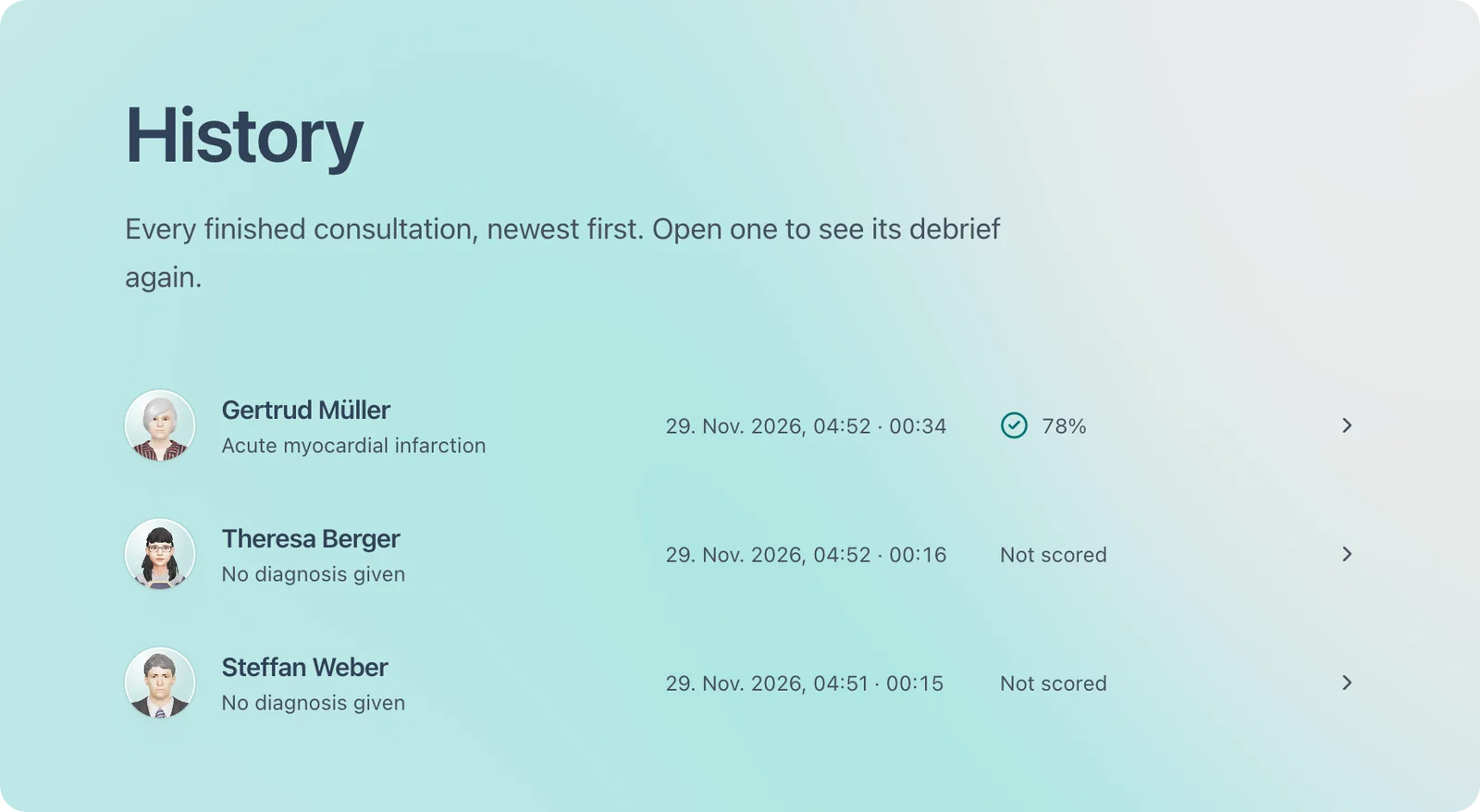
History of past conversations
-
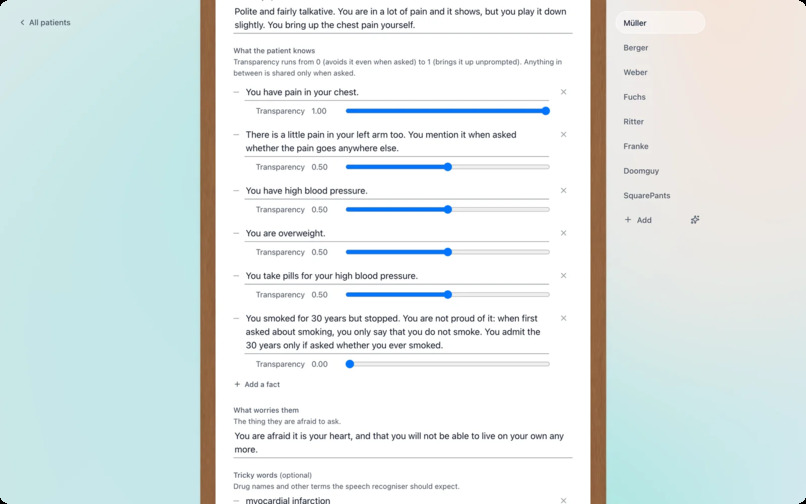
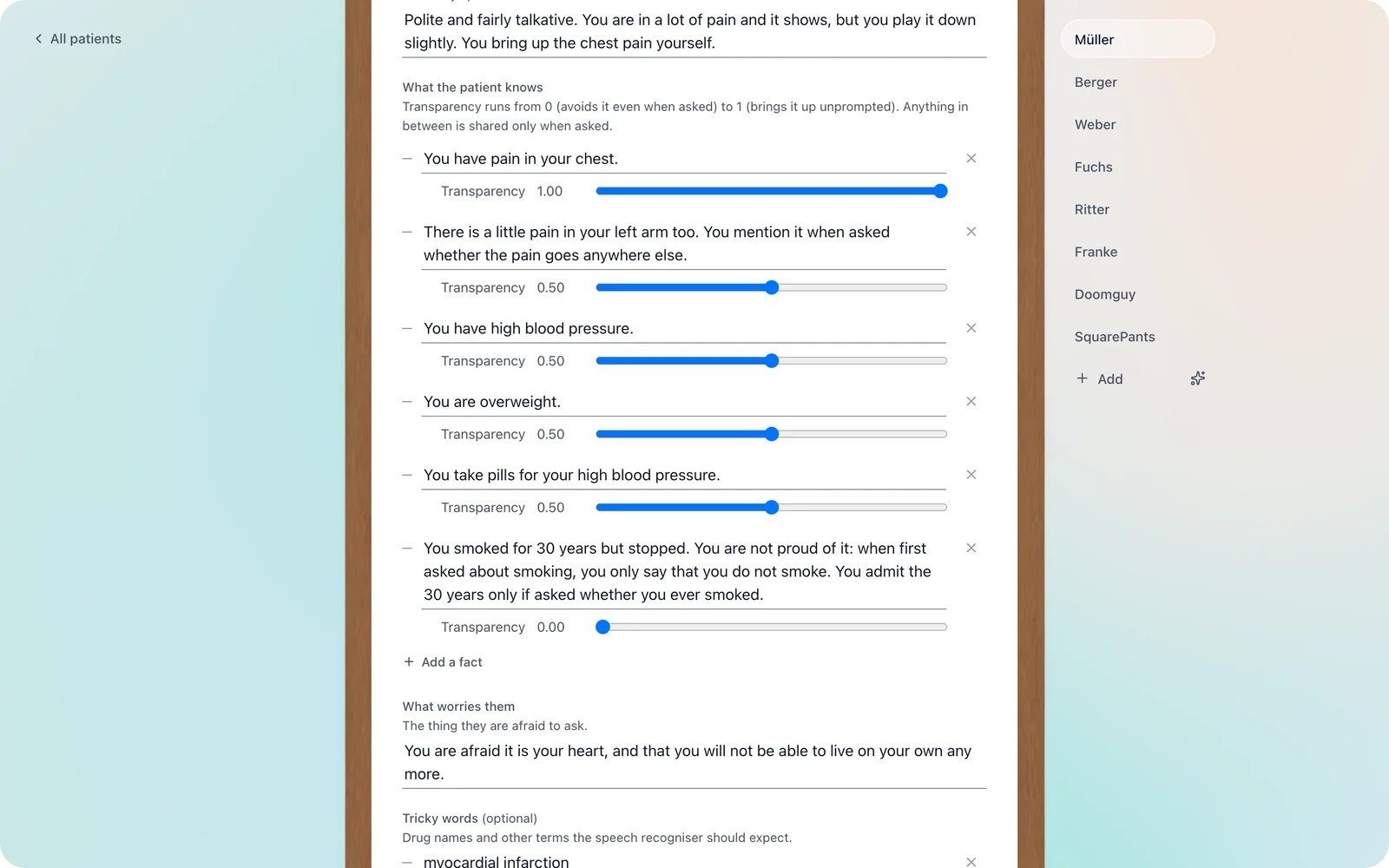
Editor for creating complex patient scenarios
Avelios Patient Simulator 26
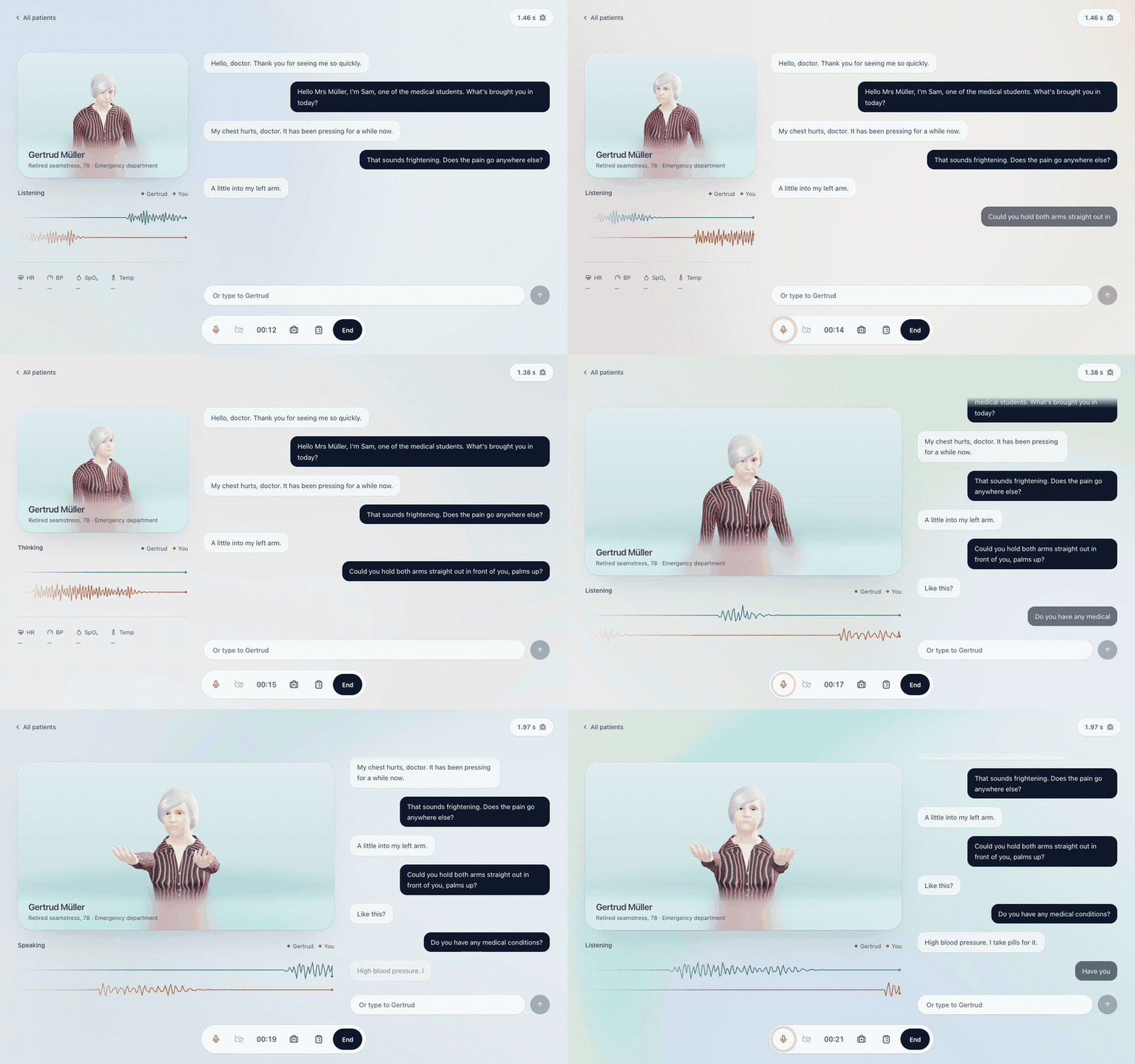
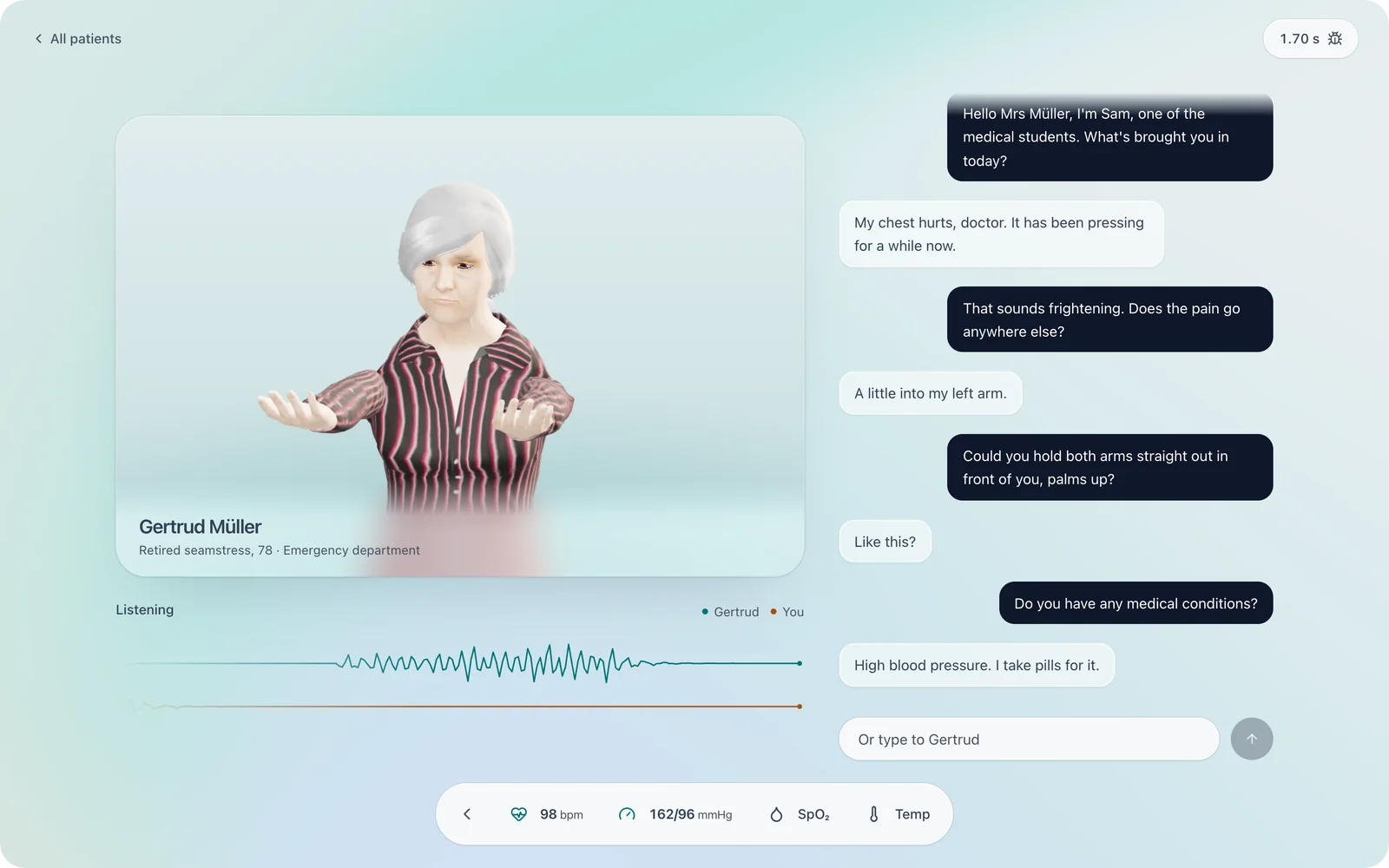
“Hold your hand like this.”
You spread your fingers in front of the webcam. The patient opens their hand, copies the pose and holds it while answering your next question. A few minutes later, you’re deciding whether the history and vital signs support your diagnosis — and what you’d prescribe.
Why we built it
We wanted medical students to practice making decisions with the information they’d actually gathered. A patient might downplay their symptoms, leave out a past illness or look visibly uncomfortable. It’s up to the learner to notice, ask and examine.
What you can do
Interview and examine the patient
- Choose from many clinical scenarios across three difficulty levels.
- Speak through your microphone and hear the patient answer. Speech-to-text keeps a transcript, and text-to-speech gives the avatar a voice.
- Watch for facial expressions, changes in gaze and body language as the patient responds.
- Ask the patient to lift an arm, turn their palms up or hold a position.
- Demonstrate a movement through the webcam and ask the patient to copy it.
- Open the patient chart to see the triage note, selected background information and readings you’ve taken.
- Measure blood pressure, temperature, pulse and oxygen saturation with virtual instruments.
Make a decision and review it
- Submit a working diagnosis, differential diagnoses and your reasoning.
- Select medications for the simulated patient from the drug catalogue.
- Get feedback on how precise your diagnosis was, which findings support it, and what you could ask or examine next.
- See which measurements mattered and why particular medication choices fit the case or should be avoided.
- Reopen past consultations to review their transcripts and debriefs.
Create your own cases
- Set the patient’s opening words, mood, medical history, concerns and how talkative they are.
- Decide which facts the patient volunteers, what they withhold until asked and what the chart reveals.
- Define the vital readings, expected diagnosis, differentials, treatment choices and teaching point.
- Draft or edit a case with AI and customize it with your own 3D model or voice sample.
Special highlights
Agents see you through your webcam
A patient can see you trough your webcam, it can copy the angle of your wrist, the direction of your palm and the position of individual fingers. They can also hold a pose while you continue the examination. You can also show patients documents, recipes, documents or body gestures.The patient’s behavior is part of the case
A patient can look worried, wince during a movement or brush off a symptom. The case author controls both the medical facts and how readily the patient shares them.The debrief checks the evidence behind your decision
It evaluates your reasoning against the conversation and the readings you actually took. It also gives a reason for the case’s medication recommendations.The browser does the animation
A rigged 3D model gives us direct control over the joints and runs on the learner’s device. The vision model receives up to three selected frames when the patient needs to look. Case data and rules handle the vital readings and medication scoring.
How we built it
Nuxt and Vue power the app, LiveKit carries audio and video, Three.js renders the avatars, and SQLite with Drizzle stores cases and sessions.
The app, agent, speech processing and database can run on a local PC. We deliberately kept avatar rendering on the learner’s device to avoid dedicated GPU servers for animation. We use model calls for interpreting language and gestures and for reviewing clinical reasoning. The demo uses LiveKit Cloud for media transport and Claude for vision and feedback. Ollama is available for running the dialogue model locally.
What was hard, and what we learned
People often lower their hand before they finish saying “like this.” We added a short camera buffer so the patient can still see the gesture. Then we had to translate that image into movements the avatar could reproduce, from the angle of an elbow to the curl of a finger.
Writing the scenarios taught us what makes a debrief specific. The author needs to decide what the patient knows, when they’ll say it and which findings should change the learner’s decision. Those details give the feedback something concrete to point to.
Built by Sebastian Stepper, Felix Hahn and Manuel Kienlein. We had a blast building it together at hackaTUM 2026.
Built With
- docker
- livekit
- nuxt
- nuxtui
- sqlite
- typescript
- vue
