-
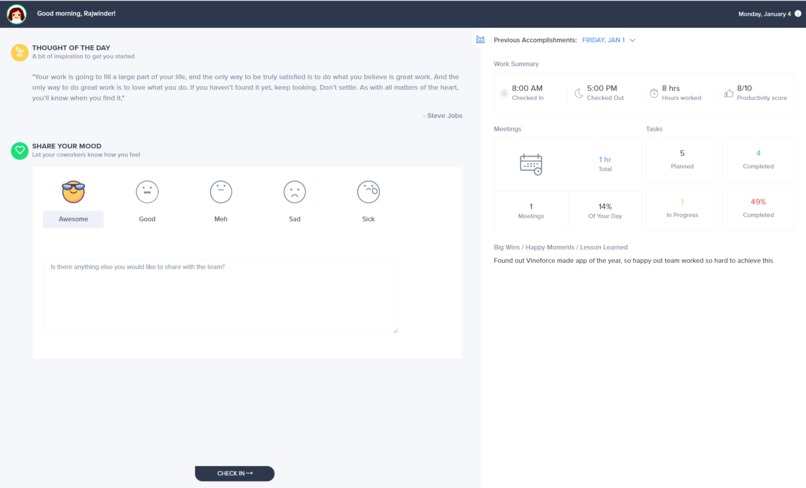
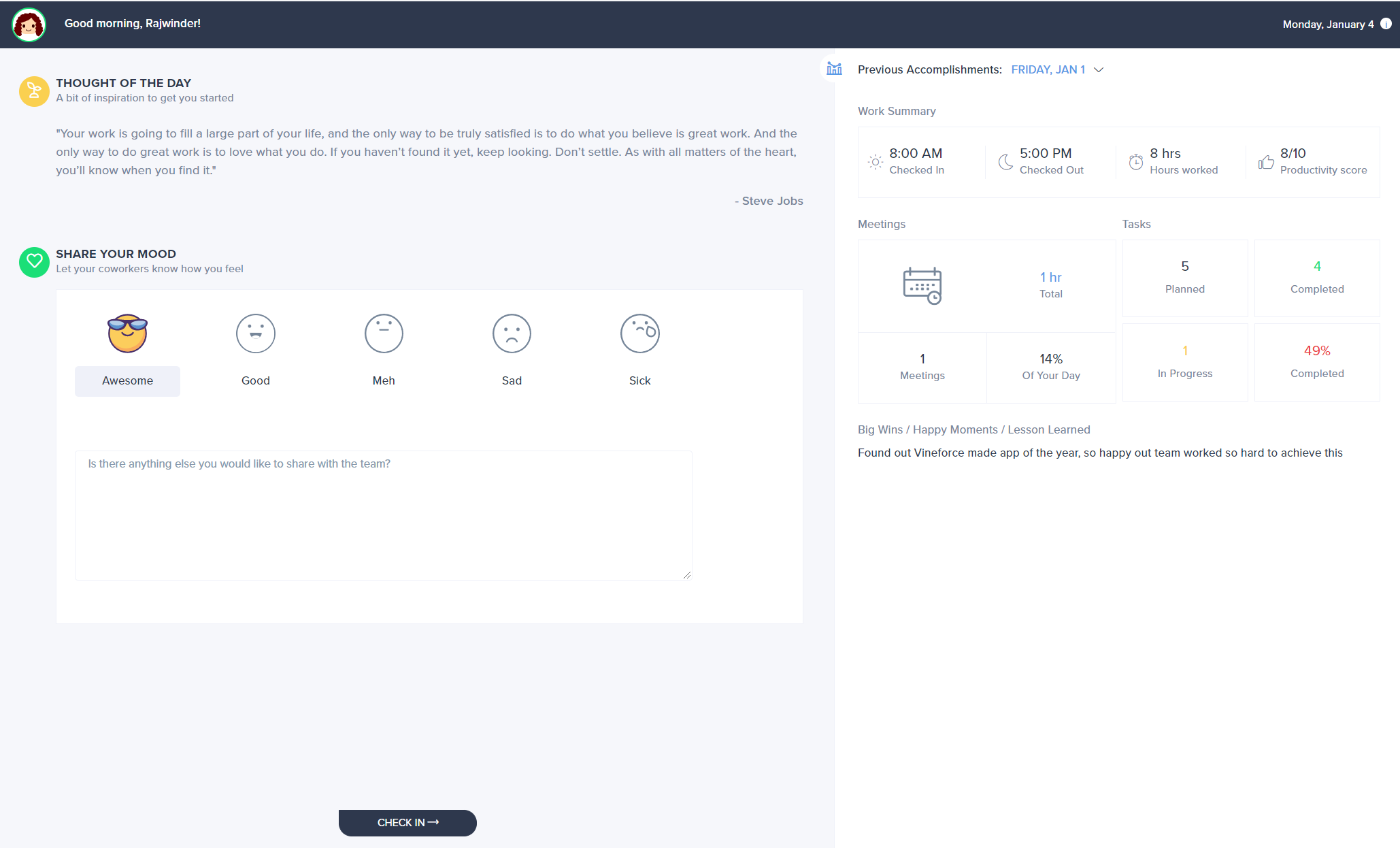
Check ins - every user goes through the same routine daily
-
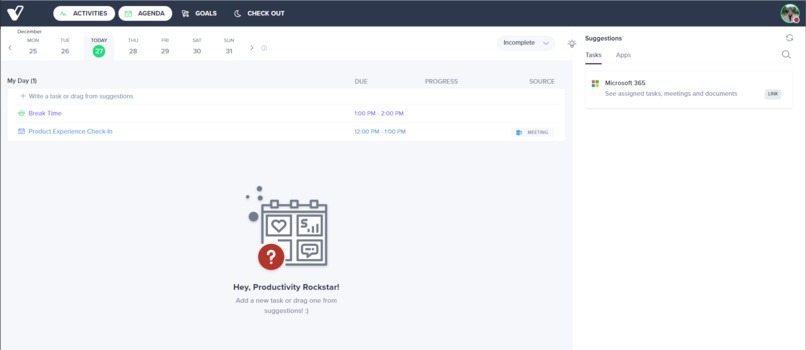
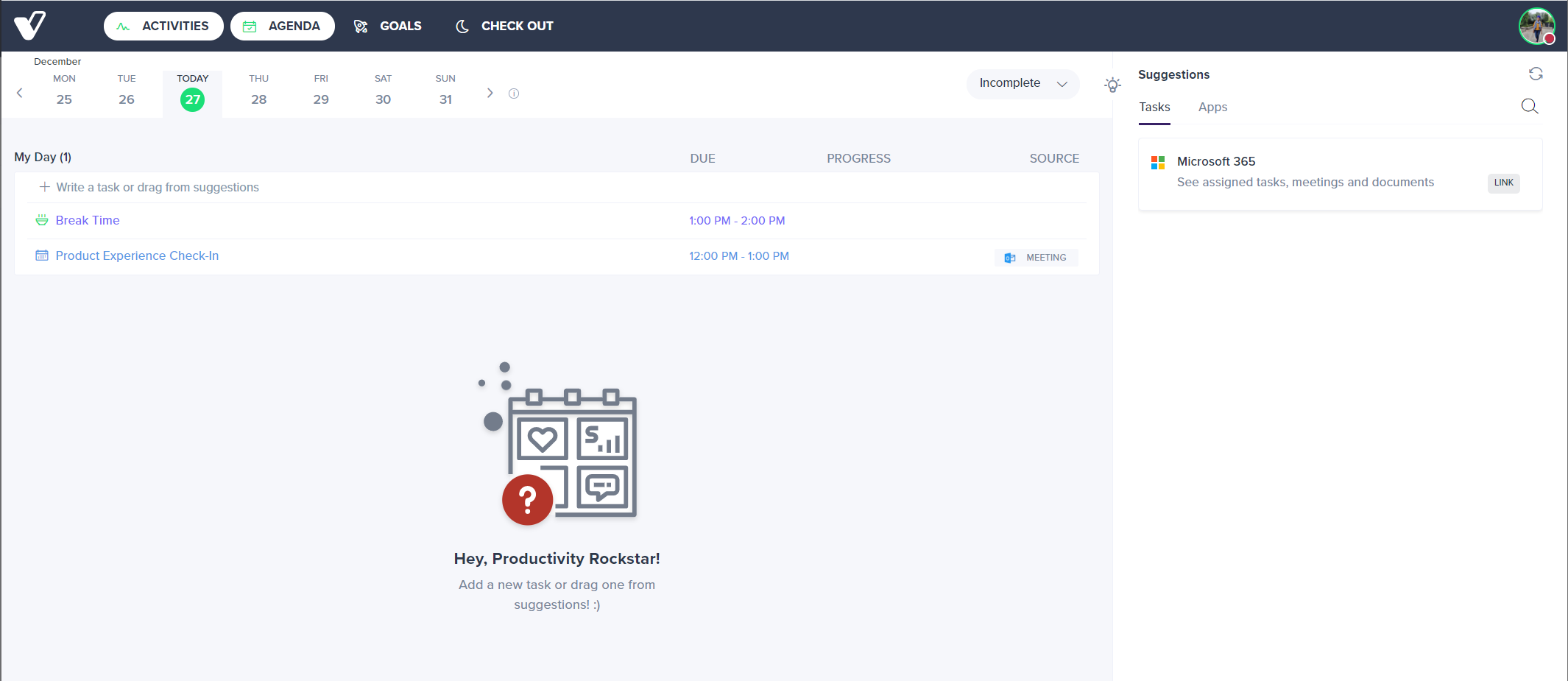
Agenda Before M365 is connected
-
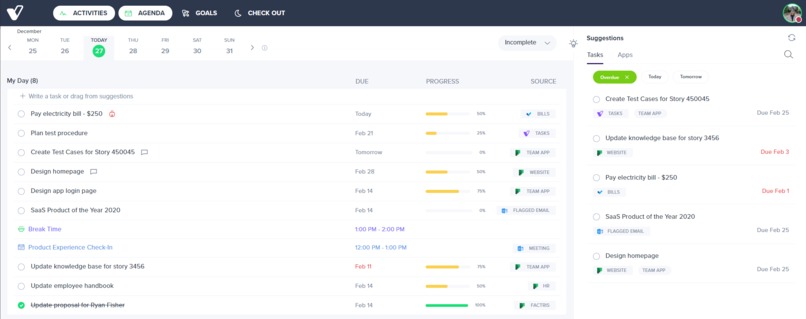
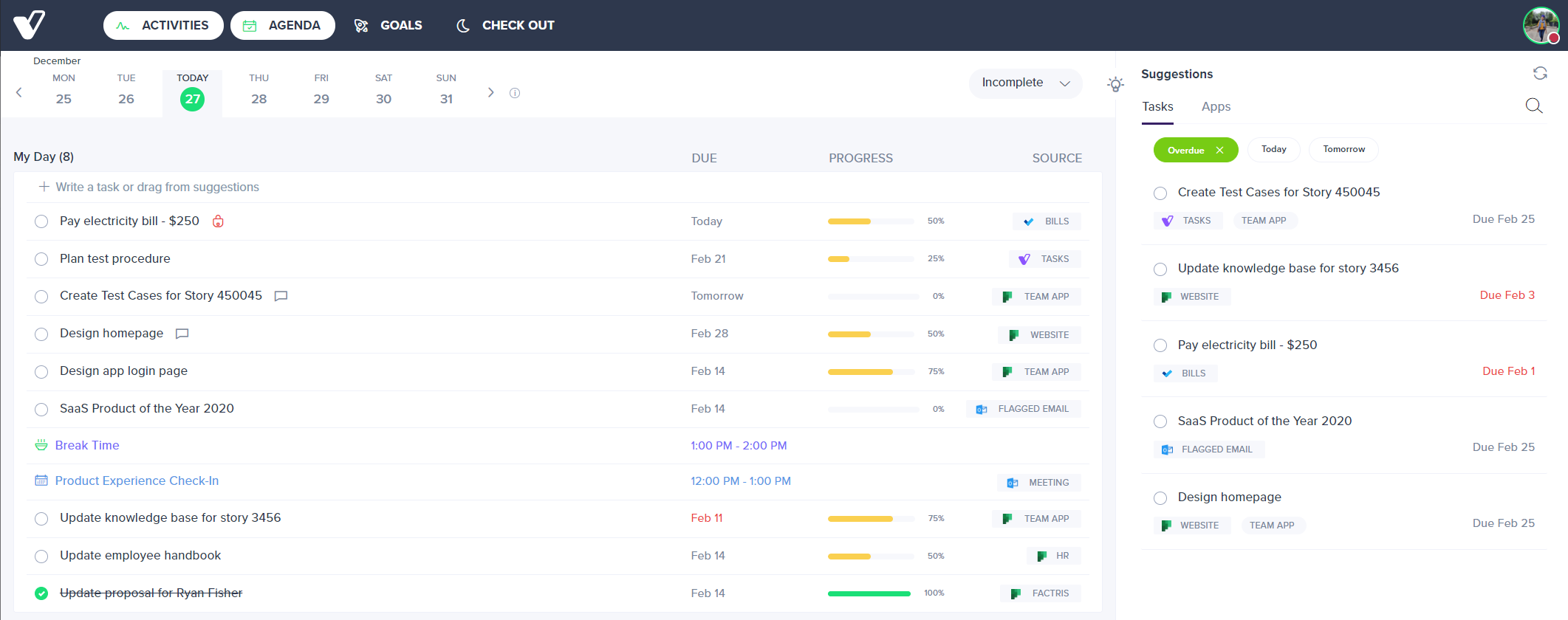
Agenda for the day - Road map for your day gives you all your Meetings, tasks, flag emails, from outlook, to do's and planner
-
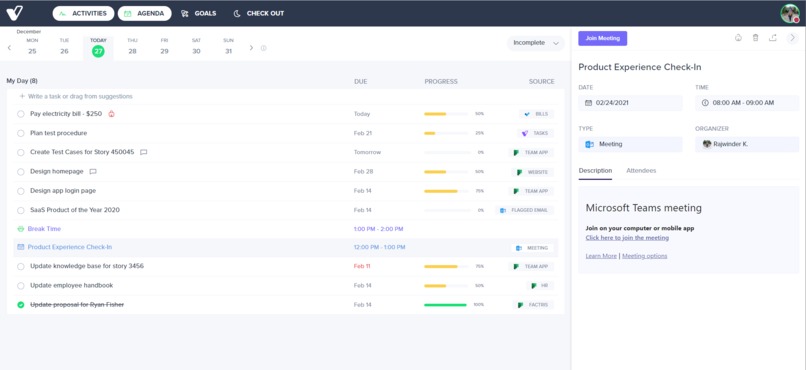
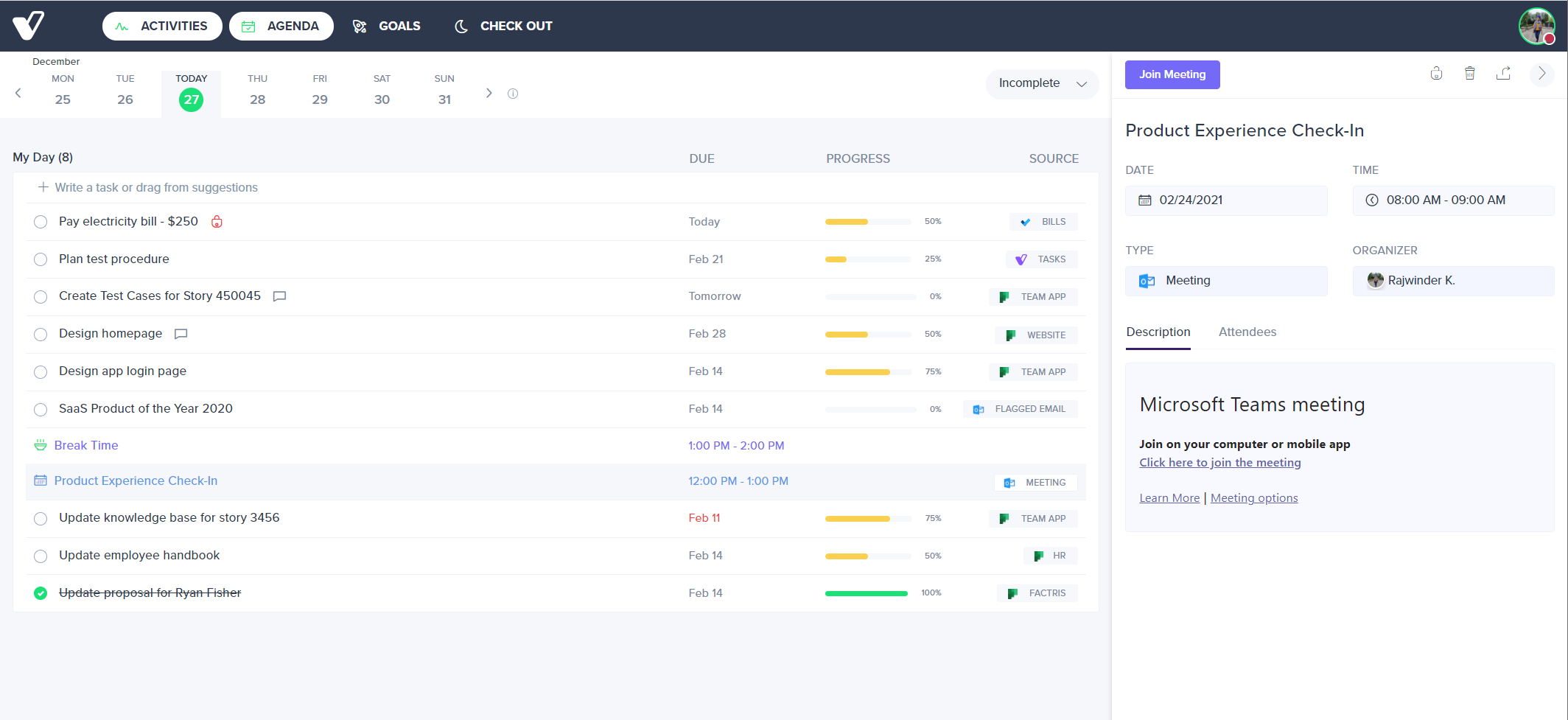
Teams Meetings Integration allows one click joining to call without leaving your agenda
-
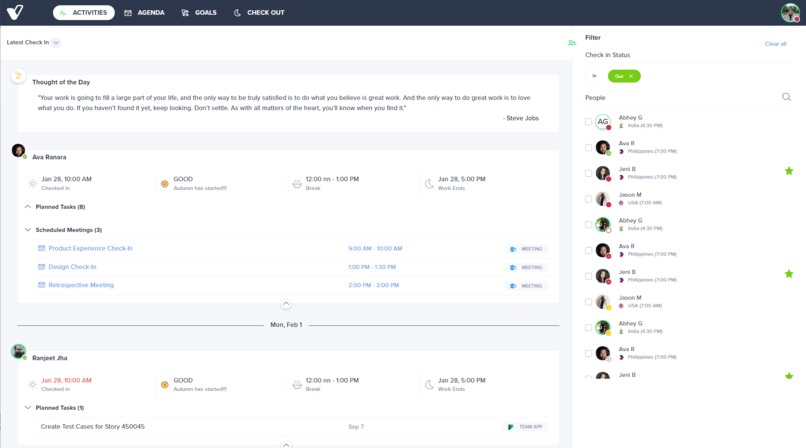
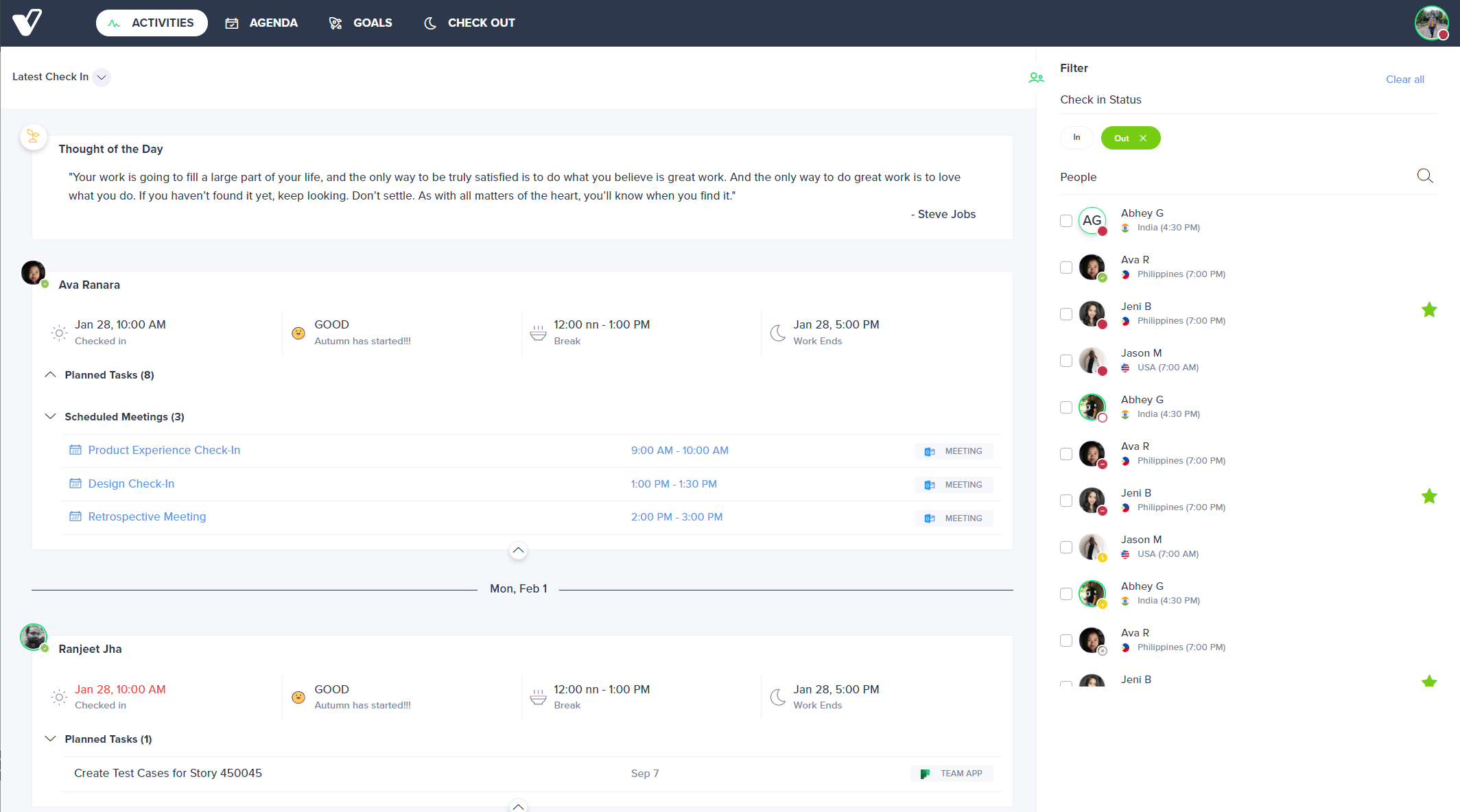
Activities - shows Microsoft teams presence along with other 365 data and other work data such as schedule, break time etc
-
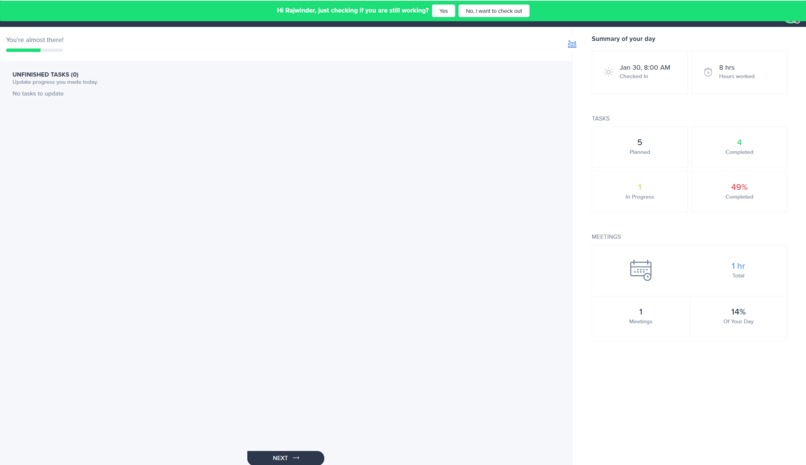
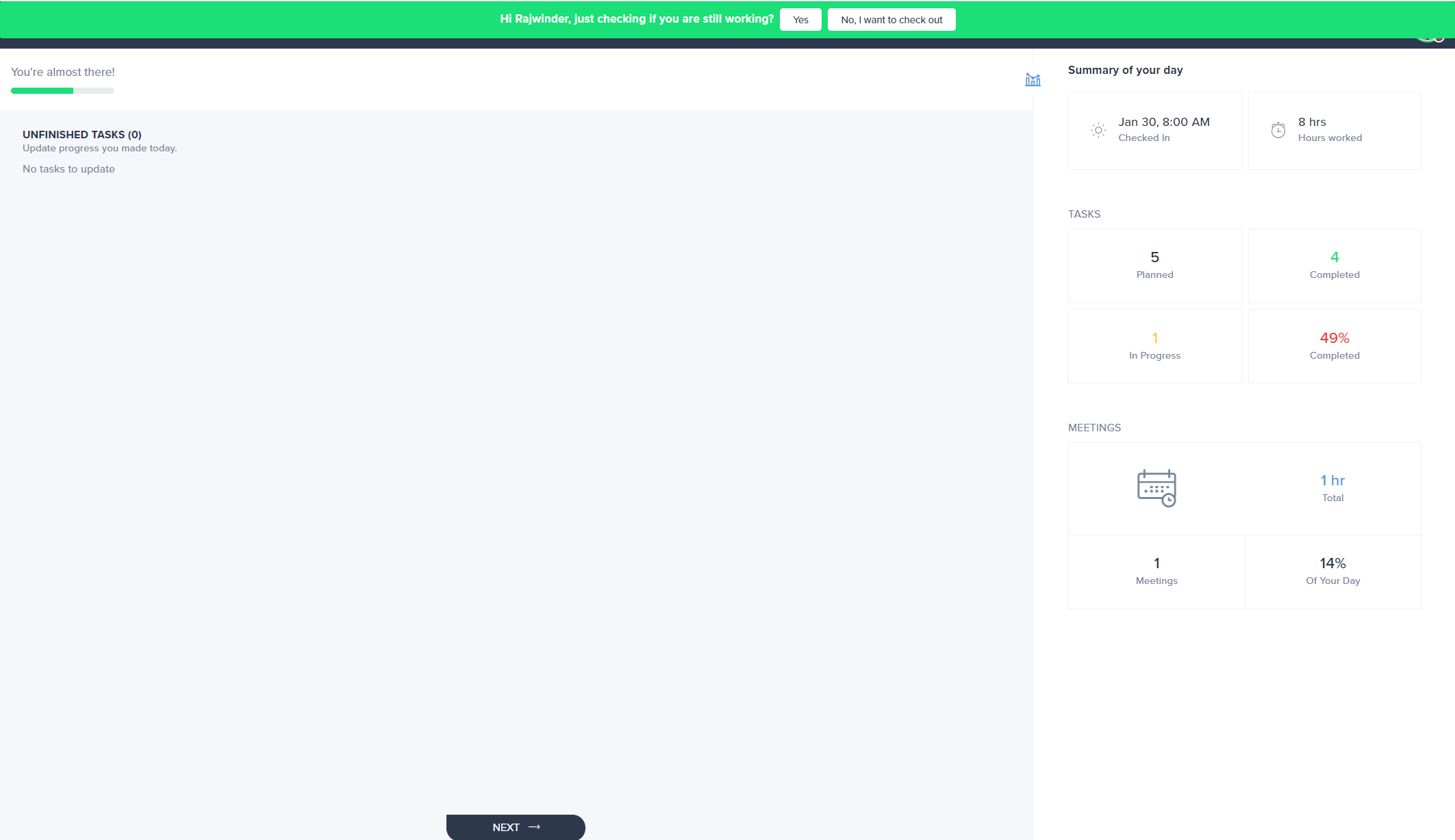
Alert to check out - provides daily balance and over working, also will alert in Microsoft teams
-
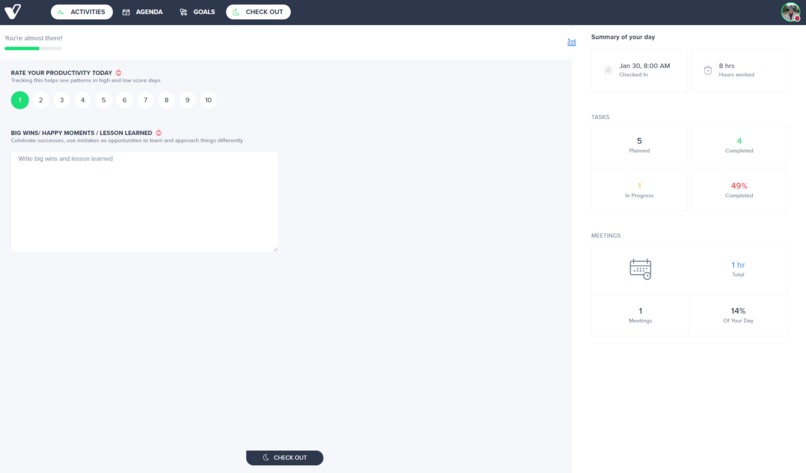
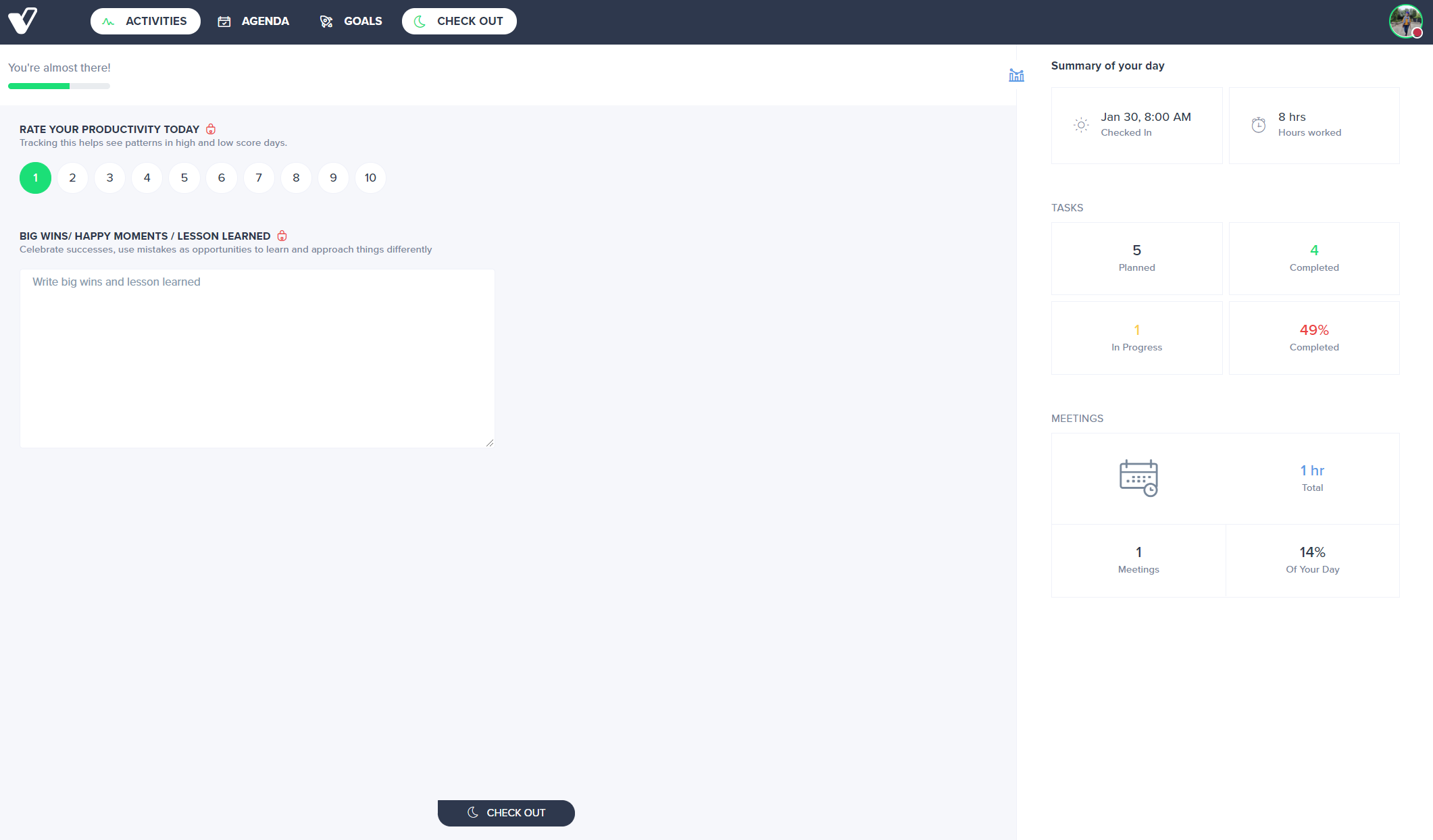
Check out - Give you summary of scheduled team meetings and calls for that day
## Inspiration
For the past 7 years, I have been managing a team that stretched from Miami to India, Pakistan, Jamaica, and the Philippines. As a former SharePoint consulting and remote worker for over 12 years, I struggled to manage my day and enforcing a consistent routine across my team.
Some of my struggles were:
- Providing inspiration to each team member at the start of each workday
- Enforcing the discipline of starting the workday with a plan while simplifying the planning process.
- Having a single view of my day - meetings, scheduled breaks, tasks, flagged email, etc.
- Seeing what my team was planning to work on without daily stand-ups or check-in meetings
- Monitoring team morale and availability across multiple time zones
- Simplify managing and aligning goals to work being performed by me and my team
- Helping team members feel a sense of accomplishment at the end of each day
- Having a clear accomplishment history for each team member that aligned with progress made on projects or goals without the need for them to write a report
## What it does
Vineforce is a complete toolkit for successful remote teamwork:
- Check-Ins - Routines to get you energized for work and helps teams plan a balanced, goal-focused agenda by automatically aggregating their work from To Do's, planner, OneNote, OneDrive Outlook, and more.
- Agenda – A road map of your day – meetings, scheduled breaks, tasks, flagged emails in a single view.
- Activities – Monitor team morale, availability, and what they plan to work on each day across multiple time zones.
- Goals – a simple progress tracking framework that seamlessly integrates into your team’s daily routine.
- Check Outs - End of day routines to help remote teams feel a sense of accomplishment and fulfillment.
- Automations – pre-built templates to automate your workflows with Power automate and Vineforce.
## How I built it
Vineforce is built using Angular, .Net, Azure (SQL, functions, etc.)
## Challenges I ran into
- Managing check-ins across multiple time zones and show it in a simple way
- Creating a solution for team members who did not check-out at the end of the workday
- Harmonizing Microsoft Teams user presence with actual availability
## Accomplishments that I'm proud of
- Simplicity of our app
- How it works in harmony with other M365 features
- How efficient it has made us internally
## What I learned
- It's best to build products you actually use becuase its easier to test and you have a unique vantage point
- Break features down as small as possible so you can get a since of accomplishment early and see the value of each feature
- Focus is key to creating great products, strive to remove distractions
- Simplifying your internal processes helps you move faster
## What's next for Vineforce
We hope to become the #1 tool that empowers Microsoft 365 subscribers to feel.

Log in or sign up for Devpost to join the conversation.