Vima Recipes turns recipes from links, videos, and photos into structured recipes, then helps you plan meals, generate an aisle-sorted grocery list, and cook hands-free on phone or iPad with optional sync across devices. Monetized via RevenueCat subscriptions with a 7-day annual trial.
Inspiration
3.5 years ago I was told by a doctor that I had to change my diet because of some health issues. Since then my wife and I have tried a TON of new recipes. Lots of experimentation led to buying lots of new cookbooks and finding recipes in lots of new places. My wife has been asking me to create a recipe app like this for a long time. This contest and all the new AI tools available convinced me to finally do it.
What it does
Vima Recipes has a goal of making it easier to go from “I saw this recipe” to “I cooked it.”
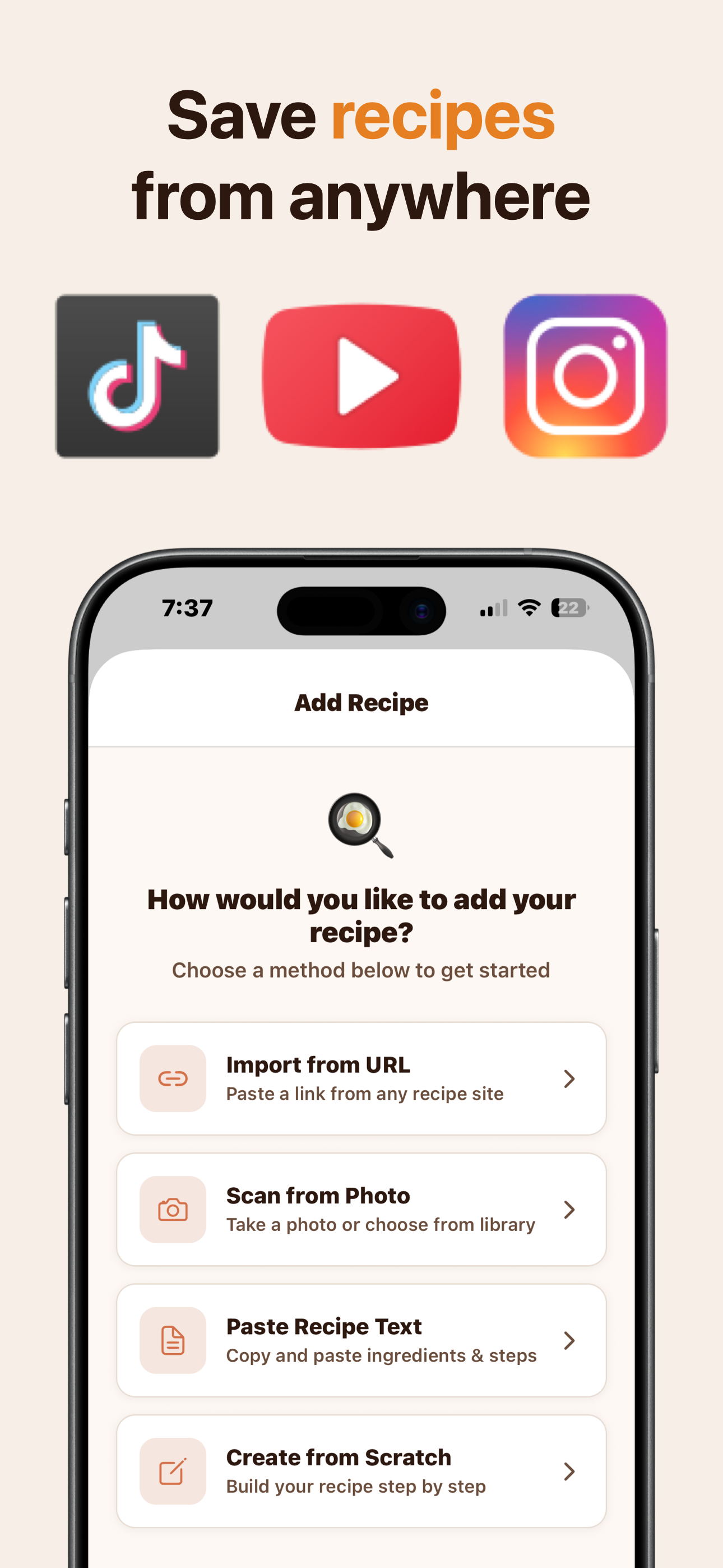
1. Import from anywhere
Share or paste a link from recipe sites, social media, and videos, or import from photos of cookbooks and handwritten cards. Vima extracts the title, ingredients, and steps into a clean recipe you can actually cook.
- Web import: Works with most recipe sites/blogs (AllRecipes, NYT Cooking, Bon Appetit, food blogs)
- YouTube import: Extracts structured recipes from video transcripts or the description
- Social media import: Share from TikTok, Instagram, Pinterest, etc.
- Photo import: Snap a picture of a cookbook page or handwritten recipe card
- Share extension: Share directly from Safari, YouTube, TikTok, or Instagram to the app
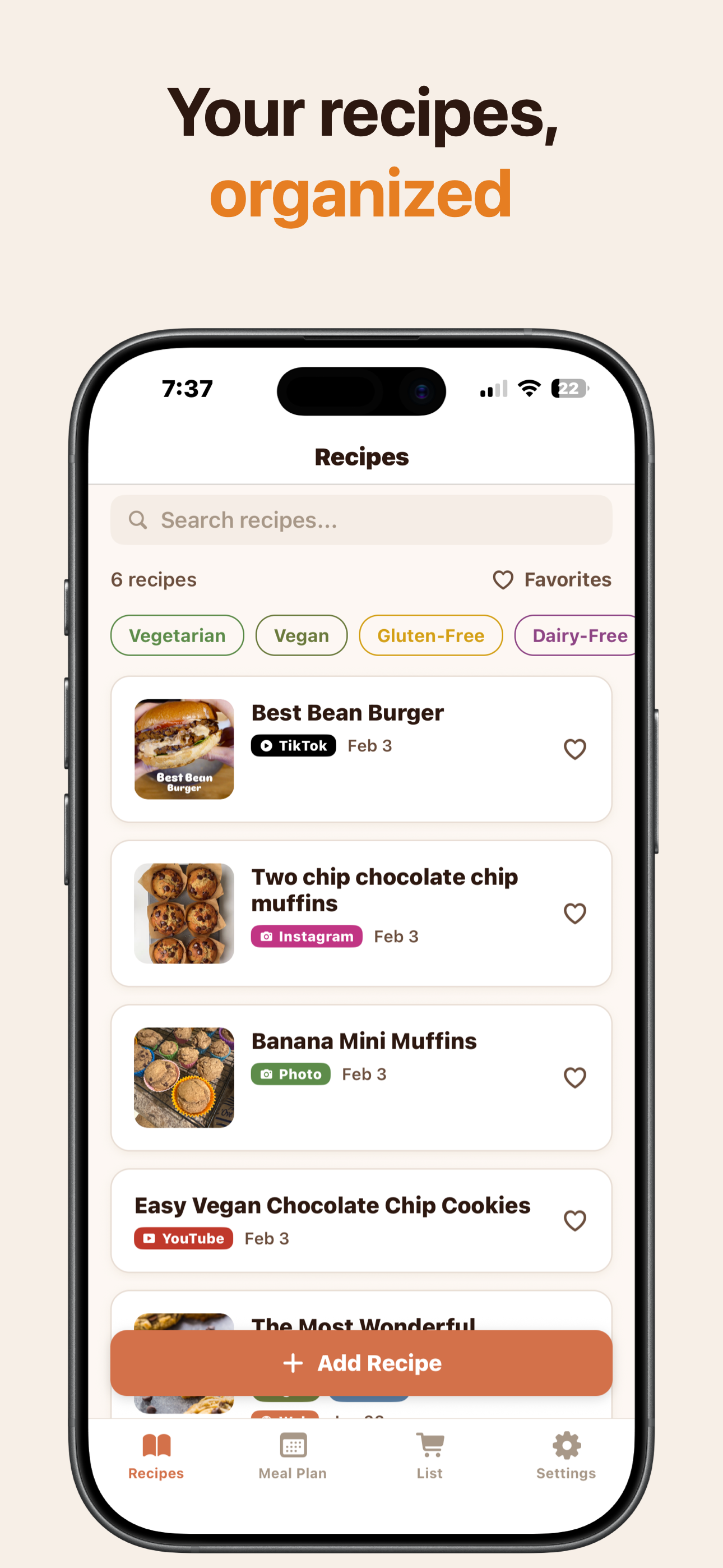
2. Organize your collection
Now that you have all your recipes, they’re easy to tag, search, and mark as favorites. Search by ingredient, recipe name, or any tags you add.
3. Plan and shop
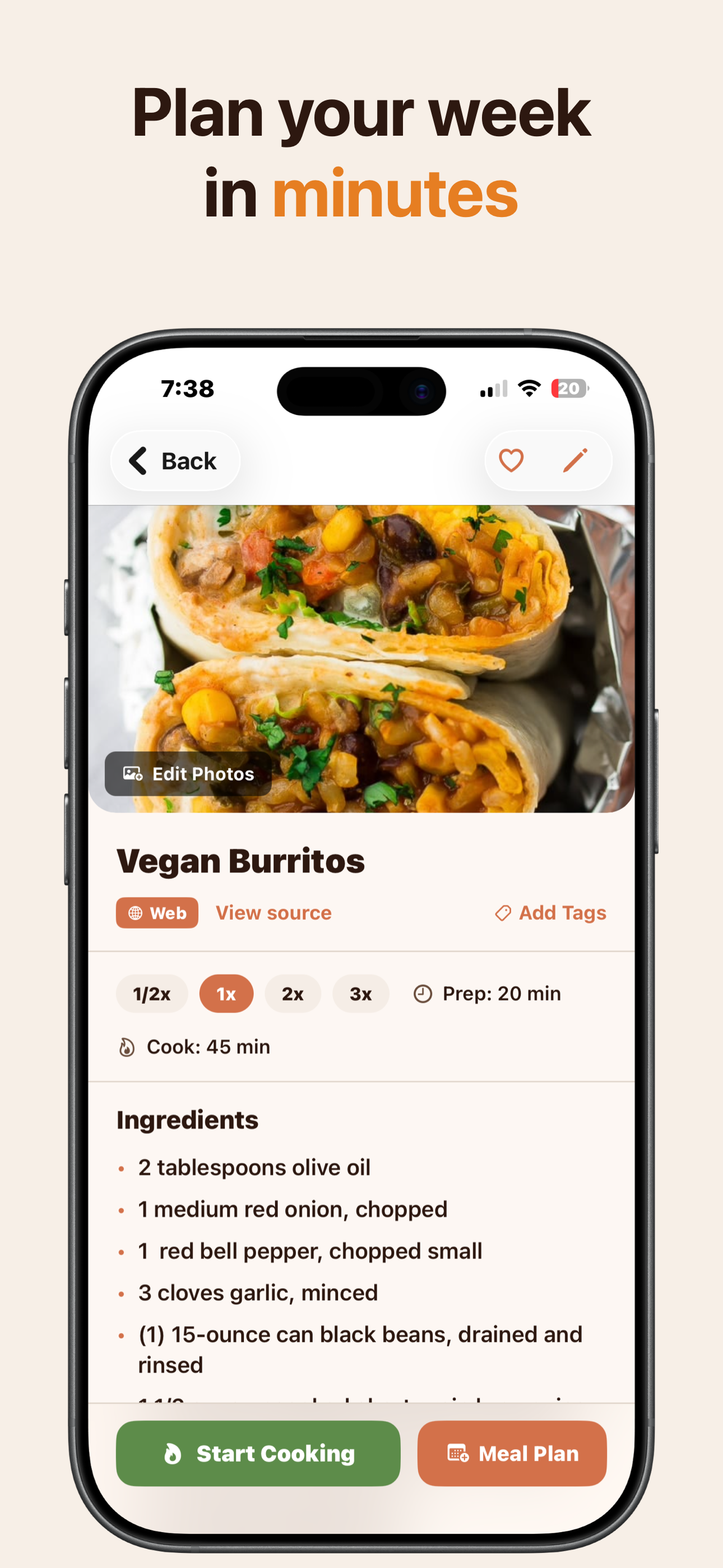
Add recipes to your meal plan. Plan your week and get a grocery list in 1 tap. It merges duplicate ingredients across recipes and organizes the list by grocery aisle (Produce, Bakery, Dairy, etc.).
4. Cooking mode
One step at a time with large, readable text. Tap an ingredient in the instructions and see how much you need. When it says “Bake for 25 minutes,” you can tap that to set a timer.
We also added a voice mode for hands-free cooking. Hands dirty from the last step? Just say “how much olive oil?” or “Next step” and the app will show the answer on-screen or advance to the next step. The screen stays on automatically so you don’t get locked mid-recipe.
5. Sync (optional)
Vima Recipes works locally by default. If you prefer to cook with your iPad, you can sign in to enable sync. Save recipes while you’re scrolling on your phone, and they’ll be ready on your iPad in the kitchen.
How we built it
- App: React Native (Expo), iOS first
- Import backend: AWS Lambda + Firecrawl + Supadata + direct fetch
- Parsing strategy: schema.org when available; otherwise content extraction + LLM to structured recipe JSON
- Video: transcripts for YouTube/TikTok/Reels when available, then LLM recipe extraction
- Meal plan/list: on-device algorithms for merging and aisle categorization
- Sync/auth: Supabase + Sign in with Apple/Google (only needed for sync)
- Monetization: RevenueCat subscriptions + trial
Monetization Strategy
Vima Recipes uses RevenueCat for all subscription management. We’re using a hard paywall with a 7-day free trial on the annual plan.
Pricing
- Annual: $39.99/year (7-day free trial)
- Monthly: $9.99/month
- Weekly: $5.99/week
Because imports and sync have ongoing costs, we chose a premium model with a free trial.
Challenges we ran into
Importing from many different sources was the most challenging part of the project. Every time we tested another site we found a new edge case. We log import failures with source + error type so we can reproduce issues and patch quickly. I’m sure there will be more as usage grows, but we’re set up to detect and fix them fast.
Accomplishments that we’re proud of
Import is the most important part of the app and also the hardest. I wasn’t originally planning to support “everything” in the MVP but I’m proud we got broad coverage in time. Voice mode during cooking is also a great quality-of-life feature. No more tapping your screen with messy hands.
What we learned
This project used a lot of tech that was new to me: Firecrawl, Supadata, and Supabase. I’ve used LLMs in other projects, but this was a much more extensive integration.
What’s next for Vima Recipes
Next is Android support, mainly adapting store-specific purchase flows. RevenueCat should make this straightforward.
I’m also considering a sharing feature where a new user can receive a shared recipe and get a short, no-strings trial. Sharing is tricky with a hard paywall, but I think a one-time trial is a fair way to let someone cook a recipe once for free and subscribe if they want to keep using the app.
Built With
- android
- aws-lambda
- expo.io
- firecrawl
- google-oauth
- ios
- javascript
- openai
- postgresql
- react-native
- revenuecat
- sign-in-with-apple
- supabase
- supadata
- typescript

Log in or sign up for Devpost to join the conversation.