-
-
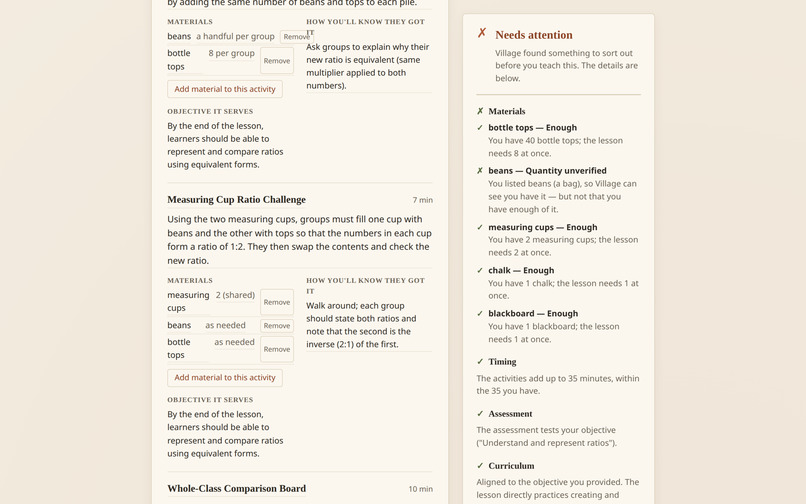
Generated lesson
-
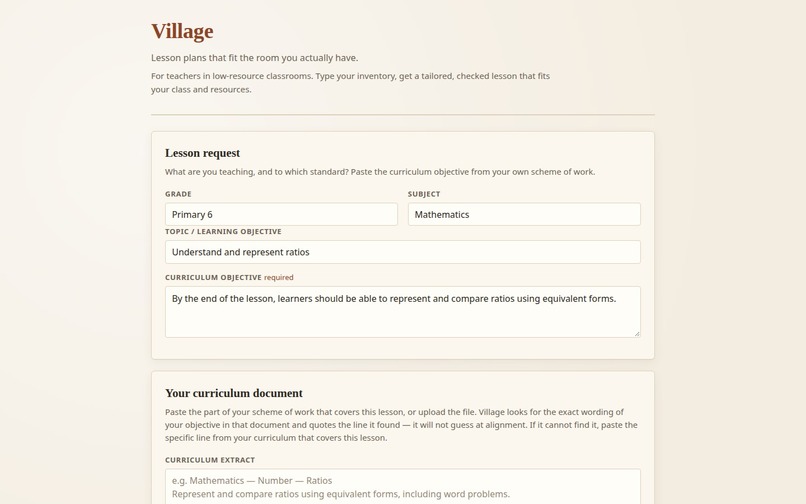
Filling the class and objectives
-
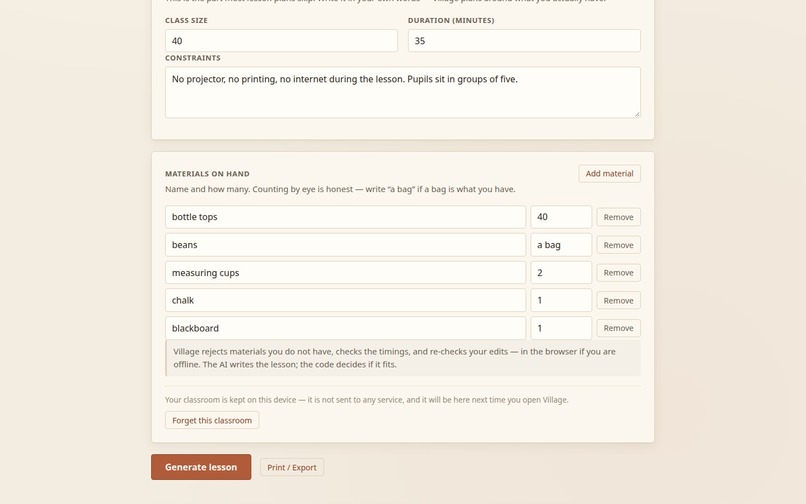
Filling the inventory
-
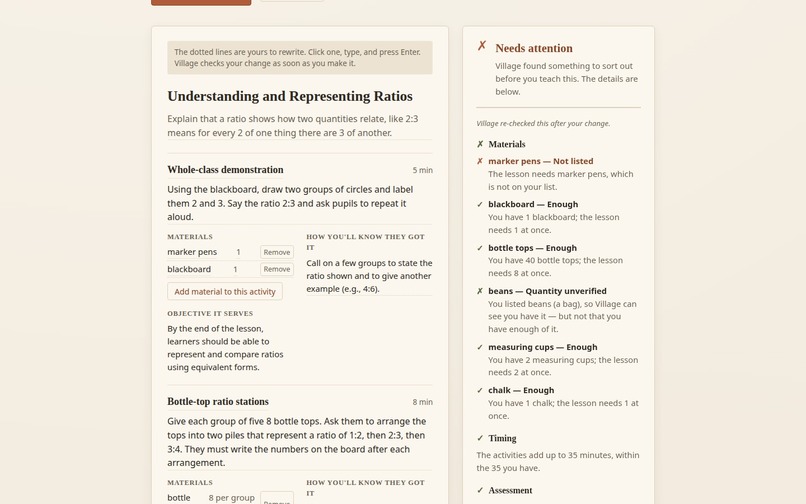
Adding something that is not in the listed materials
Inspiration
As someone who learns best by seeing things demonstrated, growing up in an educational system that leaned more towards theory than practice was a disadvantage.
That is what inspired Village. I wanted to explore how teachers could create practical, engaging lessons even when they have limited resources.
Village takes the resources a teacher has and uses them to generate a lesson plan suited to their classroom, curriculum, and students' level of learning. It also checks the plan against the available materials, helping to catch activities that depend on resources the teacher doesn't have.
The demonstration uses a primary school lesson, but the idea goes beyond primary education. Whether you're teaching a child or an adult, the goal is the same: give Village what you have, and it helps you make the most of it.
What it does
Village helps teachers turn the resources they already have into practical, engaging lessons.
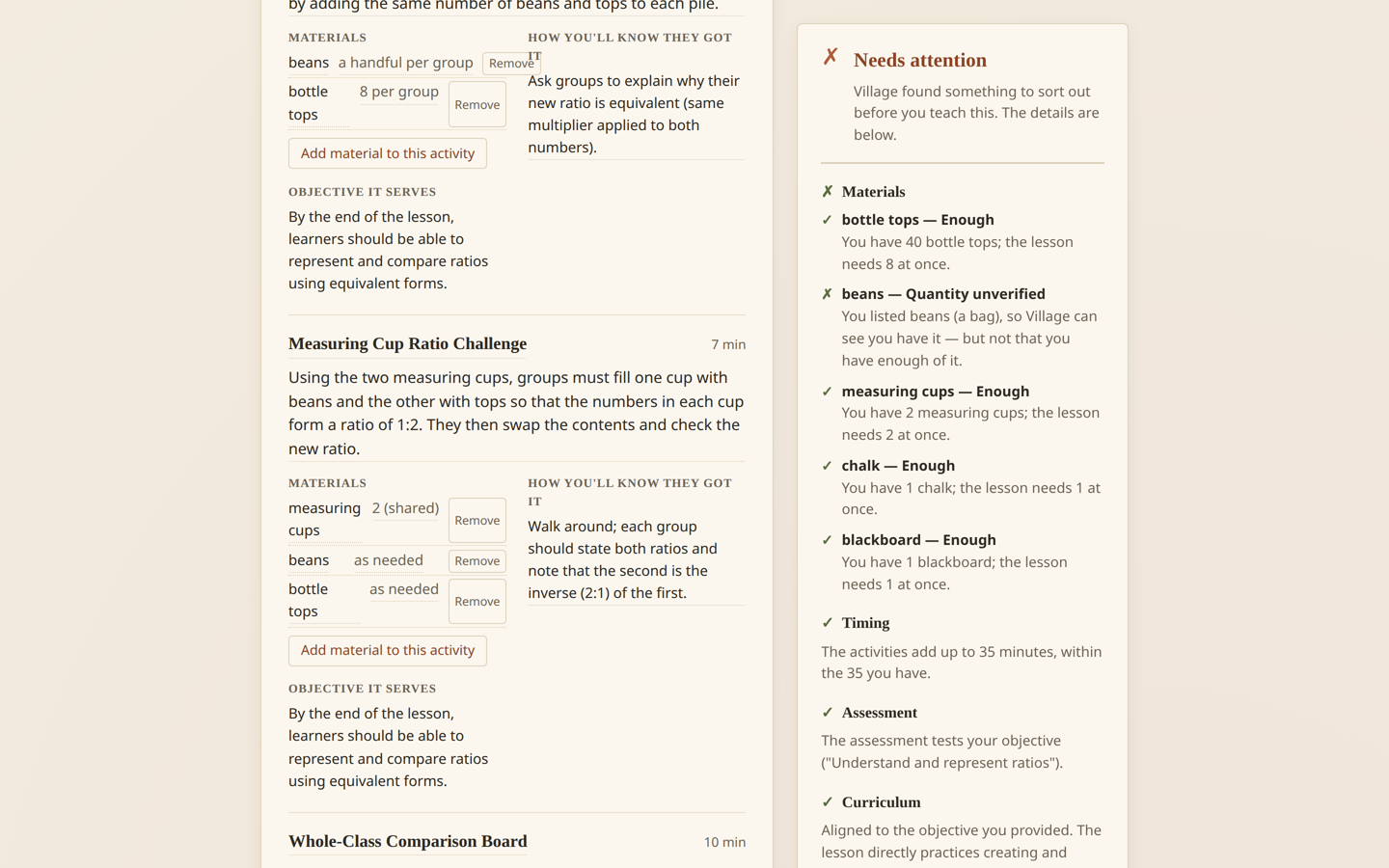
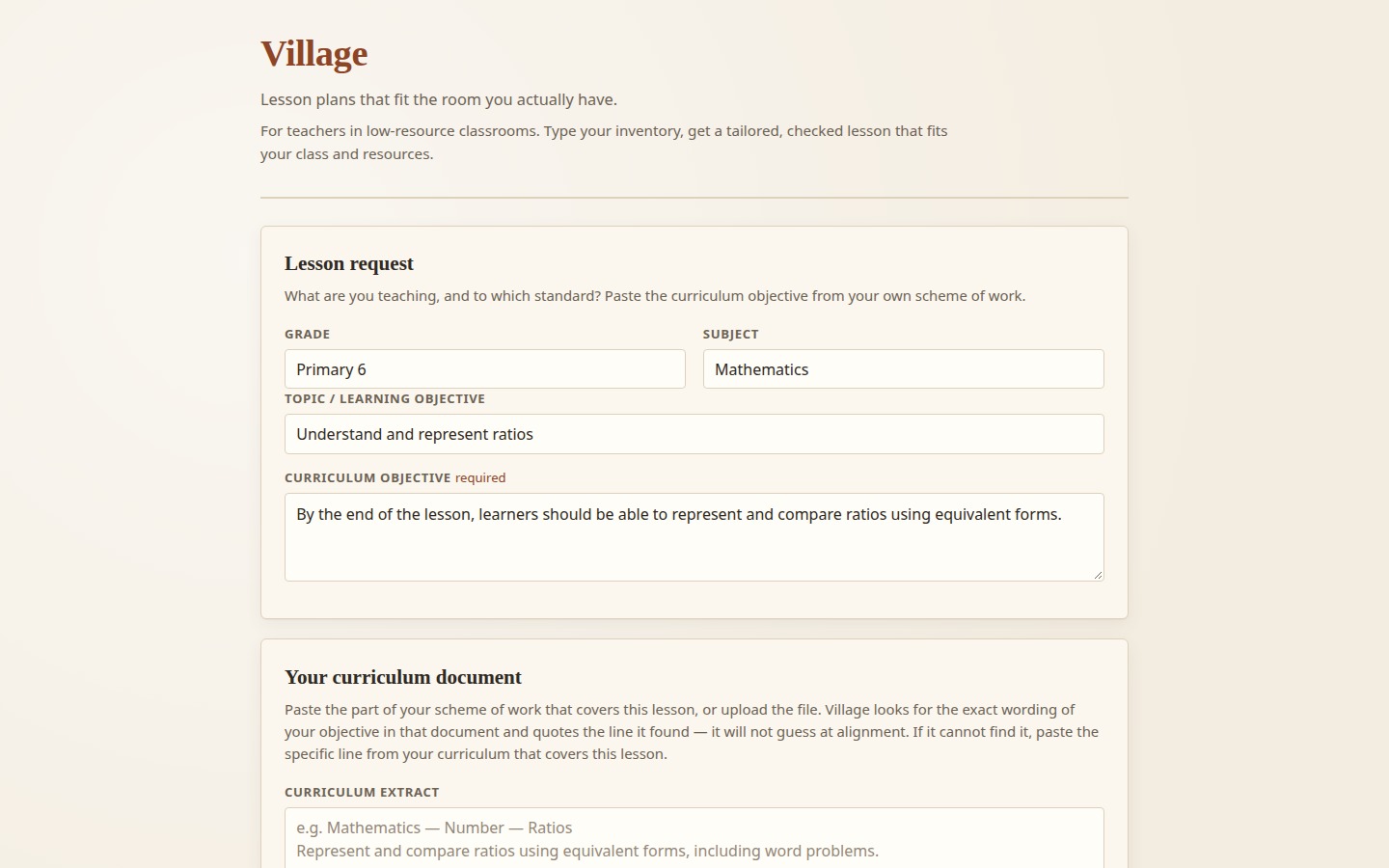
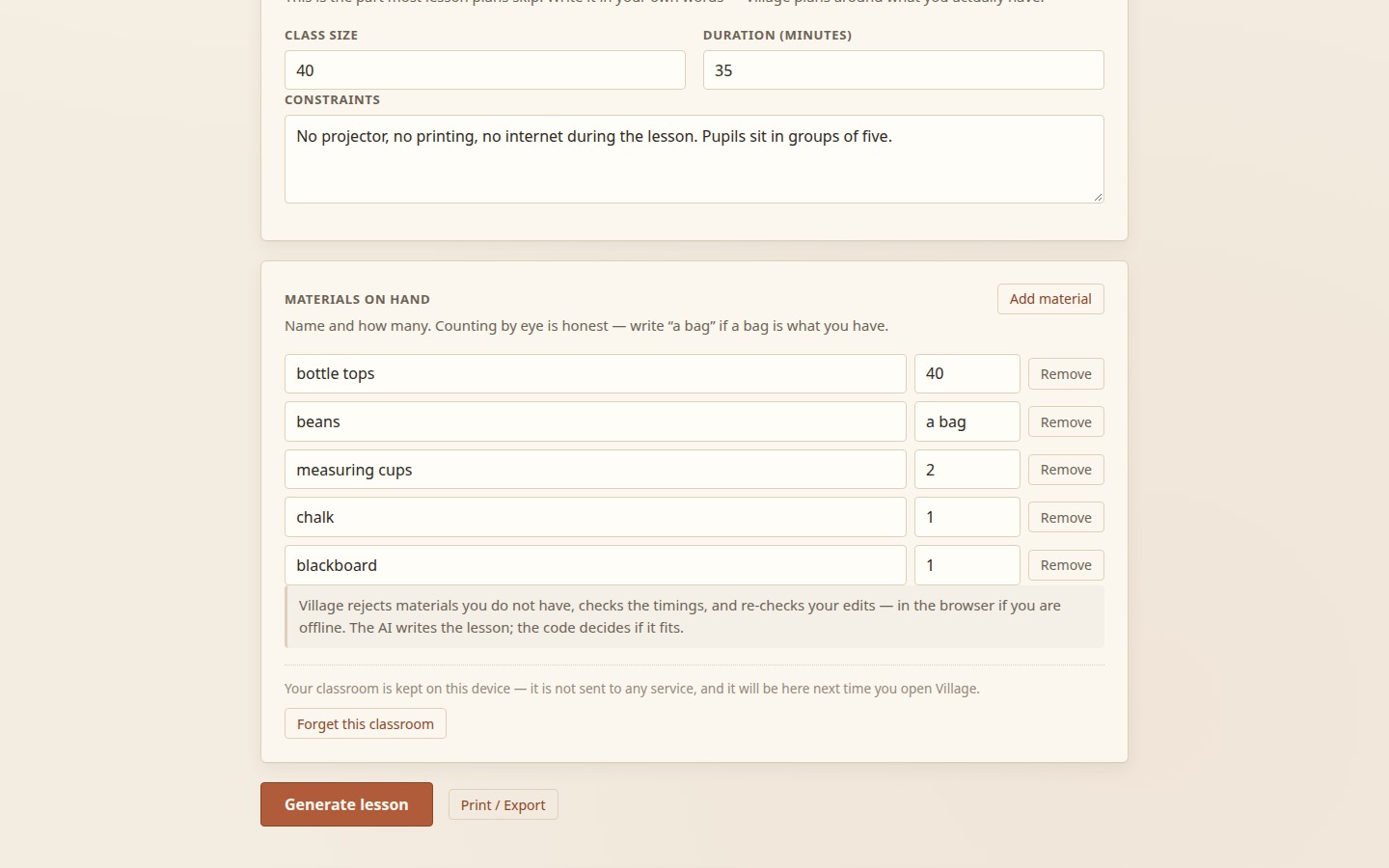
A teacher enters their class details, lesson objectives, available time, curriculum information, and the materials they have, including quantities. Village uses AI to create a lesson plan around those constraints rather than assuming the teacher has access to equipment or supplies they may not have.
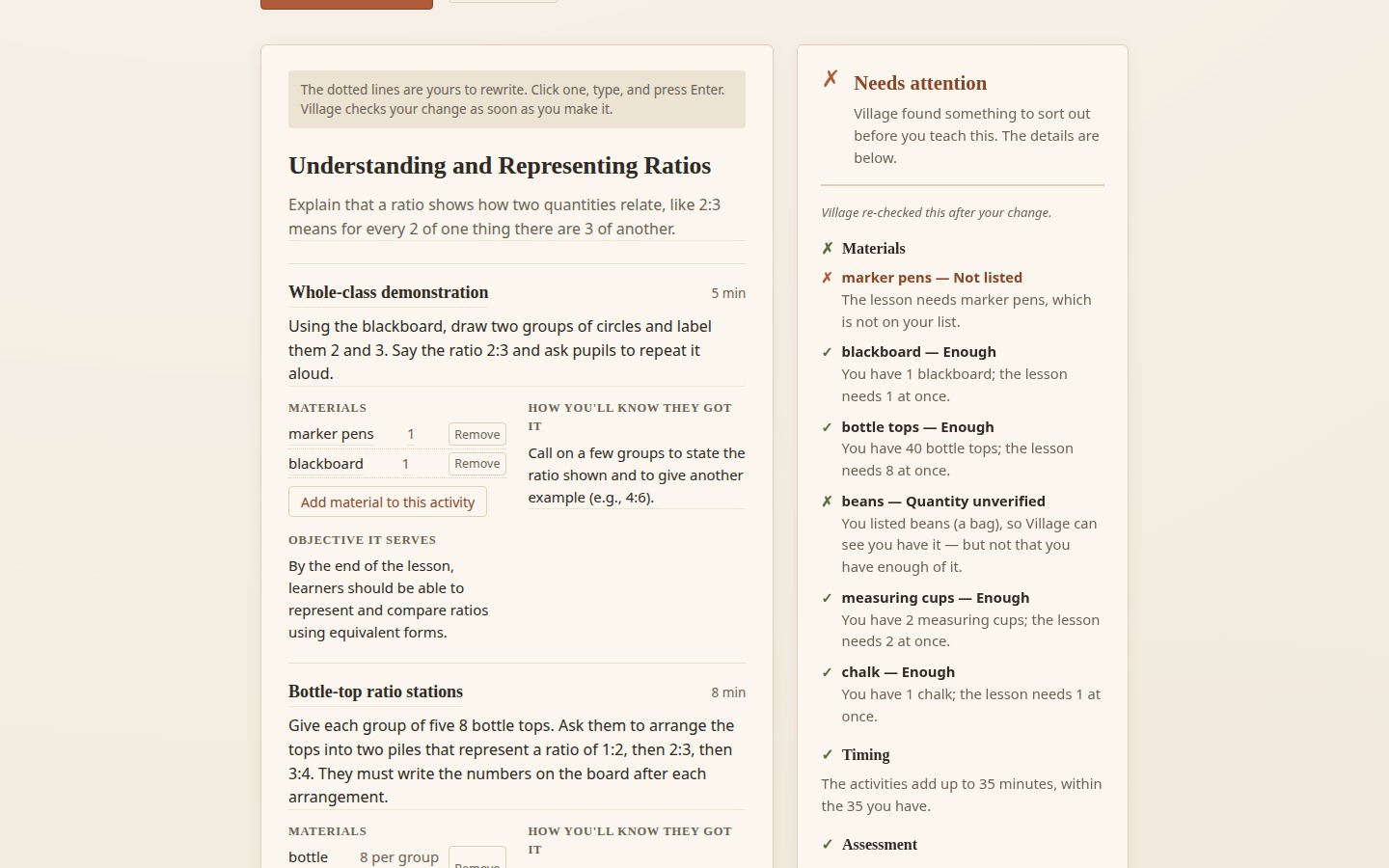
What makes Village different is that it doesn't simply trust the AI-generated plan. A JavaScript-based checker independently verifies material requirements, lesson timings, and other constraints. If the plan asks for something unavailable or the timings don't add up, Village can rebuild the lesson to fit what the teacher actually has.
Teachers can also edit, print, and check lessons offline once the app is loaded, as well as reuse information from their classroom history.
The idea is simple: teachers shouldn't have to change their reality to fit a lesson plan. The lesson plan should fit their reality.
How I built it
I built Village using the Build With AI: Basics skill pack, moving from defining the problem and writing the requirements to building, testing, and deploying the application.
One important design decision was separating what AI does from what ordinary code does. I used Groq to generate lesson plans, but didn't want the AI to be responsible for deciding whether its own plan was correct. So I built a shared JavaScript checker that independently validates the lesson against the teacher's inventory and other constraints. I also built logic to adjust lesson timings, rebuild plans that fail checks, match curriculum content to the teacher's document, and save classroom information for reuse.
I wanted the checker to work both on the server and in the browser, so teachers could still check and edit lessons without an active internet connection after loading the app.
Throughout development, my focus was not just getting AI to generate a lesson, but building something that could be checked, corrected, and used in a real classroom.
Challenges I ran into
First, I spent extensive time on two different projects which at the end didn't give me what I wanted before I started this one. So I was short for time but also wanted to build something meaningful. On building this, I had to find a way to work around the following: Getting material matching right. I found that small differences in wording could cause problems. A teacher might enter "measuring cups", while the generated lesson referred to "measuring cup". I had to improve the matching logic so it could recognize these variations without incorrectly accepting materials that weren't available.
Making lesson timings add up. During a live test, a lesson intended to last 35 minutes came out to 40 minutes. It was a reminder that generating a convincing lesson isn't the same as producing a workable one. I moved the timing calculations into deterministic JavaScript so the system could fit activities to the available time more reliably.
Making offline checking possible. I wanted teachers to be able to use the checker even when their internet connection wasn't available. This meant moving the validation logic into a shared module that could run both on the server and directly in the browser.
Getting the app ready for deployment. Moving the application to Vercel required me to adapt the server routes to work with serverless functions while keeping the existing logic working correctly.
Accomplishments that I'm proud of
I think I like the following things I implemented because they reflect my thoughts on what systems especially AI systems should be or have: Making the AI accountable. I separated lesson generation from validation. The AI proposes a lesson, but deterministic code checks the constraints I can verify. This makes the checker more than a prompt asking the AI to review its own work. Building a system that can adapt. When a lesson fails a material check, Village can rebuild it around the available inventory. Removing a material can change the activities in the lesson itself, rather than simply producing a warning. Making the tool useful beyond generation. Once the app is loaded, teachers can check and edit lessons, print them, and use their classroom history without needing a continuous internet connection. Generating a new AI lesson still requires a connection. Being honest about what the system knows. I made a point of distinguishing between requirements the checker can verify and quantities it cannot confidently establish.
What I learned
Building Village taught me that getting AI to produce an answer is only the beginning of building something useful.
I learnt that I shouldn't rely on an AI model to verify everything it generates. Some things, such as checking material requirements against an inventory or calculating whether activities fit into a lesson's duration, are better handled by deterministic code.
Also I learnt how much the constraints of a real environment matter. Designing for classrooms that may not have projectors, printers, specialized equipment, or reliable internet forced me to think beyond what a lesson plan should look like and focus on what a teacher could actually carry out.
Testing was another important lesson. A lesson can look convincing and still contain a missing resource or incorrect timing. Writing tests for the checker helped catch those issues before they reached the user.
What's next for Village
Village is at its starting point, and there is still a lot I would like to improve.
First, I want to make it more reliably offline-first. The current app can check and edit lessons offline once loaded, but adding service-worker caching would help teachers open it again without needing an internet connection.
I also want to improve curriculum support by accepting more document formats, including PDF and DOCX, so teachers can connect lesson plans more easily to their existing schemes of work.
Another direction is making classroom history more useful. Instead of only reusing individual activities, Village could help teachers build connected sequences of lessons based on what they have taught before.
I would also like to explore broader language support and an optional community library where teachers can share lesson cards with one another, while keeping clear distinctions between what has been verified and what has not.
My long-term goal is to make Village useful across more subjects, age groups, and teaching environments, while staying true to its original idea: helping teachers do more with the resources they already have.
Built With
- css
- express.js
- groq
- javascript
- node.js
- react
- vercel
- vite

Log in or sign up for Devpost to join the conversation.