Inspiration
There are cameras everywhere: shop floors, loading docks, parking lots, front doors, hallways. Almost none of them are watched. Someone scrubs through footage after something already went wrong. The "smart" camera products we tried all work the same way: draw a box, pick from a fixed list of events, tune a sensitivity slider, and hope.
We wanted the opposite. You should be able to point any camera at anything, describe what matters the way you'd tell a coworker ("text me if anyone's smoking by the service door", "tell me when a parking spot opens up"), and get a message on your phone the moment it happens. And yes, the Not Hotdog scene from Silicon Valley was a running joke the whole weekend. Vigil is what that app would be if it were actually useful.
What it does
Vigil turns any camera into an AI watcher you program in plain English, and it talks to you over iMessage.
- Connect a camera. A laptop webcam, a phone, an RTSP or HTTP stream, or a video file.
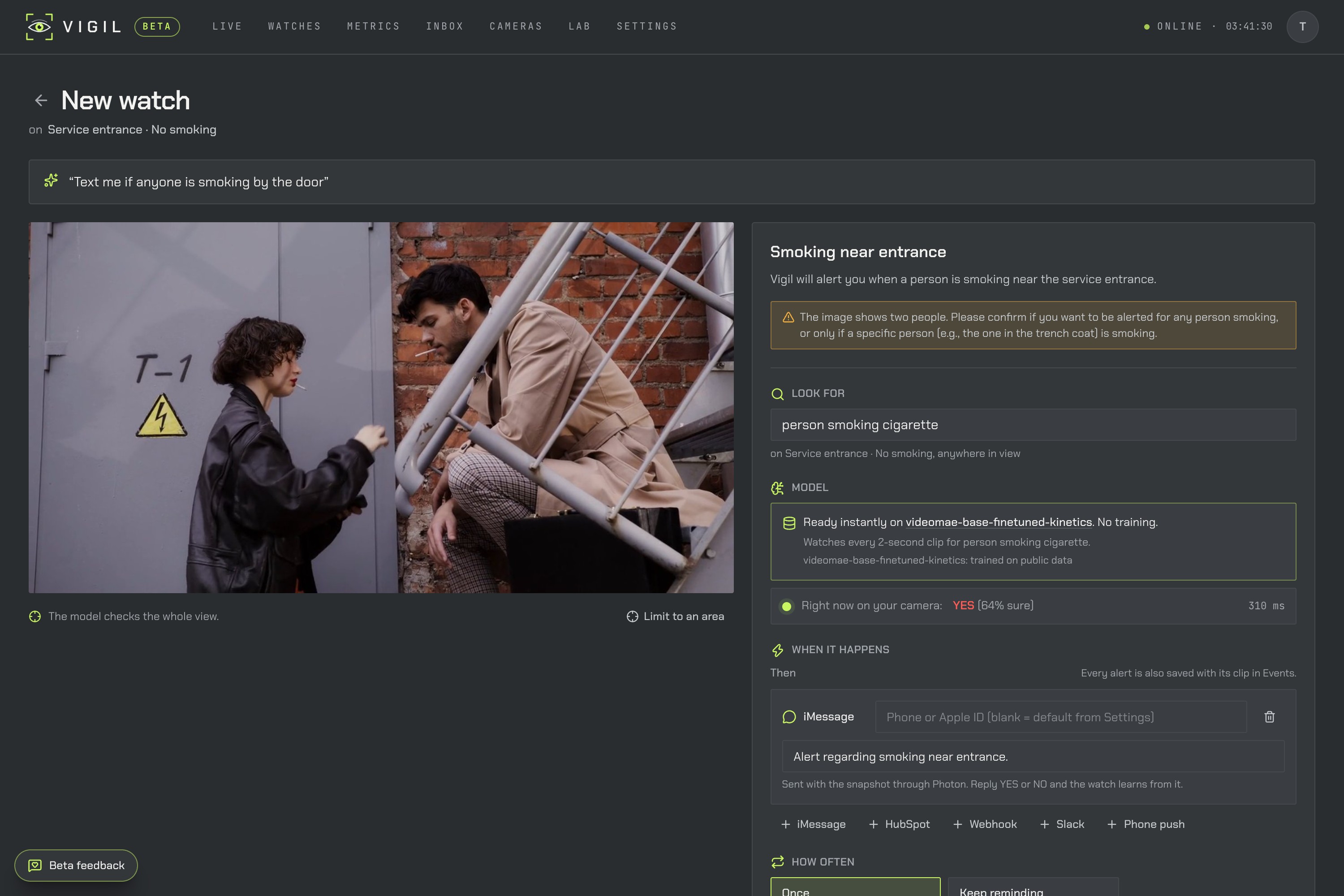
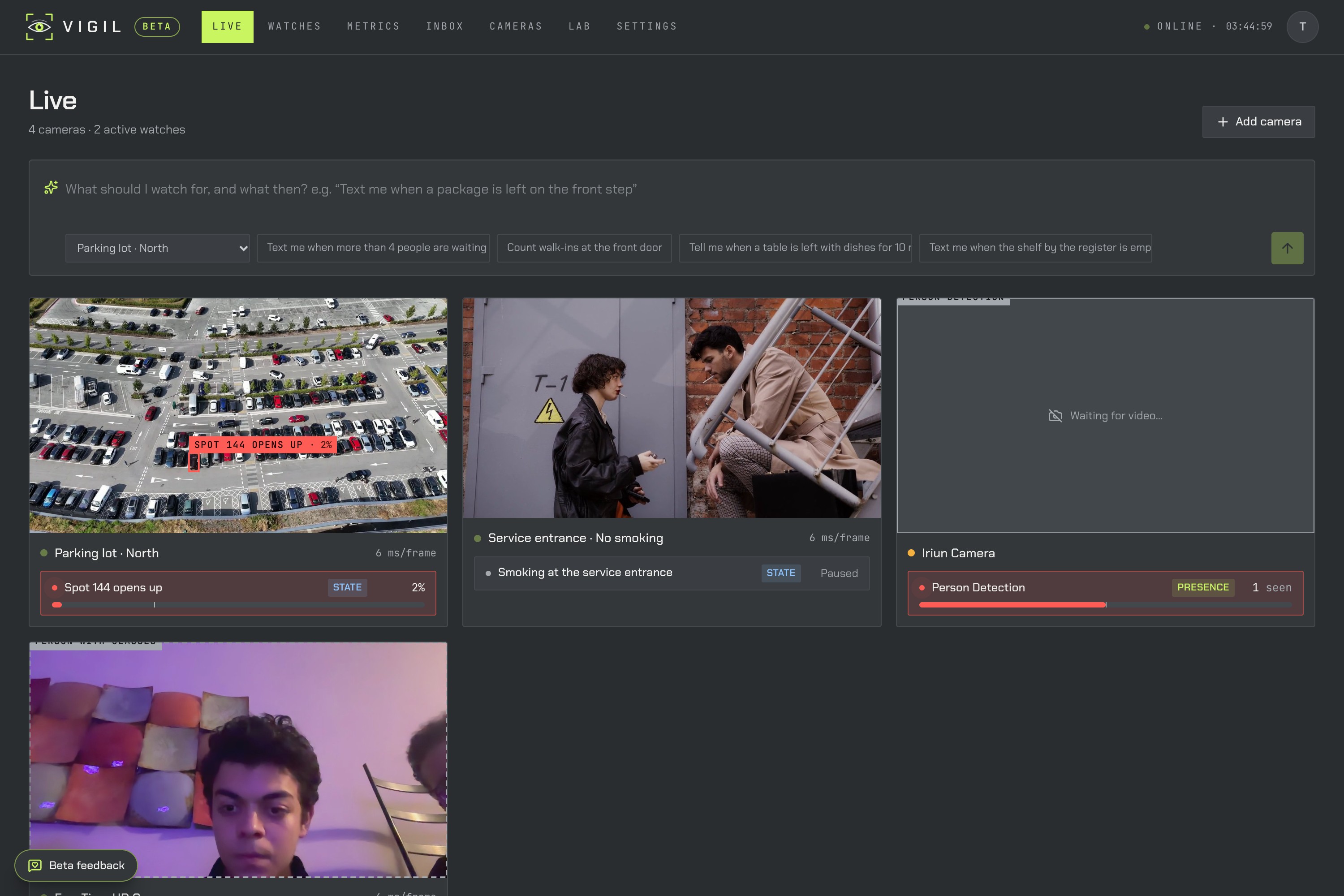
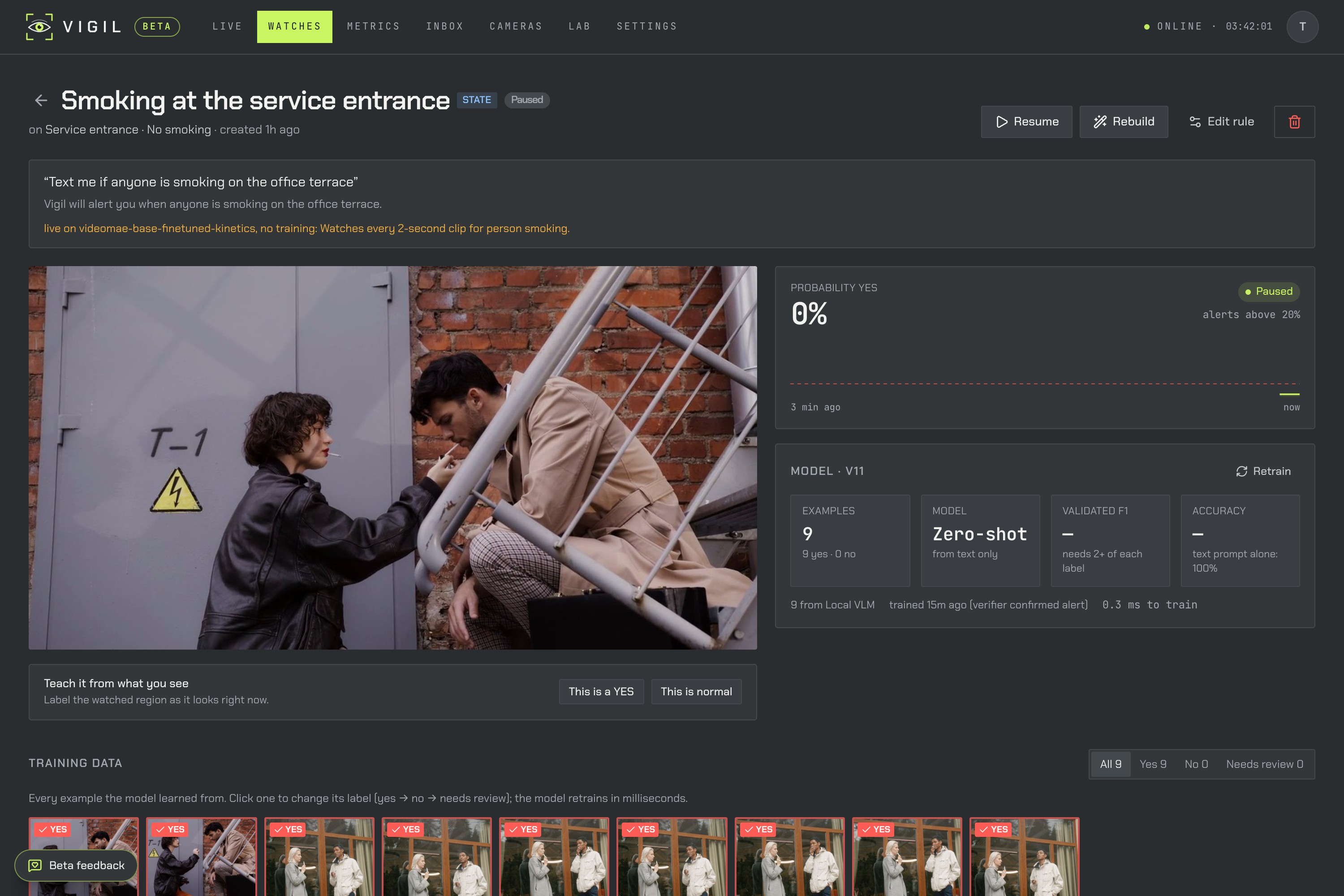
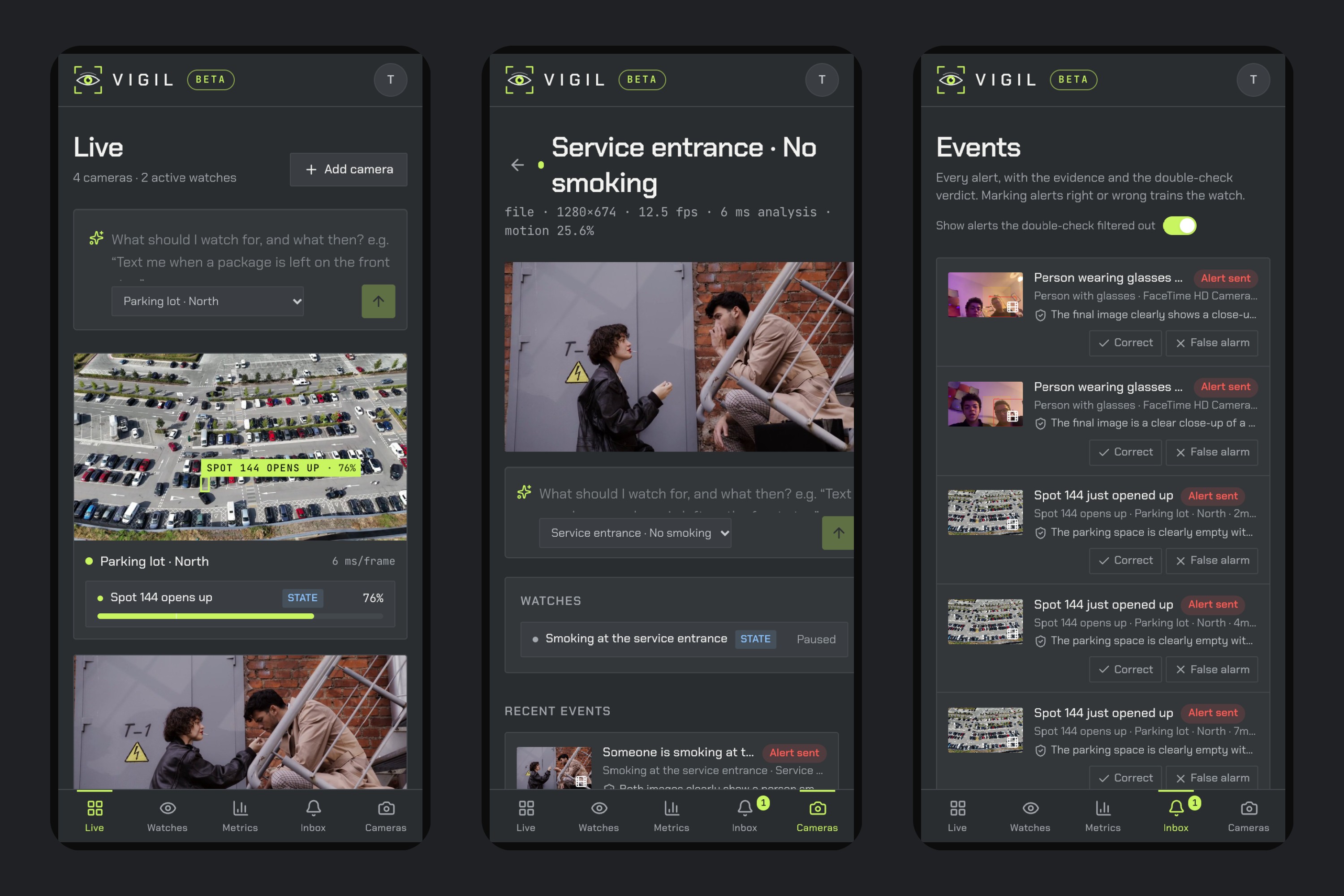
- Type what to watch for. Vigil reads the request, looks at the live frame, and shows you exactly what it will look for and which model will do it. You see a live YES/NO on your own camera before you save.
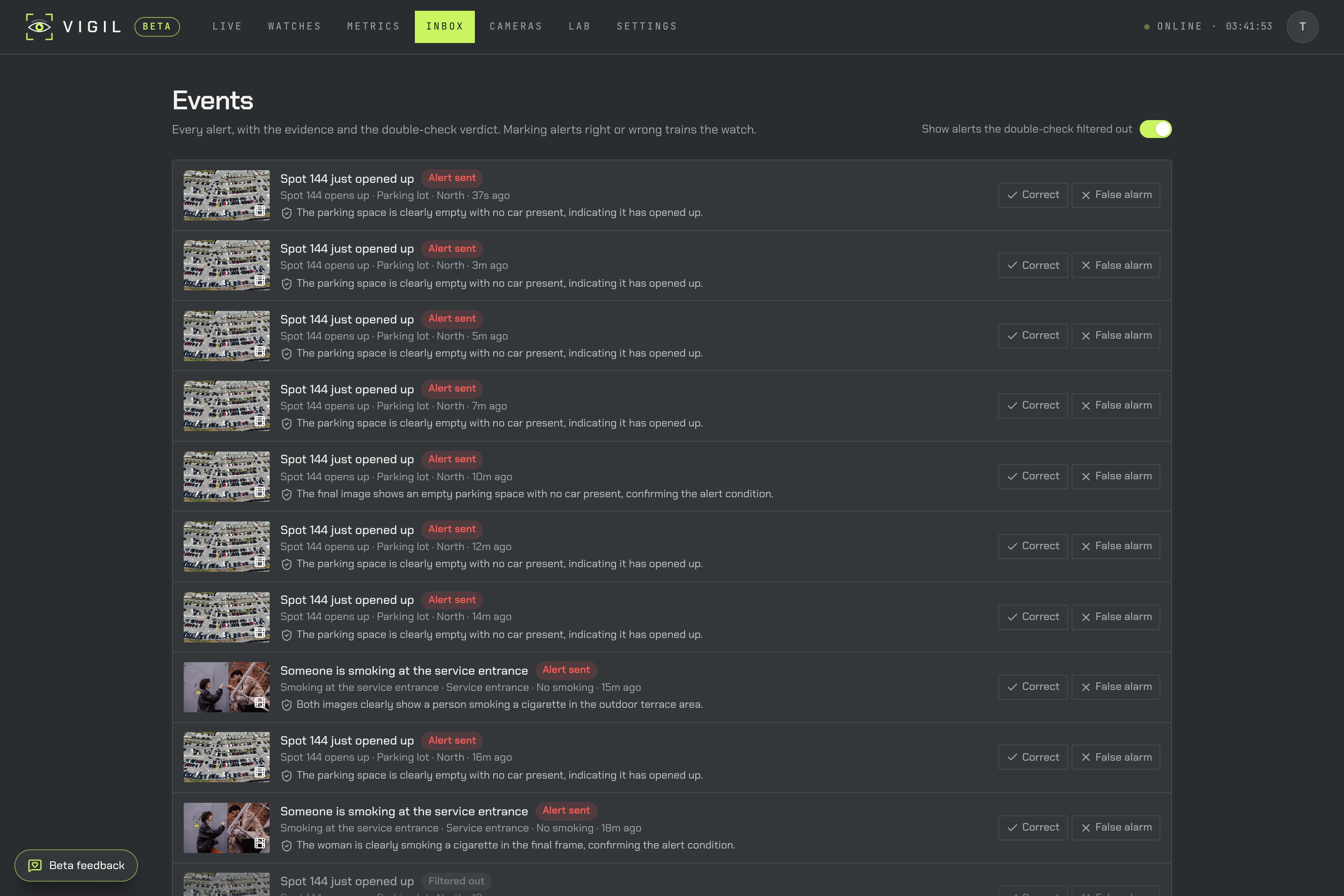
- Get texted. When it fires, a second model double-checks the frames. Then you get an iMessage with the snapshot. Reply YES or NO and the watch learns from it.
- Talk to it over iMessage. You can text Vigil to create watches, ask what a camera sees right now, pause or resume, or ask for a count, without opening the app.
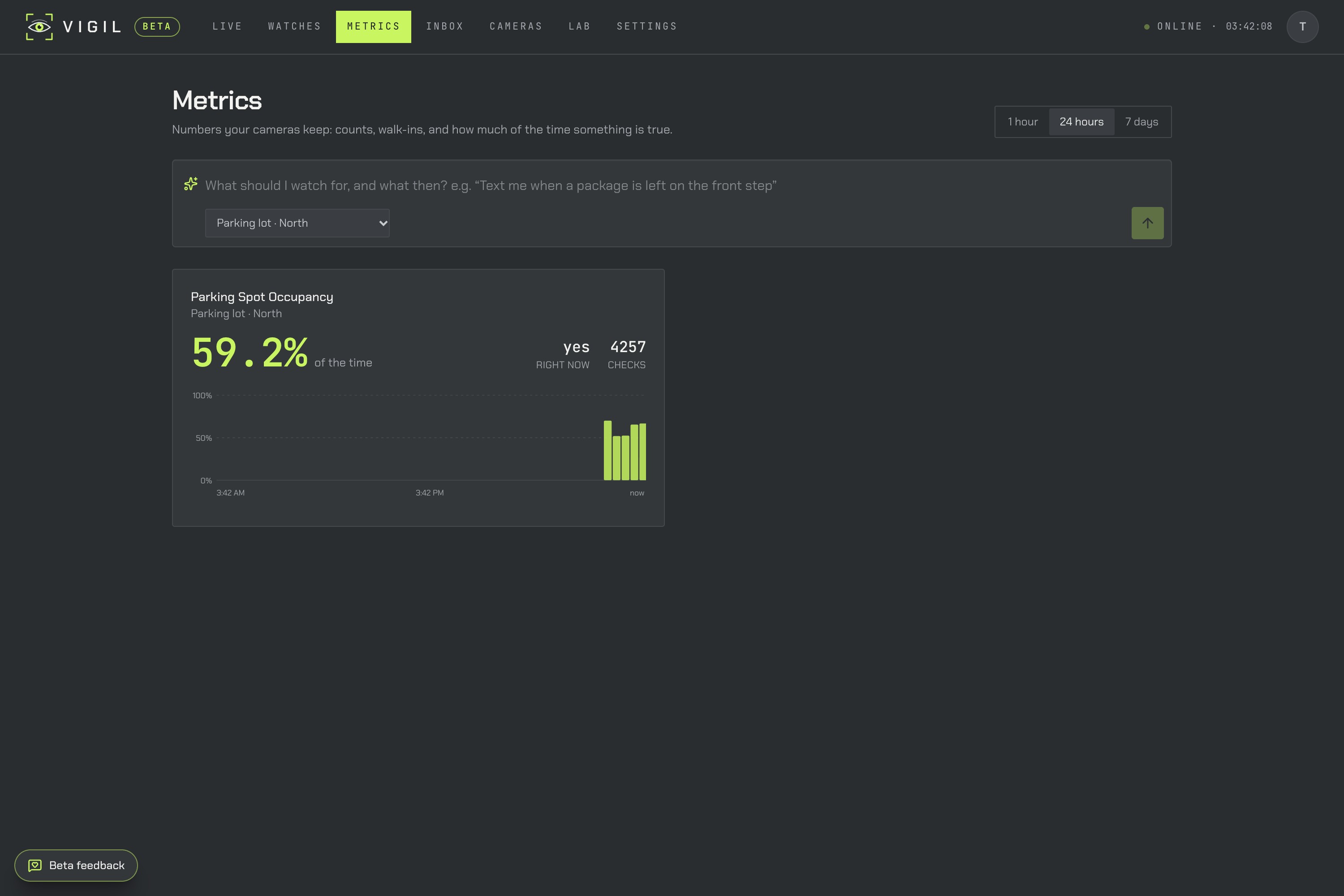
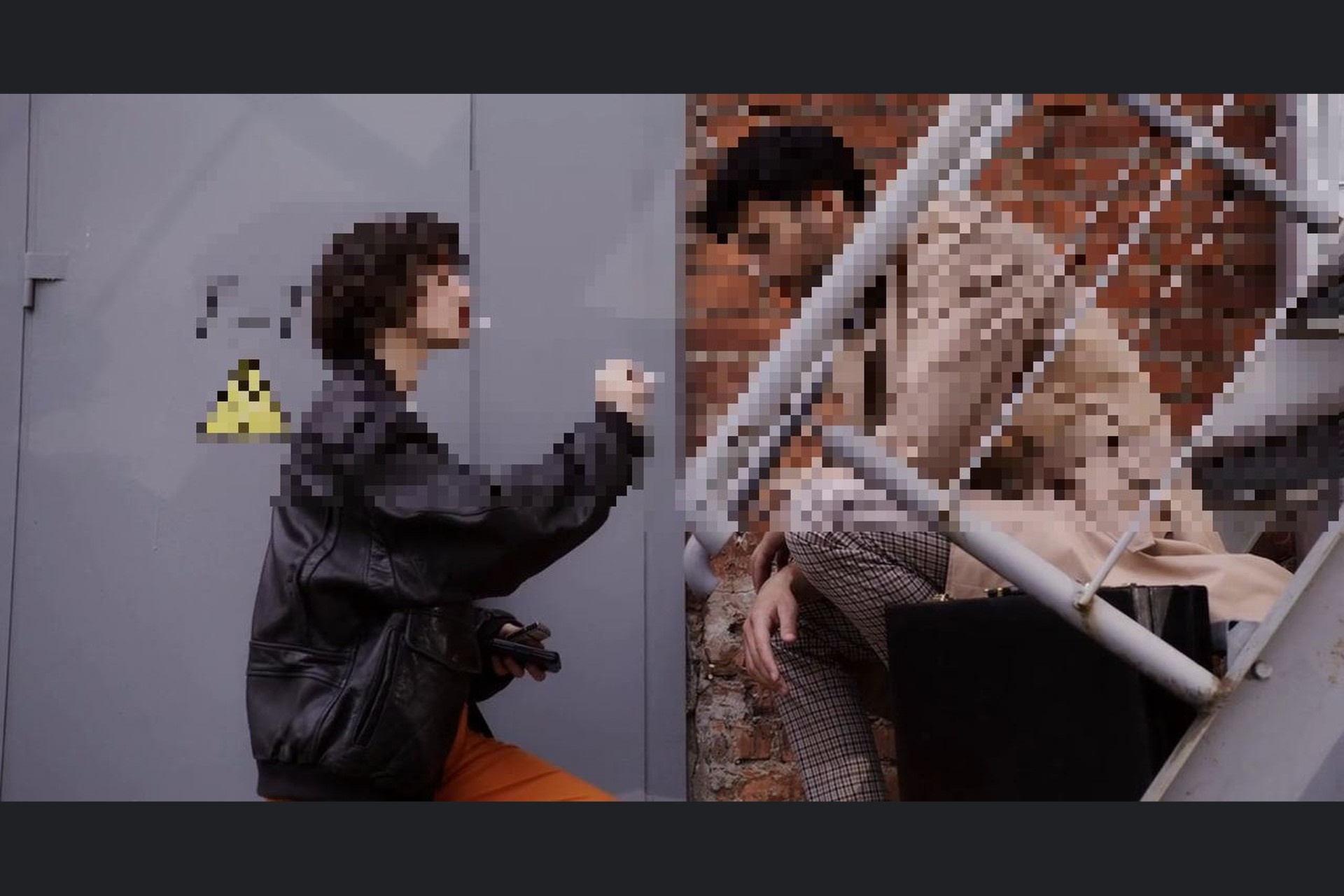
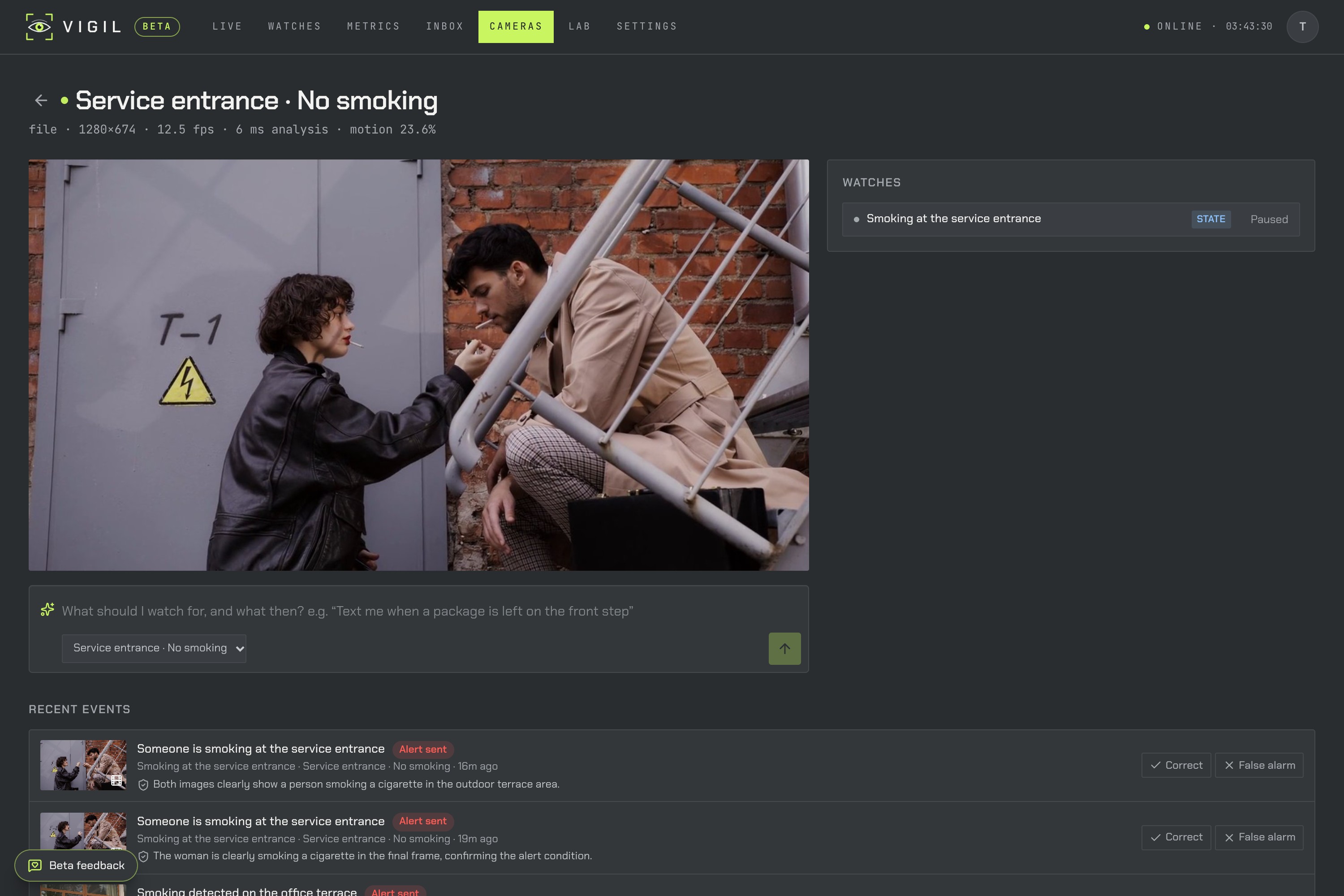
It also keeps metrics over time (occupancy, counts, how often something is true), saves every alert with a clip, and blurs faces in anything it sends.
How we built it
Backend: Python + FastAPI, SQLite, PyTorch on Apple Silicon (MPS). Frontend: React + Vite + Tailwind, with a phone layout so the whole app works from an iPhone. iMessage: a small Node bridge built on Photon's Spectrum SDK. It sends alerts with the snapshot and routes replies back to Vigil's agent.
Every request goes through the same pipeline:
- Understand the request. A language model (Claude through the Anthropic API, or a local Qwen model through MLX for fully offline use) compiles the sentence into a structured watch spec. That covers: is this a state ("is the bin empty?"), a presence ("a person at the door"), a count, or an action; what to look for; where; how long it must hold; and what to do when it fires.
- Pick an existing model, not a new one. Vigil routes the spec to an already-trained model that fits:
- RF-DETR (COCO) for people and everyday objects,
- Google OWLv2 for any other named object,
- Google SigLIP 2 for zero-shot yes/no questions about a region or about each detected object,
- VideoMAE (Kinetics-400) for actions that only make sense over time: smoking, push-ups, brushing hair, clapping.
- Run it live. Each camera has its own analyzer loop. To stop one noisy frame from triggering an alert, every watch votes over a sliding window and the condition has to hold:
$$\text{fire at } t \iff \sum_{i=t-4}^{t} \mathbb{1}\left[p_i \ge \tau\right] \ge 3 \quad\text{and}\quad \text{held for } \ge d \text{ seconds}$$
- Double-check, then act. A vision-language model looks at the frames around the trigger and can veto a false alarm before anyone gets texted. Confirmed alerts go out over iMessage and, optionally, to HubSpot, Slack, webhooks or phone push.
For actions, one request can map to several of the model's classes ("drinking" also covers "drinking beer", "drinking shots" and "tasting beer"). Since the classes are mutually exclusive outputs of one softmax, we add up their probabilities instead of taking the highest one:
$$P(\text{drinking}) = \sum_{c \in C_{\text{drinking}}} p_c$$
Challenges we ran into
- Our first version felt like rules, not intelligence. It drew boxes and attached logic to them, which is exactly what we were trying to escape. We rethought the core several times.
- Training a model per prompt didn't work in a weekend. We built a pipeline that searches public datasets, fine-tunes a detector for each request, and scores it on held-out data. On our first real prompt the held-out F1 was 0. Dataset search also kept returning near-duplicate clone repositories. The lesson: a good existing model, chosen well, beats a rushed custom one. Today Vigil goes live instantly with no training.
- LLM-in-the-loop is too slow for real time. Asking a big model about every frame takes seconds. So the language model only does what it's good at (understanding the request, double-checking an alert), and small specialist models do the per-frame work. The detector runs at about 41 ms per frame and the action model at about 152 ms per 2-second clip on a MacBook.
- False alarms. At one point Vigil confidently called a pair of hands holding a phone a "person". We fixed it by routing phone use straight to the detector's cell phone class, using per-class confidence thresholds for small objects, and adding the vote plus the double-check. We also tried a fall detector that looked great on paper. On real clips it caught 0 of 20 falls, so we cut it rather than ship it.
- Actions finish before the alert does. Someone does three push-ups and stands up. By the time the alert fires, the latest frames show a person standing, and our double-check rejected a correct alert. Now the verifier looks at the seconds the action actually happened, and the photo we text shows the action itself.
- Phones as cameras. On a phone,
localhostis the phone itself, and mobile browsers only allow camera access over HTTPS. Vigil now also serves HTTPS on the local Wi-Fi address and shows the exact link to open on the phone. - A bug that only appeared under load. With the laptop overloaded, the action model's label list sometimes failed to load at startup and was cached as empty. Every action request then silently fell back to a weaker model. It now retries instead of remembering a failure.
Accomplishments that we're proud of
We measured Vigil's models on real public data with Vigil's own code, not a separate benchmark script:
| What | Data | Result |
|---|---|---|
| Is a person in view? | COCO val2017, people ≥ 32 px | 99% caught (126/127), 2% false alarms |
| How many people? (1–5 in frame) | COCO val2017, 1,559 images | 86% exact, 98% within ±1 |
| Push-ups | HMDB51 real video clips | 19/20 caught, 0/320 false alarms on other actions |
| Smoking | HMDB51 real video clips | 16/20 caught, 0/320 false alarms |
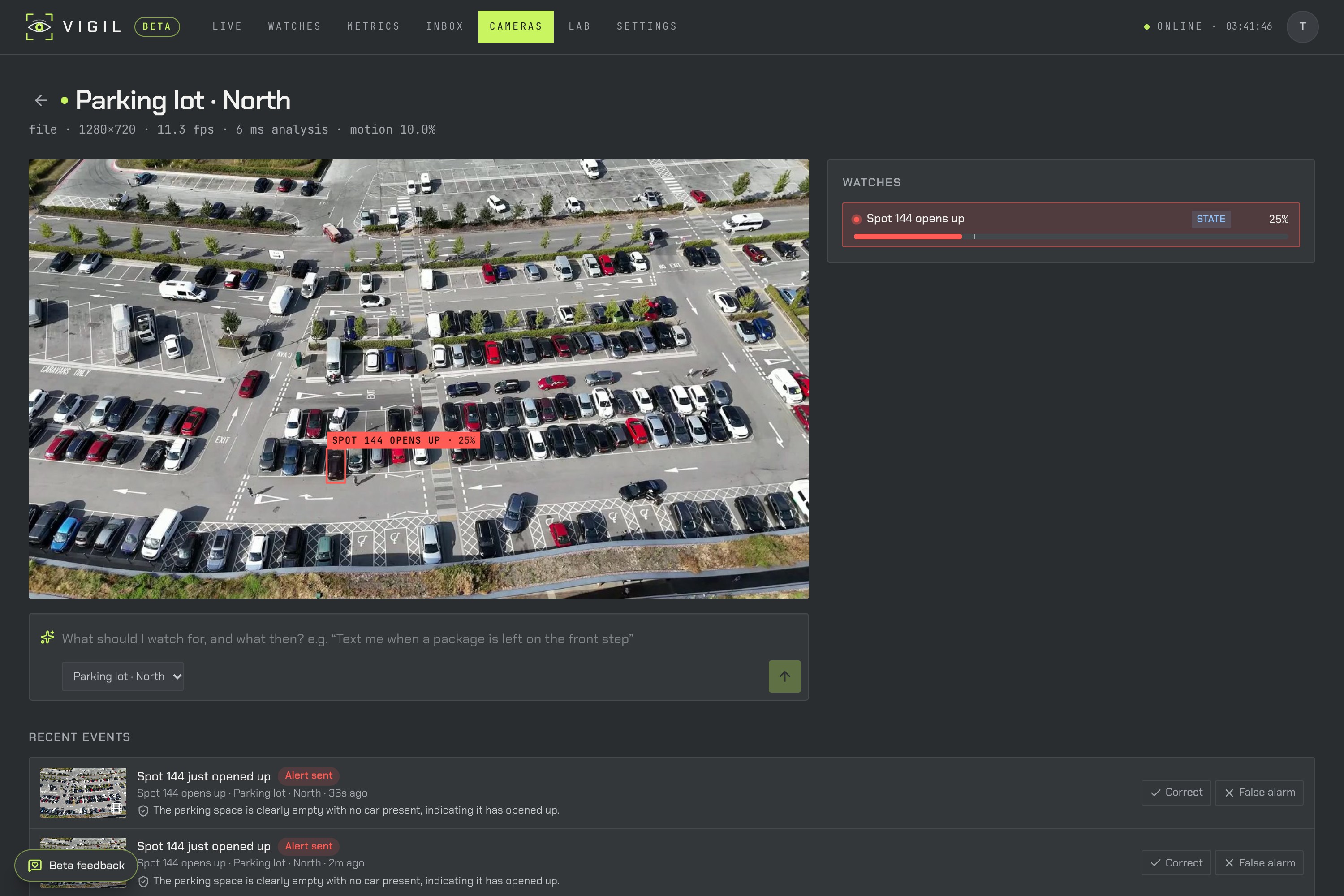
| "Text me when a spot opens up" | PKLot, days the model never saw | 99.4% of spaces correct |
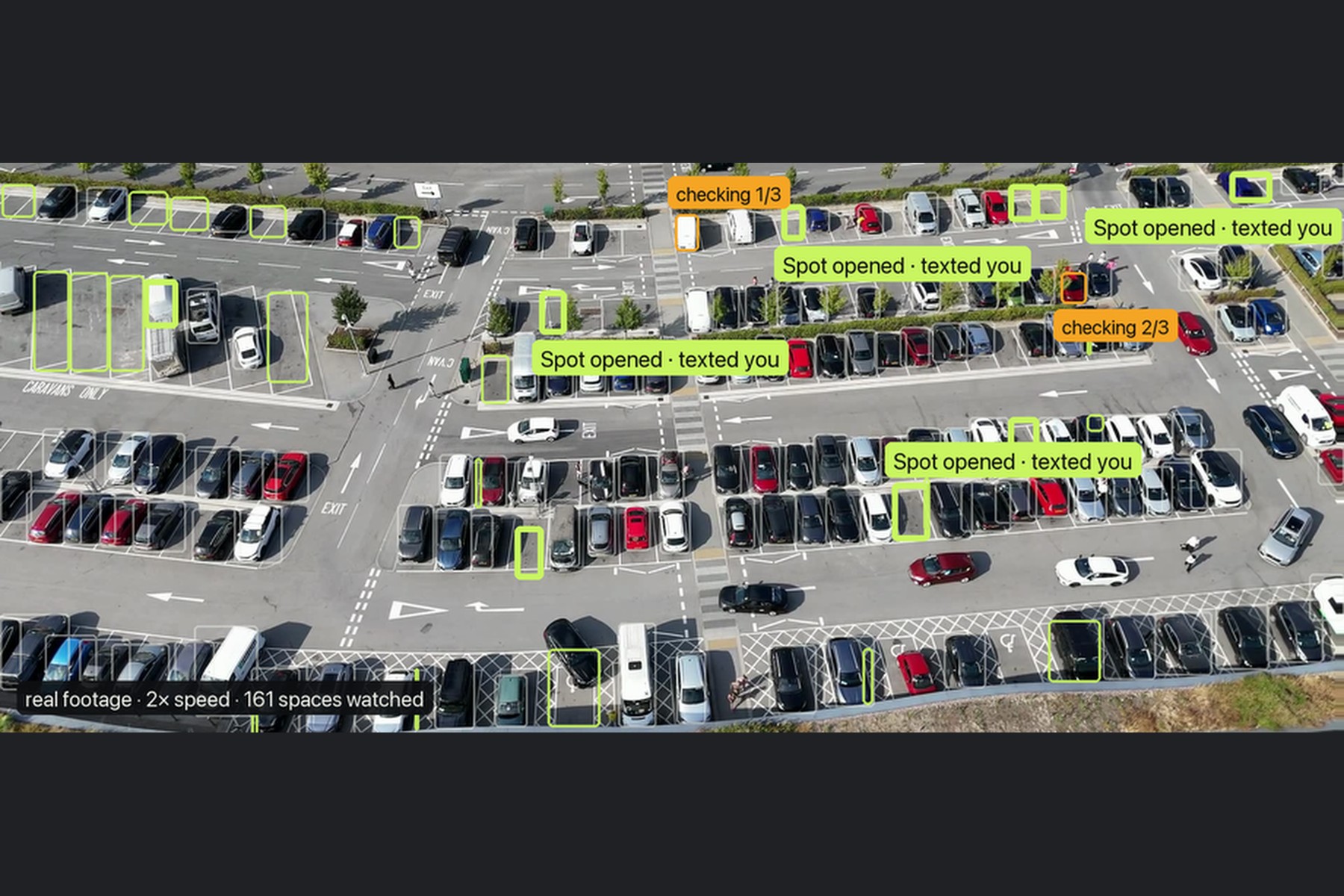
On a real aerial parking-lot video, Vigil watched 161 spaces at once. Ten cars left a watched space and nine of them triggered a text; the tenth spot was taken again before the hold time ran out, which is the intended behavior. There was one false alert: a white van whose roof read as empty pavement. Replying NO to that text is exactly how the watch learns.
We're also proud that the whole loop is conversational: type a sentence, see what it sees, get a text, reply to teach it.
What we learned
- Picking the right model matters more than training a new one. Most "custom vision" requests are already covered by a strong existing model, if you route to it correctly.
- Put the expensive model where it adds the most: understanding the request and double-checking alerts, not every frame.
- Measure on real data early. Two of our most confident assumptions (per-prompt fine-tuning, and the fall detector) fell apart the moment we tested them honestly.
- Messaging is the right interface for alerts. Nobody wants another dashboard; everyone already lives in iMessage.
What's next for Vigil
- Two-way iMessage as the main way to use Vigil: create, tune and silence watches entirely by text.
- Learning from every YES/NO reply, so each watch adapts to its own camera over time.
- More specialist models behind the same plain-English interface, added only after they pass on real data.
- Hosted cameras for small businesses, so the first setup is "scan a QR code with your phone" and nothing else.

Log in or sign up for Devpost to join the conversation.