-
-

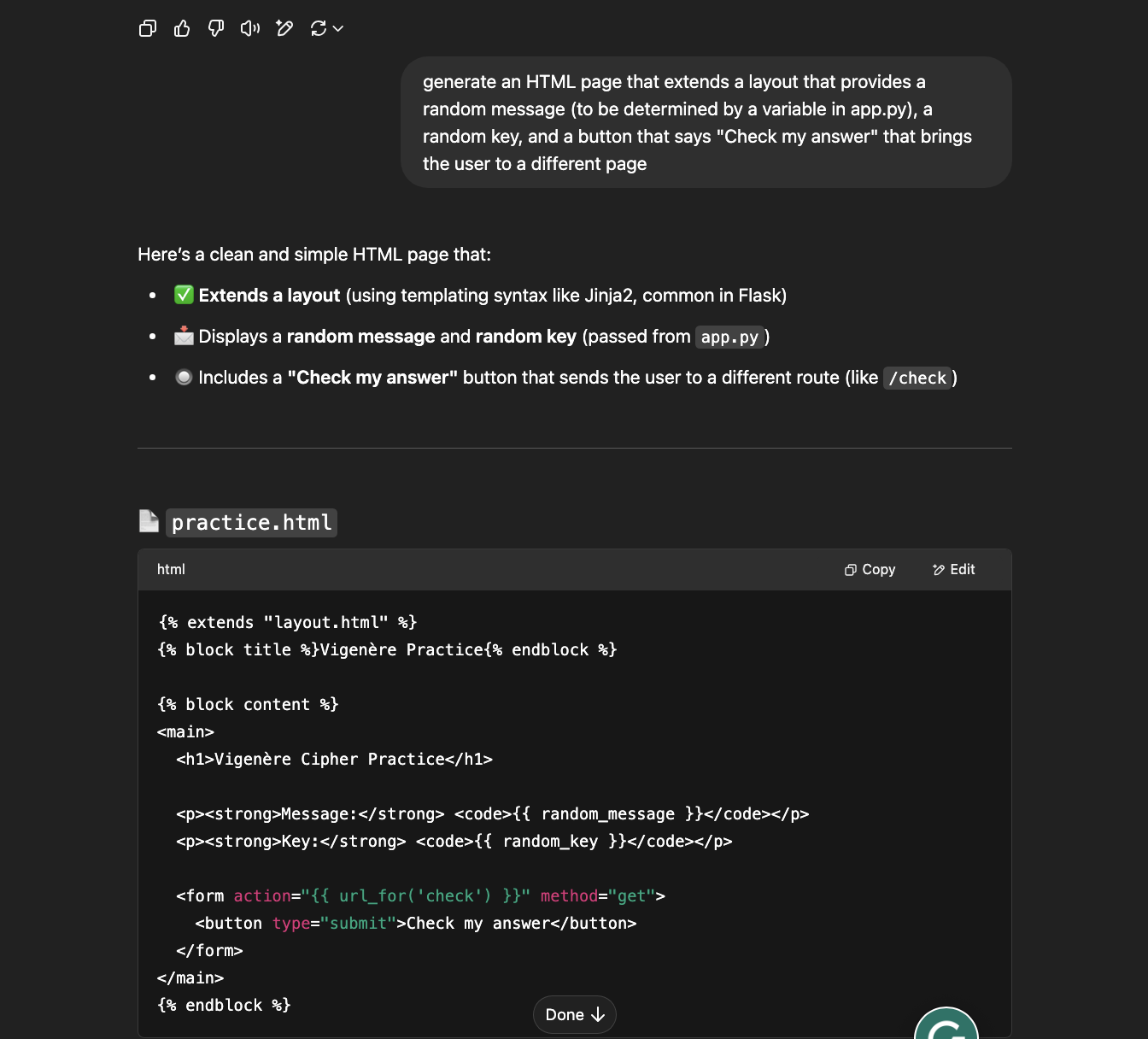
ChatGPT Generating HTML
-

Homepage
-

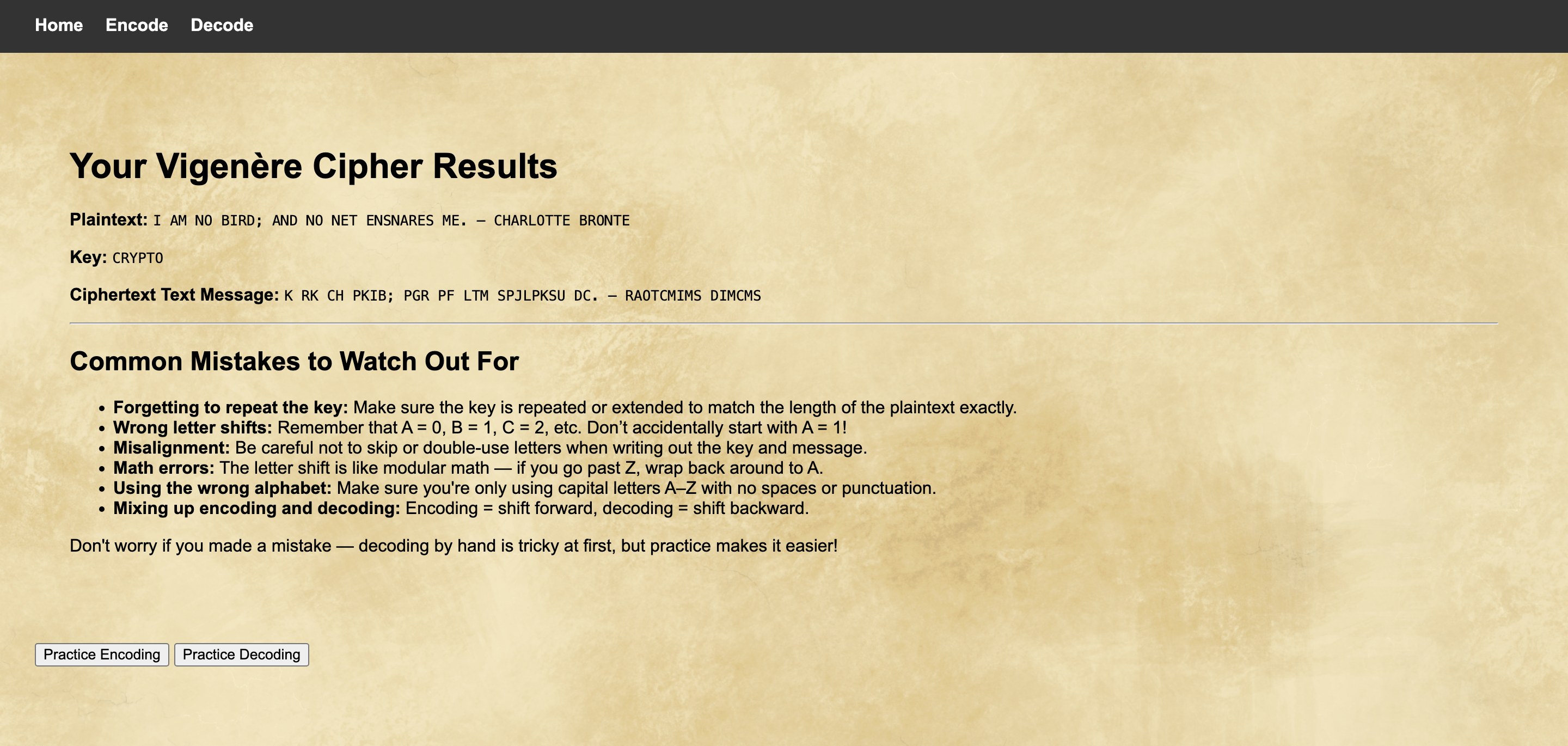
Response Page

Project description
I created a website for middle school teachers to easily create practice problems and teach students how to use Vigenère Ciphers. This project is meant to get students thinking about cryptography and logic, which can serve as an introduction to cybersecurity. This field is becoming increasingly important as the world becomes increasingly more digital. This website is an entertaining and challenging introduction to more complex cryptography beyond Caesar and other substitution ciphers. Vigenère Ciphers are classified as polyalphabetic substitution ciphers, which are practically impossible to break by hand without the key. The website includes a homepage that explains how to use Vigenère Ciphers both in words and visually. A download button is featured at the bottom of the page to download a Vigenère table file to hand out to students for a classroom activity. The encode and decode page automatically generates a message from a subset of 30 historical quotes. A key is randomly generated from a list of words related to cryptography that are 3 to 7 characters long. When the check answer button is clicked, the teacher is brought to a page that shows the plaintext alongside the ciphertext so that students can revise their answers. Common mistakes are explained at the bottom of the page. Just underneath, buttons can take the teacher to the encode or decode page to generate a new quote and key for further practice.
AI Use
I used ChatGPT to generate the HTML for the website. First, I asked it to create a layout to use as a page base. Then, I requested the creation of the homepage, which included ChatGPT generating an explanation of how to use a Vigenère Cipher. The only edit I made to its code was the removal of emojis from the headers as a stylistic choice. I then requested the generation of a template for the encode page, which would demonstrate a message and key that would be input from the code in app.py. I copied this template for use on the decode page. Finally, I generated the response page, which would include the plaintext, key, and ciphertext, along with common mistakes students might have made while encoding or decoding the message. To generate the keys, I asked ChatGPT to create a function that returned a random word ranging from 3 to 6 characters in length. It did this successfully, finding a database called nltk, which created a function to generate a word that fit my specifications. However, after working on the project further, I realized that this database could contain words that could be inappropriate for the target student audience, so I decided against using the function. I then asked ChatGPT to generate a list of 30 words related to cryptography between 3-7 characters, which I added to my code as a list. To generate random messages, I requested a list of 30 historical quotes that I added to my code. Unfortunately, only 20% of the quotes generated were from diverse sources. I then repromted the AI to reduce bias, and it generated a new list with a 50/50 split between male and female figures, many of which came from diverse backgrounds.ChatGPT Conversation
Ethical Considerations
I wanted to create a resource for teachers that would work as an activity students could complete using pen and paper. I tried to prevent students from simply using the internet or an AI model to break the code. By creating the website for teachers, I made it simple to use as a classroom activity that could be done analog, so no laptops would even have to be open on students' desks to complete the activity. I created the Vigenère table and the background myself. I made this decision because AI art has been under scrutiny recently, and copyright laws are called into question when artists' work is used without their consent in the model's training data. I am a photographer and feel close to this issue as an artist. I see the generation of AI art as immoral when artists' work is used without their consent, so I wanted to create all the visual elements of my project myself. AI bias was reduced through reprompting(see above).
Trying website
If you want to try this website, please open the project in GitHub using a codespace. Then, run the command flask run to start the website.

Log in or sign up for Devpost to join the conversation.