-
-

Creative Visualization
-
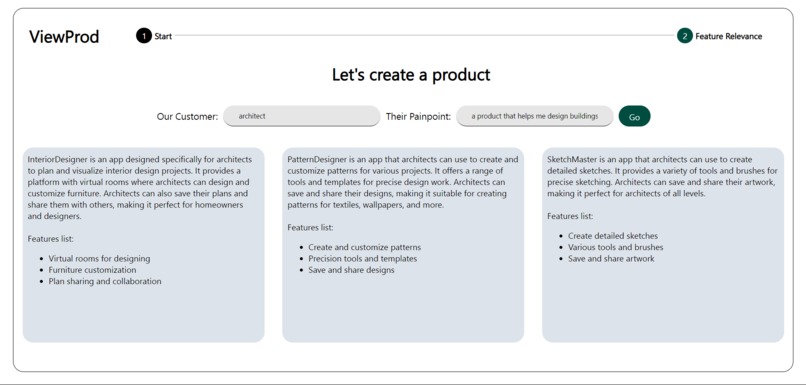
Product Suggestions
-
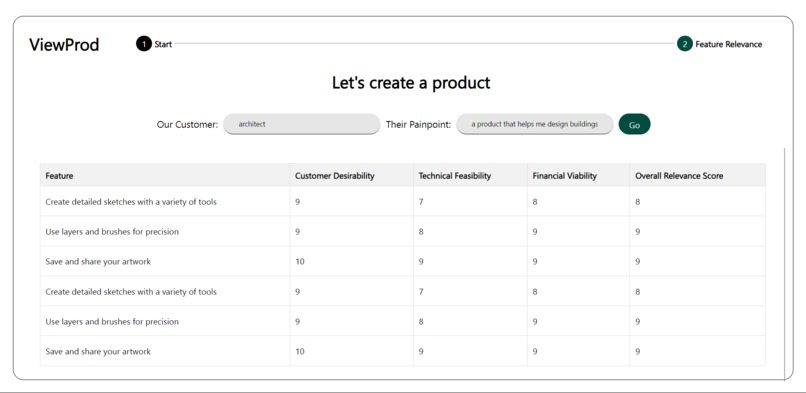
Feature Assessment
Inspiration
1. Analysis Paralysis for Managers: Product managers often face analysis paralysis when overwhelmed with data and options. ViewProd simplifies decision-making by generating tailored application ideas and providing clear, data-driven feature evaluations.
2. Convincing Shareholders for Budget: Securing budget approval can be challenging. ViewProd's detailed analysis of feature desirability, financial viability, and technical feasibility provides a solid foundation for convincing stakeholders and securing the necessary funding.
3. Roadmap Planning: Planning an effective product roadmap requires balancing numerous factors. ViewProd highlights the most relevant features and helps prepare for a prioritized development timeline, ensuring strategic and efficient product growth.
4. Resource Allocation: Efficient resource allocation is crucial for successful product development. ViewProd's technical feasibility analysis helps product managers identify features that can be implemented within existing resource constraints.
5. Pitching Products: Product managers need to pitch products both internally and externally. ViewProd's comprehensive feature analysis and relevance scoring provide compelling arguments, making communicating the product's value and potential impact easier for various stakeholders.
What it does
User Flow
Customer Pain Point Entry: The product manager logs into ViewProd and navigates to the Start section. Enters the customer persona and a detailed description of their pain point.
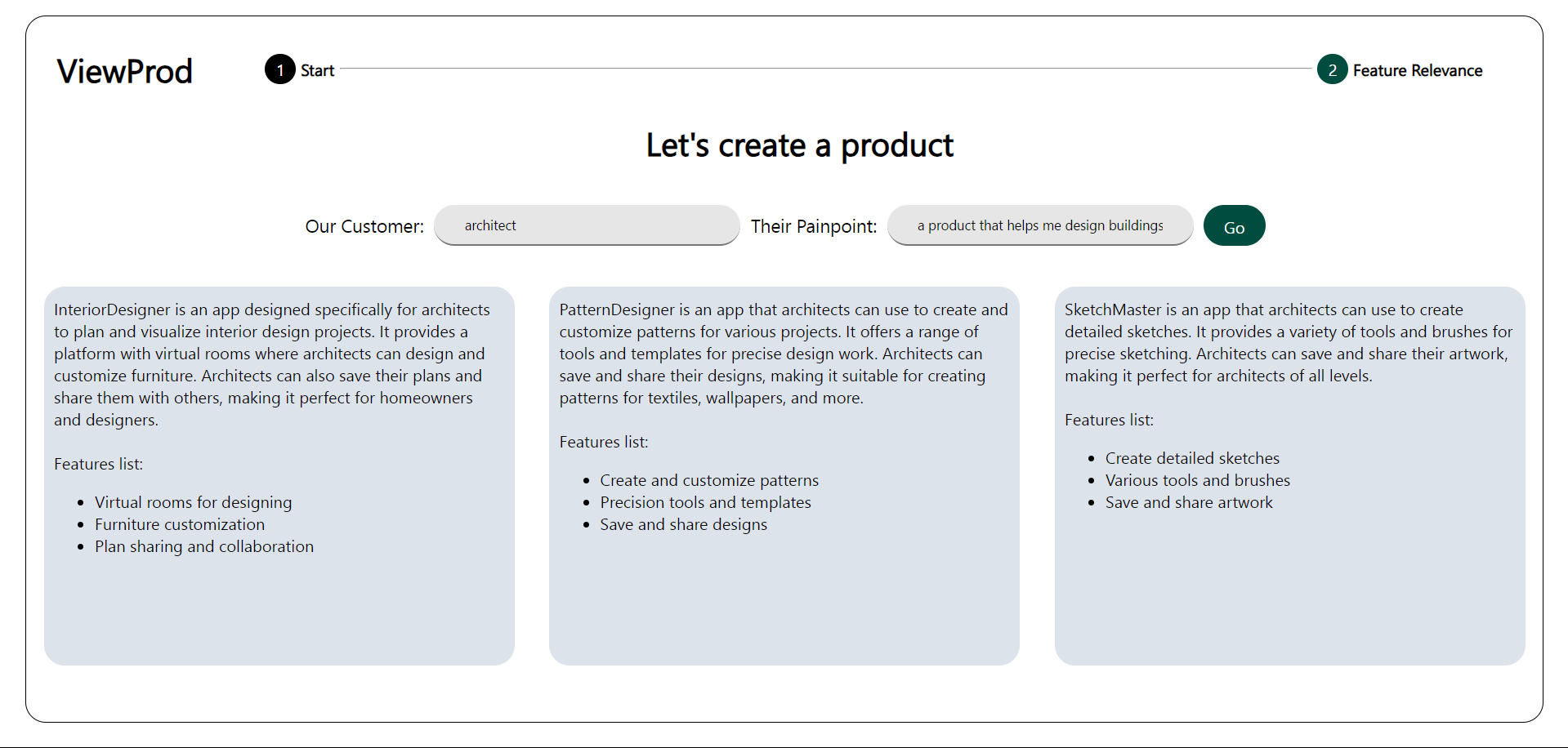
Application Idea Generation: Clicks "Go" to receive three suggested applications tailored to the pain point. Review the feature lists for each suggestion.
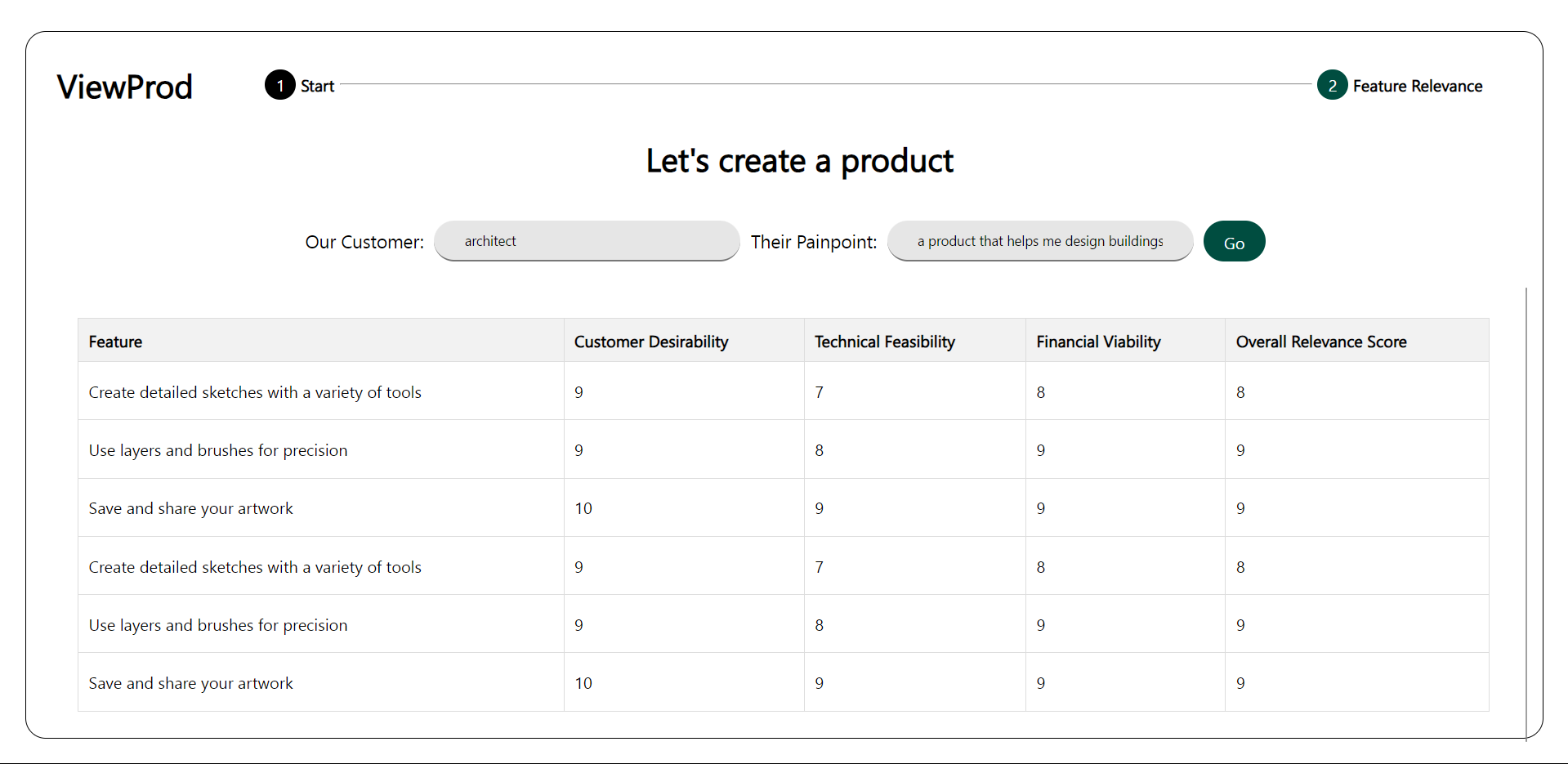
Feature Viability Analysis: Selects one of the application suggestions for further analysis. ViewProd displays each feature's customer desirability, financial viability, and technical feasibility. Review the overall relevance score for each feature.
All products are created by the intersection of user experience (UX), business, and technology. Hence, three attributes representing UX, technology, and business were chosen for feature assessment.
- Customer desirability - How relevant this feature is for the overall user experience
- Technical Feasibility - Is this feature technically feasible for immediate development
- Financial Viability - Is building this feature profitable for the business
Overview of the project: User Flow
Scenario: A product manager wants to create a new product for a particular customer persona to solve a pain point. Further, the PM wants to assess possible features for the product.
Step 1: Customer Pain Point Entry: Navigate to the Start section. Enter the customer persona and a detailed description of their pain point.
Step 2: Application Idea Generation: Click "Go" to receive three suggested applications and their feature lists tailored to the pain point.
Step 3: Feature Relevance Analysis: Select one of the application suggestions for further analysis. ViewProd displays each feature's customer desirability, financial viability, and technical feasibility. Review the overall relevance score for each feature.
Technology Used: Front-end: Angular, Backend: Node.js, Database: Azure CosmosDB (MongoDB) The features and their relevance calculation are generated using OpenAI's API via Azure.
How it was built:
A mock dataset (products) was created and imported to CosmosDB using MongoDB Compass. The dataset has three columns: Name (of product), Category, and Description, and it has 312 entries. It was created as a dummy dataset of app store data.
The data was converted to vector embeddings using OpenAI's 'text-embedding-ada-002' model
The embeddings were stored as vector fields in the source document in the database. The database was then indexed on this vector field to enable vector search.
How it works:
- How RAG (Retrieval Augmented Generation) was used: The PM's two inputs (customer person and pain point) are vectorized, and a vector search is performed on the dataset. It generates three different product suggestions (based on similarity score) that the product manager can build. The output contains the name (of product), description, and list of features
- How simple prompt engineering was used: The PM can choose one of three options. The feature list is assessed based on a prompt given to OpenAI's 'GPT-35-turbo' model. The prompt asks the model to act like a product manager who assesses each feature based on customer desirability, financial viability, and technical feasibility. The prompt is highly detailed and specific regarding using the feature assessment framework.
- Few-shot Learning: Apart from the system messages, a few examples of user input and assistant response were given for each scenario to get the response in the desired format.
- JSON formatting: The GPT model version used in this case does not support JSON formatted output. So, the generated string output is further formatted to JSON for use in the application.
How it is deployed: The backend is deployed on Google Run, and the front end is deployed on GitHub pages. The dataset and the GPT models are deployed in a resource group on Azure.
Limitations
- The application is slow as it is built on a free Azure subscription with a token limit of 1k.
- The response may sometimes not be correctly formatted ( because text completions of GPT can be random ), which may cause the front end to crash. In this case, the application has to be refreshed. ( I am currently looking into improving this. However, I don't have an ETA for the solution ).
- Use of mock dataset: Initially, data scraped from the Google Play Store and Apple App Store were to be used ( found on Kaggle with around 11k entries total ). However, the embedding model has a 1k token limit, and converting such a large dataset was not possible. Hence I created a dummy dataset for the demo purposes.
Usability
- Analysis Paralysis for Managers: Product managers often face analysis paralysis when overwhelmed with data and options. ViewProd simplifies decision-making by generating tailored application ideas and providing clear, data-driven feature evaluations.
- Convincing Shareholders for Budget: Securing budget approval can be challenging. ViewProd's detailed analysis of feature desirability, financial viability, and technical feasibility provides a solid foundation for convincing stakeholders and securing the necessary funding.
- Roadmap Planning: Planning an effective product roadmap requires balancing numerous factors. ViewProd highlights the most relevant features and helps prepare for a prioritized development timeline, ensuring strategic and efficient product growth.
- Resource Allocation: Efficient resource allocation is crucial for successful product development. ViewProd's technical feasibility analysis helps product managers identify features that can be implemented within existing resource constraints.
- Pitching Products: Product managers need to pitch products both internally and externally. ViewProd's comprehensive feature analysis and relevance scoring provide compelling arguments, making communicating the product's value and potential impact easier for various stakeholders.
Built With
- angular.js
- azure
- cosmosdb
- mongodb
- node.js
- openai

Log in or sign up for Devpost to join the conversation.