Inspiration
Every student has a phone full of flashcards and a feed full of reels, and the reels win. What actually works for learning is quizzing yourself and spacing out your reviews, and both are hard to do alone. A great tutor remembers that you love cricket, that you always mix up mitosis and meiosis, and that your exam is on Friday. We wanted that tutor to live in the room, on Alexa, with no scrolling. We named it Vidya, Sanskrit for "knowledge".
What it does
Vidya is a voice-first study mentor on Alexa+ for learners of any level, from primary school to university and adult learners, with parents in the loop.
- It gets to know you. Name, class or year, interests and exam dates set how it talks: playful for a 7-year-old, exam-focused for a 10th grader, rigorous for an engineering student. "My test is on Friday" is saved as Friday.
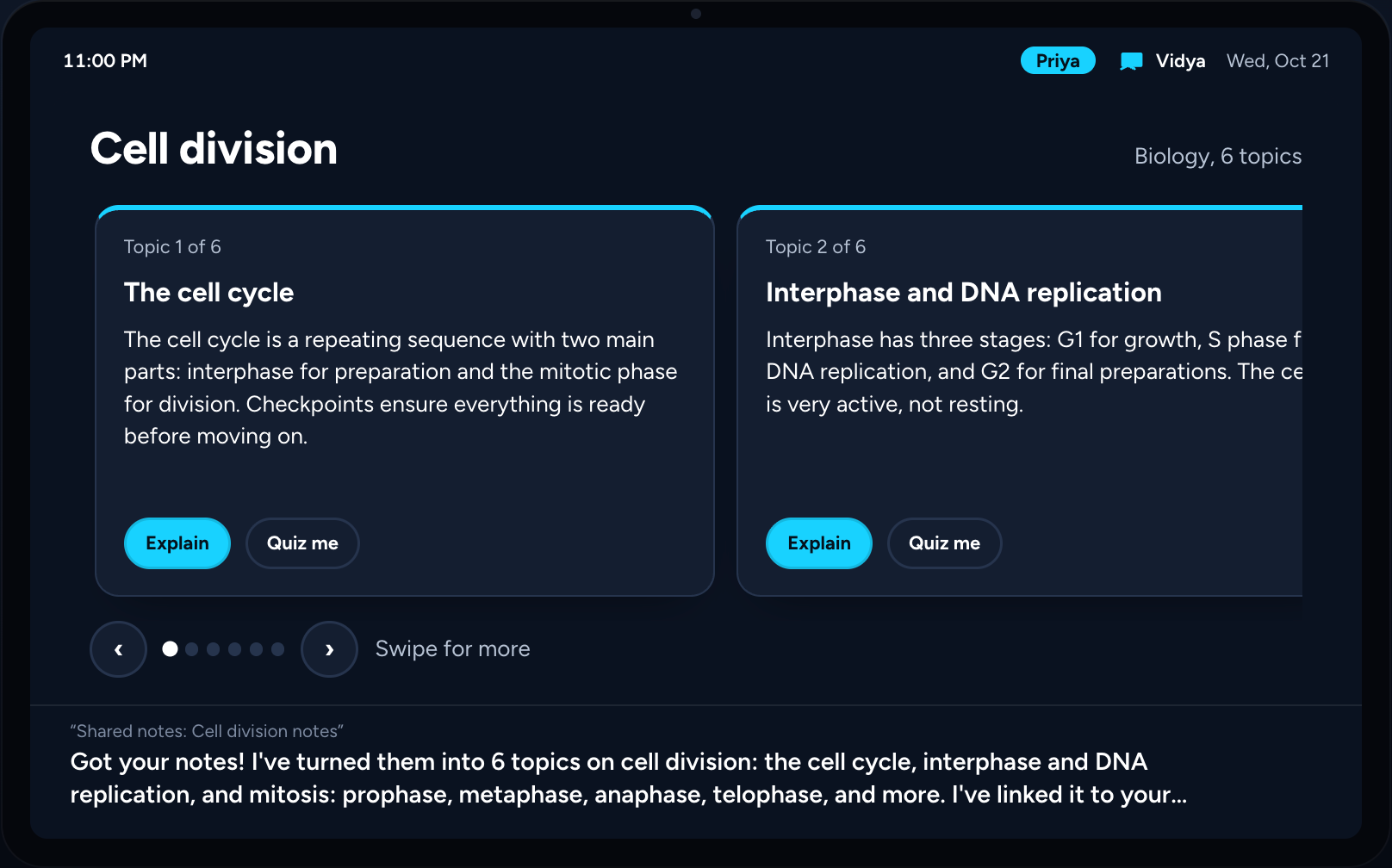
- It turns your notes into a study set, or teaches any topic you name. Explanations use your world ("meiosis is like picking two new cricket teams"). "Huh?" gets a genuinely different angle; "simpler" gets a shorter one.
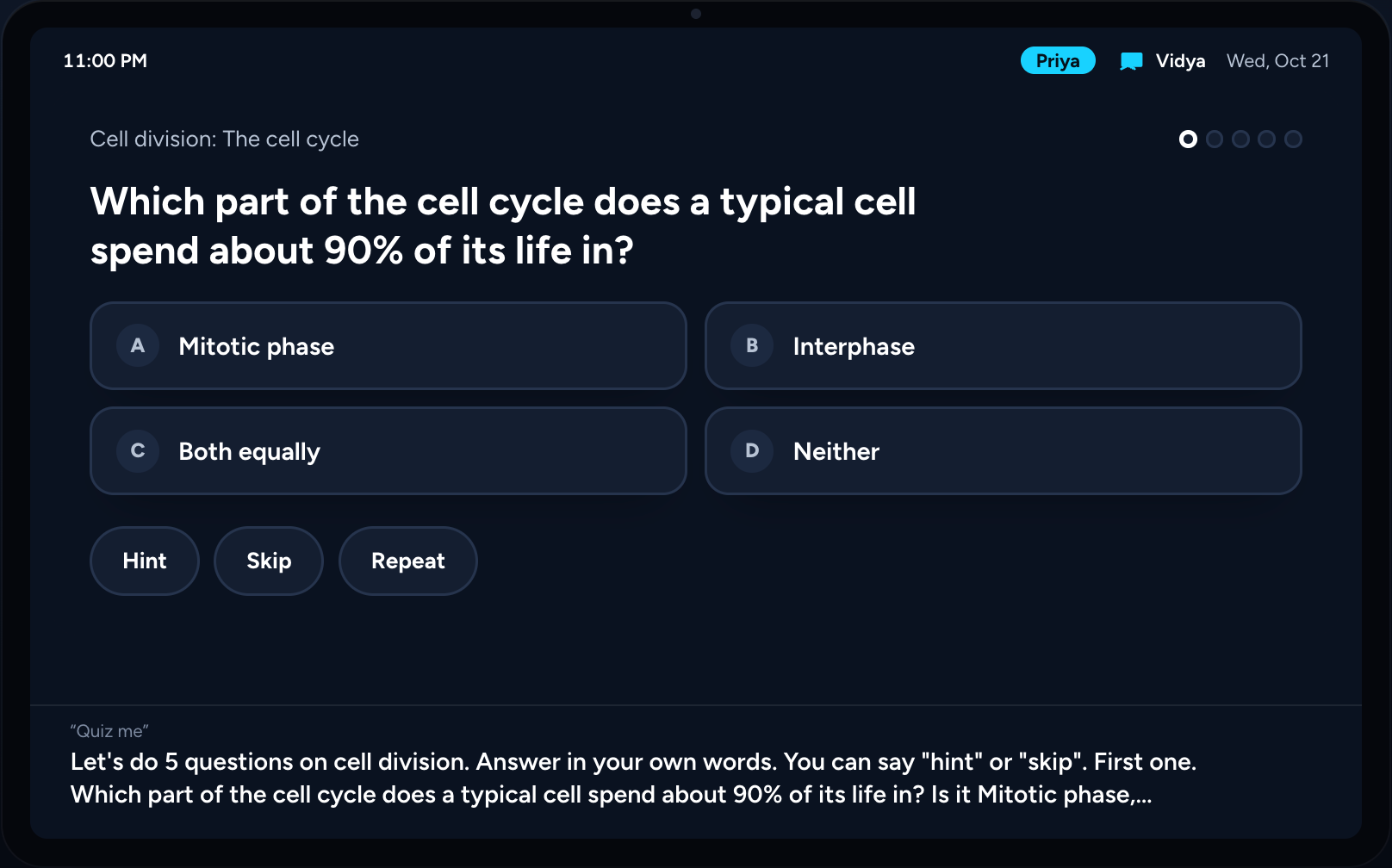
- It quizzes out loud, like a person would. Answer before it finishes reading the options and it stops to grade you. "What?" repeats the question. "These are too easy" brings new, harder questions. Grading is strict and fair, on what you actually said.
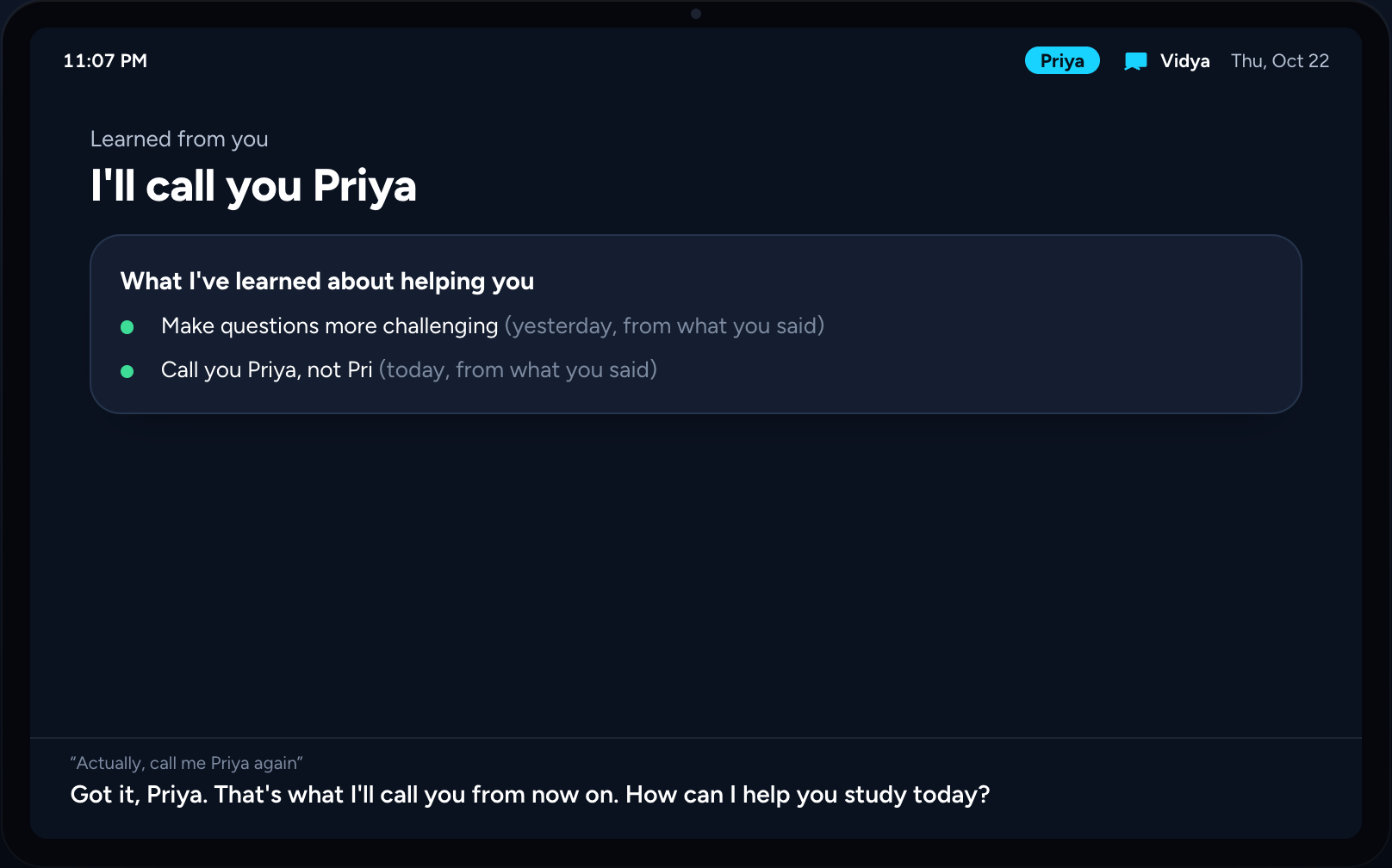
- It remembers, and learns from you. Mistakes come back at the right time with spaced review. Corrections like "call me Pri" or "that's too long" become lessons it follows from the very next sentence, and it never invents one you didn't ask for.
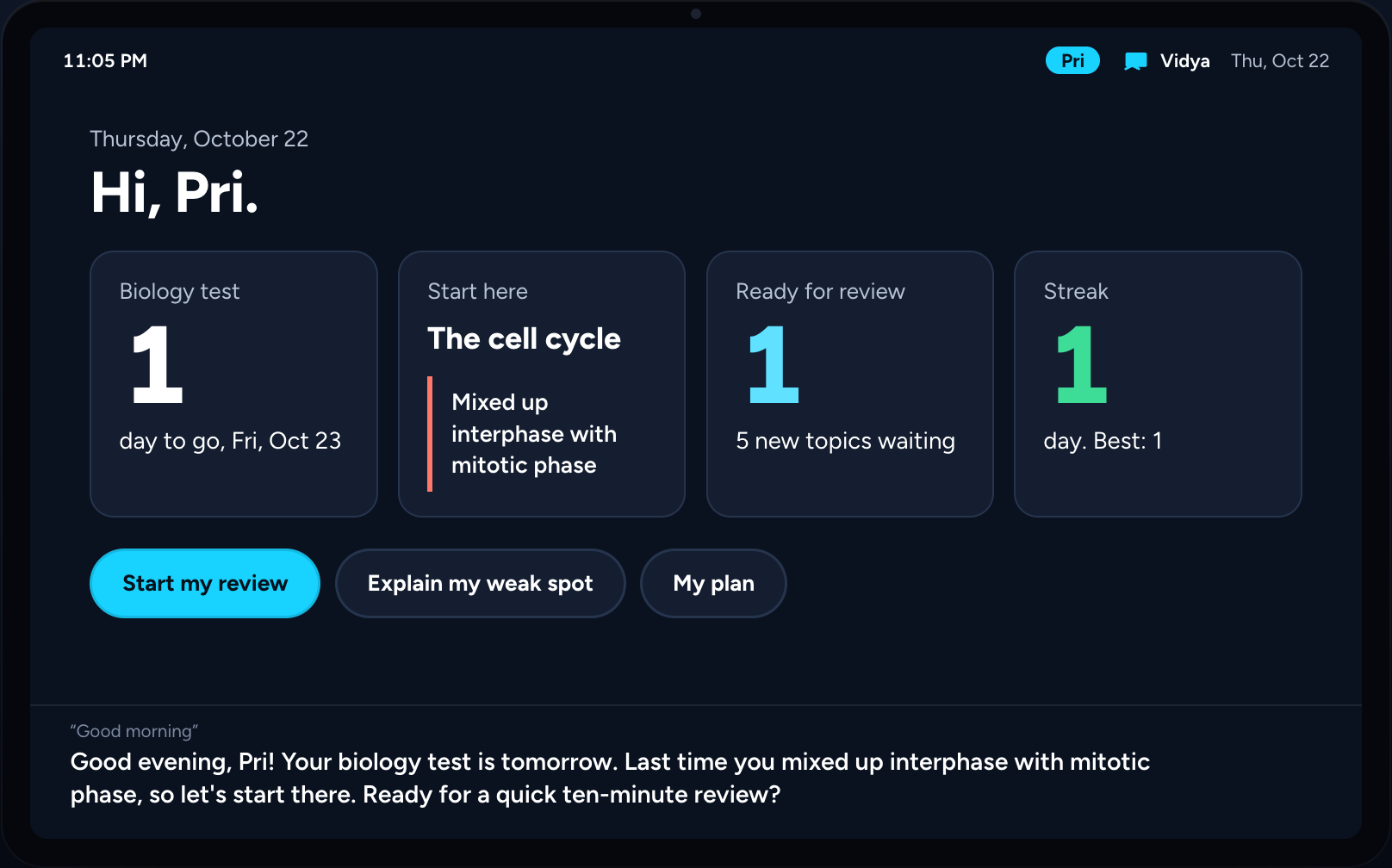
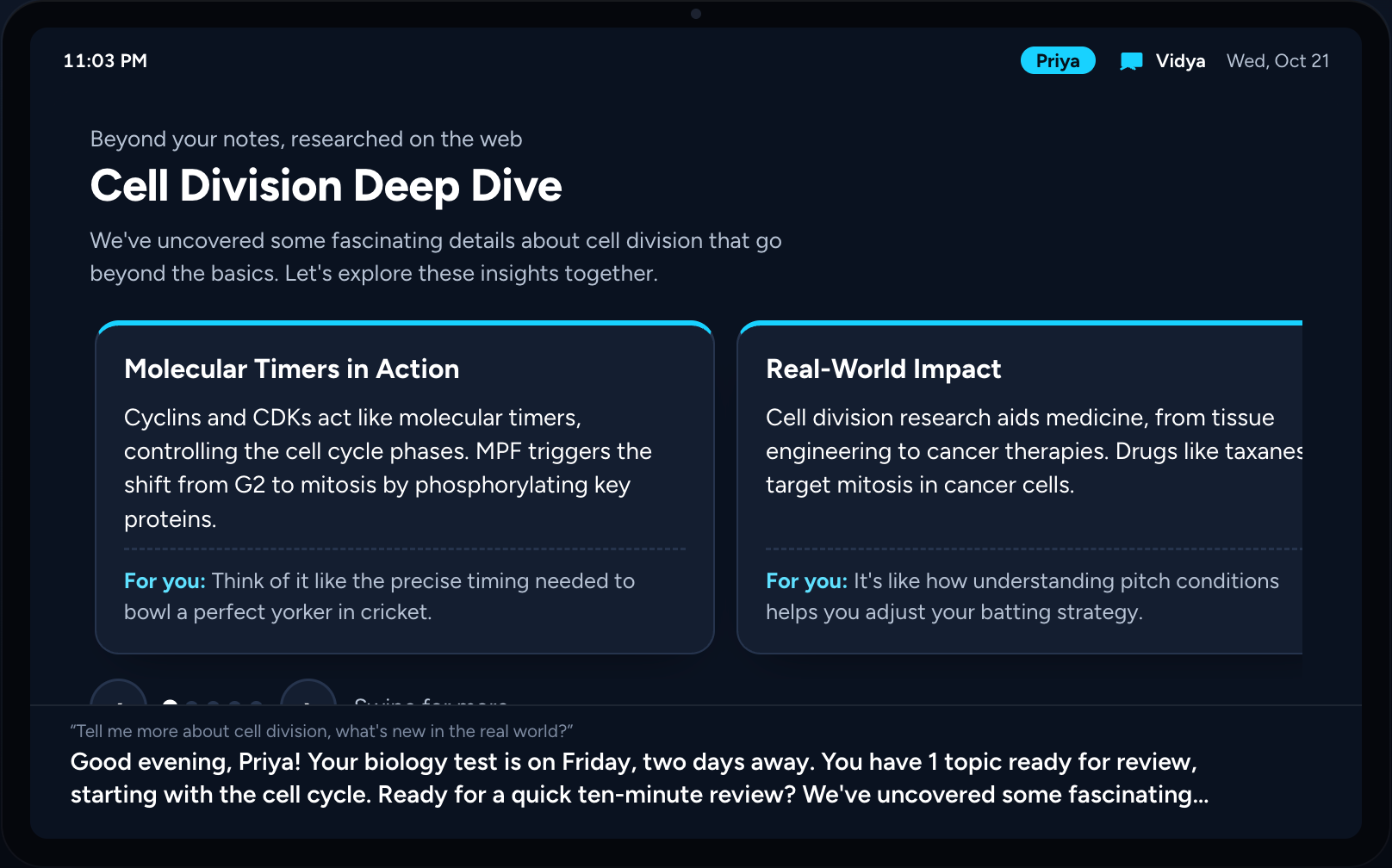
- It works ahead on its own. Every night a routine syncs your Google Classroom, builds study sets for upcoming tests, researches beyond your notes, and plans your day. In the morning: "While you were away, I made a study set for your biology test and found 3 new things about cell division. Last time you mixed up interphase with prophase, so let's start there."
- It goes beyond your notes. "Tell me more" searches the web with Amazon Nova Web Grounding and explains what it found at your level, with sources, as swipeable cards.
- Real school, read-only. Google Classroom homework, due dates and tests flow into the plan. It never submits anything.
- Study Together. Quiz battles with siblings, or with a friend in another home through a spoken invite code, each player at their own level.
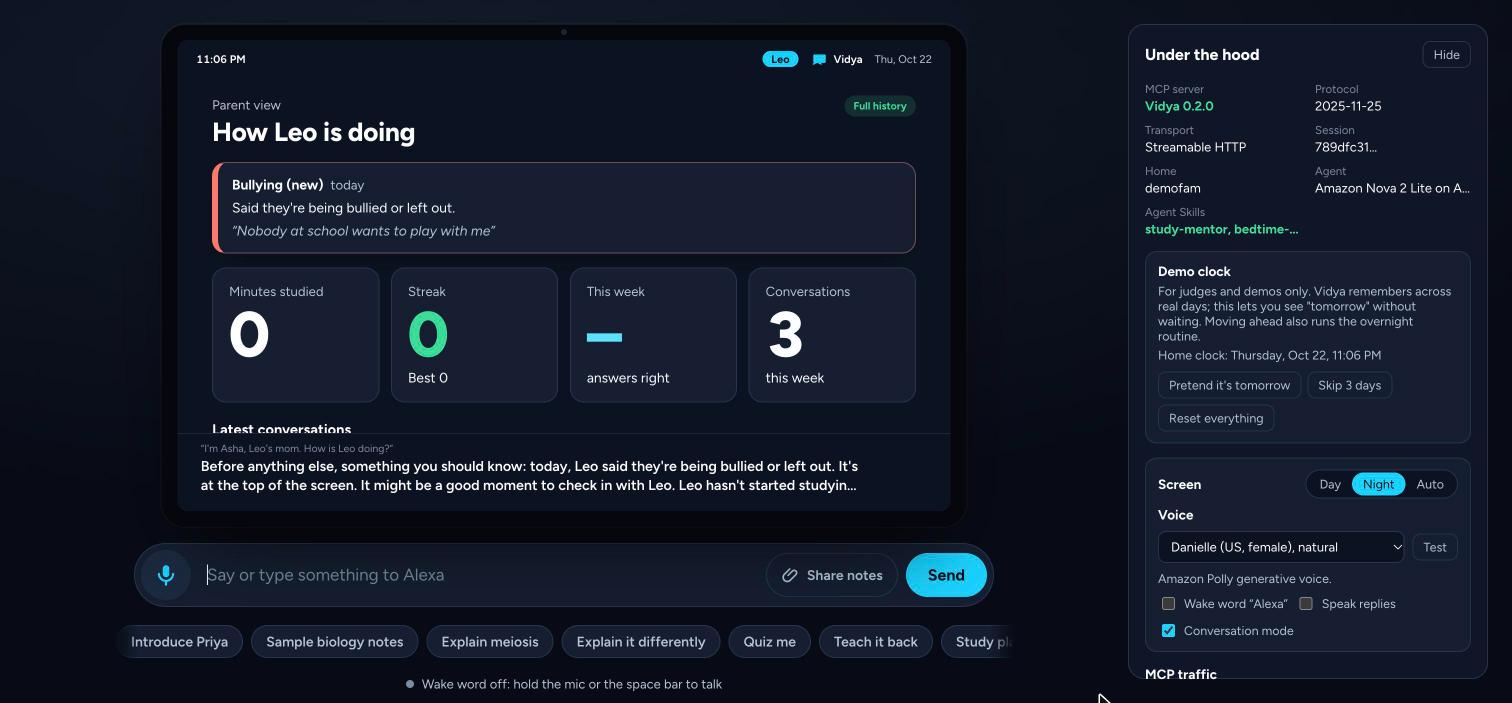
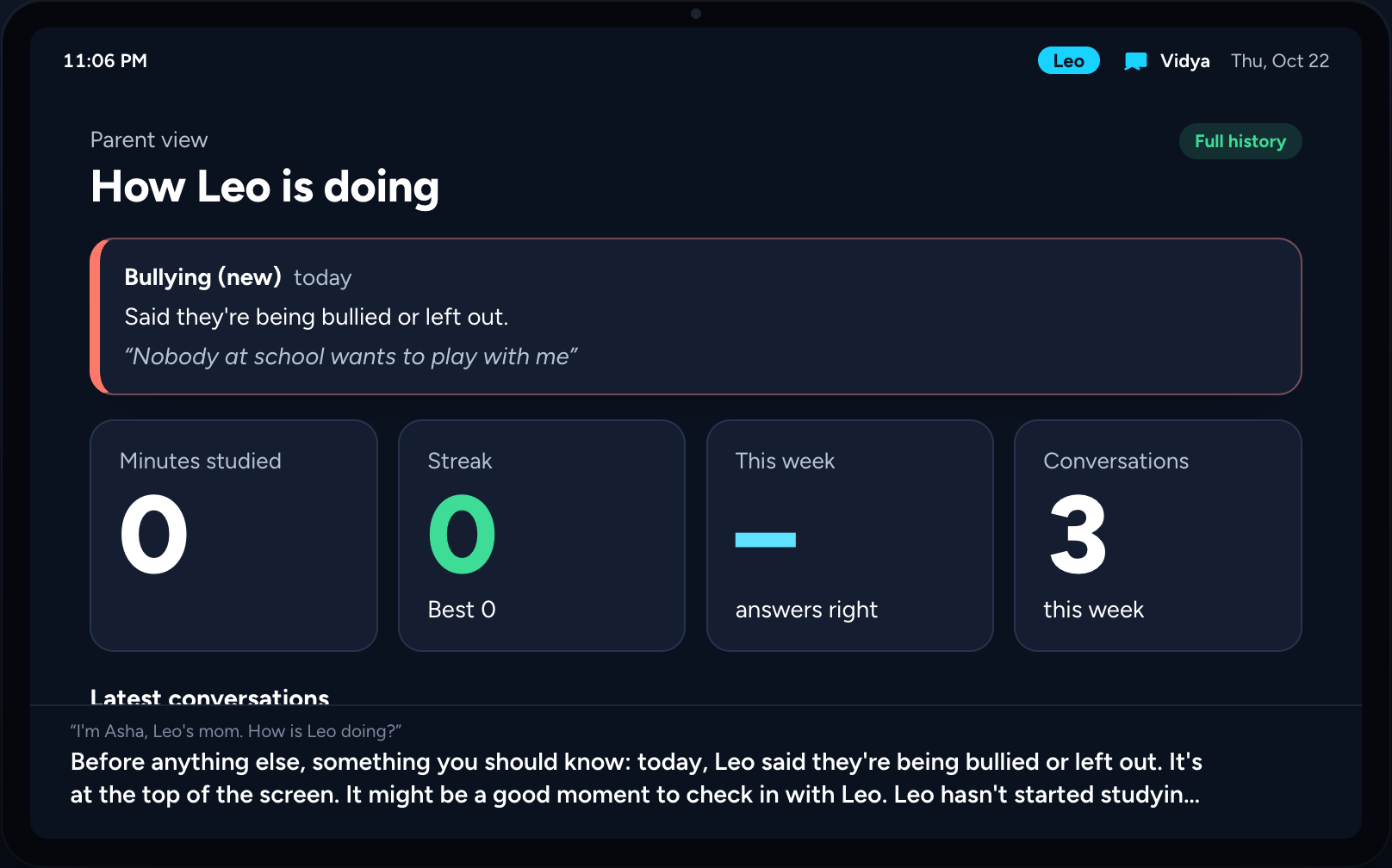
- Parents in control, and no secrets. Parents see what's right for the child's age. Signs of bullying, sadness or danger get a caring reply and an alert to the parent, checked before any AI runs. A child who claims to be 18 can't connect school alone: Vidya checks the age Google reports.
How we built it
- Self-hosted MCP server (TypeScript, MCP SDK 1.32.1), spec 2025-11-25 over Streamable HTTP, with sessions and one memory per household.
- 41 tools returning
structuredContentplus aspeechline pitched at the learner's level. - MCP Apps: one
ui://study-buddy/card.htmlview renders 39 tools as cards, including swipeable carousels, flip flashcards, answer tiles, a mastery map, an exam countdown and a focus timer. - Elicitation: on-screen forms, confirmations before deletes, and URL elicitation for the Google Classroom sign-in page.
- Sampling: the server can generate on the client's model; resource subscriptions push live game updates across homes; resource templates and prompts.
- 41 tools returning
- Agent Skills:
study-mentor(teaching playbook, academic-honesty, wellbeing and safety guardrails) andbedtime-storyteller, loaded at runtime. - Amazon Nova 2 Lite on Amazon Bedrock (Converse API with tool use) is the brain, plus Nova Web Grounding for research with citations. Amazon Polly generative voices speak.
- Alexa+ simulator: an Echo Show-style web app that is a real MCP client. Its "ear" handles the wake word, barge-in, follow-up listening, end-of-speech timing and an echo guard so it doesn't hear itself.
- Safety and age checks that don't depend on the model: a deterministic safety check on every turn, and an age check from Google's age range, birthday and class grades.
- Hosted on AWS: Docker and Caddy (automatic HTTPS) on Amazon Lightsail, with a bearer token on the MCP endpoint and a login on the device page.
- 82 automated tests, plus repeated live conversations with Nova where we talked to it like real students and fixed what felt wrong.
Challenges we ran into
- Making a small model behave like a voice assistant. Nova 2 Lite sometimes skipped tools, drifted into long chat-style answers, rewrote a student's answer before grading it, or guessed dates. We moved the critical parts into code: safety checks, grading the learner's real words, server-side date parsing, and a short per-turn voice reminder.
- Turn-taking in a browser. Without an Echo's hardware echo cancellation, the device heard itself. We built an echo guard, end-of-speech timing that doesn't cut people off, and quiz buzz-in that knows an answer from its own voice.
- No access to Alexa+ tooling. The real add-on tools are partner-only, so we built a faithful host: an MCP client with an MCP Apps bridge, elicitation and sampling.
- Child safety and age. Spoken age can't be trusted, and Google's age range has no "under 13" bucket, so we combined birthday, age range and class grades, and fail safe.
Accomplishments we're proud of
- The morning briefing: Vidya does real work overnight and tells you about it.
- It learns from corrections the way a person does, immediately, and only from what you actually said.
- Conversation that feels natural: interruptions, "huh?", "what?", and answering mid-question.
- Safety and age checks that hold even when the AI gets it wrong.
What we learned
- Safety and fairness can't depend on the model. Anything that must always happen belongs in code.
- Voice design is mostly about timing: when to stop, when to wait, and when to listen.
- Structured results plus level-aware speech let one MCP server serve an AI agent, a screen and a voice at once.
What's next
- Import Kindle highlights and notes (the Kindle app's notebook export), so your reading becomes study sessions.
- A weekly progress summary for parents, teacher-assigned study sets, and a parent PIN for sensitive actions.
- Per-family sign-in (MCP authorization or Alexa account linking) and a managed database to scale beyond one server.
Built With
- agent-skills
- alexa
- amazon-bedrock
- amazon-lightsail
- amazon-nova
- amazon-polly
- amazon-web-services
- caddy
- docker
- google-classroom-api
- mcp-apps
- model-context-protocol
- node.js
- nova-web-grounding
- typescript
- web-speech-api

Log in or sign up for Devpost to join the conversation.