Inspiration
At my job, a client once demanded a 350-page software procedure manual with a 2-day deadline. I stayed up all night for two straight days — recording my screen, pausing to take screenshots, writing step-by-step instructions for every click and page transition, over and over again. It was brutal.
To make things worse, our Japanese company also needed English versions of these manuals for international partners, which meant doing the same tedious process again in a different language.
I realized this entire workflow — watching a video, writing steps, taking screenshots, translating — is exactly what multimodal AI should handle. When Gemini 3 Flash launched with its video understanding capabilities, I knew this was the moment to build the tool I desperately wished I had during those sleepless nights.
What it does
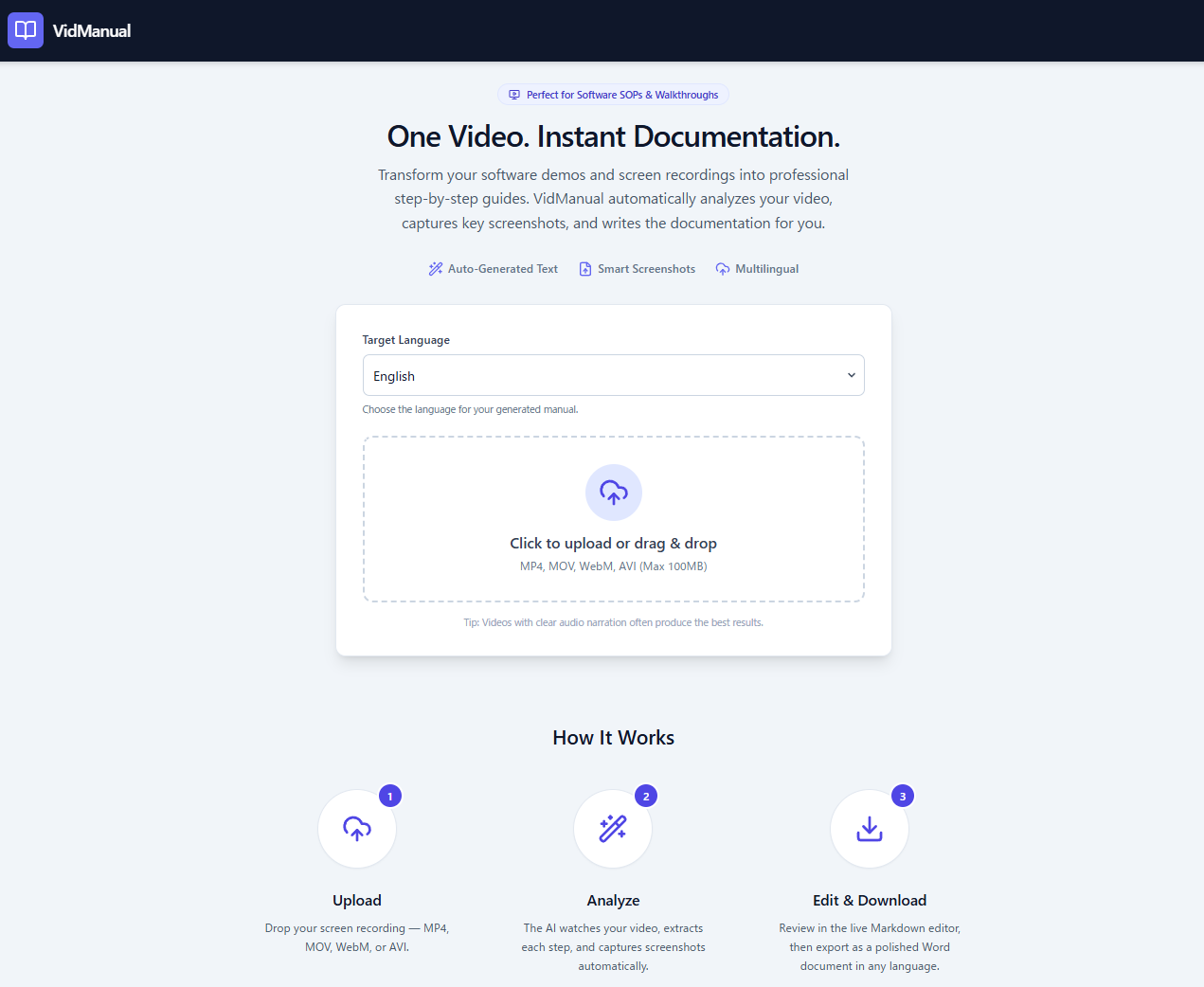
VidManual turns any screen recording into a polished procedure document:
- Upload a screen recording (MP4, MOV, WebM, AVI)
- Select your target language from 10+ supported languages
- AI analyzes the video — extracting audio narration, reading on-screen text, detecting UI changes, and capturing key screenshots
- Preview & Edit the generated manual in a live editor (with timestamps for easy video reference)
- Download as a professionally formatted Word document — complete with table of contents, numbered steps, and embedded screenshots
Key capabilities:
Audio + Visual hybrid analysis: Works with narrated videos AND silent screen recordings. If the video has narration, VidManual uses the audio as the primary source. For silent recordings, it reads on-screen text and UI changes to generate descriptions.
Smart screenshot extraction: Automatically captures the most relevant frame for each step. If a screenshot is incorrect or you want a different frame, simply drag from the video timeline onto the step to replace it.
Add languages after generation: Start with one language (e.g., English), then add additional languages like Japanese, Spanish, French, etc. Each language version is generated from the same video analysis, ensuring consistency across all versions.
Editable steps: Preview the generated manual and freely edit step descriptions, delete unnecessary steps, or add new steps to fill in any gaps the AI missed.
Professional Word export: Clean .docx with table of contents, headings, inline screenshots. Timestamps shown during editing are automatically removed from the final download — end users get a clean document, while authors can reference the video during the editing process.
Supported languages: English, Japanese, Chinese (Simplified/Traditional), Korean, Spanish, French, German, Portuguese, Thai, and more.
How we built it
VidManual is built as a single-page web application using Google AI Studio.
- AI Engine: Gemini 3 Flash for multimodal video understanding — analyzing both audio tracks and visual content simultaneously
- Screenshot Extraction: Client-side frame extraction using HTML5 Canvas and the Video element, triggered at timestamps identified by Gemini
- Live Editor: Split-pane editor for preview and editing with drag-and-drop screenshot replacement
- Word Generation: Client-side .docx generation with embedded images and professional formatting
The core prompt strategy sends the video to Gemini 3 Flash with instructions to:
- Analyze audio narration (if present) and visual screen changes
- Identify distinct procedural steps with timestamps
- Generate structured JSON with step titles, descriptions, and screenshot timestamps
- Output all content in the user's selected language
Challenges we ran into
- Balancing audio vs. visual: Videos with narration needed different handling than silent screen recordings. We implemented a hybrid analysis mode where Gemini weighs both signals.
- Screenshot quality: Finding the right frame for each step required careful timestamp identification — too early shows the previous state, too late misses the action. We solved this by allowing manual replacement via drag-and-drop.
- Multilingual consistency: Ensuring technical terms (like UI element names) are appropriately translated vs. kept in the original language across all added languages.
Accomplishments that we're proud of
- One-click workflow: From raw video to downloadable Word document in under 60 seconds
- True multilingual: A single screen recording can produce manuals in 10+ languages, and users can add languages incrementally after the initial generation
- Author-friendly editing: Timestamps in the preview, drag-and-drop screenshot replacement, and step add/delete make it easy to perfect the manual before export
What we learned
- Gemini 3 Flash's multimodal capabilities are remarkably good at understanding software UI flows — it can identify button clicks, form fills, and page navigation with high accuracy
- The gap between "AI-generated content" and "publication-ready documentation" is bridgeable with the right editing workflow
- Multilingual AI output quality varies by language — some languages need more specific prompting for natural-sounding procedural text
What's next for VidManual
- Template selection: SOP, tutorial, quick start guide, and onboarding document templates
- Video player sync: Click a step to jump to that timestamp in the video
- Team collaboration: Shared editing with comments and review workflows
- PDF export: Additional export format alongside Word
- Batch processing: Upload multiple videos to generate a combined manual
Built With
- gemini
- google-ai-studio
- googleaistdio
- html5
- javascript
- react
- tailwind
- typescript

Log in or sign up for Devpost to join the conversation.