
Inspiration
My brother bought a gimbal, and I borrowed it for a vacation because I wanted to make a short travel video.
Before the trip, I watched tutorials, looked at examples, and used a few AI tools to plan what I should shoot. I use LLMs all the time, so I thought I was well prepared.
I wasn't.
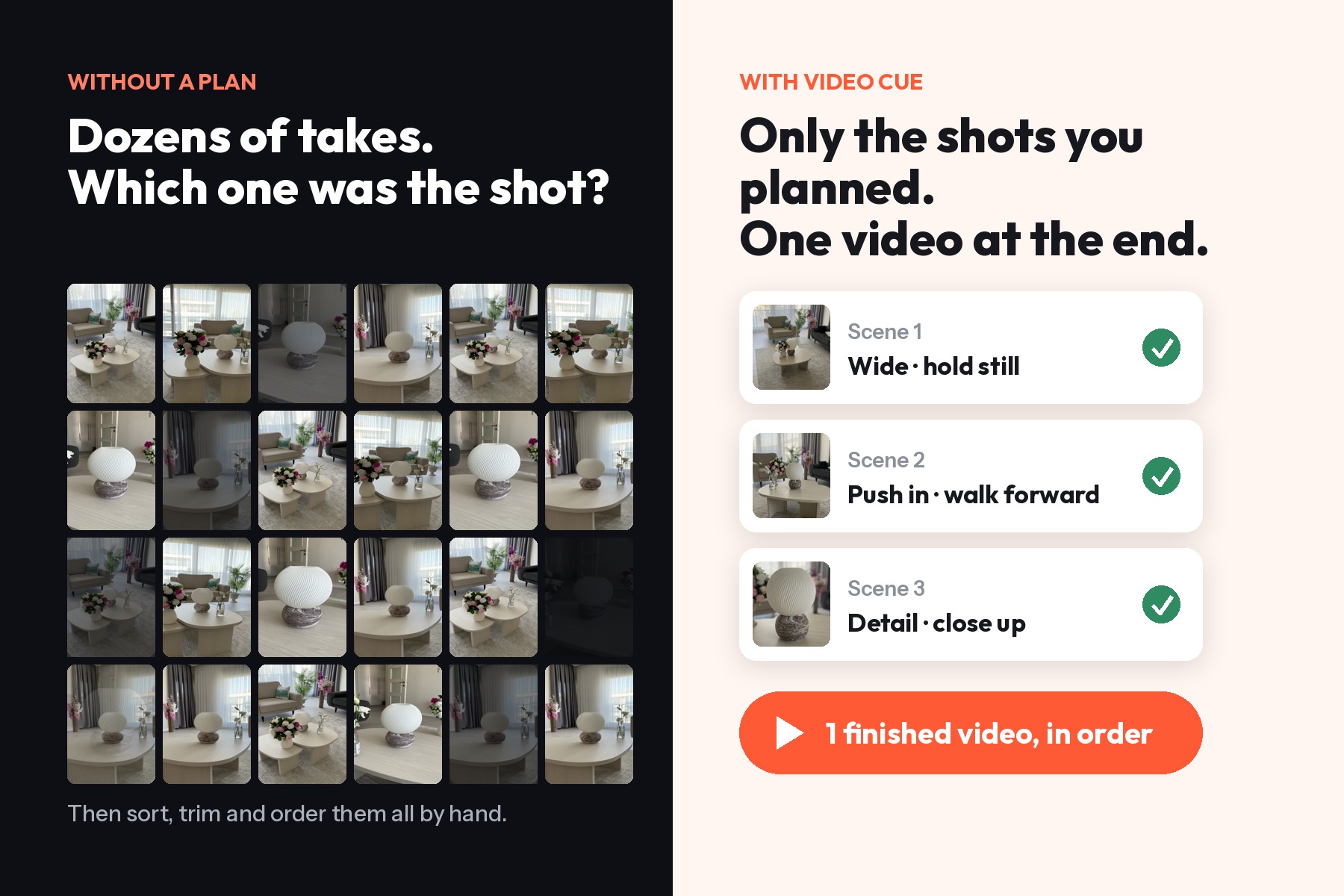
During the trip, I carried the gimbal almost everywhere and recorded dozens of clips. I tried different angles, repeated shots, and kept thinking, "Maybe this one will work better."
When I got home, I realized the hard part wasn't over.
I still had to go through all those clips, decide which takes were usable, trim the awkward seconds at the beginning and end, add transitions, put everything in the right order, and somehow make it match the original idea.
And I wasn't trying to make a cinematic film. I just wanted a nice vacation video.
That made me realize something: planning the shots wasn't enough.
For someone who isn't a professional filmmaker, going from an idea to a finished video still requires too many decisions, too many tools, and too much trial and error.
I wanted a simpler workflow: plan what to shoot, get guidance while shooting it, keep the takes I actually need, polish them, and finish the video in one place.
That's how Video Cue started.
What it does
Video Cue helps solo creators go from an idea to a ready-to-share video in one guided workflow.
Plan it. Shoot it. Finish it.
Plan
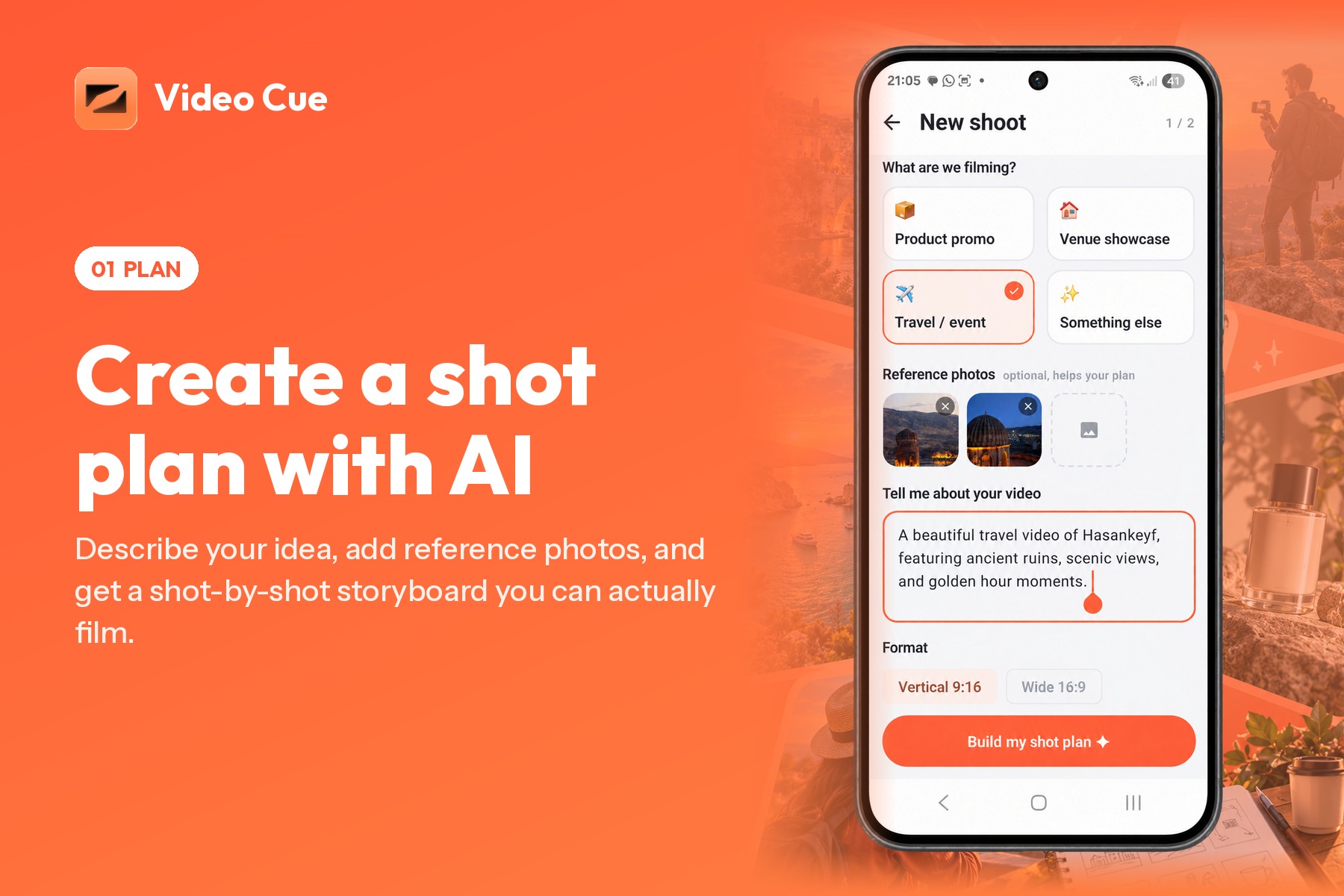
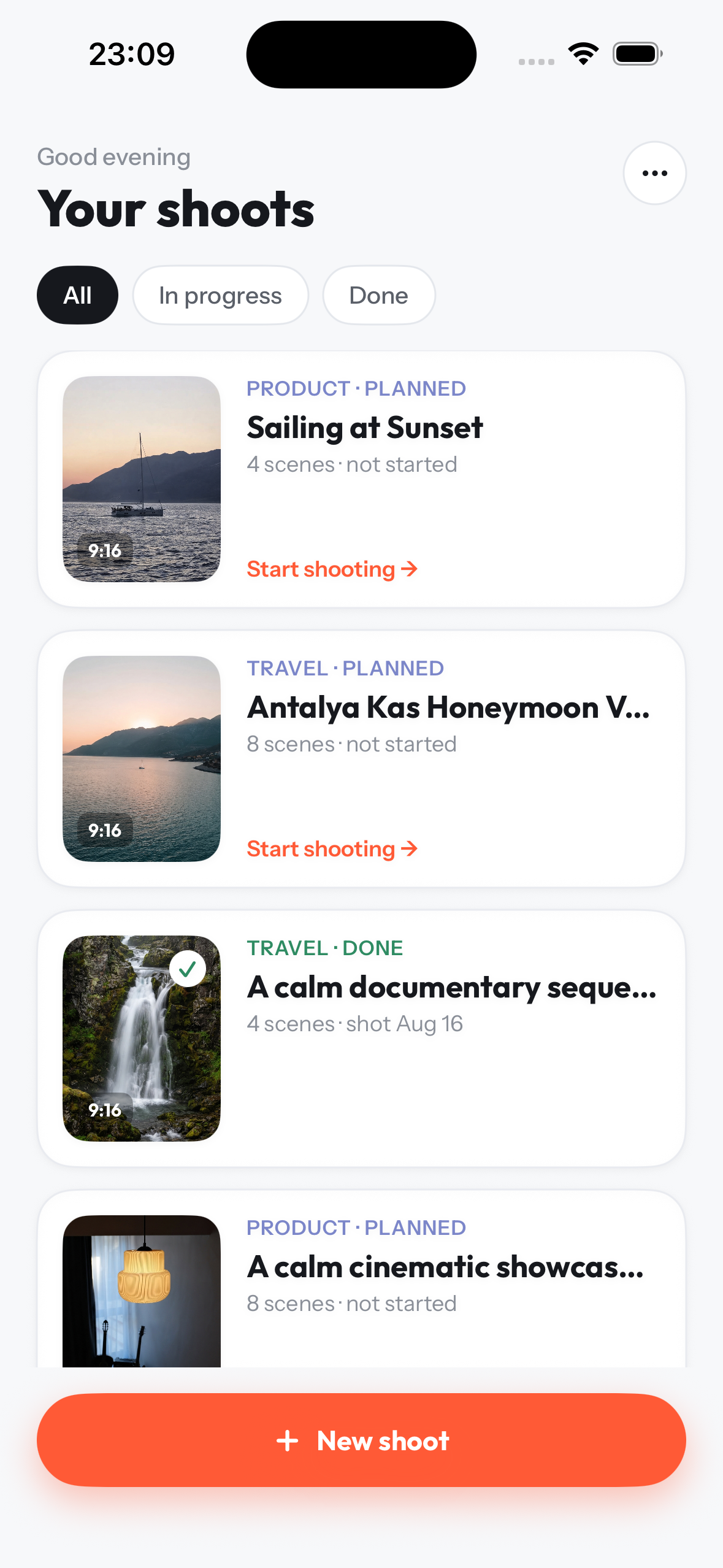
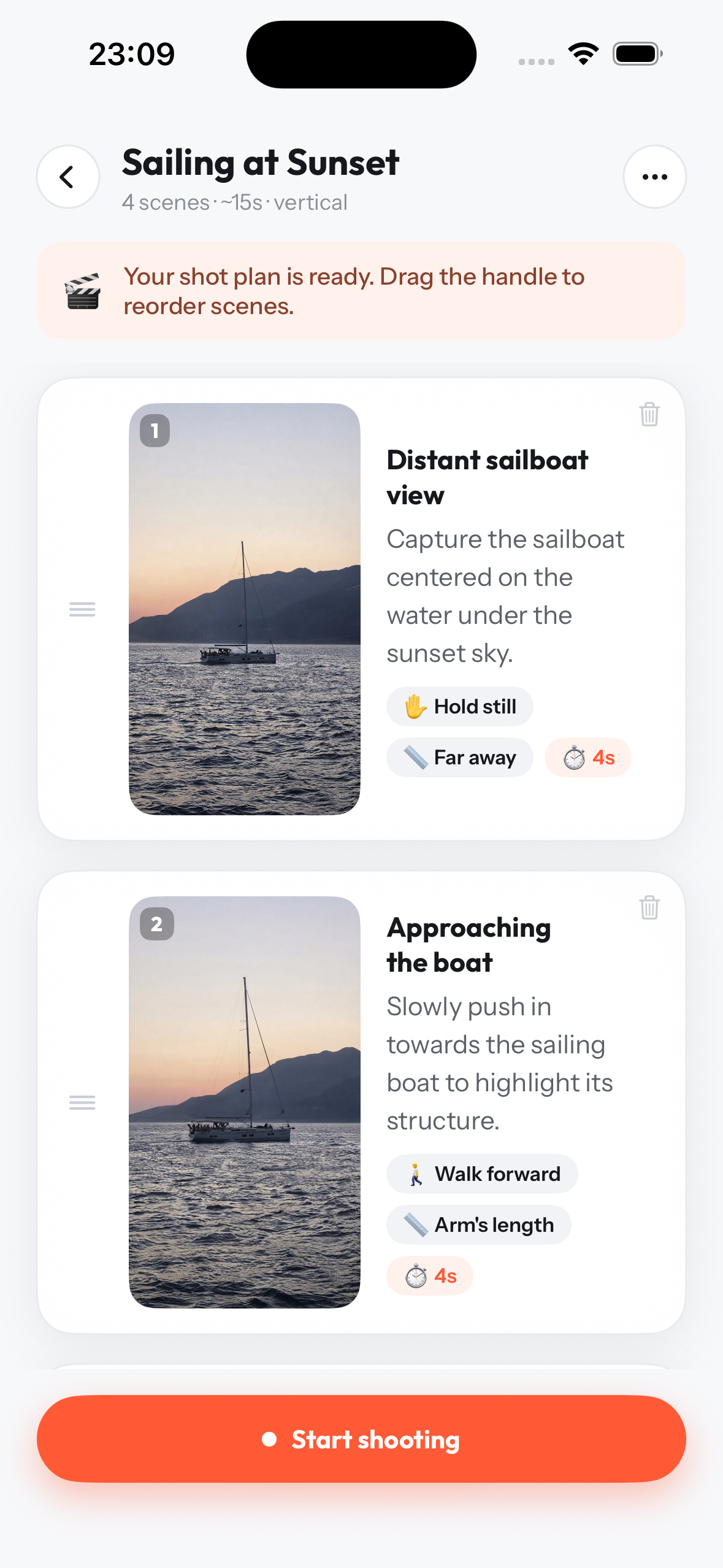
Choose what kind of content you want to create, describe your idea, and optionally add reference images.
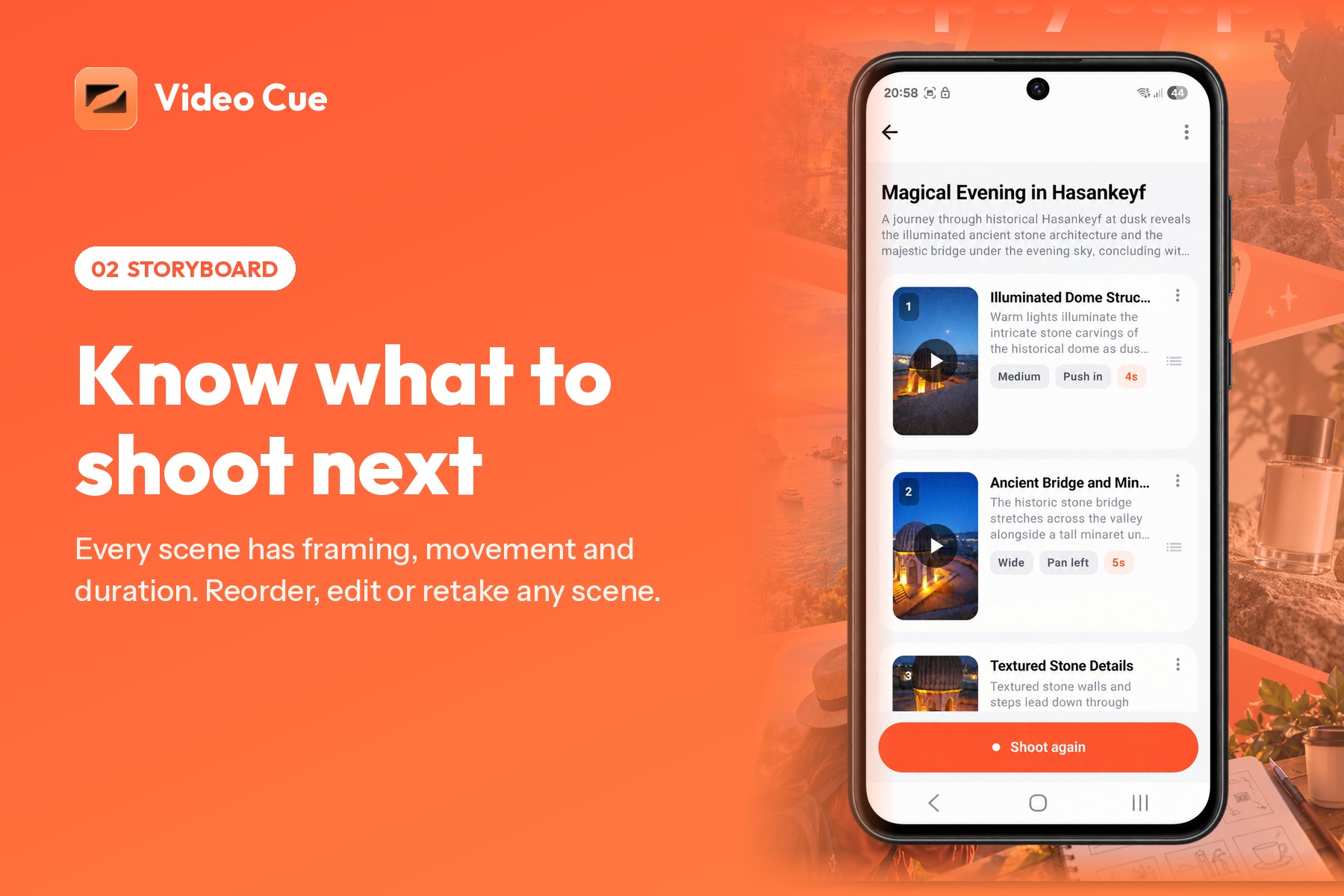
Video Cue turns that input into a structured shot plan with individual scenes. Each scene includes guidance about what to capture, framing, and camera movement.
The plan is not fixed. You can edit scenes, remove them, or add your own before filming.
Shoot
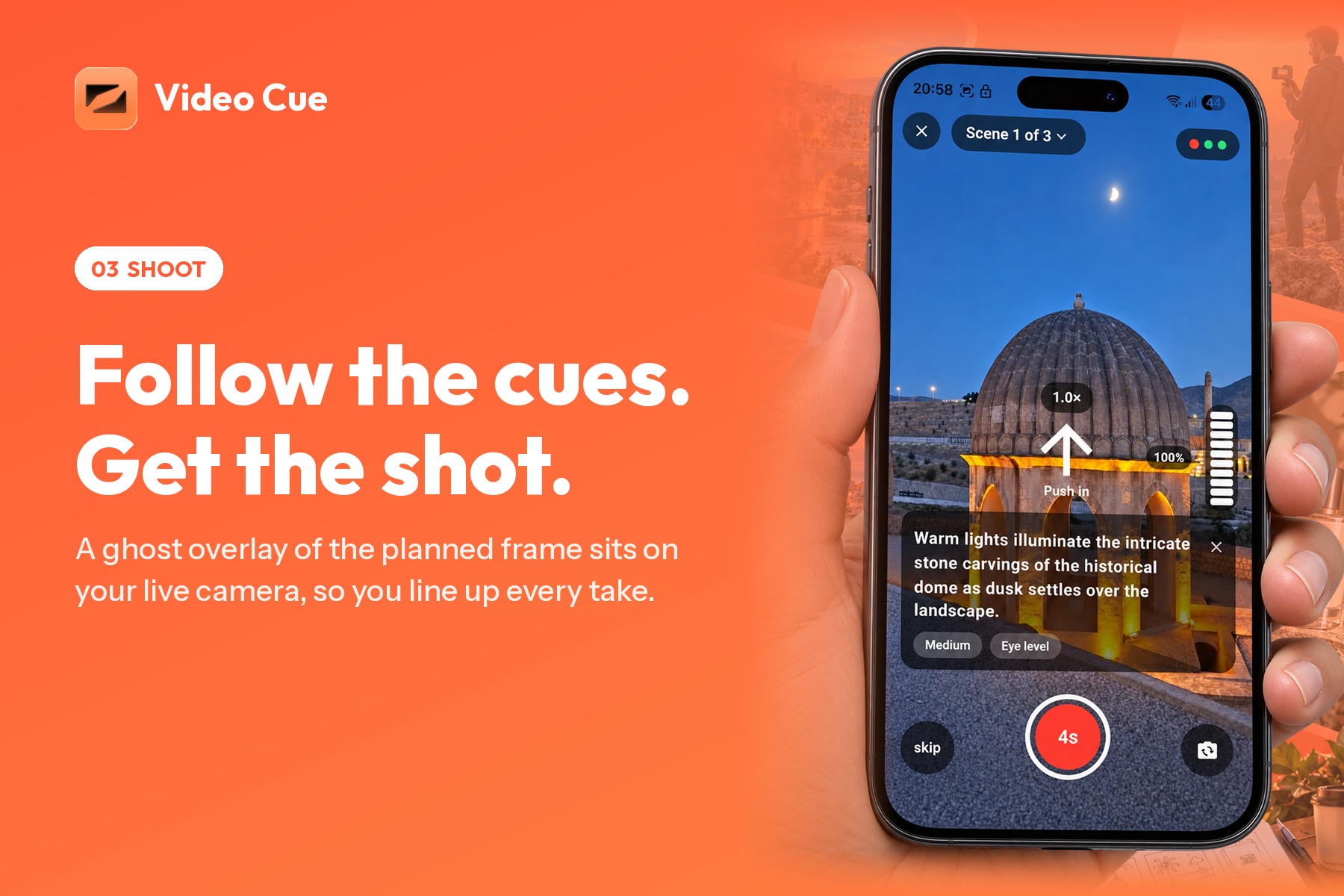
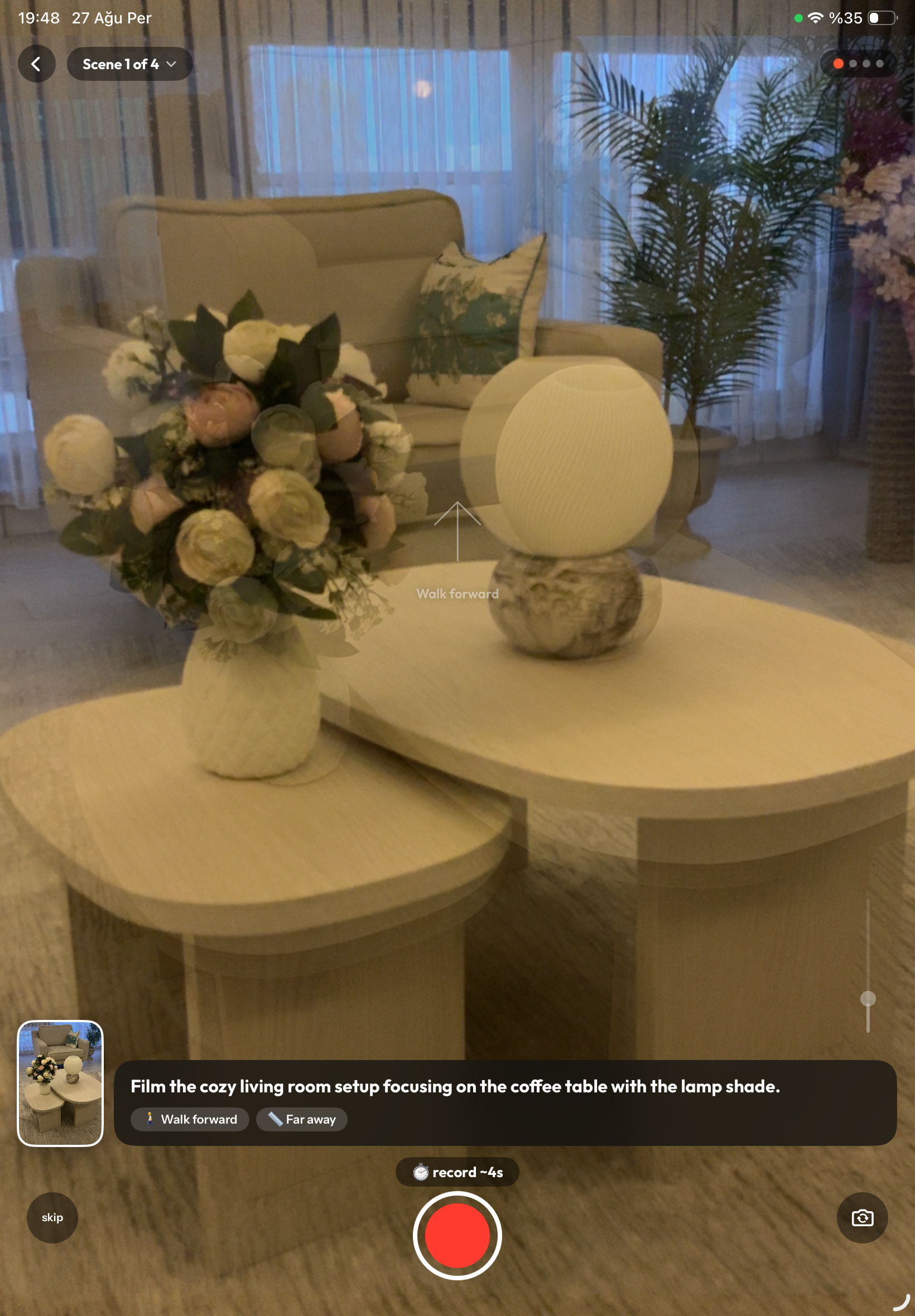
Instead of leaving the storyboard behind when you open the camera, Video Cue brings it with you.
During recording, the app shows visual guidance for the current scene, including framing references and movement cues.
You can record a take, review it, retake it if necessary, and keep the version you want before moving to the next scene.
The goal is simple: capture the shots you actually need instead of filling your camera roll with dozens of almost identical clips.
Polish
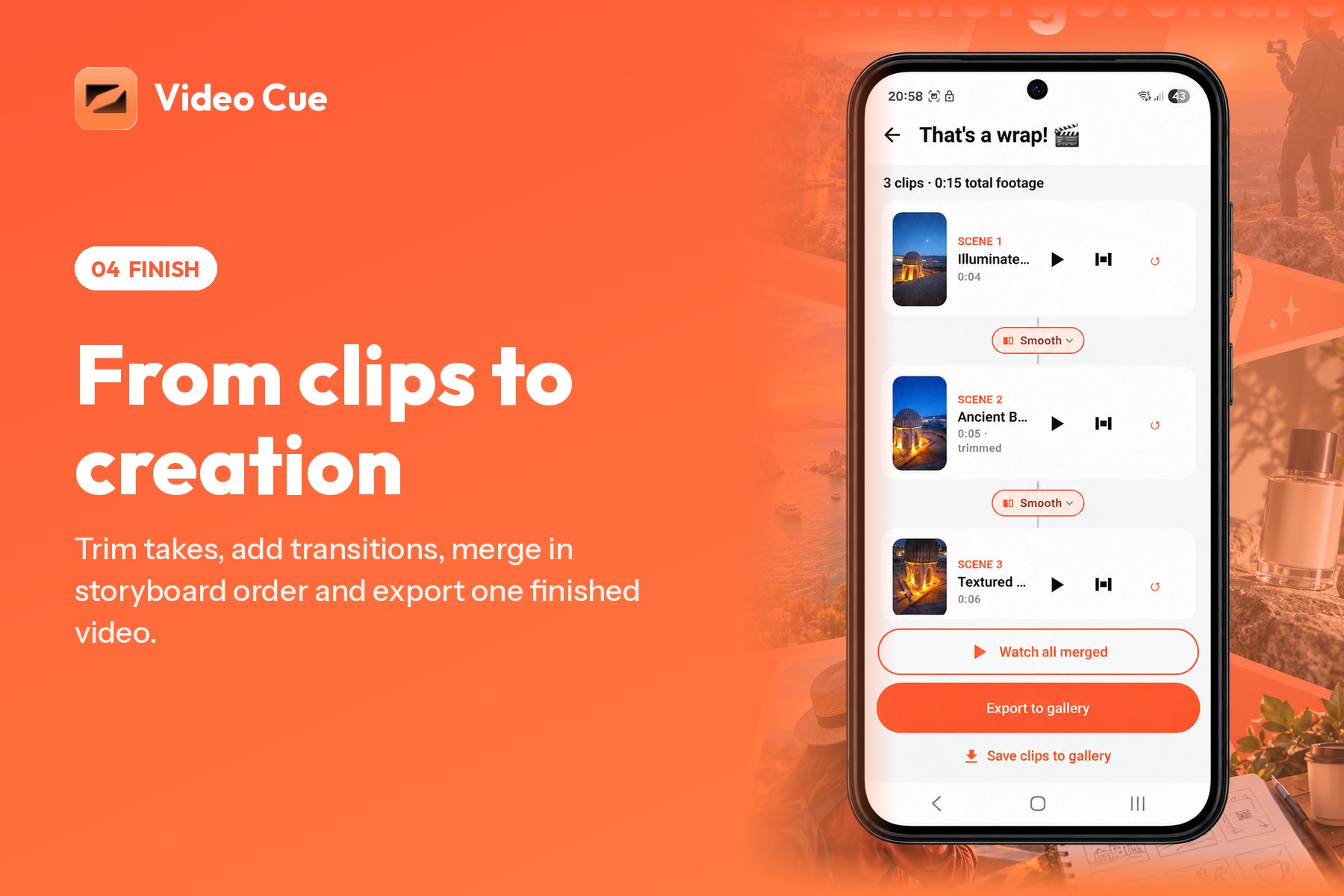
Once filming is complete, you can review each scene, choose the take you want to use, trim unnecessary parts, and add simple transitions.
The editing flow is intentionally lightweight. Video Cue is not trying to replace a professional video editor; it is designed to help someone finish the video they planned without turning the process into another project.
Merge & Export
When the scenes are ready, Video Cue combines them in storyboard order into one final video.
You can preview the result and export a ready-to-share video.
From the initial idea to the final file, the whole workflow stays connected.
How we built it
Video Cue is built as a native mobile app for both iOS and Android.
The iOS version is built with SwiftUI, while the Android version uses Kotlin and Jetpack Compose.
The product is divided into three main parts: planning, guided filming, and video finishing.
For the planning stage, I built an AI-powered storyboard flow that takes the user's goal, description, content type, and references and turns them into structured scenes.
One of the important decisions was to avoid generating generic creative ideas. The output needed to be something a person could actually walk outside and film with a phone.
The filming experience uses a custom camera flow that keeps the current storyboard scene visible while recording. Visual overlays and movement cues help connect the plan to what the user sees through the camera.
After recording, clips stay connected to their original scenes. This makes it possible to retake individual shots, compare takes, trim footage, add transitions, and maintain the intended storyboard order.
The final stage uses native video processing to prepare the selected clips and merge them into a single export.
Firebase is used for app infrastructure and analytics, RevenueCat handles subscriptions across the mobile apps, and AI generation is handled through a backend-connected model workflow.
A major product goal throughout development was to keep these systems invisible to the user. The experience should feel like one continuous process rather than a storyboard tool, a camera app, and an editor stitched together.
Challenges we ran into
Generating shots that are actually filmable
Generating a creative storyboard is relatively easy.
Generating a storyboard that makes sense for someone holding a phone is much harder.
Some ideas may sound good in text but require equipment, locations, movements, or framing that are unrealistic for the user.
I had to think less about "What would make an impressive storyboard?" and more about "Can someone actually follow this instruction and get the shot?"
Guiding the user without blocking the camera
The filming screen needed to provide enough information to be useful without covering the thing the user was trying to record.
Framing references, movement cues, scene descriptions, recording controls, and retake actions all compete for a very limited amount of screen space.
Finding the balance between guidance and distraction became one of the most important UI problems in the app.
Making multiple tools feel like one workflow
Video Cue combines planning, recording, take selection, trimming, transitions, merging, and exporting.
Each part is manageable on its own. The challenge was making them feel connected.
The user should never have to wonder which clip belongs to which scene or manually reconstruct the storyboard after filming.
Keeping the scene as the central object throughout the whole workflow helped solve that.
Keeping video editing simple
It is easy for a video tool to slowly become a video editor.
I had to resist adding complexity just because it was technically possible.
Video Cue is built for people who want to finish a video, not spend an hour adjusting a timeline.
That constraint influenced many of the product decisions.
Accomplishments that we're proud of
The thing I'm most proud of is that Video Cue became a complete cross-platform product rather than just an AI demo.
You can start with an idea, generate a plan, follow it while filming, record and retake scenes, trim your footage, add transitions, merge everything, and export the final video without leaving the workflow.
I built the product for both iOS and Android, including the camera experience, AI generation flow, video processing, subscriptions, authentication, analytics, onboarding, and the surrounding production infrastructure needed to turn a prototype into a real app.
Getting from the first prototype to a working mobile product forced me to solve problems far beyond the original storyboard idea.
Most importantly, the original vacation problem can now be completed inside Video Cue from beginning to end.
What we learned
The biggest thing I learned was that the problem was not what I initially thought it was.
At first, I thought people needed better video ideas and better storyboards.
But a storyboard is only the beginning.
The difficult part is turning that storyboard into actual footage and then turning that footage into something finished.
AI can suggest six great shots, but if the user still has to remember them while filming, manage twenty takes in their gallery, move everything into another editor, and rebuild the sequence manually, most of the original problem is still there.
I also learned that more footage is not necessarily better footage.
Recording the same thing again and again feels safe while filming, but it simply moves the decision to later. Now you have twenty clips to review instead of one good take.
That changed the way I thought about Video Cue. The goal became less about helping people record more and more about helping them make better decisions while they are recording.
Finally, I learned that the best place to simplify video creation is not only in the editor.
It starts much earlier: with deciding what to shoot, knowing when you have the shot, and keeping every step connected to the original plan.
What's next for Video Cue
The long-term goal is for Video Cue to become a filming companion for solo creators, not just a storyboard generator.
The next step is smarter guidance during filming: helping users understand framing, movement, and whether they have captured what a scene needs while they are still behind the camera.
I also want to make the finishing stage more automatic. Instead of adding the complexity of a traditional editor, Video Cue should make more editing decisions based on the storyboard and the way the clips were recorded.
And most importantly, I want to keep improving the workflow with real creator feedback.
The direction is simple:
Less time managing footage. Fewer disconnected tools. More finished videos.


Log in or sign up for Devpost to join the conversation.