-
-
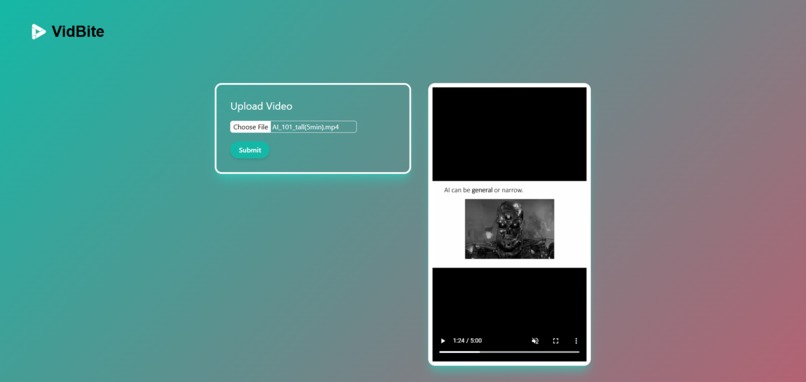
Homepage
-
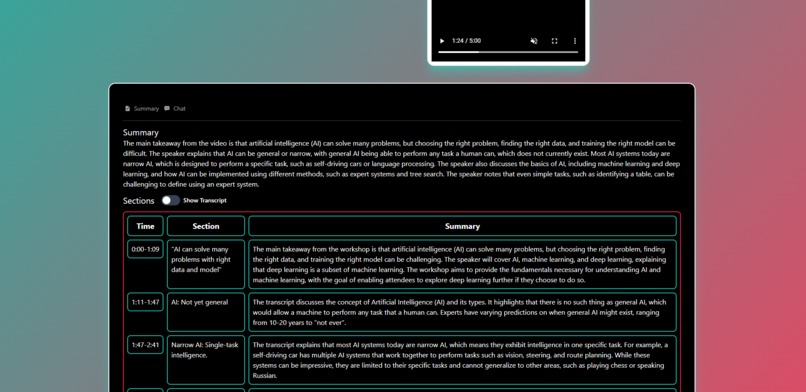
Summary and Sections
-
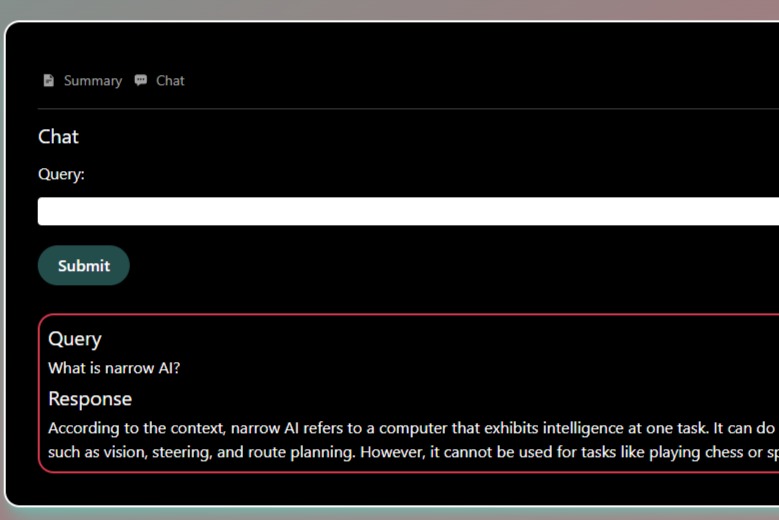
Chat

Inspiration
The idea for VidBite was born out of the need for efficiency in today’s fast-paced world. As TikTok continues to surge in popularity, it is becoming more difficult to sift through the vast amount of content to get up to date with trends and key points, especially in longer videos. Whether it is educational content, quick tips, or even just trending topics, the need for a tool that could allow users to gather the key points of the video quickly became apparent.
Another issue is that those with hearing impairments may find it difficult to consume and enjoy video content fully. Furthermore, I am sure many users like myself have encountered instances where we are in a crowded or noisy area without headphones and find difficulty in consuming TikTok videos as we are unable to hear the video without turning up the volume to a high level which would disturb others around us.
This realization inspired me to create an app that would not only save users time but also enhance their content consumption experience by making TikTok videos more accessible and digestible.
What it does
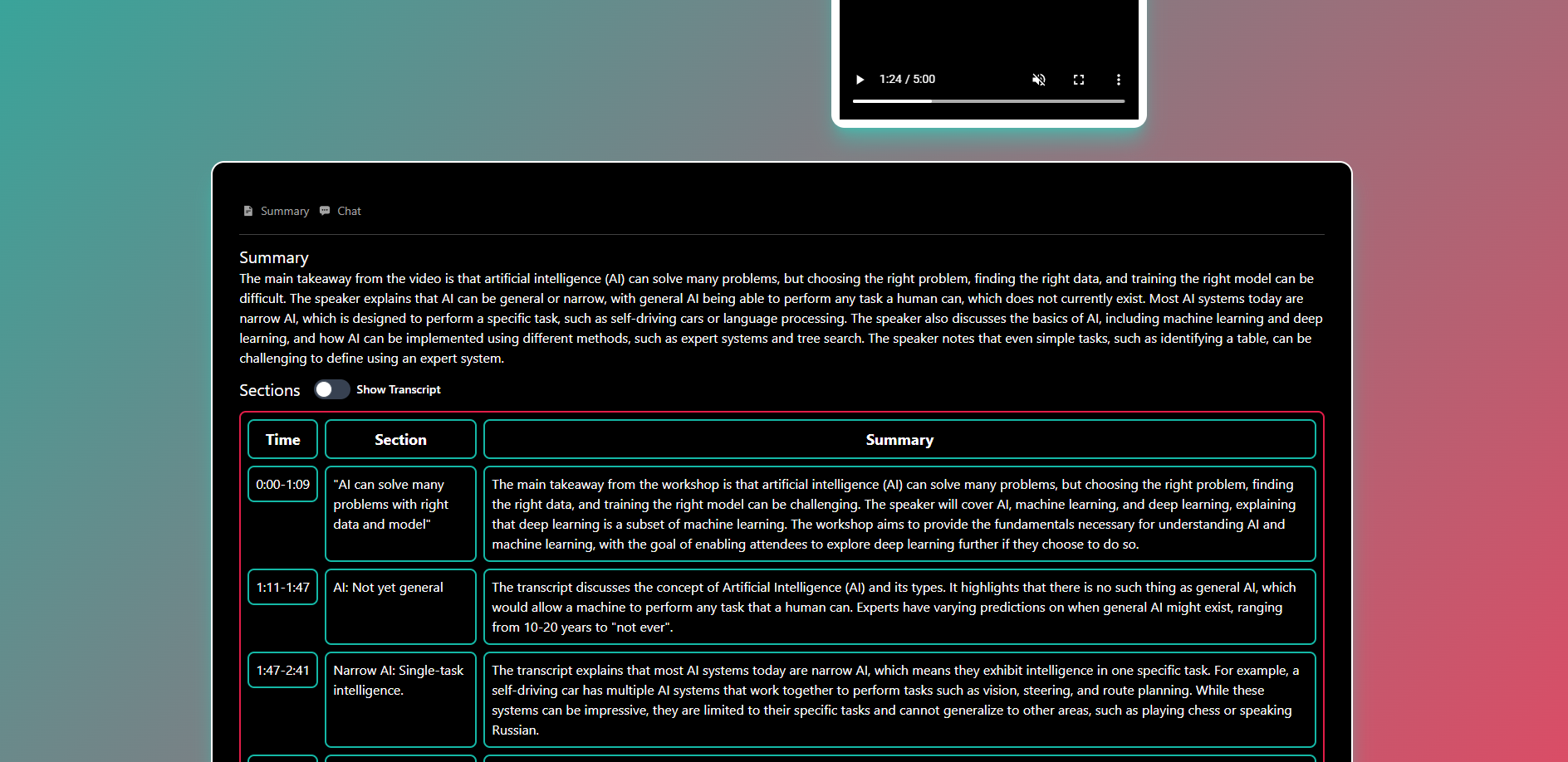
VidBite is designed to streamline your TikTok viewing experience by summarizing videos, segmenting them into easy-to-digest sections which users can jump to and answering queries related to the video. Here’s what it offers:
Summarizes Videos: VidBite quickly analyzes the spoken content of TikTok videos and provides concise summaries that capture the essence of the video. This allows users to understand the key points without having to watch the entire clip.
Sections with Highlights: It divides videos into meaningful segments, each with a brief summary and timestamps, making it easy to jump to specific parts of interest. This is especially useful for longer videos or tutorials where users may only be interested in certain sections.
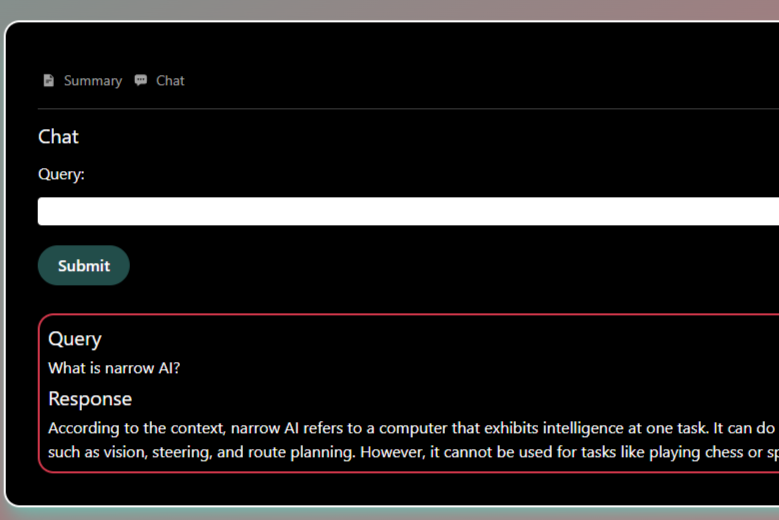
Chat: Users can chat with a chatbot assistant which will answer queries about the video while using the video's transcript as context.
Accessibility: VidBite makes content more accessible by providing text summaries and answers to queries for videos, which can be particularly beneficial for users with hearing impairments or those in environments where they can’t play audio.
How I built it
Firstly, to realise the idea of a video summarizer, I tested many different ways of summarizing videos with different models and pipelines. After deciding on the most effective way, I started building the application by splitting it into 2 parts, the frontend with the user interface and UI logic and the backend with the models and pipeline for summarizing. For the frontend, I used Next.js and Typescript, and for the backend, I used FastAPI and Python. Lastly, Docker was used for deployment. The summarizing and sectioning pipeline was built using whisper-timestamped as the transcription model and Llama-3-8b-Instruct(Q4_K_M.gguf) as the LLM. The chat model also uses the same LLM. To run inference for the app, llama.cpp (python) was used. Videos from MIT OpenCourseWare were used for testing (https://ocw.mit.edu/).
Challenges I ran into
Initially, it took me a lot of time to experiment with and develop the pipeline for summarizing and sectioning videos, and incorporating the necessary models. Researching and incorporating techniques and the state-of-the-art models for transcribing speech with timestamps was challenging. I also spent quite some effort in prompt engineering for the LLM used to generate various structured text needed for the pipeline and to handle some edge cases for the text outputs.
Accomplishments that I am proud of
I am proud of the pipeline I developed for the backend with state-of-the-art models to summarize videos as it is effective and reliable in generating summaries and sections which meet the aim of the app and needs of potential users. I am also proud that both the pipeline and the chat model is able to run relatively efficiently on most consumer PCs with a GPU.
What I learned
User Behavior on TikTok: Understanding how users interact with TikTok content was crucial. We learned that users value concise information and appreciate tools that help them get the essence of videos quickly.
Natural Language Processing (NLP): We delved deep into AI/NLP models and techniques that could transcribe text accurately, summarize and section video content. This included learning how to implement the AI models and prompt engineering techniques.
User Experience (UX) Design: Creating an intuitive interface was essential. We learnt how to keep the interface simple and straightforward by avoiding unnecessary complexity and ensured that users could easily understand and navigate the app. This was also done with responsive UI elements which gave feedback (e.g. loading animations) and made the UX more engaging and fluid.
What's next for VidBite
Enhanced Summarization Pipeline: Continuously improving the accuracy and effectiveness of the summarization algorithms and models to provide even more precise and informative summaries of TikTok videos. This may include using image/video models to gather more information from the videos (I have tried but was unable to reliably incorporate them to the pipeline).
Personalization Features: Introducing features that allow users to personalize their summarization preferences further, such as different types of summaries based on individual user preferences and interests.
Community Feedback and Iteration: Gathering feedback from users through surveys, reviews, and user testing sessions to iteratively improve VidBite and prioritize features that resonate most with the user base.
Built With
- docker
- fastapi
- huggingface
- llama-3
- llama.cpp
- next.js
- python
- react
- tailwind-css
- typescript
- whisper-timestamped

Log in or sign up for Devpost to join the conversation.