-
-
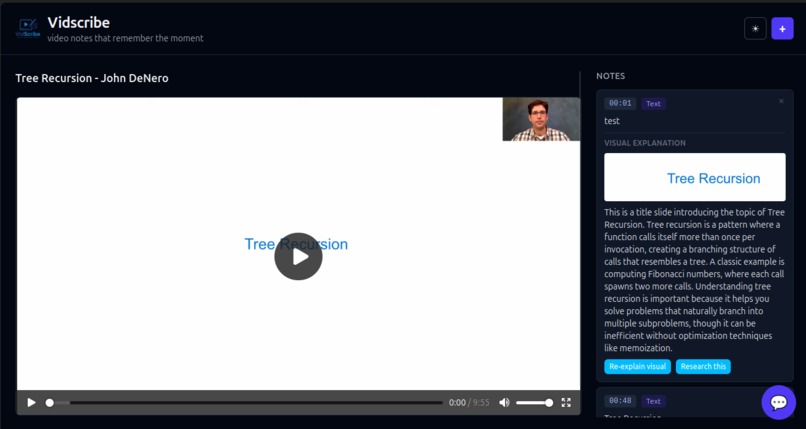
Vidscribe
-
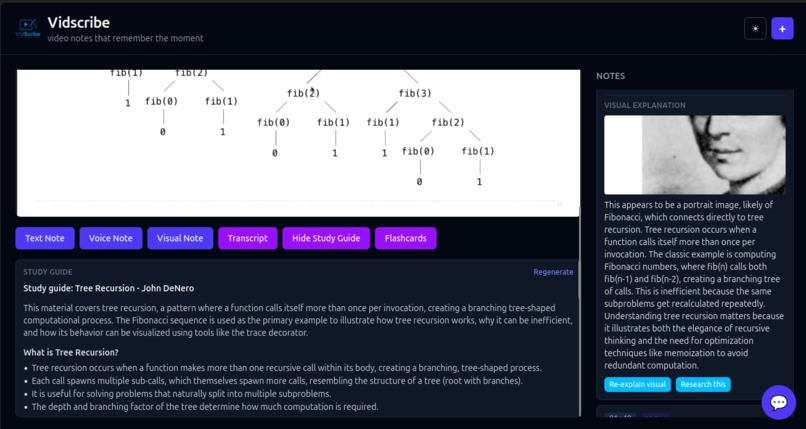
Study Guide and Notes
-
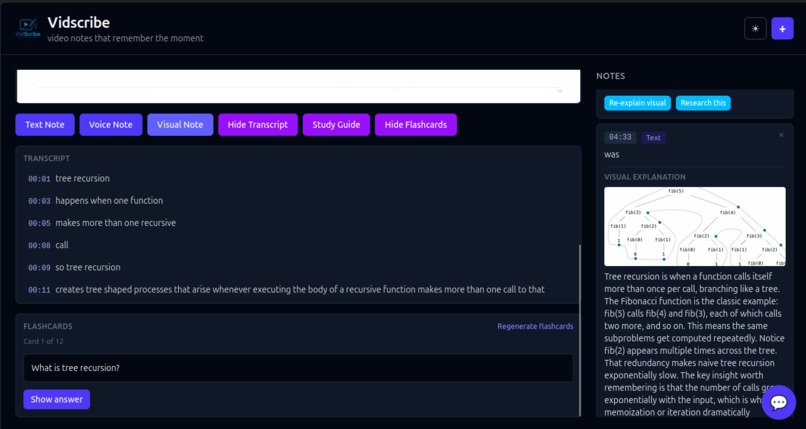
Transcript and Flashcards
-
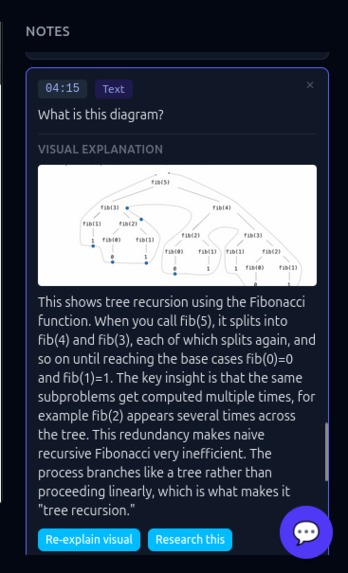
Text Notes
-
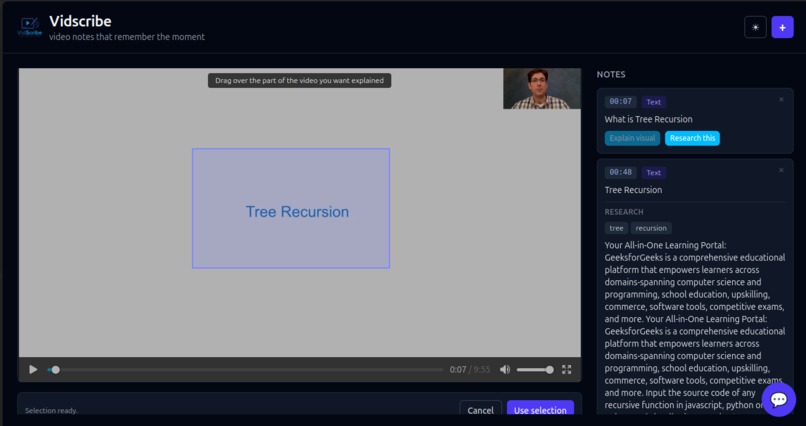
Explain Visual
Inspiration
If students can write notes in the margins of books and PDFs, why not do the same for video lectures? Students increasingly use AI transcript tools to convert lectures, class recordings, and educational videos into notes. But current systems have several problems:
- AI transcripts frequently misinterpret words because of accents, technical vocabulary, poor audio quality, fast speech, or speaker pronunciation.
- Students use little to no effort in learning when using AI transcribing and note-taking tools, leading them to have insufficient knowledge.
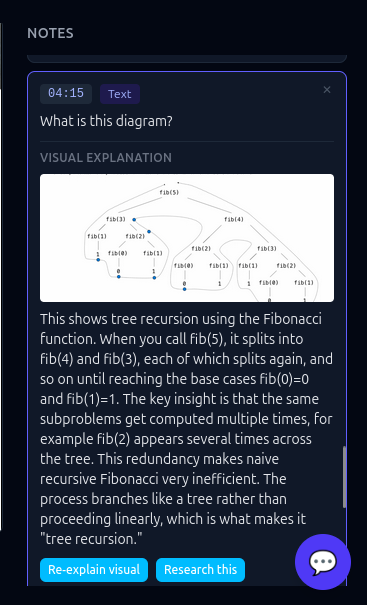
- Important visual content—diagrams, equations, slides, charts, demonstrations—often gets lost entirely.
- Students constantly pause and rewind lectures to manually write notes.
- Notes become disconnected from the original explanation, making it difficult to revisit concepts later.
What it does
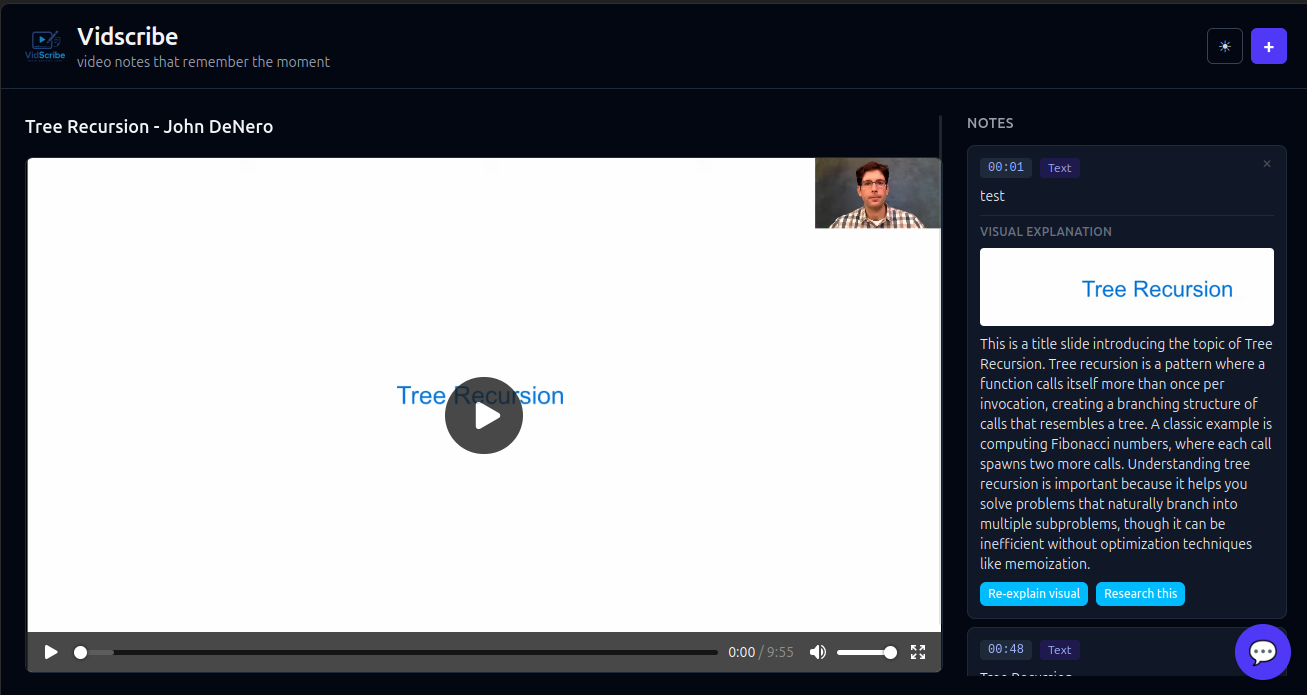
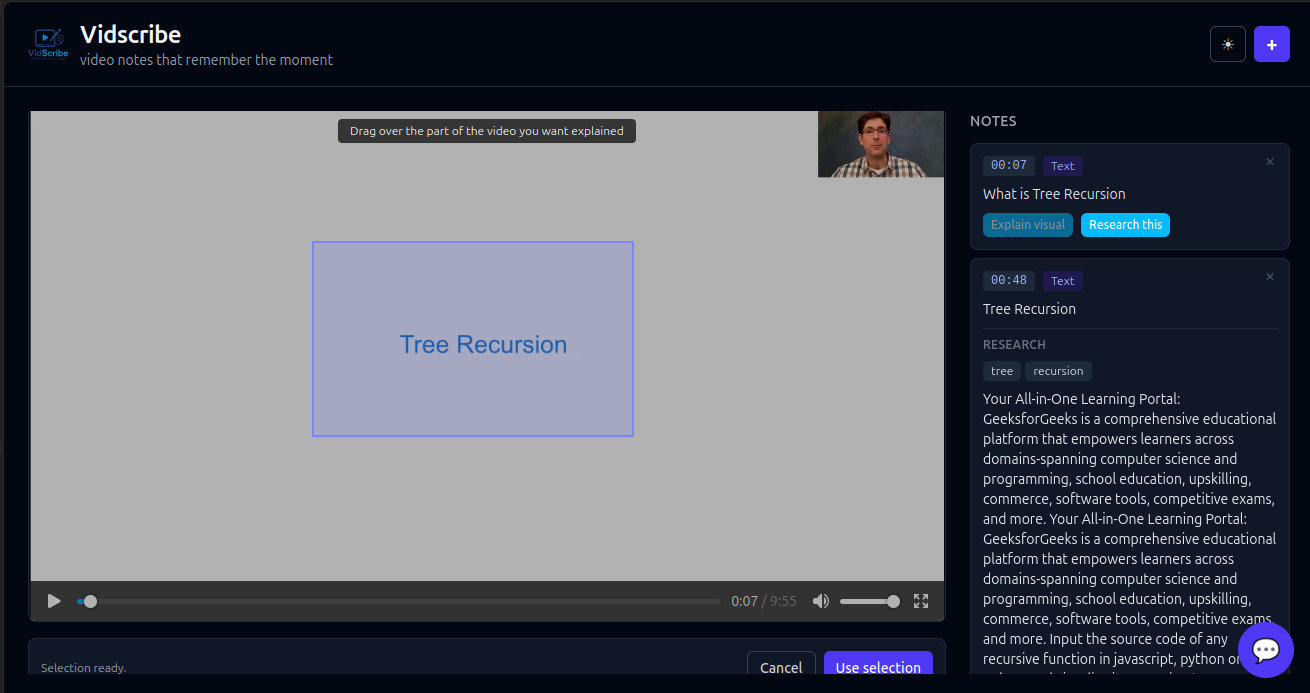
With Vidscribe, students can create notes attached directly to any timestamp while watching a lecture or educational video. Students can also annotate directly on the video using a select-and-annotate tool, allowing them to highlight important concepts, diagrams, equations, images, or specific areas on the screen. To improve accessibility, Vidscribe also includes a speech-to-text microphone feature powered by Deepgram, allowing students to verbally record notes instead of typing. This is especially beneficial for students with disabilities, including dyslexic students, by making note-taking faster and more accessible.
If students need additional clarification on a topic, an integrated AI agent is available to answer questions in real time. Using the select tool, students can highlight equations, diagrams, images, or sections of the video and ask for further explanation or context.
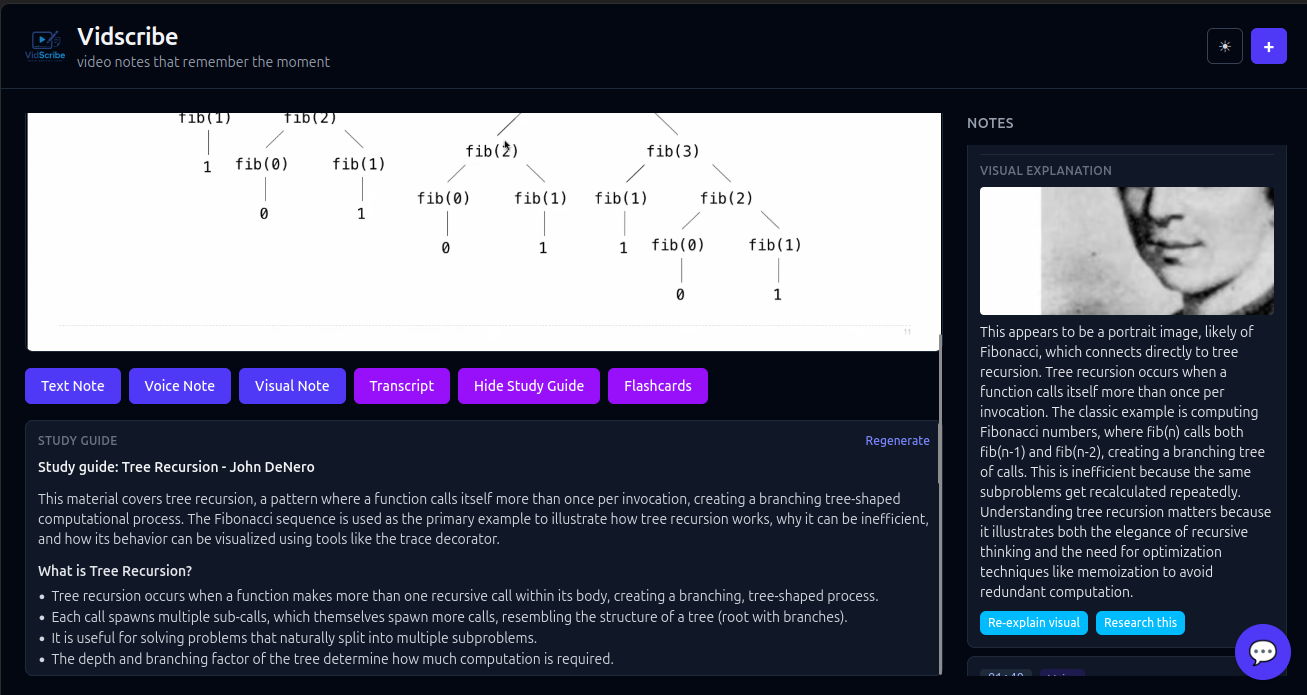
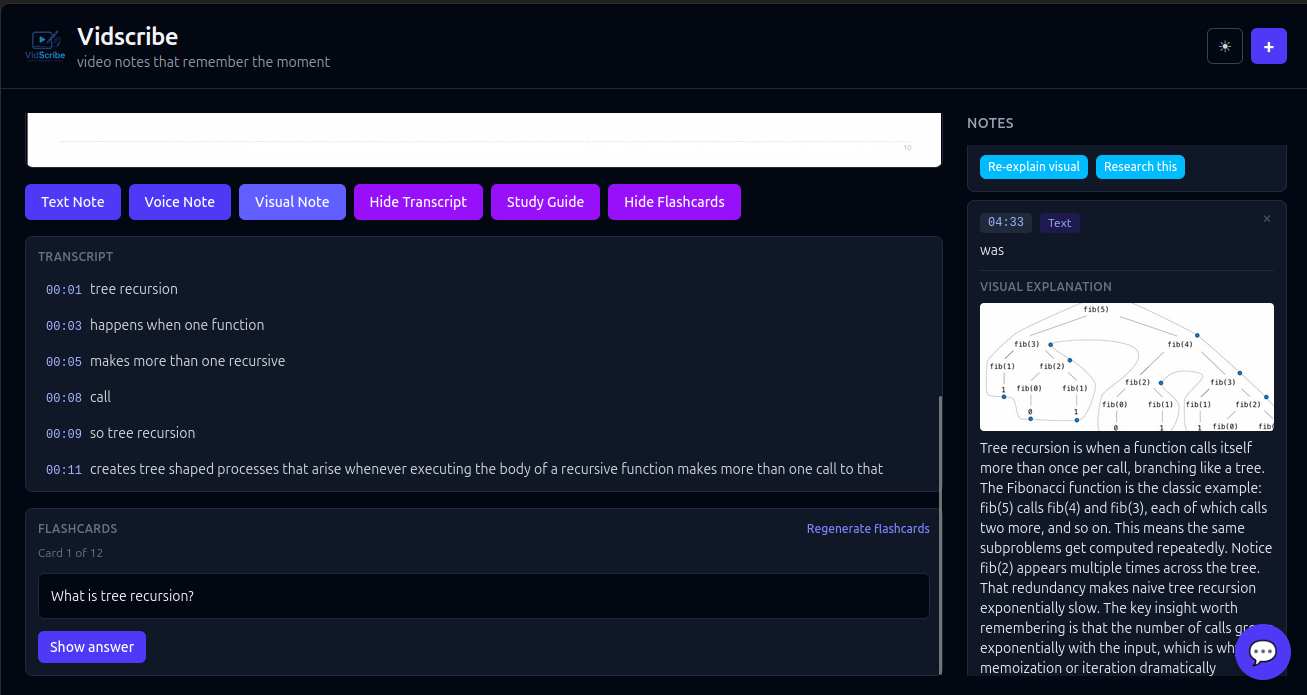
Once the student finishes watching the video, Vidscribe generates a transcript and combines it with the student’s annotations, timestamped notes, spoken notes, and AI-provided explanations. This information is then automatically compiled into organized study notes, creating a personalized study guide directly connected to the original lecture.
Students can also generate flashcards, review questions, and other study materials from their compiled notes to reinforce learning and improve retention.
How we built it
To build Vidscribe, we combined several AI and infrastructure tools into one seamless, intelligent learning experience.
Deepgram — we used Deepgram's Speech-to-Text API to accurately transcribe lectures into timestamped text that merges with student notes and annotations. It also powers the microphone feature, letting students speak their notes instead of typing — improving accessibility for students with disabilities, including dyslexic learners.
Anthropic Claude — we used Claude Code to accelerate development across the front-end and back-end, enabling rapid prototyping and feature implementation. At runtime, the Claude API powers the product's intelligence: explaining screenshots captured from videos, answering questions in the study chatbot, and generating study guides and flashcards — all grounded strictly in the student's own notes and transcripts so it never invents facts.
Redis — Redis 8 is the backbone of our study layer. We use it as a vector database (RediSearch) to embed and semantically search a student's notes, transcripts, research, and visual explanations, powering a retrieval-augmented chatbot that cites the exact video and timestamp an answer came from. Redis also stores per-session conversation memory, caches generated study guides and answers for instant reuse, and schedules spaced-repetition flashcards with sorted sets so "what's due now" is an O(log n) lookup.
OpenAI — we use OpenAI's
text-embedding-3-smallmodel to turn notes and transcript chunks into vector embeddings, which Redis indexes for fast semantic retrieval.Browserbase — we integrated Browserbase to search the web for resources related to lecture topics, identifying key concepts, visiting relevant pages, and generating concise summaries. This encourages students to explore further without leaving the lecture page, reducing opportunities for distraction.
Google Gemini — we used the Gemini API to condense larger chunks of text into concise 5–6 word topic labels, which are then passed to Browserbase for more targeted searches.
MongoDB — we used MongoDB (with GridFS) to store uploaded videos, timestamped notes, annotations, transcripts, and flashcards, enabling efficient organization and retrieval across learning sessions.
Hono — a lightweight Hono server on Node.js runs the backend API, with a React + Vite + TypeScript front-end. Students can also export their notes and study guides to Word (
.docx).
Challenges we ran into
During development, we encountered several technical and workflow challenges. One of our biggest issues was unreliable Wi-Fi connectivity, which prevented us from consistently connecting to our database server and forced us to temporarily rely on mobile hotspots to continue development. We also spent time deciding between using a SQL or NoSQL database architecture. Since Vidscribe needs to manage larger files and flexible user-generated content such as annotations, notes, and media-related data, we ultimately chose MongoDB because its document-based structure better fit our needs.
Another challenge involved Redis Cloud, which unexpectedly stopped working during development. Initially, we struggled to identify the problem because an important update regarding the issue had been posted earlier in Slack and was easy to miss. We also encountered difficulties with AI development workflows, particularly when running out of conversation context during coding sessions, which caused us to lose parts of our progress and planning history. This required us to spend additional time reconstructing our ideas and reestablishing development context before moving forward.
Accomplishments that we're proud of
We are proud that we successfully achieved the core goals we initially scoped for Vidscribe and were able to turn our idea into a functional product within a limited timeframe. Throughout development, our team maintained a smooth workflow and experienced very few merge conflicts, which allowed us to spend more time building features rather than resolving technical issues. We were also able to successfully integrate a strong variety of sponsor tools into the project, leveraging their capabilities to enhance functionality and create a more intelligent and seamless user experience. Most importantly, our collaboration remained efficient throughout the project, with strong communication and teamwork allowing us to rapidly iterate on ideas and overcome challenges together.
What we learned
Throughout the development of Vidscribe, we learned how to integrate and coordinate multiple APIs within a single application to create a seamless user experience. Since our project relied on several tools and services working together, we gained experience connecting AI models, speech-to-text systems, memory services, databases, and web automation tools into one workflow. We also learned how important it is to design systems where each tool has a specific role and can effectively communicate with others. Beyond the technical side, we gained experience in debugging integrations, managing development workflows, and collaborating as a team while building a project under time constraints.
What's next for Vidscribe
Moving forward, we plan to expand Vidscribe beyond educational lectures into film studies and media analysis, allowing students to use timestamped annotations to analyze scenes, themes, dialogue, and cinematography. We also plan to develop Vid Scribe into a Chrome extension that integrates with platforms like Canvas and other video-hosting sites, making it easier to use within existing learning environments.


Log in or sign up for Devpost to join the conversation.