-
-
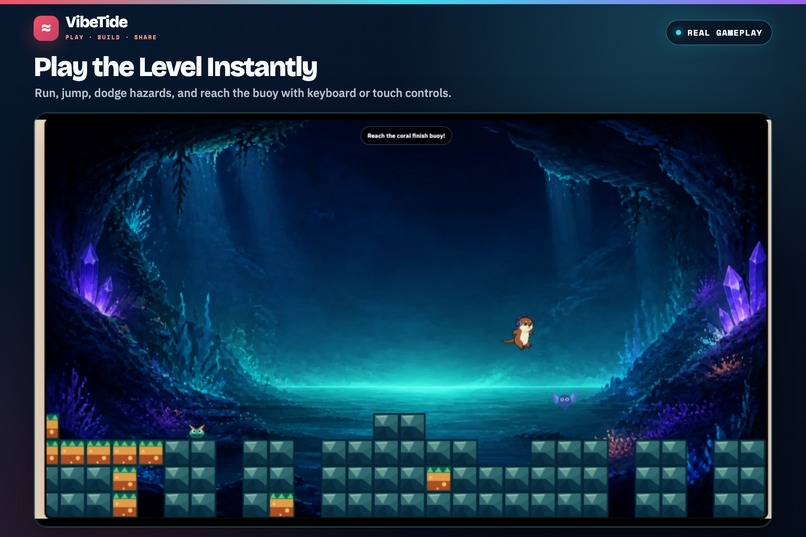
Play the Level Instantly
-
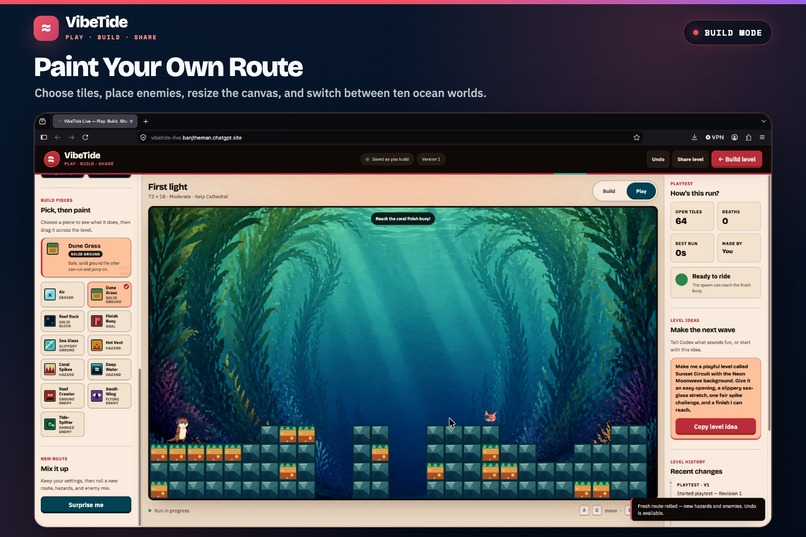
Paint Your Own Route
-
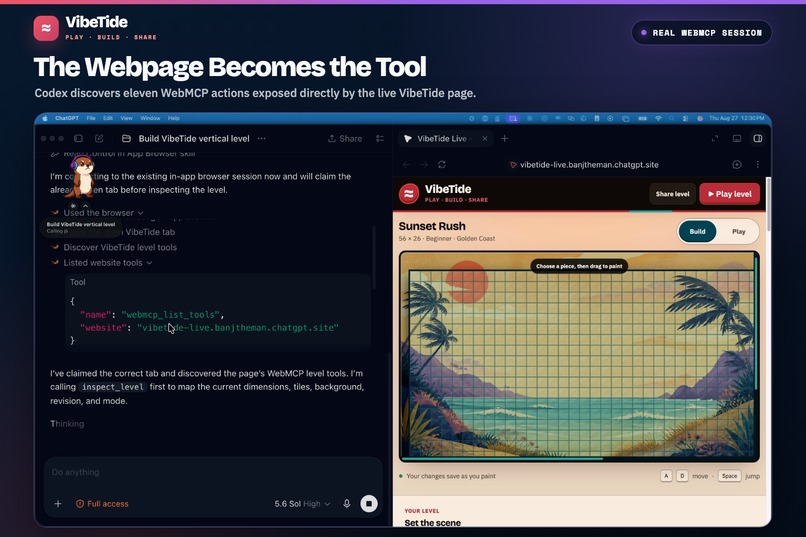
WebMCP in Action
-
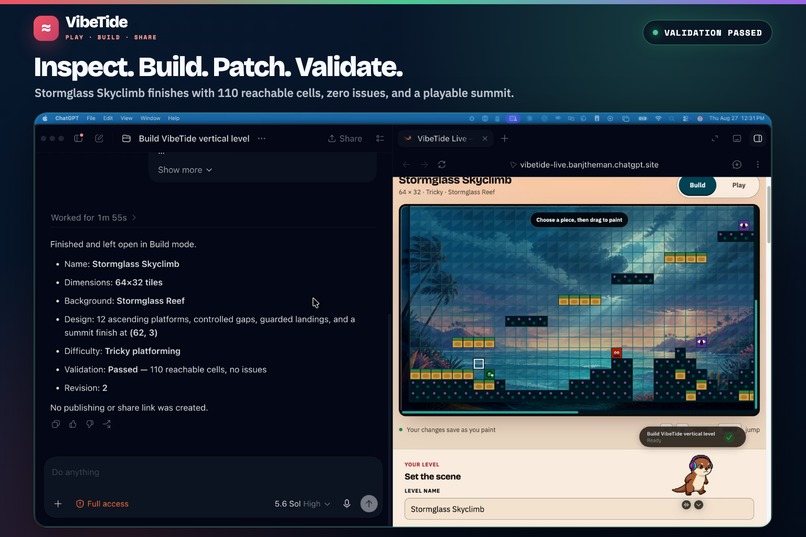
Inspect. Build. Patch. Validate
-
One URL. Ready to Remix.
VibeTide Live
Play VibeTide Live | View the source on GitHub
What VibeTide Live does
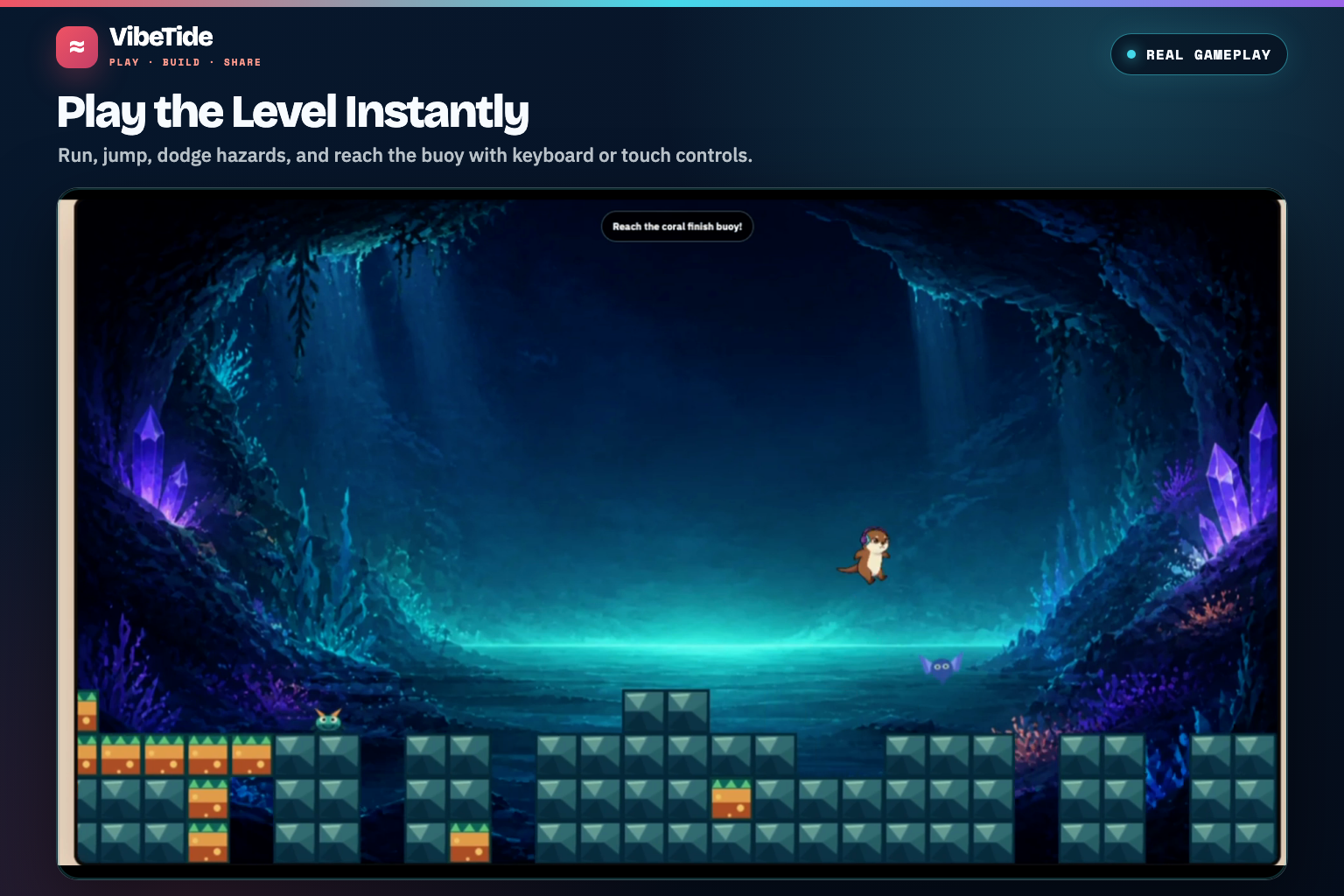
VibeTide Live is a browser platformer and level maker where a player and an agent can work on the same course. Build by hand, ask Codex for a first draft or a repair, press Play, and guide a headphone-wearing otter to the coral finish buoy.
Players can:
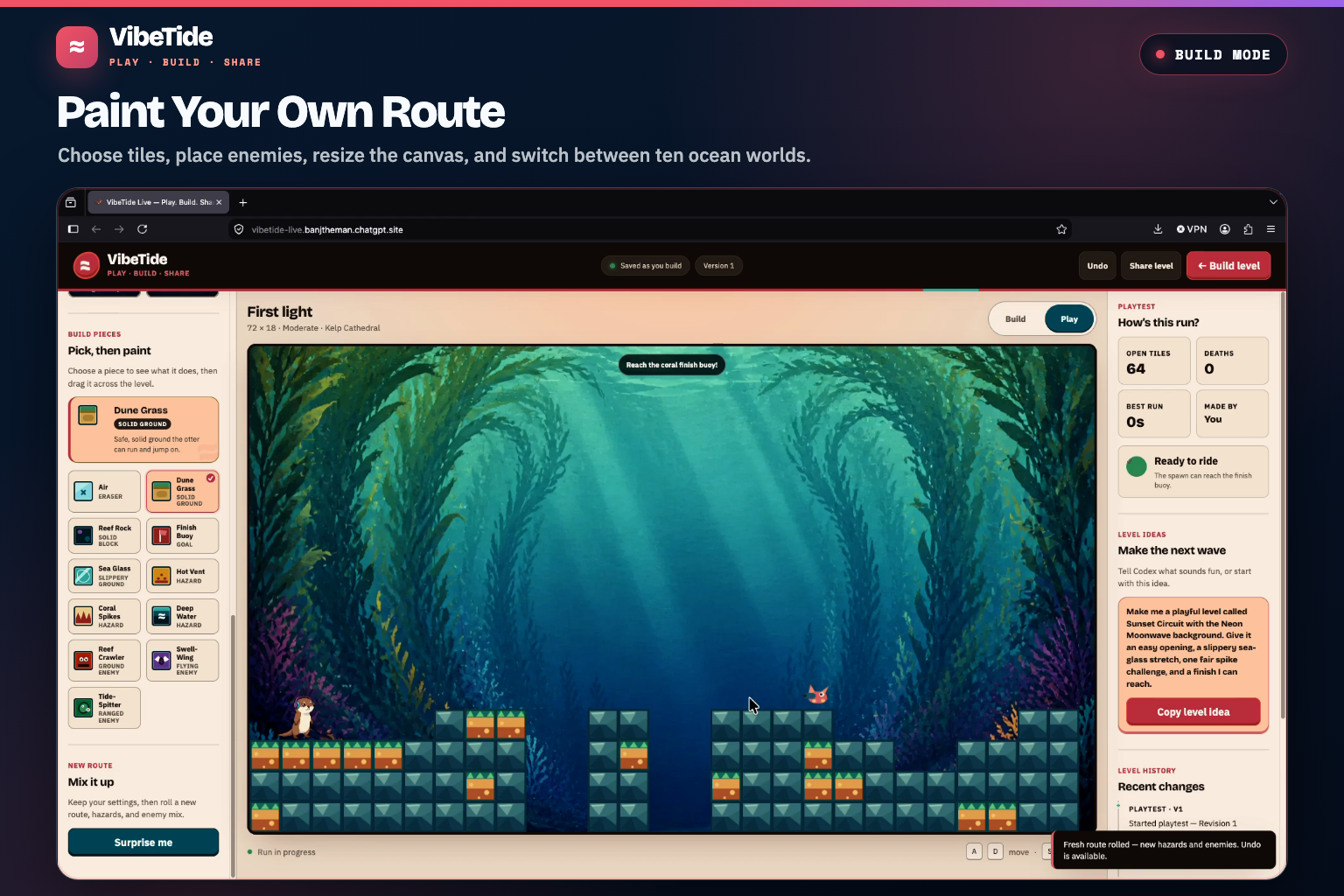
- Paint platforms, hazards, enemies, and finish locations
- Resize the level from a short course to a larger vertical or horizontal stage
- Choose from ten ocean-themed backgrounds
- Generate a fresh course with Surprise Me
- Switch immediately between Build and Play modes
- Play with keyboard or mobile touch controls
- Undo manual or agent changes
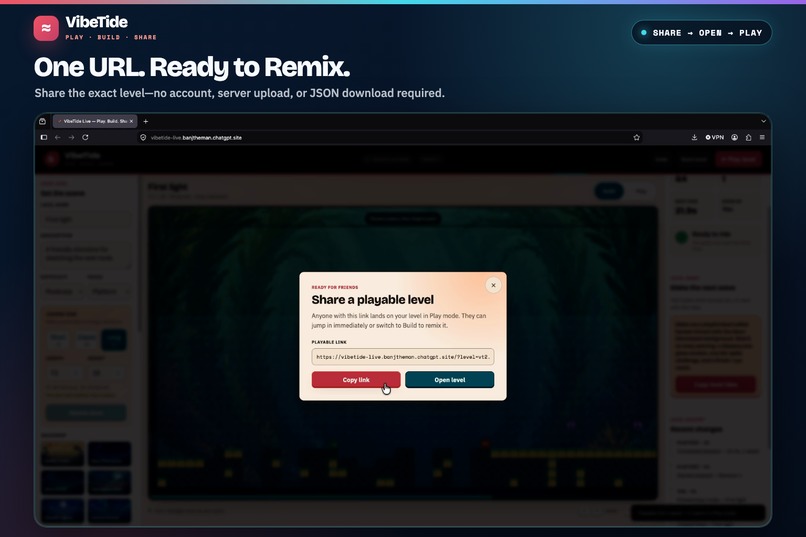
- Share a complete level through a compact URL
- Open a shared level directly in Play mode, then remix it
The site remains a complete game and editor when WebMCP is unavailable. WebMCP adds an optional creative partner, and every agent edit appears in the same level the player can see and play.
Why WebMCP fits this use case
A VibeTide level is live, structured browser state. It has dimensions, tiles, enemies, metadata, a background, a safe starting position derived from the tile layout, a finish, revision history, and playtest results.
Giving an agent direct access to that level model avoids screenshots, guessed clicks, and descriptions copied into a separate chatbot. Each WebMCP tool expresses a game operation: create a platform, move the finish, resize the course, change the background, or check whether the goal is reachable under the game's safe-jump limits.
The page handles the game rules and returns a clear result. The visual layout can change across screen sizes without changing what validate_level or apply_level_patch means.
What people and agents can do together
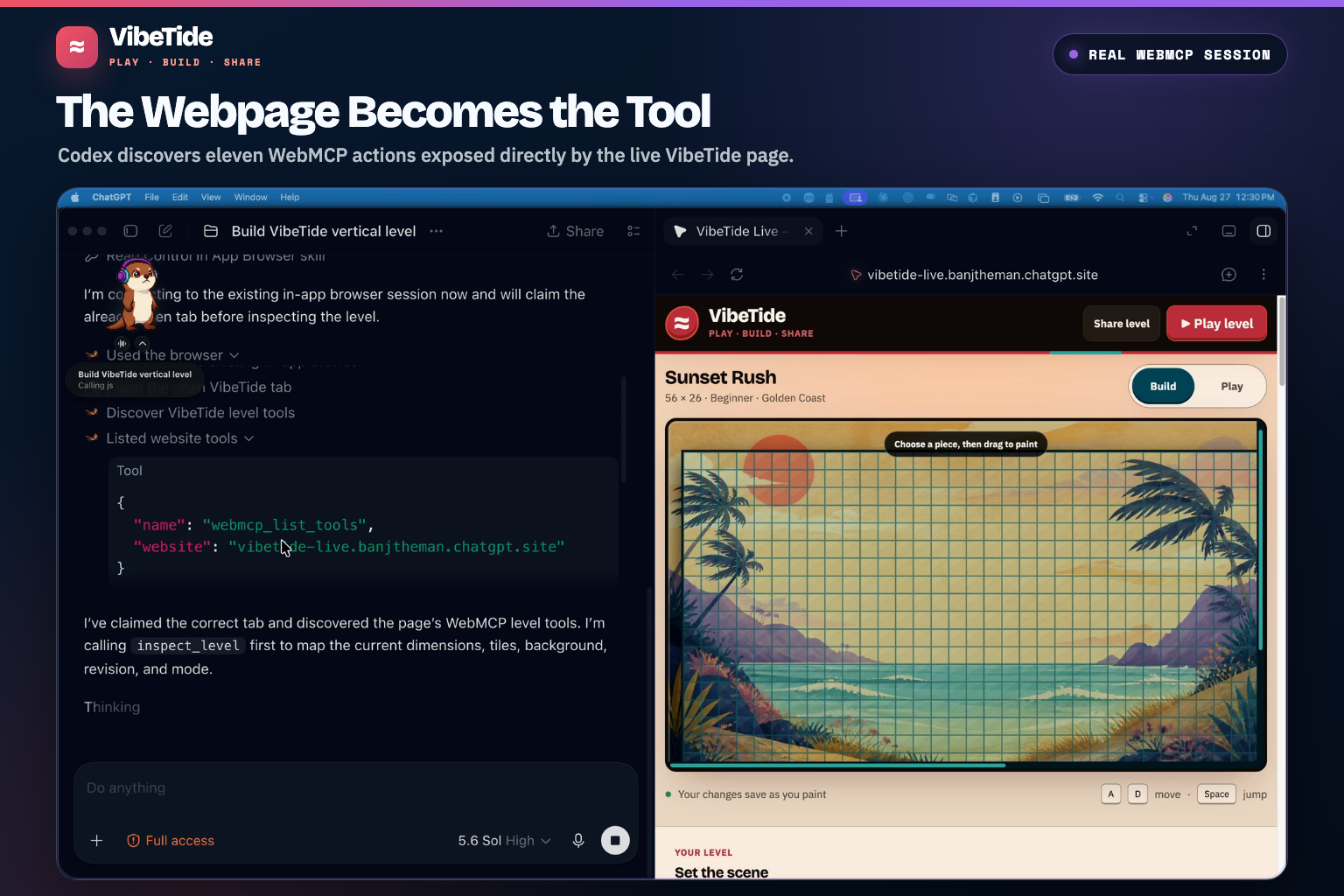
WebMCP lets the player and Codex work on the same level in the same browser tab. The demo shows the complete loop:
- Codex calls
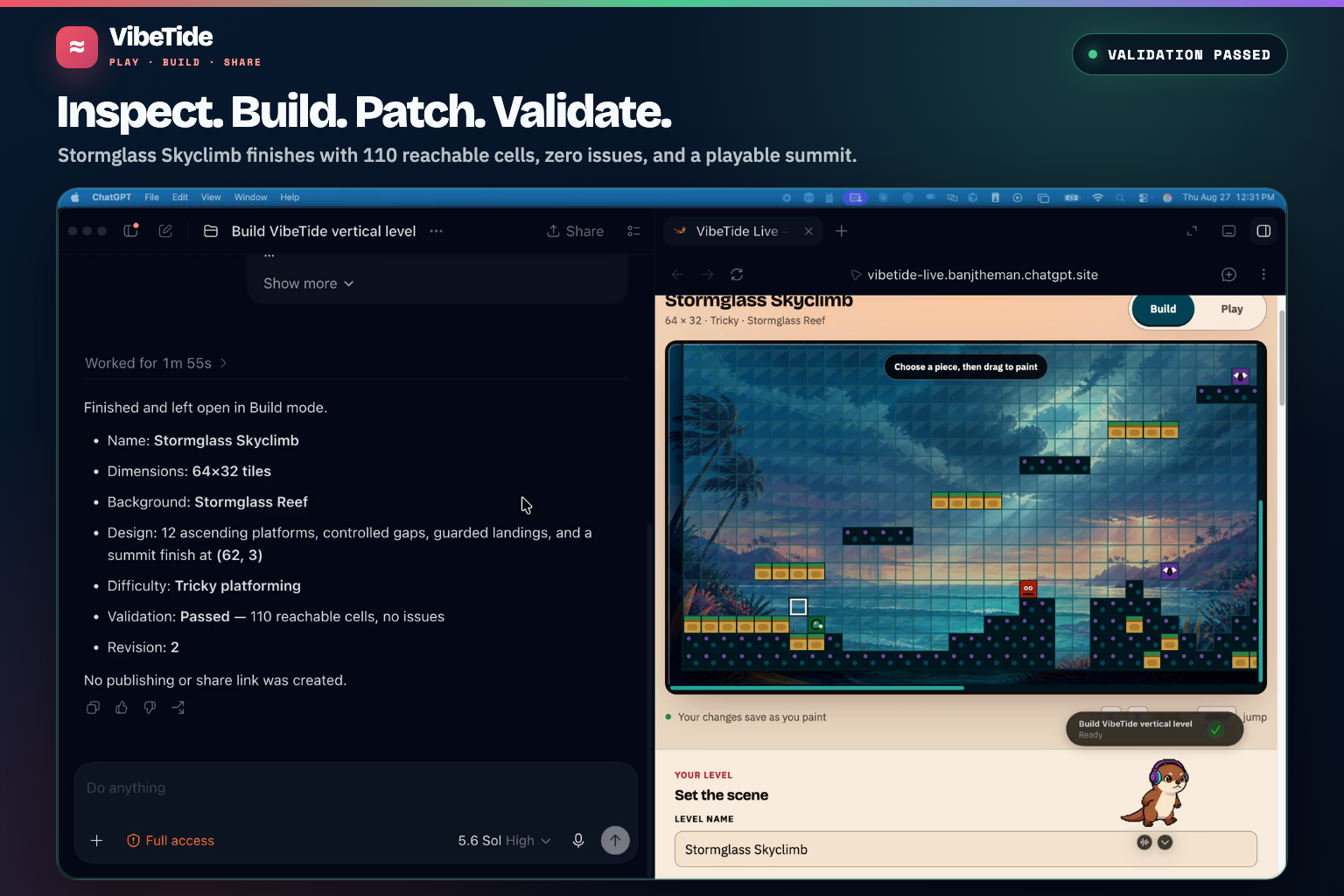
inspect_levelto understand the course already open on the page. - It uses
create_level_from_blueprintandapply_level_patchto create Stormglass Skyclimb, a 64 × 32 vertical course with 12 ascending platforms and an elevated finish. - It calls
validate_leveland gets 110 reachable cells with no issues. - The player adjusts that same level by hand, presses Play, and completes the course.
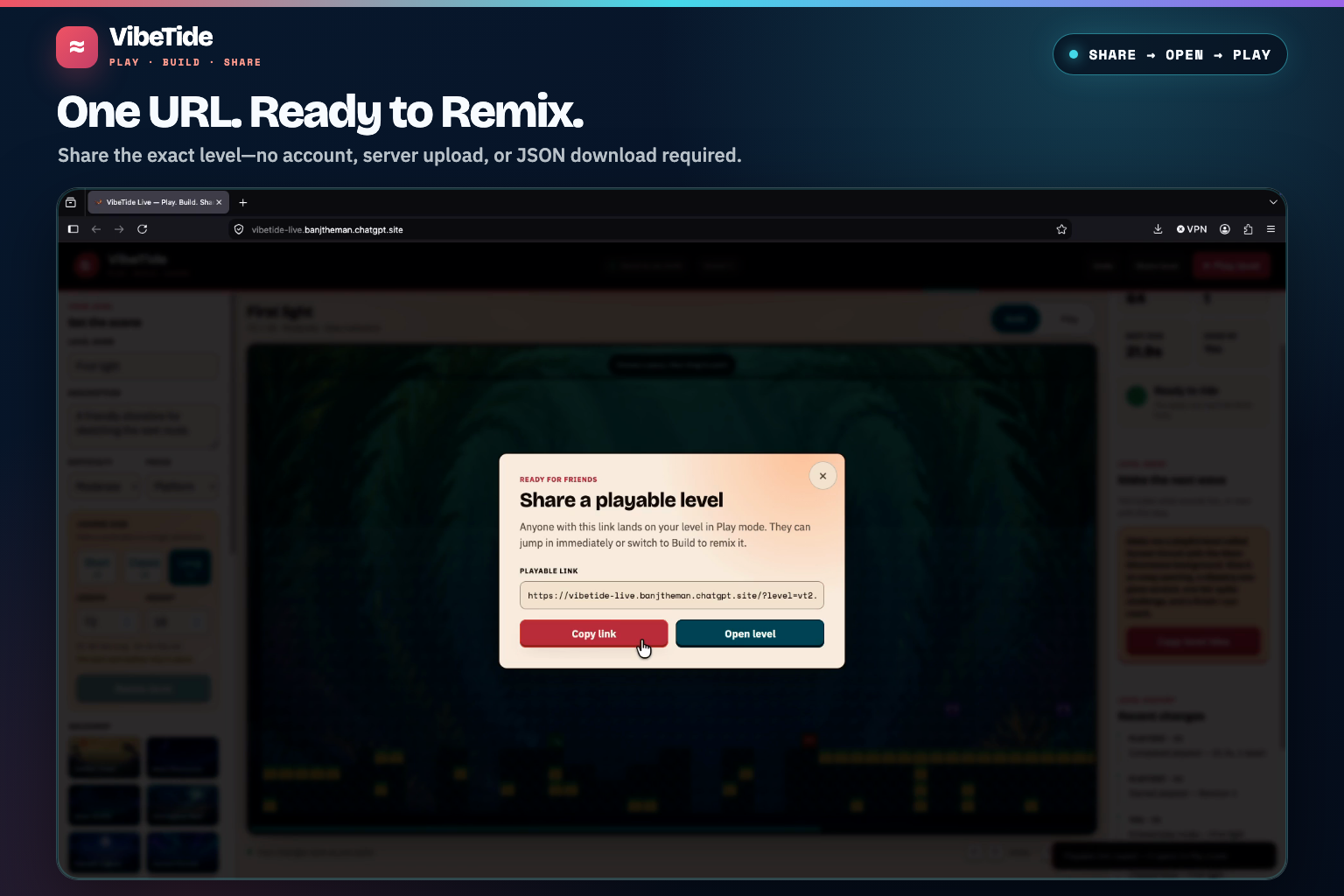
- A compact share link opens the finished level directly in Play mode, ready for someone else to remix.
The game can also report completion, deaths, timing, and recent playtest events, giving the agent concrete feedback for another repair pass. The headphone-wearing otter appears beside Codex as a custom animated Codex pet during the build.
The agent handles large drafts, repetitive placement, structural checks, and precise repairs. The player supplies the idea, makes creative adjustments, and decides whether the course feels good.
That division matters because reachability and fun are different questions. The validator checks a route against conservative safe-jump limits. A player still has to make the jump.
Inspiration
VibeTide is a project I come back to whenever I want to test a new way for people and agents to make games together. The core idea stays simple: turn an idea into a playable level as quickly as possible. Each version changed how the agent joins that loop.
How VibeTide evolved
Version 1: The chatbot
The first version placed a chatbot beside the game. A player described a level, and custom code translated the request into level data and pushed it into the editor.
Natural language worked well as a creative input, but the chatbot and game had separate views of the world. Extra code had to explain the current level to the chatbot, process its response, and send the changes back.
Version 2: The MCP App
When MCP Apps arrived, I returned to VibeTide and replaced free-form chatbot responses with structured game operations. The agent could inspect and change platforms, hazards, enemies, dimensions, backgrounds, and finish locations.
That made the workflow more dependable: inspect the level, edit it, validate the result, and return useful feedback. The agent experience still felt attached to the game rather than native to the webpage where the level lived.
Version 3: WebMCP
For the WebMCP Challenge, I created a separate VibeTide Live repository and rebuilt the idea as a browser-first React, TypeScript, and Phaser game. The tools now live directly on the webpage.
An agent can visit the same page as the player, inspect the open level, change it, validate it, start a playtest, and create a share link. The agent now works against the level already open on the page instead of a separate copy.
How WebMCP was implemented
VibeTide Live uses React, TypeScript, Phaser, and WebMCP. The public build is deployed with OpenAI Sites.
The page registers 11 WebMCP tools through document.modelContext.registerTool(...):
inspect_levelcreate_level_from_blueprintresize_levelapply_level_patchset_level_metadataset_level_backgroundvalidate_levelstart_playtestget_playtest_reportundo_last_changecreate_share_link
Every tool works against the same LevelStore used by the visual editor and Phaser game. There is no separate agent copy of the level.
Human editor ─┐
              ├── LevelStore ── Editor + Phaser game
WebMCP tools ─┘       │
                     ├── Validation + undo
                     ├── Playtest events
                     └── Share URL
Read-only tools declare that they do not change the level. Inputs use JSON Schemas plus runtime checks. Patch batches apply every requested change or none of them, so a failed edit cannot leave half a level behind.
I wrote automated tests that discover and call the tools, reject bad inputs, and confirm that they clean up correctly. I also tested the deployed app with Codex in ChatGPT's built-in browser, covering discovery, creation, resizing, validation, playtesting, sharing, and reopening an encoded level.
How WebMCP improves the experience
The player never has to copy level data into a chat window, download JSON, edit source code, or wait for a new game build.
Agent changes appear in the visual editor as they happen. Manual and agent edits share the same revision history. The player can immediately test the result, undo a change, or continue painting by hand.
The current level is encoded into a versioned URL that preserves its dimensions, background, metadata, tiles, enemies, and finish. Opening the URL reconstructs the course and starts it in Play mode without uploading the level to a backend.
Challenges
Finding the right tool boundaries took several iterations. One large generation tool could make a complete course, but it would be difficult for an agent to correct. A separate call for every tile would make common requests slow and fragile. I settled on complete blueprints for large drafts and patch batches for focused repairs.
Validation presented a different problem. A level can contain valid data and still be impossible to finish. The validator performs structural and reachability checks, returns concrete issues, and reports reachable cells. Human playtesting remains the final check for pacing and fun.
Keeping every interface synchronized also required care. The visual editor, Phaser scene, WebMCP tools, undo history, local persistence, playtest events, and share links all operate on the same level snapshot.
The final challenge was product design. The site needed to feel like a game someone would want to play while still giving an agent enough structured control to do meaningful work.
Potential impact
Level editors can be intimidating for players who have ideas but do not know the tool or want to place every tile manually. VibeTide lets those players begin with a plain-language description, receive a playable first draft, and refine it through play.
Experienced creators can use the same workflow to test layouts, produce variations, resize courses, check reachability, and repair specific sections faster.
The result is playable immediately. A player can describe an idea, try it, tell the agent what felt wrong, and play the repaired course without leaving the browser tab.
What I learned
Agents produce better results when they can inspect state before changing it and validate their work afterward. Tool responses also need to be concise and specific enough to guide the next action.
WebMCP works best when the page exposes actions that mean something in the game rather than reproducing its buttons as tools. Move the finish is more useful than click at these coordinates.
What's next
I want to add richer interactive objects, more enemy behaviors, deeper playtest feedback, and community level discovery. I want shared courses to remain as easy to open as a link.
Built With
- codex
- phaser.js
- react
- typescript
- vite
- webmcp

Log in or sign up for Devpost to join the conversation.