-
-
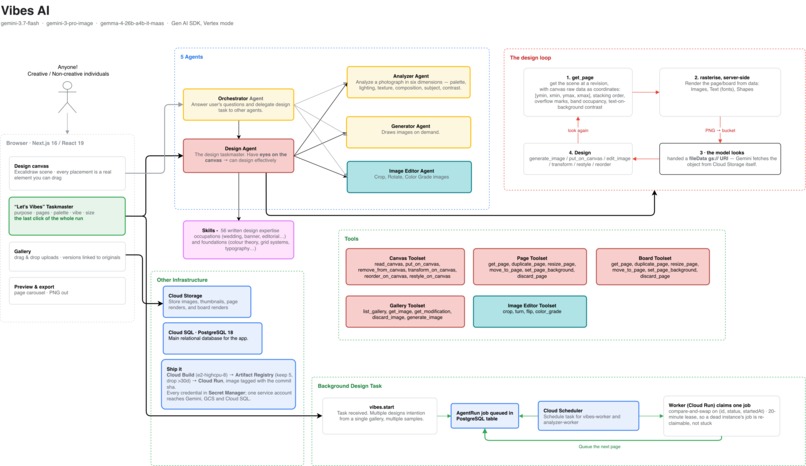
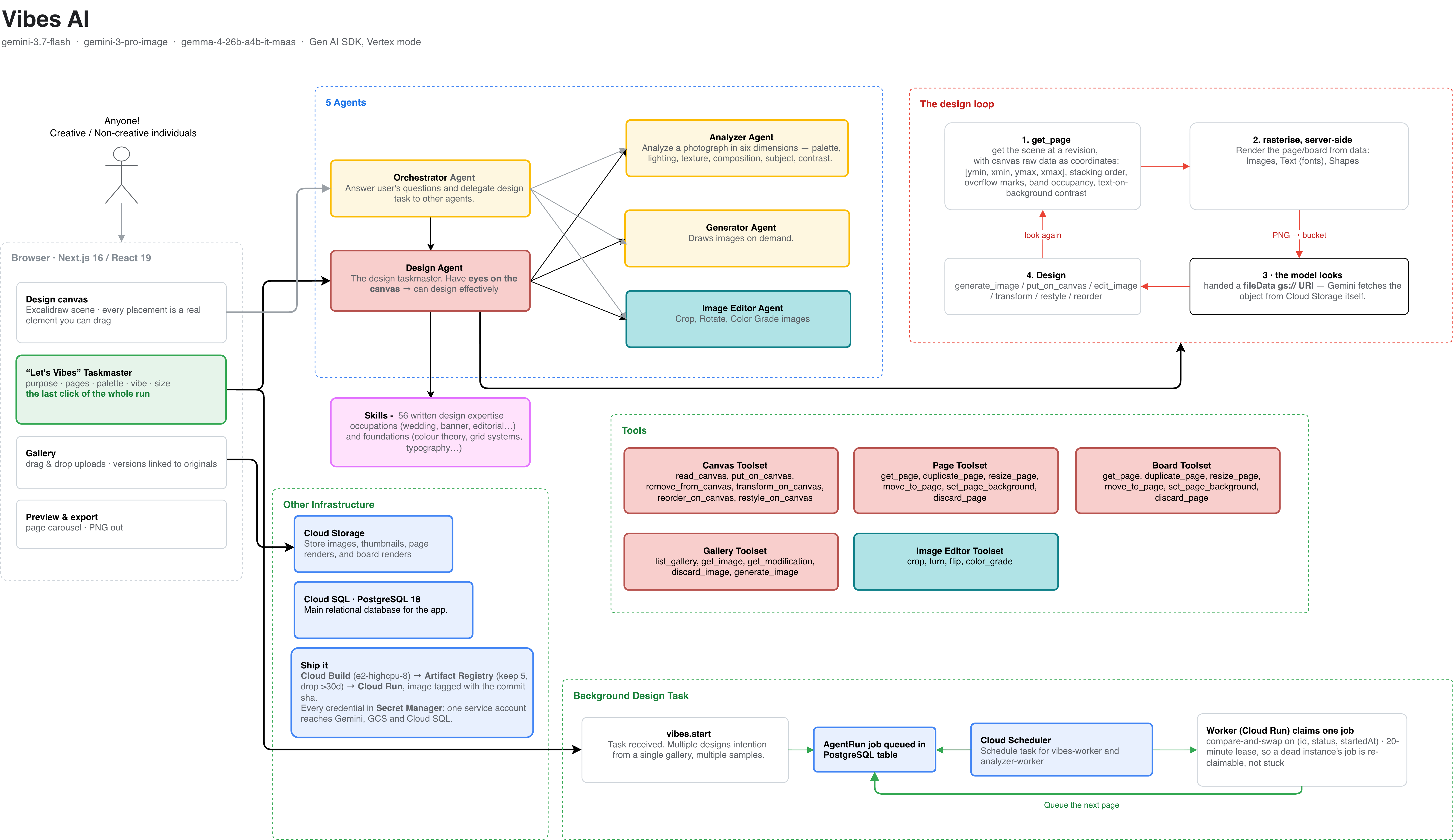
Architecture Diagram
-
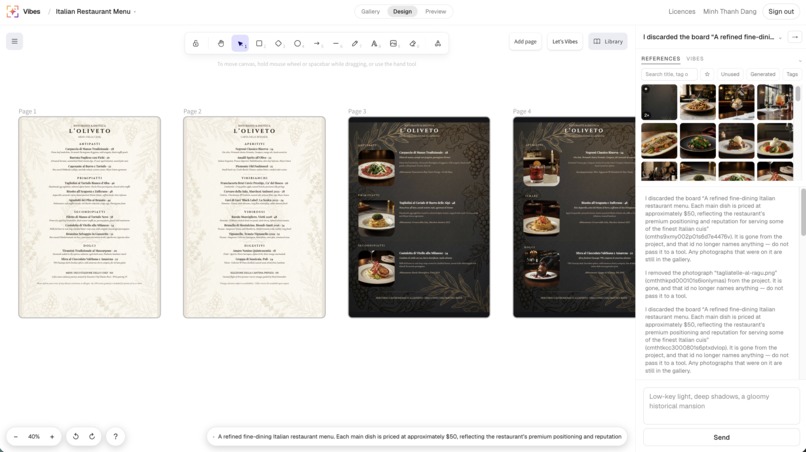
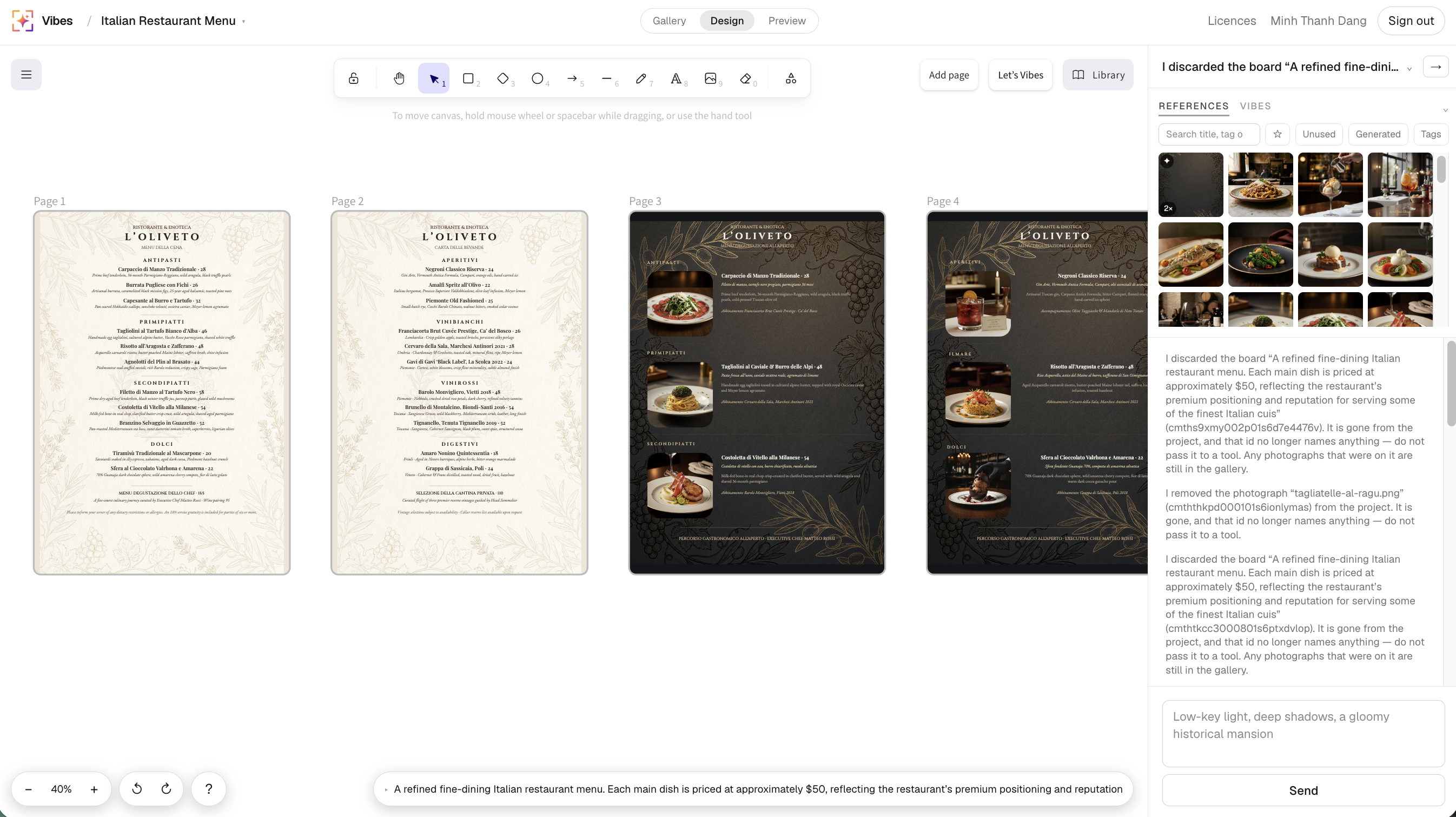
Design Canvas View with Orchestration Agent
-

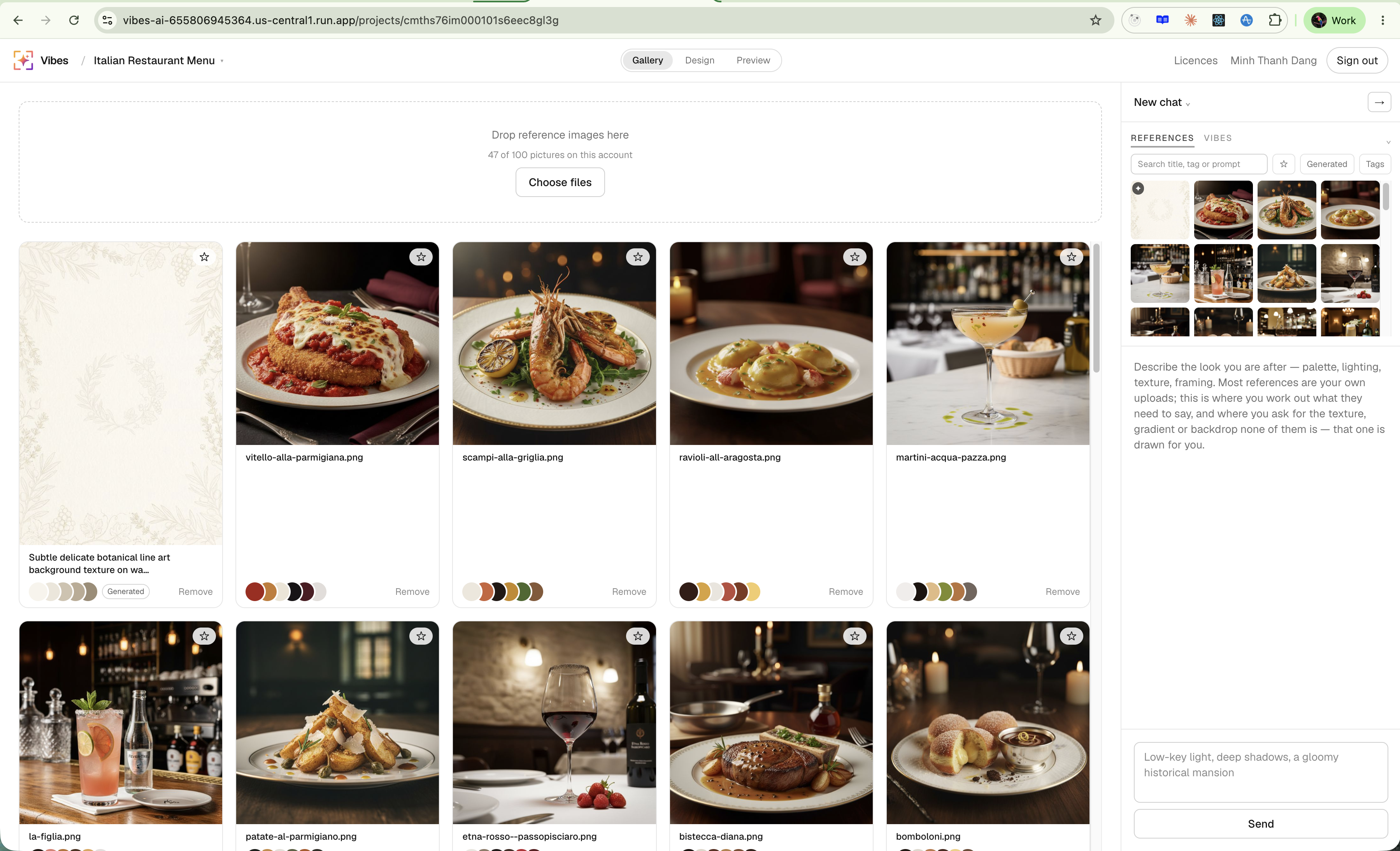
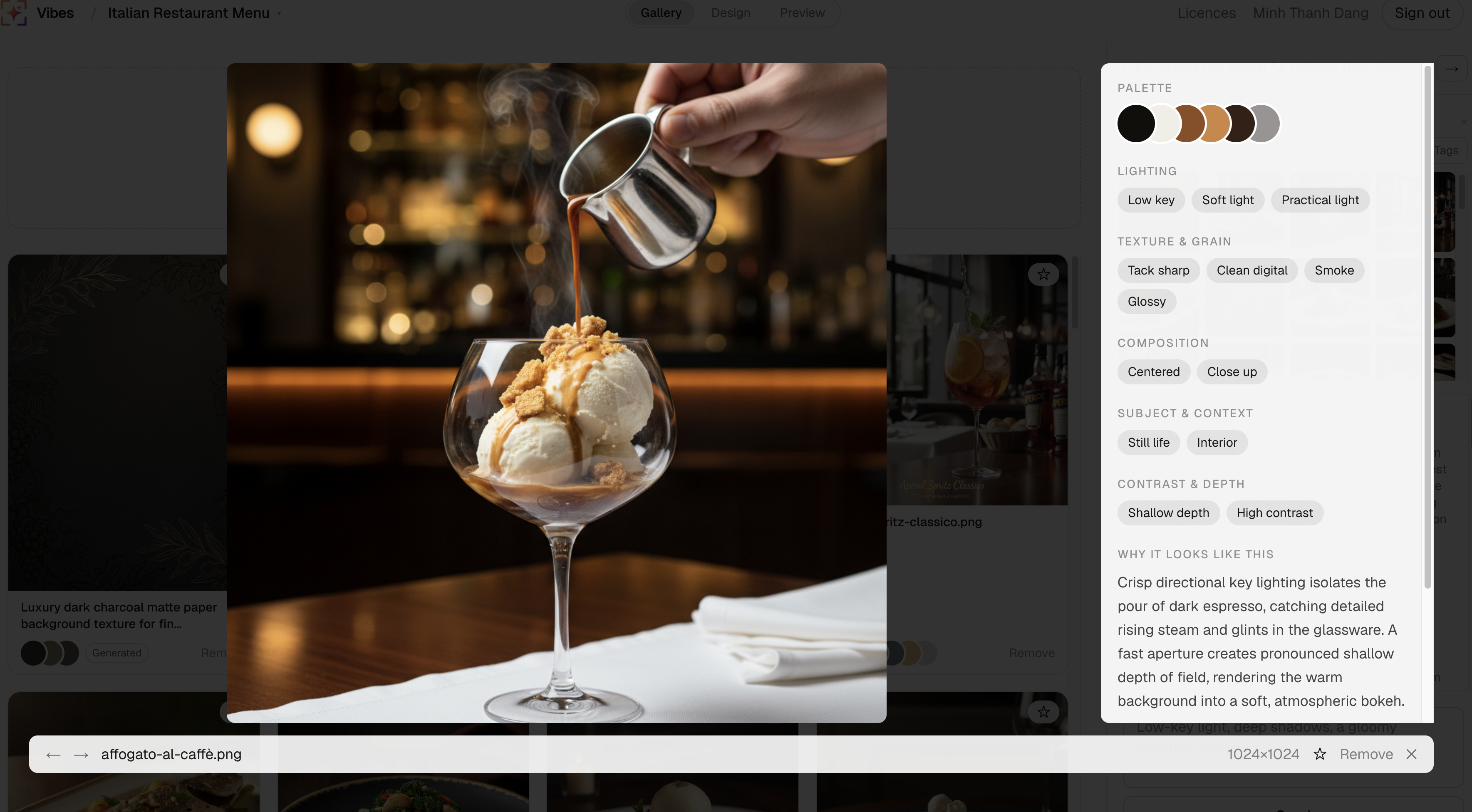
Gallery View
-
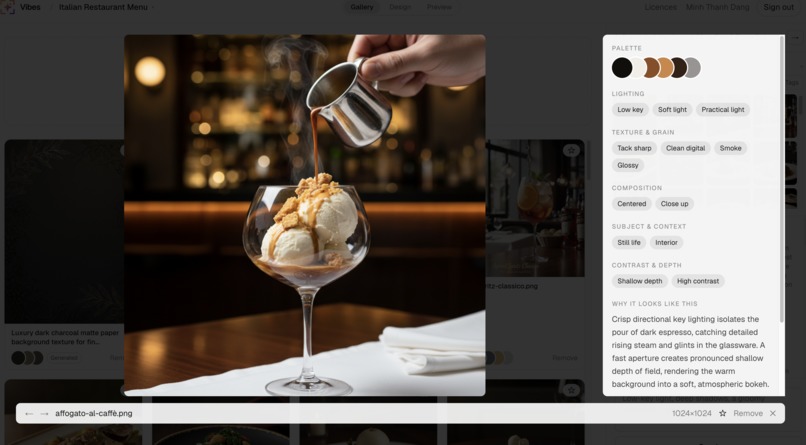
Property Analyzer Agent
-
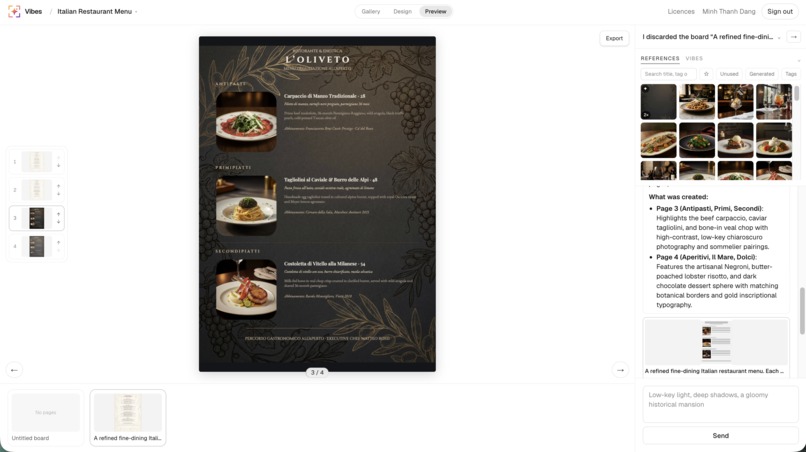
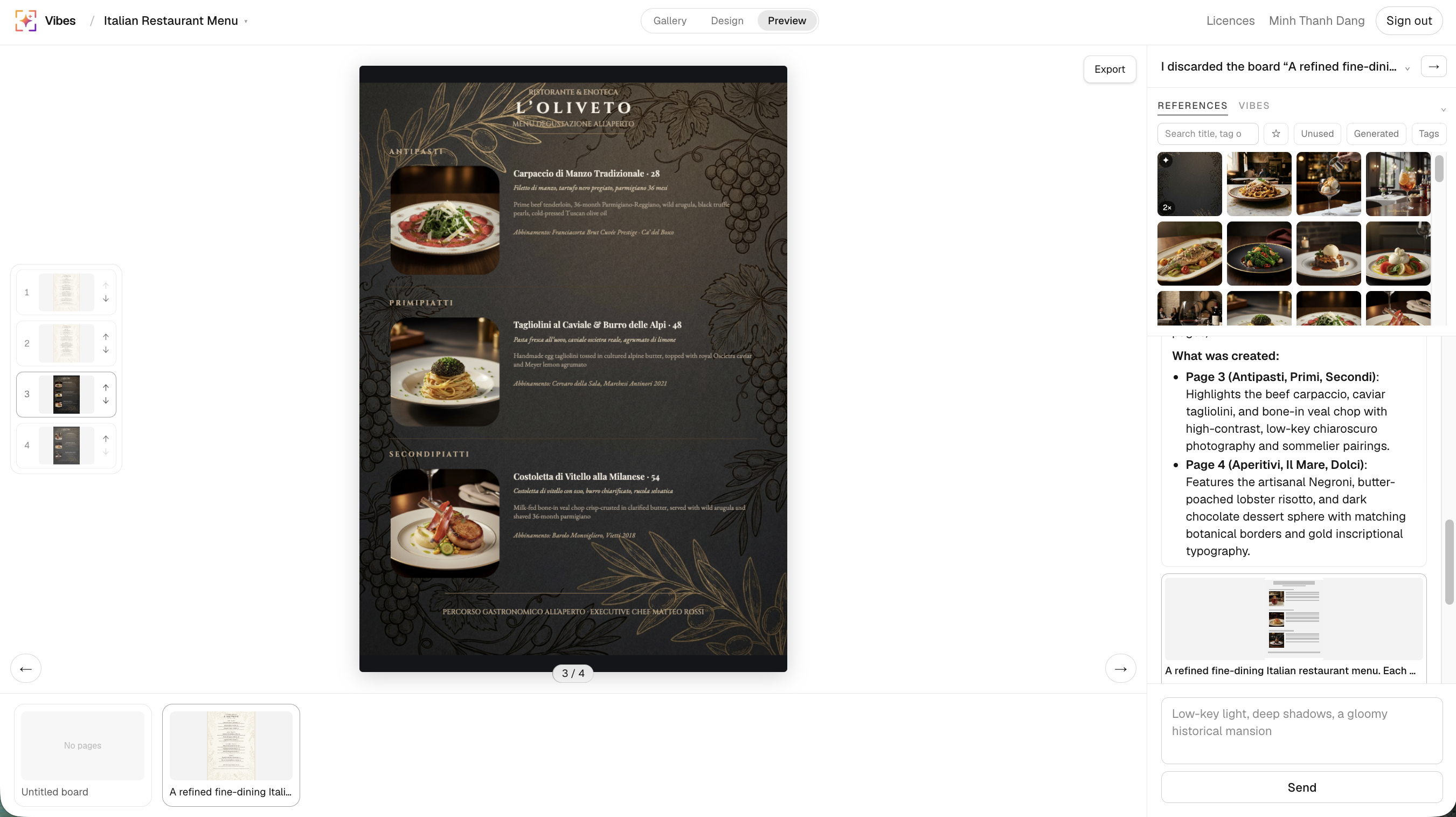
Preview View with export
-
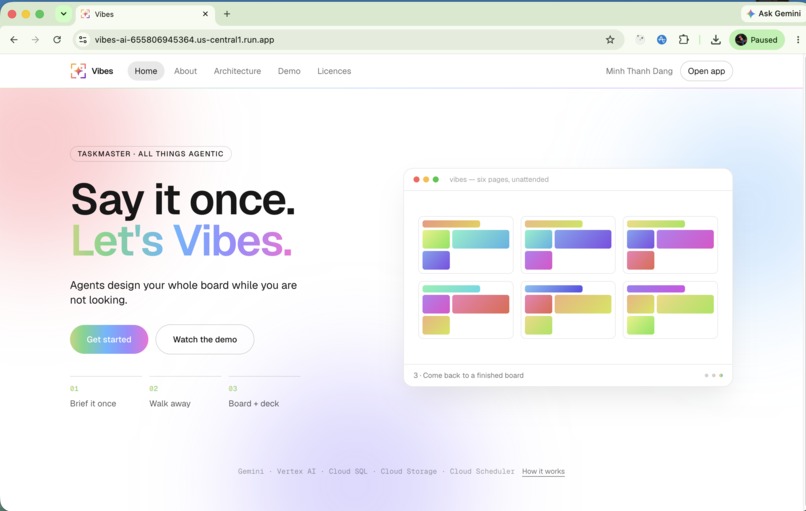
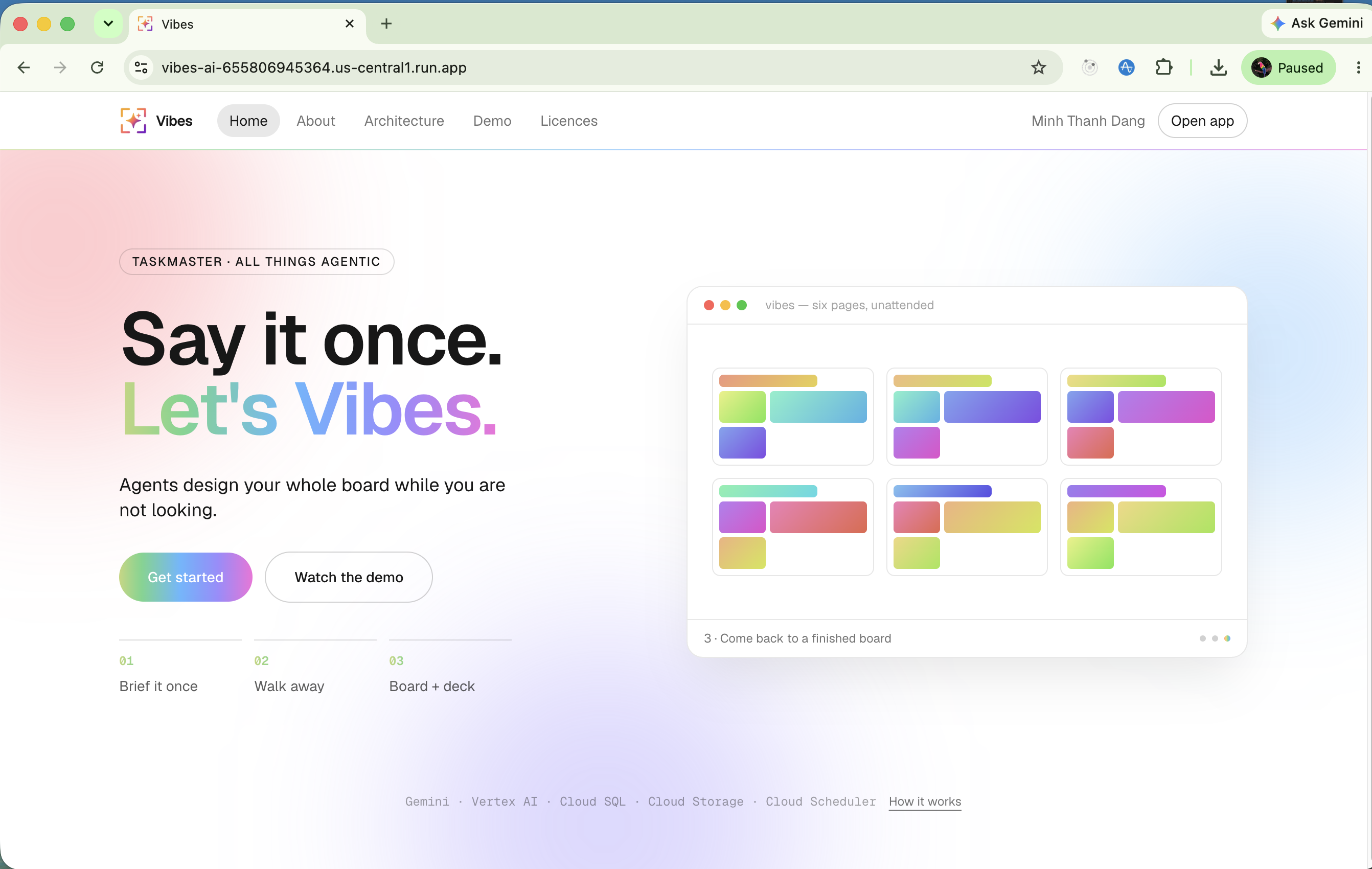
Homepage
Vibes AI
Open source AI-first design platform. Visual communication makes easier.
From Idea to Impact
The Problem - Design takes time and skills. Most people don't have both.
Good design takes two things: time and skill.
Designers have the skill, but not unlimited time. They can't explore every idea, make endless variations, and iterate on every request. Clients and managers often have the opposite problem. They know what they want, but don't have the skills to turn that idea into a design. They can say “make it modern” or “something like this”, but can't easily show what they mean.
So the problem isn't just that design tasks take a long time. It's that the people with the time and skills are rarely the same people.
The evidence:
- Design eats hours. Non-designers who create their own branding spend around 9–10 hours a week on design work.
- Iteration is expensive. 88% of designers report that a new design takes at least 3 revisions, while 42% say it takes 6 or more.
- Designers spend a lot of time on small changes. Nearly 65% of designers spend at least half their week making small tweaks and customisations.
- Design is a specialised skill. Even learning the basics of Figma can take 40+ hours, before becoming genuinely proficient.
The Solution - a Designer Co-Pilot Taskmaster that automates, designs & iterates quickly on user's behalf
Vibes AI is a Designer Co-Pilot Taskmaster that lets designers and clients iterate on designs together, without the usual time and skill constraints.
Clients can describe changes in natural language — “make it warmer,” “try a different layout,” “make it more premium” — and see the result instantly.
Designers can generate multiple variations and explore different directions without manually creating every version.
The core insight: Vibes AI gives both sides what they're missing — clients get design skills, designers get more time.
Design more. Iterate faster. Communicate better. Leave the boring task for AI.
What it does
Vibes AI is a 5-Agent AI Design Taskmasters powered by Gemini 3 that:
- 🎛 Orchestrator (
gemini-3.7-flash): the only voice in the chat. Holds the other four as tools across 29 calls — read, crop, generate, place, design — and answers in one reply. Agents don't talk to the user; it does. - 🔍 Property analyzer (
FLASHvision): reads every upload the way a director does — colour palette, lighting, texture & grain, composition, subject, contrast & depth. A fixed vocabulary per dimension, so tags group instead of drifting. Runs off a queue, so dropping in twenty photos blocks on nothing. - ✂️ Image editor (
FLASH+sharp): "crop the middle sunflower, square" becomes a detected box, validated in code, cut for real — plus turn, flip, and a five-knob grade. Every cut is filed as a version linked to its original, never an overwrite. - 🎨 Image generator (
gemini-3-pro-image): when a page wants a paper texture or a dusk wash behind the grid, it makes the picture instead of explaining that it can't. - 🖼 Design assistant (
FLASHvision, 12-round tool loop): the one that actually designs. It renders its own page and looks at it each round — pictures, type in any Google Fonts family, colour fields, backgrounds, all written as real geometry you can then drag.
How we built it
AI core: Gemini and Gemma on the Gen AI SDK, Vertex mode The system runs 3 different models through a single @google/genai client in Vertex mode, with each model assigned a specific role:
**gemini-3.7-flash**— the best quality per cost multimodal model right now, supporting mixed text and images input — exactly what a design platform demands.**gemini-3-pro-image**— image generation and editing**gemma-4-26b-a4b-it-maas**— upload analysis
The orchestrator coordinates four specialist agents through AgentTool, keeping every interaction request/response so the user always sees one coherent voice.
Design Loop — The Agent Sees Its Own Work
Every turn follows plan → render → inspect → revise. The design is rendered from SVG to PNG with resvg, stored in Cloud Storage, and passed back to Gemini as fileData. The agent evaluates the actual rendered page — layout, hierarchy, overflow, typography, contrast and composition — rather than relying on its own description of the design.
The same fonts and assets are used server-side and in the browser, so what the agent sees matches what the user sees. Render results are cached by revision and renderer fingerprint.
Frontend — AI-Native Design Surface
Next.js 16, React 19, TypeScript and Tailwind v4 power the application. The canvas is built on Excalidraw, making every generated element directly editable and draggable by the user.
Infrastructure — Google Cloud
The application runs on Cloud Run with Cloud SQL PostgreSQL and Cloud Storage. Uploads go directly from the browser to GCS through signed URLs, keeping large files out of application servers.
Cloud Scheduler drives the analyzer and generation workers, with AgentRun providing a single auditable job queue. Secret Manager, Cloud Build and Artifact Registry handle credentials and deployment.
Auth is first-party: Google OAuth and email/password with httpOnly session cookies, without an authentication library.
Challenges
Learning the Google GenAI SDK / Vertex AI (the expected unknowns)
gs://URIs are a Vertex-only privilege — every picture here reaches the model as afileDatags:// URI. Under the Developer API those are unreadable and each image has to be re-uploaded to the Files API and referred to by its URI.- Throttling arrives as a
404with an HTML body, not a429— no retryable-status list catches it. Discrimination is "status 404 and the body starts with<", and both transports had to be made to agree on that rule. - A tool-response turn may not end with a picture — appending images after
their
functionResponsecomes back400 "Requests ending with a model turn are not supported", which names the wrong thing entirely.[picture, response]and[response, picture, response]are both accepted;[response, picture]is not. Related: afunctionResponsewhosefunctionCallwas windowed out is refused, so history trimming drops whole call/response pairs or nothing. - A stream that has already emitted cannot be retried — once parts have gone
to the watcher the user has seen them, so
streamRetriedonly reconnects while nothing has been handed out. After that a throttle is an error, not a retry. box_2dis[ymin, xmin, ymax, xmax]normalized 0–1000, y-first — asking forx/y/width/heightor corner pairs fights the training and measurably degrades the boxes. Convert to pixels in code instead.
Architecture and Design Challenges
- Long running live agent task — A live agent turn is minutes long, and one message can trigger up to 100 tool rounds while streaming the reply. Cloud Run makes this possible with a 3600s timeout, no CPU throttling for post-response writes, and concurrency of 30 to handle I/O-bound Gemini calls efficiently. With a 30-second serverless cap, this design would have required polling.
- Long-running background agent task — “Let’s Vibes” can run for an hour, so a single request is too fragile. The
AgentRuntable acts as the queue, with Cloud Scheduler as the heartbeat. Workers atomically claim jobs, execute them, and transactionally queue the next page. A 20-minute lease enables recovery from failed workers, whileafter()immediately chains the next page. The Gen AI SDK handles retries and throttling. - Multimodal LLM with great visual understanding - Gemini Flash makes visual iteration practical.
gemini-3.7-flashbalances quality and cost so the design agent can inspect its page after every change—up to 8 images per page. It reliably handles visual analysis, precise detections, and design judgement. Google’s structured outputs add consistency:responseSchemaenforces fixed vocabularies, whilebox_2ddetections are validated in code before use. The model proposes;sharpcuts. - Integrate an agent system to a design system - Instead of returning an image, the agent creates real, editable Excalidraw elements. Its diverse toolset (29 tools) operates directly on live canvas geometry, covering placement, transformation, styling, and ordering. The Gen AI SDK provides the integration layer: one
GoogleGenAIclient handles tool declarations, streaming, function calls, and usage tracking through Vertex AI. Typography is similarly grounded in the real system: font choices are resolved through Google Fonts and downloaded as TTFs, ensuring the rasterizer uses the intended typeface rather than a fallback. - Providing visualization to agents - backend renders the canvas to PNG, stores it in Cloud Storage, and gives Gemini a
fileDatareference. Google Cloud keeps this efficient: Gemini reads directly from GCS, avoiding base64 payloads and serverless body limits. Renders are revision-keyed and cached, with a 7-day lifecycle. The same render also provides structured geometry, stacking, overflow, occupancy, and contrast data—ensuring the model sees both the page and its measurable layout. - Visual deduplication - Image context compounds across multi-round agent turns: a picture returned in one round gets re-sent in subsequent rounds, driving up token costs. We use two windows:
pictureWindowkeeps images for 5 rounds, then replaces them with a reference note, while deduplication byfileUriensures the same page revision is only included once. This lets the agent compare recent visual states without unbounded context growth.
Accomplishments
- Built a multimodal AI agent team that turns briefs and photo libraries into beautiful, editable pages — analyzing, cropping, generating missing imagery, and laying out type, colour, and images as draggable geometry
- Five-agent hierarchy coordinating analysis, image editing, generation, and design through
AgentTools — one unified response to the user, backed by a single Vertex AI SDK client - Grounding layer that gives agents both rendered pages and structured spatial metadata — with server-side renders stored in Cloud Storage and reused by revision
- Fully deployed on Google Cloud with Cloud Run, Cloud SQL PostgreSQL, Cloud Storage, Cloud Scheduler, Secret Manager, and automated Cloud Build → Artifact Registry CI/CD
- Zero-click design exploration pipeline: turns a single brief into multiple design directions, each with multiple samples, fully autonomously background tasks — with page-level fault isolation, resumable jobs, graceful cancellation, and real-time progress
What's next for Vibes AI
The pitch is a designer and client iterating together. Today, each project has one account and the design agent is the only one in the room. These six pieces close that gap:
- Two people, one board. Live presence, pinned comments, and client requests the designer can accept or reject. The scene already has autosave and conflict-safe revisions, so this adds a second writer—not a new state model.
- Brand kits the agent must obey. Upload logos, fonts, colours and other brand rules once; every page follows them. Like skills, the kit becomes a file-based constraint the agent reads rather than a prompt it can drift from.
- User-written skills. Studios and agencies can add their own house rules, editorial standards and layout conventions as files. The existing skill retrieval path already supports this.
- Export beyond the app. PDF and print-resolution PNG from the existing server-side renderer, plus page links in the deck that jump back to the corresponding Design view.
- A deeper image editor. Masking, background removal and generative fill extend the existing crop/rotate/flip/grade pipeline: propose a region, validate it, edit the image, and preserve the result as a version.
- Grade the output, not the prompts.
design:checkandrender:checkcatch broken output, but not whether a design actually improved. A scored benchmark run on every prompt change turns “this feels better” into a measurable signal.
Further out: motion. Every page is already real geometry with stacking order—the foundation for animating the same designs.
Built With
- cloud-scheduler
- cloudrun
- cloudsql
- gcs
- gemini-3-pro-image
- gemini-3.7-flash
- gemma
- google-genai-sdk
- vertexai

Log in or sign up for Devpost to join the conversation.