-
-
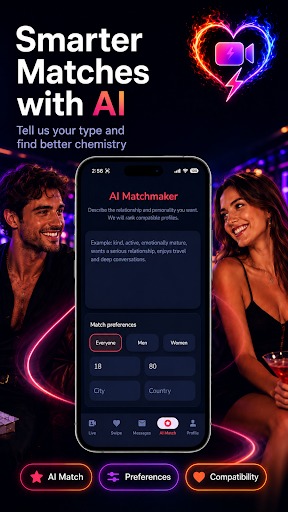
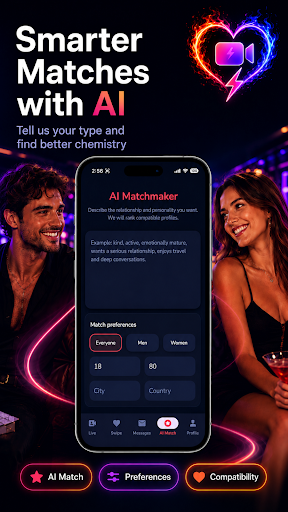
AI-assisted compatibility matchmaking
-

Speed Dating: Video Chat
-
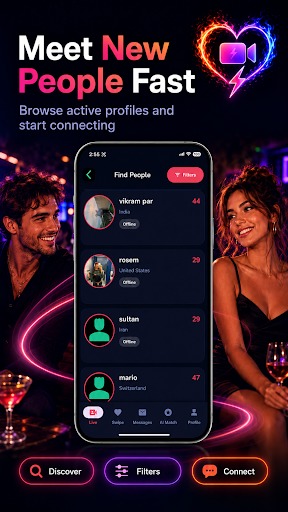
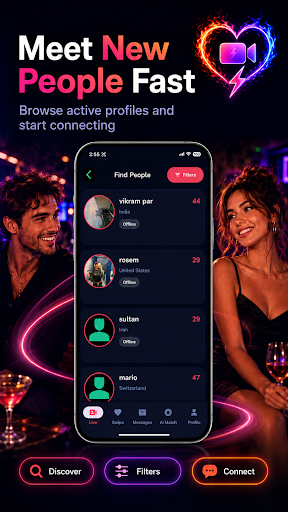
Deep profile discovery
-
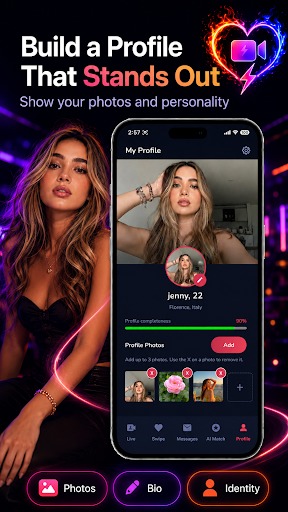
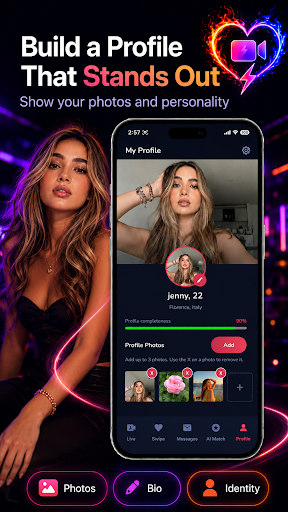
Detailed member profiles
-
Fast, high-quality live video dates
-
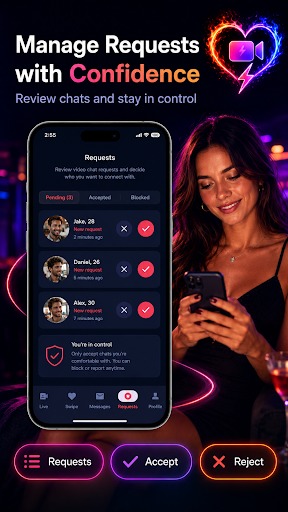
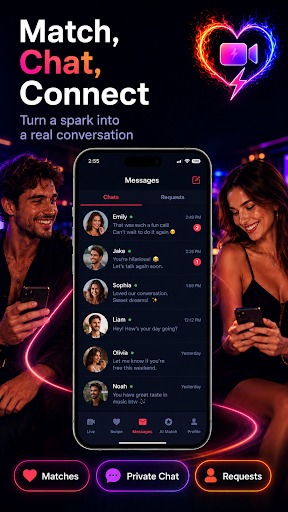
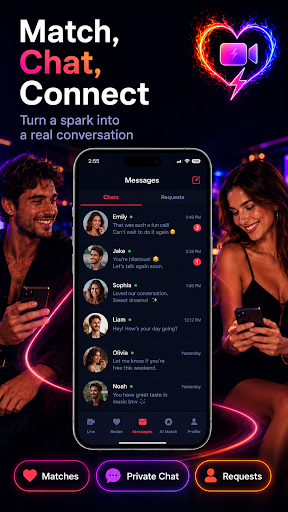
Private messaging after matching
-
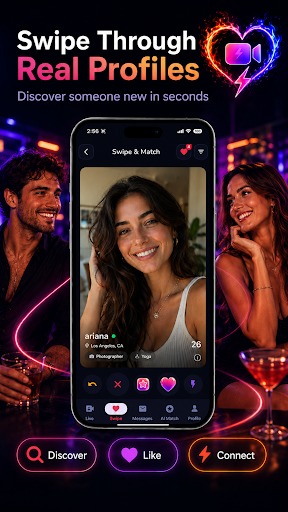
Mutual-interest matchmaking flow
-
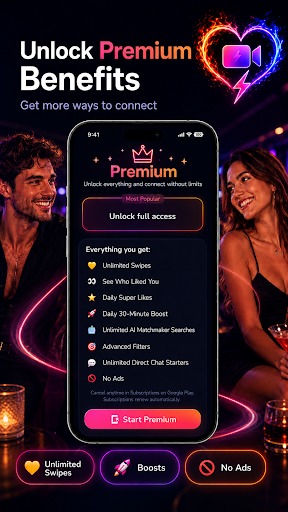
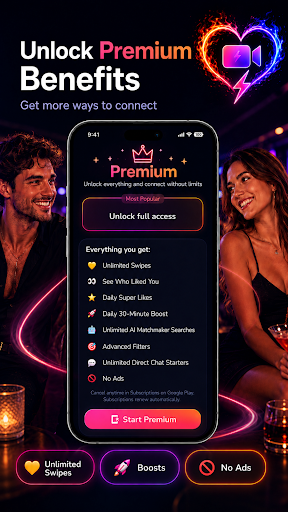
Speed Dating Gold benefits
-
Speed Dating app icon

Speed Dating: Video Chat
Profiles can create interest. Chemistry requires a conversation.
Inspiration
Most dating apps make people invest days in profiles, swipes, and messages before they discover whether a real conversation feels natural. A photo can show attraction, but it cannot show humour, warmth, confidence, or the way two personalities respond to each other in the moment.
I built Speed Dating: Video Chat to shorten that distance. Its purpose is simple: help two adults move from discovery to a private face-to-face conversation, then let each person decide without pressure whether they want to continue.
This is not another swipe-first prototype. It is a published native Android product with live video dating, mutual matching, messaging, safety controls, AI assistance, subscriptions, and a Firebase backend. Most dating apps offer video only after two people have already matched; Speed Dating reverses that sequence, using a short live conversation to determine whether a match should exist.
What it does
The core journey is intentionally clear:
- Create a profile with photos, interests, and dating preferences.
- Join the live speed-dating queue.
- Get paired with another available person.
- Meet in a private one-to-one video date.
- Decide privately whether to continue.
- Form a match only when interest is mutual.
- Continue through private messaging.
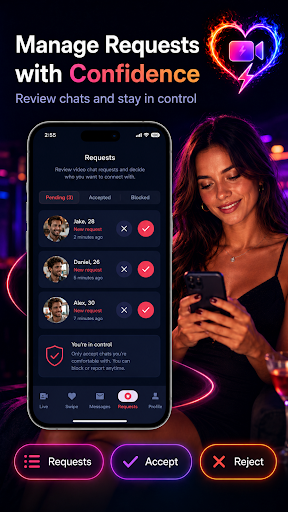
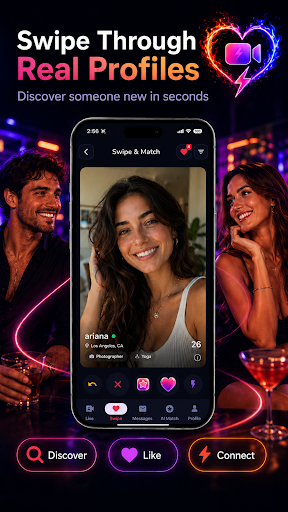
Discovery and swiping help users find people they may want to meet, but live conversation remains the product's centre. Blocking, reporting, account restrictions, privacy settings, and backend validation of self-reported profile age support a safer experience.
The app has two deliberately different forms of intelligence. The AI Companion uses OpenAI through a protected Firebase Cloud Function to provide conversation support. The AI Matchmaker uses transparent, explainable compatibility scoring based on profile signals and shared interests. I kept that distinction clear so a deterministic matching score is not presented as an LLM decision.
What I built during OpenAI Build Week
Speed Dating existed before Build Week as a published app. I am not presenting the entire product as seven days of work. The competition entry is the substantial redesign, reliability work, AI-assisted engineering, testing, and release preparation completed from July 13 through July 20 during the official submission period.
With Codex and GPT-5.6, I:
- Redesigned major Android journeys around a consistent Material 3 experience.
- Diagnosed and addressed reported Material theme and Firebase serialization crashes.
- Migrated network image presentation to Glide-backed loading, downsampling, and caching.
- Enabled and hardened R8 code shrinking, obfuscation, optimization, and resource shrinking for release builds.
- Reworked Play in-app updates as a stateful flow to prevent repeated prompts and installation-loop behaviour.
- Improved matchmaking, lifecycle cleanup, error handling, and release diagnostics.
- Tested release behaviour on physical Samsung and Vivo devices, including device-specific navigation and activity transitions.
- Expanded automated coverage; the repository contains more than 200 named Android and backend test cases.
The result is a signed v84 judge build with updated source, automated tests, professional judge documentation, and a published SHA-256 installation checksum. The dated Codex task history provides evidence of work completed within the submission period; this story and the judge guide clearly distinguish that work from the pre-existing product.
How I built it
The Android client is written in Java, with Gradle Kotlin DSL for build configuration. It uses Material 3, View Binding, WorkManager, Retrofit/OkHttp, Glide, Google Play Billing, and Play In-App Updates.
Firebase provides Authentication, Cloud Firestore, Realtime Database, Storage, Cloud Functions, Cloud Messaging, Remote Config, Crashlytics, Analytics, and App Check. The backend runs on Node.js 22. Live dates use the Daily Android SDK, which is based on WebRTC technology. OpenAI calls are made through a protected backend rather than exposing credentials in the Android client.
Together, these systems support accounts, profiles, matchmaking state, private video rooms, mutual decisions, matches, messages, notifications, reports, media, subscriptions, and operational monitoring.
How Codex and GPT-5.6 changed the project
I used Codex with GPT-5.6 as an engineering partner across the whole system, not as a one-time code generator. Three examples show the workflow.
1. Turning release crashes into durable fixes
Crash reports showed failures that crossed UI themes and Firebase data models. Codex helped trace the stack paths from the crashing Material components back to the context used to create them, and from DataSnapshot.getValue() back to an unsupported serialized model. I used that analysis to make component construction theme-safe and Firebase mapping explicit, then rebuilt and exercised the affected flows.
2. Converting Play quality findings into engineering work
Google Play identified manual image decoding and weak R8 optimization. GPT-5.6 helped audit the actual image and release-build paths instead of treating the recommendations as checkbox changes. I standardized network image loading on Glide so images are downsampled and cached, then reviewed release keep rules and enabled shrinking, optimization, obfuscation, and resource removal without breaking Firebase or reflection-dependent code.
3. Debugging behaviour that differed by device and build type
The in-app update flow could flicker, repeat installation handling, and appear stuck until restart. Navigation also felt different on Samsung and Vivo hardware. I used Codex while capturing release logs, reproducing flows on both devices, and reviewing Android lifecycle transitions. That led to a single state-aware update coordinator and more consistent activity animation handling, followed by physical-device regression checks.
This collaboration was iterative: I provided product intent and live-device observations; GPT-5.6 formed hypotheses and reviewed cross-file behaviour; Codex inspected and edited the Android and Firebase code; builds, tests, logs, and devices determined whether each change was acceptable. I retained the product and release decisions.
Challenges and lessons
The hardest problem is coordinating two people in real time. Both must enter the queue, be paired only once, receive valid room information, join successfully, and leave cleanly. The app also has to recover when someone cancels, backgrounds the app, loses connectivity, denies a permission, or disappears mid-flow. Small timing errors can create duplicate pairings, abandoned rooms, or endless loading states.
I learned that a working happy path is not enough. Real-time mobile products need explicit states, idempotent operations, timeouts, cleanup, and recovery. I also learned that AI-assisted development is most valuable when the model can connect evidence across a stack trace, backend state, lifecycle event, build configuration, and real device—not merely suggest the next line of code.
Impact and what is next
Speed Dating is for adults who are tired of judging static profiles and want to know sooner whether conversation feels genuine. Its differentiation is not video as a decorative feature; the private video date, private decision, and mutual match form one continuous product loop.
The app is already published on Google Play, and the judge build, source, tests, documentation, and installation checksum are available for evaluation. Next I want to deepen explainable compatibility, improve accessibility and localisation, and strengthen safety signals for live interactions.
The long-term vision is straightforward: less time performing for an algorithm, and more time having safe, authentic conversations with another person.


Log in or sign up for Devpost to join the conversation.