-
-
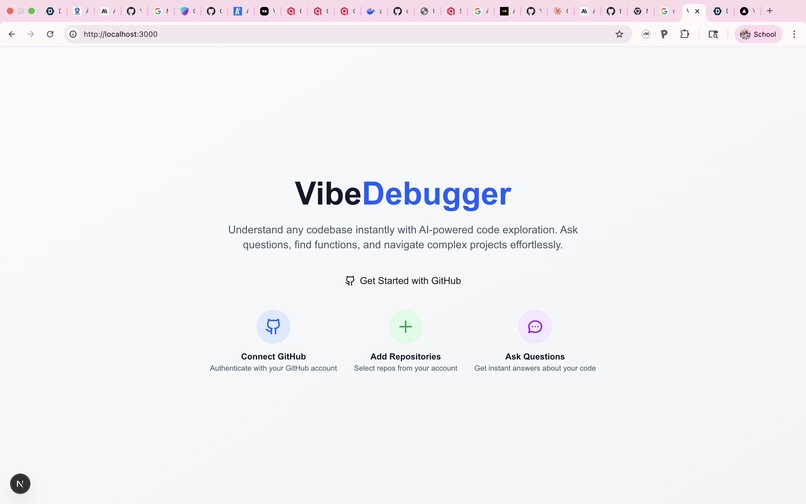
Home Page
-
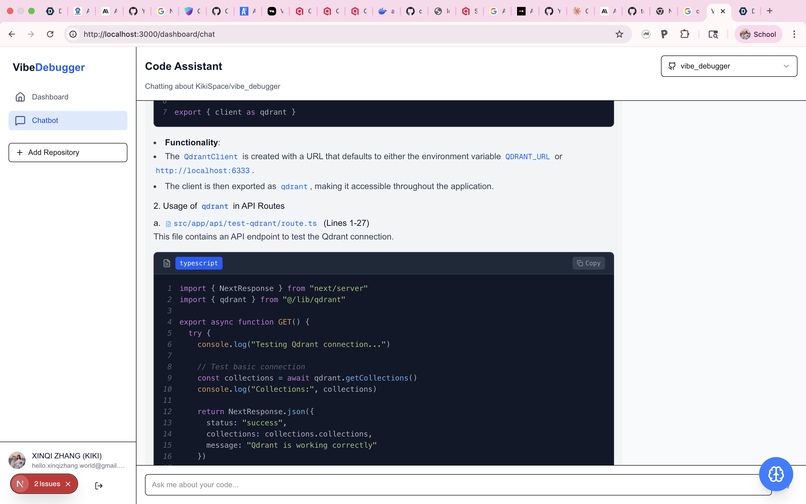
ChatBot
-
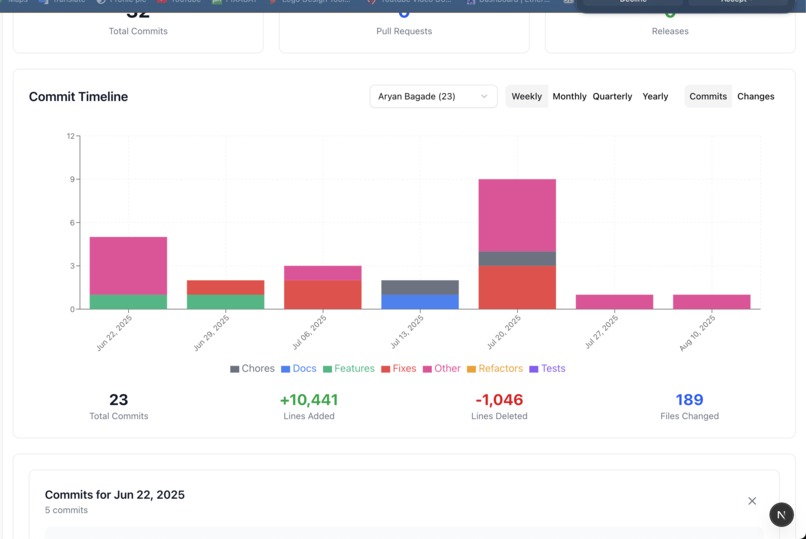
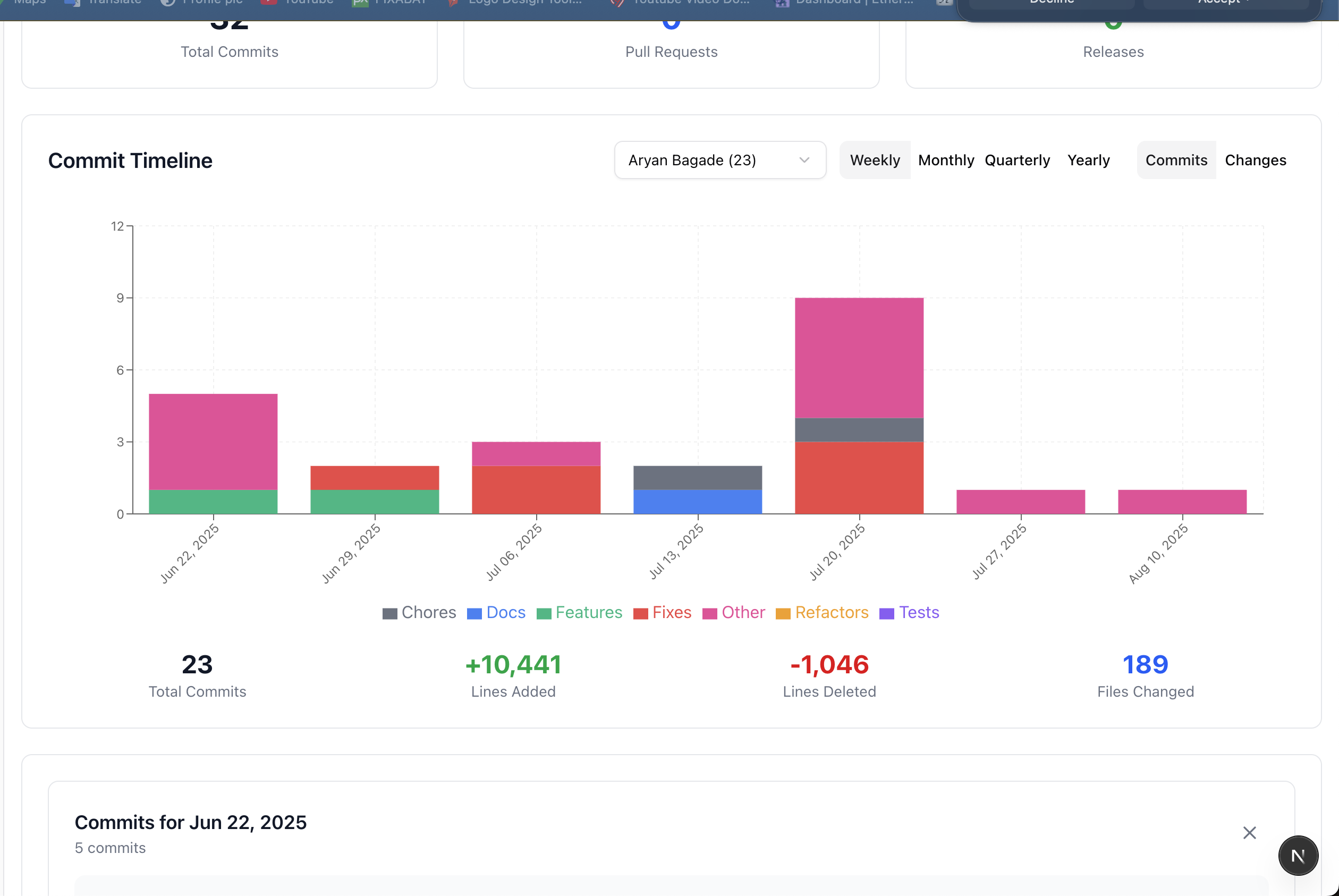
commit_visualisation
-
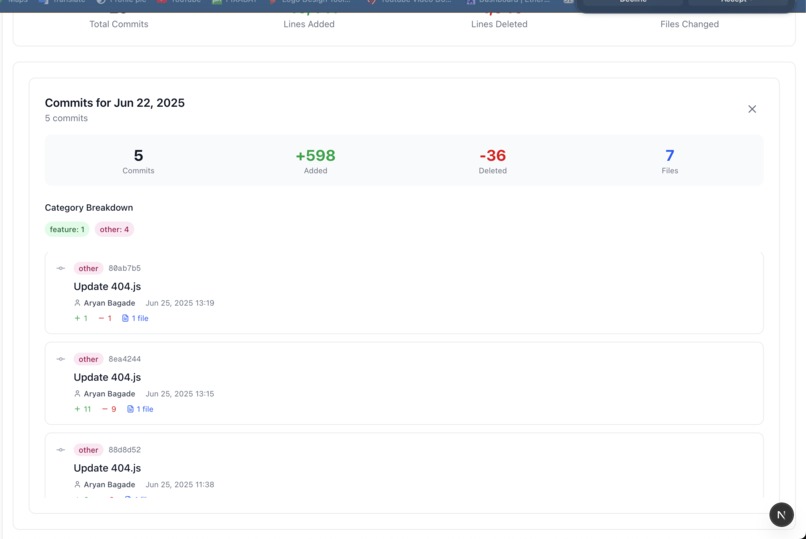
selected data
-
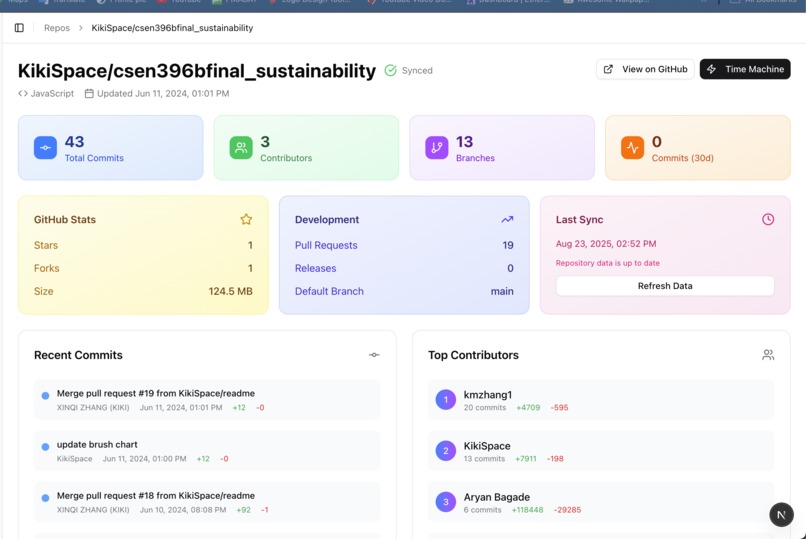
Dashboard
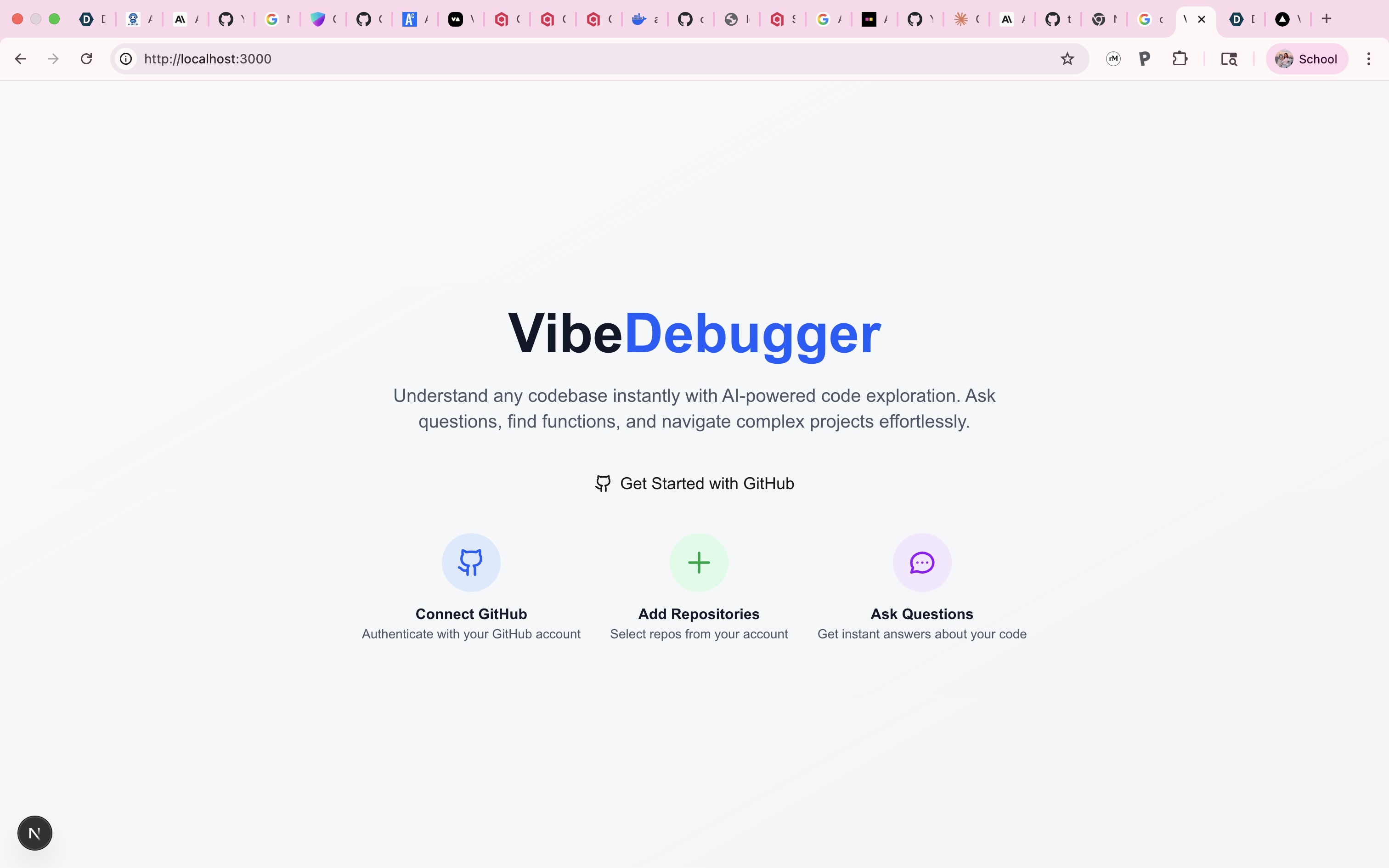
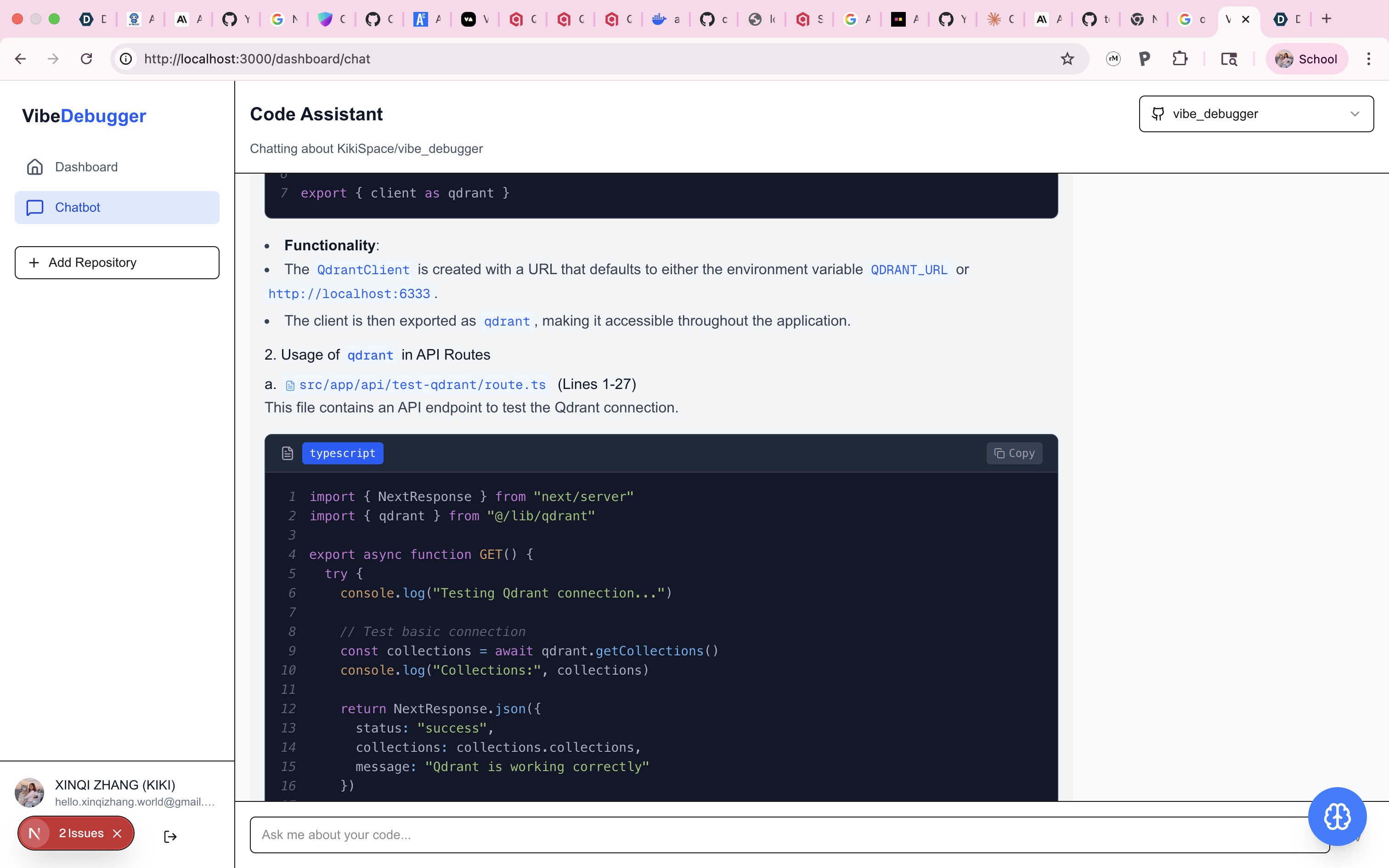
VibeDebugger 🚀
A powerful AI-powered codebase exploration and debugging tool that helps developers understand, analyze, and interact with their repositories through semantic search and intelligent chat assistance.



✨ Features
🔍 Semantic Code Search
- Vector-based similarity search using OpenAI embeddings
- Find code by meaning, not just keywords
- Precise file location and line number results
- Support for 30+ programming languages
🤖 AI-Powered Chat Assistant
- Context-aware conversations about your codebase
- Code explanation and debugging suggestions
- Architecture insights and refactoring recommendations
- Integrated with repository knowledge
🎤 Voice Assistant Integration
- VAPI-powered voice interactions
- Hands-free codebase exploration
- Voice-activated feature introductions
- Real-time conversation capabilities
📊 Repository Analytics
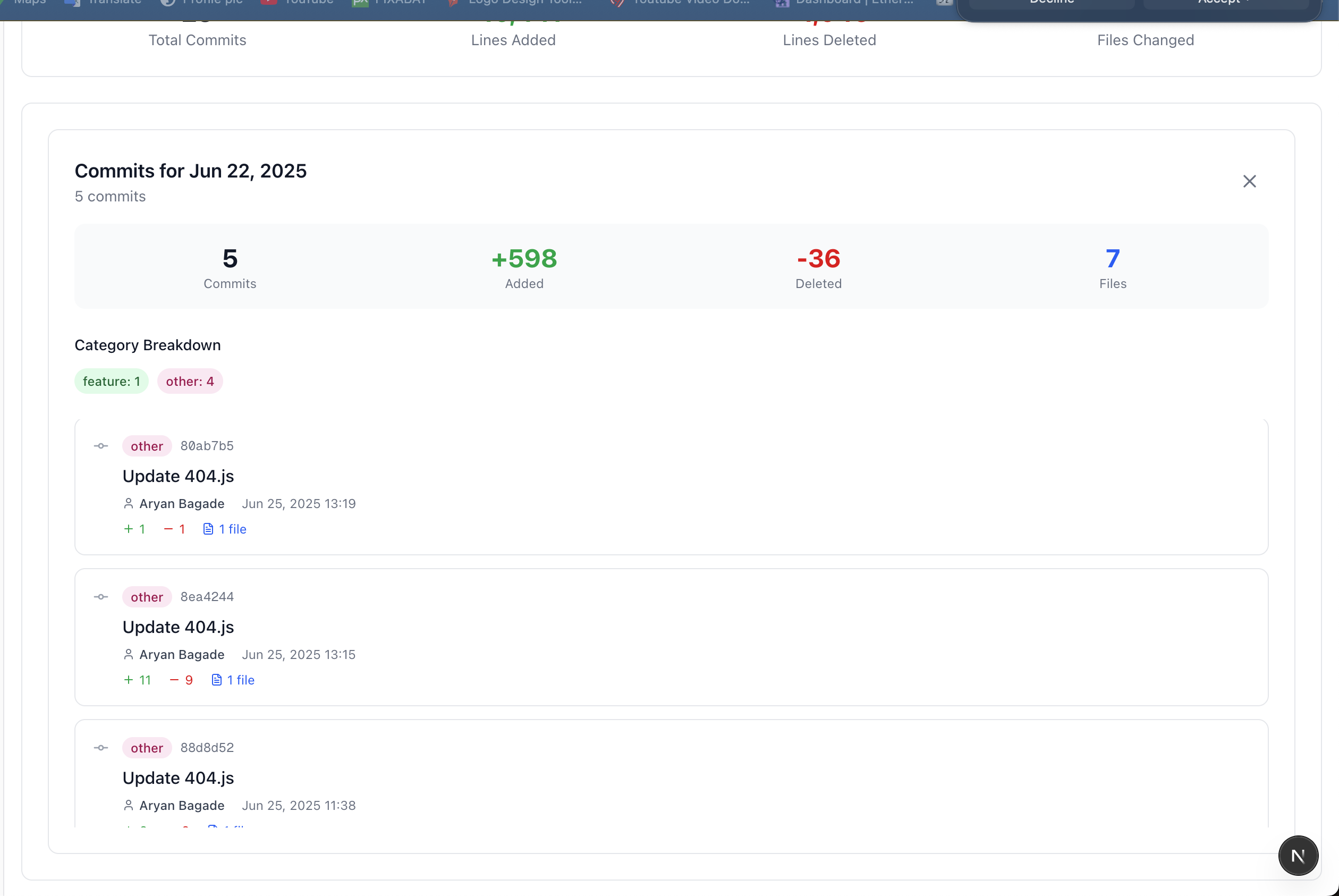
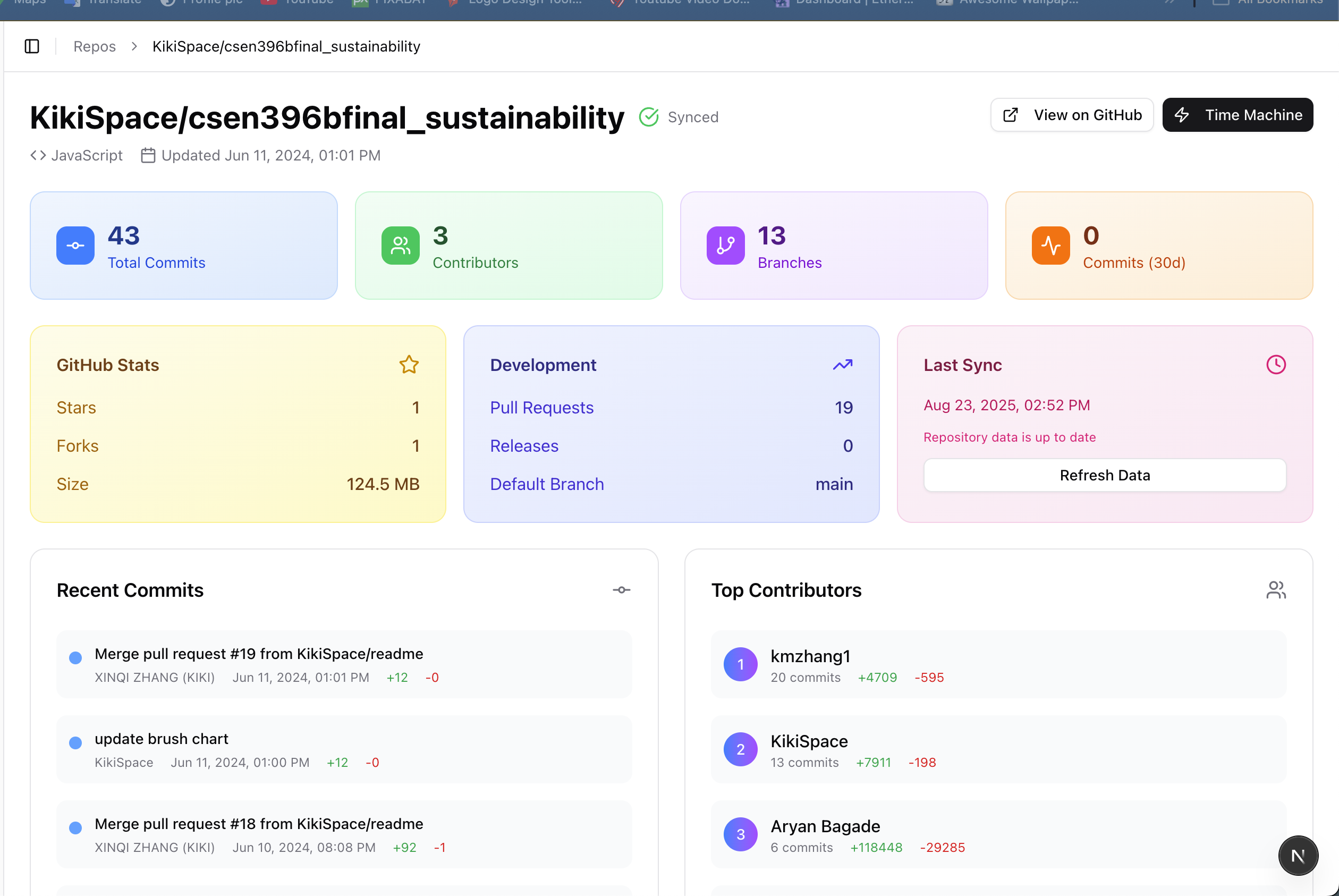
 Comprehensive repository analytics showing commit history, file changes, and contributor data visualization. The dashboard displays detailed insights into code activity patterns, contribution metrics, and repository evolution over time.
- AI-generated code detection analysis
- Commit timeline visualization with contributor insights
- Repository health and complexity metrics
- Interactive charts and statistics
🔄 Smart Repository Management
- GitHub OAuth integration
- Automated code indexing with progress tracking
- Support for both public and private repositories
- Optimized handling of large repositories (500+ files)
🎨 Modern UI/UX
- Clean, responsive dashboard interface
- Syntax highlighting for code blocks
- Clickable file paths with GitHub integration
- Real-time status updates and notifications
🛠️ Tech Stack
Frontend
- Next.js 15.5 - React framework with App Router
- TypeScript - Type-safe development
- Tailwind CSS 4.0 - Utility-first styling
- Lucide React - Beautiful icons
- React Markdown - Rich text rendering
Backend
- NextAuth.js 5.0 - Authentication with GitHub OAuth
- Prisma - Database ORM
- Neon DB - Serverless PostgreSQL database platform
- PostgreSQL - Primary database (via Neon DB)
- Qdrant - Vector database for semantic search
AI & ML
- OpenAI GPT-4 - Chat completions and analysis
- OpenAI text-embedding-ada-002 - Text embeddings
- VAPI - Voice assistant integration
- Custom AI Detection - Code analysis algorithms
Infrastructure
- Docker - Containerized services
- GitHub API - Repository data fetching
- Octokit - GitHub API client
🚀 Quick Start
Prerequisites
- Node.js 18+ and npm
- Neon DB account (serverless PostgreSQL)
- Docker and Docker Compose (for Qdrant)
- GitHub OAuth App credentials
- OpenAI API key
- VAPI account (optional, for voice features)
Installation
Clone the repository
git clone https://github.com/your-username/vibe-debugger.git
cd vibe-debugger
Install dependencies
npm installSet up environment variables Create a
.env.localfile:# NextAuth.js NEXTAUTH_SECRET=your-secret-key NEXTAUTH_URL=http://localhost:3000
# GitHub OAuth GITHUB_CLIENT_ID=your-github-client-id GITHUB_CLIENT_SECRET=your-github-client-secret
# Database (Neon DB Connection String) DATABASE_URL=postgresql://username:[email protected]/vibe_debugger?sslmode=require
# OpenAI OPENAI_API_KEY=sk-your-openai-api-key
# Qdrant Vector Database QDRANT_URL=http://localhost:6333
# VAPI Voice Assistant (optional) NEXT_PUBLIC_VAPI_PUBLIC_KEY=your-vapi-public-key
4. **Start Qdrant with Docker**

*Qdrant vector database running successfully on Docker, showing the container status, port mapping, and storage configuration. This setup provides the vector search capabilities essential for semantic code search.*
```bash
docker run -p 6333:6333 -v $(pwd)/qdrant_storage:/qdrant/storage qdrant/qdrant
Set up the database
# Deploy migrations to Neon DB
npx prisma migrate deploy
npx prisma generate
Start the development server
npm run devOpen your browser Navigate to
http://localhost:3000
📖 Usage Guide
Getting Started
- Sign in with GitHub - Authenticate using your GitHub account
- Add a Repository - Click "Add Repository" and enter a GitHub URL
- Index the Repository - Wait for the AI to process and index your code
- Start Exploring - Use chat or search to interact with your codebase
Key Workflows
🔍 Semantic Search
"Where is the user authentication logic?"
"Find functions that handle file uploads"
"Show me error handling patterns"
💬 AI Chat Examples
"Explain how this authentication system works"
"What are the main security vulnerabilities?"
"How can I optimize the database queries?"
"Suggest refactoring opportunities"
🎤 Voice Commands
"Tell me about this repository"
"What are the main features?"
"How do I get started with development?"
🏗️ Architecture
System Overview
 High-level system architecture showing the interaction between frontend components, backend services, and external APIs. The diagram illustrates how VibeDebugger integrates Next.js, PostgreSQL, Qdrant vector database, and various AI services.
┌─────────────────┐    ┌─────────────────┐    ┌─────────────────┐
│   Next.js App   │◄──►│   PostgreSQL    │    │     Qdrant      │
│   (Frontend)    │    │   (Metadata)    │    │  (Embeddings)   │
└─────────────────┘    └─────────────────┘    └─────────────────┘
         │                       │                       │
         ▼                       ▼                       ▼
┌─────────────────┐    ┌─────────────────┐    ┌─────────────────┐
│   GitHub API    │    │   OpenAI API    │    │   VAPI Service  │
│  (Repository)   │    │ (Embeddings/Chat)│    │    (Voice)     │
└─────────────────┘    └─────────────────┘    └─────────────────┘
Data Flow
 Detailed sequence diagram showing the complete workflow from repository indexing to AI-powered code search and chat interactions. This diagram demonstrates how user queries are processed through vector embeddings and semantic search to provide intelligent responses.
- Repository Ingestion: GitHub API → Code Parsing → Chunking
- Vector Generation: Code Chunks → OpenAI Embeddings → Qdrant Storage
- Semantic Search: Query → Embedding → Vector Search → Results
- AI Chat: Context + Query → GPT-4 → Response + Code References
Key Components
/src/lib/code-indexer-optimized.ts- Smart repository indexing/src/lib/ai-detector.ts- AI-generated code analysis/src/components/chat/- Chat interface and message handling/src/components/voice-assistant/- Voice interaction components/src/app/api/- Backend API routes
🎯 AI Detection Features
VibeDebugger includes advanced AI detection capabilities:
Detection Methods
- Perplexity Analysis - Statistical language patterns
- Syntax Perfection Scoring - Code consistency metrics
- Comment Quality Assessment - Documentation patterns
- Structural Analysis - Code organization patterns
- Pattern Recognition - Common AI-generated signatures
Accuracy Disclaimer
Results are based on 2024 AI detection research and are probabilistic, not definitive. Use as guidance rather than absolute determination.
🔧 Configuration
Environment Variables
| Variable | Description | Required | Default |
|---|---|---|---|
NEXTAUTH_SECRET |
NextAuth.js encryption key | ✅ | - |
NEXTAUTH_URL |
Application base URL | ✅ | - |
GITHUB_CLIENT_ID |
GitHub OAuth app ID | ✅ | - |
GITHUB_CLIENT_SECRET |
GitHub OAuth app secret | ✅ | - |
DATABASE_URL |
Neon DB PostgreSQL connection string | ✅ | - |
OPENAI_API_KEY |
OpenAI API key | ✅ | - |
QDRANT_URL |
Qdrant vector database URL | ✅ | http://localhost:6333 |
NEXT_PUBLIC_VAPI_PUBLIC_KEY |
VAPI voice service key | ❌ | - |
GitHub OAuth Setup
- Go to GitHub → Settings → Developer settings → OAuth Apps
- Create a new OAuth App with:
- Homepage URL:
http://localhost:3000 - Authorization callback URL:
http://localhost:3000/api/auth/callback/github
- Homepage URL:
- Copy the Client ID and Client Secret to your
.env.local
OpenAI API Setup
- Visit OpenAI Platform
- Create an API key with access to:
text-embedding-ada-002modelgpt-4model (orgpt-3.5-turboas fallback)
- Add the API key to your environment variables
Neon DB Setup
 Neon DB dashboard showing database statistics, contributor data analytics, and performance metrics. The dashboard provides real-time insights into database usage, query performance, and contributor activity patterns.
- Create a Neon DB account
- Create a new project and database
- Copy the connection string from your Neon dashboard
- The connection string format:
postgresql://username:[email protected]/database_name?sslmode=require - Add the connection string to your
.env.localasDATABASE_URL
Neon DB Benefits:
- Serverless PostgreSQL with automatic scaling
- Built-in connection pooling
- Branch-based development workflows
- No database maintenance required
📊 Performance & Limits
Repository Size Handling
- Small repos (< 100 files): Full indexing
- Medium repos (100-800 files): Smart filtering
- Large repos (> 800 files): Priority-based selection (500 files max)
Rate Limiting
- GitHub API: 5,000 requests/hour (authenticated)
- OpenAI API: 3 requests/second for embeddings
- Batch Processing: 3 files per batch with 1s delays
Storage Requirements
- Neon DB: ~1KB per repository metadata (serverless PostgreSQL)
- Qdrant: ~6KB per code chunk (1536-dimension vectors)
- Estimated: 50MB vector storage per 10,000 lines of code
🚀 Deployment
Production Environment
- Database Setup
bash
# Deploy migrations to production Neon DB
npx prisma migrate deploy
Production Neon DB Configuration:
- Use production branch in Neon console
- Enable connection pooling for better performance
- Set up database branching for staging environments
- Configure automatic backups and point-in-time recovery
Qdrant Deployment
# Using Docker in production
docker run -d --name qdrant-prod \
 -p 6333:6333 \
 -v /path/to/storage:/qdrant/storage \
 qdrant/qdrant
Build and Start
npm run build
npm start
Docker Deployment
# Dockerfile example
FROM node:18-alpine
WORKDIR /app
COPY package*.json ./
RUN npm ci --only=production
COPY . .
RUN npm run build
EXPOSE 3000
CMD ["npm", "start"]
🧪 Testing
Run Tests
# Run all tests
npm test

# Run with coverage
npm run test:coverage

# Run specific test file
npm test -- --testPathPattern=ai-detector
Manual Testing Checklist
- [ ] GitHub OAuth authentication
- [ ] Repository addition and indexing
- [ ] Semantic search functionality
- [ ] AI chat responses
- [ ] Voice assistant (if enabled)
- [ ] Repository deletion
- [ ] Error handling and recovery
🤝 Contributing
We welcome contributions! Please see our Contributing Guide for details.
Development Workflow
- Fork the repository
- Create a feature branch (
git checkout -b feature/amazing-feature) - Make your changes
- Run tests (
npm test) - Commit your changes (
git commit -m 'Add amazing feature') - Push to the branch (
git push origin feature/amazing-feature) - Open a Pull Request
Code Style
- TypeScript: Strict type checking enabled
- ESLint: Extended Next.js configuration
- Prettier: Automated code formatting
- Conventional Commits: Standardized commit messages
📝 API Reference
Repository Management
POST /api/repositories- Add new repositoryGET /api/repositories- List user repositoriesPOST /api/repositories/[id]/index- Start indexingPOST /api/repositories/[id]/cancel-index- Cancel indexingDELETE /api/repositories/[id]/delete- Delete repository
Search & Chat
POST /api/search- Semantic code searchPOST /api/chat- AI chat completionsGET /api/repositories/[id]/commits- Repository commits
🐛 Troubleshooting
Common Issues
1. "Qdrant connection failed"
# Check if Qdrant is running
docker ps | grep qdrant

# Start Qdrant if not running
docker run -p 6333:6333 qdrant/qdrant
2. "OpenAI API rate limit exceeded"
- Check your OpenAI account usage and billing
- Reduce batch sizes in indexing configuration
- Implement request queuing for large repositories
3. "GitHub OAuth callback error"
- Verify callback URL matches OAuth app configuration
- Check
NEXTAUTH_URLenvironment variable - Ensure GitHub OAuth app is active
4. "Database migration failed"
# For development (local database reset)
npx prisma migrate reset
npx prisma migrate dev

# For production (Neon DB)
npx prisma migrate deploy
5. "Neon DB connection issues"
- Verify your connection string includes
?sslmode=require - Check if your Neon project is active (not suspended)
- Ensure your IP is whitelisted if using IP restrictions
- Try connecting directly from Neon console to test connectivity
Debug Mode
Enable detailed logging:
NODE_ENV=development
DEBUG=true
📄 License
This project is licensed under the MIT License - see the LICENSE file for details.
🙏 Acknowledgments
- OpenAI for GPT-4 and embedding models
- Qdrant for vector database technology
- GitHub for repository API and OAuth
- VAPI for voice assistant capabilities
- Vercel for Next.js framework and hosting platform
📧 Support
- Documentation: GitHub Wiki
- Issues: GitHub Issues
- Discussions: GitHub Discussions
- Email: [email protected]
Built with ❤️ by developers, for developers
Making code exploration intelligent and intuitive
Built With
- composio
- docker
- neon
- postgresql
- qdrant
- typescript
- vapi


Log in or sign up for Devpost to join the conversation.