-
-
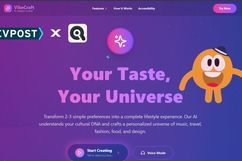
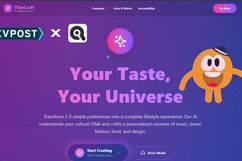
HomePage
-
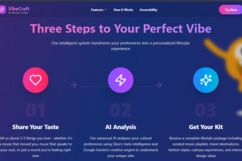
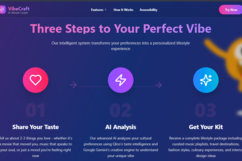
HomePage-Steps
-
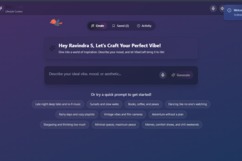
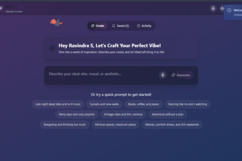
DashboardPage
-
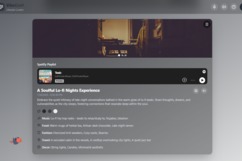
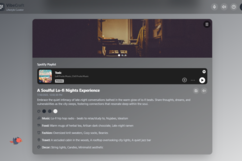
VibeCard Generated
-
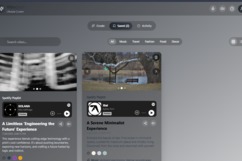
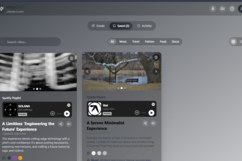
Saved VideCards
Inspiration
I built VibeCraft because I was tired of how recommendation systems work in silos.
Spotify tells you what music to play, Pinterest shows moodboards, TripAdvisor lists places but no one connects the dots into a unified lifestyle experience.
I wanted something that understands that taste is a whole vibe, not a category.
So I made it.
What it does
VibeCraft takes a few words of input or a voice command and transforms it into a complete lifestyle aesthetic, including:
- Personalized Spotify music recommendations
- Food & restaurant matches
- Travel destinations
- Fashion ideas
- Interior decor
- Color palette + moodboard (from Unsplash)
- Text-to-speech playback of the vibe
- Dynamic Theme Switching: The entire UI changes based on the vibe’s generated color palette for a fully immersive experience
How I built it
Frontend
- React.js + Tailwind CSS
- Lottie for animations
- Lucide React Icons
- Dynamic theming powered by generated color palette from Gemini
Backend
- Node.js + Express
- MongoDB with Mongoose ODM
- JWT authentication
- Hosted on Railway.com
- Frontend deployed on Netlify
APIs Used
- Qloo API: Extracts cultural entities like brands, restaurants, movies
- Gemini 1.5 Pro: Turns those into creative, structured JSON vibes
- Spotify API: Suggests matching tracks and genres
- Unsplash API: Pulls aesthetic lifestyle imagery
- TTS API: Converts generated vibe into spoken audio
🔌 API Endpoints
Authentication
POST /api/auth/register– Register new userPOST /api/auth/login– Log in with email + passwordGET /api/auth/profile– Fetch profile of authenticated user
Vibe Generation
POST /api/vibe/generate– Main endpoint that creates the lifestyle vibe using Qloo + GeminiPOST /api/vibe/save/:chatId– Save a generated vibePOST /api/vibe/share/:chatId– Create public shareable linkGET /api/vibe/shared/:shareId– Retrieve public vibePOST /api/vibe/tts/:chatId– Generate audio from vibe content
Data
GET /api/chats– User’s vibe historyGET /api/activity– Recent activity and interaction metrics
Behind the Scenes – Architecture
User → Qloo Search → Qloo Insights → Gemini → Spotify + Unsplash → MongoDB → Frontend
Flow:
- Input is parsed and sent to Qloo Search to extract relevant entities
- These are filtered through Qloo Tags API to remove non-useful items
- Entity IDs are passed to Qloo Insights API to get taste-aligned recommendations
- The whole context is passed to Gemini, which returns structured JSON
- That’s sent to the frontend to render the dynamic vibe card
- Colors, icons, and imagery dynamically adjust based on the returned vibe
Challenges I ran into
- Matching Qloo entity types to Gemini-compatible context
- Classic 401, 404 and invalid entity exceptions.
- Validating JSON output from a generative model
- Making sure text-to-speech voice matches the tone of the vibe
- Responsive layout across devices
- Handling voice mode edge cases
Accomplishments we're proud of
- Cross-category lifestyle generation
- Fully voice-operable interface
- Scalable backend with clean separation of concerns
- Strong UI/UX flow with accessibility in mind
What I learned
- How to blend recommendation intelligence with generative AI
- Prompt engineering for consistency in output
- Voice-first interaction patterns
- Taste-based personalization as a next-gen UX driver
What’s next
- Native mobile app with offline mode
- Community vibe sharing
- AI-powered seasonal mood tracking
- Gamified curation
- Regional + multi-language localization
Built with ❤️ by Ravindra S for Qloo LLM Hackathon
Not every project solves a problem. Some bring happiness
Built With
- express.js
- gemini
- gemini-1.5-pro
- javascript
- lottie
- lucide
- lucide-react
- mongodb
- netlify
- node.js
- qlooapi
- react
- spotify
- unsplash


Log in or sign up for Devpost to join the conversation.