-
-
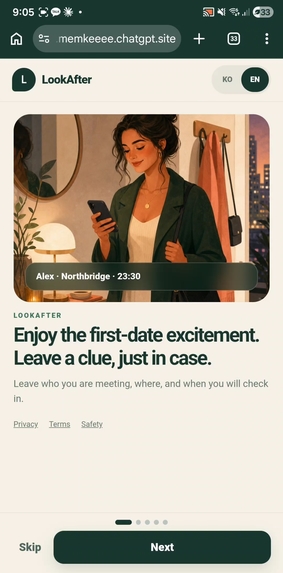
Landing page
-
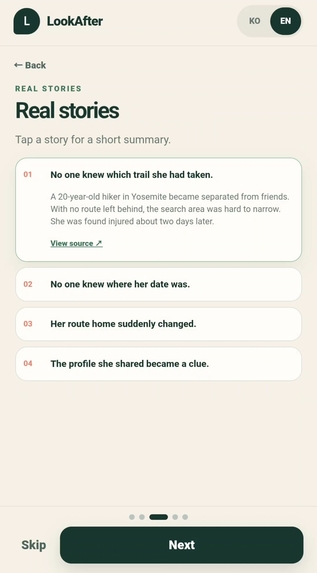
Real stories you could avoid
-
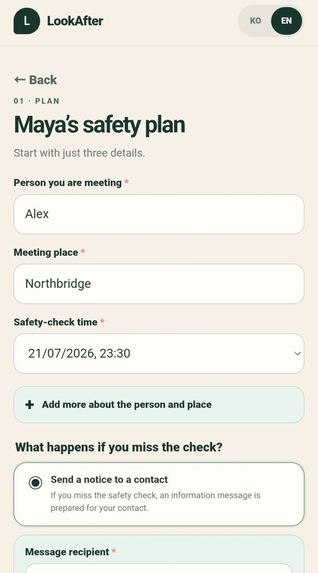
How to make a plan
-
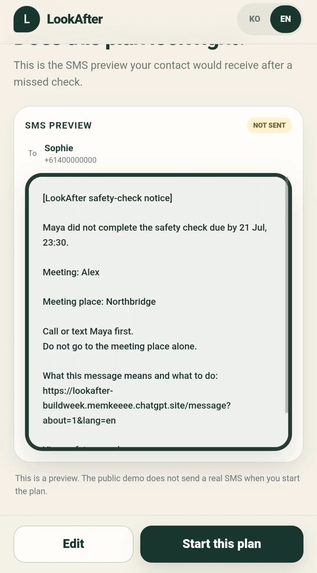
Example of message to guardian
-
how this app actually works
LookAfter
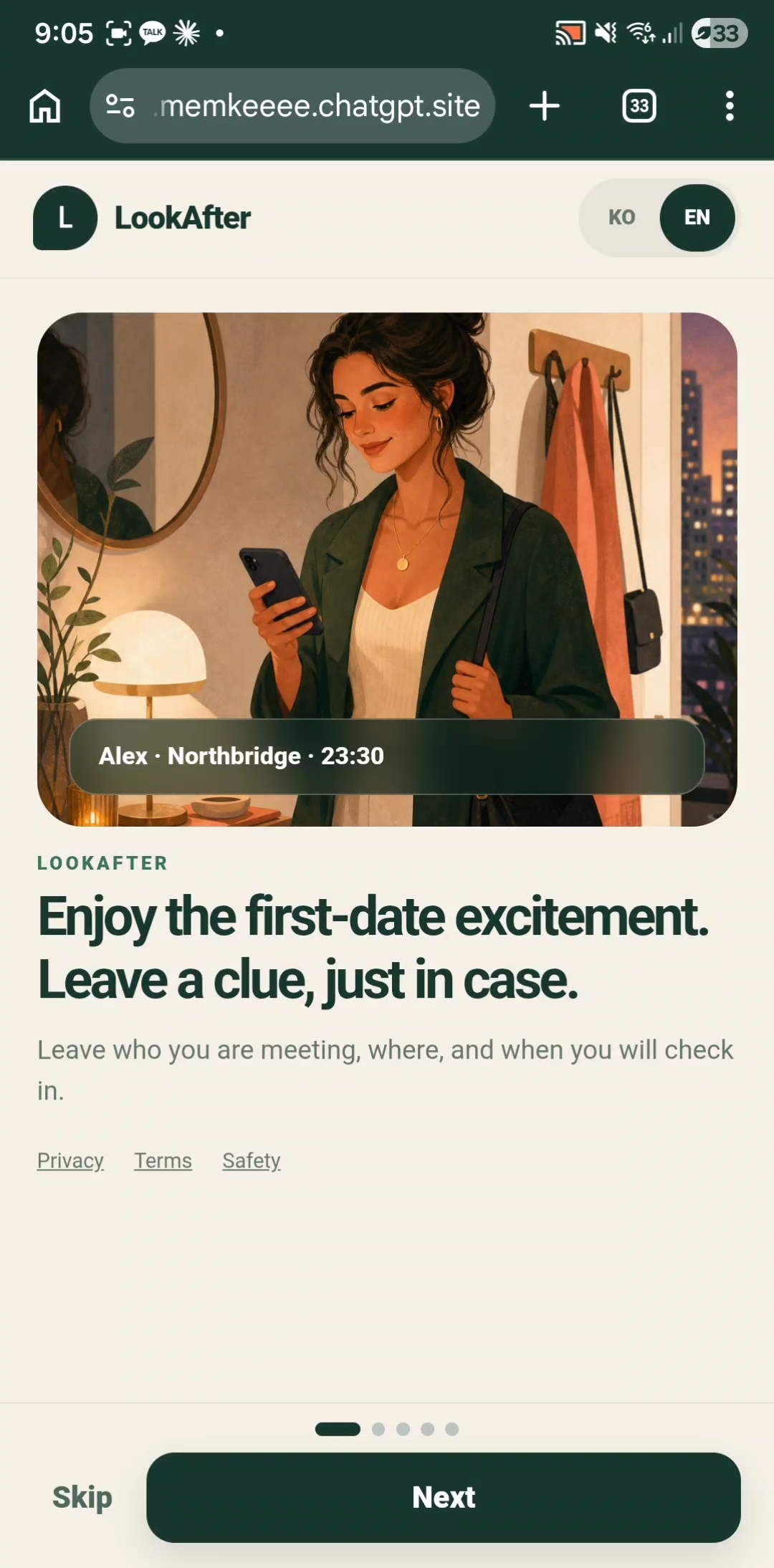
Enjoy the excitement. Leave a clue, just in case.
LookAfter is a mobile-first safety planner for dates and solo meetups. It helps someone record who they are meeting, where they are going, and when they expect to check in—before that information becomes difficult to recover.
Inspiration
The idea began with a simple question:
What information would be useful if someone did not return or check in as expected?
In many publicly reported cases, the problem was not a lack of concern. Friends and family simply did not know which trail someone had taken, where a date was happening, why a route home had changed, or who was behind a profile shared before a meeting.
A small clue recorded in advance could provide important context later.
However, I did not want to build a fear-based product or another invasive tracking service. LookAfter should not monitor the person being met, demand unnecessary verification, or behave like an emergency service. It should let the user decide what information is worth leaving behind.
That led to the core idea:
Create a simple safety plan before leaving, check in later, and preserve a useful record if the check is missed.
What LookAfter does
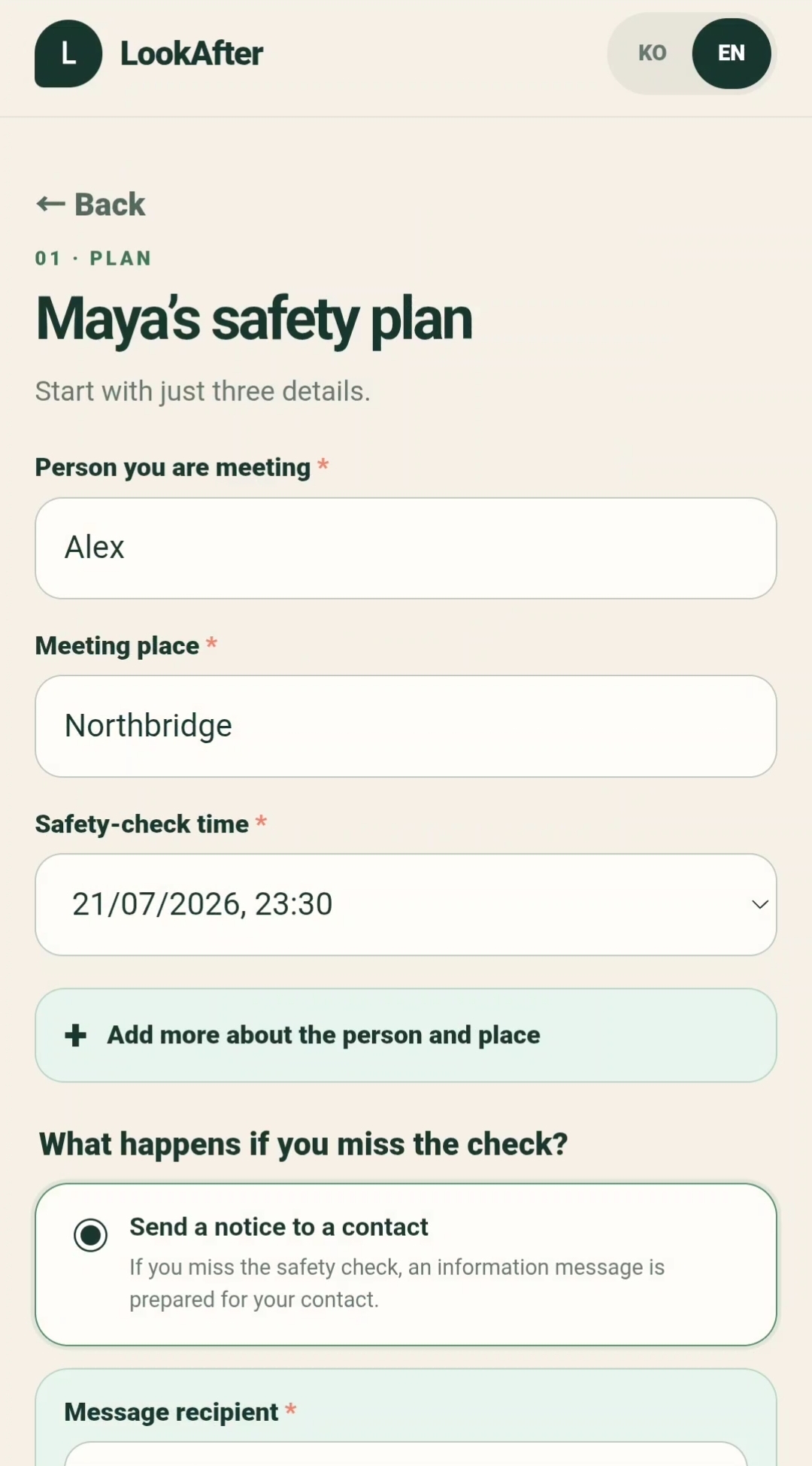
Before a date or solo meetup, a user can create a safety plan containing:
- The person they are meeting
- The meeting place
- A planned safety-check time
- How they met
- A profile or social account
- Identifying details
- Transport information
- Their plan for getting home
- Any additional note that may provide useful context
The additional fields are optional. LookAfter keeps the primary flow short while allowing more detail when the situation calls for it.
The user can then choose between two outcomes:
- Nominate a trusted contact who would receive a prepared information notice after a missed safety check.
- Keep a server-backed safety record without a contact, allowing the plan to remain recorded even when the user does not want to involve someone else.
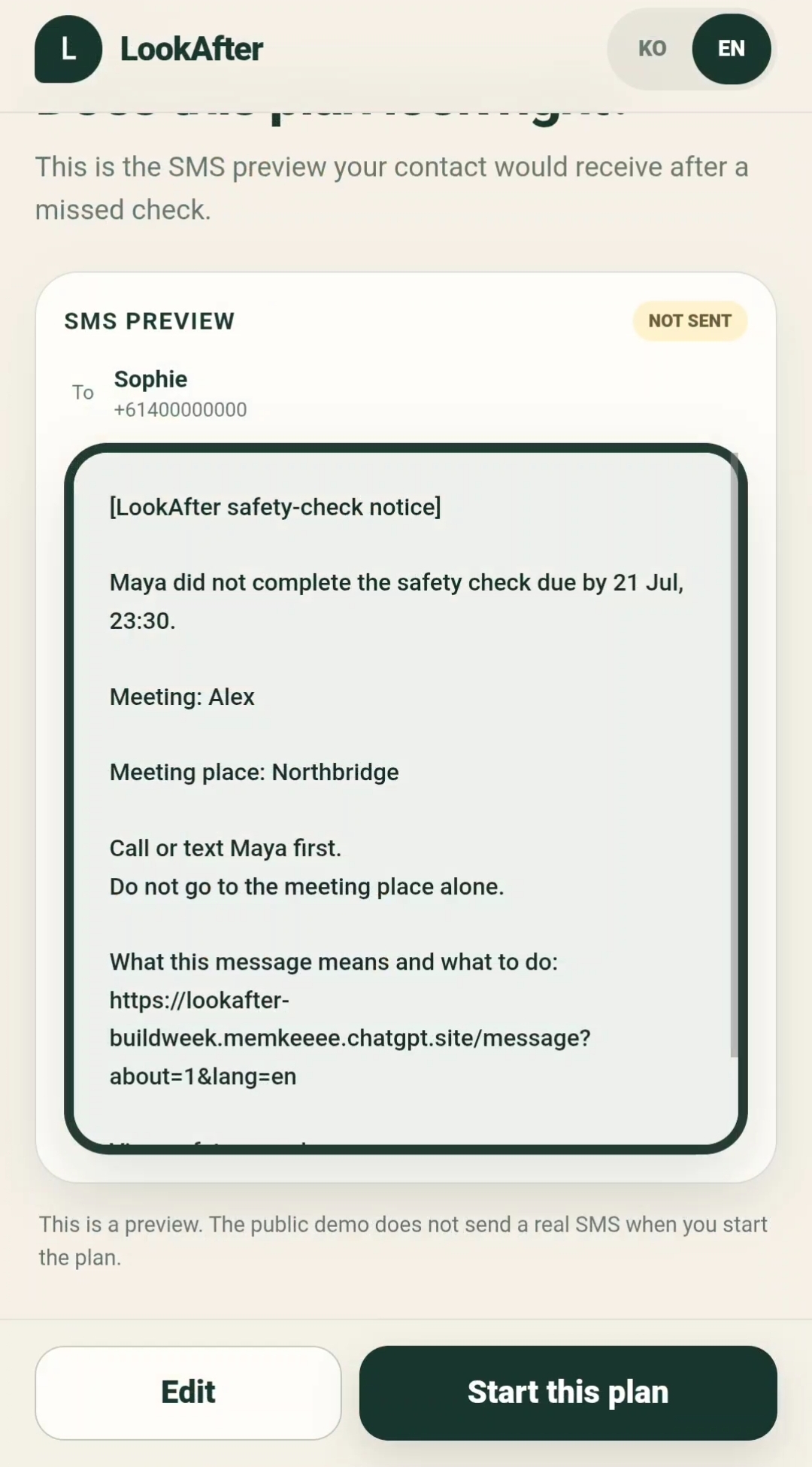
Before starting the plan, LookAfter previews exactly what the contact notice or server record will contain. This avoids vague buttons such as “send a message” without showing the user what would actually happen.
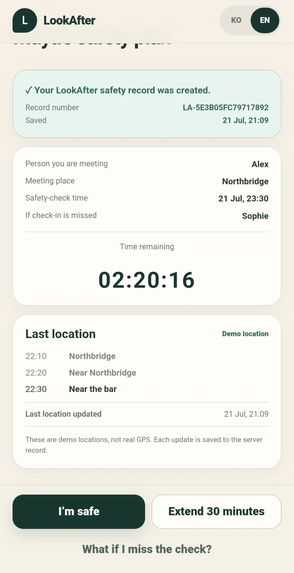
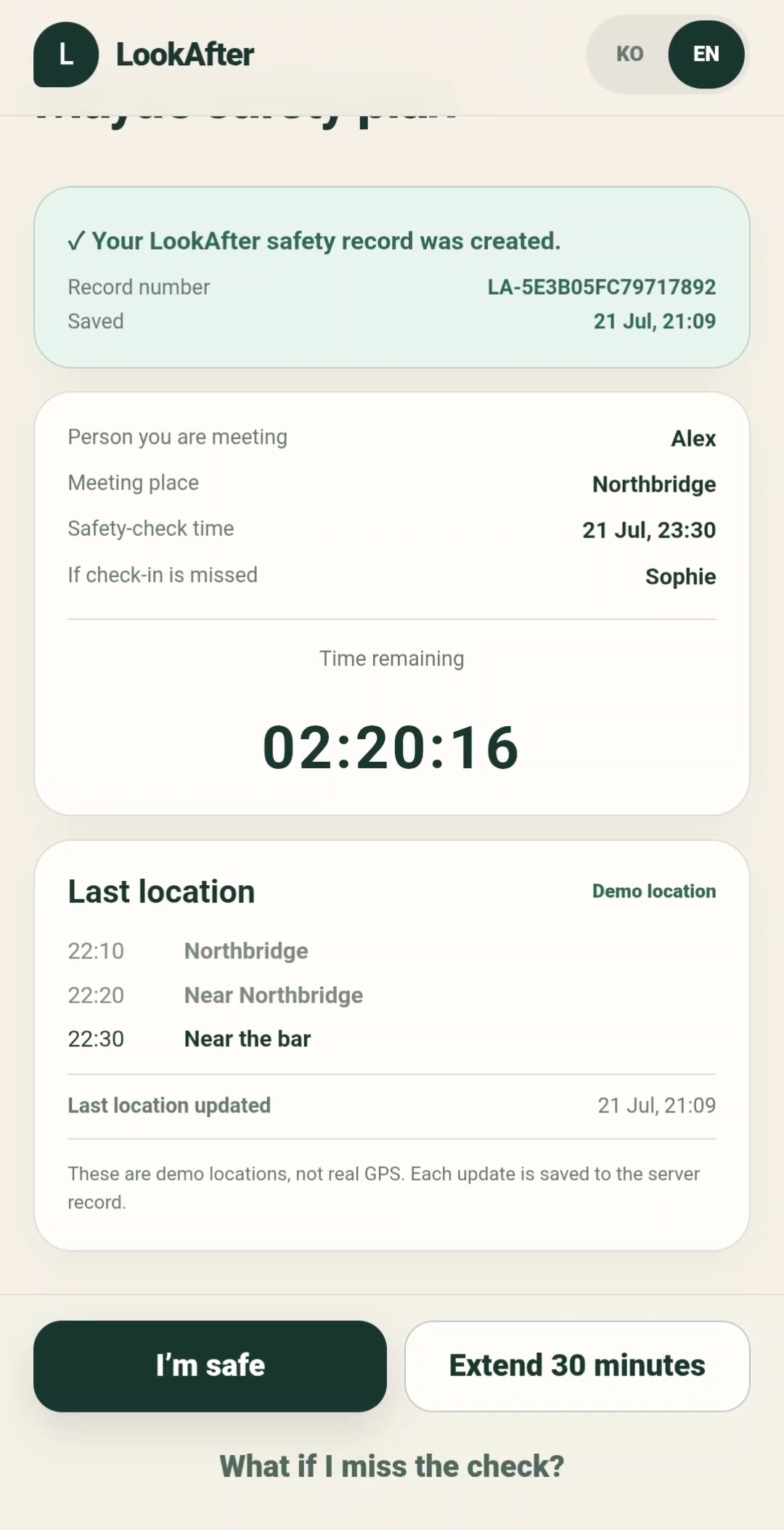
Once the plan begins, LookAfter creates a record with a unique reference number and displays:
- The meeting details
- The remaining safety-check time
- The nominated contact, when one exists
- Sequential location updates
- The last recorded location
- Options to confirm safety or extend the deadline by 30 minutes
If the user confirms that they are safe, the plan closes quietly and no notice is prepared. The completed safety record remains available for review.
If the safety check is missed, LookAfter waits through a short grace period before preparing the contact notice or preserving the final server record.
LookAfter is not an emergency service and does not prove that someone is in danger. Its purpose is narrower: to make sure that useful information is not lost.
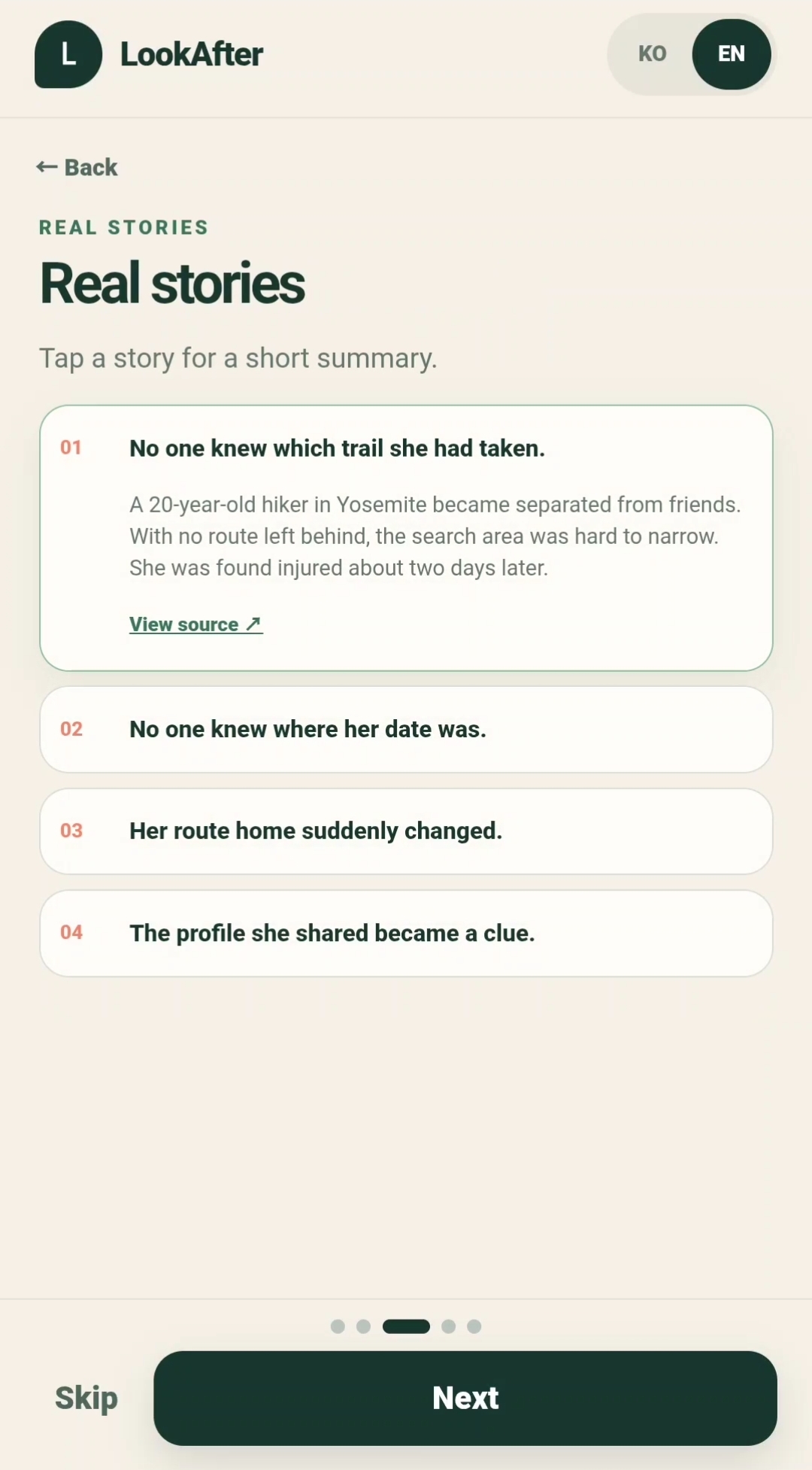
The real-stories casebook
The landing experience includes a short casebook based on publicly reported situations.
These stories show several recurring information gaps:
- No one knew which route someone had taken.
- No one knew where a date was happening.
- A planned route home changed unexpectedly.
- A profile shared before a meeting later became an important clue.
The casebook is not included to create panic. It explains why the product exists and helps users understand the value of recording a small amount of information before leaving.
How I built it
I built LookAfter as a responsive, mobile-first web application because the product is intended to be used immediately before and during a meetup.
The experience is structured around explicit plan states:
- Drafting the safety plan
- Reviewing the information
- Starting and saving the plan
- Running the safety-check countdown
- Extending the check time
- Handling a missed check
- Confirming safety
- Preserving the completed record
Designing these states explicitly was important. A safety product cannot rely on disconnected screens or ambiguous button behavior. Each action must lead to a predictable result, and the interface must explain that result before the user commits.
The application also includes:
- Mobile-responsive layouts
- English and Korean interfaces
- Form validation
- Optional additional-detail fields
- Contact and contact-free record flows
- Message and record previews
- Persistent server-backed safety records
- Sequential demo-location updates
- Completed-plan records
How I used Codex and GPT-5.6
Codex and GPT-5.6 were used as development tools rather than being forced into the final user experience.
I used them throughout the project to:
- Turn the initial concept into a structured product flow
- Define the safety-plan states and transitions
- Implement and refine the mobile interface
- Build form validation and conditional fields
- Implement contact and server-record alternatives
- Develop the message-preview experience
- Find and fix mobile layout problems
- Review unclear language and safety-related wording
- Test the complete flow repeatedly
- Identify unnecessary verification and remove friction
- Compare the running application against the intended requirements
I remained responsible for the product decisions, particularly around privacy, tone, demo scope, and what information LookAfter should or should not collect. Codex accelerated implementation, debugging, testing, and iteration.
GPT-5.6 was most useful when translating an ambiguous safety concept into explicit states, edge cases, interface copy, and testable behavior.
Challenges I faced
Communicating safety without creating fear
The product deals with situations that can become serious, but an alarmist interface would discourage normal use. I had to keep the experience warm, calm, and appropriate for someone who is still excited about going on a date.
Balancing simplicity with useful detail
A long mandatory form would make people abandon the product. A form that was too short would fail to preserve useful context. The solution was to require only the person, place, and safety-check time while keeping all other information optional.
Supporting users without trusted contacts
Originally, the flow focused heavily on sending a message to another person. That excluded users who did not want to involve someone else or did not have an appropriate contact.
Adding a server-backed record made the product more inclusive and gave every plan a meaningful outcome.
Making the message understandable
A generic “SMS test” did not explain what the contact would receive or what they should do. I redesigned this as a complete message preview containing the meeting information, safety guidance, and explanatory link.
Demonstrating safely within a hackathon
The public build does not send real SMS messages or collect real GPS data. It uses a complete SMS preview and sequential demo locations so judges can test the full product flow without sharing personal location data or contacting a real phone number.
The interface clearly labels these boundaries rather than pretending that simulated behavior is live infrastructure.
What I learned
The most important lesson was that a safety product is not defined only by its features. Its states, language, defaults, and failure behavior are equally important.
I also learned that:
- Optionality is essential when handling sensitive information.
- Users need to see the outcome of an action before committing.
- A contact should receive context and guidance, not only an alarming notification.
- A missed check does not prove danger.
- A useful record can still have value without continuous surveillance.
- AI does not need to appear inside the product simply because AI helped build it.
Codex was most valuable as an engineering collaborator that helped me move repeatedly between product thinking, implementation, testing, and refinement.
What I am proud of
I am proud that LookAfter became a coherent working experience rather than only a safety-app concept.
The final product demonstrates the complete journey:
understand the problem → create a plan → choose a fallback → review the result → start the plan → check in or extend → preserve the record
Every major action is visible and understandable on a mobile screen.
What is next
After the hackathon, the next steps would be:
- Integrating an authorized SMS provider
- Adding consent-based live location recording
- Encrypting sensitive plan fields
- Introducing configurable grace periods
- Allowing multiple trusted contacts
- Adding automatic record-expiration controls
- Conducting structured usability and safety testing
- Consulting professionals experienced in privacy, personal safety, and crisis communication
LookAfter is not intended to replace emergency services.
It is a small preventive tool designed around one specific promise:
If something does not go as planned, one useful clue will still remain.
Built With
- bilingual-ui
- codex
- css3
- form-validation
- gpt-5.6
- html5
- javascript
- mobile-first-design
- openai
- responsive-web-design
- server-side-storage
- state-management
- web-application


Log in or sign up for Devpost to join the conversation.