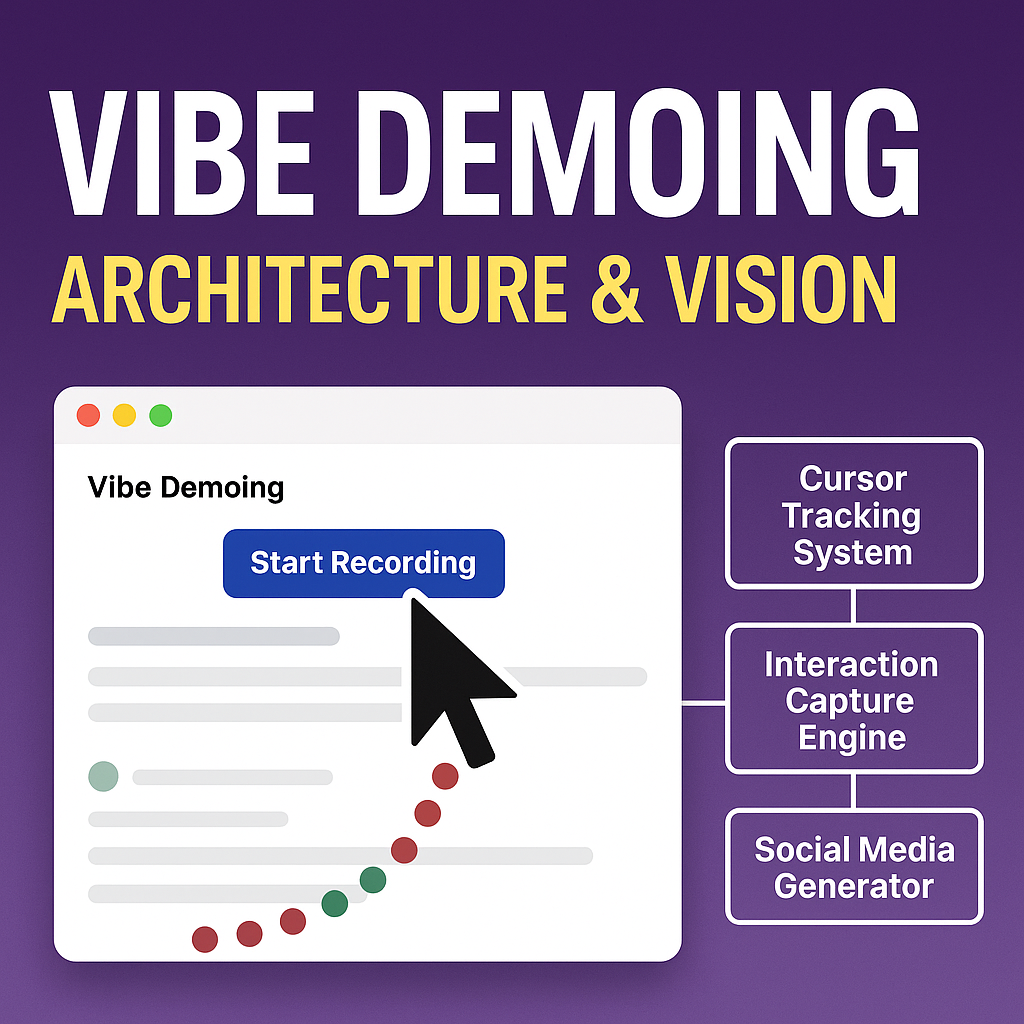
🎬 Vibe Demoing - Architecture & Vision
💡 The Inspiration
We're at a hackathon right now, surrounded by the most incredible AI innovations you've never seen. Brilliant developers are building mind-blowing projects that push the boundaries of what's possible - but here's the heartbreaking reality: 99% of these amazing creations will never see the light of day.
Why? Because creating compelling demos is HARD. Recording, editing, posting - it's a whole production that most hackers simply don't have time for during a 48-hour sprint.
Vibe Demoing changes that.
We're making demo creation as simple as clicking through your app. From interaction capture to YouTube upload - completely automated, completely effortless.
🎯 The Vision
Every brilliant hackathon project deserves to be seen.
Vibe Demoing transforms the tedious process of demo creation into a single command. Developers can focus on what they do best - building incredible software - while we handle the storytelling.
🏗️ Architecture Overview
┌─────────────────────────────────────────────────────────┐
│                    Claude Desktop                       │
│                  (MCP Client)                          │
└─────────────────────┬───────────────────────────────────┘
                      │ MCP Protocol
                      │
┌─────────────────────▼───────────────────────────────────┐
│                Demo Video MCP Server                    │
│                                                         │
│  ┌─────────────┐  ┌─────────────┐  ┌─────────────┐     │
│  │   Cursor    │  │ Interaction │  │   Social    │     │
│  │  Tracking   │  │  Capture    │  │   Media     │     │
│  │   System    │  │   Engine    │  │ Generator   │     │
│  └─────────────┘  └─────────────┘  └─────────────┘     │
│                                                         │
└─────────────────────┬───────────────────────────────────┘
                      │
┌─────────────────────▼───────────────────────────────────┐
│                Playwright Engine                        │
│                                                         │
│  ┌─────────────┐  ┌─────────────┐  ┌─────────────┐     │
│  │   Browser   │  │    DOM      │  │   Video     │     │
│  │ Automation  │  │ Injection   │  │ Recording   │     │
│  └─────────────┘  └─────────────┘  └─────────────┘     │
└─────────────────────────────────────────────────────────┘
🧠 Core Components
1. MCP Server Foundation
- Built on Model Context Protocol for seamless Claude integration
- TypeScript/Node.js for performance and type safety
- Real-time communication between user intent and browser automation
2. Visual Cursor System
// Real-time cursor tracking with DOM injection
async function injectCursorTrail(page) {
  // Creates visible cursor elements that appear in video recordings
  // - Red trail dots for movement paths
  // - Blue numbered circles for clicks (3-second duration)
  // - Green indicators for typing actions
}
3. Interaction Intelligence
interface Interaction {
  type: 'navigate' | 'click' | 'type';
  timestamp: Date;
  description: string;
  element?: string;
  value?: string;
  url?: string;
}
The system tracks every meaningful interaction to build a narrative:
- Navigation flows between pages
- Click sequences on UI elements
- Form interactions and data entry
- Contextual descriptions for each action
4. Social Media AI
function generateSocialMediaPost(): string {
  // Analyzes interaction patterns to create engaging content:
  // - Demo title and journey highlights
  // - Action counts and key moments
  // - Smart hashtags and engagement hooks
  // - Call-to-action for video views
}
5. Browser Automation Pipeline
User Intent → MCP Command → Playwright Action → Visual Feedback → Video Capture
     │              │              │                 │              │
   Claude      MCP Server    Browser Control    DOM Elements    .webm File
🎨 Technical Innovation
Breakthrough: Agent Cursor Visualization
The biggest technical challenge was making Playwright's automated actions visible in video recordings. Traditional approaches failed because:
- CSS cursors don't appear in recordings
- Browser automation is "headless" by nature
- No visual feedback for automated interactions
Our Solution:
// Programmatic DOM manipulation for visible cursor trails
await page.evaluate((coords) => {
  const clickIndicator = document.createElement('div');
  clickIndicator.style.cssText = `
    position: fixed;
    left: ${coords.x}px;
    top: ${coords.y}px;
    // ... styling for video visibility
  `;
  document.body.appendChild(clickIndicator);
});
This creates actual DOM elements that appear in video recordings, solving the fundamental visibility problem.
Intelligent Positioning System
async function moveCursorToElement(page, selector, action) {
  const elementBox = await page.locator(selector).boundingBox();
  const targetX = elementBox.x + elementBox.width / 2;
  const targetY = elementBox.y + elementBox.height / 2;

  // Create smooth visual trail from last position to target
  await createCursorTrail(page, lastMouseX, lastMouseY, targetX, targetY);
}
MCP Integration Architecture
server.tool("start_demo_recording",
  "Starts browser session and begins recording",
  {
    url: z.string(),
    description: z.string(),
    browser_type: z.enum(["chromium", "firefox", "webkit"]).optional()
  },
  async ({ url, description, browser_type }) => {
    // Launch headed browser with video recording
    // Inject cursor visualization system
    // Initialize interaction tracking
  }
);
🚀 The Future Pipeline
Current State: Manual demo recording with visual feedback Next Phase: Full automation pipeline
Demo Recording → AI Video Editing → Social Media Optimization → Multi-Platform Publishing
      │                  │                    │                        │
   .webm file       Auto-highlights     Platform-specific         YouTube
   + metadata        + transitions        formatting              + Twitter
                                                                 + LinkedIn
Planned Integrations:
- YouTube API: Automated upload with AI-generated titles/descriptions
- Twitter API: Thread creation with video highlights
- LinkedIn API: Professional demo sharing
- AI Video Editing: Automatic cuts, transitions, and highlights
- Voice Narration: AI-generated demo explanations
💻 Development Setup
# Clone and setup
git clone https://github.com/adamanz/demo-video-mcp.git
cd demo-video-mcp
npm install
npm run build

# Configure Claude Desktop
# Add to ~/.../Claude/claude_desktop_config.json
{
  "mcpServers": {
    "demo_video": {
      "command": "node",
      "args": ["/path/to/demo-video-mcp/build/index.js"],
      "workingDirectory": "/path/to/demo-video-mcp"
    }
  }
}
🎪 Why This Matters
At every hackathon, conference, and coding session:
- Brilliant ideas die in obscurity
- Demos are rushed afterthoughts
- Technical innovation goes unshared
- The best projects never get the recognition they deserve
Vibe Demoing democratizes demo creation. We're building the infrastructure so that every incredible project - from weekend hacks to enterprise innovations - can be shared with the world in minutes, not hours.
🌟 The Hackathon Spirit
This project embodies everything we love about hackathons:
- Solving real problems developers face every day
- Rapid innovation with practical impact
- Community building through shared tools
- Making the impossible look effortless
We're not just building software - we're building the future of how developers share their work with the world.
Built with ❤️ during hackathon season. Because every great project deserves to be seen.
Demo Video MCP Server - Turning brilliant ideas into viral demos, one click at a time.
Built With
- claude
- mcp
- playwright

Log in or sign up for Devpost to join the conversation.