🚀 Inspiration
I've studied psychology and human-centered design for years, but I realized that designing talk experiences (Conversation Design) was a whole different world. I noticed that many chatbot interactions feel off, even when they're functionally correct. This "vibe"—the intangible feeling of rapport, flow, and tone—is hard to articulate, but it's what separates a robotic-feeling tool from a helpful, human-centric one.
As a student, I wanted a tool that could hold this "vibe" up to the light. I was inspired to build Vibe Check Lab to deconstruct the "why" behind the "feel." I wanted to use AI to analyze itself and make the invisible patterns of conversation visible and learnable for other students, designers, and researchers.
✨ What it does
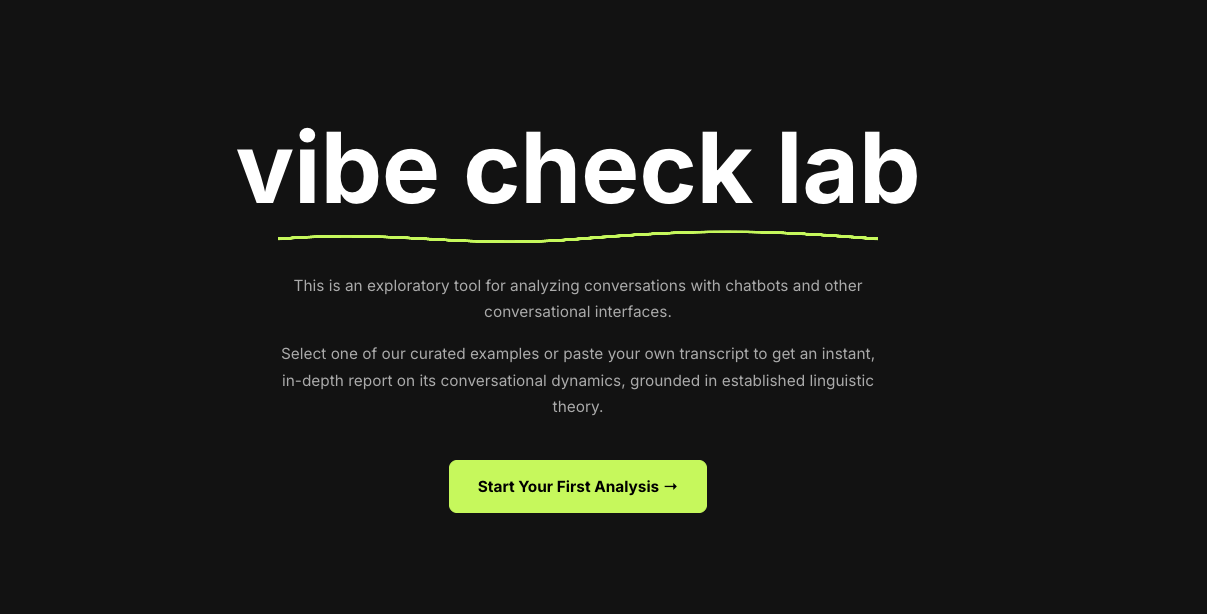
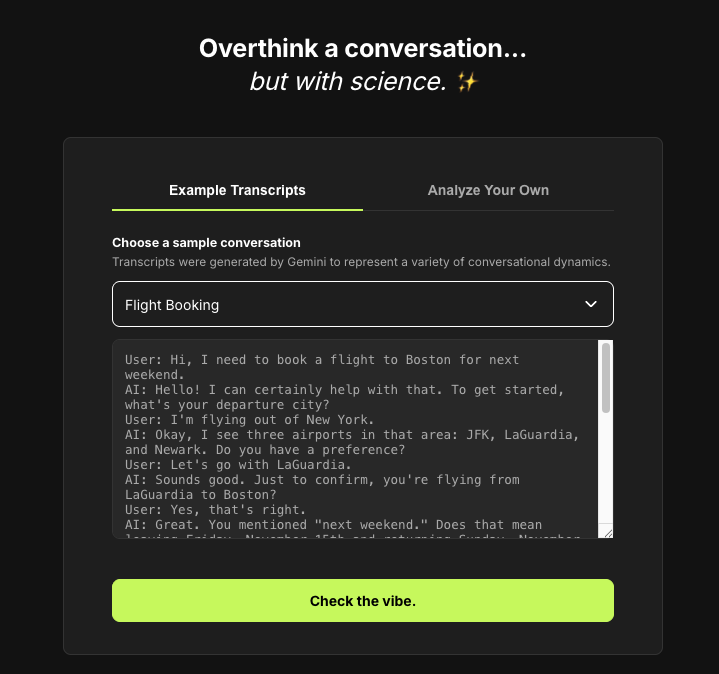
Vibe Check Lab is a "witty lab" tool that deconstructs the feel of a conversation. A user pastes in a chatbot transcript with its witty prompt: "Overthink a conversation. But with science."
The app then analyzes it and returns a simple, digestible report with the headline, "The lab results are in."
The report identifies:
- The Key Moment: The single "catalyst" (a word or phrase) that defined the conversation's vibe.
- Core Metrics: It breaks the chat down into three core cards: Rapport, Purpose, and Flow.
Instead of academic jargon, each card shows a plain-language finding (e.g., "This was a polite but very formal interaction."). Users can then click on any metric card to open a "deep dive" pop-up. This modal reveals the underlying linguistic theory (like Politeness Theory), a detailed analysis, and a professional "Key Source" citation for further learning.
🛠️ How I built it
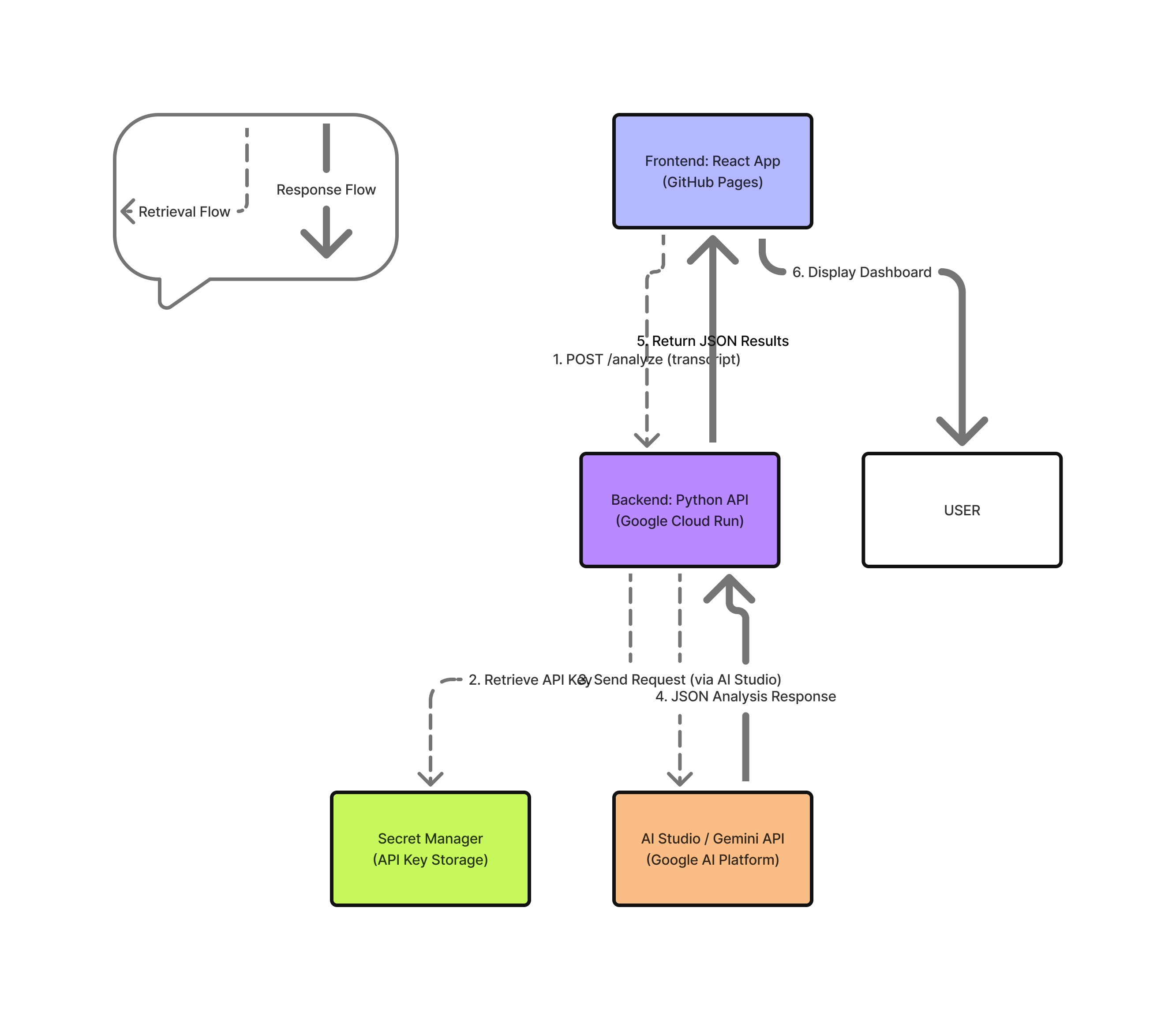
I built Vibe Check Lab as a full-stack, serverless application on Google Cloud, as shown in my architecture diagram.
- Frontend: A React App (hosted on GitHub Pages) serves as the user interface. It manages the app's three states (Input, Loading, and Report) and includes guardrails to ensure users submit valid transcripts.
- Backend: A Python (Flask) API is deployed as a container on Google Cloud Run. This endpoint receives the transcript, validates it, and orchestrates the AI analysis.
- AI & Prompting: The Cloud Run service calls the Gemini API (via AI Studio). The "magic" is my system prompt: I engineered a "Witty Analyst" persona and enforce a strict JSON schema. This forces the AI to provide concise, 10-word-max, plain-language findings for the dashboard, while saving the wordy academic analysis for the "deep dive" modals.
- Key Management: The
GEMINI_API_KEYis securely stored in Google Secret Manager and accessed by the Cloud Run service at runtime, ensuring no keys are exposed.
The React app sends a POST request to Cloud Run, which calls the Gemini API, validates the JSON response, and sends the clean data back to the frontend to be displayed.
🏃♀️ Challenges I ran into
My biggest challenge by far was prompt engineering. My first AI-generated analyses were way too wordy and academic, as you can see in my screenshots. I had to fight the model's tendency to be a "know-it-all" and iteratively refine the prompt, enforcing hard character limits and separating the "simple finding" from the "deep dive."
Another challenge was information design. My first idea used a long, clunky accordion at the bottom of the page. I completely scrapped that for the much cleaner, more interactive "click-to-expand" modal system, which dramatically improved the user experience.
🏆 Accomplishments that I'm proud of
I'm incredibly proud of the app's strong, witty personality. The "Witty Lab" persona—from the "Overthink..." copy to the beaker loading animation—makes the tool feel unique and engaging, not like a dry textbook.
I'm also proud of my final framework: I discovered a simple, student-friendly way to present complex linguistic theories. Finally, building a secure, scalable, and full-stack serverless app (React + Cloud Run + Secret Manager) in a short time was a huge personal win.
🎓 What I learned
I learned that "vibe" isn't just magic—it's a measurable, designable system built on academic principles like politeness, speech acts, and turn-taking.
The biggest lesson was in information design: a tool is only as good as its ability to be understood. Forcing my AI to be concise and using progressive disclosure (separating the simple finding from the complex theory) was the most important change I made. I also learned to trust my gut—when a feature (like the old accordion) or a title (like "Politeness Strategy") feels wrong, it's because it probably is.
🧭 What's next for Vibe Check Lab
This is just the start! The "History" button on my header is the first feature I'd build out, allowing users to track their analyses and see how their conversation "vibe" changes over time. I also want to expand the "lab" to include new frameworks (like linguistic style matching and conversational rhythm) and eventually analyze other types of conversations, like human-to-human support chats or team meetings.


Log in or sign up for Devpost to join the conversation.