-
-
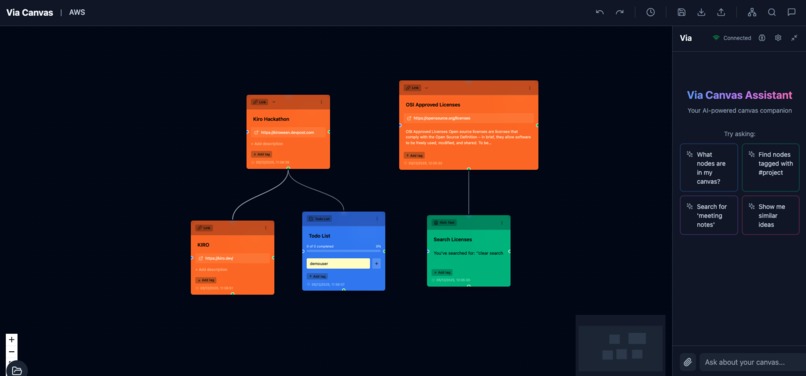
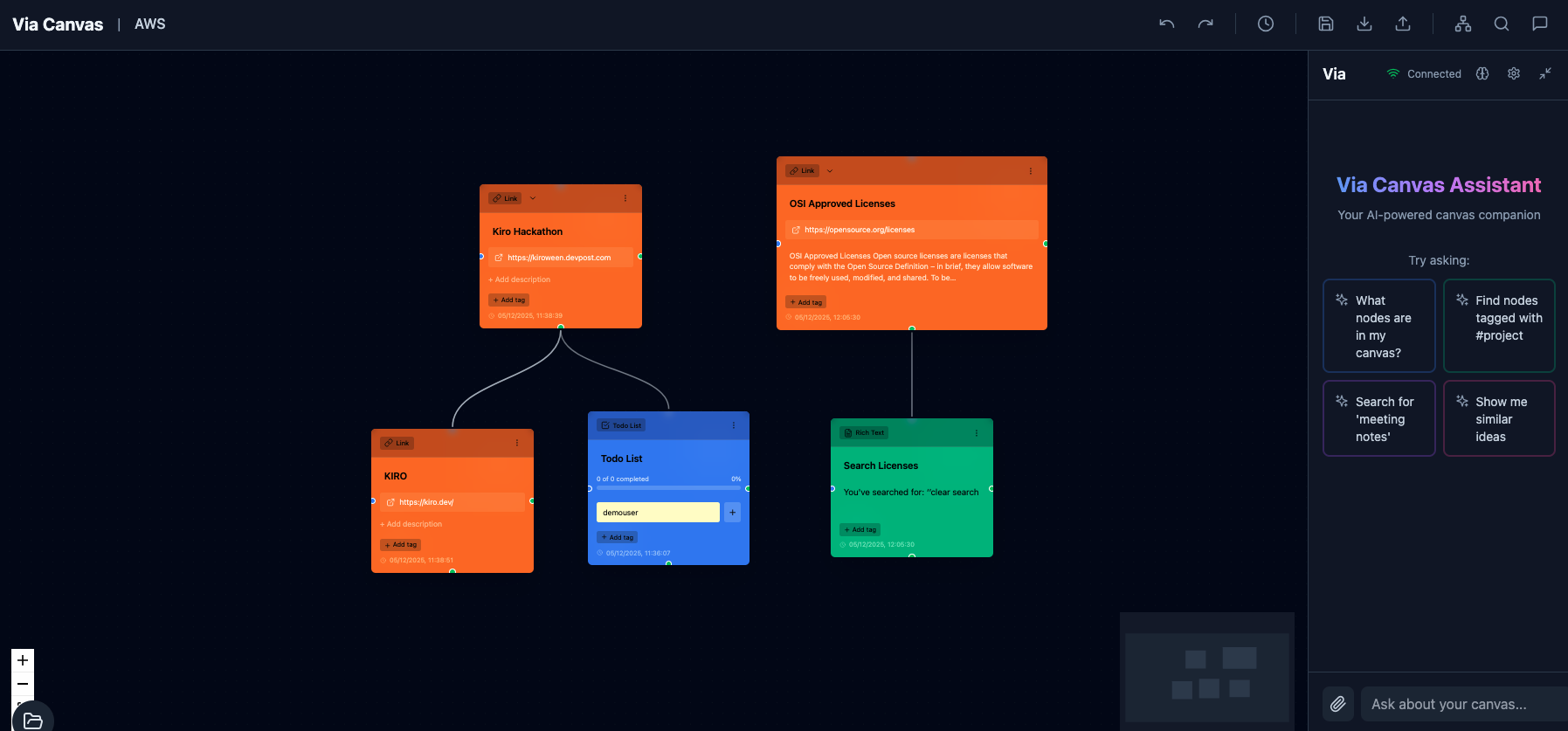
VIA canvas view
-
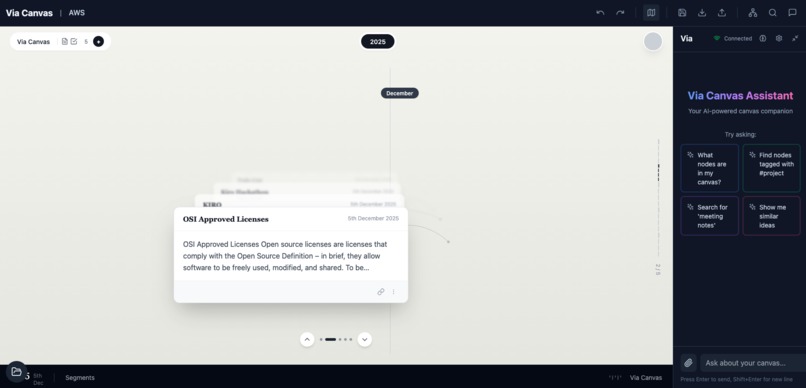
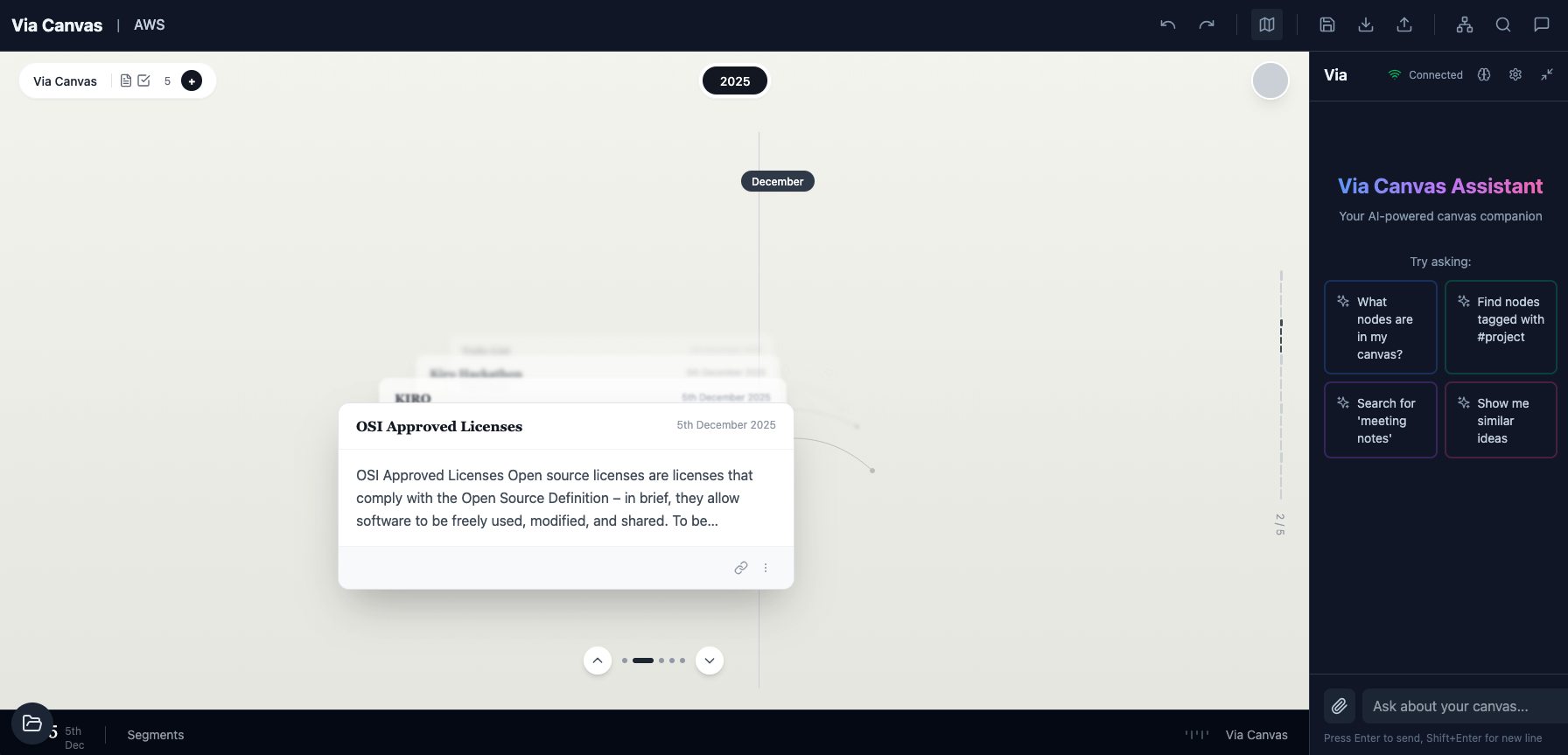
VIA temporal view
-
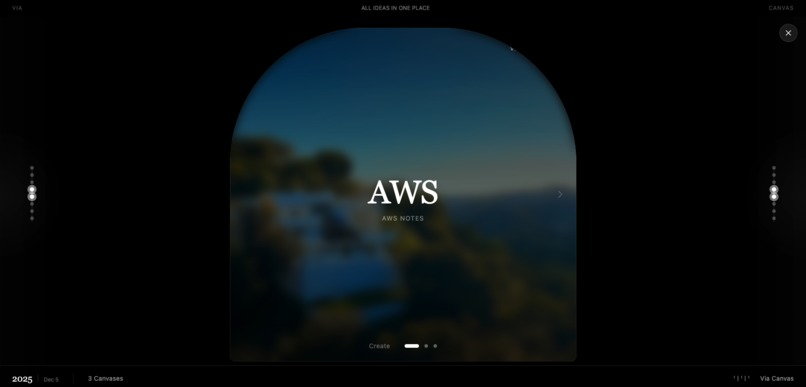
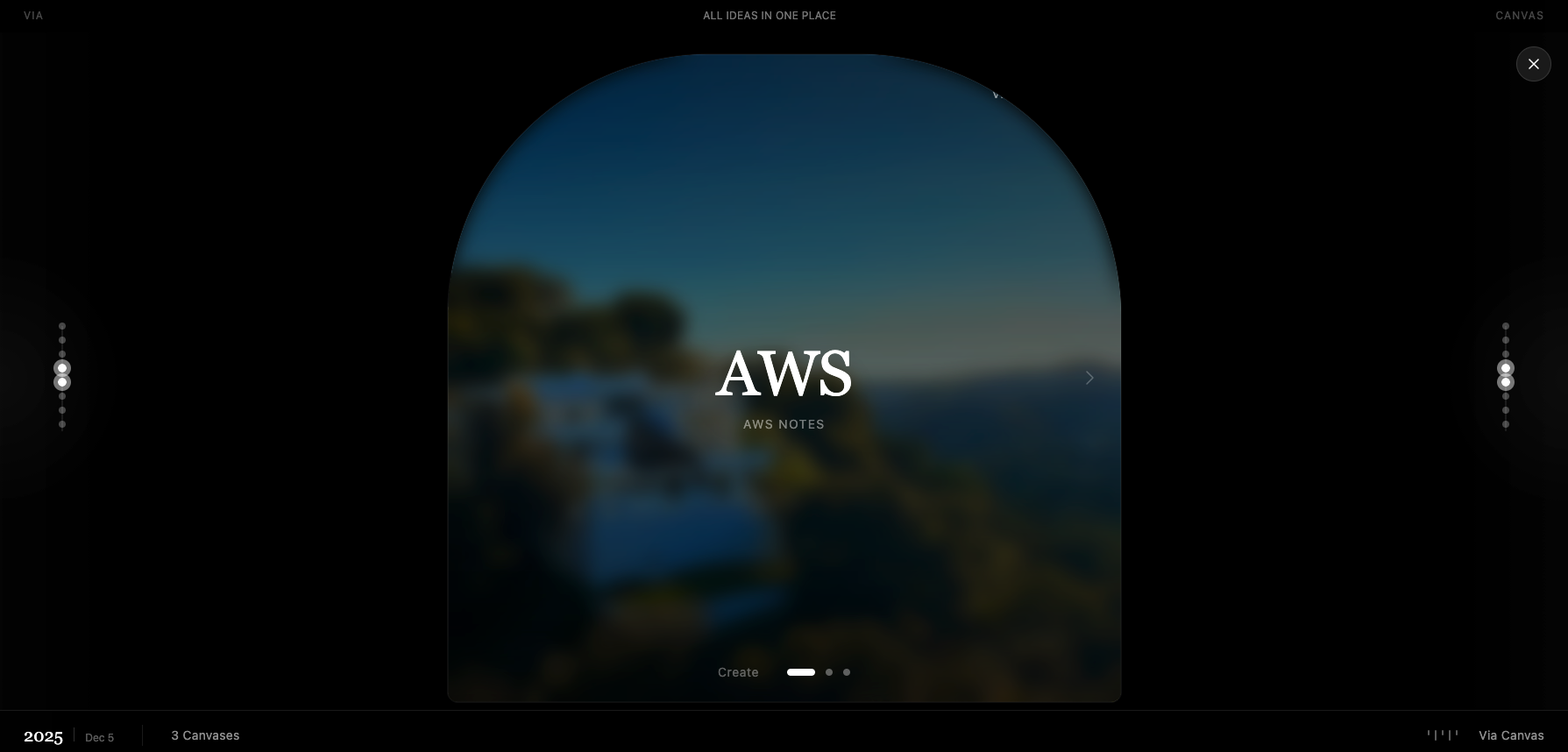
VIA Canvas Manager
Inspiration
- In 2021 I caught severe COVID and spent over a month in the hospital with ~75% of my lungs affected. Physically I recovered, but something subtle changed in how my mind held onto everyday experiences.
- I started noticing that conversations, ideas, or things I had studied would fade completely after 3–4 weeks if I didn’t write them down. My brain would feel “blank” on topics I knew I had just gone through.
- Interestingly, when I looked at my older written notes, the knowledge came back almost instantly; I could talk about those topics normally, as if the notes were “keys” that unlocked dormant memories.
- People who went through severe COVID have reported similar “long COVID” symptoms: memory retention issues and difficulty recalling recent information. At the same time, everyone is drowning in content, videos, articles, lectures, that they can’t meaningfully retain.
- Via Canvas is my attempt to build the tool I wish I had: a visual, AI-powered memory scaffold where everything I read, watch, or think about becomes a connected map I can revisit, grow, and be gently reminded of over time.
What it does
- Via Canvas is like Miro meets NotebookLM: an infinite, colorful canvas where every idea, link, or lecture becomes a “card” on a living knowledge graph instead of disappearing into linear chat or static pages.
- You talk to an AI side panel, paste URLs, or drop notes; the system auto-creates structured cards (notes, todos, links, videos, reminders) and places them intelligently on the canvas with connections.
- A “Grow” action on any card asks the AI to expand that concept; creating child cards for subtopics, prerequisites, examples, or follow-up questions, turning single thoughts into rich branches of understanding.
- A Timeline view lets you see what you learned and captured day by day, turning your knowledge into a visual memory diary instead of a flat note list.
- The goal is simple: make it effortless for someone with a fragile or overloaded memory to retain, revisit, and grow what they’ve already invested time into learning.
How we built it
- Frontend: React + TypeScript with ReactFlow powering the infinite canvas, custom card components for five card types, and Zustand for state management, undo/redo, and hierarchy operations (parent–child movement, collapse/expand, auto-layout).
- Backend: An Express.js API that manages canvases, nodes, connections, and snapshots in PostgreSQL. This gives us a robust graph-like model with tags, card metadata, and auto-layout-friendly coordinates.
- AI layer: A Python FastAPI service orchestrates “agents” (via NVIDIA NIM models) that can read the canvas, extract content from URLs, and decide what cards to create or how to “Grow” a concept, streaming responses back over SSE.
- Canvas Intelligence: We implemented multiple auto-layout algorithms (tree, force-directed, circular), circular child arrangement around a parent, and synchronized movement of entire branches to keep the canvas readable as it grows.
- All of this is wrapped in a dark, modern UI with vibrant card colors, rich interactions, and keyboard shortcuts so the experience feels like a serious tool, not just a prototype.
Challenges we ran into
- Mapping chat to structure: It’s easy for AI to answer questions; it’s much harder to turn an ongoing conversation into a stable graph of cards, each with the right type, parent, and position, without overwhelming the user.
- Auto-layout at scale: Making the canvas look clean with 10 cards is trivial; making it understandable with hundreds of cards, branches, and cross-links required careful layout algorithms, collision avoidance, and hierarchy management.
- “Helpful but not bossy” AI: If the agent creates too many cards or connections, the canvas becomes noise. If it does too little, the user feels like they might as well be using a normal note app. Tuning that balance is non-trivial.
- Temporal view design: Representing time in a way that is both functional (for review) and intuitive (as a “memory lane” of cards) forced us to design a separate timeline mode that still feels connected to the main canvas.
- On a personal level, building a “memory prosthesis” while dealing with my own post-COVID memory issues was emotionally heavy—but also a strong motivator to keep the UX honest and practical.
Accomplishments that we’re proud of
- We built a fully working infinite canvas with five distinct card types, tagging, auto-layout, intelligent child arrangement, collapse/expand, and undo/redo—all backed by a real database and API.
- The Conversational Capture → Canvas loop is live: you can drop a URL or idea into chat, and see meaningful cards appear in the correct place with connections, not just plain text notes.
- The “Grow” mechanic works end-to-end: right-click a concept and watch the AI generate structured child cards (e.g., prerequisites, subtopics, questions) and rearrange the local graph around it.
- We implemented a timeline/chronological view that lets you visually replay what you learned and captured over days and weeks—a first step toward a true visual memory diary.
- Most importantly, I already use Via Canvas for my own deep learning lectures, research notes, and “things to remember”—and it genuinely helps me recall and talk about topics I would otherwise forget.
What we learned
- Chats are a terrible long-term memory format. Threads are great for interaction but terrible for resurfacing and recombining knowledge. A spatial, card-based graph works much better for revisiting and explaining what you know.
- Giving users just enough structure (card types, tags, parent–child relationships) plus AI assistance is more powerful than either a blank whiteboard or a rigid note hierarchy.
- Temporal context matters: seeing when you learned something—and what else you were learning near that time—adds its own kind of memory cue that pure text search can’t provide.
- Architecturally, we learned how important it is to keep AI as a tool-using agent with access to canvas operations, not a black box that just returns text. That separation made the system more debuggable and extensible.
- Building for a concrete personal constraint (post-COVID memory issues) forced us to design for real cognitive relief, not just “AI for the sake of AI.”
What’s next for VIA
- Memory-first features: spaced-repetition style review modes, “remind me what I knew about X a month ago,” and gentle prompts to revisit stale branches of your knowledge graph.
- Smarter agents: dedicated “Gap Finder,” “Teacher,” and “Research Synthesizer” agents that operate on your canvas to suggest what to learn next, challenge your understanding, or generate explanations and quizzes.
- Deeper temporal views: richer timeline and “memory lane” experiences; seeing how entire domains (like “Deep Learning” or “Cybersecurity”) grew on your canvas across months and life phases.
- Collaboration & sharing: shared canvases for study groups or teams, plus the ability to publish read-only “knowledge maps” so others can inherit or remix your understanding of a topic.
- Longer term, I want Via Canvas to be not just a tool for “power users,” but a cognitive safety net for anyone dealing with long COVID, burnout, or simple information overload; a place where their daily learning doesn’t silently evaporate.
Built With
- d3-force
- dagre
- docker
- docker-compose
- express.js
- fastapi
- gin-indexes
- github
- javascript
- jsonb
- lucide-icons
- meta/llama-3.3-70b-instruct
- node.js
- nvidia-nim
- postgresql
- python
- qdrant
- react
- react-18
- react-markdown
- reactflow
- scikit-learn
- server-sent-events-(sse)
- sql
- sql-migrations
- strands-agent-framework
- tailwindcss
- typescript
- vite
- zustand


Log in or sign up for Devpost to join the conversation.