-
-
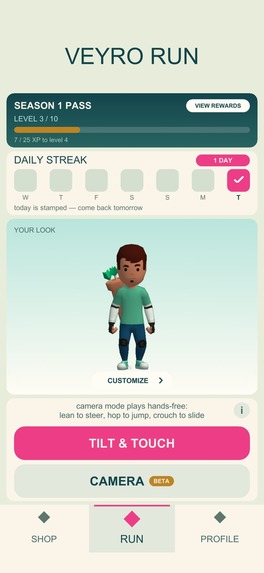
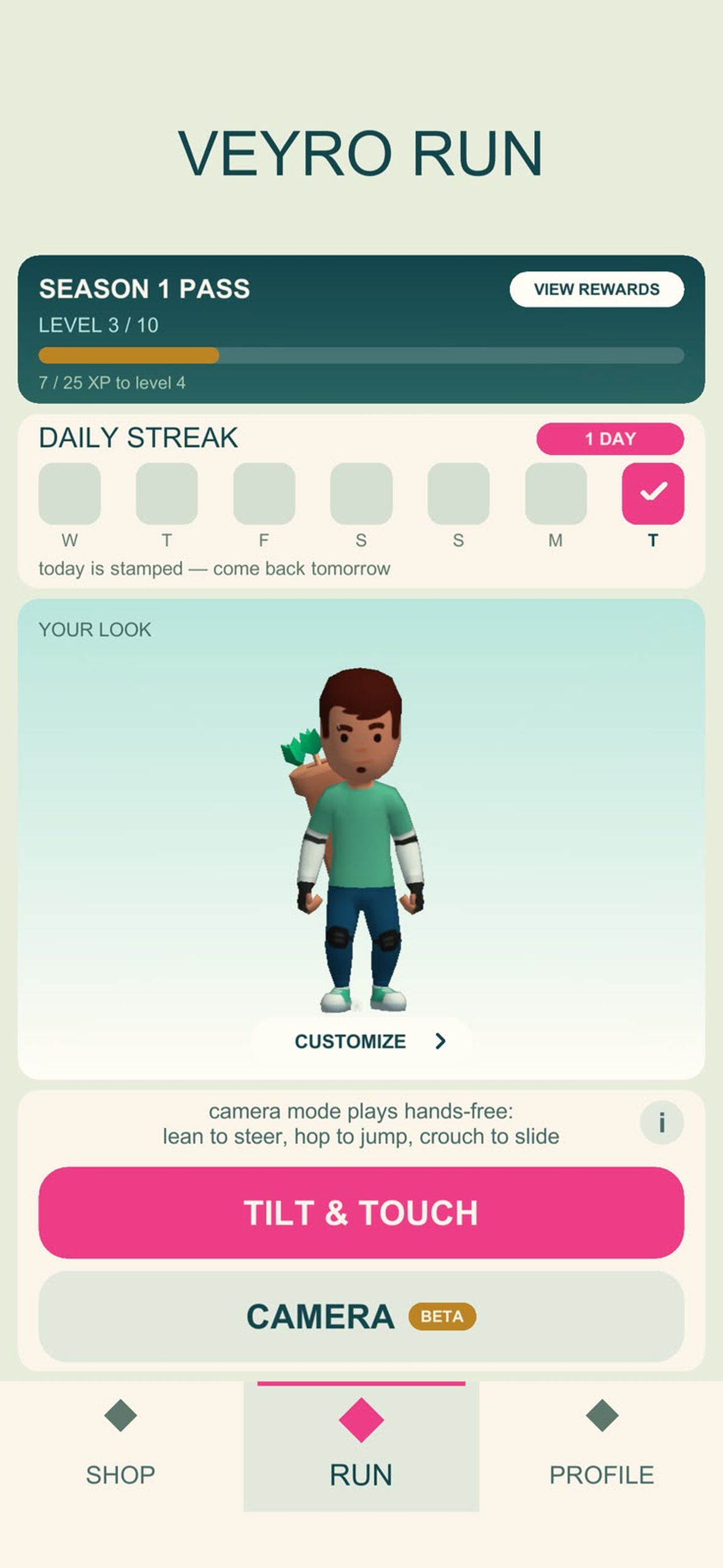
Veyro Run Homepage: your season level, your daily streak, and the two ways to play.
-
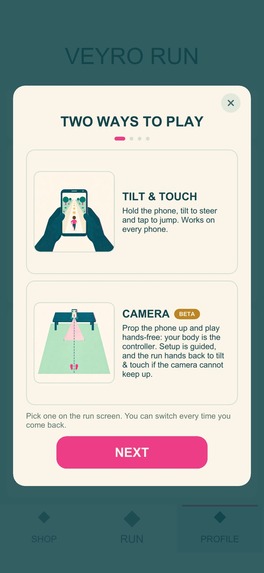
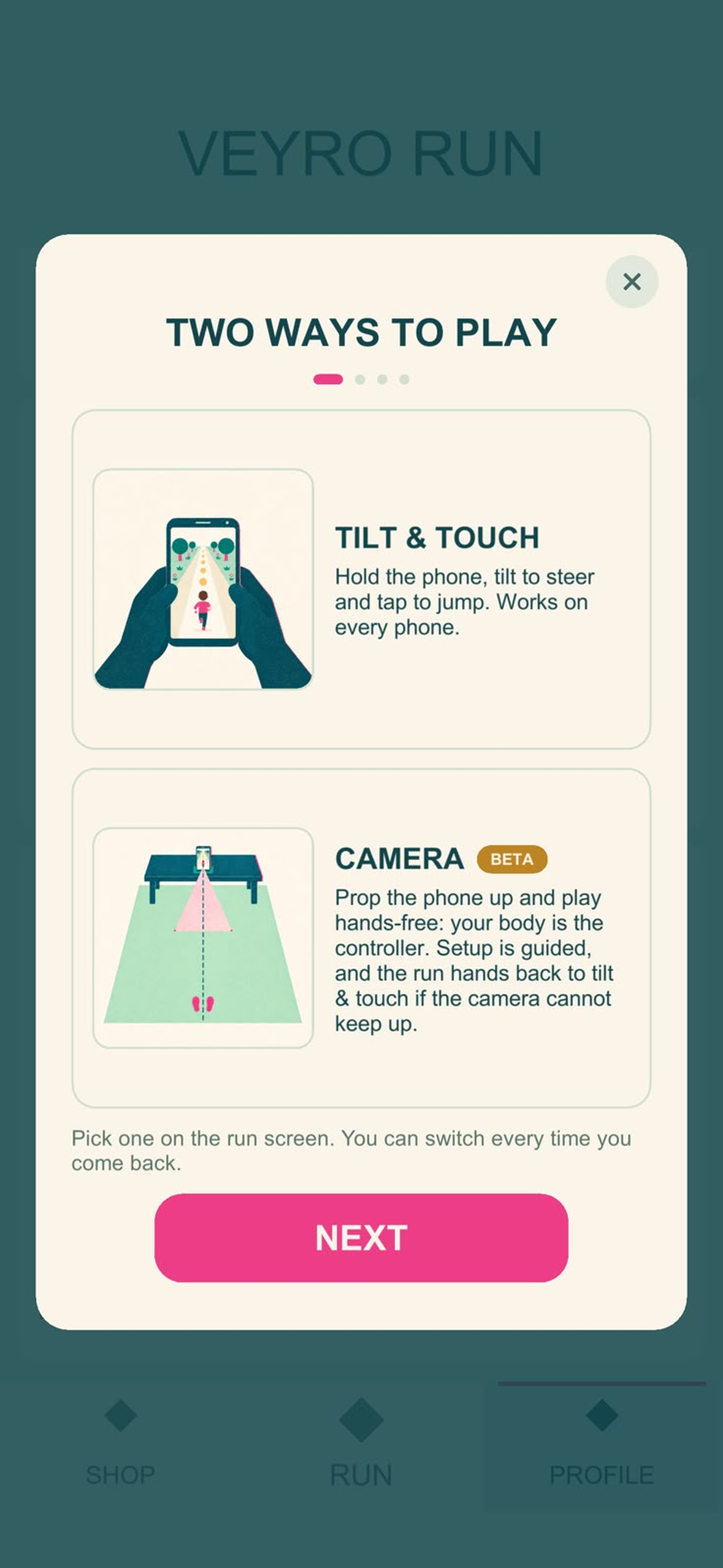
Two ways to play: hold it and tilt, or prop it up and use your body.
-
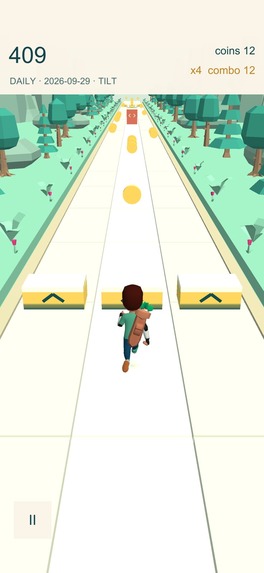
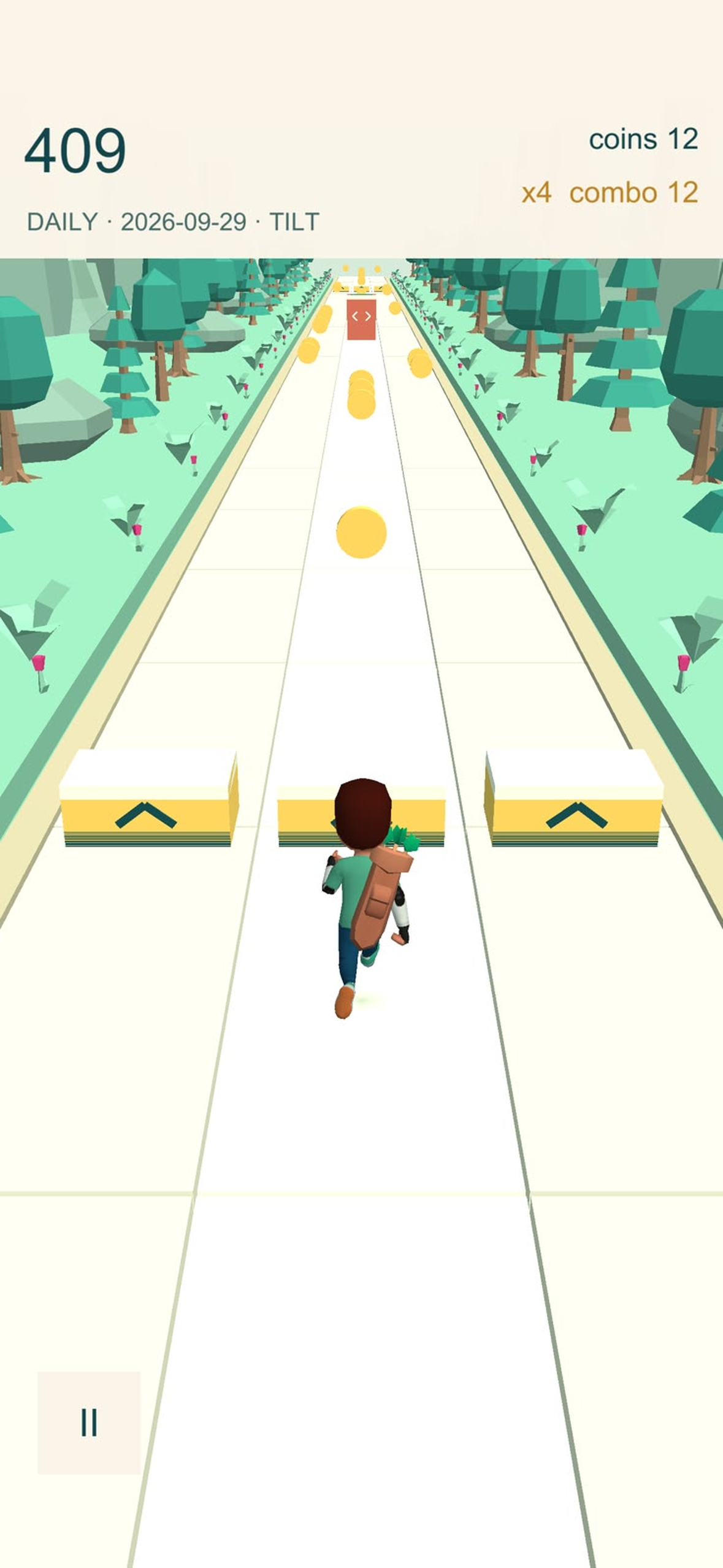
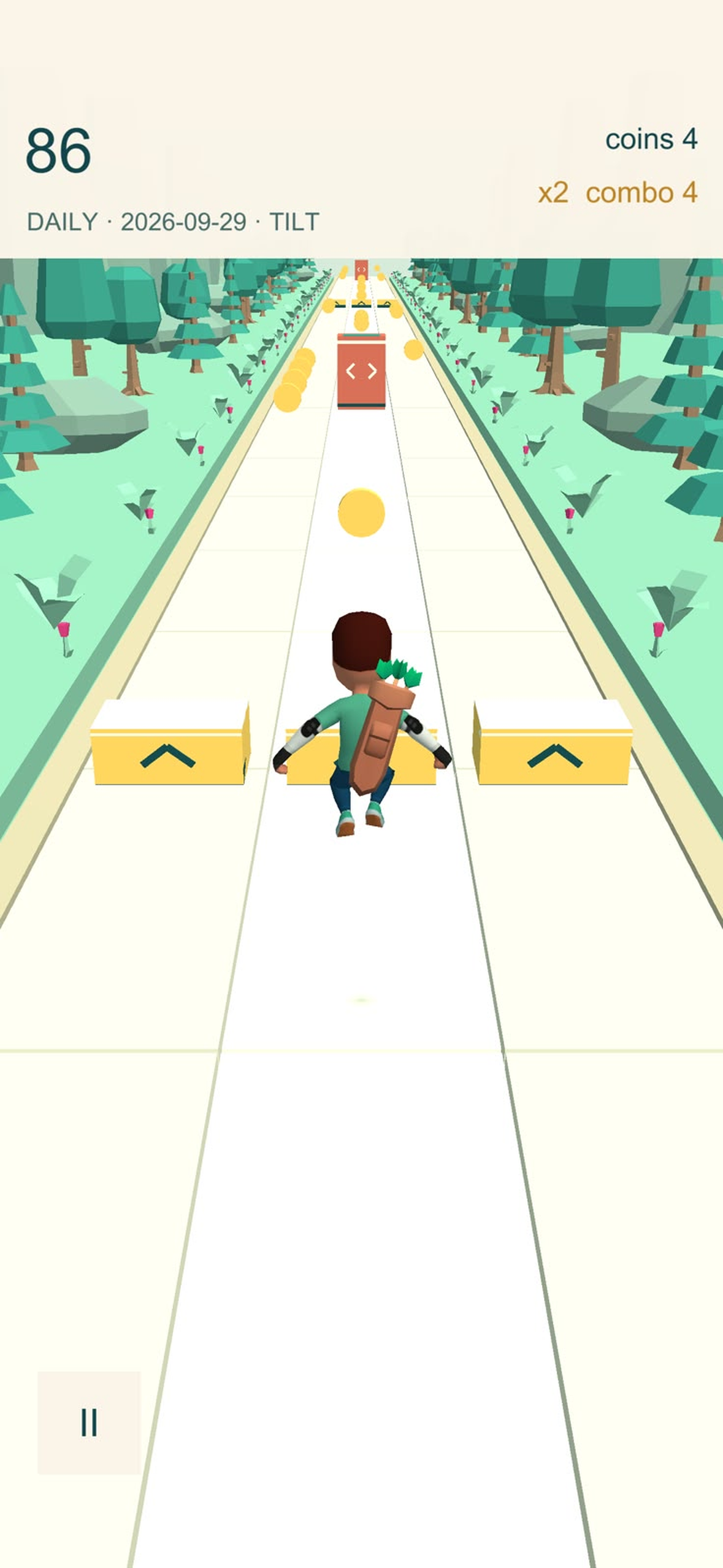
Tilt to change lanes, tap to jump. Today's track is the same for everyone.
-
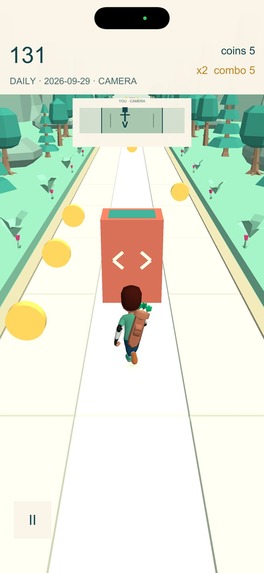
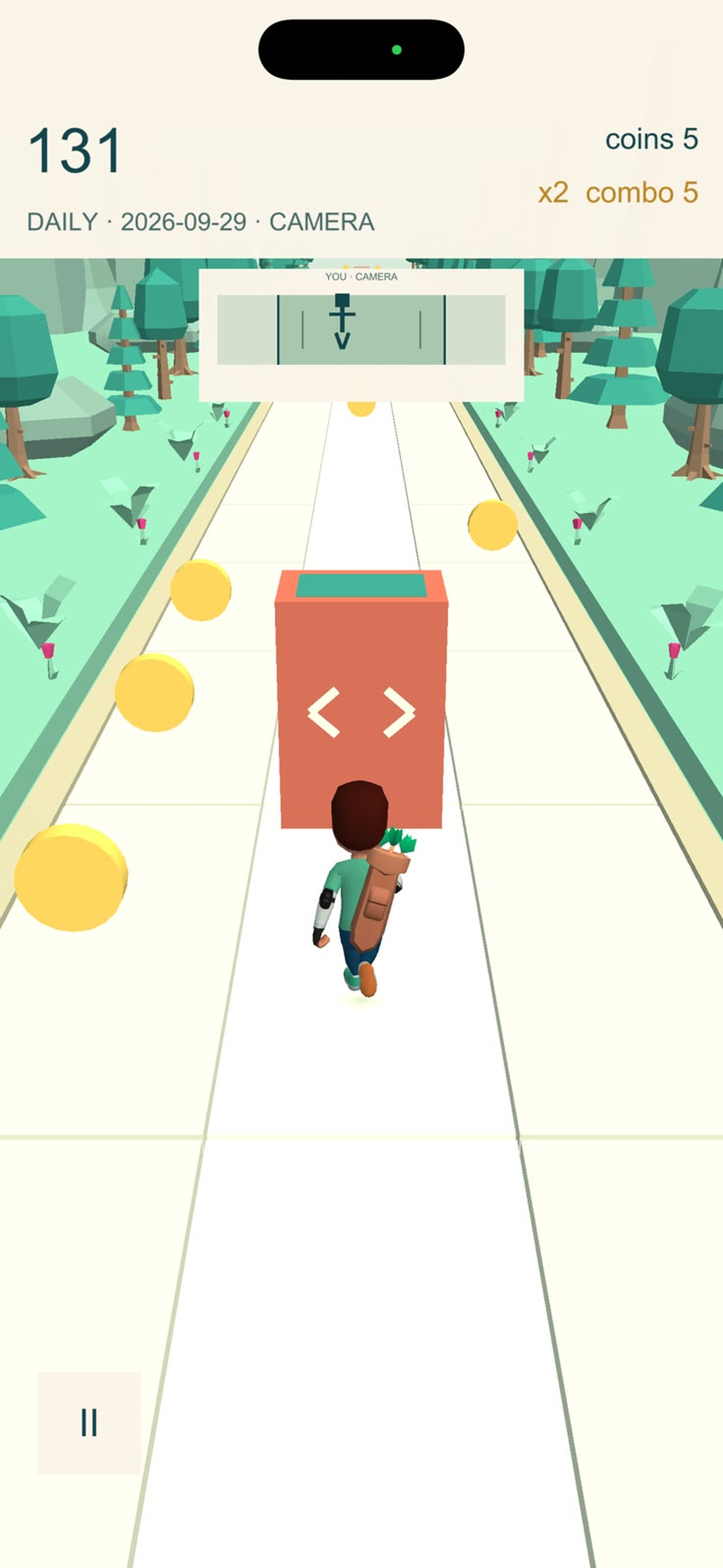
Camera mode: phone on the table, me two metres back. The strip at the top indicates where are you located in the track
-
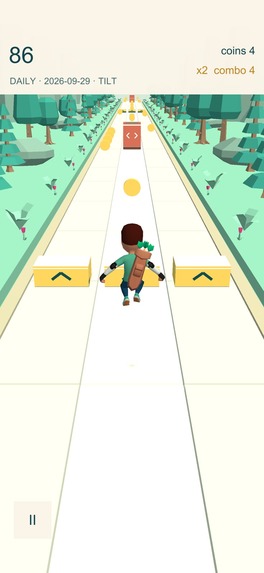
Jump the gold hurdles with a tap, or with a real hop in camera mode.
-
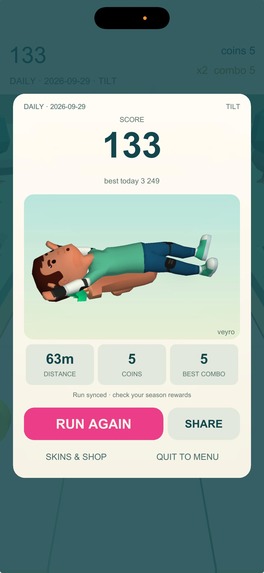
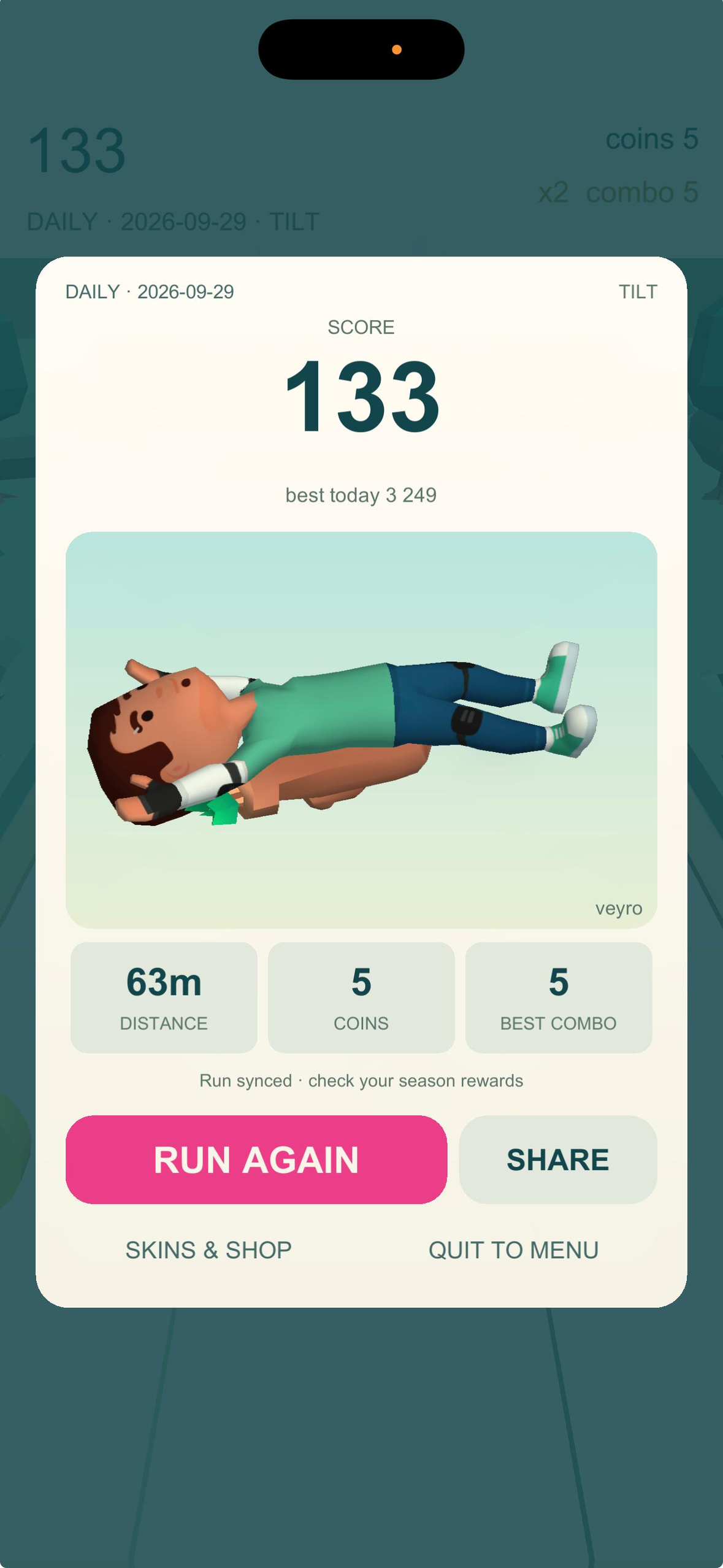
Crash, check your score, run again. You can send the run to a friend as a challenge.
-
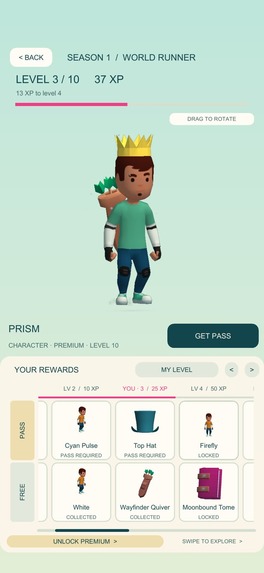
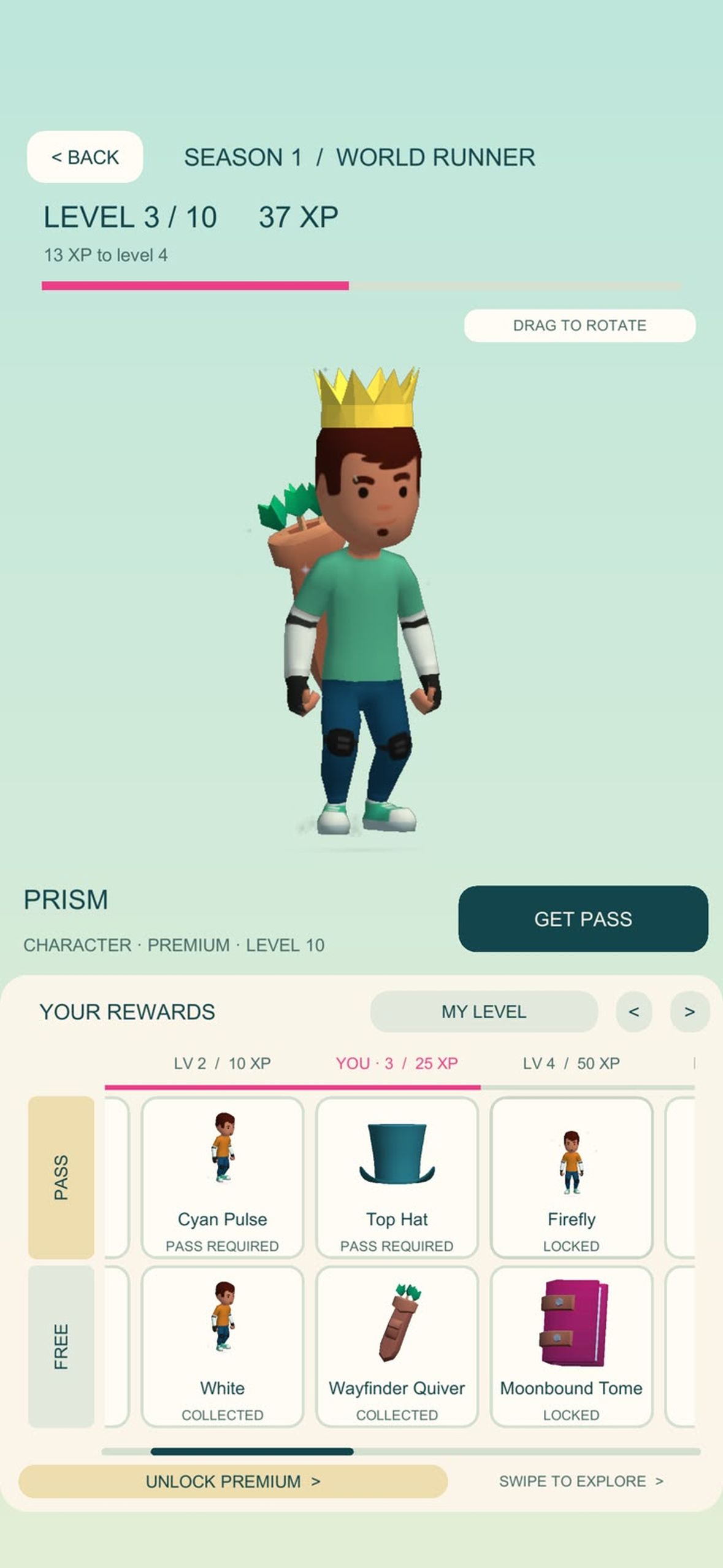
Season 1: ten levels of free and pass rewards, earned by running. Cosmetic only.
-
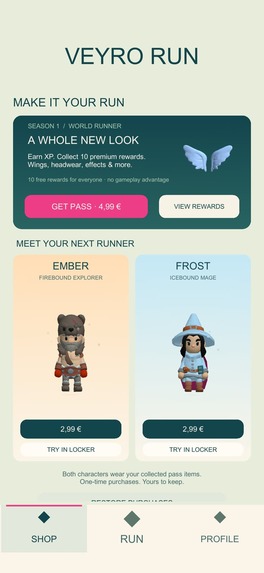
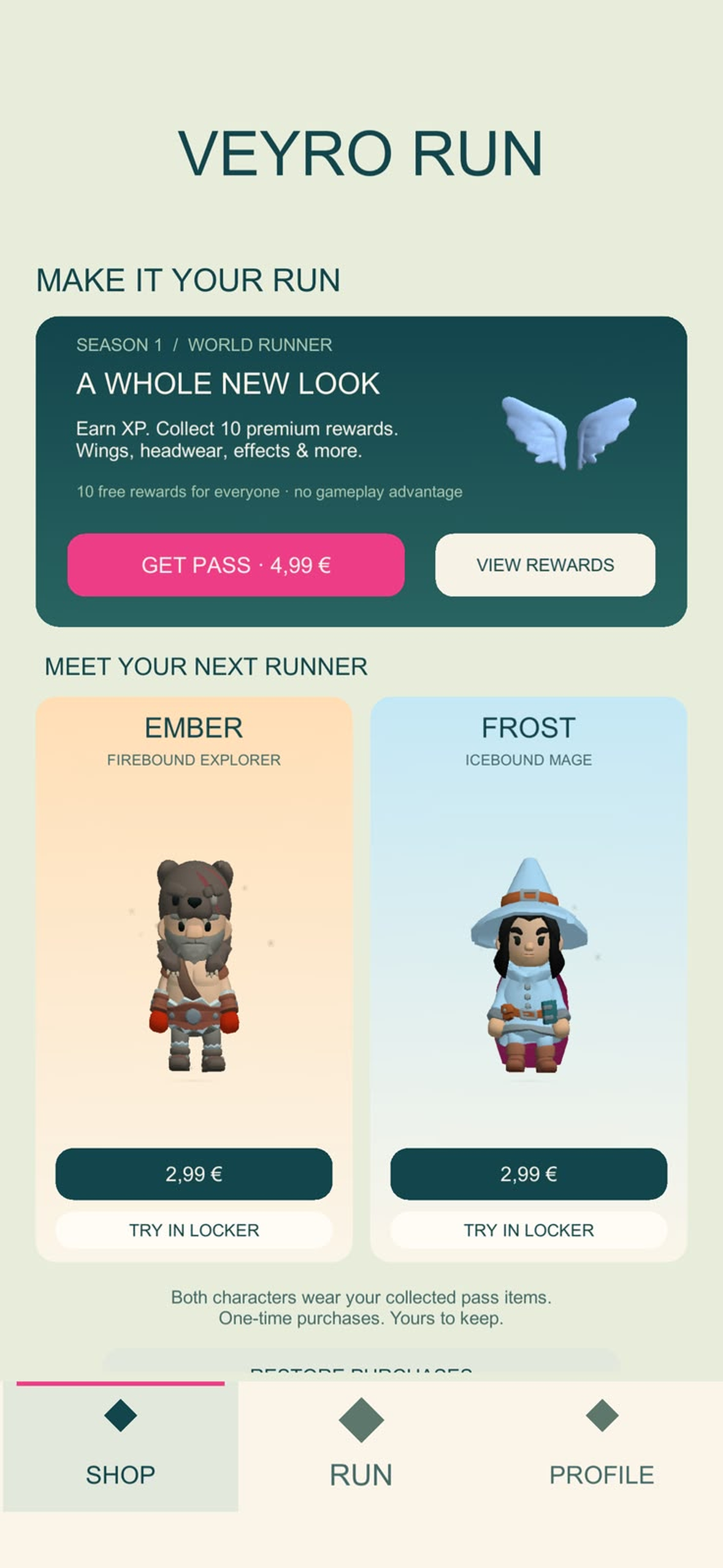
The shop: two characters and the Season 1 pass. One-time purchases, no advantage in the run.
-


Inspiration
You've probably seen those YouTube videos where kids run along with Subway Surfers on the TV. They jump, duck and dodge in the living room as if they were the character. I love them, but something always bugged me: the kids are pretending. The video does exactly the same thing whatever they do.
So I wanted to make the version that actually watches you. The phone already has a camera pointing at you, so no extra hardware is needed. And when you're on the sofa or on the bus, the same game works by tilting the phone.
What it does
Veyro Run is a three-lane endless runner you play by moving. In Tilt & Touch you tilt the phone to change lanes and tap to jump. In Camera mode (labelled beta) you lean the phone against something, step back a couple of metres and play with your body: a step to the side changes lane, and a hop jumps. After a crash you hop to run again, and if you walk out of frame the run pauses until you hop twice, so you never have to go back and touch the phone.
The game is built around a daily habit, a bit like Duolingo. Every day there's one new track, the Daily Run, and it's the same for everyone in the world because it's generated from the date. Finishing it stamps your streak on the home screen, and if you want, a notification tells you when tomorrow's track is out. There are daily and all-time leaderboards (camera runs get their own, otherwise it wouldn't be fair), and you can send a friend a link to race your exact track.
On top of that there's a Season 1 pass with ten levels of cosmetic rewards you earn by playing, and two extra characters in the shop. None of it changes the run itself.
How I built it
I built it on my own in Unity 6 and C#, in about six weeks. The decision that mattered most was sending all input through one small interface. Tilt, touch and camera are just different adapters behind it, so the game never knows which one you're using, and that's what saved me when my first camera approach failed. The camera tracking itself is BlazeFace, a tiny face detector (418 KB) that runs on the phone through Unity's Inference Engine. Nothing is uploaded, and no server is involved.
The track is generated from a seed, and tests lock that seed down so I can't accidentally change a Daily Run people have already played. The backend is small: Supabase holds profiles, the leaderboard and XP and checks every run on the server, and Cloudflare hosts the website.
RevenueCat handles the purchases. For the daily loop, a OneSignal Journey sends the "Today's Daily Run is live" reminder every day. Each push carries a campaign id that the game passes into the events it sends to Layers, so I can follow a reminder all the way to a finished run. Analytics are opt-in.
Challenges I ran into
The big one: my first plan for camera mode didn't work. I started with BlazePose, the full-body model with 33 points, because it looked like the obvious choice. On my test phone, a OnePlus Nord 2, it took 118 ms for the body points and 217 ms for the detector. That's about three updates a second, and I needed at least 30. You can't dodge anything like that.
I tried to make it faster and there was nothing left to tune. Then I realised I didn't need a skeleton. I just needed to know where the player is, and a face detector does that in 3.7 ms on the same phone. Your face moves left, the runner moves left. Your face goes up fast, the runner jumps. It's a worse model of a person and a much better controller.
There were smaller fights too. Unity added a camera permission to the app just because some code mentioned the webcam. The SDKs pulled in advertising-ID libraries that I had to strip out, and on iOS I removed the tracking prompt as well, because I didn't want one at all. And Google makes a new developer account find 12 testers for 14 days before it can publish anything, so I ran a closed test from the first week.
Accomplishments that I'm proud of
Playing it standing in the middle of the living room, with the phone on a table, at 60 fps on a mid-range phone. Going from an empty project to the App Store in six weeks, on my own. A Daily Run that is exactly the same track on every phone, without a server generating it. And watching a reminder go out, get tapped and turn into a finished run in Layers' live view: the whole daily loop working from end to end.
What I learned
Measure the obvious idea before you fall in love with it. The 33-point version looked more impressive, but the simple one is the one you can actually play.
I also learned that store paperwork, privacy forms and SDK settings take as long as the game itself, so they're worth starting on day one. And measuring a habit takes less than I expected. One id carried from the notification into the game's own events was enough to connect a reminder to a run.
What's next for Veyro Run
Getting back to the original picture: the phone mirrored to the TV, and kids running in front of it for real. Mirroring already works through AirPlay; I still need to measure the delay. Closer in, I want to A/B test the daily reminder against one that mentions your streak, add sliding (a crouch in camera mode), build a second world and Season 2, and release on Android.
Built With
- android
- blazeface
- c#
- cloudflare-workers
- deno
- firebase-cloud-messaging
- google-play-billing
- ios
- layers
- onesignal
- onnx
- postgresql
- revenuecat
- storekit
- supabase
- unity
- unity-inference-engine
- universal-render-pipeline

Log in or sign up for Devpost to join the conversation.