-
-
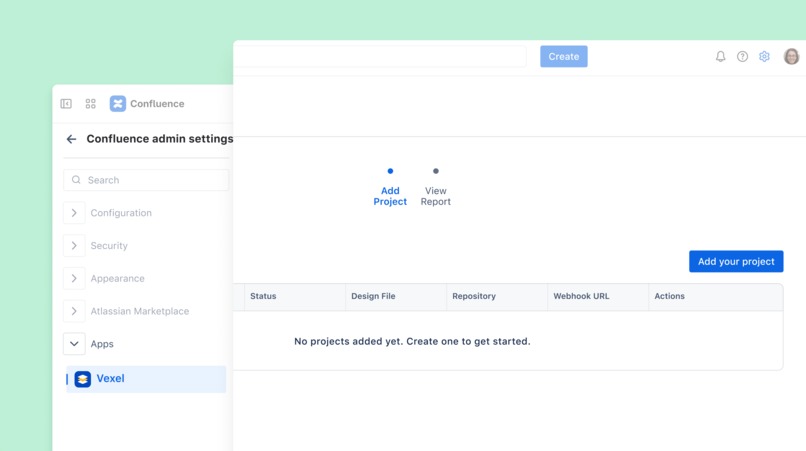
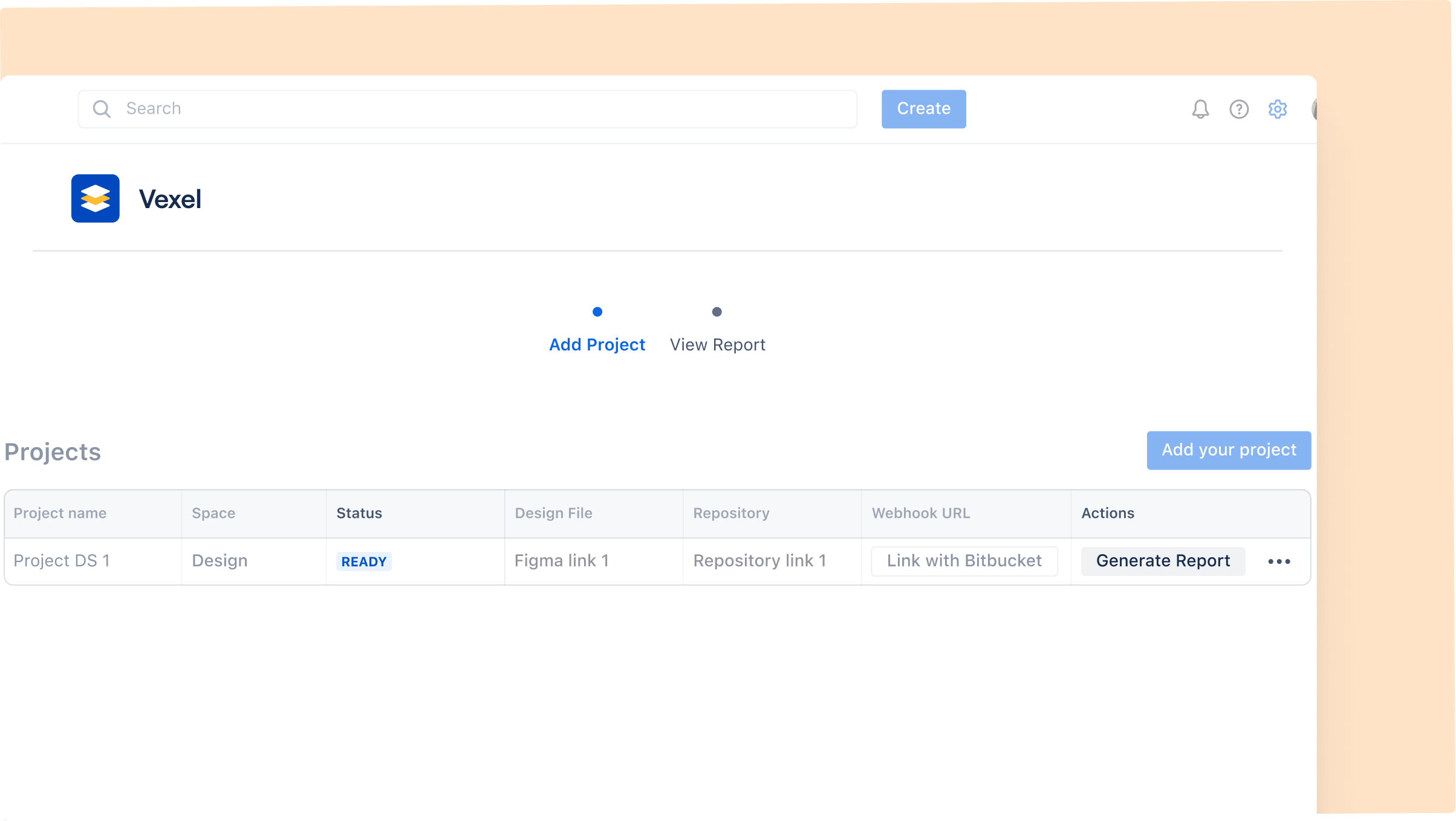
Create your first project
-
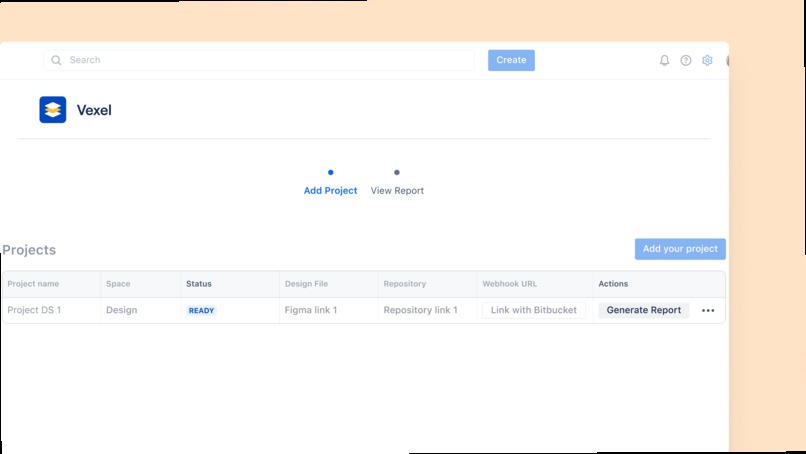
Generate your first mapping report
-
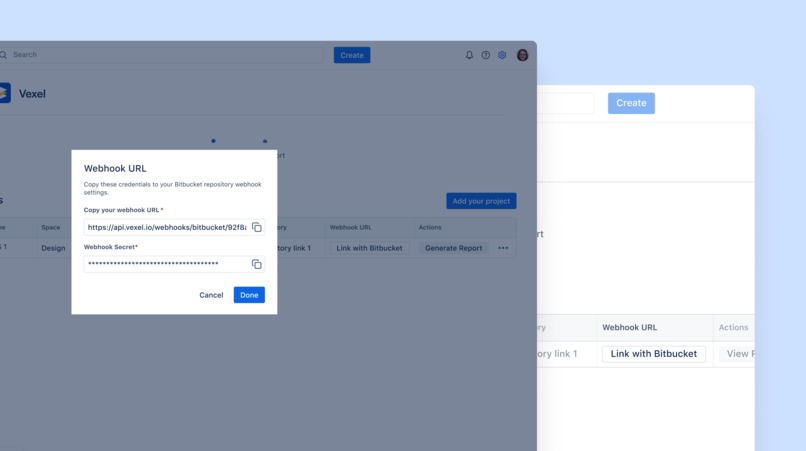
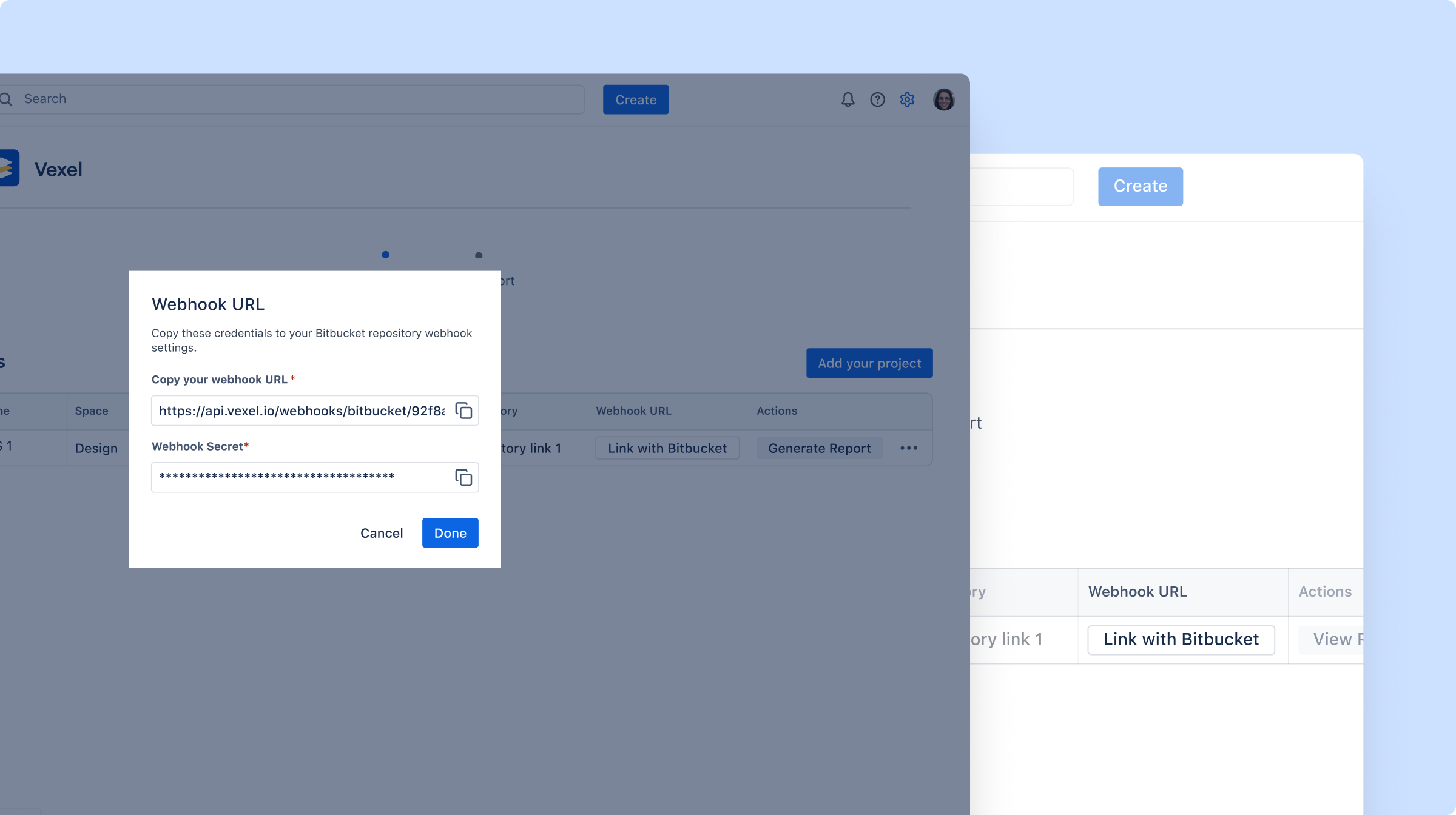
Set up your webhook
-
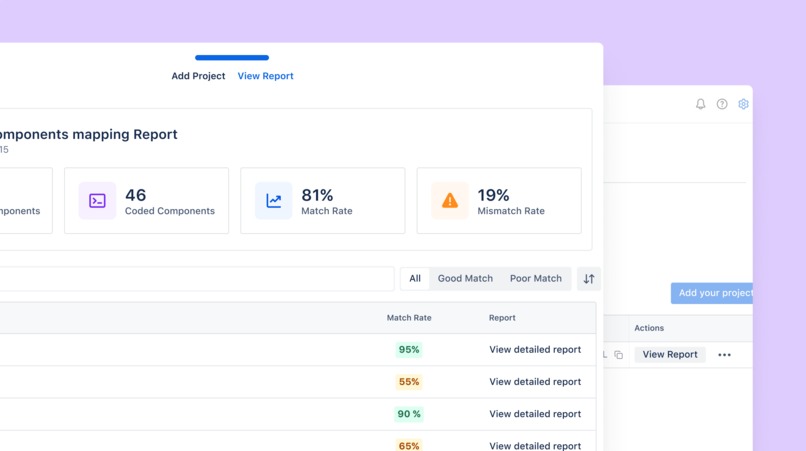
Check your detailed report


Inspiration
The inspiration for Vexel came from our own frustration as our development team grew and our product expanded. During design-development handoffs, we began to realize how much harder collaboration has become as UI components increased.
Design changes live in Figma, code evolves in Bitbucket. These are powerful tools, but they speak very different languages.
This often leads to misaligned components between design intent and development implementation, repeated back-and-forth discussions, and constant uncertainty around a common critical question: Is the current version of this component the right one to build?
The problem becomes even more obvious when new developers join the team. Without a shared reference point, they don’t know which components are finalized, which ones are implemented correctly, or where to look for the most accurate version.
We realized that Confluence is already every team’s source of truth for documentation. So instead of adding yet another tool, we thought: what if Confluence could become the place where design and development truly align and collaborate? A centralized hub where all teams can see the current status of every UI component and understand whether it’s aligned with the design.
That’s why we built Vexel. It solves this gap by ensuring alignment and smooth collaboration between Figma designers and Bitbucket developers, all through Confluence, reducing manual work and minimizing errors.
What it does
Vexel bridges the gap between design and development, using Confluence as a single source of truth for all UI components. It creates a “Storybook-like” experience inside the Atlassian ecosystem, connecting Figma designs with Bitbucket code and automatically generating up-to-date documentation in Confluence.
Here’s what it does:
- Automatic Component Extraction: Pulls UI components from Figma, including variants, states, and design tokens.
- Code Scanning: Checks Bitbucket to see which UI components have been implemented.
- AI-Powered Matching: Analyzes design and code to calculate a matching rate and identify matched, mismatched, or missing components.
- Structured Documentation: Generates a Confluence page for each component, showing a design preview, code implementation, props, variants, and alignment status.
- Design Updates Tracking: When a designer updates a component in Figma, Vexel flags work needed in development.
- Code Changes Validation: When code changes in Bitbucket, Vexel checks alignment with the design and documentation, highlighting regressions or confirming everything is on track.
- Faster Onboarding: New developers can quickly understand existing components, their variations, and implementation details, reducing mistakes and redundant work.
Vexel gives developers, designers, and product managers a clear, reliable view of every UI component, eliminating manual tracking and helping teams move faster and collaborate more effectively.
How we built it
Vexel was developed using Atlassian’s Forge platform, taking advantage of its managed runtime and native security to bridge between Figma and Bitbucket, with the results published directly in Confluence. Behind the scenes, a robust backend architecture handles the complexity of synchronizing two very different data sources.
To address disconnected workflows, we built a discovery engine based on two pipelines.
One scans the Figma design system through the Figma API to extract component sets, variants and visual specifications.
The other traverses Bitbucket repositories, parsing code to capture component properties and relevant metadata.
The core innovation lies in our AI-powered semantic matching. We noticed that in real-work scenarios, relying on exact naming conventions isn’t efficient as components don’t always share the same name across all teams: for example, “PrimaryButton” in design might appear as “fui-button” in code.
To handle this, we use vector embeddings to compare components based on their structure and intent rather than just their names, enabling reliable links between design elements and their code implementations.
Once linked, an LLM Agent acting as a Design System Architect analyzes each pair. It interprets the intent behind both the design and the implementation and highlights discrepancies directly within Confluence, helping teams spot misalignment clearly.
All component data and status information is stored securely using Forge Storage and Confluence, ensuring that the state of your design system lives natively within Atlassian.
Forge Functions and Forge Security modules are used to orchestrate workflows, manage authentication, and access control, along with Figma Oauth for a secure connection.
We’re also leveraging the latest Forge features, such as Forge Realtime status management.
This integration also enables Atlassian Rovo to index the pages, giving everyone from Product to Design and DEV clear visibility into the current state of all UI elements, with changes fully traceable and easy to follow.
Challenges we ran into
Bridging Two Different Languages
Our first challenge showed up as soon as we tried to connect Figma components with Bitbucket code. Designers and developers mostly describe the same UI component in very different ways. In practice, component names and metadata rarely match one-to-one from design to code.
We quickly realized that simple matching wouldn’t work in real teams. To solve this, we implemented semantic matching, allowing Vexel to compare components based on their structure and intent rather than just labels. Getting the system to understand components this way was one of the earliest and most important problems we had to solve.
Pushing the Boundaries of Forge
We built Vexel with a Forge-first mindset, fully leveraging Atlassian’s managed runtime and security model. However, some of the AI-driven analyses we wanted to support go beyond Forge’s current native capabilities
To make this possible, we introduced a dedicated AI service that works alongside Forge and acts as the brain of the app. This was a temporary decision that allowed us to move forward without compromise. With native LLM support already on Forge’s roadmap, our plan is to gradually move more of this logic back into Forge as these features become available, bringing us closer to a fully “Runs on Atlassian” setup.
Synchronizing the systems
Another challenge was keeping three constantly changing systems: Figma, Bitbucket, and Confluence in sync. Design and code evolve quickly, and updating Confluence on every small change would have created more noise than value.
We had to be precise and purposeful about what counts as a meaningful update. Using Forge functions as an orchestrator, we designed a system where AI analysis is only triggered when it truly matters. Administrators also have control over when updates are surfaced. This approach helped us keep Confluence accurate and trustworthy without overwhelming teams with constant changes.
Accomplishments that we're proud of
One of our biggest accomplishments with Vexel is creating a tool that truly changes the day-to-day work of teams. We built a system where design and development finally speak the same language, reducing mistakes and enhancing collaboration.
We’re also proud of delivering an intuitive experience inside Confluence itself. Teams don’t have to learn a new tool; everything works where they already collaborate, making adoption effortless.
Finally, this project strengthened our teamwork. Tackling complexity across multiple platforms, with each team member bringing different expertise, pushed us to align internally before helping other teams do the same.
What we learned
Building Vexel taught us a lot about the real challenges development teams face as they scale. We realized that a lot of misalignment between design and development comes down to one thing: UI components don’t have a consistent representation across design and code.
We also discovered that while AI can be incredibly helpful, it works best when paired with thoughtful human validation. Creating semantic matching that works across different naming conventions and component structures required careful tuning, iteration, and plenty of testing.
Another big takeaway was the importance of quality over quantity. Keeping documentation up to date without overwhelming teams meant we had to be thoughtful about which updates truly matter and how to present them clearly.
Ultimately, we learned that building collaboration tools is as much about understanding teams’ needs and workflows as it is about the technology itself.
What's next for Vexel: Where Design meets Code
- A dedicated Vexel Rovo Agent that is more context-aware.
- Seamless integration of the same design system across multiple code repositories, providing a broader, centralized view for larger teams.
- Compatibility with additional Version Control Tools such as GitHub & GitLab, as well as Design Tools like Sketch.
- The ability to import design systems directly, supporting teams that want a simpler setup.
- Component versioning, helping developers and designers maintain a clear history of changes.
We’re excited that this Hackathon gave us the chance to explore new ideas and test our concept in practice. Our next major step will focus on enhancing performance, expanding integrations, and most importantly listening to feedback from our first users to ensure that future updates are truly meaningful.
Built With
- figma
- forge
- openai
- python
- react
- rest
- typescript


Log in or sign up for Devpost to join the conversation.