Sleep that follows your shifts.

Inspiration. Every sleep app assumes one bedtime. A nurse on 3×12s, a paramedic on 24/48, a factory worker on a rotating block has three. The question they ask at 3 AM is not "how did I sleep" — it is "when do I sleep next, and when is my last coffee". Vessa answers that from the shifts you actually work.

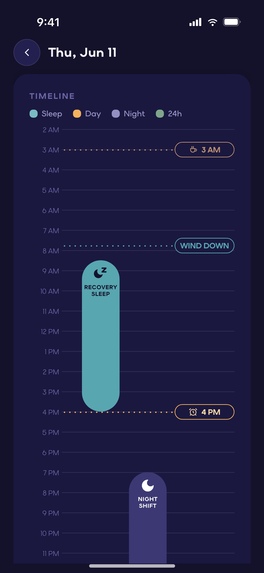
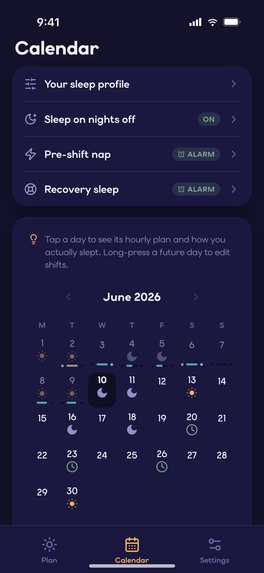
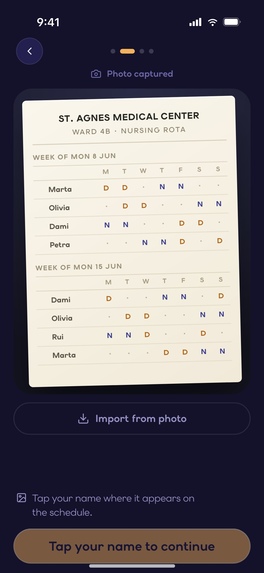
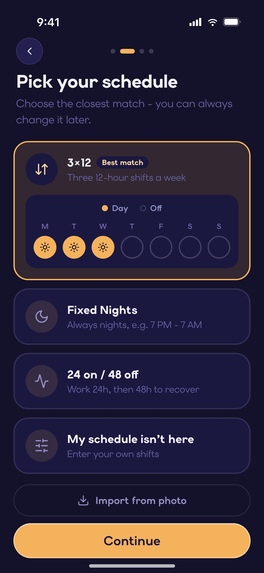
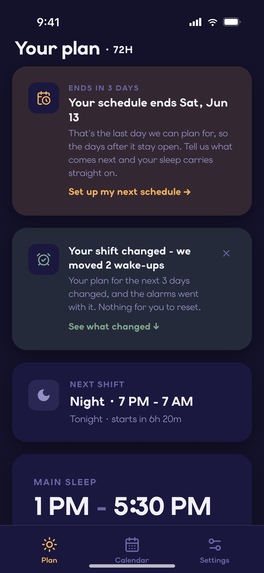
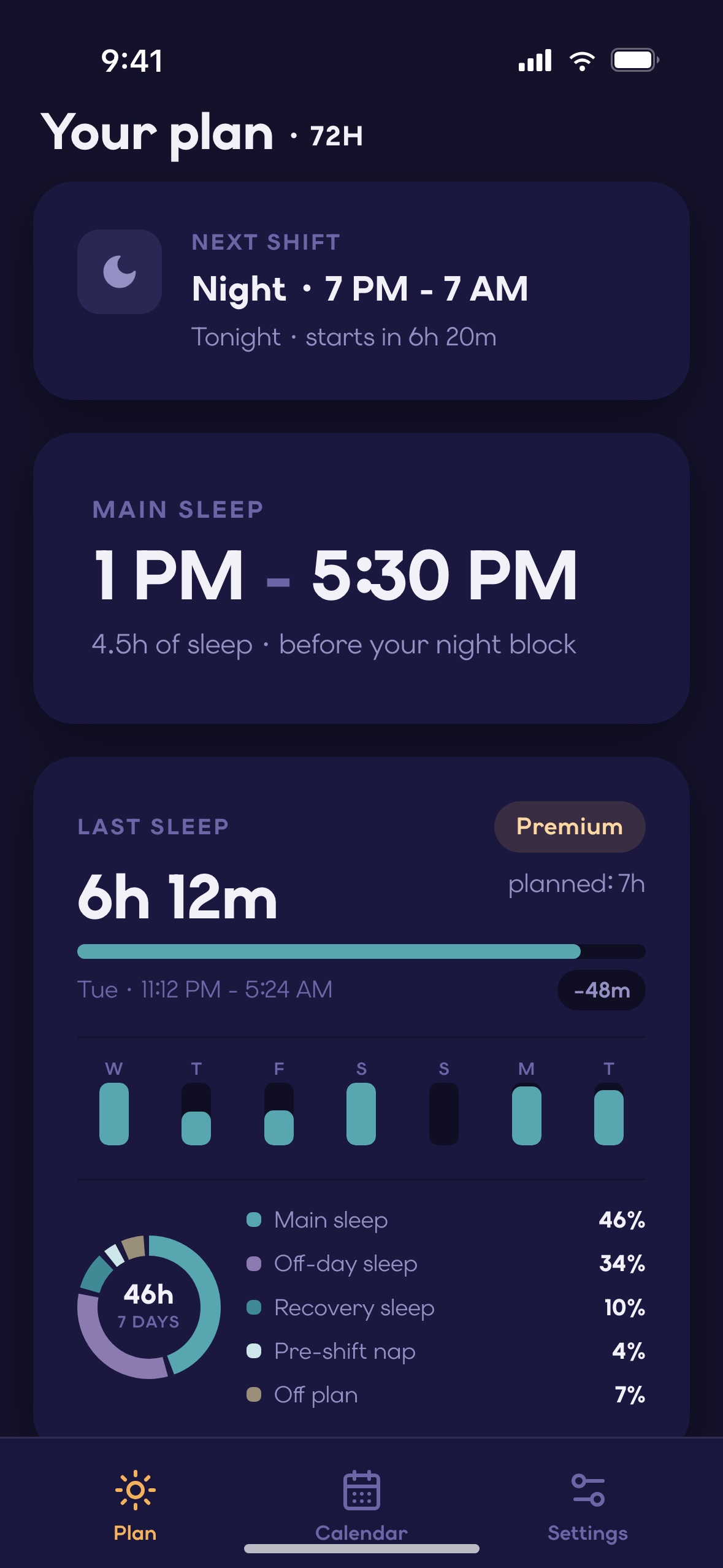
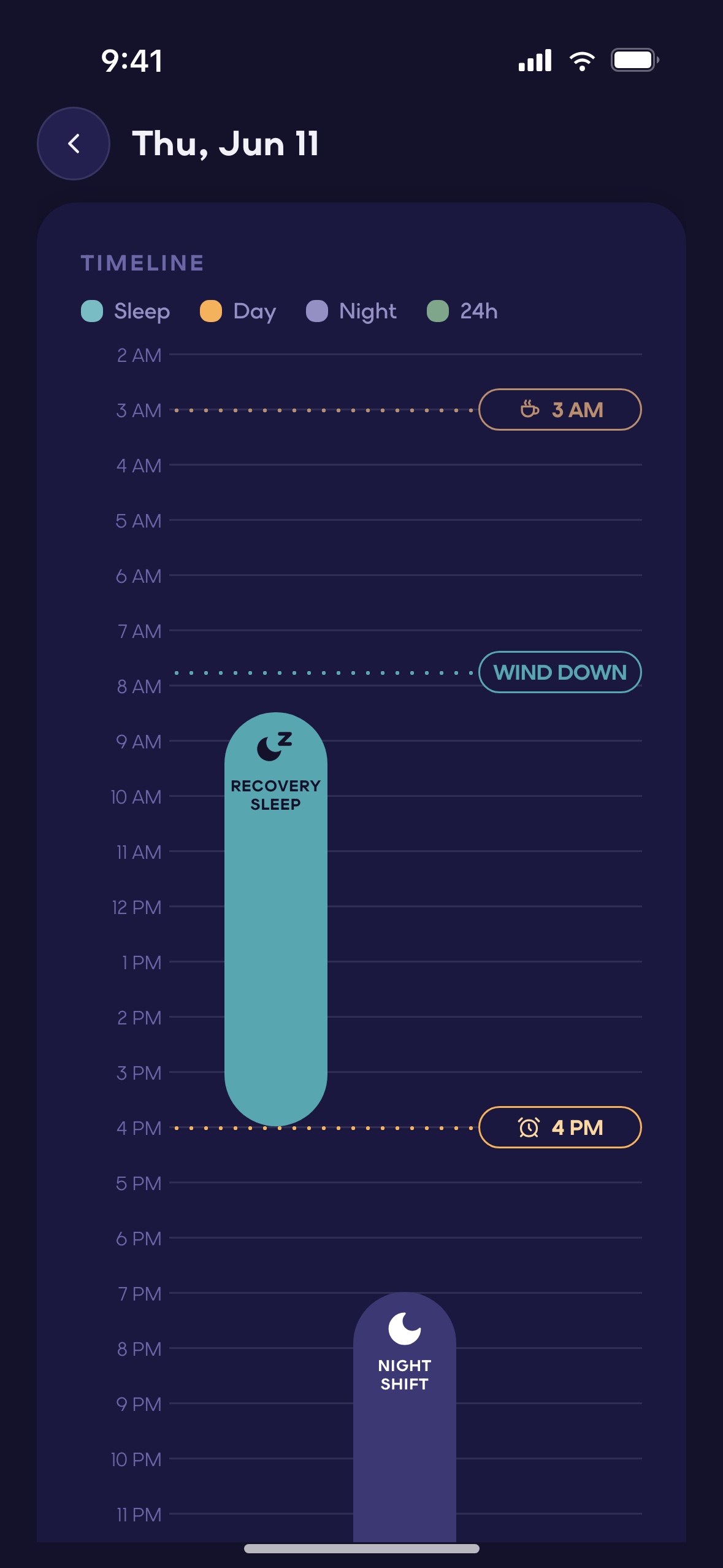
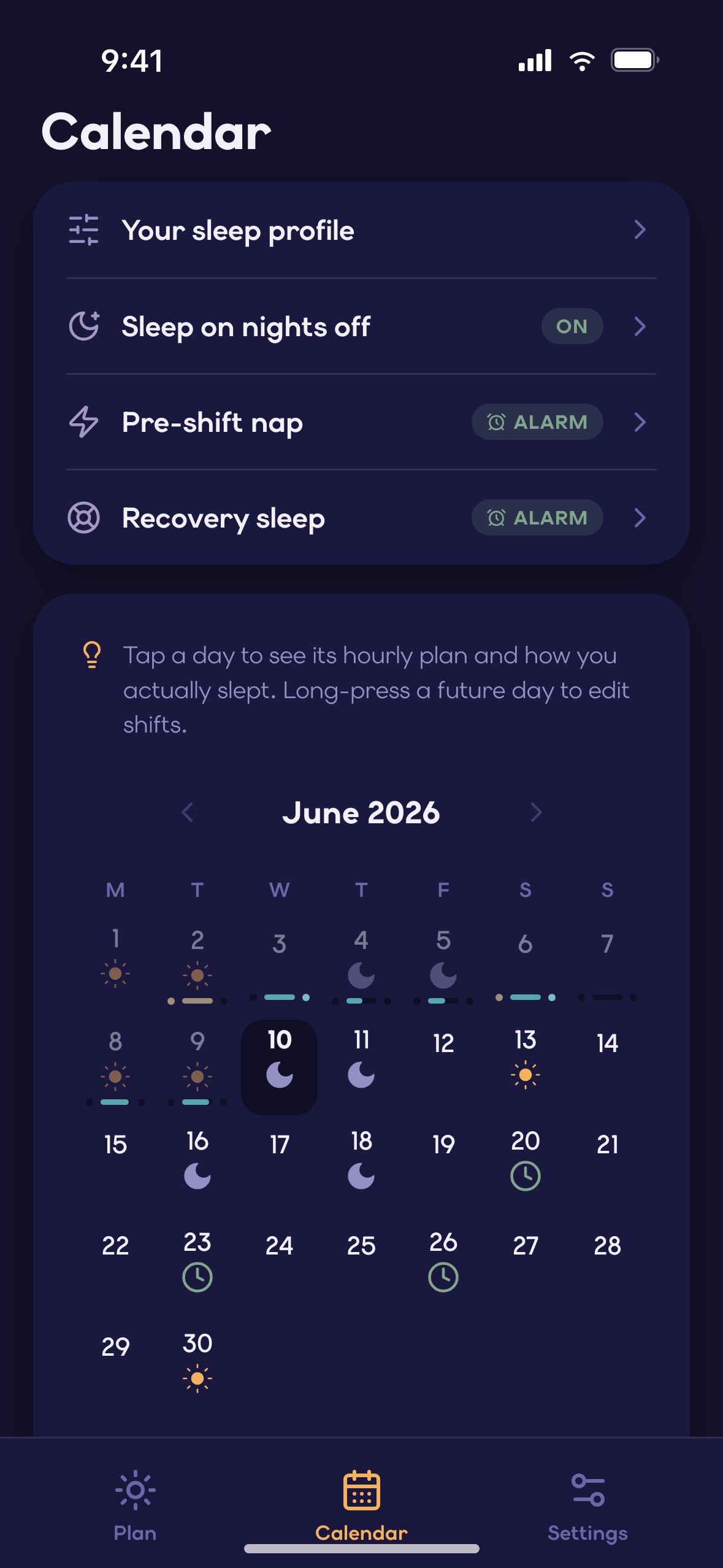
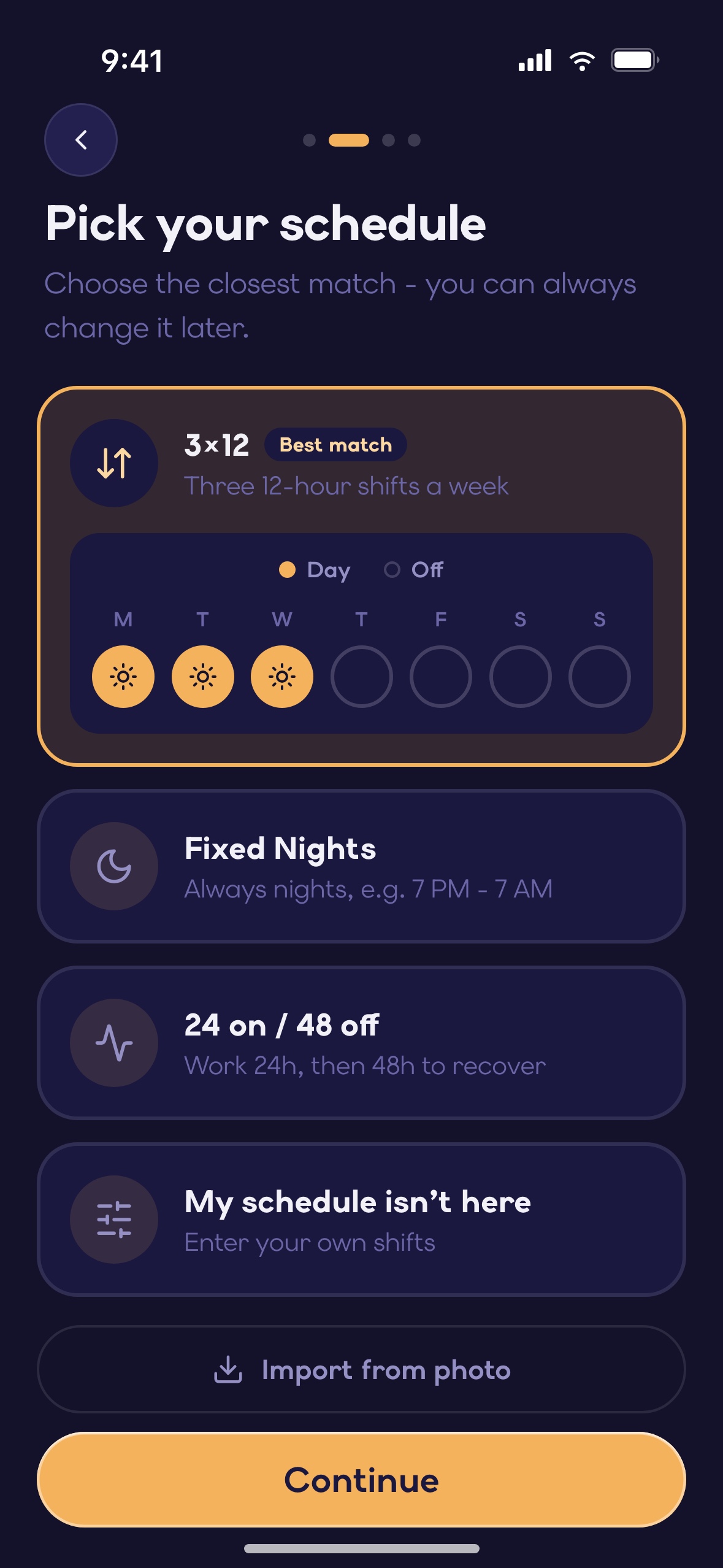
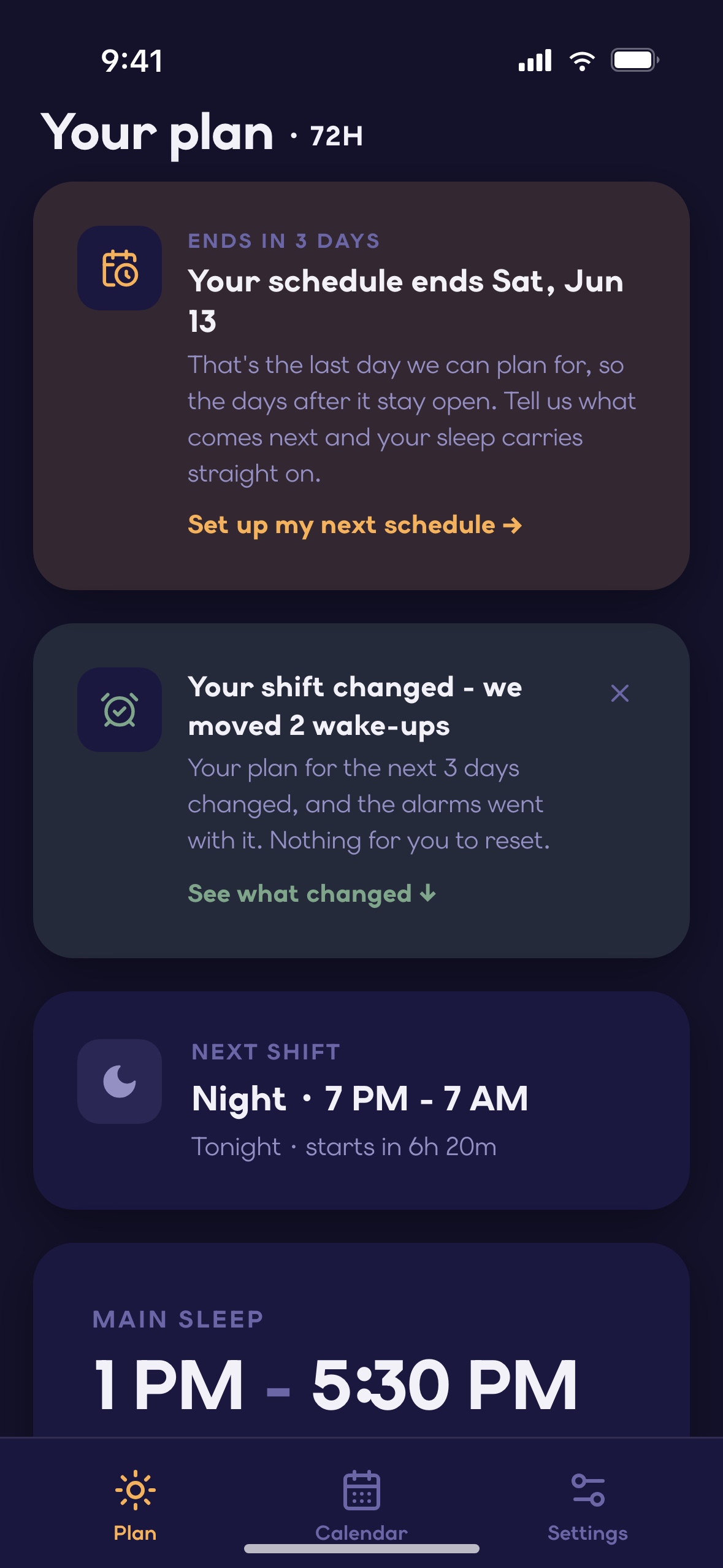
What it does. Enter your shifts — by hand, from a template (3×12, fixed nights, 24/48 and more), or by photographing your roster — and Vessa turns the next 72 hours into a plan: main sleep, recovery sleep, pre-shift naps, off-day sleep, wind-down and caffeine cutoff. Every sleep is a switch. When a shift changes, the plan re-plans itself, and it tells you three days before your schedule runs out. Core planning is free: unlimited shift entry, the whole plan, every planned wake-up time, and your first roster import.

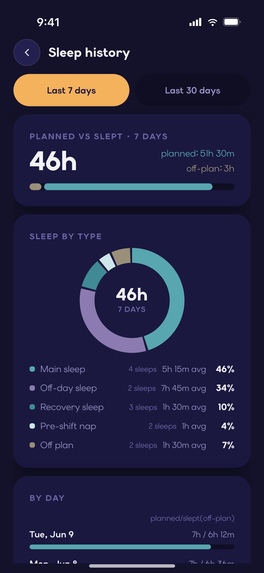
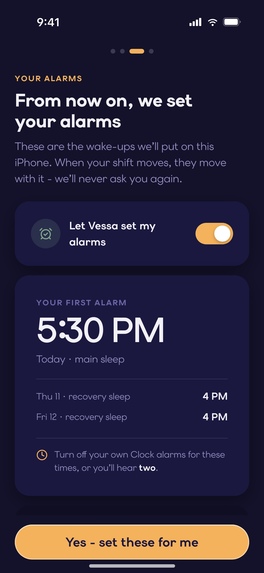
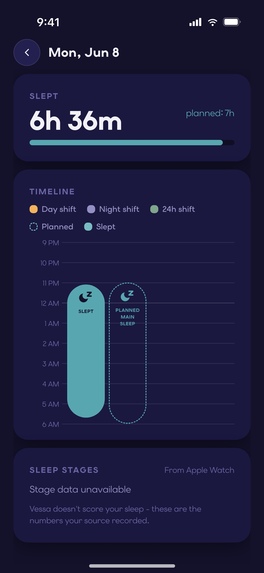
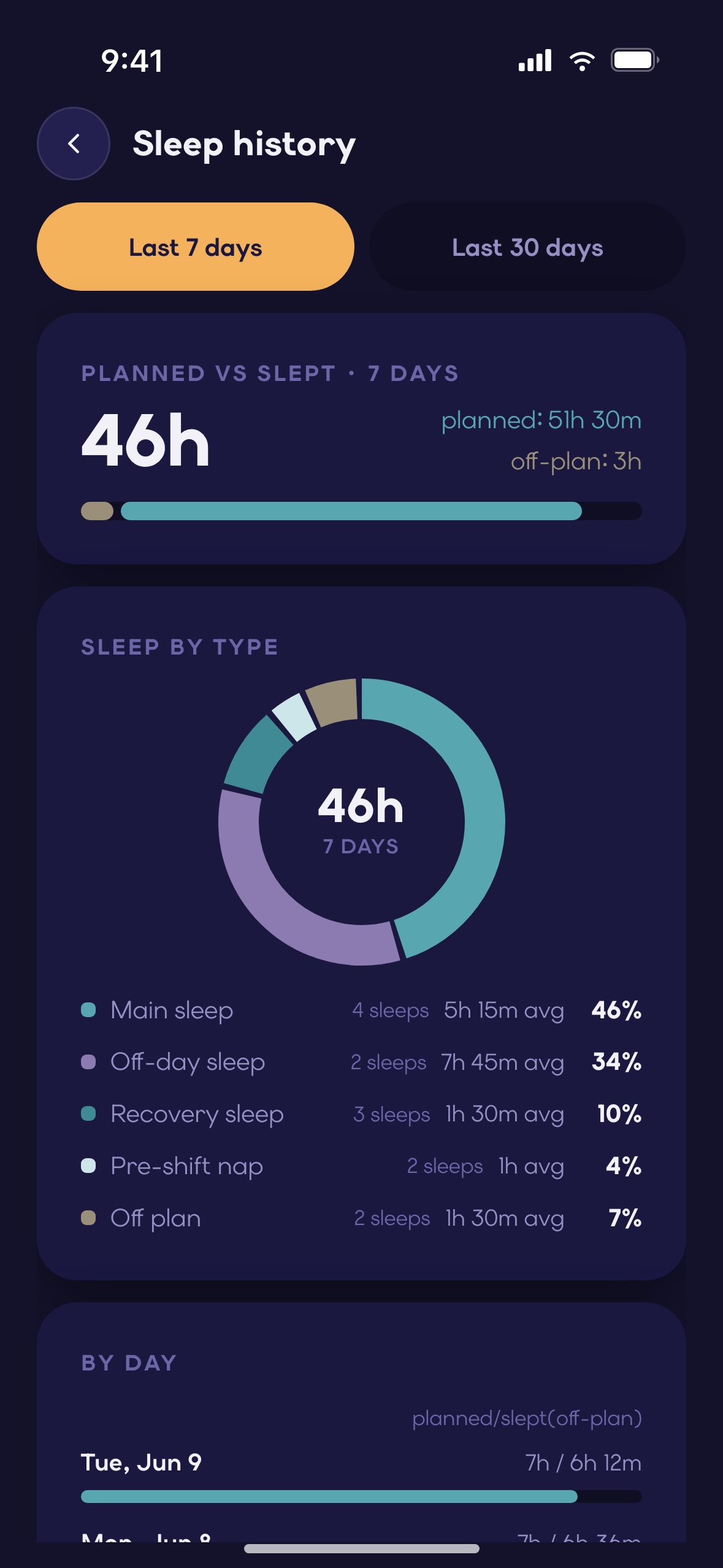
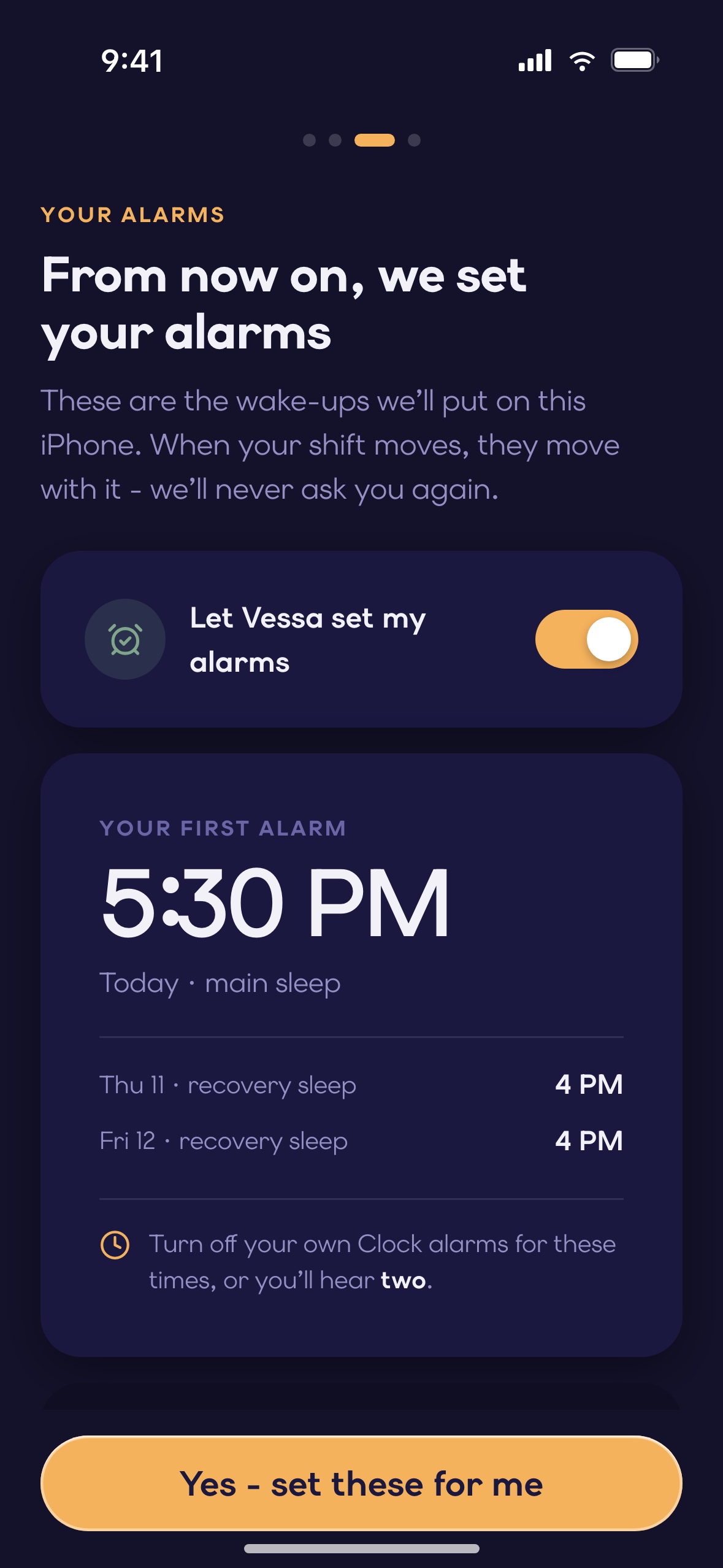
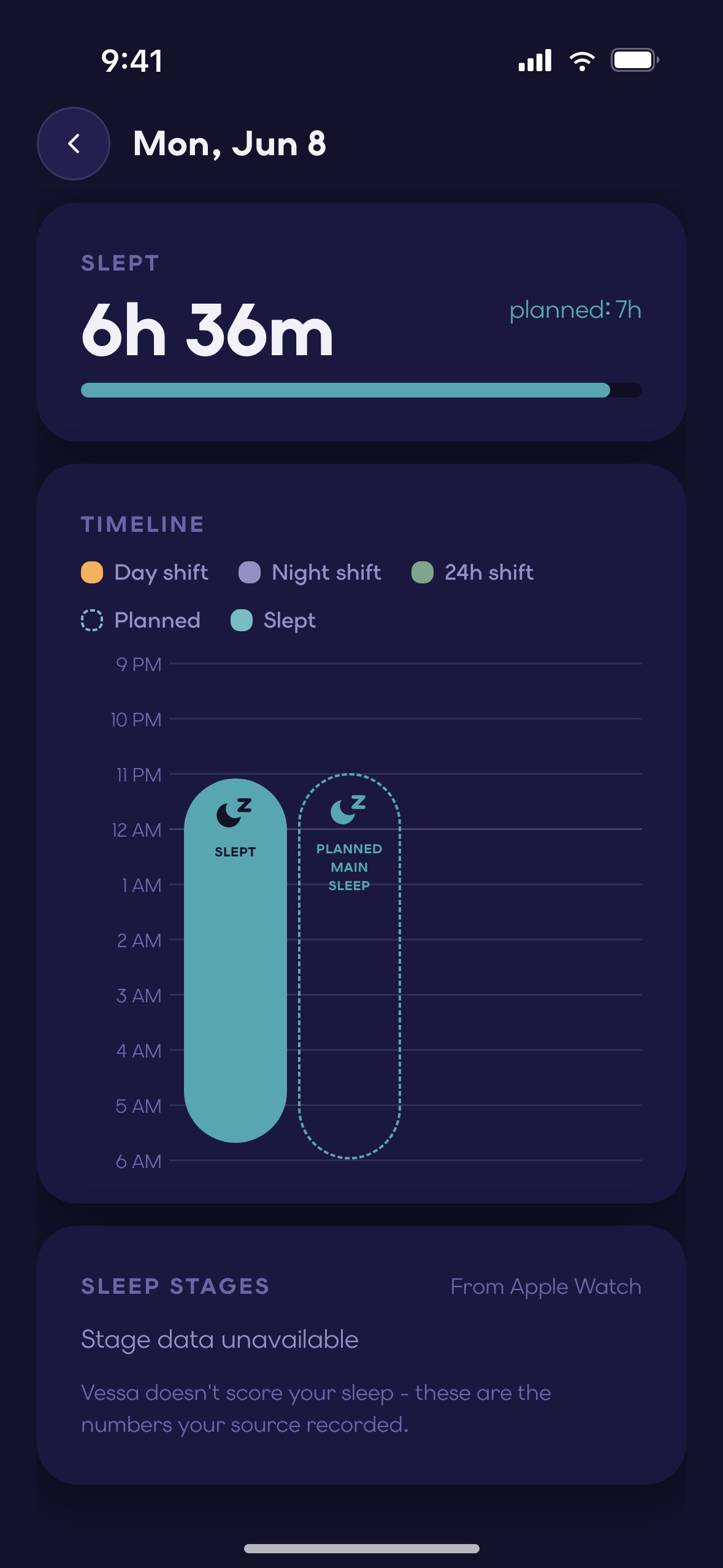
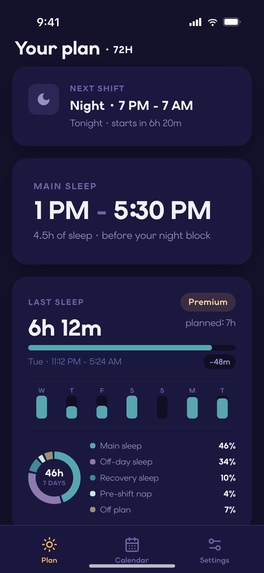
Premium does three things. It reads your roster from a photo every cycle — on the device, nothing uploaded. It sets the wake-up alarm for every planned sleep as a real iPhone alarm (AlarmKit) and moves it when your shift moves. And it keeps a sleep ledger: what you planned next to what you slept, read from Apple Health, day by day and by sleep type.

How we built it. Native Swift, SwiftUI and SwiftData on iOS 26.1+. The planner is a pure-Swift domain package with a Python measurement harness that runs every placement rule against 13 shift templates and 600 synthetic rosters before it ships — more than one rule was reversed the same day it was written because the harness showed what it actually produced. Roster import is Vision plus a table heuristic, entirely on device, measured against a synthetic corpus of 18 roster layouts with ground truth. Alarms are AlarmKit on a 7-day rolling window, soaked for days on a real phone across an iOS update. Sleep data is HealthKit, read-only. The backend is FastAPI and PostgreSQL for Sign in with Apple, cross-device sync, account deletion and RevenueCat webhook reconciliation. RevenueCat runs offerings, purchase, restore and entitlement state; the app reduces RevenueCat's evidence and the backend's into one decision, so a purchase works the moment it completes and reconciles safely afterwards.

Challenges. Representing shift work without making the user learn cycles and anchors. Apple Health writes a night's sleep as 15–35 fragments with no notion of a session — matching them to a planned block took a field study before it took code. A wake-up alarm that has to survive a schedule change, an app deletion and an OS update. And a free/paid boundary that never degrades the free plan: we moved things out of Premium — transition planning, repeating-pattern maintenance — when we saw they would make the free product worse rather than the paid one better.

What we learned. The valuable output is not a score; it is the next honest action. Speed claims we could not measure came out of the copy. And a paywall earns its place only at the moment of a repeated task the user would rather not do again.

Vessa is a planning and self-care tool. It does not provide medical advice, diagnosis or treatment.

New in 1.2 (live September 29):

  • shifts in the iPhone Calendar as a shareable "Vessa" calendar;
  • Home Screen and Lock Screen widgets;
  • a one-page month to share as an image or PDF;
  • a note on any day;
  • the DuPont rotation.

Built With

Share this project:

Updates

posted an update —

Update: Vessa 1.2.0 takes shape

Three days of work toward 1.2.0, the release that makes Vessa a shift work calendar that also plans your sleep.

Done and in the 1.2.0 build

  • Share your next four weeks. The Calendar exports one clean page: a PNG for Messages, or an A4 PDF for Mail, Print and Markup.
  • Your trial end date, stated plainly. It shows on the Premium welcome screen and in Manage subscription, and one reminder arrives two days before the trial ends. The annual plan now shows its trial length on the paywall.
  • Purchases that don't go through say so. A failed or interrupted purchase is reported on screen. The paywall never offers "Subscribe" when there is nothing to buy.
  • Reminders say what they're for. Each reminder names its sleep block and its time range. The no-sound option is now called "Quiet reminders".
  • A rating request at the right moment. Vessa asks for a rating right after it has done something useful for you. "Rate Vessa" opens the write-a-review sheet directly.
  • A deep link into the plan. vessa://plan opens Vessa on the Plan tab. This is groundwork for App Store in-app events.
  • Clean sign-out. Signing out removes the previous person's plan, reminders and alarms from the phone. The same happens when the account was deleted on another device. The backend now tells the device its account is gone, instead of just rejecting its token.

Landing next in 1.2.0

  • Widgets. A Home Screen widget and two Lock Screen widgets show today's shift and your next sleep at a glance, free for everyone. The medium widget carries a two-week calendar that starts on Monday, so it always shows at least eight days ahead. The widgets keep themselves current between app opens.
  • Your shifts in iPhone Calendar. Vessa writes your shifts into a "Vessa" calendar of its own, and your sleep windows too if you choose. You can share that calendar with a partner through iCloud, so they see when you're working without installing anything. (In review.)

What we learned this week We read 2,466 competitor reviews on Google Play. The three things users love are the same on both stores: entering a shift pattern once, sharing the schedule with family, and tracking hours. Sleep came up in 4 of 5,353 reviews. So 1.2.0 presents Vessa as a shift work calendar first, with sleep planning as the part no calendar does.

Log in or sign up for Devpost to join the conversation.

posted an update —

Vessa went live on the App Store on September 15, in the US, Canada, the UK, Australia and New Zealand. The free planner and all three Premium features are in the build you can download today.

The first week taught us one thing about words. We ran a small Apple Ads test and read where the impressions landed: almost all of them came from people searching for a nurse scheduling app, not for sleep. Nobody searches for "shift work sleep". People search for a shift calendar, and then ask it to wake them up.

That is what Vessa is, so the listing will say so.

Log in or sign up for Devpost to join the conversation.

posted an update —

The rota goes up at the start of the month, and you type twenty shifts into your phone one at a time. Then the month ends and you do it again.

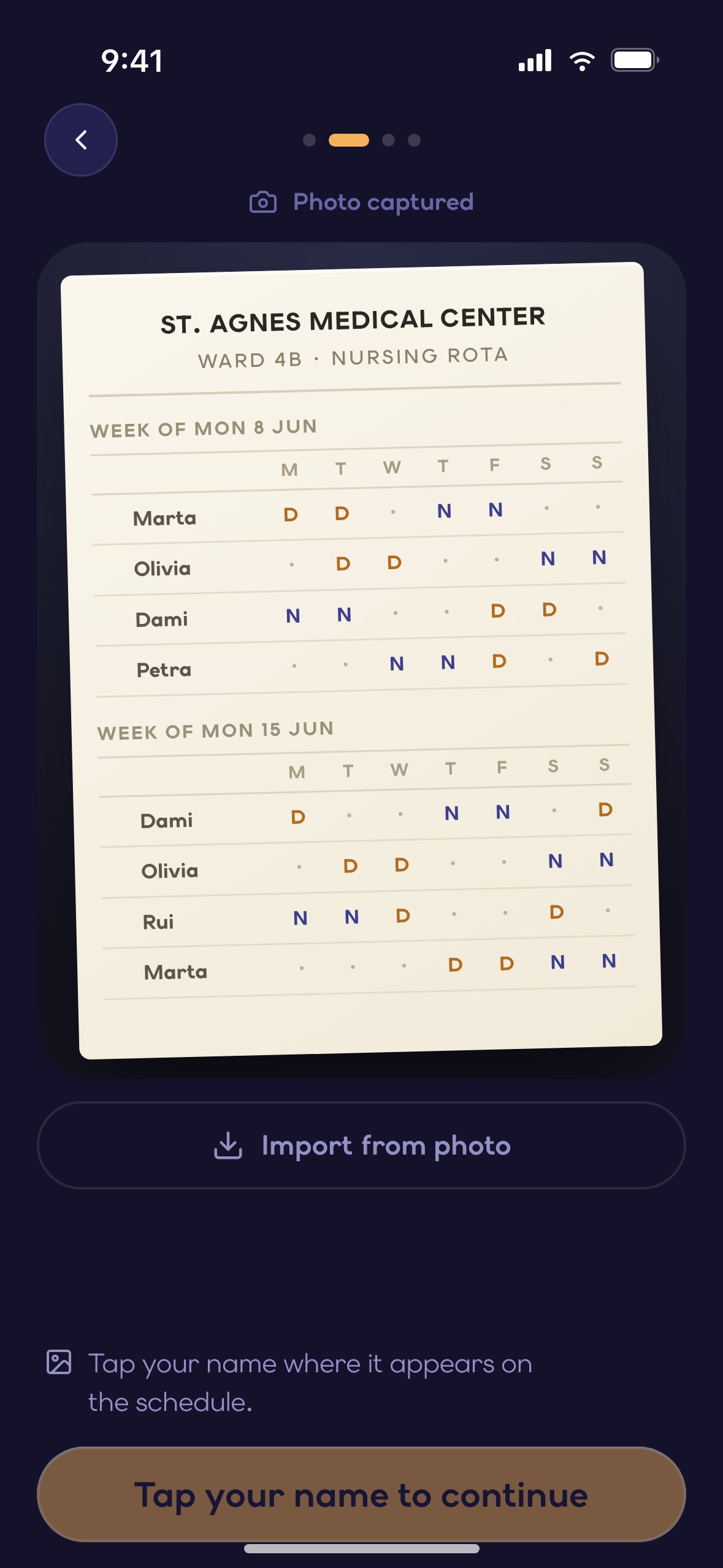
Here's what we're building: photograph the roster, tap your own name, and your shifts come back. Pinch to zoom, drag to move around, and wherever on your name you tap, it finds the same person.

The reading happens entirely on your phone. The photo doesn't go anywhere.

You can see it on screen today; saving it into your plan is what we're working on now.

Log in or sign up for Devpost to join the conversation.

posted an update —

Your shifts changed, you entered the new schedule, and the app wiped days you had actually worked last week. That doesn't happen any more.

The days you've lived through are your record. A new schedule now rebuilds only the dates it covers and leaves the rest alone. The gap between today and your new schedule's first day isn't blanked either — your old shifts stay there. Your roster starting next Monday no longer costs you the three weeks in front of it.

And before you change anything, we tell you what's about to happen: which dates the new schedule covers, and that nothing you've already worked will move.

Log in or sign up for Devpost to join the conversation.

Submission history